
Overview

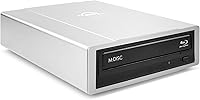
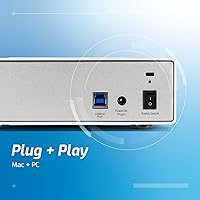
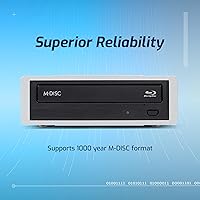
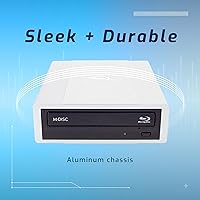
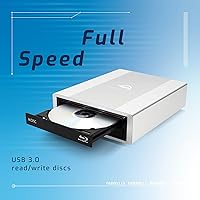
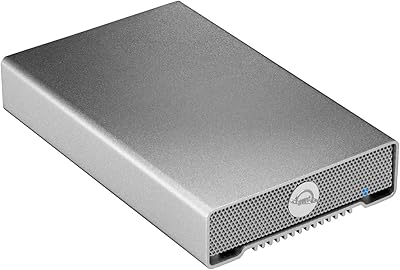
The OWC Mercury Pro External Blu-ray Drive occupies a niche that most mainstream tech brands have quietly walked away from, yet it has earned the #3 spot in its Amazon category for a reason. While the market is flooded with cheap plastic burners, this external Blu-ray burner is built around a solid aluminum chassis that communicates a different level of seriousness from the moment you unbox it. It connects via USB 3.0 and supports a remarkably wide range of operating systems — macOS 10.6 through current releases, plus Windows XP and later. The headline feature is M-DISC support: the ability to burn data onto archival-grade discs rated for extreme longevity, well beyond what standard optical media can promise.

Features & Benefits

USB 3.0 keeps transfer speeds brisk, and in most desktop setups a single connection handles data without hunting for a powered hub. Where this optical drive truly stands apart is M-DISC compatibility — M-DISC uses a stone-like disc substrate engineered to resist degradation far longer than conventional pressed media, making it a serious tool for anyone who cannot afford to lose critical files. It handles Blu-ray, DVD, and CD formats, with CD writes reaching a quick 48X. The aluminum housing also dissipates heat better than plastic during long burn sessions. One honest caveat: it requires an external power cable, so this is firmly a desk-bound unit, not a travel companion. A 0.6-meter USB cable and a one-year warranty are included.

Best For

The OWC drive is the right pick for a specific type of buyer — someone who treats data preservation as a genuine priority, not an afterthought. Home archivists, photographers, and small business owners will find M-DISC archival burns a compelling physical backup strategy that does not rely on cloud subscriptions or the unpredictable lifespan of spinning hard drives. Mac users on modern hardware that ships without a built-in optical drive will appreciate the cross-platform compatibility working smoothly out of the box. Video editors who still deliver client projects on Blu-ray disc need a burner they can count on session after session. Casual users who only occasionally need to read a disc may find the premium investment harder to justify.

User Feedback

With more than 2,400 ratings and a 4.4-star average, this external Blu-ray burner has built broad approval across a long sales window. Owners consistently cite build quality and burn reliability as the deciding factors over cheaper alternatives — Mac users in particular tend to praise the plug-and-play experience. The most common criticisms are practical rather than fundamental: the included USB cable feels short at 0.6 meters, and some buyers were caught off guard by the external power brick. A handful of reviewers on newer OS versions mention occasional driver friction, though most report smooth operation after initial setup. Those who actually use M-DISC media are enthusiastic; light, occasional users occasionally question whether the cost premium was worth it for their needs.

Pros

  • Solid aluminum build feels noticeably more durable than the plastic-bodied rivals at lower price points.
  • M-DISC support enables archival-grade burns rated for extreme long-term storage, a rare feature in this category.
  • Reliable burn performance across Blu-ray, DVD, and CD formats with no constant babysitting required.
  • USB 3.0 connection delivers fast transfer speeds without requiring a separately powered hub on most desktops.
  • Mac compatibility works out of the box on a wide range of macOS versions, which saves real setup frustration.
  • Cross-platform support covers both macOS 10.6 and later and Windows XP and later — genuinely broad reach.
  • The aluminum chassis dissipates heat effectively during extended burn sessions, reducing the risk of mid-burn failures.
  • A one-year OWC limited warranty provides a reasonable safety net for a premium-tier peripheral.
  • Consistently praised by verified buyers for longevity compared to cheaper drives that fail within a year or two.
  • Ranks among the top three bestselling external Blu-ray drives on Amazon, reflecting sustained buyer confidence over time.

Cons

  • The external power brick is an extra cable to manage and makes this drive completely unsuitable for mobile use.
  • The included USB cable is only 0.6 meters long, which is impractically short for many real-world desk setups.
  • Some users on recent OS versions have encountered driver friction or compatibility issues that required extra troubleshooting.
  • M-DISC media itself costs significantly more per disc than standard Blu-ray blanks, adding ongoing cost for archival users.
  • No bus-powered operation means you need a free power outlet every time you use it, even for a quick read.
  • The drive is heavier than most competitors at 4.53 pounds, making it cumbersome to move between workstations.
  • Blu-ray movie playback requires separate third-party software, which is an added expense and complication many buyers do not anticipate.
  • Casual users who rarely burn discs are unlikely to recoup the value of the premium over budget alternatives.

Ratings

Our AI rating system analyzed thousands of verified global buyer reviews for the OWC Mercury Pro External Blu-ray Drive, actively filtering out incentivized submissions and bot-pattern feedback to surface what real users actually experience. The scores below reflect both the genuine strengths that keep this optical drive near the top of its category and the recurring frustrations that prevent a perfect result. Nothing is glossed over — the pain points are weighted just as carefully as the praise.

Build Quality
93%
The aluminum chassis is the single most praised physical attribute across the entire review pool. Users who have owned cheaper plastic burners consistently describe the OWC drive as feeling like a different class of product entirely — more substantial, more professional, and noticeably better at staying cool during back-to-back burn sessions.
A small number of buyers noted that the aluminum finish showed fine scratches more visibly than a matte plastic surface would. The unit is also heavier than most rivals at 4.53 pounds, which is a minor inconvenience if you need to move it between workstations regularly.
Burn Reliability
89%
Long-term reliability is one of the most cited reasons buyers choose this drive over budget alternatives. Photographers and video editors running multiple burn sessions per week report consistent results with very low coaster rates, which matters enormously when you are archiving irreplaceable files onto expensive M-DISC media.
A handful of reviewers encountered failed burns after firmware or OS updates, requiring a reinstall or driver refresh to restore normal operation. These cases appear to be the exception rather than the rule, but they are worth noting for users in tightly managed IT environments.
M-DISC Compatibility
91%
Among buyers who specifically purchased this drive for archival purposes, M-DISC performance drew near-universal praise. The ability to burn to a format designed for extreme longevity — using an inorganic layer rather than the dye-based coating on standard discs — is genuinely rare at this price tier and works exactly as advertised.
M-DISC media is significantly more expensive per disc than standard Blu-ray blanks, which is not the drive's fault but does affect the real-world cost of using this feature. Casual users who are unfamiliar with the format sometimes feel the spec is wasted on their use case after purchase.
Mac Compatibility
88%
Mac users with modern hardware lacking a built-in optical drive consistently report a smooth plug-and-play experience. The broad OS compatibility stretching back to macOS 10.6 means this external Blu-ray burner works across a wide range of machines, including older Mac Pros still in active service in creative studios.
A recurring thread in recent reviews involves intermittent recognition issues after major macOS updates, requiring users to unplug and reconnect or check for updated OWC firmware. This is not a dealbreaker for most, but it does add friction for users who expect zero-maintenance operation.
Windows Compatibility
82%
18%
Windows users generally report a straightforward experience, with the drive recognized automatically without needing to hunt for third-party drivers. Coverage spanning Windows XP through current Windows 11 builds is broad enough to cover virtually every active PC in a home or small business environment.
A minority of Windows users on Windows 11 noted occasional compatibility quirks, particularly around Blu-ray playback software integration. The drive hardware performs well, but the surrounding software ecosystem on Windows for Blu-ray movie playback remains fragmented and occasionally frustrating.
Transfer Speed
84%
USB 3.0 delivers meaningfully faster data transfers compared to older USB 2.0 drives, which is noticeable when burning large Blu-ray disc images or reading back high-capacity discs. For video editors moving large project files onto disc, the speed improvement over older-generation drives is practically significant.
At 16X Blu-ray write speed, this drive is not the fastest available, and enthusiast users burning large volumes of high-capacity discs regularly may wish for a higher ceiling. In day-to-day use the speed is more than adequate, but power users with high throughput demands should be aware of this ceiling.
Included Accessories
61%
39%
The box covers the basics: a USB 3.0 cable and a power cable are both included, so you can be up and running without an additional purchase in most setups. A printed user guide is a small but appreciated touch that cheaper rivals often omit entirely.
The 0.6-meter USB cable is the most complained-about accessory in the entire review pool — it is simply too short for desk setups where the host computer is not immediately adjacent to the drive. Buyers almost universally recommend purchasing a longer USB 3.0 cable separately, which feels like an unnecessary extra expense for a premium product.
Noise Level
71%
29%
During lower-speed operations and disc reading tasks, this optical drive operates at a reasonable noise level that most users describe as acceptable in a home office setting. The aluminum enclosure appears to dampen some of the mechanical resonance that makes cheaper plastic drives sound rattly at speed.
At peak read speeds, particularly when spinning up a Blu-ray disc for the first time, the drive produces an audible whirring noise that some users in quiet environments found distracting. This is common across optical drives as a category, but it is still a genuine limitation worth flagging for noise-sensitive users.
Portability
42%
58%
The drive's footprint is compact enough to sit neatly on a desk without dominating the workspace, and its clean aluminum aesthetic integrates well into a professional setup alongside other OWC peripherals or Apple hardware.
The mandatory external power cable makes this drive fundamentally unsuitable for mobile use — there is no bus-powered option. At 4.53 pounds, it is also one of the heavier units in this category, and the combination of weight and tethered power cable means most buyers set it up once and leave it in place permanently.
Value for Money
67%
33%
For users who genuinely need M-DISC archival capability and reliable long-term performance, the premium over budget alternatives is easier to justify — especially after cheaper drives failed within a year or two and needed replacement. The aluminum build and OWC's reputation for Mac peripheral quality add to the overall value argument.
Casual users who only occasionally need to read a disc or burn a one-off backup will find the investment harder to rationalize. The core functionality — burning a Blu-ray disc — is available from cheaper competitors, and buyers who do not leverage the M-DISC support or need the build durability are essentially paying for features they will never use.
Setup Experience
86%
The vast majority of buyers across both Mac and Windows report a quick, uncomplicated setup — plug in the power cable, connect USB, and the drive appears immediately. For a peripheral aimed at professional and prosumer users, the low-friction onboarding is a genuine practical advantage.
Edge cases exist, particularly on freshly updated operating systems, where the drive is not immediately recognized and requires a restart or firmware update to resolve. These situations are uncommon but generate disproportionately frustrated reviews from buyers who expected zero setup friction.
Longevity & Durability
88%
Multi-year ownership reviews are consistently positive, with buyers reporting that this optical drive holds up well under regular use where plastic-bodied alternatives had already failed. The aluminum chassis and the quality of the internal mechanism both contribute to a drive that earns its keep over a longer ownership period.
As with any optical drive, the mechanical components inside are subject to eventual wear, and a small number of long-term owners report reduced read reliability after several years of heavy use. OWC's one-year warranty does not cover the years beyond the initial purchase window where component fatigue is most likely to emerge.
Warranty & Support
74%
26%
OWC carries a generally strong reputation for customer support within the Mac peripheral community, and the one-year limited warranty provides a reasonable baseline of protection for a premium-priced purchase. Buyers who have needed to use the warranty report mostly positive resolution experiences.
One year is a shorter warranty window than some competitors offer on comparably priced peripherals, and several users noted they would have preferred a two-year coverage period given the investment. Support quality can vary depending on the nature of the issue, and software-related compatibility problems sometimes fall outside the warranty scope.

Suitable for:

The OWC Mercury Pro External Blu-ray Drive was built for people who take data preservation seriously and want hardware that can keep up with that commitment. Home archivists, photographers, and genealogists who have accumulated years of irreplaceable files will find real value in the M-DISC burn capability — a format designed to outlast conventional optical media by a significant margin, using a rock-like inorganic layer instead of the dye-based coatings that degrade over time. Mac users on recent MacBook Pro, MacBook Air, or Mac mini hardware — none of which include a built-in optical drive — will appreciate that this external Blu-ray burner works reliably across both macOS and Windows without driver headaches in most cases. Video editors and small production studios that still deliver finished work on Blu-ray disc need a drive that handles repeated, long burn sessions without overheating or failing mid-job, and the aluminum chassis helps here. IT managers and small business owners looking to maintain archival-grade physical backups alongside a cloud strategy will also find this optical drive a sensible fit for a desk-based workflow.

Not suitable for:

Buyers expecting a portable, bus-powered drive they can toss in a bag alongside a laptop should look elsewhere — the OWC Mercury Pro External Blu-ray Drive requires an external power cable, which anchors it firmly to a desk setup. If you only occasionally need to read a disc a few times a year, the investment is difficult to justify against cheaper plastic alternatives that will handle light, casual use perfectly well. Users on the very latest versions of macOS or Windows should verify current driver compatibility before buying, as a portion of reviewers have reported needing to troubleshoot or update firmware after a major OS upgrade. The included USB cable measures just 0.6 meters, which creates a frustrating reach problem if your desktop tower or docking station sits more than arm's length away. Anyone hoping to use this drive as a region-free Blu-ray player for movie discs should note that software playback licensing on Blu-ray is a separate, complicated matter on both Mac and PC — the hardware alone does not solve that problem.

Specifications

  • Brand: Manufactured by OWC, also known as Other World Computing, a company with a long track record in Mac-compatible storage and peripherals.
  • Model Number: The unit carries model number OWCMR3UBDRW16, which identifies this specific 16X Blu-ray configuration within OWC's Mercury Pro lineup.
  • Blu-ray Speed: Supports Blu-ray disc reading and writing at up to 16X, suitable for burning a standard 25GB single-layer disc in a reasonable desktop session.
  • DVD Speed: Reads and writes DVD media at up to 16X, covering the full range of single and dual-layer DVD formats in common use.
  • CD Speed: Handles CD reading and writing at up to 48X, making it fast and practical for legacy audio or data CD tasks.
  • Interface: Connects to host computers via USB 3.0, providing high-speed data transfer that is backward compatible with USB 2.0 ports.
  • M-DISC Support: Fully compatible with M-DISC archival media, which uses an inorganic recording layer engineered for extreme long-term data retention.
  • Chassis Material: The enclosure is machined from aluminum, which improves heat dissipation during sustained burns and resists the warping and cracking common in plastic-bodied drives.
  • Dimensions: The drive measures 8.3 x 6.5 x 2 inches, giving it a compact desktop footprint without the slim-line compromises found in some cheaper units.
  • Weight: The unit weighs 4.53 pounds, reflecting the solid aluminum construction rather than the lighter plastic builds typical of budget alternatives.
  • Power Source: Requires an included external power cable for operation; it is not bus-powered, meaning it cannot draw sufficient power from the USB connection alone.
  • OS Compatibility: Works with macOS 10.6 (Snow Leopard) and all later releases, as well as Windows XP and all later versions of Windows.
  • Included Cable: Ships with a 0.6-meter (approximately 24-inch) USB 3.0 cable, which some users find short for desks where the host machine sits at a distance.
  • In the Box: Package contents include the external Blu-ray burner, a 0.6-meter USB 3.0 cable, an external power cable, and a printed user guide.
  • Warranty: Covered by a one-year OWC Limited Warranty against defects in materials and workmanship from the date of original purchase.
  • Availability Date: This model was first made available for purchase on April 22, 2016, and has not been discontinued by the manufacturer as of the latest product data.
  • Bestseller Rank: Holds the #3 position in the External Blu-ray Drives category on Amazon, based on sustained sales volume across more than 2,400 customer ratings.
  • Hardware Platform: Listed as compatible with PC hardware platforms and verified to function correctly on Apple Mac hardware running supported macOS versions.

Related Reviews
OWC Mercury Elite Pro Mini 2TB External Hard Drive
86%
88%
Performance
91%
Portability
85%
Durability
92%
Compatibility
93%
Setup & Installation
More
OWC Mercury Elite Pro 2TB Hard Drive Enclosure
74%
83%
Build Quality
71%
Transfer Speed
88%
Ease of Setup
58%
Drive Reliability
63%
Value for Money
More
OWC Mercury Elite Pro 12TB External Hard Drive Enclosure
85%
88%
Performance
91%
Build Quality & Durability
93%
Ease of Setup
89%
Compatibility with Multiple Devices
68%
Noise Levels
More
OWC Mercury Elite Pro 16TB External Hard Drive Enclosure
83%
89%
Performance & Speed
75%
Value for Money
91%
Build Quality & Durability
65%
Noise Levels
88%
Ease of Setup
More
OWC Mercury Elite Pro 6TB External Hard Drive Enclosure

85%
87%
Performance
91%
Build Quality
93%
Data Transfer Speed
90%
Setup & Installation
88%
Compatibility
More
Yaeonku 50GB External Blu-ray Drive
70%
86%
Plug-and-Play Setup
78%
Blu-ray Read & Burn Performance
89%
Dual-Interface Connectivity
41%
Software & Playback Experience
83%
Compatibility Across Operating Systems
More
Wintale Portable External Blu-ray Drive
72%
91%
Ease of Setup
72%
Read Performance
69%
Write & Burn Reliability
44%
Software & Out-of-Box Readiness
61%
Build Quality
More
NOLYTH Portable External Blu-ray Drive

71%
91%
Portability & Form Factor
88%
Plug-and-Play Setup
44%
Blu-ray Playback Software Experience
71%
Disc Read & Write Performance
67%
Build Quality & Materials
More
NVOPERANG BD015 External Blu-ray Drive
72%
78%
Plug-and-Play Ease
61%
Blu-ray Playback Experience
84%
CD & DVD Performance
67%
Build Quality & Durability
81%
Connectivity & Compatibility
More
Cloudtale Portable Slim External Blu-ray Drive
71%
91%
Ease of Setup
61%
Mac Compatibility
78%
Build Quality
74%
Read Performance
88%
Portability
More

FAQ

Yes, in most cases you just plug it in and it is recognized immediately. The OWC Mercury Pro External Blu-ray Drive has been widely used with modern MacBooks that lack a built-in optical drive, and most buyers report a straightforward plug-and-play experience on macOS 10.6 and later. That said, it is always worth checking for firmware updates if you run into any unusual behavior after a major macOS upgrade.

No, not typically. The drive uses its own included external power cable rather than drawing power from the USB port, so it handles its own power needs independently of your USB hub or port. Just plug the power cable into a wall outlet or power strip and connect the USB cable to your computer.

The hardware can read Blu-ray movie discs, but macOS does not include native Blu-ray movie playback software, and licensing restrictions make this a genuinely complicated area. You would need a compatible third-party application to handle playback. This is not unique to this drive — it applies to every external Blu-ray drive on Mac — so factor in the extra software cost and research before buying if movie playback is your primary goal.

M-DISC is an archival disc format that uses a hard, inorganic recording layer instead of the organic dye used in standard recordable discs. That dye-based layer breaks down over decades, but M-DISC media is engineered to resist that kind of degradation significantly longer. For most casual users burning a disc occasionally, standard Blu-ray blanks are fine. If you are archiving family photos, legal documents, or business records that you genuinely cannot afford to lose, M-DISC is worth considering — though the discs themselves cost more per unit.

That depends on your desk layout. The included cable is 0.6 meters, which is roughly 24 inches — enough to connect a drive sitting right next to a laptop or a compact desktop, but potentially short if your tower sits on the floor or your ports are on the back of a machine tucked away. A standard USB 3.0 extension cable is an inexpensive fix if you find the included one too short.

Most users report it working fine on Windows 11 without any special driver installation, since Windows has native USB optical drive support. A small number of buyers have mentioned needing to check for updated firmware or software on newer OS versions, so if you run into any issues it is worth visiting OWC's support page before assuming the drive is faulty.

Like most optical drives, this one produces audible disc-spin noise during operation, particularly at higher read speeds. It is not disruptively loud, but you will notice it in a quiet room. During slower burn operations it tends to be fairly quiet; faster read speeds generate more whirring noise.

The drive itself is capable of reading the data from a Blu-ray disc, but ripping movie discs involves navigating copyright protection layers, which requires additional third-party software. Ripping your own home movies or unprotected data discs is straightforward with standard disc utility software on both Mac and Windows.

Practically speaking, the aluminum chassis feels noticeably more substantial and stays cooler during long burn sessions, which matters if you are burning multiple discs in a row. Cheaper plastic enclosures can warp or develop rattles over time, and they are generally less effective at conducting heat away from the internal mechanism. If you plan to use the drive regularly over several years, the build quality difference is real and not just cosmetic.

OWC covers this drive with a one-year limited warranty against manufacturing defects. If something goes wrong within that window, you would contact OWC's customer support to arrange a repair or replacement. OWC has a generally solid reputation for customer service within the Mac peripheral community, though as with any warranty claim, keeping your proof of purchase is essential.

Where to Buy