Overview

The A-Tech 32GB DDR3 1333MHz Desktop RAM Kit is one of the more practical options if you're trying to breathe new life into an older desktop without spending a lot. DDR3 may be a dated standard, but millions of Sandy Bridge and Ivy Bridge machines still run on it daily, and maxing out their memory can meaningfully reduce slowdowns. The four-module, 4x8GB configuration is worth noting — it lets compatible motherboards populate all four DIMM slots evenly, which matters for stability. A-Tech sits in the value-oriented tier of third-party memory makers, and that's exactly how you should approach this purchase: as a cost-effective compatibility upgrade, not a flagship product.

Features & Benefits

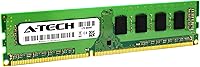
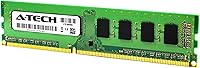
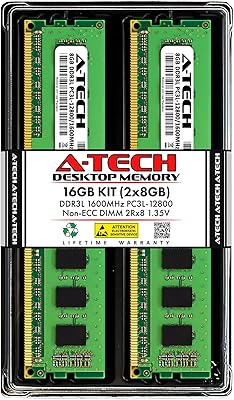
The kit ships as four matched 8GB UDIMM modules running at DDR3 1333MHz, adhering to the PC3-10600 standard at 1.5V — exactly what legacy systems expect without any voltage fiddling. The 240-pin form factor, CL9 latency, and dual rank x8 configuration are all standard for this generation. Installation is genuinely straightforward: slot the modules in, boot up, and the system recognizes them. No software needed. A-Tech also includes a lifetime warranty and US-based tech support, which is a real differentiator at this price point. Each module reportedly goes through quality assurance testing before shipping, though independent verification of that claim isn't publicly available.

Best For

This desktop RAM upgrade makes most sense for people still running a system built around an older Intel platform — think desktops from roughly 2010 to 2014 with four available DIMM slots. If your machine is a pre-DDR4 workstation struggling under the weight of multiple open applications, browser tabs, or light creative software, the added headroom can make daily use noticeably less frustrating. Small offices running accounting or inventory software on aging hardware are another natural fit. That said, this is not a universal solution. Before buying, verify your board supports DDR3 at 1333MHz and can actually handle 32GB total — not every older motherboard can.

User Feedback

With a 4.6-star rating across more than 3,000 reviews, these A-Tech modules have a solid track record. Buyers frequently point to easy installation and a genuine improvement in system responsiveness — particularly on machines that were previously running 8GB or less. Packaging gets decent marks too, with most modules arriving undamaged. On the other side, a meaningful portion of negative reviews involve compatibility issues with specific motherboards, and a smaller number report dead-on-arrival units. The good news is that A-Tech customer support appears to handle warranty claims without excessive friction, which takes some of the risk out of what is ultimately a budget memory purchase.

Pros

  • 32GB total capacity across four matched modules gives older desktops serious multitasking headroom.
  • Plug-and-play installation requires no software configuration — just seat the modules and boot.
  • Lifetime warranty provides meaningful long-term peace of mind for a budget purchase.
  • US-based tech support is available before and after purchase, which is rare at this price tier.
  • Over 3,000 customer ratings averaging 4.6 stars reflects consistent real-world satisfaction.
  • Standard 1.5V JEDEC voltage means no compatibility concerns with power delivery on legacy boards.
  • Four matched modules allow balanced population of all DIMM slots for better system stability.
  • These A-Tech modules are a cost-effective way to squeeze more years out of otherwise capable hardware.

Cons

  • Compatibility is not guaranteed — some motherboards have reported issues recognizing the full 32GB.
  • DDR3 1333MHz is among the slowest desktop memory speeds available and will not improve raw processing performance.
  • A small but consistent number of buyers report receiving dead-on-arrival modules.
  • No XMP or overclocking profile is included, so advanced users have no tuning options.
  • The quality assurance testing claim is not independently verified and should not be taken at face value.
  • Negative reviews occasionally mention slow or inconsistent warranty resolution experiences.
  • This desktop RAM upgrade adds no value to systems that already have DDR4 or DDR5 slots.
  • Dual Rank x8 configuration can occasionally cause instability on finicky older motherboards with strict memory qualification lists.

Ratings

The scores below were generated by our AI system after analyzing thousands of verified buyer reviews for the A-Tech 32GB DDR3 1333MHz Desktop RAM Kit from global marketplaces, with spam, bot-submitted, and incentivized feedback actively filtered out. The result is an honest, balanced breakdown that captures both what this desktop RAM upgrade does well and where real users have run into friction. Strengths and pain points are weighted equally so you can make a genuinely informed decision.
Value for Money
91%
For buyers on tight budgets who need to extend the life of an older desktop, the price-to-capacity ratio here is difficult to beat. Getting 32GB of matched DDR3 memory with a lifetime warranty included — rather than a one-year coverage window — makes this desktop RAM upgrade feel like a genuinely fair deal for what it is.
A small number of buyers felt the value proposition weakened after factoring in return shipping costs when a DOA module arrived. If you end up with a compatibility issue and need to send modules back, the effective cost of the upgrade rises noticeably.
Compatibility
71%
29%
For the specific use case these A-Tech modules are designed for — older Intel Sandy Bridge and Ivy Bridge desktops with four DDR3 DIMM slots — the vast majority of buyers report smooth, first-try recognition. Systems that fall squarely in the supported range tend to boot and detect the full 32GB without any BIOS intervention.
This is where the most friction shows up across user reviews. A meaningful portion of buyers discovered their motherboard either capped out below 32GB, did not support the dual rank x8 configuration, or had qualified memory lists that excluded third-party modules — none of which is obvious without carefully reading the board manual before buying.
Installation Ease
88%
The physical installation process draws consistent praise, particularly from first-time upgraders who were nervous about opening their machines. Modules seat firmly, the side clips engage with a satisfying click, and the system typically recognizes the new memory on the first boot without any driver or software setup required.
A handful of users noted that on some older boards the DIMM slots require more force than expected, which can feel alarming to inexperienced builders. Others found that their specific motherboard needed a slot population order that was not clearly communicated anywhere in the packaging.
Module Reliability
74%
26%
The large majority of buyers report that their modules have performed without issue over extended periods — some users note using this desktop RAM upgrade in workstations that run continuously for months. The matched kit design helps maintain stability across all four slots during memory-intensive tasks like running multiple applications simultaneously.
There is a visible pattern in negative reviews involving dead-on-arrival modules, which is higher than what you typically see with premium memory brands. While the lifetime warranty exists to cover exactly these situations, receiving a non-functional module right out of the box is a frustrating experience that several buyers describe in detail.
Warranty & Support
83%
The lifetime warranty is a genuine differentiator at this price point, and US-based tech support being available before and after purchase adds a layer of reassurance that budget memory brands rarely offer. Several users specifically mentioned that pre-purchase compatibility questions were answered quickly and accurately by the support team.
Post-purchase warranty claim experiences are more mixed. Some buyers report smooth and fast resolutions, while others describe delays or communication gaps during the replacement process. The inconsistency in support quality across different cases is a recurring theme in the lower-rated reviews.
Packaging & Shipping
79%
21%
Most buyers receive their modules in good physical condition, with the packaging doing a reasonable job of protecting the sticks during transit. Antistatic protection is present, which is the bare minimum expectation for any memory product and appears to be consistently met.
A few reviewers noted that the outer packaging felt minimal compared to more established brands, and a small number of shipments arrived with physical damage to the box — though the modules themselves were usually intact. It is not the kind of unboxing experience that instills confidence in the product before you even install it.
System Performance Impact
76%
24%
Users who upgraded from 8GB or 16GB on heavily used office and home workstations consistently report that the system feels more responsive — fewer application freezes, faster switching between open windows, and noticeably smoother behavior when several programs run simultaneously. For the intended use case, the improvement is real and practical.
Anyone expecting a speed transformation will be disappointed. DDR3 1333MHz is a slow standard by any current measure, and buyers occasionally post confused reviews wondering why their system does not feel dramatically faster — a sign that expectations around this type of upgrade are not always well managed.
Build & Chip Quality
69%
31%
The modules feel solid in hand and the PCB construction is consistent across the four sticks in the kit. For a value-tier product, there are no obvious signs of corner-cutting in the physical construction, and the modules fit flush in the slot without wobble or misalignment.
A-Tech does not publicly disclose the DRAM chip manufacturer used in these modules, which means buyers have no way to verify chip origin or quality independently. This lack of transparency is a common concern raised in enthusiast circles, and it limits confidence for buyers who have done enough research to know it matters.
Brand Reputation
72%
28%
A-Tech has built a reasonable reputation as a value memory brand over several years, and the sheer volume of reviews — over 3,000 for this kit alone — gives it more credibility than many lesser-known alternatives. Buyers who have used A-Tech products before tend to return for subsequent upgrades.
Compared to established names like Crucial or Kingston, A-Tech carries less inherent trust, and some buyers factor that into their decision. The absence of brand recognition at the retail level means first-time buyers carry more risk if things go wrong.
BIOS & OS Detection
77%
23%
On compatible systems, Windows, Linux, and macOS (in Hackintosh configurations) all detect the full 32GB reliably once the modules are properly seated. Buyers using memory-diagnostic tools like MemTest86 generally report clean results after initial installation on supported boards.
On boards with stricter memory qualification lists or aggressive memory training routines, some users experience POST failures or only partial memory recognition. These cases typically require BIOS updates or manual timing adjustments that go beyond what a typical home user is comfortable doing.
Documentation & Guidance
58%
42%
A-Tech provides online compatibility resources and pre-purchase support, which helps buyers who know to use them before placing an order. The brand's website and customer service can answer slot configuration and motherboard compatibility questions if contacted directly.
The in-box documentation is minimal at best, and there is no printed guide addressing common compatibility pitfalls or slot population recommendations. First-time upgraders who skip the pre-purchase research step are left without meaningful guidance at the moment they need it most.
Thermal Performance
81%
19%
Running at standard 1.5V DDR3 specification, these modules generate minimal heat under normal desktop workloads. Users running them in systems with modest airflow have not reported any heat-related instability, which is expected behavior for unbuffered non-ECC desktop memory at this speed.
There are no heat spreaders on these modules, which is standard for UDIMM desktop memory at this tier. In enclosed cases with poor airflow and multi-module configurations running sustained workloads, ambient memory temperatures may rise more than users anticipate, though failures from heat alone appear rare in the review data.
Multitasking Headroom
84%
The jump to 32GB is particularly meaningful for users who run virtual machines, multiple browser sessions, or productivity suites alongside background processes on older hardware. Several buyers specifically note that their previously sluggish office workstation became a reliable daily driver again after this upgrade.
The benefits are context-dependent — users whose systems were not memory-constrained to begin with will perceive little to no change. The upgrade addresses a specific bottleneck, and buyers who misdiagnose their slowdown as a RAM problem rather than a storage or CPU problem will be left underwhelmed.

Suitable for:

The A-Tech 32GB DDR3 1333MHz Desktop RAM Kit is a smart buy for anyone still running a desktop built on an older Intel platform — Sandy Bridge, Ivy Bridge, or similar generations from the early-to-mid 2010s. If your machine has four DDR3 DIMM slots and you're hitting memory walls during everyday multitasking, running multiple browser tabs, or using light productivity and accounting software, this kit can genuinely reduce that friction. It's particularly well-suited for small businesses trying to extend the life of office workstations without investing in full system replacements. DIYers and home office users who are comfortable with basic hardware installation will find the upgrade straightforward and rewarding. For anyone on a tight budget who simply cannot justify a new build, this desktop RAM upgrade offers a practical middle ground.
Not suitable for:

The A-Tech 32GB DDR3 1333MHz Desktop RAM Kit is not a fit for anyone building or upgrading a system from the last several years, as modern platforms have long moved to DDR4 and DDR5. Buyers who expect high-frequency, low-latency performance will be disappointed — 1333MHz with CL9 timing is about as modest as desktop RAM gets, and it was never designed for performance-critical workloads. If your motherboard only supports two DIMM slots, or caps total memory below 32GB, this four-module kit is simply incompatible. Users running ECC-dependent workloads — such as certain server or data integrity applications — should also look elsewhere, since these are Non-ECC modules. Before purchasing, it is worth spending five minutes confirming your board's memory specifications, because returns due to incompatibility are among the most common complaints with this type of upgrade.
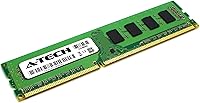
Specifications

  • Total Capacity: The kit provides 32GB of total memory across four individual 8GB modules.
  • Memory Type: All modules use DDR3 SDRAM technology, designed for systems that require the DDR3 standard.
  • Speed: Modules operate at 1333MHz, also identified by the PC3-10600 and PC3-10600U module standards.
  • Form Factor: Each module uses a 240-pin DIMM configuration intended for standard desktop motherboard slots.
  • ECC Type: These are Non-ECC Unbuffered (UDIMM) modules, suitable for consumer desktops and workstations that do not require error-correcting memory.
  • Voltage: Modules run at 1.5V, in line with JEDEC DDR3 standard voltage specifications.
  • CAS Latency: The kit operates with a CAS latency of CL9, which is standard for DDR3 1333MHz memory.
  • Rank Configuration: Each module is configured as Dual Rank x8 (2Rx8), which can affect compatibility on certain motherboards.
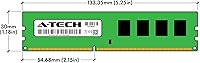
  • Module Dimensions: Each module measures 5.25 x 1.18 x 0.15 inches, fitting standard full-height DIMM slots without clearance issues in most cases.
  • Kit Weight: The complete kit weighs approximately 3.2 ounces total.
  • Compatible Devices: Designed for use in desktop PCs and workstations that support DDR3 memory.
  • Warranty: A-Tech includes a lifetime warranty covering all modules in the kit against defects.
  • Customer Support: US-based technical support is provided at no extra cost before, during, and after purchase.
  • Quality Testing: A-Tech states that each module undergoes quality assurance testing prior to shipment.
  • Release Date: This desktop RAM upgrade was first made available in August 2019.

Related Reviews
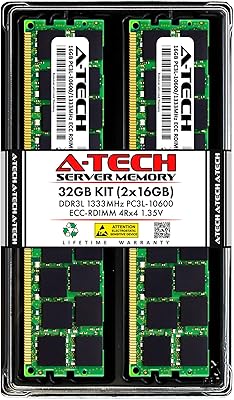
A-Tech 32GB DDR3 1333MHz ECC Registered Server RAM Kit
87%
88%
Performance
91%
Ease of Installation
85%
Reliability
93%
Data Integrity (ECC)
89%
Stability Under Load
More
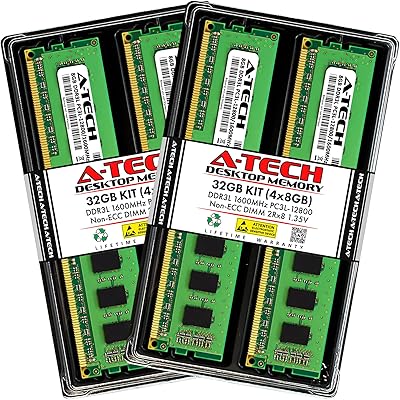
A-Tech 32GB DDR3 1600MHz Desktop RAM
78%
91%
Value for Money
74%
Compatibility Range
88%
Installation Experience
89%
System Stability
86%
Thermal Performance
More
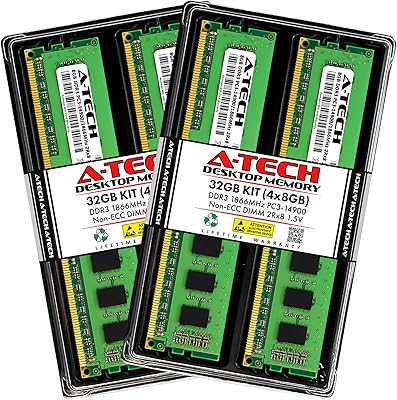
A-Tech 32GB DDR3 1866MHz RAM Kit (4x8GB)
86%
89%
Performance Boost
92%
Installation Ease
91%
Value for Money
75%
Compatibility
85%
Reliability
More
A-Tech 16GB DDR3 1600MHz Desktop RAM
79%
93%
Value for Money
88%
Compatibility
91%
Installation Ease
86%
System Stability
82%
Performance Uplift
More
Yongxinsheng DDR3 32GB Kit (8GBx4) Desktop RAM 1600MHz
85%
88%
Performance
92%
Ease of Installation
90%
Value for Money
83%
Heat Dissipation
75%
Compatibility with Motherboards
More
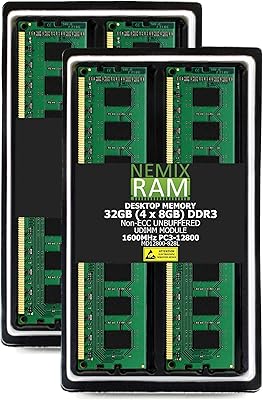
NEMIX RAM 32GB (4x8GB) DDR3 1600MHz PC3-12800 Desktop Memory Kit
87%
88%
Performance
95%
Ease of Installation
92%
Energy Efficiency
91%
Value for Money
85%
Compatibility
More
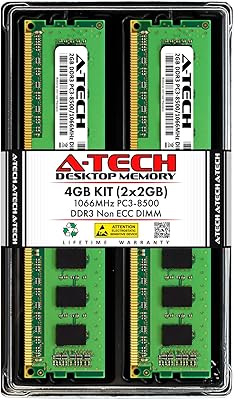
A-Tech 4GB DDR3 1066MHz Desktop RAM Kit
79%
88%
Value for Money
84%
Compatibility
91%
Installation Ease
67%
Performance Impact
92%
Legacy System Fit
More
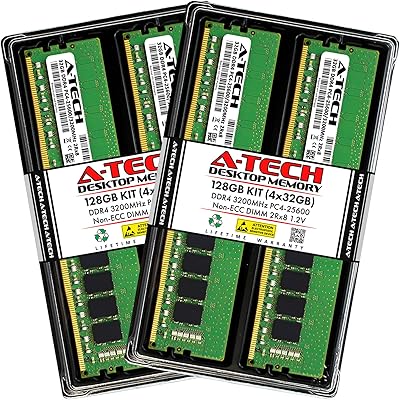
A-Tech 128GB DDR4 3200MHz Desktop RAM Kit
87%
92%
Performance
88%
Installation Ease
81%
Compatibility with Systems
90%
Reliability and Stability
85%
Build Quality
More
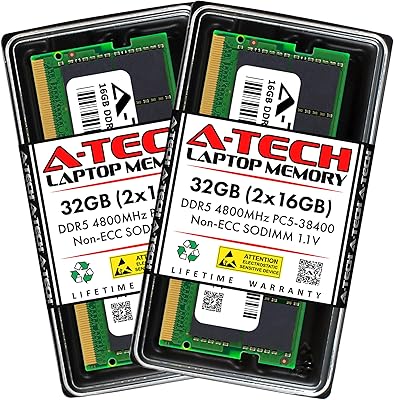
A-Tech 32GB DDR5 4800MHz Laptop RAM Kit
87%
92%
Performance Boost
95%
Ease of Installation
89%
Energy Efficiency
84%
Compatibility
91%
Value for Money
More
A-Tech 32GB DDR4 2133MHz Desktop RAM
79%
88%
Value for Money
94%
Installation Ease
69%
Compatibility
86%
Stability & Reliability
61%
Memory Speed
More

FAQ

The most reliable way is to check your motherboard manual or manufacturer website for supported memory specifications. You need a desktop board with four DDR3 DIMM slots that supports 1333MHz speed and can address at least 32GB total. Some older boards cap out at 16GB, so confirming the maximum supported capacity is just as important as verifying the memory type.

It can work with AMD platforms as well, provided your motherboard uses DDR3 slots and supports the 1333MHz standard. The key requirement is the memory controller and motherboard compatibility, not the CPU brand itself. That said, many of the platforms most commonly paired with DDR3 desktop memory are Intel Sandy Bridge and Ivy Bridge era boards.

You can technically install just two modules to start, but using all four ensures you get the full 32GB and populates every slot evenly. If your board has specific recommended slot configurations for multi-module installs, follow those guidelines in your motherboard manual to avoid potential instability.

Mixing RAM modules is generally not recommended, even if they share the same type and speed. Different manufacturers, chip densities, or ranks can cause instability or prevent the system from posting. For the most reliable outcome, replace your existing modules entirely with this full kit.

Not at all. RAM installation is one of the more approachable hardware upgrades you can do. Power down the system, ground yourself to discharge static, align each module with its slot notch, and press down firmly until the side clips snap into place. No drivers or software configuration are needed after that.

A-Tech covers all modules under a lifetime warranty, so a dead-on-arrival or early-failure module can be addressed through their support team. US-based support is available to assist with warranty claims, and the general buyer experience with warranty resolution has been reasonably positive, though response times can vary.

It depends on what was slowing it down. If your system was memory-constrained — frequently maxing out RAM during normal use — the upgrade will reduce slowdowns and improve multitasking responsiveness. However, it will not increase raw processing speed or improve performance in tasks that are CPU-bound. Think of it as removing a bottleneck, not adding horsepower.

No. This kit uses 240-pin DIMM modules designed specifically for desktop systems. Laptops use SO-DIMM modules, which are physically smaller and have a different pin configuration. Installing these in a laptop is not possible without the correct form factor.

No, these modules do not include XMP profiles. They run at the standard JEDEC DDR3 1333MHz specification and are not designed for overclocking. If you need higher-frequency memory or tuning flexibility, you would need to look at a different product entirely.

After booting, enter your system BIOS and check the memory summary page — it should show the full 32GB detected. You can also confirm in Windows by opening Task Manager and navigating to the Performance tab, or in macOS by clicking About This Mac. If the system only shows a portion of the installed RAM, reseat the modules and double-check your motherboard slot configuration.