Overview

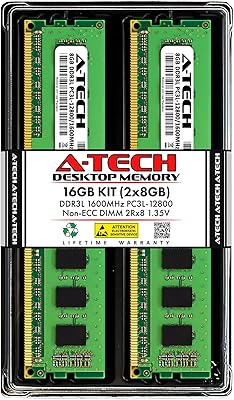
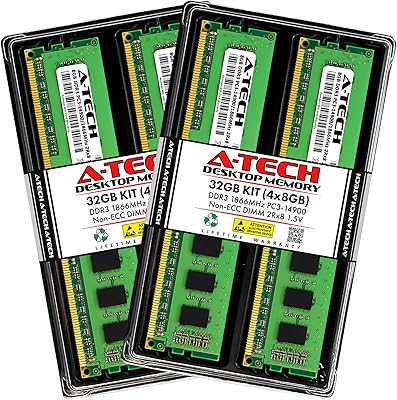
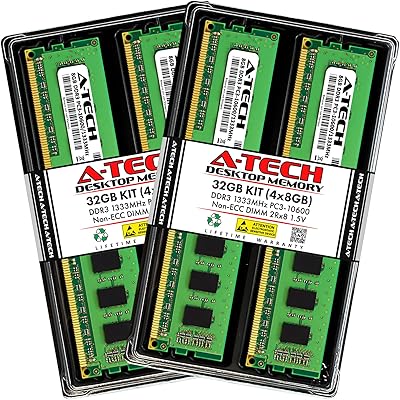
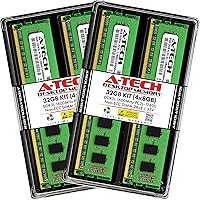
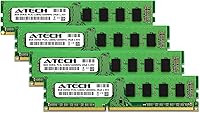
The A-Tech 32GB DDR3 1600MHz Desktop RAM is a practical, no-frills memory upgrade for anyone still running a DDR3 desktop platform — and there are more of those machines in daily use than people assume. This DDR3 kit ships as four 8GB modules, making it easy to populate all slots on a dual or quad-channel board in one shot. The dual-voltage flexibility — supporting both 1.35V DDR3L and standard 1.5V DDR3 — means it plays nicely with a wide range of motherboards without any manual configuration. It has been available since 2013 and holds a top-100 Amazon ranking in computer memory, which speaks to its long-term reliability as a go-to upgrade option.
Features & Benefits

At 1600MHz (PC3L-12800), this memory upgrade hits the practical ceiling for DDR3 performance — fast enough to noticeably reduce slowdowns without paying for higher-binned kits most DDR3 platforms cannot fully utilize. The standard 240-pin UDIMM form factor covers the vast majority of consumer desktops and workstations. Running at 1.35V under the DDR3L spec, the modules draw less power and run cooler than standard 1.5V sticks — a genuine benefit in older systems where thermals were never a priority. The dual-rank (2Rx8) layout gives the memory controller more to work with in multi-channel configurations, squeezing out slightly better throughput on bandwidth-sensitive tasks. And A-Tech backs it with a Limited Lifetime Warranty, plus tech support for anyone who runs into trouble.

Best For

This 32GB RAM kit makes the most sense for owners of Sandy Bridge or Haswell desktops — systems that are still genuinely capable but start to groan under modern multitasking workloads. It's a strong fit for home or office workstations that run several applications simultaneously, including light virtualization, browser-heavy workflows, or media editing on the side. DIY builders repurposing older hardware as a secondary machine or budget workstation will also appreciate getting a matched quad-kit rather than mixing and matching leftover sticks with unknown histories. And if you have a stick that failed and need a clean replacement, buying a full kit like this is far more practical than hunting for a single matching module.

User Feedback

Across thousands of reviews, the most consistent theme is that this memory upgrade installs without issues — modules are recognized at rated speeds right away, and most users report solid stability after extended use. The cool running temperatures get specific mention from buyers who monitored their systems post-install, consistent with the low-voltage spec. On the critical side, a meaningful number of complaints involve compatibility problems, which almost always trace back to motherboard limitations rather than defective modules — a reminder that running a motherboard QVL check before ordering is non-negotiable with DDR3 kits. A handful of negative reviews cite damaged packaging on arrival, not the memory itself. Warranty and support experiences are generally praised, reassuring for less experienced builders.

Pros

  • Full 32GB capacity in a single matched kit means no mixing of modules from different batches or manufacturers.
  • Dual-voltage support (1.35V and 1.5V) makes this DDR3 kit compatible with a wider range of older motherboards than single-voltage alternatives.
  • Modules are consistently recognized at rated 1600MHz speeds without any manual BIOS adjustments.
  • The low-voltage 1.35V operation keeps thermals in check, which matters on older systems with limited airflow.
  • A Limited Lifetime Warranty provides genuine long-term peace of mind, not just a short coverage window.
  • Plug-and-play installation is confirmed by the vast majority of users — no technical expertise required.
  • Dual-rank (2Rx8) configuration can improve bandwidth utilization in multi-channel memory setups.
  • A-Tech tech support is available before and after purchase, which is especially reassuring for less experienced builders.
  • Strong and consistent sales history since 2013 suggests reliable quality control over thousands of units shipped.
  • Buying a full four-module kit now eliminates the future headache of sourcing matching DDR3 sticks as the format becomes scarcer.

Cons

  • Compatibility is not guaranteed — failing to verify your motherboard's QVL beforehand is the most common cause of problems.
  • A handful of buyers have received units with packaging damage, suggesting room for improvement in shipping protection.
  • DDR3 as a platform is aging, so this memory upgrade extends the life of older hardware rather than offering a path to future performance.
  • No heat spreaders are included, which may be a minor concern for users running systems with tight thermal margins.
  • The 1600MHz speed, while appropriate for DDR3, is the ceiling most boards support — there is no headroom for overclocking this kit higher.
  • Some motherboards cap total RAM below 32GB even if they accept DDR3 modules, making pre-purchase research non-negotiable.
  • Returns or exchanges, while covered under warranty, still require time and effort that a compatibility check upfront would have avoided.
  • DDR3 modules are increasingly hard to find in matched kits, so if one module fails outside warranty, finding an identical replacement may be challenging.

Ratings

Our AI rating system analyzed verified global buyer reviews for the A-Tech 32GB DDR3 1600MHz Desktop RAM, actively filtering out incentivized, bot-generated, and outlier feedback to surface what real users consistently experienced. Scores reflect both the genuine strengths that keep this kit ranked in the top 100 for computer memory, and the real friction points that affected a meaningful portion of buyers. Nothing is glossed over — the ratings below give you an honest picture of where this memory upgrade delivers and where it falls short.

Value for Money
91%
For buyers on a DDR3 platform, stretching to 32GB without spending heavily is the whole point of this kit, and it delivers on that promise consistently. Users frequently describe it as the most cost-effective way to max out an older desktop, especially compared to hunting down individual sticks on the secondhand market.
A small number of buyers felt the value proposition weakened after factoring in a return or exchange due to compatibility issues, since the cost of that friction is real even when the hardware itself is blameless. The price-per-GB advantage also narrows if you only need 16GB.
Compatibility Range
74%
26%
The dual-voltage design — covering both 1.35V DDR3L and standard 1.5V DDR3 — makes this memory upgrade workable across a genuinely wide range of motherboards from the Sandy Bridge through Haswell era. Most users with mainstream boards from that period report zero compatibility hurdles.
Compatibility is the single most common source of negative reviews, and it remains a real concern. Some motherboards — particularly budget OEM boards or those with per-slot capacity limits below 8GB — do not cooperate, and the burden of pre-purchase research falls entirely on the buyer.
Installation Experience
88%
The overwhelming majority of users describe installation as completely uneventful — modules seat firmly, the system POSTs on the first try, and RAM is recognized at the rated 1600MHz speed without touching BIOS settings. For less technical users upgrading a home machine, that kind of experience matters a lot.
A small but consistent group of buyers encountered boot failures or memory not being fully recognized, most often tracing back to motherboard slot issues or incompatible board revisions rather than defective modules. Troubleshooting those situations without prior experience can be frustrating.
System Stability
89%
Extended use reports are largely positive — users running these modules for months in multitasking-heavy environments, light virtualization, and everyday office workloads report no crashes, BSODs, or memory errors. The stability record across a large install base is genuinely reassuring.
Isolated reports of intermittent instability do exist, though they are statistically rare and often tied to systems already running at the edge of their memory controller's tolerance. It is difficult to attribute these cases clearly to the modules themselves.
Thermal Performance
86%
Running at 1.35V means these modules generate noticeably less heat than standard 1.5V DDR3 sticks, which matters in older desktop cases with modest airflow. Several users who monitored temps post-installation specifically called out how cool the modules stayed during sustained workloads.
There are no heat spreaders on the modules, which is standard for this class of UDIMM but leaves them more exposed in systems with particularly poor case airflow. For most builds this is irrelevant, but in a cramped or poorly ventilated enclosure it is worth noting.
Warranty & Support
83%
A Limited Lifetime Warranty on a memory kit at this price tier is a genuine differentiator, and A-Tech's support team earns consistent praise for being accessible and responsive. For buyers who are not deeply technical, knowing there is a real support line to call before and after purchase reduces the anxiety of upgrading unfamiliar hardware.
A handful of users noted that the claims and exchange process, while ultimately resolved, took longer than expected. Warranty coverage is only as useful as the process behind it, and occasional friction in that process is reflected in a few recurring complaints.
Build Quality
78%
22%
The modules feel solid and well-constructed for the price point — PCB quality is consistent with what you expect from reputable memory vendors, and there are no reports of physical defects like bent pins or poorly seated chips in the overwhelming majority of shipments.
Some buyers received units with damaged or crushed packaging, raising questions about how well the kit is protected during shipping. While the modules themselves were typically undamaged, arriving with dented boxes does not inspire confidence and has dinged perception of overall build care.
Speed & Throughput
76%
24%
At 1600MHz with CL11 timings, this DDR3 kit hits the practical sweet spot for the platform — fast enough to meaningfully reduce loading times and multitasking slowdowns on Haswell and Ivy Bridge systems without overpaying for higher-binned kits most DDR3 boards cannot utilize anyway.
DDR3 as a standard has a hard performance ceiling, and no amount of kit optimization changes that. Users upgrading from 8GB will notice a real difference in responsiveness, but anyone expecting dramatic benchmark gains will be disappointed — this is an incremental, practical upgrade, not a transformation.
Multi-Channel Performance
73%
27%
Installing all four modules as a matched kit allows the memory controller to operate in dual-channel mode from the start, which improves bandwidth for applications that benefit from it. The dual-rank (2Rx8) configuration adds a marginal throughput advantage in bandwidth-sensitive workloads.
The real-world impact of dual-rank versus single-rank in everyday computing is small enough that most users will not notice it outside of benchmarks. Multi-channel performance is ultimately constrained by the DDR3 platform itself, so the advantage here is modest at best.
Packaging & Unboxing
61%
39%
Modules arrive in a simple static-protective tray, which is functionally appropriate for memory — there is no need for elaborate packaging, and for most buyers the kit arrives in acceptable condition ready for immediate installation.
Shipping damage to outer packaging is a recurring complaint, appearing often enough in reviews to suggest the protective packaging is not robust enough for the rigors of standard fulfillment logistics. While modules are rarely damaged, a better-protected kit would remove this friction entirely.
Platform Longevity
58%
42%
For users committed to keeping an older desktop running, maxing out the RAM is one of the most cost-effective life-extension strategies available, and this 32GB RAM kit does exactly that job without requiring any other system changes.
DDR3 is a legacy standard, and investing in a 32GB kit for an aging platform is a decision with a finite return window. As CPUs, storage, and software evolve, RAM will eventually stop being the bottleneck, and the platform itself will become the limiting factor sooner rather than later.
Documentation & Guidance
69%
31%
A-Tech provides straightforward installation guidance, and the availability of their tech support team before purchase is particularly useful for buyers who are uncertain about slot placement, channel configuration, or compatibility verification steps.
There is no included printed guide specific to this kit, and the instruction to consult your system manual — while technically correct — is not especially helpful for buyers who no longer have that documentation. More proactive compatibility guidance in the box would reduce support contacts.
Module Matching Consistency
84%
Buying a factory-matched four-module kit eliminates the common risk of mixing modules with different die revisions or subtly different timings, which can cause instability on some boards. Users replacing dead sticks particularly appreciate having a confirmed matched set rather than sourcing individual modules.
There is no publicly available information about which DRAM die manufacturer or revision is used in any given production run, meaning later purchases of the same model number could theoretically include modules built on different chips than an earlier batch.

Suitable for:

The A-Tech 32GB DDR3 1600MHz Desktop RAM is purpose-built for anyone still running a capable older desktop and hitting the wall on memory. It's the right call for owners of Intel Sandy Bridge, Ivy Bridge, or Haswell systems — machines that have plenty of CPU horsepower left but struggle with modern multitasking because they're starved for RAM. Home office workers juggling a dozen browser tabs alongside productivity software, or small business users running light virtualization, will notice a real difference after this upgrade. DIY builders repurposing older hardware as a secondary workstation or media machine will appreciate getting a clean, matched four-module kit rather than piecing together sticks of unknown origin. If you have a failed module and want a reliable full replacement rather than hunting for a single matching stick, this 32GB RAM kit is a sensible, low-hassle solution backed by a lifetime warranty.
Not suitable for:

The A-Tech 32GB DDR3 1600MHz Desktop RAM is simply not the right product for anyone building or upgrading a modern system — DDR3 is a previous-generation standard, and any platform released in the last several years requires DDR4 or DDR5. Buyers hoping for performance gains beyond smoother multitasking should know upfront that RAM upgrades on older platforms have a ceiling; this memory upgrade will not make your CPU faster or transform an aging machine into a powerhouse. It is also not suited for server environments, since it uses a Non-ECC Unbuffered configuration that lacks the error-correction required by server-grade workloads. Laptop users need not apply — this is a 240-pin DIMM designed strictly for desktop form factors. And if your motherboard tops out below 32GB total capacity, buying this kit without checking your system specs first is a real risk that several buyers have learned the hard way.
Specifications

  • Brand: Manufactured by A-Tech Components, a memory specialist known for compatibility-focused upgrade kits.
  • Model Number: The official model identifier for this kit is AT8G4D3D1600ND8N135V.
  • Total Capacity: The kit provides 32GB of total RAM delivered as four individual 8GB modules.
  • Memory Type: Modules use DDR3 and DDR3L technology, supporting both standard and low-voltage DDR3 platforms.
  • Speed: Rated at 1600MHz, compliant with the PC3L-12800 and PC3-12800 standards.
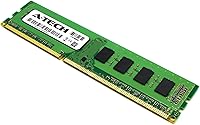
  • Form Factor: 240-pin DIMM configuration designed exclusively for desktop and workstation motherboards.
  • Voltage: Operates at 1.35V under the DDR3L standard, with backward compatibility at 1.5V for standard DDR3 boards.
  • CAS Latency: Rated at CL11, which is the standard latency timing for DDR3 modules running at 1600MHz.
  • ECC Type: Non-ECC Unbuffered (UDIMM), suitable for consumer desktops and workstations but not server environments.
  • Rank Configuration: Dual-rank (2Rx8) layout, which can improve memory controller efficiency in multi-channel configurations.
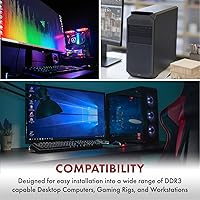
  • Compatible Platforms: Designed for desktop PCs and workstations using 240-pin DDR3 DIMM slots.
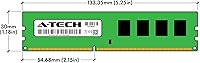
  • Dimensions: Each module measures 5.25 x 1.18 x 0.15 inches, fitting standard full-size DIMM slots without clearance issues.
  • Weight: The complete kit weighs 2.24 ounces total across all four modules.
  • JEDEC Compliance: Fully compliant with JEDEC DDR3L standards, ensuring predictable behavior across compatible motherboards.
  • Warranty: Covered by A-Tech's Limited Lifetime Warranty, with a dedicated tech support team available to assist buyers.
  • Release Date: This kit has been available on the market since May 2013, reflecting a long track record of consistent availability.
  • Discontinuation: As of the latest product data, this kit has not been discontinued by the manufacturer.
  • Modules Included: The kit ships with four 8GB modules intended to be installed together as a matched set.

Related Reviews

A-Tech 16GB DDR3 1600MHz Desktop RAM
79%
93%
Value for Money
88%
Compatibility
91%
Installation Ease
86%
System Stability
82%
Performance Uplift
More
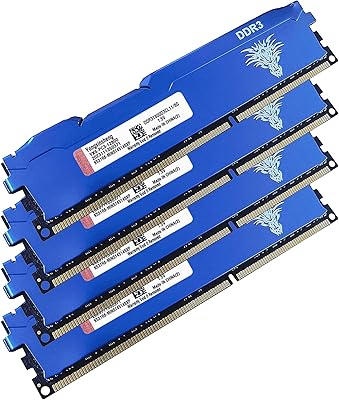
Yongxinsheng DDR3 32GB Kit (8GBx4) Desktop RAM 1600MHz
85%
88%
Performance
92%
Ease of Installation
90%
Value for Money
83%
Heat Dissipation
75%
Compatibility with Motherboards
More
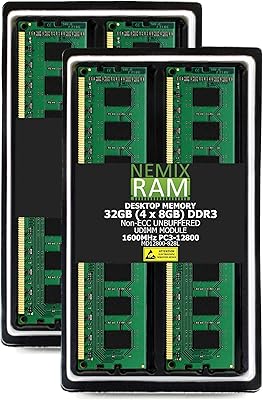
NEMIX RAM 32GB (4x8GB) DDR3 1600MHz PC3-12800 Desktop Memory Kit
87%
88%
Performance
95%
Ease of Installation
92%
Energy Efficiency
91%
Value for Money
85%
Compatibility
More
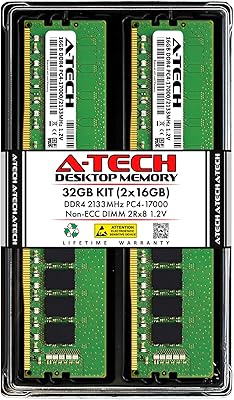
A-Tech 32GB DDR4 2133MHz Desktop RAM
79%
88%
Value for Money
94%
Installation Ease
69%
Compatibility
86%
Stability & Reliability
61%
Memory Speed
More
A-Tech 32GB DDR3 1866MHz RAM Kit (4x8GB)
86%
89%
Performance Boost
92%
Installation Ease
91%
Value for Money
75%
Compatibility
85%
Reliability
More
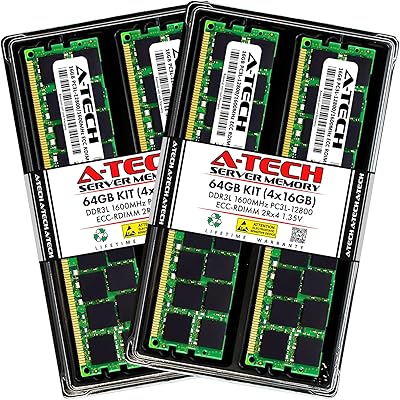
A-Tech 64GB Kit DDR3 1600MHz ECC Registered RAM
88%
92%
Performance in Server Environments
89%
Compatibility with DDR3 Servers
94%
Stability and Reliability (ECC Features)
87%
Energy Efficiency (Low Voltage)
90%
Ease of Installation
More
Gigastone 64GB Kit (16x4GB) DDR3 1600MHz Desktop RAM
84%
88%
Performance
91%
Installation Ease
85%
Compatibility
82%
Energy Efficiency
87%
Build Quality
More
A-Tech 16GB DDR3 1600MHz ECC Server RAM
79%
71%
Compatibility
88%
ECC Reliability
84%
Value for Money
73%
Installation Ease
83%
Build Quality
More
A-Tech 32GB DDR3 1333MHz ECC Registered Server RAM Kit
87%
88%
Performance
91%
Ease of Installation
85%
Reliability
93%
Data Integrity (ECC)
89%
Stability Under Load
More
A-Tech 32GB DDR4 2666MHz Desktop RAM Kit
81%
88%
Value for Money
71%
Compatibility
93%
Ease of Installation
82%
Performance Improvement
84%
Build Quality
More

FAQ

It depends on your specific board. This DDR3 kit is compatible with most Sandy Bridge, Ivy Bridge, and Haswell-era Intel desktop platforms that use 240-pin DDR3 DIMM slots. That said, you should always cross-reference your motherboard's qualified vendor list (QVL) before ordering — some boards have quirks with 8GB modules or cap out below 32GB total, even if they accept DDR3.

In the vast majority of cases, no. Most users report that the system recognizes all four modules at 1600MHz right after installation without any manual configuration. If your board does require a memory profile to be enabled, you would typically just select the XMP or JEDEC profile in BIOS, which takes about a minute.

Yes, you can install two modules and add the remaining two later, but for best performance you should always install matched pairs in the correct dual-channel slots as specified in your motherboard manual. Running all four together from the start is generally the simplest and most reliable approach.

This memory upgrade supports any desktop motherboard with 240-pin DDR3 DIMM slots, which includes many AMD platforms from the same era — AM3, AM3+, and FM2+ boards among them. As always, check your motherboard's maximum supported RAM and module compatibility before purchasing.

DDR3L is simply the low-voltage variant of DDR3, running at 1.35V instead of the standard 1.5V. The A-Tech 32GB DDR3 1600MHz Desktop RAM supports both voltages, so it will work whether your board expects standard DDR3 or the lower-voltage DDR3L spec. Your motherboard will automatically use the correct voltage — you do not need to configure anything manually.
If your board officially supports 32GB and has four DDR3 DIMM slots, you should be fine. Just make sure the board supports 8GB per slot rather than only 4GB sticks — some older boards list a 32GB max based on four 4GB modules, which is a different configuration. Check your manual or manufacturer website for per-slot capacity limits.

The easiest way is to check CPU-Z, a free utility that reads your memory frequency and timings directly. Keep in mind that DDR3 speeds are reported as half the actual clock rate, so you will see 800MHz in CPU-Z for a module running at 1600MHz effective speed. Your BIOS memory info screen will typically show the full 1600MHz figure.

A-Tech covers this kit with a Limited Lifetime Warranty, so a defective or failed module can be addressed through their support team. Several buyers have reported positive experiences with their customer service both before and after purchase. Having the original order details handy will make the process faster if you ever need to make a claim.

This is a desktop-only kit. The 240-pin DIMM form factor is physically larger than the SO-DIMM modules used in laptops, and the two are not interchangeable. If you need a memory upgrade for a laptop, you will need a DDR3 SO-DIMM kit instead.

No. This DDR3 kit uses a Non-ECC Unbuffered (UDIMM) configuration, which means it lacks the error-correction circuitry that server-grade workloads require. If your system specifically calls for ECC Registered (RDIMM) or ECC Unbuffered memory, this kit is not appropriate for that use case.