Overview

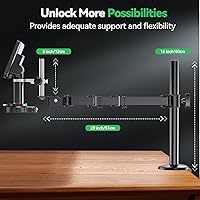
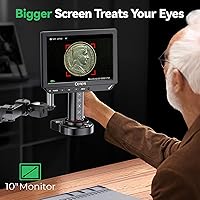
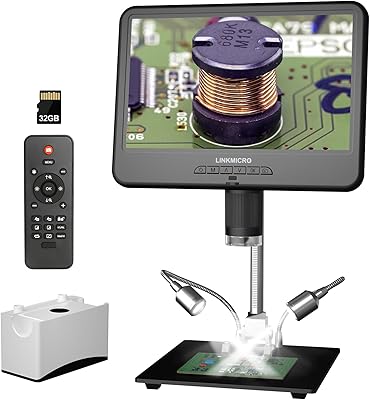
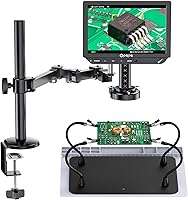
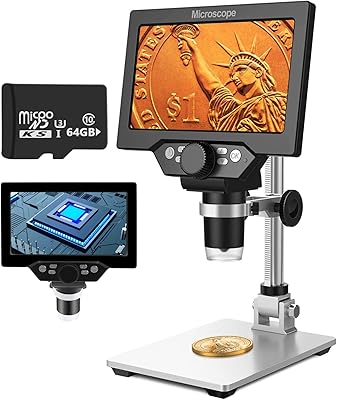
The Opqpq ODM802 Flex 10-inch Digital Microscope positions itself as a complete bench station rather than just an optical tool, targeting electronics hobbyists and working technicians who are tired of cobbling together separate components. What sets it apart from most competitors is the built-in 10.1-inch screen—you do not need an external monitor to get started, which alone simplifies bench setup considerably. The flexible arm design is not an afterthought; it is central to how the whole system works, allowing precise repositioning without disturbing your workspace. At its price tier, buyers should expect capable performance, though some trade-offs in arm rigidity under sustained heavy use are worth keeping in mind.
Features & Benefits

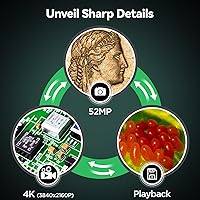
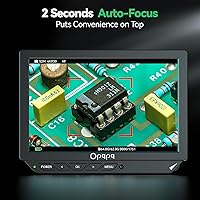
The autofocus system is arguably the most practical advantage here—when one hand is holding a soldering iron and the other is steadying a component, manually adjusting focus is simply not an option. The camera locks on in roughly two seconds, which feels fast enough in real use. The 4K resolution on the IPS display is genuinely useful for catching micro solder bridges or hairline PCB traces that a lower-resolution setup would miss. The zoom range goes up to 2000x, but be realistic: the highest magnification figures include digital interpolation, and practically useful sharp detail peaks well before that ceiling. The HDMI and USB tri-screen output requires no drivers whatsoever.

Best For

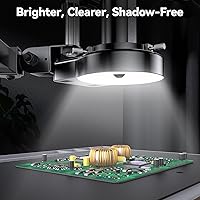
This soldering microscope makes the most sense for electronics repair technicians and serious hobbyists doing SMD work—hands-free operation while magnified is exactly what fine soldering demands. Coin collectors will appreciate the ring light's even illumination on reflective surfaces, eliminating harsh glare that cheaper setups struggle with. It also suits educators and workshop instructors who want to push a live feed to a larger display for group viewing without extra software. Jewelry and gemstone inspectors benefit from the flexible arm's reach and repositioning flexibility. If you prefer one integrated bench unit over assembling a piecemeal rig, the all-in-one design of this digital inspection station is a clear fit.

User Feedback

Buyers who have used the ODM802 Flex for several months tend to praise the autofocus speed and screen brightness, with many saying it shortened their repair workflow noticeably. The out-of-box setup is genuinely straightforward—most users report being up and running within minutes. On the other side, a recurring observation is that the flexible arm can lose its rigidity over time, especially if repositioned frequently at wide angles. A few users mention image lag at maximum zoom levels, which aligns with the reality that extreme digital magnification has limits. The included accessories—silicone mat and third-hand clamps—get mixed feedback; some find them indispensable, others consider them basic filler.

Pros

  • The built-in 10.1-inch 4K IPS screen eliminates the need for a separate monitor, simplifying bench setup immediately.
  • Autofocus locks on in roughly two seconds—fast enough to keep pace with live soldering without interrupting workflow.
  • Driver-free HDMI and USB output connects to TVs, laptops, or projectors without any software configuration.
  • Ring LED lighting handles reflective surfaces like coins and solder joints without harsh glare or hot spots.
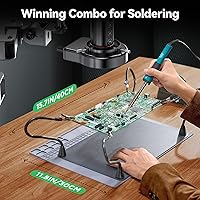
  • The integrated silicone mat, metal base, and third-hand clamps reduce bench clutter into a single organized footprint.
  • The ODM802 Flex is genuinely ready to use within minutes of unboxing, with no complex assembly required.
  • 4K resolution at practical working magnifications makes hairline PCB traces and micro solder bridges clearly visible.
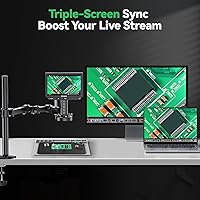
  • Tri-screen simultaneous output is a practical advantage for educators sharing a live feed with a classroom or remote audience.
  • The metal base is heavy enough to stay stable during use, which matters when high magnification amplifies even minor vibrations.
  • Broad compatibility across Windows, macOS, and most smart TV platforms removes a common integration headache.

Cons

  • The flexible arm develops joint looseness over time when repositioned frequently, which affects long-term reliability.
  • Advertised 2000x magnification is digital interpolation, not optical—real sharp-detail performance peaks well below that figure.
  • No on-device video recording means an external device is required for anyone wanting to capture footage locally.
  • The on-screen menu system offers limited customization for image parameters like white balance and sharpness.
  • Screen glare in brightly lit workshop environments can reduce display usability without an aftermarket matte protector.
  • Buyers who already own a monitor and helping-hands station will find the bundled accessories add cost without adding value.
  • At over 13 pounds with a large footprint, storing or moving this soldering microscope between sessions is genuinely inconvenient.
  • Linux and non-standard OS users report inconsistent USB recognition, making compatibility uncertain outside mainstream platforms.
  • LED brightness adjusts in fixed steps rather than smoothly, which limits precision for users doing photography or video streaming.
  • The included clamp accessories feel adequate for casual use but are not precision-grade for professional repair environments.

Ratings

The scores below reflect an AI-driven analysis of verified global buyer reviews for the Opqpq ODM802 Flex 10-inch Digital Microscope, with spam, incentivized, and bot-flagged submissions actively filtered out before scoring. Each category is weighted against real-world usage patterns reported by technicians, hobbyists, educators, and collectors. Both the standout strengths and the genuine frustrations buyers have encountered are reflected transparently in every score.

Autofocus Performance
88%
Most users working on live PCB repairs or component-level soldering report that the roughly two-second lock-on time is fast enough to keep pace with actual work. The system rarely hunts or stalls on flat or reflective surfaces, which is exactly where cheaper autofocus modules tend to fail.
At the higher end of the zoom range, a handful of users note that the autofocus hesitates when the subject lacks strong contrast edges. It is a minor issue in most workflows but can be frustrating during detailed inspection of uniformly colored surfaces.
Display Quality
91%
The 10.1-inch IPS panel with 4K resolution consistently draws praise for brightness and color accuracy. Technicians specifically mention that the screen makes it easy to distinguish solder mask layers and trace widths without straining their eyes during long repair sessions.
A small number of buyers working in very bright workshop environments report that direct overhead lighting creates screen glare. The panel itself is high quality, but a matte screen protector option from Opqpq would address this for bench users with strong overhead lighting.
Image Clarity & Zoom Range
83%
At practical working magnifications—roughly up to 200x to 500x—the image sharpness is genuinely impressive for this price tier. Coin collectors in particular appreciate the ability to read fine mint marks and surface luster details that lower-resolution setups simply cannot resolve.
The advertised 2000x maximum is achievable only through digital interpolation, and image quality degrades noticeably well before that ceiling. Buyers expecting 2000x optical clarity will be disappointed; the realistic sharp-detail ceiling sits considerably lower than the marketed figure.
Flexible Arm & Positioning
72%
28%
Out of the box, the extended flex arm holds its position reliably and offers a reach that covers most bench configurations. Users doing jewelry inspection or angled PCB work appreciate being able to swing the arm freely without disturbing the base.
After weeks of repeated repositioning, several long-term users report that the arm develops noticeable joint looseness. This is the most consistent durability complaint in the review pool, and it matters most for users who constantly reposition rather than set and leave.
Workstation Accessories
74%
26%
The included silicone mat, metal base, and third-hand clamps function well together as a unified soldering station. Users who were previously working with a separate helping-hands tool mention that having everything integrated on one base genuinely reduces bench clutter.
Opinions are split on accessory quality—the clamps in particular are described by some users as adequate but not precision-grade. For hobbyists stepping up from basic setups, they feel like a bonus; for professional repair shops, they may be replaced fairly quickly.
HDMI & USB Output
86%
The driver-free plug-and-play connectivity is one of the most consistently praised practical features. Educators running workshop sessions and repair technicians connected to a shop TV both report that the tri-screen output simply works without any software configuration.
A small subset of users with older HDMI setups report occasional signal handshake delays when switching inputs. This is rare and does not appear to be a consistent hardware defect, but it has been flagged enough times to mention.
Ring LED Lighting
81%
19%
The ring light produces even, diffused illumination that handles reflective subjects—coins, solder joints, gemstones—far better than single-point light sources. Users doing numismatic inspection specifically note that the ring pattern eliminates the harsh hot spots that make surface detail hard to read.
There is no stepless brightness control reported by some buyers; adjustments move in fixed increments rather than smoothly. For most use cases this is fine, but users doing photography or streaming who want precise light matching may find it limiting.
Setup & Ease of Use
89%
The out-of-box experience is consistently described as fast and intuitive. Most buyers report being fully operational within ten to fifteen minutes, with no software installation required for core display functions—a meaningful advantage for non-technical users.
The physical assembly instructions are functional but sparse on detail for users unfamiliar with flex-arm microscope stands. A few buyers mention spending extra time figuring out optimal arm tension settings, which a better quick-start guide would have covered.
Build Quality & Materials
76%
24%
The metal base feels substantial and does not shift during use, which is important when magnification amplifies even small vibrations. The overall chassis construction is solid enough to inspire confidence at this price point for regular workshop use.
Some plastic components on the arm joints and clamps feel noticeably lighter than the base quality suggests they should be. Long-term users report that these are the first parts to show wear, which pulls the overall durability impression down slightly.
Streaming & Content Creation Use
78%
22%
The USB output and no-driver design make this a practical tool for repair channel creators and classroom instructors who want a clean live feed to OBS or a projector. The 4K feed quality holds up well on larger displays without visible compression artifacts.
There is no native recording function built into the unit itself, which surprises some buyers who assumed it was included. Users who want on-device capture need an external recorder or a connected laptop, adding a step that competitors at similar price points sometimes eliminate.
Value for Money
79%
21%
Compared to buying a standalone digital microscope plus a monitor plus a helping-hands station separately, the bundled value here is real and tangible. Buyers who price out the components individually tend to feel the asking price is justified.
Users who already own a quality monitor and a decent helping-hands setup may find themselves paying for accessories they do not need. For that buyer profile, a camera-only microscope at a lower price might deliver a better dollar-per-capability ratio.
Portability & Footprint
63%
37%
The integrated design does reduce the number of individual items on the bench, and the single-base form factor keeps cables manageable. For a dedicated workbench, the footprint is acceptable and the weight keeps it stable.
At over 13 pounds, this is not a unit you move around casually, and the package dimensions make storage inconvenient if bench space is shared. Users who need to pack up between sessions find it noticeably cumbersome compared to modular alternatives.
Software & On-Screen Menu
67%
33%
Core functions like zoom adjustment and display mirroring are accessible without any learning curve. The interface is functional and responds well for everyday inspection tasks that do not require advanced settings.
The on-device menu system is described by multiple buyers as dated and limited in customization options. Users wanting fine control over image parameters—sharpness, white balance, saturation—report that the available adjustments feel sparse compared to competing units.
Compatibility with External Devices
84%
Connecting to a laptop via USB or a television via HDMI works reliably across Windows, macOS, and most smart TV platforms tested by reviewers. The broad compatibility removes a common friction point that plagues more proprietary microscope systems.
A few buyers using Linux-based systems report inconsistent USB recognition, suggesting driver support on non-mainstream operating systems is not fully tested. This affects a small user group but is worth flagging for technically advanced buyers on alternative platforms.

Suitable for:

The Opqpq ODM802 Flex 10-inch Digital Microscope is best suited for electronics repair technicians and dedicated hobbyists who need both hands free during SMD soldering or PCB debugging—the autofocus system and integrated screen mean you are not fumbling with a separate monitor or constantly reaching to adjust focus mid-task. Coin collectors and numismatists will find the combination of ring LED illumination and 4K resolution genuinely useful for reading surface detail and mint marks without building a separate camera rig around a standard microscope. Jewelry and gemstone inspectors benefit from the flexible arm's reach and the ability to reposition quickly between pieces without disturbing the base. Educators and repair content creators who want to push a live feed to a classroom display or stream directly to an audience will appreciate the driver-free HDMI and USB output that just works out of the box. Anyone who wants a single, self-contained bench unit—rather than sourcing a microscope, monitor, helping hands, and mat separately—will get real, practical value from this digital inspection station's integrated approach.
Not suitable for:

The Opqpq ODM802 Flex 10-inch Digital Microscope is a poor fit for buyers who already own a quality external monitor and a solid helping-hands setup, since they would essentially be paying for bundled accessories that duplicate what they have. Users expecting true 2000x optical magnification will be disappointed—the upper magnification range relies heavily on digital interpolation, and image quality drops well before that ceiling, making it unsuitable for applications that demand high-magnification optical precision. Professionals in high-throughput repair shops who reposition the arm constantly throughout the day should note that the flex arm joint can loosen over time under that kind of repeated stress. Anyone needing on-device video recording will find that the unit does not include that function natively, requiring an external recorder or connected computer. Linux users and those on less common operating systems may encounter inconsistent USB device recognition, which makes this digital inspection station a risky choice for non-Windows or non-macOS environments. Finally, if bench space is at a premium or the unit needs to be stored and set up repeatedly, the 13-plus-pound weight and large footprint make portability a real practical limitation.

Specifications

  • Brand & Model: Manufactured by Opqpq under the model designation ODM802 Flex, positioned as a mid-to-premium all-in-one digital inspection station.
  • Display: Features a 10.1″ IPS LCD screen with a 178-degree viewing angle, delivering consistent color accuracy whether viewed straight-on or from the side.
  • Resolution: Captures and displays at 4K UHD resolution, providing enough detail to resolve hairline PCB traces and fine surface texture on coins or gemstones.
  • Autofocus Speed: The autofocus system locks on in approximately 2 seconds, enabling hands-free focus adjustment during active soldering or component inspection.
  • Zoom Range: Covers a 2x to 2000x magnification range, though sharp optical detail peaks well below the maximum, which relies on digital interpolation at its upper limit.
  • Output Interfaces: Supports simultaneous tri-screen output via HDMI and USB, compatible with laptops, desktop PCs, and televisions without requiring any driver installation.
  • Lens: Equipped with a multi-coated objective lens designed to reduce glare and chromatic aberration during high-magnification inspection tasks.
  • Lighting: Includes a built-in ring LED light that produces even, diffused illumination suited for reflective surfaces such as solder joints, coins, and polished gemstones.
  • Arm & Base: Uses a flexible extended arm mounted to a solid metal base, designed to hold repositioned angles firmly under normal bench use conditions.
  • Included Accessories: Ships with a silicone work mat, metal base station, third-hand clamps for holding components, and the ring LED light as part of the integrated workstation.
  • Power: Operates at 5 volts via USB power delivery; one Lithium-Ion battery is included for portable or backup power scenarios.
  • Weight: The complete unit weighs 13.31 pounds, making it a stable bench fixture but not practical for frequent relocation or portable use.
  • Dimensions: Package dimensions measure 17.24 x 13.89 x 7.13 inches, reflecting the size of the full workstation assembly including base and arm.
  • Compatible Devices: Officially compatible with laptops, desktop PCs, and televisions; most reliable performance is confirmed on Windows and macOS operating systems.
  • Viewing Angle: The IPS panel supports a real viewing angle of 178 degrees, allowing multiple people to observe the display simultaneously without color shift.
  • Recording: The unit does not include built-in on-device video recording; screen capture requires a connected external device such as a laptop or dedicated recorder.
  • OS Compatibility: Plug-and-play functionality is confirmed for Windows and macOS; Linux compatibility is inconsistent and not officially guaranteed by the manufacturer.

Related Reviews
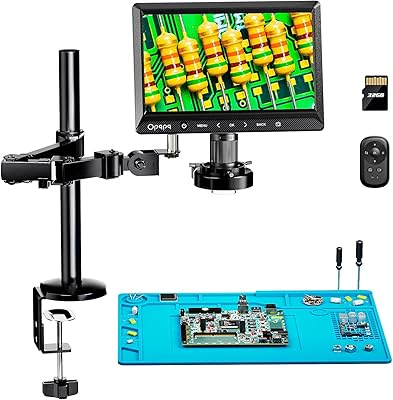
Opqpq ODM702 Flex 10″ Digital Microscope
75%
83%
Arm Stability & Rigidity
88%
Built-in Display Quality
76%
Magnification Performance
81%
Boom Arm Flexibility
79%
Coin Inspection Usability
More
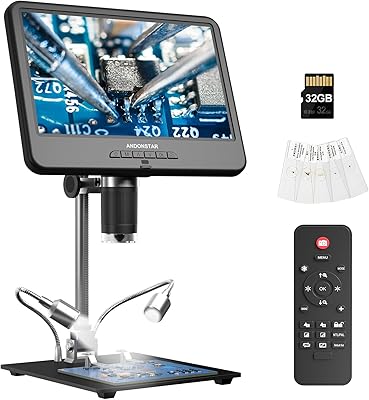
Andonstar AD210 10.1 Inch Digital Microscope
83%
91%
Image Quality & Magnification
82%
Usability & Ergonomics
95%
Display Clarity & Viewing Angle
88%
Value for Money
85%
Build Quality
More
Jaihonda 10 Inch Digital Picture Frame
80%
90%
Display Quality
88%
Ease of Use
84%
Value for Money
75%
Build Quality
94%
Setup & Installation
More
Atatat Digital Picture Frame 10-inch
84%
90%
Display Quality
85%
Ease of Setup
88%
Slideshow Functionality
80%
Build Quality
83%
Remote Control Usability
More
Pix-Star 10-inch WiFi Digital Photo Frame

77%
88%
Ease of Setup
91%
Photo Delivery Experience
73%
Display Quality
94%
No-Subscription Value
62%
App Reliability
More
LINKMICRO LM210 10.1″ LCD Digital Microscope
82%
89%
Value for Money
91%
Display Quality
85%
Ease of Use
87%
Magnification Performance
83%
Build Quality
More
Hayve DM7 4.3″ Digital Microscope
78%
92%
Ease of Setup
88%
Display Quality
71%
Magnification Performance
84%
LED Lighting
58%
Build Quality
More
LEADSTAR 10-Inch Portable Digital TV
72%
91%
Portability
58%
Battery Performance
73%
Picture Quality
62%
Signal Reception
88%
Ease of Setup
More
KECAG 10.1-inch 1080p Digital Picture Frame
73%
88%
Display Quality
91%
Ease of Setup
84%
Value for Money
72%
Motion Sensor
63%
Remote Control
More
Feelcare HN-DPF1003 10-inch Digital Picture Frame
76%
88%
Ease of Setup
83%
Display Quality
76%
App Experience
51%
Video Support
79%
Touchscreen Responsiveness
More

FAQ

No, and that is one of the main reasons people choose this unit. The built-in 10.1″ IPS screen handles everything on its own, so you can be fully operational straight out of the box without connecting it to anything else. The HDMI and USB outputs are there if you want to mirror to a larger display, but they are optional.

Honest answer: the 2000x figure includes digital interpolation at the upper end of the range. Optically sharp, detail-rich images are achievable well below that maximum—most users doing PCB inspection or coin examination find their practical sweet spot somewhere between 50x and 500x. If you need high-end optical magnification beyond that, this is not the right tool for that specific task.

It locks on in roughly two seconds under normal conditions, which is fast enough to keep up with live soldering or component swaps. On very flat or low-contrast subjects, it can hesitate slightly, but for the vast majority of typical inspection tasks, the speed feels natural and does not interrupt your workflow.

Unfortunately, no. The ODM802 Flex does not have on-device recording built in. If you want to capture video, you will need a connected laptop running screen capture software, or an external HDMI recorder. This is a real limitation worth knowing before you buy if recording is part of your intended workflow.

Out of the box, the arm holds its position reliably for most use cases. The concern raised by longer-term users is that the joints can develop some looseness after months of frequent repositioning—particularly if you are constantly swinging it to wide angles. If you tend to set it once and leave it, this is much less of an issue than it is for users who reposition constantly throughout the day.

USB plug-and-play works reliably on Windows and macOS, but Linux compatibility is inconsistent and is not officially supported by Opqpq. Chromebook results are similarly mixed. If your workstation runs Linux, it is worth reaching out to the manufacturer before purchasing rather than assuming it will work.

Yes, but the brightness adjusts in fixed increments rather than a smooth continuous dial. For standard inspection and soldering work, the available brightness steps cover a useful range. If you need very precise light control for photography or video production, the stepped adjustment may feel limiting compared to setups with fully variable lighting.

Essentially yes—it includes the microscope, the 10.1″ display, a silicone mat, a metal base, third-hand clamps, and the ring LED light. For basic to intermediate soldering and inspection work, most buyers do not need to add anything immediately. That said, the included clamps are adequate rather than precision-grade, so professional repair shops may eventually upgrade them.

Setup is straightforward. Most buyers report being fully operational within ten to fifteen minutes. The arm attaches to the base, the accessories clip or lay into place, and the display powers on without any driver installation needed. The printed instructions are functional but light on detail, so if you are new to flex-arm microscope stands, expect a brief trial-and-error period to find your preferred arm tension.

It is actually one of the stronger use cases for this soldering microscope. The ring LED eliminates the glare and hot spots that make reflective coin surfaces hard to read, and the 4K display resolves surface luster, mint marks, and fine die details clearly. Coin collectors who previously relied on a loupe or a basic USB microscope tend to be impressed by the step up in usability and comfort during extended inspection sessions.