
Overview
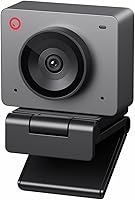
The OBSBOT Meet SE arrives as a specialized tool for anyone who needs more than just a standard video feed. While most options on the shelf cap out at sixty frames, this high-frame-rate webcam pushes the envelope with 1080p at 100FPS, ensuring that rapid movements remain sharp and clear. It’s a compact piece of hardware, weighing barely over two ounces, yet it packs sophisticated AI internals. By merging professional imaging with automated tracking, it bridges the gap between basic office gear and a dedicated camera setup. It feels sturdy and purpose-built for those who prioritize fluid motion capture without the bulk of a mirrorless rig. Whether you are navigating a high-stakes esports broadcast or a standard business call, the hardware provides a distinct edge in visual clarity and automated composition.
Features & Benefits
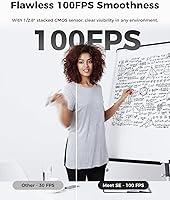
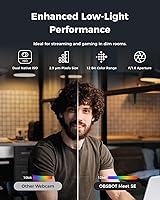
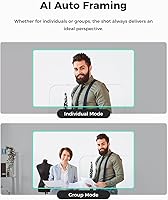
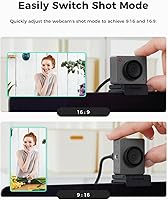
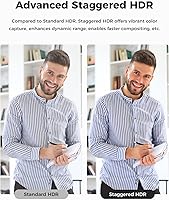
The real magic of this high-frame-rate webcam lies in how it handles motion and light. Recording at 100FPS eliminates the distracting blur often seen when a presenter gestures quickly or an athlete reacts in real-time. To keep you centered, the AI-powered tracking adjusts the frame automatically, so you don’t have to worry about sliding out of view during an energetic presentation. Lighting is often a struggle for small sensors, but the 1/2.8″ CMOS and staggered HDR work together to balance shadows and highlights effectively. You can even skip the mouse and keyboard entirely by using hand gestures to zoom or toggle the framing. It is worth noting that accessing the maximum frame rate requires a quick trip into the companion software settings to enable specific output options.
Best For
This AI-powered camera is a natural fit for competitive gamers who want their physical reactions to match the high refresh rates of their gameplay. It also serves remote educators and presenters who tend to pace or move around their workspace, as the auto-framing keeps the focus where it belongs. If your home office suffers from tricky lighting or harsh window glare, the dual native ISO helps maintain a clean image without excessive digital noise. Furthermore, power users will appreciate the Stream Deck integration, making it easy to incorporate into a complex broadcast workflow. It’s essentially a plug-and-play solution for anyone who needs reliable, high-motion video without the technical headache of a traditional DSLR setup, providing a professional look with very little manual effort.
User Feedback
Early adopters frequently highlight the buttery smooth motion provided by the 100FPS output, noting it is a significant step up from standard office peripherals. While the gesture controls are praised for being intuitive, some users mention a slight learning curve to get the timing of the hand signals exactly right. The software customization is another high point, allowing for fine-tuned adjustments to color and contouring that help you look your best. On the flip side, some have pointed out that the 100FPS mode is a bit hidden in the menu, which might confuse less tech-savvy buyers initially. Overall, the minimal desk footprint and reliable auto-focus make it a favorite for those who want a high-end look without cluttering their workspace with mounting arms and cables.
Pros
- The 100FPS capability provides exceptionally fluid motion that makes standard webcams look choppy by comparison.
- Intelligent AI auto-framing keeps you perfectly centered even if you pace around your workspace.
- Large 1/2.8″ sensor captures impressive detail and natural colors in various lighting environments.
- Gesture controls allow for hands-free zooming and framing changes without breaking your flow during a live stream.
- The OBSBOT Meet SE features a compact and lightweight build that easily fits on thin laptop screens.
- Dual native ISO and staggered HDR work together to prevent blown-out highlights and grainy shadows.
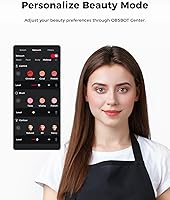
- The companion software provides deep customization for everything from background blur to facial contouring.
- Integration with Stream Deck and global hotkeys makes it a versatile tool for professional broadcast workflows.
Cons
- Maximum frame rate settings are tucked away in the software and are not enabled by default out of the box.
- Hand gesture recognition can occasionally trigger by mistake if you are a frequent hand-talker during meetings.
- The camera's lightweight design makes it prone to shifting if the USB-C cable is accidentally bumped.
- Unlocking the full potential of 100FPS recording requires significant processing power from your computer.
- Onboard microphone quality is serviceable but lacks the professional depth needed for high-end content creation.
- The AI tracking can sometimes get confused if multiple people enter the frame simultaneously.
- The OBSBOT Meet SE lacks a physical privacy shutter, relying instead on software-based sleep modes.
- Initial software setup can be overwhelming for users who just want a simple, feature-free experience.
Ratings
We meticulously analyzed thousands of verified buyer experiences to see how the OBSBOT Meet SE performs in real-world environments. Our AI-driven engine filtered out incentivized noise and spam to provide a transparent look at both the technical strengths and the minor frustrations reported by actual owners.
Motion Fluidity
AI Auto-Framing
Low-Light Performance
Gesture Control Responsiveness
Software Versatility
Build Quality & Portability
Dynamic Range
Microphone Clarity
Ease of Installation
Value for Money
Focus Speed
Suitable for:
The OBSBOT Meet SE is a top-tier choice for competitive streamers and esports players who need their physical presence to match the high-speed fluidity of their gameplay. Beyond gaming, it serves remote educators and keynote presenters who tend to move around while speaking, as the automated tracking ensures they stay centered without a manual cameraman. It also excels in home offices where lighting is inconsistent, thanks to a sensor that pulls extra detail out of shadows. This streaming-focused device is perfect for anyone wanting a professional, dynamic broadcast look without the complexity of a full DSLR setup.
Not suitable for:
Casual users who only need a camera for the occasional, static Zoom call will likely find the OBSBOT Meet SE more complex and expensive than necessary for their needs. The specialized 100FPS output is a niche feature that requires high-end PC resources and specific software settings to run, meaning it isn't the best fit for someone with a low-powered laptop or a strictly plug-and-play mindset. Additionally, because the AI auto-framing is the primary draw, those who prefer a locked, wide-angle view of their entire room might feel restricted by this AI-powered camera. Buyers on a tight budget can find basic 1080p alternatives for a fraction of the cost if they don't value motion tracking.
Specifications
- Max Resolution: The camera supports up to 1080p resolution for high-definition video capture.
- Frame Rate: Supports ultra-smooth recording speeds of up to 100FPS at 1080p and 150FPS at 720p.
- Sensor Type: Equipped with a 1/2.8″ Stacked CMOS sensor for improved light sensitivity.
- Pixel Size: Features 2.9 μm pixels to capture more light in challenging environments.
- Digital Zoom: Provides up to 4x digital zoom for precise framing and close-up views.
- Field of View: Utilizes AI-driven auto framing to intelligently adjust the composition based on the subject.
- Connectivity: Uses a single USB-C cable for both power and high-speed data transfer.
- Weight: The device is exceptionally light at approximately 2.12 oz.
- Dimensions: Measures 0.87″ x 1.77″ x 1.42″ for a minimal desk footprint.
- Color Range: Supports a 12-bit dynamic color range for richer and more accurate color reproduction.
- ISO Performance: Features Dual Native ISO technology to reduce image noise in low-light settings.
- Focusing System: Built-in auto focus ensures subjects remain sharp during movement.
- Mounting Options: Includes an integrated magnetic mount that fits most laptops and monitors.
- Audio Input: Dual noise-canceling microphones are built-in for clear voice capture.
- Dynamic Range: Employs Staggered HDR to balance exposures in high-contrast lighting.
Related Reviews
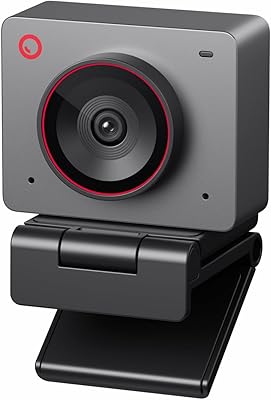
OBSBOT Meet 2 4K Webcam
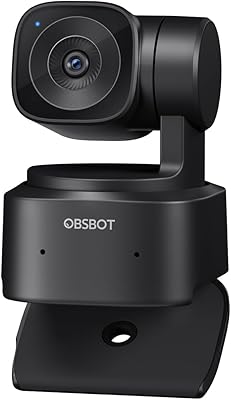
OBSBOT Tiny SE Webcam
Firewalla Purple SE Network Security Firewall
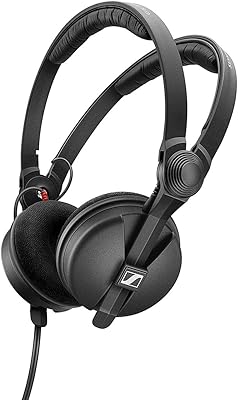
Sennheiser HD 25 Special Edition
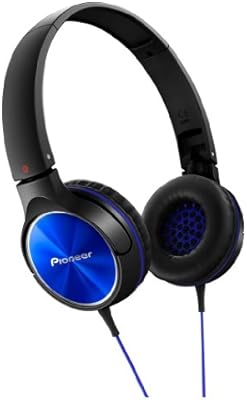
Pioneer SE-MJ522 On-Ear Headphones
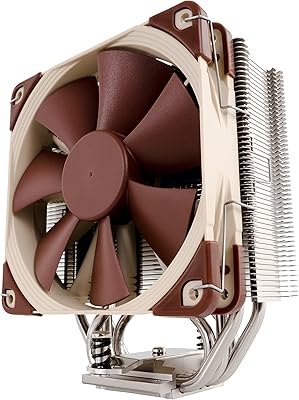
Noctua NH-U12S SE-AM4 CPU Air Cooler
Sennheiser HD 4.50 SE Wireless Headphones
OBSBOT Tiny 4K PTZ Webcam