Overview

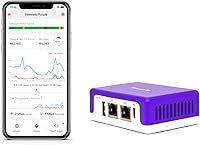
The Firewalla Purple SE Network Security Firewall is a compact cybersecurity appliance that brings genuine network-level protection to homes and small businesses without requiring a computer science degree to operate. What separates this firewall appliance from most competitors is simple: you pay once and own it fully, with no recurring subscription eating into your budget month after month. It can run as your primary router or sit quietly between your existing router and modem in Transparent Bridge Mode. One important caveat — the IPS engine caps at 500 Mbps, so if you're on a gigabit plan, expect that ceiling to apply. This is a network-layer tool, not a replacement for antivirus software.

Features & Benefits

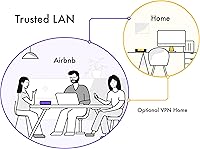
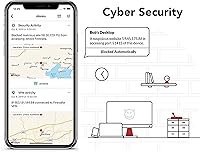
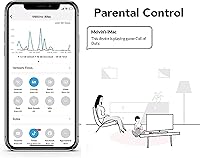
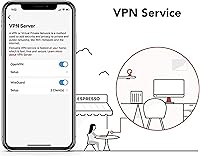
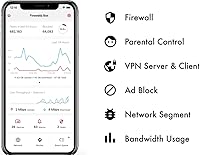
The Purple SE watches every device on your network simultaneously — your laptop, your smart thermostat, your kid's tablet — using an intrusion detection system that flags suspicious traffic and blocks threats before they cause damage. Parental controls work through the companion app, letting you pause internet access for a specific device or cut off social media for the evening with a few taps. The built-in OpenVPN server means you can connect back to your home network securely from a coffee shop without paying for a separate VPN service. Network-level ad blocking covers devices that normally cannot run browser extensions, and behavior analytics quietly surface unusual outbound connections worth investigating.

Best For

This security device is an especially strong fit for households loaded with IoT gadgets — smart TVs, security cameras, connected appliances — where installing software directly on each device simply isn't possible. Parents frustrated with clunky router firmware will appreciate app-driven controls that genuinely work without a technical background. Remote workers handling confidential data will find the on-premise VPN server practical and dependable. Small business owners without a dedicated IT department will get real protection without the managed-service overhead. One firm caveat: if your broadband plan consistently exceeds 500 Mbps, the IPS throughput limit is a tangible constraint worth factoring into your decision before buying.

User Feedback

The app interface draws consistent praise — most users find it unusually clear for a security product, and the speed at which it surfaces anomalies genuinely surprises people. That said, setup is not always frictionless. Bridge Mode compatibility with ISP-provided gateway routers is a recurring sore spot, and some users had to dig into their router settings before things clicked. Alert volume can also catch buyers off guard; the device is thorough, and a busy household may receive more notifications than expected until you dial in what to suppress. Gigabit subscribers specifically flag the 500 Mbps ceiling as noticeable. Still, the one-time cost keeps overall sentiment firmly positive.

Pros

  • One-time purchase with no subscription fees — a rare and compelling proposition in the network security space.
  • Monitors every device on your network simultaneously, including IoT gadgets that cannot run their own security software.
  • The companion app is genuinely well-designed and makes managing network activity accessible without technical expertise.
  • Built-in OpenVPN server eliminates the need for a paid third-party VPN when working remotely.
  • Network-level ad and tracker blocking benefits all devices, including smart TVs and consoles.
  • Behavior analytics surface unusual outbound connections quickly, often catching problems users would never notice otherwise.
  • Flexible deployment — use it as your main router or slip it into your existing setup in Bridge Mode.
  • Active user community and responsive manufacturer support make troubleshooting less painful than typical for networking hardware.
  • Deep packet inspection provides visibility into bandwidth usage that most home routers simply do not offer.
  • Compact and quiet — at under 11 ounces, it sits unobtrusively on any shelf or desk.

Cons

  • The 500 Mbps IPS cap is a hard ceiling — gigabit internet subscribers will feel this limitation under real-world conditions.
  • Bridge Mode compatibility with ISP-provided gateway routers is inconsistent and can require manual router configuration to resolve.
  • Setup is not truly plug-and-play; some technical comfort is needed, especially in non-standard network environments.
  • The volume of security alerts can feel overwhelming until you invest time in tuning notification preferences.
  • The smartphone app is mandatory — there is no web-based management interface for those who prefer browser-based control.
  • Cloud connectivity is required for the app to function, which may be a concern for privacy-conscious users.
  • No built-in Wi-Fi access point — Router Mode users need to purchase separate wireless access points to cover their home.
  • Users new to network security concepts may find the alert language and event logs difficult to interpret without research.

Ratings

The scores below for the Firewalla Purple SE Network Security Firewall were generated by our AI rating engine after analyzing thousands of verified purchase reviews from buyers worldwide, with spam, bot-submitted, and incentivized feedback actively filtered out. Each category reflects the honest distribution of real user sentiment — strengths and frustrations weighted equally — so you get a clear picture of where this security device genuinely delivers and where it falls short.
Value for Money
88%
For a one-time purchase with no recurring fees, the breadth of features packed into this firewall appliance is difficult to match at this price tier. Buyers repeatedly note that what would cost hundreds annually in subscription-based security services comes bundled here as a permanent, owned capability.
The upfront cost is still a meaningful commitment, and users who end up struggling with Bridge Mode compatibility or hitting the 500 Mbps IPS ceiling may feel the value proposition weakens for their specific setup. Gigabit subscribers in particular often report feeling underserved relative to what they paid.
Security Performance
91%
The IDS/IPS engine actively monitors all network devices simultaneously, and users consistently report it surfacing threats and anomalous outbound connections they had no idea were happening — a smart TV quietly phoning home, or a compromised IoT camera attempting unusual traffic patterns. That real-time visibility is where this security device genuinely earns its keep.
The 500 Mbps throughput cap on the IPS engine means that on faster broadband connections, not all traffic gets fully inspected at peak usage. It is a real hardware ceiling, not a configurable limitation, and for households that regularly push bandwidth-heavy workloads simultaneously, this is a tangible gap in coverage.
Ease of Setup
63%
37%
For users who choose Router Mode with a compatible modem, the guided app setup is genuinely approachable — the step-by-step walkthrough keeps confusion manageable, and most straightforward installations are up and running within 30 minutes. The included Cat 6 cable and power supply mean you are not hunting for accessories.
Bridge Mode is where things get complicated. Compatibility with ISP-provided gateway routers is inconsistent, and a meaningful number of users have had to log into their router's admin panel, adjust settings, and consult the community forum before getting a stable connection. This is not the plug-and-play experience some buyers expect at this price point.
Parental Controls
86%
The app-based parental controls are among the most practical in this product category — pausing a specific device, blocking gaming traffic for the evening, or setting a bedtime schedule for a child's phone takes seconds and works reliably. Parents appreciate that changes apply instantly and can be made remotely without touching the router.
The controls depend entirely on the companion app and cloud connectivity, so if the app is unavailable or the cloud service has an outage, remote management is temporarily inaccessible. Some parents also note that determined teenagers can sometimes work around category blocks using VPNs on their devices.
App Experience
84%
The Firewalla mobile app draws consistent praise for its clean layout and the speed at which it surfaces actionable information — seeing a live map of which devices are talking to which external servers is genuinely eye-opening for most users. The dashboard makes network activity readable without requiring deep technical knowledge.
Alert volume can become overwhelming quickly on a busy home network, and until you invest time configuring which events trigger notifications, the app can feel noisy and hard to prioritize. Some Android users have also reported occasional sync delays between the app and the device itself.
VPN Functionality
82%
18%
Having a built-in OpenVPN server means remote workers can tunnel back to their home network securely from a hotel or coffee shop without paying for a third-party service. Once configured, the connection is stable and the security benefit for handling sensitive work files on public Wi-Fi is real and immediate.
Initial VPN setup is not trivial for users without any prior networking experience, and the configuration process involves steps that the app alone does not fully guide you through. The reliance on OpenVPN also means users who prefer WireGuard for its speed advantages will not find a native option here.
IoT Device Protection
89%
Protecting smart home devices — cameras, thermostats, voice assistants — at the network layer without needing to install anything on the devices themselves is a standout capability. Users with large collections of IoT hardware appreciate finally having visibility into what those devices are actually doing on the network.
While the Purple SE can detect and flag suspicious IoT behavior, it cannot actively patch vulnerabilities on those devices or quarantine them in a dedicated VLAN without more advanced configuration in Router Mode. Users expecting automated remediation beyond blocking may find the response options limited.
Ad Blocking
78%
22%
Network-level DNS filtering means ads and trackers are blocked across every device simultaneously, including smart TVs and streaming sticks that normally have no way to run browser extensions. Users who previously relied on browser-specific ad blockers appreciate the whole-home coverage without per-device setup.
DNS-based blocking can occasionally produce false positives that break legitimate services or apps, requiring manual whitelist adjustments. It is also less granular than dedicated browser extensions, so some tracker categories that a tool like uBlock Origin would catch may slip through at the network layer.
Network Visibility
87%
The deep packet inspection and bandwidth analytics give users an unusually clear picture of their network — identifying which device is consuming the most bandwidth, which apps are generating unexpected traffic, and flagging connections to suspicious geographic regions. For home office users, this kind of visibility is normally reserved for enterprise-grade tools.
The sheer volume of data surfaced can be difficult to interpret for users who are new to network monitoring concepts. Without some background in understanding what normal versus abnormal traffic looks like, the behavioral analytics can produce anxiety rather than clarity.
Router Mode Performance
81%
19%
When deployed as the primary router, the Purple SE unlocks policy-based routing and Smart Queue — essentially letting you prioritize video call traffic over background downloads, or route specific devices through a VPN while others go direct. For home office setups with mixed usage patterns, this level of control is genuinely useful.
Router Mode requires a separate Wi-Fi access point since the Purple SE is not a standalone wireless router, which adds cost and complexity. Users who assumed they could replace their existing router entirely with just this device are sometimes caught off guard by that additional hardware requirement.
Build Quality
74%
26%
The device feels solid and purposeful for its size — compact enough to tuck behind a modem or mount discreetly, with no obvious cheap plastics or flimsy ports. At under 11 ounces it barely registers physically, which suits always-on hardware that lives in a closet or on a shelf indefinitely.
Some users note the device runs noticeably warm under sustained load, which raises occasional long-term reliability questions even if it has not translated into widespread failure reports. The absence of any physical status display beyond indicator lights also means troubleshooting requires the app rather than quick visual diagnostics.
Compatibility
61%
39%
In Router Mode with a standard modem, compatibility is generally reliable and well-documented. The device supports a wide range of upstream modem configurations, and for users starting fresh without a legacy router in the mix, the setup experience is considerably smoother than with Bridge Mode.
Bridge Mode compatibility with ISP-provided combination modem-router units is the most common source of buyer frustration by a significant margin. Certain popular gateway models from major ISPs require specific configuration steps that are not intuitive, and some combinations remain problematic even after following official guidance.
Community & Support
83%
Firewalla maintains an active user community forum where edge-case problems are regularly solved by both staff and experienced users. The manufacturer support team is cited repeatedly as responsive and willing to dig into specific network configurations — notably better than what users report from most consumer networking hardware brands.
Complex issues often require engaging with the forum rather than receiving direct official support, which can slow down resolution for users who are not comfortable navigating community documentation. Response times from official support channels can stretch during high-demand periods or following firmware updates.
Privacy Considerations
69%
31%
For a security product, the Purple SE keeps a relatively low cloud footprint compared to competitors — core routing and firewall rules operate locally on the device. Users who have audited its traffic report it is not sending significant personal data upstream, which matters for privacy-conscious households.
The companion app requires cloud connectivity to function for remote management and some analytics features, which is a genuine trade-off for users who prefer fully local, offline control. There is no purely local management interface, meaning trust in Firewalla's cloud infrastructure is a non-negotiable part of the product relationship.

Suitable for:

The Firewalla Purple SE Network Security Firewall is genuinely well-suited for households where multiple smart devices share a single network — think security cameras, voice assistants, smart TVs, and connected appliances that have no built-in security software of their own. Parents who want real control over what their kids access online, without wrestling with clunky router admin panels, will find the app-based parental controls refreshingly practical. Remote workers and freelancers who regularly connect to public Wi-Fi and want a secure tunnel back to their home network will get real value from the built-in VPN server without paying for a third-party service. Small business owners running lean operations — no dedicated IT staff, modest budgets — can deploy this firewall appliance and get a meaningful layer of protection that would otherwise require expensive managed services. Critically, this device delivers the most value to users on broadband connections at or below 500 Mbps, where the IPS engine operates without restriction.
Not suitable for:

The Firewalla Purple SE Network Security Firewall is not the right fit for everyone, and being honest about that matters. Households with gigabit internet plans should think carefully before buying — the 500 Mbps IPS throughput ceiling is a real hardware limitation, not a software setting that can be unlocked later. Users who expect a completely hands-off, zero-configuration experience may also run into frustration, particularly if they try to deploy the Purple SE in Bridge Mode alongside an ISP-provided gateway router, where compatibility is not guaranteed. This security device also requires a working smartphone and a cloud-connected companion app for both initial setup and ongoing management, which may concern users with strict privacy preferences around cloud dependency. Finally, it is worth stating plainly: this is not antivirus software and does not replace endpoint protection on individual computers or phones — it operates at the network level only.
Specifications

  • Brand: Manufactured by Firewalla LLC, a company focused on consumer and small business network security hardware.
  • Model: Purple SE is the entry point of the Purple line, positioned between the Blue Plus and the full Purple in processing capability.
  • IPS Throughput: The intrusion prevention system (IPS) engine is hardware-limited to 500 Mbps of inspected traffic.
  • Processor: Powered by a 64-bit CPU designed to handle real-time deep packet inspection across all connected network devices.
  • Memory: Equipped with 2048 MB of RAM to support concurrent monitoring, behavior analytics, and app communication.
  • Wi-Fi Standard: Supports 802.11ac (Wi-Fi 5) across dual-band frequencies for wireless connectivity in Router Mode.
  • Frequency Bands: Operates on both 2.4 GHz and 5 GHz bands when functioning as the primary router.
  • Connectivity: Connects via Ethernet; a Cat 6 cable is included in the box for immediate use.
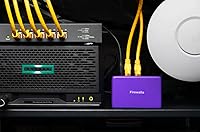
  • Deployment Modes: Can be configured as a standalone router (Router Mode) or placed behind an existing router (Transparent Bridge Mode).
  • VPN Support: Includes a built-in OpenVPN server and client, enabling encrypted remote access without a third-party subscription.
  • Parental Controls: App-based controls allow per-device and per-profile internet scheduling, category blocking, and instant pause functionality.
  • Ad Blocking: Performs DNS-level and network-level ad and tracker filtering that applies to every device on the network.
  • Dimensions: Measures 3.6 x 2.36 x 1.18 inches, making it compact enough to sit behind a modem or on a shelf unobtrusively.
  • Weight: Weighs 10.8 ounces, lightweight enough to mount or place in tight network equipment spaces.
  • Subscription Fee: No monthly or annual subscription is required; all core features are included with the one-time hardware purchase.
  • Companion App: The Firewalla mobile app (iOS and Android) is mandatory for initial setup and ongoing device management.
  • Power Supply: Ships with a USA-standard power adapter included in the box.
  • In the Box: Package includes the Purple SE unit, a Cat 6 Ethernet cable, a USA power supply, and printed setup instructions.

Related Reviews

Imou SE 4MP Security Camera
82%
88%
Value for Money
91%
Ease of Installation
85%
Picture Quality
82%
Motion Tracking Accuracy
80%
Night Vision Performance
More
Noorio B200-SE Wireless Outdoor Security Camera

71%
91%
Ease of Installation
76%
Video Quality
78%
Color Night Vision
58%
Battery Life
72%
Motion Detection Accuracy
More
AOSU SolarCam D1 SE PTZ Security Camera
82%
88%
Image Clarity
91%
Night Vision Quality
83%
PTZ Coverage & Tracking
71%
Solar & Battery Performance
74%
Motion Detection Accuracy
More
ZOSI C298 SE 6MP Dual-Lens Security Camera
77%
84%
Image Clarity
81%
Night Vision Performance
88%
Pan & Tilt Coverage
76%
AI Detection Accuracy
61%
WiFi Connectivity
More
ZEEPORTE Snap 30T Solar Pan-Tilt Security Camera
74%
83%
Image Clarity
79%
Night Vision
61%
Solar Charging Reliability
88%
Pan and Tilt Coverage
67%
App Experience
More
Sennheiser HD 25 Special Edition
85%
94%
Build Durability
89%
Ambient Noise Isolation
86%
Professional Sound Accuracy
68%
Ergonomics & Comfort
91%
Overall Value
More
eufy Security Motion Sensor
85%
90%
Detection Accuracy
95%
Ease of Installation
93%
Battery Life
87%
Sensitivity Adjustment
89%
App & Notification System
More
ECHOGEAR 12U Network Rack
86%
89%
Build Quality
91%
Ease of Installation
88%
Cooling Efficiency
84%
Security Features
85%
Weight Capacity
More
KEHZKCT KEHZKCT003 128GB Security Camera
63%
74%
Video Clarity
67%
Night Vision Performance
88%
Built-in Storage Value
61%
Motion Detection Accuracy
83%
Discreet Design
More
YUPBOE CQ1H Solar Outdoor Security Camera
71%
88%
Ease of Installation
71%
Solar Charging Reliability
74%
Video Quality
67%
Night Vision Performance
83%
PTZ Coverage
More

FAQ

No, and that is genuinely one of the strongest selling points here. The one-time hardware purchase covers all core features — IDS/IPS monitoring, parental controls, VPN, ad blocking — with no recurring charges attached.

It depends on the setup you choose. In Transparent Bridge Mode, the Purple SE sits between your modem and existing router and adds security without replacing anything. However, Bridge Mode compatibility varies by router model — some ISP-provided gateway devices need manual configuration adjustments before things work smoothly, so check Firewalla's compatibility guide before assuming it will be plug-and-play.

Honestly, yes — it can be. The IPS engine inspects traffic up to 500 Mbps, so if your connection regularly pushes above that threshold, some traffic will pass through without full deep-packet inspection. For most average household usage patterns this may not be noticeable, but if you regularly saturate a gigabit line, this is a real limitation worth factoring in.

A basic level of comfort with home networking helps, particularly if you go with Bridge Mode and your router needs configuration changes. Router Mode setup is more straightforward if you are starting fresh. The app guides you through the process step by step, but do not expect a completely hands-off experience — some setups genuinely require logging into your router's admin panel.

No, and this is an important distinction. This security device works at the network layer — it monitors and filters traffic flowing to and from your devices. It does not scan files on your hard drive or detect malware that is already installed. Think of it as a security guard at the front door, not a doctor checking what's inside your house.

Yes, and this is one of the strongest use cases for this firewall appliance. Since protection happens at the network level, every device connected to your network — smart TVs, cameras, thermostats, game consoles — is monitored and protected without needing any software installed on those devices.

You manage everything through the Firewalla mobile app. You can group devices by family member, then set schedules, block specific content categories like social media or gaming, or simply pause internet access for a device entirely. Controls apply instantly, and you can adjust them remotely from anywhere — you do not need to be home or touching the router.

The setup requires a bit of initial configuration, but once it is running, connecting to your home VPN remotely is straightforward through the app. It uses OpenVPN, which is a well-established protocol. If you have experience setting up a VPN before, this will feel familiar. If you have never done it, the Firewalla community forums have detailed walkthroughs that make it manageable.

Core local network functions like routing and basic firewall rules would likely continue operating, but features that depend on cloud communication — including the app interface, behavior analytics, and remote management — could be affected. This is a legitimate concern with any cloud-connected hardware product and worth keeping in mind for long-term planning.

Firewalla does not publish a strict device limit, and in practice the Purple SE handles typical home and small office environments comfortably — think 20 to 50 connected devices. Very large networks with dozens of simultaneously active high-bandwidth devices may see performance pressure, but for most residential and small business scenarios it holds up well.

Where to Buy