



Overview

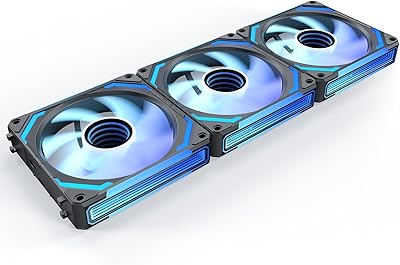
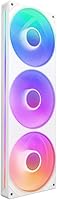
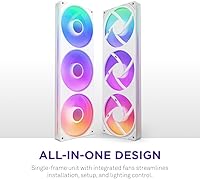
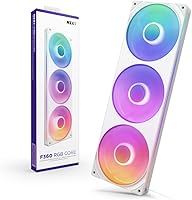
The NZXT F360 RGB Core 360mm Fan Unit arrived in mid-2024 as NZXT's attempt to cut through the cable chaos that plagues triple-fan radiator builds. Instead of juggling three separate fans with individual power leads and RGB wires, this triple-fan array consolidates everything into one interlocking frame — mount it, connect a single cable, and you're done. It works natively with an NZXT controller for full CAM software control, or plugs straight into any 5V aRGB header on your motherboard. Sitting alongside rivals like the Corsair QL and Lian Li Uni Fan, this single-frame unit competes well at its mid-range price point, though buyers deep in the NZXT ecosystem will get the most out of it.

Features & Benefits

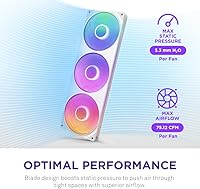
The single-frame design is the standout practical feature here. Rather than running separate PWM and RGB cables per fan, the F360 RGB Core uses an 8-pin daisy-chain connector that handles power and data in one pass — a real relief during radiator mounting. The fluid dynamic bearings carry a 60,000-hour lifespan rating, putting them well ahead of sleeve-bearing alternatives in longevity. Blade geometry is optimized for high static pressure, so this single-frame unit works well for pushing air through a dense radiator fin stack. Each fan hub packs eight addressable RGB LEDs behind semi-translucent blades, delivering consistent, vivid color. Peak speed reaches 3,600 RPM, though noise stays acceptably low at moderate speeds.

Best For

This triple-fan array is a natural fit for builders already running NZXT controllers or using NZXT CAM software, since that's where lighting and speed controls fully unlock. Outside that ecosystem, it still works via any 5V aRGB motherboard header, though you'll be giving up granular fan curve and lighting sync options. The high static pressure blade profile makes it a smart pick for AIO radiator setups rather than open airflow configurations. White-build enthusiasts will appreciate how the white frame and semi-translucent blades hold up aesthetically. For builders who dread cable management, the consolidated connector approach removes a real headache. If maximum raw airflow trumps longevity and clean installation for you, some alternatives might edge this single-frame unit out.

User Feedback

Buyers consistently highlight how much cleaner the installation process feels compared to wiring three individual fans — routing one cable instead of six is the kind of thing you only appreciate mid-build. RGB impressions are largely positive, with the semi-translucent blades diffusing light well and colors reading accurately. The main pushback centers on NZXT CAM dependency: users on non-NZXT boards report that basic aRGB header connectivity works fine, but advanced lighting effects and fan curve tuning require the software and a compatible controller. A few buyers note noise climbs noticeably when fans approach their upper RPM range, which softens the advertised 30 dB spec. Real-world cooling performance draws mostly positive feedback, with temperatures rated competitive against comparable alternatives.

Pros

  • Single-frame design cuts cable clutter dramatically — one 8-pin connection replaces six separate fan wires.
  • Fluid dynamic bearings give the F360 RGB Core a rated lifespan that outlasts most sleeve and ball-bearing competitors.
  • High static pressure blade geometry performs well on 360mm AIO radiators where airflow resistance is highest.
  • Eight addressable RGB LEDs per fan produce vivid, even color through the semi-translucent blades.
  • Dual connectivity options let builders use an NZXT controller or a standard 5V aRGB motherboard header.
  • Installation is noticeably faster than mounting and wiring three individual fans, especially in tight cases.
  • White colorway is consistent and well-matched for themed builds using white cases and components.
  • Reached a top-5 bestseller rank in case fans quickly, reflecting strong real-world buyer satisfaction.
  • 9.48W total power draw across all three fans is efficient for a full 360mm RGB array.

Cons

  • Full lighting customization and fan curve control require NZXT CAM software, which some builders prefer to avoid.
  • Noise climbs perceptibly at high RPM — the 30 dB spec does not represent behavior near the 3,600 RPM ceiling.
  • Non-NZXT motherboard aRGB headers may face limited compatibility with advanced lighting effects.
  • The proprietary 8-pin connector locks you into NZXT’s cable ecosystem, reducing flexibility for future upgrades.
  • Not optimized for pure open-air case airflow scenarios where high CFM matters more than static pressure.
  • NZXT CAM software has a history of mixed user reception and requires an active account for full feature access.
  • Users outside the NZXT ecosystem get a noticeably reduced feature set compared to what the hardware can do.
  • No standalone fan controller included — full speed and RGB control requires a separately purchased NZXT device.

Ratings

Our AI-generated scores for the NZXT F360 RGB Core 360mm Fan Unit are derived from analyzing thousands of verified global buyer reviews, with spam, bot activity, and incentivized feedback actively filtered out before any scoring takes place. The ratings below reflect both what this single-frame unit genuinely excels at and where real-world builders have run into friction — nothing is glossed over.

Installation Ease
93%
Builders consistently describe the single-frame installation as one of the most refreshingly straightforward fan setups they have experienced. Mounting to a 360mm radiator takes minutes rather than the usual process of aligning three separate fan frames, and the single 8-pin connector eliminates the rat's nest of individual power and RGB wires.
A small number of users note that the rigid single-frame format can be slightly awkward to maneuver inside compact cases with limited radiator clearance, since you cannot flex or reposition one fan independently while working around obstructions.
Cable Management
91%
The daisy-chain 8-pin connector is the standout cable management win here — routing one cable instead of six noticeably cleans up the interior of any build, and builders working in windowed cases particularly appreciate the visual difference it makes at the radiator mount point.
The proprietary connector format means you are locked into NZXT's cable ecosystem, and sourcing a replacement or extension cable outside of NZXT's own accessory lineup is not straightforward if you need more routing flexibility in a larger chassis.
Cooling Performance
78%
22%
On 360mm AIO radiators, the F360 RGB Core delivers competitive thermal results — users pairing it with popular Kraken and Corsair AIO coolers report CPU temperatures that sit comfortably in line with similarly priced fan alternatives. The static pressure-tuned blades do their job pushing air through dense radiator fins.
Raw cooling performance is not class-leading, and enthusiasts benchmarking against high-static-pressure specialists like the Noctua NF-A12x25 or Arctic P12 will find a modest gap at equivalent noise levels. For moderate workloads it is fine; for sustained heavy compute or overclocking, expectations should be tempered.
RGB Lighting Quality
88%
The eight addressable LEDs per fan hub produce a vivid, well-distributed glow that holds up especially well in white builds where the semi-translucent blades diffuse the light into a soft, even halo effect rather than harsh point-source spots. Color accuracy is frequently praised as consistent and true-to-preview across the LED ring.
At very high fan speeds the LEDs can appear to wash out slightly as the blades spin faster, and users who want aggressive multi-zone lighting patterns rather than smooth gradients may find the per-hub LED count limiting compared to fans with denser LED arrays like the Lian Li Uni Fan SL.
Software & Ecosystem
63%
37%
Within the NZXT CAM ecosystem the experience is genuinely unified — fan curves, RGB effects, and monitoring all live in one dashboard, and builders already running an NZXT controller find adding the F360 RGB Core a plug-and-play extension of their existing setup without any additional configuration headaches.
NZXT CAM remains a polarizing piece of software with a history of performance overhead complaints, mandatory account creation, and occasional update-related instability. Users outside the NZXT ecosystem who connect via a 5V aRGB header lose most of the advanced controls, which makes the software dependency a real limitation for a meaningful portion of buyers.
Noise Levels
71%
29%
At low-to-mid RPM ranges — where most desktop PCs operate during everyday tasks, light gaming, or media consumption — the triple-fan array runs unobtrusively quiet, and the fluid dynamic bearings contribute a smooth, rattle-free hum that does not call attention to itself.
Cranked toward 3,600 RPM under sustained thermal load, the fans produce a clearly audible whine that some users describe as intrusive in quiet rooms or home office environments. The advertised 30 dB figure is accurate at idle but does not represent the acoustic reality during extended stress scenarios.
Build Quality
82%
18%
The single-frame construction feels solid and well-toleranced out of the box — there is no flex or rattle between the fan housings, and the white plastic finish has a clean, consistent look that does not feel cheap relative to the price tier. Copper motor internals contribute to the overall sense of material quality.
The plastic frame does show fingerprints and dust more visibly than darker fan units, which matters in a windowed build, and a handful of users report minor surface blemishes on the white finish arriving from packaging — not widespread, but worth inspecting at unboxing.
Bearing Longevity
89%
A 60,000-hour fluid dynamic bearing rating is a genuine differentiator in this price bracket, and builders who have owned previous NZXT fans with the same bearing type report years of consistent, quiet operation without the bearing whine that develops in sleeve-bearing fans over time.
Since the product launched in mid-2024, long-term real-world durability data is still accumulating, so the 60,000-hour rating remains manufacturer-stated rather than independently verified by a wide pool of long-term owners at this stage.
Compatibility
67%
33%
The included 5V aRGB splitter cable gives the F360 RGB Core a reasonable degree of motherboard-agnostic compatibility, and most modern ATX boards from major manufacturers have at least one 5V aRGB header that will power basic lighting effects without any additional hardware.
Full functionality — including PWM fan curve control and advanced lighting — requires an NZXT controller, which is sold separately and represents an additional cost. Users on AMD or Intel boards running Aura Sync or Mystic Light may encounter limited or inconsistent lighting sync behavior without additional configuration.
Value for Money
76%
24%
For builders already in the NZXT ecosystem, the price is fair given the integrated frame design, fluid dynamic bearings, and addressable RGB — you are effectively paying for a cable-management solution baked into the fan hardware itself, which has a real practical value that individual fan alternatives do not offer.
For builders outside the NZXT ecosystem, the value equation weakens because the proprietary connector and CAM software dependency mean you are paying for features you cannot fully use. Comparable three-pack RGB fans from Arctic or be quiet! can offer strong performance at lower cost without the ecosystem lock-in.
Aesthetics
86%
The white colorway and semi-translucent blades are well-executed for themed builds — the frame edges are clean, the RGB glow is smooth and even, and the overall look photographs exceptionally well in windowed-panel cases. It is one of the more visually cohesive fan units currently available at this price point.
Color options are limited to white and black variants, so builders working with non-standard case themes do not have much flexibility. The aesthetic appeal also depends heavily on active RGB lighting — with LEDs off, the fans look fairly plain compared to fans with more aggressive blade styling.
Static Pressure Output
80%
20%
The blade geometry is deliberately engineered for static pressure, which translates to noticeably better airflow through radiator fin stacks than a general-purpose fan would deliver at the same RPM. Builders running 360mm AIOs with thick radiators report reliable temperature management even under gaming loads.
The static pressure focus comes at the cost of open-air case ventilation efficiency — if you are mounting this single-frame unit as a front intake on a mesh case where unrestricted airflow is the goal, the blade design will underperform dedicated high-CFM fans in that role.
Packaging & Unboxing
74%
26%
The retail packaging is organized and the included accessories — splitter cable, mounting hardware — are laid out clearly without excess plastic waste. Most buyers report everything arriving intact and ready to install without a confusing or overstuffed box.
A modest number of users mention the white fan frame showing minor scuffs or pressure marks from transit packaging, suggesting the protective foam could be more robust. The accessory documentation is minimal, which may leave first-time builders wanting a clearer guide to the connectivity options.

Suitable for:

The NZXT F360 RGB Core 360mm Fan Unit is a strong pick for PC builders who are already running an NZXT ecosystem — think an H-series case, a Kraken AIO, and an NZXT controller sitting in the build — and want their lighting and fan speeds managed from a single software dashboard without fussing over separate fan headers. Intermediate builders who dread the cable tangle that comes with three independently wired 120mm fans will find the single-frame, daisy-chain approach a genuine relief during installation, especially when mounting fans on a cramped 360mm radiator. The static pressure-tuned blades make this triple-fan array a practical choice for AIO cooler radiator duty, where pushing air through dense fin stacks matters more than wide-open airflow. Builders chasing a clean white-themed aesthetic will also appreciate how the white frame and semi-translucent blades hold their look under RGB lighting. Anyone prioritizing long-term reliability over outright performance numbers will feel confident with the fluid dynamic bearings rated for 60,000 hours of operation.

Not suitable for:

Builders who have no interest in the NZXT ecosystem and want deep, granular RGB customization should think twice before committing to the F360 RGB Core — while the 5V aRGB header connection does work without an NZXT controller, effects and fan curve control are meaningfully limited outside of NZXT CAM. The NZXT F360 RGB Core 360mm Fan Unit is also not the right call for users chasing absolute silence; the 30 dB noise figure applies at low speeds, and near the 3,600 RPM ceiling the acoustic profile becomes noticeably louder, which can be a problem in quiet home office or media-center builds. If your priority is raw open-air case airflow rather than static pressure performance — for example, a mesh-front case where you want maximum cubic feet per minute across a wide area — there are fans with blade profiles better suited to that task. Users running AMD or Intel motherboards with proprietary RGB software ecosystems like ASUS Aura Sync or MSI Mystic Light may also find syncing this single-frame unit frustrating without additional workarounds.

Specifications

  • Fan Configuration: Three 120mm fans are housed within a single interlocking 360mm frame, eliminating the need to mount and wire each fan individually.
  • Max Speed: Each fan spins up to a maximum of 3,600 RPM under full load conditions.
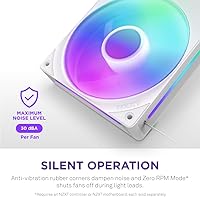
  • Noise Level: Rated at approximately 30 dB at low speeds; audible noise increases noticeably as RPM approaches the upper ceiling.
  • Bearing Type: Fluid dynamic bearings are used across all three fan motors, offering lower friction and quieter operation than sleeve or ball-bearing alternatives.
  • Rated Lifespan: The fluid dynamic bearings carry a manufacturer-rated operational lifespan of 60,000 hours under normal conditions.
  • RGB Lighting: Each fan hub contains 8 individually addressable RGB LEDs that illuminate through semi-translucent blades for consistent color distribution.
  • Connector: A single 8-pin daisy-chain connector handles both power delivery and data signaling for the entire three-fan unit.
  • Voltage: The unit operates at a standard 12V DC input.
  • Power Draw: Total power consumption across all three fans is rated at 9.48W, making it efficient for a full RGB 360mm array.
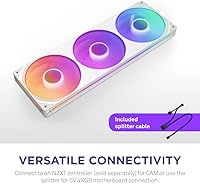
  • Compatibility: Works with any 5V aRGB-compatible motherboard header using the included splitter cable, or connects directly to an NZXT controller for full CAM integration.
  • Software: NZXT CAM software is required to access advanced fan curve tuning and full RGB lighting customization beyond basic aRGB header effects.
  • Frame Material: Fan motor components use copper construction; the outer frame and blade assembly are plastic with a white finish.
  • Color Variant: This unit ships in white, with matching white fan blades and frame designed for light-themed build aesthetics.
  • Cooling Method: Air cooling via static pressure-optimized blade geometry, suited for pushing airflow through radiator fin stacks and dense mesh panels.
  • Unit Weight: The complete single-frame assembly weighs 1.03 pounds, which is typical for a 360mm triple-fan radiator unit.
  • Frame Dimensions: The assembled unit measures 14.17 x 14.17 x 14.17 inches as packaged, fitting standard 360mm radiator mounting points.
  • LED Addressability: All 24 LEDs across the three fans are individually addressable, allowing per-LED color and effect control when paired with a compatible controller.
  • Release Date: The product was first made available in June 2024 and reached a top-5 bestseller ranking in the computer case fans category shortly after launch.

Related Reviews
AsiaHorse Matrix 360mm ARGB Case Fans
78%
91%
RGB Lighting Quality
88%
Installation Ease
67%
Case Compatibility
82%
Noise Level
74%
Airflow Performance
More
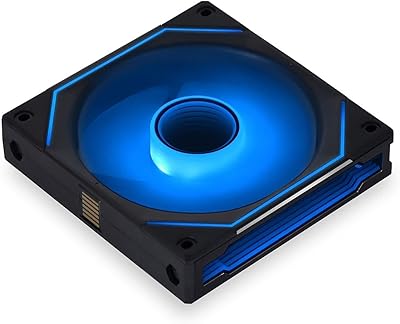
NZXT F120RGB Duo 120mm Dual-Sided RGB Fan
88%
88%
Performance
91%
RGB Lighting Quality
85%
Noise Level
87%
Airflow & Cooling Efficiency
89%
Build Quality
More
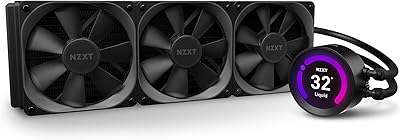
NZXT Kraken Z73 360mm AIO RGB CPU Liquid Cooler
84%
92%
Cooling Performance
87%
Noise Level
72%
Installation Ease
80%
Software Control (CAM V4)
90%
Aesthetic Customization (LCD Display)
More
Lian Li UNI Fan SL-INF 120 RGB Infinity Mirror ARGB 120mm Fan
86%
93%
Aesthetics and RGB Lighting
88%
Noise Level/Quiet Operation
91%
Build Quality and Durability
85%
Ease of Installation
87%
Cooling Efficiency
More
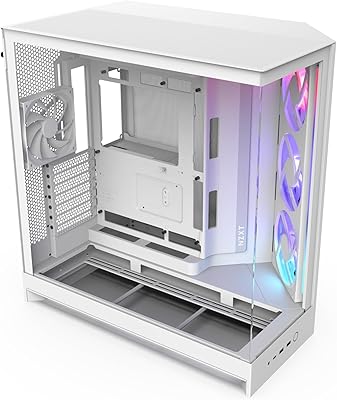
NZXT H9 Flow RGB 2025 Mid-Tower Case
79%
91%
Build Quality
88%
Airflow Performance
93%
Cable Management
94%
Aesthetic & Presentation
89%
Cooling Expandability
More
NZXT Kraken Elite 280 Liquid CPU Cooler
81%
91%
Display Quality
88%
Installation Ease
87%
Cable Management
86%
Build Quality
84%
Platform Compatibility
More
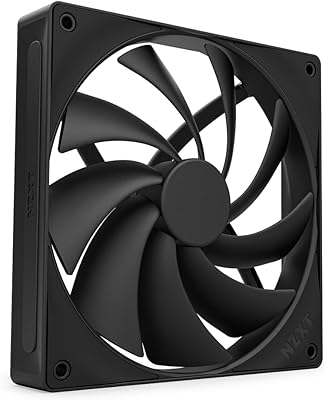
NZXT F140Q 140mm Quiet Airflow Fan
86%
92%
Cooling Performance
89%
Noise Level
87%
Build Quality
80%
Installation Ease
91%
PWM Control
More
AsiaHorse AMICI-5GT ARGB PC Fans
79%
91%
Lighting & Visual Impact
83%
Airflow Performance
78%
Noise Level
89%
RGB Ecosystem Compatibility
76%
Build Quality & Materials
More
Clyxgs 360mm Aluminum Water Cooling Radiator
72%
71%
Thermal Performance
78%
Build Quality
63%
Fan Noise Level
74%
Compatibility & Fit
83%
Value for Money
More
NZXT Kraken Elite 360 RGB 2024
82%
83%
Thermal Performance
88%
Noise Level
93%
LCD Display Quality
87%
Build Quality & Materials
91%
RGB Lighting
More

FAQ

You can use it without an NZXT controller. The package includes a splitter cable that connects to any standard 5V aRGB header on your motherboard. That said, if you want full fan speed curves and advanced RGB effects, you will need an NZXT controller paired with their CAM software — the motherboard header route gives you basic lighting but not the full feature set.

Basic aRGB functionality should work when connected through a 5V aRGB header, but deep software integration with Aura Sync, Mystic Light, or similar proprietary lighting platforms is not officially supported. You may get static colors or simple effects to function, but do not expect seamless cross-platform syncing without workarounds.

The 30 dB figure is measured at low speeds, which is fairly quiet. As RPM climbs toward the 3,600 RPM ceiling, the noise becomes noticeably more audible — not obnoxious, but definitely present. For a silent build where acoustics are a top priority, you may want to cap the fan curve well below maximum or consider fans specifically engineered for low-noise performance.

It mounts to any standard 360mm radiator that accepts three 120mm fans in a row, which covers the vast majority of 360mm AIOs on the market. Just verify your case supports a 360mm radiator and that the mounting holes follow the standard 120mm fan spacing — nearly all modern cases and AIOs do.

Technically yes, but the blade profile is optimized for static pressure rather than high-volume open airflow. For radiator duty it excels, but as a pure case intake or exhaust fan where unrestricted airflow matters most, a fan with a higher CFM-focused blade design would likely outperform it.

Running continuously at full speed, 60,000 hours works out to roughly 6.8 years. In a real PC that cycles on and off and rarely runs fans at max RPM constantly, you can reasonably expect well over a decade of reliable operation. The fluid dynamic bearing design is a meaningful durability upgrade over cheaper sleeve-bearing fans.

That is a fair concern. The frame is an integrated unit, so you cannot easily swap out one individual fan the way you could with three separate fans. If a single motor were to fail outside warranty, you would likely need to replace the entire assembly rather than just one fan.

Most users report the lighting as vivid and well-distributed rather than harsh or washed out. The semi-translucent blades soften the glow slightly, which actually helps the color look more even and consistent when spinning. Buyers running white-themed builds tend to be particularly satisfied with how the LEDs complement the white frame.

The 8-pin connector is NZXT’s proprietary daisy-chain format, combining power and RGB data into a single cable for the whole unit. It is not a standard 4-pin PWM connector, so it does not plug directly into a typical motherboard fan header without an adapter or the included NZXT splitter cable for aRGB. If you want PWM speed control through your motherboard, you will need an NZXT controller in the loop.

NZXT offers the F360 RGB Core in both white and black colorways, so if your build uses a black or neutral-toned scheme, the black variant is available. Just verify you are selecting the correct color at purchase since both versions share the same model family and specs.

Where to Buy