Overview

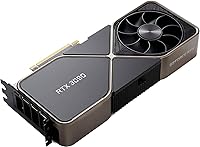
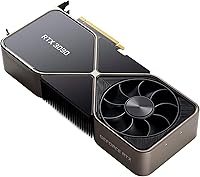
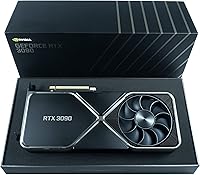
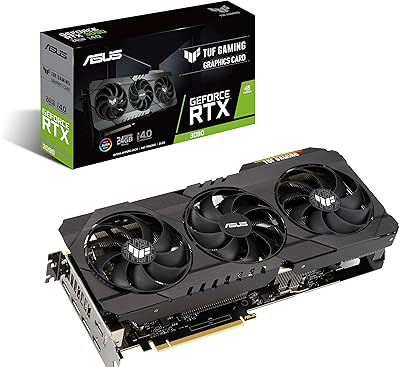
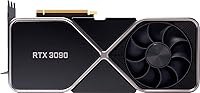
The NVIDIA RTX 3090 Founders Edition Graphics Card arrived in late 2020 as the absolute peak of NVIDIA's Ampere consumer lineup — a card that blurred the line between a gaming GPU and professional workstation hardware. Unlike typical gaming cards, the RTX 3090 was engineered to satisfy both high-refresh 4K gamers and creative professionals running demanding production pipelines. Worth noting upfront: this Ampere flagship is now a generation behind, with Lovelace-series cards having since launched. Before buying, be realistic about its footprint — triple-slot and 12 inches long — and its serious power demands, which put an 850W-plus PSU firmly in play.
Features & Benefits

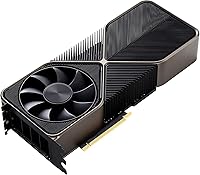
The headline spec is 24GB of GDDR6X memory on a wide 384-bit bus — a combination that gives the RTX 3090 headroom most gaming cards simply cannot match. For 3D artists loading multimillion-polygon scenes or AI practitioners training models locally, that VRAM capacity is genuinely transformative. The second-generation RT cores deliver noticeably smoother ray tracing compared to the previous Turing architecture, while third-gen Tensor cores power DLSS, which can recover significant frame rates at high resolutions. The Founders Edition cooler channels airflow through the card and out the rear bracket rather than dumping heat back into your case, which is a meaningful thermal advantage in tightly built systems.

Best For

This Founders Edition card makes the most sense for people whose workloads push VRAM hard. 4K gamers who refuse to lower settings, run heavy mod lists, or use ray tracing extensively will find the 24GB buffer gives meaningful breathing room. It is equally compelling for VFX artists, motion graphics designers, and Blender users who regularly hit memory limits on smaller cards. Local AI and ML workflows — running inference or fine-tuning models without cloud costs — are another strong fit. Streamers encoding in NVENC while gaming benefit from the sheer headroom here too. This is less ideal if your work is primarily CPU-bound or if you are gaming at 1080p.

User Feedback

Across roughly 200 ratings, the RTX 3090 holds a solid 4-star average — earned, but not uncontested. Buyers consistently praise raw compute performance and the sheer relief of having enough VRAM to stop worrying about out-of-memory errors mid-render. The Founders Edition build quality also draws positive comments; it feels well-constructed and runs quieter than many third-party designs. On the other side, the 350W power draw comes up frequently — some buyers underestimated the PSU upgrade required. A smaller group raised questions about long-term value given the arrival of newer-generation options, and a handful flagged occasional driver quirks on specific workstation configurations.

Pros

  • 24GB of GDDR6X VRAM eliminates memory bottlenecks for complex 3D scenes, large AI models, and 8K textures.
  • The Founders Edition cooler exhausts heat out the rear bracket, keeping your case noticeably cooler than blower-style designs.
  • Ray tracing performance is strong enough to run demanding titles with RT enabled at 4K without becoming unplayable.
  • DLSS support provides a reliable frame-rate recovery option at high resolutions with minimal visual quality loss.
  • The RTX 3090 handles GPU-accelerated video encoding and decoding exceptionally well for streaming and post-production workflows.
  • 10,496 CUDA cores make this Ampere flagship genuinely capable for local machine learning inference and model fine-tuning.
  • NVLink support offers a path to multi-GPU configurations for those with highly specific professional compute needs.
  • Three DisplayPort 1.4a outputs plus HDMI 2.1 make multi-monitor and 8K display setups straightforward to configure.
  • Build quality on the Founders Edition feels premium and durable, consistent with its positioning as a reference design.
  • Holds a 4-star average across a meaningful sample of buyers, including verified professional users.

Cons

  • At 350W TDP, electricity costs over time are a real consideration that buyers frequently underestimate.
  • Requires a PSU of 850W or more — an unexpected upgrade cost if your current build is not already specced for it.
  • The triple-slot, 12-inch footprint rules out many mid-tower and compact cases without modification or replacement.
  • Lovelace-generation alternatives now offer competitive performance with better power efficiency, making the value case harder to justify at full price.
  • 8K gaming remains largely impractical for everyday use — native 8K titles and monitors are still rare and expensive.
  • Heat output under sustained load is significant and requires good case airflow to avoid thermal throttling.
  • Driver stability has occasionally been flagged by workstation users running niche professional software configurations.
  • The high acquisition cost is difficult to rationalize for buyers whose workloads do not specifically stress the VRAM capacity.
  • NVLink multi-GPU support, while present, has limited practical software adoption outside of very specific compute tasks.
  • Resale value has compressed noticeably since newer GPU generations launched, reducing its appeal as a long-term investment.

Ratings

The scores below reflect an AI-driven analysis of verified global user reviews for the NVIDIA RTX 3090 Founders Edition Graphics Card, with spam, bot-generated, and incentivized feedback actively filtered out before scoring. Each category is weighted against real-world usage patterns reported by buyers — from professional 3D artists and ML researchers to dedicated 4K gamers — ensuring both the strengths and the genuine frustrations are represented honestly.

Raw GPU Performance
93%
Users consistently describe the RTX 3090 as a card that simply does not flinch — whether pushing 4K at maximum settings in demanding open-world titles or running GPU-accelerated rendering jobs that would stall lesser hardware. Creative professionals note meaningful reductions in Blender and Octane render times compared to previous-generation flagship cards.
A growing segment of reviewers notes that newer Lovelace-generation cards now match or exceed its rasterization output at lower power draw, which slightly undercuts the performance-per-watt argument for buyers shopping today rather than in 2021.
VRAM Capacity
97%
The 24GB frame buffer is the single most praised attribute across professional user reviews, particularly from Blender artists, DaVinci Resolve colorists, and ML practitioners who regularly pushed 16GB cards into out-of-memory errors. Having that headroom removes a genuine workflow bottleneck that affects productivity daily.
For buyers who are purely gaming at 1440p or below, the VRAM capacity is effectively unused — and paying the premium for memory you will never stress is a recurring frustration mentioned by users who misjudged their actual requirements before purchasing.
Cooling & Thermal Management
84%
The Founders Edition push-pull cooler earns consistent praise for venting heat through the rear bracket rather than back into the case, which buyers in compact or moderately ventilated builds notice immediately in lower overall system temperatures. At idle and light loads, it runs near-silently.
Under extended sustained loads — long render queues or overnight ML training jobs — the fans do ramp up audibly, and a handful of users in poorly ventilated rooms reported thermal throttling during marathon sessions. It manages heat well but is not whisper-quiet under real stress.
Power Consumption
51%
49%
In absolute terms, the 350W TDP is matched by the card delivering genuinely flagship-level compute throughput, so the power draw is not waste — buyers doing professional rendering or model training feel they are getting value from every watt consumed.
This is the most frequently cited pain point across reviews. Buyers who did not budget for a PSU upgrade were caught off guard, and several noted a meaningful increase in monthly electricity costs after installation. Newer competing cards deliver comparable gaming performance at significantly lower draw, making this harder to justify.
Build Quality & Design
88%
The Founders Edition hardware feels genuinely premium — a machined metal shroud and solid construction that stands apart from budget third-party designs. Users frequently comment that it looks and feels like a professional-grade component rather than a consumer product, which matters for open-chassis builds.
A small number of buyers noted that the card runs warm to the touch along the metal shroud under load, and the lack of an RGB lighting option disappointed a subset of enthusiast builders who wanted it to match their system aesthetic.
Ray Tracing Quality
82%
18%
Second-generation RT cores deliver a noticeably smoother ray tracing experience in supported titles compared to the Turing generation, with frame rates that remain in playable territory at 4K in titles like Cyberpunk 2077 and Control when paired with DLSS. Buyers who specifically purchased for RT-enabled gaming report high satisfaction.
Even at this tier, native 4K ray tracing at maximum RT settings in the most demanding titles still requires DLSS to stay above 60fps, which some buyers felt should not be a necessity at this price point. RT performance relative to Lovelace alternatives has also dated somewhat.
DLSS Effectiveness
79%
21%
DLSS 2.x quality mode holds up well at 4K in the majority of supported titles, giving users a practical path to higher frame rates without obviously degrading image quality in motion. Buyers who game primarily in titles with strong DLSS implementation describe it as nearly transparent in daily use.
DLSS 2.x is now a generation behind DLSS 3 and 3.5, which introduced frame generation for Lovelace cards — a capability this Ampere flagship simply cannot access. Buyers who later discovered this felt it aged the card faster than expected.
Noise Level
76%
24%
At idle and during light desktop or video playback tasks, the card is genuinely inaudible in a closed case. Users in office environments or shared workspaces appreciate that it does not add noticeable background noise during standard use, which is not guaranteed on all high-end GPUs.
Under sustained full-load conditions — particularly extended rendering or compute tasks — fan noise becomes clearly audible, and a handful of reviewers in open-desk setups found it distracting during long overnight jobs. It is acceptable but not class-leading in active noise management.
Value for Money
58%
42%
For buyers with specific VRAM-hungry workloads — ML training, large scene rendering, or high-resolution video production — the value proposition remains defensible because no competing card at a lower cost offers the same 24GB capacity with comparable compute throughput.
For gaming-focused buyers or those without demanding VRAM needs, the value case has weakened considerably since Lovelace launched. Multiple reviewers explicitly stated they would choose differently with the benefit of hindsight, particularly given that resale values have compressed since newer generations arrived.
Physical Footprint
62%
38%
The triple-slot Founders Edition design is actually more compact than several third-party RTX 3090 variants, which can span 3.5 slots or more. Buyers with large full-tower cases have no complaints and appreciate the cleaner, slimmer profile compared to bulkier AIB designs.
For anyone not already in a full-tower or large mid-tower case, the 12-inch length and three-slot width create a real compatibility problem. Several reviewers had to purchase a new case specifically to accommodate this card, an unexpected cost they wished had been flagged more clearly before buying.
Display Connectivity
86%
Four display outputs — three DisplayPort 1.4a and one HDMI 2.1 — cover virtually every professional and enthusiast multi-monitor scenario. Content creators running a primary production display alongside reference and preview monitors find the output selection more than sufficient without needing adapters.
The absence of a USB-C or Thunderbolt output is noted by a small group of users who work with USB-C monitors or docking stations and expected it at this tier. It is a minor omission but one that surfaces periodically in reviews from creative professionals.
Machine Learning Suitability
89%
Reviewers using the RTX 3090 for local model training and inference — including fine-tuning large language models and running diffusion pipelines — consistently rate it as one of the most capable consumer options available, specifically because the 24GB VRAM allows larger batch sizes and fewer quantization compromises.
Buyers who explored this use case after purchase noted that professional-grade alternatives like the A6000 offer ECC memory and better driver support in enterprise frameworks, making this Ampere flagship a pragmatic but imperfect fit for serious production ML environments.
Driver Stability
73%
27%
For mainstream gaming and widely used creative applications — Adobe suite, DaVinci Resolve, standard CUDA workloads — driver stability is reported as solid and trouble-free by the large majority of reviewers, with no systemic issues flagged across standard consumer workloads.
A recurring cluster of reviews from users running niche professional or scientific software mentions driver conflicts and occasional instability, typically resolved by rolling back to an earlier driver version. It is not a widespread problem but warrants caution in specialized workflow environments.
NVLink & Multi-GPU
44%
56%
For the narrow subset of users running GPU compute clusters or professional simulation software that actively supports multi-GPU scaling, NVLink connectivity is a meaningful feature that no other consumer card in this generation offered at all.
In practice, almost no gaming workloads and very few creative applications support NVLink in a way that delivers tangible benefit, and software support has only narrowed further over time. Most buyers who cited this feature as a purchase reason admitted it remained unused in day-to-day operation.
Longevity & Future-Proofing
67%
33%
The 24GB VRAM is genuinely future-oriented — as game textures, AI model sizes, and production file complexity grow, having that memory headroom means this card ages more gracefully than narrower-memory alternatives from the same generation.
Rasterization performance has been outpaced by Lovelace-generation cards, and the lack of DLSS 3 frame generation is a permanent architectural limitation. Buyers planning a 5-year horizon should factor in that the performance gap will only widen as newer hardware becomes mainstream.

Suitable for:

The NVIDIA RTX 3090 Founders Edition Graphics Card is built for buyers whose workloads genuinely demand extraordinary VRAM headroom and sustained GPU compute throughput. Creative professionals — 3D artists, VFX compositors, motion designers, and Blender users — will find the 24GB frame buffer allows them to load complex scenes, high-resolution textures, and multi-layer compositions without constantly hitting memory walls. Machine learning practitioners who want to train or fine-tune models locally, without relying on cloud GPU costs, will appreciate the combination of 10,496 CUDA cores and that wide memory bus. Serious 4K gamers who play with ray tracing enabled, run texture-heavy mod packs, or simply refuse to compromise on visual settings will have more headroom than almost any other single-GPU solution could provide. Video editors working with RAW or high-bitrate footage in DaVinci Resolve or Premiere Pro will benefit from the GPU-accelerated processing pipeline this card supports.
Not suitable for:

The NVIDIA RTX 3090 Founders Edition Graphics Card is a harder sell for buyers whose primary concern is pure gaming value per dollar, especially now that Lovelace-generation cards have launched and offer competitive or superior rasterization performance at lower power draws. If you are gaming primarily at 1080p or even 1440p without ray tracing, the RTX 3090 is significant overkill and the investment simply does not pay off in practice. Budget-conscious builders should also think carefully — this card demands an 850W-plus power supply and a full-tower or large mid-tower case with triple-slot clearance and roughly 12 inches of GPU length, which can mean unexpected upgrade costs. Casual users, office workers, or anyone running standard productivity tasks will see no practical benefit from this level of hardware. Buyers sensitive to heat output and electricity costs should factor in the 350W TDP, which meaningfully affects long-term running costs and case thermal management.
Specifications

  • GPU Architecture: Built on NVIDIA's Ampere architecture, manufactured on Samsung's 8nm process node.
  • CUDA Cores: The card contains 10,496 CUDA cores for parallel compute and graphics workloads.
  • VRAM: Equipped with 24GB of GDDR6X memory operating on a 384-bit memory interface.
  • Memory Bandwidth: Delivers approximately 936 GB/s of memory bandwidth, enabling fast data throughput for large assets and models.
  • TDP: Rated at a 350W thermal design power, requiring robust system cooling and power delivery.
  • Recommended PSU: NVIDIA recommends a minimum 750W power supply, though 850W or above is advised for stable system-wide headroom.
  • Display Outputs: Provides three DisplayPort 1.4a ports and one HDMI 2.1 port for a total of four simultaneous display connections.
  • Max Resolution: Supports up to 7680x4320 (8K) output via HDMI 2.1 or DisplayPort 1.4a with DSC.
  • Ray Tracing: Features second-generation RT cores that accelerate hardware-level ray tracing in supported games and applications.
  • Tensor Cores: Includes third-generation Tensor cores powering DLSS 2.x upscaling and AI-accelerated compute tasks.
  • NVLink: Supports NVLink interconnect for multi-GPU configurations, primarily relevant in professional compute environments.
  • PCIe Interface: Uses a PCIe 4.0 x16 interface, fully backward compatible with PCIe 3.0 motherboards.
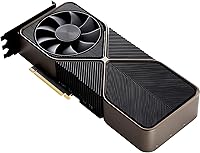
  • Card Dimensions: Measures 12 x 6 x 3 inches, occupying three expansion slots in a standard PC chassis.
  • Cooling Design: The Founders Edition uses a dual-axial push-pull fan configuration that exhausts heat through the rear bracket rather than into the case interior.
  • Power Connectors: Requires two 8-pin PCIe power connectors; NVIDIA ships an adapter for use with newer 16-pin ATX 3.0 PSUs.
  • DLSS Support: Compatible with DLSS 2.x, allowing AI-driven resolution upscaling for improved frame rates with minimal visual quality trade-off.
  • API Support: Supports DirectX 12 Ultimate, Vulkan, OpenGL 4.6, and OpenCL for broad application and game compatibility.
  • Encode/Decode: Includes a dedicated NVENC encoder and NVDEC decoder for hardware-accelerated video streaming and transcoding workloads.
  • Platform: Designed exclusively for desktop PC use; not compatible with laptop or mobile platforms.
  • Warranty: Covered by a 3-year limited warranty from NVIDIA in supported regions, as noted for India-market units on the listing.

Related Reviews

NVIDIA GeForce RTX 4090 Founders Edition Graphics Card


84%
96%
Gaming Performance
94%
Ray Tracing & Visual Fidelity
62%
Power Consumption
89%
Build Quality & Design
93%
VR Compatibility
More
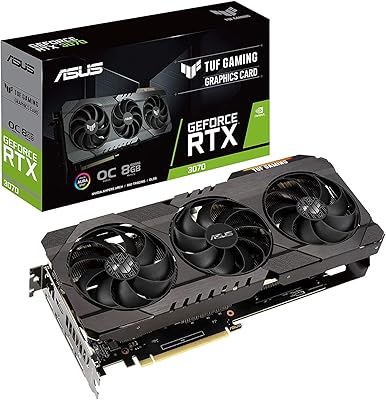
ASUS TUF RTX 3090 OC Graphics Card
80%
91%
Raw Gaming Performance
88%
Thermal Management
93%
Build Quality
94%
VRAM Capacity & Usefulness
83%
Noise Levels
More
NVIDIA GeForce RTX 3090 Ti Graphics Card
75%
94%
Raw Performance
97%
VRAM Capacity
76%
Thermal Management
41%
Power Efficiency
88%
Build Quality
More
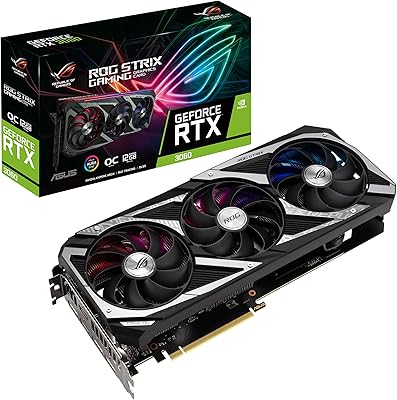
ASUS ROG Strix NVIDIA GeForce RTX 3090 24GB GDDR6X Graphics Card
87%
96%
Gaming Performance
94%
Ray Tracing Quality
91%
Cooling Efficiency
89%
Build Quality
92%
AI and DLSS Support
More
ASUS TUF RTX 3070 OC Graphics Card
78%
88%
Gaming Performance
92%
Thermal Management
94%
Build Quality
63%
Value for Money
57%
VRAM Adequacy
More
ASUS Dual GeForce RTX 3050 6GB OC
81%
78%
1080p Gaming Performance
58%
VRAM Adequacy
72%
Value for Money
83%
Thermal Performance
91%
Noise Level
More
ASUS ROG Strix NVIDIA GeForce RTX 3060 V2 OC Edition 12GB Graphics Card
85%
91%
Gaming Performance
88%
Value for Money
89%
Cooling Efficiency
84%
Ease of Installation
87%
Design and Build Quality
More
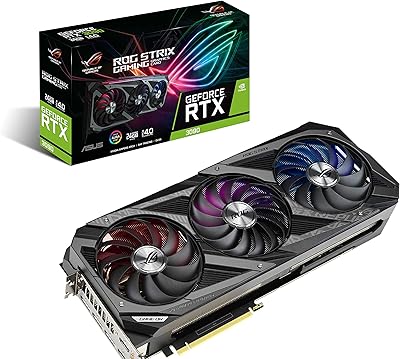
ASUS ROG Strix RTX 3070 V2 OC Graphics Card
81%
88%
Gaming Performance
93%
Thermal Management
91%
Noise Levels
94%
Build Quality
86%
DLSS & Ray Tracing
More
ASUS TUF RTX 3070 Ti Graphics Card
80%
88%
Gaming Performance
91%
Thermal Management
93%
Noise Levels
89%
Build Quality
61%
VRAM Capacity
More
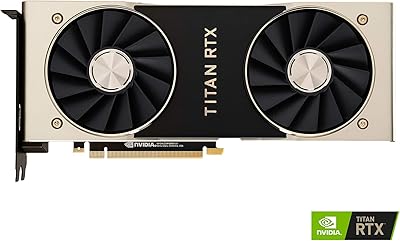
NVIDIA Titan RTX 24GB Graphics Card
76%
96%
VRAM Capacity
83%
Compute Performance
78%
AI & Machine Learning Suitability
74%
Ray Tracing Capability
67%
Thermal Management
More

FAQ

NVIDIA officially lists 750W as the minimum, but in practice you want at least 850W if your build has a modern CPU and several drives or peripherals. A quality 850W or 1000W unit from a reputable brand gives you clean, stable power delivery under sustained load and leaves room if you upgrade other components later.

The RTX 3090 Founders Edition is a large card — 12 inches long and triple-slot wide. You need to measure the GPU clearance in your case carefully before ordering, as many mid-tower cases max out around 11 to 11.5 inches. Full-tower cases are generally the safer bet, and you will need three free expansion slots.

It depends entirely on what you are doing. For workloads that genuinely tax 20GB or more of VRAM — complex Blender scenes, large ML model training, or heavy 4K texture work — the RTX 3090 still holds real practical value. For pure gaming rasterization performance per dollar, Lovelace-generation alternatives are worth comparing seriously before committing.

Technically yes, via HDMI 2.1, but native 8K gaming at high settings is not a realistic everyday experience even for the RTX 3090. In practice, most users running at 8K rely on DLSS upscaling from a lower internal resolution to hit playable frame rates. If you do not already own an 8K display, it is not a reason on its own to buy this card.

The dual-axial Founders Edition cooler is generally quieter than many third-party designs under equivalent load, and it runs nearly silently at idle. Under extended full-load stress — think prolonged rendering or training jobs — fans do spin up audibly, but most users report it stays within acceptable noise levels for an open-desk setup.

Yes, meaningfully so. Many modern large language model fine-tuning tasks and diffusion model workloads exceed 12–16GB of VRAM, which forces quantization or offloading that slows training significantly. Having 24GB on tap lets you run larger batch sizes and work with bigger model checkpoints locally without hitting memory errors mid-run.

The Founders Edition is NVIDIA's own reference design, built in-house with specific engineering choices — notably the through-card airflow cooler that vents heat out the back rather than recirculating it inside your case. Third-party cards from AIB partners like ASUS, MSI, or Gigabyte often use larger triple-fan shrouds and may offer factory overclocks, but they typically exhaust more heat into the chassis.

Yes, it supports up to four simultaneous displays using its three DisplayPort 1.4a outputs and one HDMI 2.1 port. That configuration covers everything from a standard dual-monitor creative setup to a four-screen trading or simulation rig. All four outputs can run concurrently without needing adapters.

Very well, particularly in DaVinci Resolve, which has strong CUDA and NVENC optimization. GPU-accelerated color grading, effects rendering, and hardware-encoded exports are noticeably faster compared to cards with less VRAM or fewer CUDA cores. The dedicated NVENC encoder also means exports in H.264 or H.265 can happen in the background without stealing resources from the editing timeline.

For the vast majority of gaming and standard creative use, driver stability is solid. A small number of workstation users have reported occasional issues in niche professional software configurations — typically resolved through driver version management rather than hardware faults. It is worth checking NVIDIA's driver release notes if you rely on specific CAD, simulation, or scientific computing software to confirm compatibility.

Where to Buy