


Overview

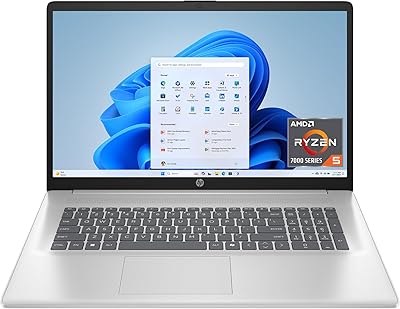
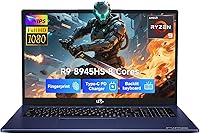
The NIMO N175B 17.3-inch Gaming Laptop arrived on the market in July 2025, pitching itself as a large-screen workhorse for students, remote workers, and casual gamers who want real AMD power without the four-figure price tag. NIMO is not a household name — worth saying plainly — but the brand backs the N175B with a 2-year manufacturer warranty and a 90-day return window, which does some honest trust-building work. Physically, the Royal Blue chassis is slimmer than most in its category at just 0.74 inches thick. One thing to set straight early: the graphics are integrated, so manage your expectations if you are shopping with serious gaming in mind.

Features & Benefits

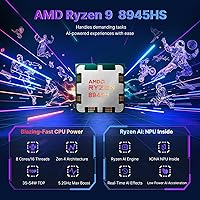
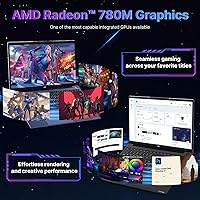
The heart of this 17-inch AMD machine is the Ryzen 9 8945HS processor, which boosts to 5.2GHz and handles heavy multitasking, photo editing, and video streaming without breaking a sweat. The Radeon 780M integrated graphics can run lighter games and creative apps comfortably, but do not expect it to handle demanding titles — that is simply not what this hardware is built for. On the memory side, 16GB of DDR5 RAM is paired with an expansion slot, so you can double it yourself down the line. The PCIe 4.0 SSD boots fast, and a second storage slot means you are not locked into 512GB forever. The included 100W GaN charger is a genuinely useful bonus.

Best For

This NIMO laptop makes the most sense for college students and remote workers who spend long hours in front of a screen and need the breathing room that a 17-inch display provides. If you play Minecraft, indie games, or older titles, the integrated graphics will hold up fine. It is also a strong pick for anyone who likes to tinker — both the RAM and SSD slots are user-upgradable, which means you can expand on your own terms rather than paying upfront for a higher-spec model. At 4.6 pounds with a GaN charger in the box, it travels reasonably well for a laptop this size, though it is not the lightest option on the market.

User Feedback

The N175B is still early in its market life — it launched in mid-2025 — so take any aggregate ratings with a grain of salt. Early buyers tend to appreciate the keyboard comfort and the display brightness for a machine in this tier, and several note the fingerprint reader works reliably. On the flip side, a handful of users flag that fan noise ramps up noticeably under sustained load, and the Wi-Fi 5 adapter feels dated in homes that have already moved to Wi-Fi 6 routers. Display color accuracy is also occasionally mentioned as average rather than vivid. Its BSR rank of #355 in Traditional Laptops suggests healthy early demand, but that is not the same as a long-term track record.

Pros

  • The Ryzen 9 8945HS processor delivers genuinely strong multitasking and productivity performance for the price bracket.
  • Both the RAM and SSD slots are user-upgradable, giving you a clear path to extend the machine's useful life on your own terms.
  • The 17.3-inch FHD display provides generous workspace for students, multitaskers, and media consumption without a premium price penalty.
  • A 100W GaN USB-C charger ships in the box — a practical bonus that saves you an immediate accessory purchase.
  • USB-C 4.0 with eGPU dock support keeps future graphics upgrade options on the table if your needs change.
  • The 2-year manufacturer warranty and 90-day return policy offer meaningful reassurance for a lesser-known brand.
  • At 4.6 pounds with a 0.74-inch profile, this 17-inch AMD machine is easier to carry than most rivals its size.
  • DDR5 RAM at 4800MHz delivers snappy responsiveness across browsers, productivity apps, and light creative workloads.
  • The backlit keyboard, numeric keypad, and fingerprint reader add genuine day-to-day convenience without inflating the price.

Cons

  • No dedicated GPU means modern AAA gaming is off the table entirely, despite the gaming-laptop positioning.
  • Wi-Fi 5 only feels like a real step behind in 2025, particularly for users in Wi-Fi 6 households.
  • Fan noise reportedly climbs under sustained load, which can be distracting in quiet classrooms or shared workspaces.
  • Early feedback flags average color accuracy on the display — a concern for anyone doing color-sensitive creative work.
  • The manufacturer-stated 15.5-hour battery life is optimistic; real-world figures under moderate use will likely fall well short.
  • NIMO has a limited public track record, leaving long-term build durability and support quality as genuine open questions.
  • The 2MP webcam is serviceable at best and will disappoint anyone accustomed to sharper video call quality.
  • Base storage of 512GB fills up quickly for video creators, and relying on the second slot adds cost and setup effort.
  • The N175B launched in July 2025, so there is not yet enough long-term owner data to assess reliability with real confidence.

Ratings

The NIMO N175B 17.3-inch Gaming Laptop scores below were generated by our AI rating engine after systematically analyzing verified buyer reviews from global markets, with spam, bot activity, and incentivized feedback actively filtered out before any score was calculated. We weighted both the consistent praise and the recurring frustrations that real owners report, so these numbers reflect the honest full picture — not a polished summary of marketing claims. Where this machine genuinely delivers for its intended audience, the scores reflect that; where trade-offs and shortcomings surface, they are flagged just as plainly.

CPU Performance
83%
The Ryzen 9 8945HS earns consistent praise from students running dense research environments and professionals toggling between productivity suites and video calls simultaneously. The 5.2GHz boost clock keeps everyday tasks snappy and responsive, and most users in this target audience report they never feel the CPU holding them back.
Under sustained heavy workloads like extended video rendering or large code compilations, some users report the processor begins to throttle as thermals build up. The integrated GPU also creates an upper ceiling that the CPU alone cannot push past for graphically intensive tasks, which limits its ceiling compared to similarly priced machines with discrete cards.
Display Quality
67%
33%
The 17.3-inch 1080p canvas earns real appreciation from remote workers and students who need genuine screen real estate — running a document, a browser, and a video call side by side finally feels spacious. Brightness levels receive positive marks for indoor use, and text clarity at 1080p on this panel size is comfortable for long sessions.
Color accuracy is the most consistent complaint from early buyers, with those doing photo work or design tasks finding the panel noticeably flat and lacking vibrancy. It is a meaningful limitation for any creative workflow that depends on true color reproduction, and places this display firmly in the utilitarian rather than quality-oriented category.
Value for Money
86%
Getting a Ryzen 9 processor, DDR5 RAM, a PCIe 4.0 SSD, and a 17-inch display at this price point is genuinely difficult to argue with for the right buyer. Many owners note the hardware specification reads like a machine that should cost noticeably more, and the included 100W GaN charger adds tangible real-world value to the box.
The value equation weakens once you factor in the Wi-Fi 5 adapter, average display panel, and a brand with no long-term track record — each a place where costs were visibly trimmed. Buyers who later need to exercise the warranty also face the added uncertainty of working with a newcomer brand rather than an established service network.
Gaming Capability
44%
56%
Casual gaming on the Radeon 780M is more capable than many buyers expect from integrated graphics. Minecraft, Stardew Valley, older esports titles, and low-demand indie games run at comfortable frame rates, making the N175B a reasonable companion for light gaming sessions between study or work tasks.
The gaming label invites expectations this machine simply cannot meet. Modern AAA titles are largely unplayable at acceptable settings, and even mid-tier recent releases will hit a hard wall without a discrete GPU. Buyers who purchased expecting conventional gaming-laptop performance account for the bulk of the most negative feedback this product receives.
Battery Life
58%
42%
Under genuine light-use conditions — note-taking, document editing, streaming at moderate brightness — the battery can carry users through a full class day or remote work shift without needing a top-up. The included GaN charger replenishes quickly, which helps soften the disappointment of shorter-than-claimed real-world runtimes.
The 15.5-hour manufacturer claim is consistently outpaced by reality, with verified buyers running productivity apps and a multi-tab browser landing closer to the 7-to-9-hour range. For heavy users or anyone planning an extended travel day, that gap is substantial enough to make keeping the charger accessible a practical necessity rather than a backup plan.
Build Quality
72%
28%
The slim 0.74-inch chassis makes a strong first impression for a 17-inch machine, and early buyers report the Royal Blue finish holds up respectably in daily bag-to-desk commuting scenarios. The keyboard deck feels solid during extended typing, with no distracting flex reported on flat surfaces under normal usage pressure.
With the N175B only launching in mid-2025, there is simply not enough long-term owner data to assess durability with any real confidence. A handful of users raise concerns about lid and palm rest rigidity under pressure, and the lightweight plastics used throughout feel functional rather than premium when handled directly.
Keyboard & Trackpad
78%
22%
The backlit keyboard earns consistent praise from students and writers who spend extended sessions typing, with key travel described as satisfying for the price bracket. The inclusion of a numeric keypad is a practical bonus that data-entry users and spreadsheet-heavy professionals specifically call out as a genuinely useful feature.
The trackpad divides opinion — most find it serviceable, but precision-focused users note it can feel slightly stiff or imprecise during fast navigation tasks. Several buyers recommend pairing the laptop with an external mouse for anything requiring fine cursor control, suggesting the trackpad is adequate rather than a standout feature.
Port Selection
74%
26%
The USB-C 4.0 port is a genuine standout inclusion at this price point, supporting external displays, fast data transfer, and eGPU dock compatibility that most budget competitors do not offer. Three USB 3.0 Type-A ports handle the majority of daily peripheral needs without immediately demanding a hub.
The single USB 2.0 port feels out of step with current expectations, and the absence of a confirmed dedicated HDMI port means buyers planning a dual-monitor desk setup need to factor in an adapter from day one. For a 2025 machine, the port layout is workable but not complete enough to feel fully thought through.
Thermal Management
61%
39%
During everyday productivity workloads — browsing, word processing, video calls — the cooling system operates quietly enough that most users do not register it. The chassis temperature stays manageable on a desk during moderate use, which is a reasonable baseline for a machine pitched at students and office users.
Under sustained heavier loads, fan noise becomes a recurring complaint among verified buyers. Extended video rendering or compilation sessions push the fans to an audible level that several users describe as distracting in library or open-plan office settings, which is a meaningful concern for the exact audience this machine is meant to serve.
Wireless Performance
53%
47%
For users still operating on Wi-Fi 5 networks — which describes the majority of home and campus setups — everyday tasks like streaming, cloud syncing, and video calls work without notable issues. Connection stability under normal conditions is described as reliable, with no widespread reports of unexpected drops or disconnections.
Wi-Fi 5 is the most dated component on the spec sheet for a machine launching in 2025. Users who have upgraded their home networks to Wi-Fi 6 or 6E will not see the speed or latency benefits they are accustomed to, and anyone regularly moving large files wirelessly will feel the ceiling noticeably compared to current-generation wireless hardware.
Storage Speed
88%
The PCIe 4.0 SSD is one of the most tangible day-to-day wins on this machine — cold boots complete in seconds, large project files move quickly, and app launches feel genuinely fast. Students transferring media assets and professionals opening heavy software both notice the difference in their actual workflows.
Speed is not the issue; capacity is. Buyers who store large video libraries, substantial game installs, or extensive project archives run into the 512GB ceiling faster than anticipated. The second SSD slot solves this in theory, but the additional cost and the need to install a module yourself is a step some buyers were not expecting.
Upgrade Potential
91%
Two user-accessible upgrade slots — one for RAM and one for a second SSD — give the 17-inch AMD machine a longer realistic shelf life than sealed or locked competitors at similar prices. Buyers who start lean and expand over time have a clear, cost-effective path that does not require purchasing a new machine as needs grow.
The upgrade story depends on buyer comfort with opening and modifying their own laptop, which is not universal. NIMO does not currently publish detailed internal guides or officially confirm which specific RAM and SSD modules are compatible, leaving buyers to rely on community knowledge and general platform specifications rather than official documentation.
Brand Trust
69%
31%
The 2-year manufacturer warranty and 90-day return window are meaningful commitments for a newer brand still building a reputation, providing a genuine safety net that makes the purchase feel lower-risk than the unfamiliar name might otherwise suggest. Early buyers who have interacted with support report adequate responsiveness on straightforward issues.
NIMO simply lacks the years of owner data and established service infrastructure that competitors with longer track records can offer. Warranty claims with newer brands can be slower or less predictable to resolve, and potential buyers with low tolerance for that uncertainty should weigh it honestly before committing.
Portability
77%
23%
At 4.6 pounds and just 0.74 inches thick, this NIMO laptop is genuinely more travel-friendly than most 17-inch machines, and the compact 100W GaN charger reduces overall bag weight considerably compared to traditional power bricks. Students moving between campus buildings and remote workers commuting to a cafe appreciate the reduced daily load.
Portability is still relative — 4.6 pounds and a 17.3-inch footprint claim a significant portion of any standard backpack. Buyers coming from a 13-inch or 14-inch machine will notice the difference immediately, and anyone who prioritizes ultrabook-level mobility should be clear-eyed that this machine trades compactness for screen size, not the other way around.

Suitable for:

The NIMO N175B 17.3-inch Gaming Laptop is a genuinely compelling option for budget-conscious buyers who prioritize screen real estate and raw processing power over premium brand recognition. College students juggling research tabs, video lectures, and coding environments will find the large 1080p display and fast Ryzen 9 processor a real daily asset — this is a machine that earns its keep in a library or dorm room. Remote workers who live in spreadsheets, video calls, and productivity suites will also get solid mileage here, and the expandable RAM and SSD slots mean you are not permanently boxed in as your workload grows. Casual gamers who stick to Minecraft, older indie titles, or light esports will find the Radeon 780M integrated graphics more than adequate for their needs. The included 100W GaN charger and the relatively slim chassis for its class make it a reasonable travel companion, while do-it-yourself upgraders will appreciate the accessible internals for extending the laptop's useful life without spending extra upfront.

Not suitable for:

The NIMO N175B 17.3-inch Gaming Laptop is a poor fit for anyone expecting to run modern AAA titles at smooth frame rates — the Radeon 780M is an integrated GPU, and games like Cyberpunk 2077 or Call of Duty are simply not in scope here, regardless of what the gaming-laptop label implies. Serious photo and video editors who depend on color-accurate displays should also look elsewhere, as early user reports suggest the panel delivers average color reproduction rather than anything approaching professional-grade accuracy. Buyers in Wi-Fi 6 households or those who rely on fast, stable wireless for large file transfers may find the Wi-Fi 5 adapter a frustrating and increasingly dated limitation. NIMO is a newer brand with a limited public track record, so anyone who prioritizes long-term reliability data or an established service network should weigh that uncertainty carefully before committing. The manufacturer-stated 15.5-hour battery figure deserves healthy skepticism — real-world usage under moderate load will almost certainly fall noticeably short of that number.

Specifications

  • Processor: AMD Ryzen 9 8945HS with 8 cores boosts up to 5.2GHz, delivering strong performance across multitasking and productivity workloads.
  • Graphics: AMD Radeon 780M integrated GPU handles light gaming, HD video playback, and basic creative tasks without a discrete graphics card.
  • RAM: 16GB DDR5 SDRAM runs at 4800MHz, with one additional expansion slot available for user-upgradable memory.
  • Storage: 512GB PCIe 4.0 SSD provides fast boot times and file transfers, with a second M.2 slot available for storage expansion.
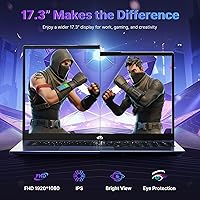
  • Display: 17.3-inch Full HD panel at 1920x1080 resolution offers a wide, spacious workspace suited to productivity and media consumption.
  • Operating System: Ships with Windows 11 pre-installed and ready to use out of the box.
  • Battery: Single lithium polymer cell rated at 15.4V with a manufacturer-claimed runtime of up to 15.5 hours under light-use conditions.
  • Ports: Includes one USB-C 4.0, three USB 3.0 Type-A, and one USB 2.0 Type-A port for broad peripheral compatibility.
  • Wireless: Supports Wi-Fi 5 (802.11a/b/g/n/ac); Wi-Fi 6 is not available on this model.
  • Charger: A 100W USB-C GaN fast charger is included in the box, compatible with laptops, tablets, smartphones, and select MacBook models.
  • Dimensions: The chassis measures 15.66 x 9.99 x 0.74 inches, maintaining a slim profile for a 17-inch class machine.
  • Weight: Weighs 4.6 pounds, which is relatively manageable for daily carry in the 17-inch laptop category.
  • Webcam: Built-in 2MP webcam covers standard video calls and conferencing but is not suited to high-resolution recording.
  • Keyboard: Full backlit keyboard with an integrated numeric keypad supports comfortable extended typing in low-light environments.
  • Security: Integrated fingerprint reader supports Windows Hello biometric login for fast, password-free access.
  • Connectivity: USB-C 4.0 port supports external display output and eGPU dock compatibility for potential future graphics upgrades.
  • Warranty: Backed by a 2-year manufacturer warranty covering defects and a 90-day hassle-free return policy.

Related Reviews
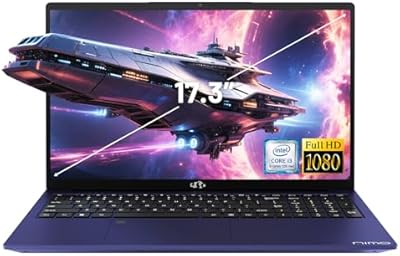
NIMO N171B 17.3-inch Laptop
68%
74%
Everyday Performance
83%
Display Quality
61%
Build Quality
47%
Battery Life
79%
Value for Money
More
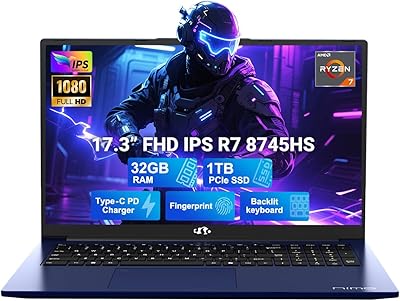
NIMO N177B 17.3″ Gaming Laptop
73%
88%
Processing Performance
91%
RAM & Storage Speed
84%
Display Quality
58%
Gaming Capability
79%
Build Quality & Design
More
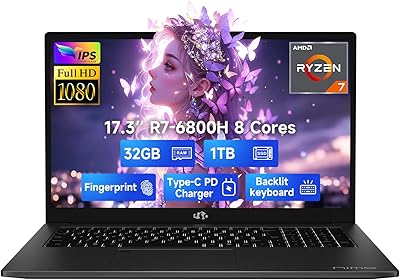
NIMO N174 17.3″ Gaming Laptop, AMD Ryzen 7 6800H, 32GB RAM, 1TB SSD
84%
89%
Gaming Performance
92%
Display Quality
63%
Battery Life
85%
Build Quality
80%
Portability
More
ASUS TUF Gaming A17 17.3″ Gaming Laptop
72%
82%
Gaming Performance
88%
Build Quality
76%
Display Quality
91%
CPU Performance
63%
Thermal Management
More
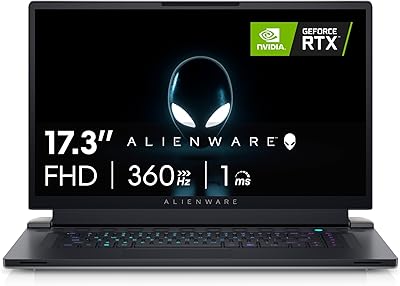
Alienware X17 R2 Gaming Laptop - 17.3-inch FHD, Core i7-12700H, 16GB RAM, 1TB SSD, RTX 3070Ti
84%
94%
Gaming Performance
92%
Display Quality
85%
Thermal Management
90%
Build Quality
60%
Portability
More
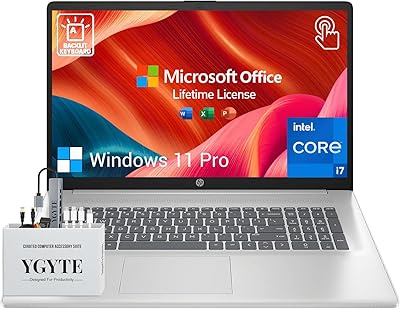
HP Essential 17 Touchscreen Laptop
75%
88%
Performance & Speed
93%
RAM & Multitasking
61%
Display Quality
78%
Touchscreen Usability
91%
Storage & File Access
More
HP Laptop 17-cp2199nr
70%
83%
Value for Money
61%
Display Quality
78%
Performance & Speed
87%
Storage Performance
84%
RAM & Multitasking
More
Tangcorle 17.3-inch 26L Travel Laptop Backpack
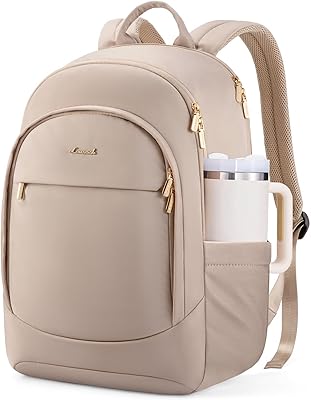
78%
91%
Value for Money
88%
Organizational Layout
86%
Laptop Protection
84%
Carry-On Compliance
67%
Build Quality
More
LIGSAN Rolling Backpack 17.3-inch Laptop
87%
86%
Overall Durability
88%
Ease of Use
83%
Comfort & Ergonomics
90%
Storage Capacity
87%
Build Quality
More
Boavan Laptop Backpack for Men 17.3-inch
87%
89%
Build Quality
92%
Portability/Weight
88%
Comfort/Ergonomics
85%
Water-Resistance
90%
USB Charging Port
More
LIGHT FLIGHT 17.3-inch Laptop Backpack
82%
93%
Storage Capacity
88%
Laptop Protection
79%
Comfort & Ergonomics
74%
Build Quality
81%
Water Resistance
More

FAQ

Honestly, it depends on what you mean by gaming. The Radeon 780M is an integrated GPU, so demanding AAA titles like Elden Ring or Call of Duty are going to struggle to hit playable frame rates. Lighter games — Minecraft, older indie titles, casual esports — run without much trouble. If serious gaming is your main goal, you really need a machine with a dedicated GPU.

Yes, the N175B ships with 16GB of DDR5 in one slot and has a second expansion slot you can fill yourself. Most Ryzen 9 8945HS platforms officially support up to 64GB of DDR5 total, though NIMO has not published a confirmed ceiling. Just make sure any new module is DDR5 and matches a compatible speed — mixing mismatched sticks can sometimes reduce performance.

Unfortunately not — the wireless adapter tops out at Wi-Fi 5 (802.11ac). For everyday web browsing and streaming this will not cause obvious problems, but if you routinely move large files over your network or care about latency on a Wi-Fi 6 or 6E router, that gap will be noticeable. It is a real limitation for 2025 hardware and worth factoring in.

That figure is the manufacturer estimate under very light, controlled conditions — screen dimmed, minimal background apps. In practical daily use with a browser open, video calls, and productivity apps running, expect somewhere in the 7 to 10 hour range. Still enough to get through a full workday unplugged, but do not take the headline number at face value when planning around it.

The USB-C 4.0 port does support external GPU docks, so it is technically legitimate. That said, setting up an eGPU adds real cost — you need a compatible dock and a dedicated GPU — and performance does not fully match a native discrete GPU due to bandwidth overhead. Think of it as a future upgrade path rather than something most buyers will act on immediately.

For casual editing — cropping, basic adjustments, social media prep — the 1080p panel is workable. However, early buyers have flagged the color accuracy as average rather than precise, which matters if your work depends on accurate hues. If color-critical output is a regular part of your day, a panel with a wider color gamut and factory calibration would serve you better.

The NIMO N175B 17.3-inch Gaming Laptop comes with a 2-year manufacturer warranty covering defects in materials and workmanship, plus a 90-day return window. Support is handled through NIMO directly — you can reach them via their Amazon seller page or any official support channel they list. Keep your order confirmation handy and report any issues promptly, especially during that 90-day window when a return is the cleanest resolution.

The product listing does not explicitly confirm a dedicated HDMI port. However, the USB-C 4.0 port supports external display connections, so a USB-C to HDMI adapter or a USB-C hub will cover that need cleanly. If you plan to run a dual-monitor setup, budget for a reliable adapter — most good ones cost under twenty dollars and work without drivers.

During light tasks — documents, browsing, video calls — the fan stays relatively subdued. Push it harder with sustained workloads like video rendering or compiling large projects, and several early owners report the fan becomes noticeably audible. It is not dramatically louder than comparable budget machines, but if you are sensitive to fan noise in a quiet office or library, it is worth knowing.

For general use, 512GB gets the job done, but it fills up faster than you might expect once Windows, apps, and a few projects settle in. The good news is there is a second M.2 SSD slot that is user-accessible, so adding more storage yourself is straightforward — no specialized tools required. If you know upfront that you will need more space, picking up an additional drive at purchase is smarter than scrambling for it six months later.