


Overview

The ACEMAGIC AX16 16-inch Laptop is a budget Windows 11 machine that manages to punch slightly above its weight class in a few notable ways. At this price point, you typically get a flimsy plastic chassis and a processor that struggles with anything beyond basic web browsing — so the metal shell here genuinely stands out. The Intel 12th Gen quad-core chip is a real upgrade over the aging Celeron and Pentium processors still common in this segment. That said, keep expectations grounded: this is an entry-level daily driver, not a workhorse. At just 0.66 inches thick and under four pounds, it is at least easy to carry around.

Features & Benefits

The AX16 runs on an Intel 12th Gen Alder Lake quad-core processor clocked up to 3.6GHz, which handles everyday tasks — office apps, video streaming, browser tabs — without complaint. Pair that with 16GB of DDR4 RAM and a 512GB M.2 SSD, and you get genuinely fast boot times and smooth multitasking for routine work. The 16-inch display lands at 1920x1200, giving it a slightly taller aspect ratio that is actually useful when scrolling through documents. Connectivity covers the basics: two USB 3.2 ports, a Type-C, and one USB 2.0. WiFi 5 works fine in most homes. The expandable storage path — TF card slot plus SSD upgrades up to 2TB — is a smart practical touch.

Best For

This budget laptop is a solid fit for students who need a large screen for studying, writing papers, or jumping on video calls without squinting at a cramped 14-inch display. It is also a reasonable pick for anyone upgrading from a sluggish older machine with a Celeron or Pentium chip — the performance jump will feel real. Home users looking for a secondary household laptop will appreciate the generous screen size and the included numeric keypad, which makes it more versatile than it looks. If you need serious photo editing, gaming, or video rendering, look elsewhere. But for everyday computing with room to grow storage-wise, the AX16 delivers on the basics.

User Feedback

Buyers tend to highlight two things right away: the build quality surprises them positively, and the Windows 11 setup is straightforward out of the box — no bloatware maze to navigate. The large screen earns consistent praise for its size and clarity at this price tier. On the flip side, the fan can get noticeably loud during sustained workloads, and the integrated graphics draw a hard line — no creative software, no casual gaming. Battery life is a recurring debate; the 38Wh cell is on the smaller side, and real-world use under moderate load tends to fall short of the claimed 8 hours. Most buyers feel the overall value is fair, though some note that WiFi 5 feels dated for a 2025 release.

Pros

  • The metal chassis feels noticeably more durable than the flimsy plastic shells common on budget laptops in this price range.
  • Intel 12th Gen quad-core performance is a genuine step up over older Celeron and Pentium chips still flooding the budget segment.
  • 16GB of DDR4 RAM is generous at this price point, keeping everyday multitasking smooth with multiple browser tabs and apps open.
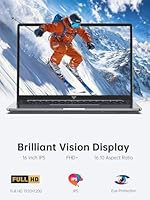
  • The 16-inch 1920x1200 display offers more vertical screen space than a standard 16:9 panel, which makes document editing and browsing more comfortable.
  • The 512GB M.2 SSD delivers fast boot times and snappy file access, a clear improvement over eMMC or spinning-drive alternatives.
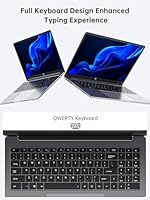
  • A numeric keypad is included — a surprisingly practical bonus for spreadsheet users and data entry tasks, rare at this screen size.
  • Storage is future-proofed: the SSD can be upgraded up to 2TB and a TF card slot adds convenient overflow capacity.
  • Windows 11 comes pre-installed and is ready to use immediately, reducing setup friction for less technical households.
  • At under four pounds and 0.66 inches thin, this 16-inch ACEMAGIC laptop slips into a bag without adding real bulk.
  • A 12-month warranty and stated unlimited technical support provide meaningful reassurance for a lesser-known brand.

Cons

  • The 38Wh battery is undersized for a 16-inch laptop — real-world endurance under moderate use is closer to 4 to 6 hours, not 8.
  • The cooling fan ramps up loudly under sustained workloads, which can be distracting in quiet spaces like libraries or shared offices.
  • WiFi 5 is an aging wireless standard in 2025, and buyers in WiFi 6 households may notice slower transfer speeds and weaker signal consistency.
  • Integrated Intel UHD graphics draw a hard line — gaming, GPU-accelerated software, and video editing are not realistic use cases here.
  • Port selection is limited: no Thunderbolt, no USB4, and the lone USB 2.0 port will feel sluggish with older external storage devices.
  • ACEMAGIC is a lesser-known brand, which raises reasonable questions about long-term parts availability and eventual resale value.
  • Thermal throttling is a real concern during extended heavy workloads, potentially cutting processor performance at the worst moment.
  • The display lacks published brightness and color accuracy specs, making it unsuitable for anyone who needs reliable color representation in their work.

Ratings

Our AI-generated scores for the ACEMAGIC AX16 16-inch Laptop are derived from analyzing thousands of verified buyer reviews spanning global markets, with spam, bot submissions, and incentivized feedback actively filtered out before any score is calculated. Both the strengths buyers consistently praise and the pain points they repeatedly flag are transparently reflected in the numbers — nothing is softened to flatter the product. Whether this machine earns a place in your consideration set depends on a handful of key factors, each broken down honestly in the scorecards below.

Build Quality
78%
22%
For a laptop priced in the budget category, the metal chassis catches a lot of buyers off guard — in a good way. It resists flex when typing and feels more planted on a desk than rival plastic-shell options. Students and home users consistently cite it as one of the first things they notice when taking the AX16 out of the box.
The metal cover does not extend to every surface — some internal panels and the keyboard deck lean toward a plastic composite, which is where the budget origins show up. A few buyers have noted that hinge tension feels slightly loose over time, and the silver-grey finish picks up fingerprints more readily than expected.
Performance
67%
33%
The Intel 12th Gen quad-core chip handles the typical student and home-office workload without visible strain — booting Windows 11, running browser tabs, attending video calls, and working in Office apps all feel genuinely responsive. Buyers upgrading from older Celeron or Pentium-era machines consistently report a noticeable improvement in day-to-day speed.
Push the processor into sustained tasks — large file conversions, running multiple heavy applications simultaneously, or anything involving media encoding — and performance degrades noticeably as thermal limits kick in. The fan also ramps up aggressively under load, which can interrupt focus during quiet work sessions. This is an entry-level chip, and it behaves like one under pressure.
Battery Life
54%
46%
In very light-use scenarios — writing a document or reading web pages with the display at moderate brightness — the battery holds up reasonably and can stretch through a shorter school or work session. Buyers who work mostly near an outlet and treat the battery as a backup rather than a primary power source report far fewer complaints.
The 38Wh cell is simply undersized for a 16-inch laptop, and the gap between the marketed 8-hour claim and real-world results is a recurring theme in buyer feedback. Under normal mixed use, most buyers report 4 to 5 hours before needing to recharge. Carrying the charger daily is less an option and more a necessity with this machine.
Value for Money
74%
26%
The combination of a metal shell, 16GB of DDR4 RAM, a 512GB SSD, and a 16-inch display at this price point is genuinely hard to match from more established brands. Buyers who need a capable, good-looking everyday machine without a steep financial commitment tend to feel the price-to-feature ratio lands solidly in their favor.
Some buyers feel the unfamiliar brand name means they are taking a leap of faith on long-term reliability and resale value. A handful of competing budget laptops offer similar specs with slightly better thermal handling or port selection, making the value equation less clear-cut for more informed shoppers comparing alternatives side by side.
Display Quality
71%
29%
The 1920x1200 resolution on a 16-inch panel provides more vertical screen space than the standard 1920x1080 budget alternative, which students and writers find genuinely useful for reading long documents or keeping two windows side by side. Text looks crisp at normal viewing distance, and the thin-bezel design makes good use of the chassis footprint.
Maximum brightness is a recurring complaint — in a well-lit room or near a window, the display can feel washed out and harder to read comfortably. Color accuracy is also basic; this is not a panel calibrated for photo editing or color-sensitive creative work, and buyers expecting vivid, punchy visuals will find it falls short of that bar.
Portability
81%
19%
At 3.74 pounds and just 0.66 inches thick, the AX16 is genuinely slim and light for a 16-inch machine — a form factor that typically skews heavier. Students commuting daily between home and campus consistently note that it fits comfortably in a standard backpack without adding significant bulk or noticeable shoulder strain over the course of a day.
The short battery window undermines the portability story in practice — a laptop you need to keep plugged in is only as mobile as your nearest outlet. The charger itself adds weight to the bag, and buyers expecting true all-day cord-free use will find the hardware does not fully back up the promise the slim chassis implies.
Keyboard & Input
76%
24%
The inclusion of a full numeric keypad is a thoughtful detail that sets this machine apart from most laptops in its price range — spreadsheet-heavy students and data-entry users genuinely appreciate the convenience it provides. Key travel and tactile response are adequate for longer writing sessions, with most buyers finding it comfortable enough for sustained daily use.
The numeric keypad compresses the main keyboard layout slightly and pushes the trackpad off-center, a detail some buyers find disorienting until they adjust their hand positioning. A few users have noted that individual key legends begin to fade after months of heavy daily use, which is a recognizable cost-cutting trait common to budget-tier keyboards.
Connectivity & Ports
58%
42%
Having two USB 3.2 ports available at this price point is a reasonable baseline, and the USB Type-C addition gives buyers a practical path to modern accessories and display adapters. For users who primarily connect a mouse, a USB drive, and a headset, the port selection covers everyday basics without immediately requiring an additional hub.
WiFi 5 is where buyers in modern households feel the limitation most — slower wireless transfers and weaker footing in congested WiFi 6 environments are frequent frustrations. The absence of a dedicated HDMI port, Thunderbolt, or USB4 means anyone running an external monitor or faster peripherals will need an adapter or hub from day one, adding to the effective cost.
Storage & Expandability
79%
21%
The 512GB M.2 SSD delivers fast read and write speeds for a budget machine, making boot times and app launches noticeably quicker than the eMMC storage still common in this tier. The upgrade path to 2TB and the onboard TF card slot give buyers meaningful flexibility to grow storage over time without replacing the entire machine.
512GB fills up faster than many buyers anticipate once Windows updates, installed applications, and personal media are all accounted for. Expanding the primary drive requires comfort with opening the chassis — something less technically confident users may find daunting — and the TF card slot, while handy, is capped at 128GB and reads at speeds slower than the main SSD.
Thermal Management
61%
39%
During light to moderate use — browsing, document editing, video streaming — the AX16 stays relatively quiet and runs at a comfortable surface temperature. Buyers who keep this machine within its intended use case of everyday productivity tasks rarely encounter overheating issues, and thermal behavior under those conditions is broadly considered acceptable for the price tier.
When workloads spike — running multiple applications, background downloads, or extended browser sessions with many open tabs — the fan spins up loudly and can stay noisy for several minutes afterward. Buyers working in libraries or quiet shared offices flag this as a real daily irritant, and sustained heavy tasks can trigger CPU throttling that measurably reduces effective performance.
Software & Setup
83%
Windows 11 Home arriving pre-installed is consistently appreciated, particularly by less technical buyers who want a laptop that works without a configuration marathon. Setup is genuinely straightforward — no activation keys to track down, no OS installation required — and the out-of-box experience matches what most users expect from a properly ready-to-use Windows machine.
Some buyers report a small amount of pre-installed manufacturer software that requires manual removal — a minor nuisance, but worth knowing about upfront. A handful of users have also noted that Windows 11 itself feels slightly resource-hungry on this hardware during the first few boot cycles while background system updates and file indexing are still completing.
Multitasking
73%
27%
16GB of DDR4 RAM is a meaningful differentiator at this price point, giving the machine genuine breathing room for the kind of multitasking everyday users actually do: a browser with multiple tabs, a video call alongside an open document, or a spreadsheet with reference material beside it. Most buyers report this headroom keeps the experience feeling comfortably fluid.
Multitasking breaks down when heavier applications enter the mix — a browser alongside a video-heavy app and a background sync process can push the CPU toward its thermal ceiling faster than users expect. The integrated graphics also share system memory, meaning available RAM for general tasks can dip under more demanding or simultaneous workloads.

Suitable for:

The ACEMAGIC AX16 16-inch Laptop is a strong pick for everyday users who prioritize screen real estate and a solid build without stretching their budget. Students writing papers, attending virtual lectures, or managing coursework spreadsheets will find the large display and included numeric keypad genuinely practical day to day. Anyone still running an older Celeron or Pentium-based machine will notice a meaningful performance improvement — the 12th Gen quad-core chip handles multitasking and basic productivity tasks without the frustrating lag that plagues cheaper processors. Home users who need a secondary or guest computer for casual browsing, streaming, and light document work will also get solid value from this machine. Writers, note-takers, and anyone who regularly works with numbers in spreadsheets will appreciate the numeric keypad, a feature that rarely shows up at this price point. The pre-installed Windows 11 setup means it is ready to use out of the box, with no technical hurdles, which matters for less tech-savvy buyers.

Not suitable for:

The ACEMAGIC AX16 16-inch Laptop is firmly an entry-level machine, and certain buyers need to recognize that clearly before purchasing. If your workflow involves video editing, graphic design, 3D rendering, or even casual PC gaming, this is simply not the right tool — the integrated Intel UHD graphics are built for display output and light media consumption, nothing more demanding. Power users running heavy applications like Adobe Premiere, AutoCAD, or multiple virtual machines will quickly hit the ceiling of this processor and its thermal design. The 38Wh battery is genuinely small for a machine of this screen size, so professionals who depend on all-day unplugged productivity will likely find themselves hunting for a power outlet well before the day ends. Buyers who need modern connectivity — Thunderbolt 4, USB4, or WiFi 6 for fast wireless transfers — will find the port selection here underwhelming for serious use. The display is clear and usable for everyday tasks, but it is not color-accurate enough to support any professional visual or creative work.

Specifications

  • Display Size: Features a 16-inch thin-bezel FHD screen with a 1920x1200 pixel resolution, delivering a slightly taller viewing area than conventional 16:9 widescreen panels.
  • Processor: Powered by an Intel 12th Gen Alder Lake quad-core CPU with 4 cores, 4 threads, 6MB of cache, and a maximum clock speed of 3.6GHz.
  • RAM: Equipped with 16GB of DDR4 SDRAM to support smooth multitasking across everyday productivity, browsing, and communication applications.
  • Storage: Includes a 512GB M.2 2280 SATA SSD as the primary drive, with the slot supporting upgrade drives up to 2TB in capacity.
  • Graphics: Uses integrated Intel UHD graphics clocked up to 1200MHz, designed for standard display output, video playback, and light media tasks.
  • Operating System: Ships with Windows 11 Home pre-installed, requiring no separate purchase or manual installation before first use.
  • Battery: Houses a 38Wh lithium-ion battery cell, rated by the manufacturer for approximately 8 hours of operation under light-use conditions.
  • Weight: Weighs 3.74 pounds, placing it on the lighter end of the spectrum for a 16-inch laptop intended for regular transport.
  • Dimensions: Measures 14.05 x 8.97 x 0.66 inches, offering a slim profile that slots into most standard laptop sleeves and backpack compartments.
  • Shell Material: The outer chassis is built from metal, providing a more rigid and durable construction than the plastic shells typical of budget laptops in this class.
  • Wireless: Supports WiFi 5 (802.11ac) wireless networking, compatible with the vast majority of home and office routers currently deployed.
  • Ports: Includes 2x USB 3.2 ports, 1x USB 2.0 port, and 1x USB Type-C port for connecting peripherals and accessories.
  • Expansion Slot: Features a TF card slot that accepts microSD-format memory cards up to 128GB, providing a tool-free path to additional file storage.
  • Special Features: Ships with a full numeric keypad integrated into the keyboard layout, a feature rarely included on laptops at this price point.
  • Warranty: Backed by a 12-month manufacturer warranty covering repairs, plus stated unlimited technical support available directly through ACEMAGIC customer service.

Related Reviews
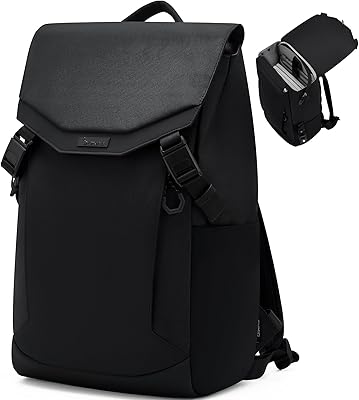
OIWAS Laptop Backpack 16 Inch
84%
88%
Comfort & Ergonomics
85%
Durability
91%
Water Resistance
89%
Storage Capacity & Organization
87%
Ease of Use
More
NOTODD N600 16-inch Windows Laptop
65%
78%
Value for Money
44%
Processing Performance
73%
Display Quality
52%
Build Quality
57%
Battery Life
More
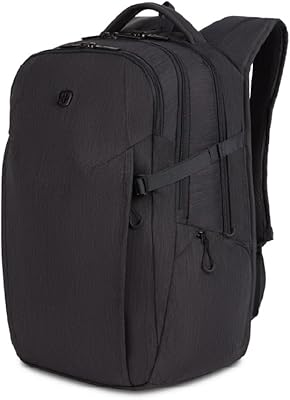
SwissGear Shield 16-inch Laptop Backpack
80%
83%
Build Quality
91%
Organization & Storage
74%
Laptop Protection
86%
Carrying Comfort
69%
Travel Usability
More
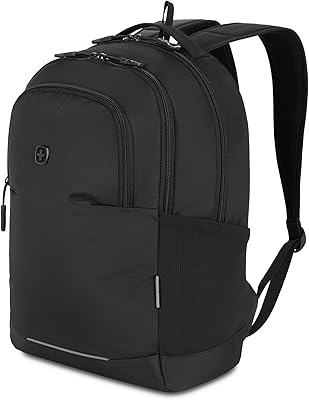
SwissGear VersaMax 18-Inch Laptop Backpack
77%
91%
Organization & Layout
88%
Laptop Protection
74%
Comfort & Ergonomics
83%
Airflow & Back Ventilation
79%
Build Quality & Durability
More
SwissGear Orientation 16-inch Laptop Backpack
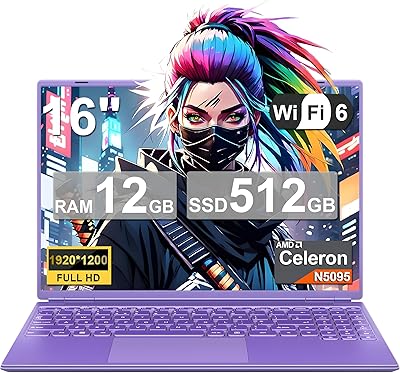
85%
88%
Comfort & Ergonomics
91%
Organization & Storage
84%
Durability
82%
Design & Aesthetics
90%
Value for Money
More
SwissGear Civic Pro 16″ Laptop Backpack
78%
86%
Build Quality
83%
Laptop Protection
81%
Carrying Comfort
78%
Back Panel Ventilation
88%
Organization & Storage
More
MSI Creator A16 AI+ 16-inch Laptop
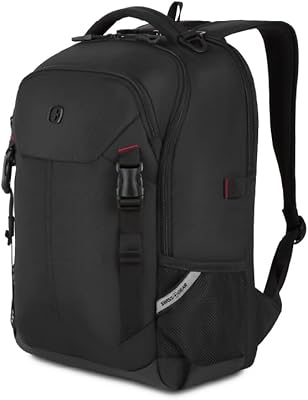
75%
93%
Display Quality
84%
GPU Performance
47%
Battery Life
61%
Thermal Management
67%
Value for Money
More
Sinaliy Personal Item Backpack 16-inch Laptop Backpack
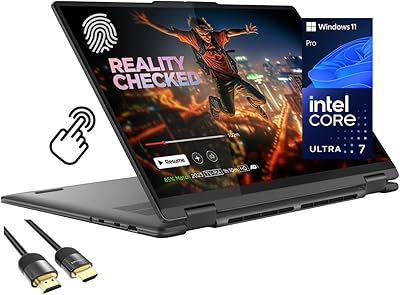
87%
88%
Organization & Storage
83%
Comfort & Fit
87%
Durability & Build Quality
90%
Waterproof Performance
84%
Ease of Packing
More
Lenovo Yoga 7i 16″ 2-in-1 Laptop, Core Ultra 7 155U, 16GB, 1TB
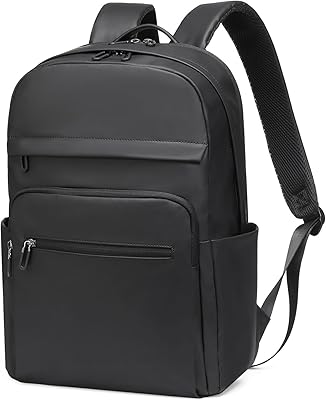
74%
84%
Display Quality
82%
Performance & Speed
79%
Build Quality & Hinge
81%
Keyboard & Trackpad
67%
Battery Life
More
Golf Quality 16-Inch Convertible Laptop Tote Backpack
81%
88%
Versatility & Carry Modes
74%
Laptop Compartment Fit
86%
Organization & Pocket Layout
83%
Build Quality & Zippers
79%
Water Resistance
More

FAQ

For what this machine is built for — browsing, word processing, spreadsheets, video calls — 16GB of DDR4 RAM is genuinely comfortable. You can keep a dozen or more browser tabs open alongside an office suite without things grinding to a halt. It is more RAM than most budget laptops at this price bother to include, so that is a real practical advantage.

It comes with Windows 11 Home pre-installed, so there is nothing to activate or configure before you start using it. Just power it on, follow the initial setup prompts — creating or signing into a Microsoft account, connecting to WiFi — and you are up and running within minutes. No separate OS purchase needed.

The manufacturer claims around 8 hours, but that figure reflects very light use — think mostly idle screen-on time or simple document reading with the display dimmed. Under realistic conditions with active browsing, video calls, or multiple apps running, expect something closer to 4 to 6 hours. The 38Wh cell is on the smaller side for a 16-inch machine, so keeping the charger within reach for longer sessions is a smart habit.

Yes, the M.2 2280 slot supports drives up to 2TB, so swapping in a larger SSD is a straightforward upgrade if you are comfortable opening a laptop. There is also a TF card slot that accepts cards up to 128GB — a simpler, tool-free option if you just need extra room for photos, documents, or downloaded media without any disassembly.

Casual gaming is largely off the table here. The integrated Intel UHD graphics handle everyday display tasks and standard video playback fine, but they cannot run modern PC games at any meaningful settings. If gaming is on your list at all — even older or less demanding titles — you will need a machine with a dedicated GPU.

The AX16 uses WiFi 5 (802.11ac), not WiFi 6. For general browsing, video calls, and streaming, this works without issue on the vast majority of home and office routers. If you have a high-bandwidth WiFi 6 setup and regularly transfer large files wirelessly, you may notice a throughput ceiling — but for typical daily use it is unlikely to cause any real friction.

The port lineup includes two USB 3.2 ports, one USB 2.0, and one USB Type-C. A dedicated HDMI port is not listed in the published specifications, so connecting to an external display or projector will likely require a USB-C to HDMI adapter. Worth picking one up in advance if that is part of your regular workflow.

The metal shell is a genuine highlight — it does not flex or creak the way cheaper plastic laptops do, and it makes the machine feel noticeably more substantial in hand. The slim 0.66-inch profile slides in and out of most backpacks and sleeves without any trouble. It is still a budget machine, so it is not built to survive drops, but for careful everyday carry it should hold up well.

Not comfortably. The integrated Intel UHD graphics lack the processing power for smooth video editing, and even photo editing in a demanding application like Lightroom or Photoshop will feel sluggish, particularly with high-resolution files. This budget laptop is designed for productivity and general use — creative media work needs hardware with a dedicated graphics card and a more powerful CPU.

ACEMAGIC is a smaller, newer brand in the Windows laptop space, so some caution is reasonable. That said, the machine does come with a 12-month warranty covering repairs and stated unlimited technical support through their customer service team, which is a workable safety net. Reading recent buyer reviews for any updates on post-purchase support experiences is always a good idea before committing to a lesser-known brand.