

Overview

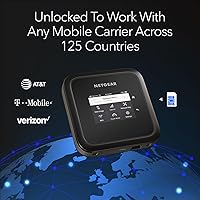
The NETGEAR Nighthawk M6 Pro Mobile Hotspot is a serious piece of hardware built for people who treat reliable internet as a non-negotiable — not a nice-to-have. It occupies an interesting middle ground: compact enough to slip into a carry-on, yet capable enough to serve as a credible backup connection for a home or small office. It's unlocked and certified to run on AT&T, T-Mobile, and Verizon, and it supports roaming across more than 125 countries. That kind of flexibility doesn't come cheap, and this is firmly a premium purchase. With a 3.8-star average across nearly 470 reviews, it's genuinely well-regarded — but not without real trade-offs.

Features & Benefits

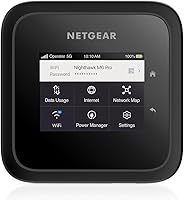
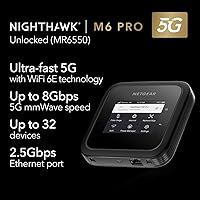
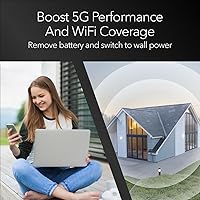
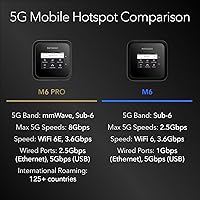
The hardware inside the Nighthawk M6 Pro is genuinely impressive on paper. It supports both 5G mmWave and Sub-6 bands, with theoretical peaks reaching 8 Gbps — though in practice, mmWave coverage is limited to dense urban corridors, so most users will rely on Sub-6 speeds day to day. The WiFi 6E radio helps considerably in congested environments, and supporting up to 32 devices simultaneously means an entire home office or travel group can stay connected without fighting for bandwidth. The 2.5 Gigabit Ethernet port is a standout inclusion rarely seen on portable hotspots. Remove the battery and run it off AC power, and coverage expands to roughly 2,000 square feet — genuinely useful for stationary setups. A 2.8-inch color touchscreen handles on-device management without needing a companion app.

Best For

The Nighthawk M6 Pro makes the most sense for a fairly specific type of buyer. If you're a remote professional or digital nomad who regularly works from airports, hotels, or co-working spaces, having a dedicated hotspot with enterprise-level security is a meaningful upgrade over tethering from your phone. It's also a strong fit for households that want a 5G-based failover connection — if your cable or DSL goes down, this keeps the lights on for smart home devices, security cameras, and everything else. International travelers visiting multiple countries will appreciate the SIM-swap flexibility and broad carrier support. That said, if you have a rock-solid broadband connection at home and rarely venture far, this 5G travel router would likely spend most of its time in a drawer.

User Feedback

Across nearly 470 reviews, a few clear patterns emerge. Users in mmWave-covered areas report genuinely fast speeds and consistently praise the build quality and touchscreen interface. The 2.5G Ethernet flexibility gets specific callouts from people running it as a home backup connection. Where the sentiment dips, it tends to be about two things: battery life under heavy load and the sheer geographic scarcity of mmWave networks. Paying top-tier prices for hardware that often defaults to Sub-6 speeds frustrates some buyers. A smaller number of users have encountered firmware inconsistencies post-setup, though most resolve them with a simple update. The honest takeaway is that enthusiasts in the right coverage areas tend to love it; those with lighter needs find the value proposition harder to defend.

Pros

  • Unlocked and certified on AT&T, T-Mobile, and Verizon, with roaming support across 125-plus countries.
  • WiFi 6E support reduces congestion noticeably when multiple devices are connected at once.
  • The 2.5 Gigabit Ethernet port is a rare and genuinely useful inclusion for wired backhaul or direct connections.
  • Supports up to 32 simultaneous devices — enough for a full home office or a small team on the road.
  • Removable battery design lets you run it wall-powered for extended coverage up to roughly 2,000 square feet.
  • The 2.8-inch color touchscreen makes on-device management quick and intuitive without needing an app.
  • SIM-swap takes seconds, making it practical to use local data plans when traveling internationally.
  • Build quality is consistently praised by users — this feels like a device built to last, not a disposable gadget.
  • Doubles as a home backup internet solution, keeping smart home devices and security cameras online during outages.

Cons

  • mmWave 5G coverage is limited to dense urban areas, so the top-tier speed advantage won't apply for most users.
  • Battery life under heavy, sustained load falls short of what many buyers expect from a portable device.
  • The price is steep, and lighter users will struggle to justify it over far cheaper hotspot alternatives.
  • Occasional firmware quirks have been reported; setting it up fresh without checking for updates first can cause headaches.
  • Heavier and bulkier than basic travel hotspots, which may matter if you're packing light.
  • Real-world speeds vary significantly by carrier, location, and network congestion — the 8 Gbps figure is theoretical.
  • No built-in VPN or advanced security features that enterprise users might expect at this price point.
  • The Linux-based interface, while functional, feels dated compared to more polished companion app experiences on competing devices.

Ratings

The scores below for the NETGEAR Nighthawk M6 Pro Mobile Hotspot were generated by our AI review engine after processing verified buyer feedback from global sources, with spam, bot activity, and incentivized reviews actively filtered out before scoring. Each category reflects patterns drawn from real-world usage — not marketing claims — so both the genuine strengths and the recurring frustrations buyers encounter are represented transparently. Whether this 5G travel router earns its premium price depends heavily on your specific situation, and these scores are designed to help you work that out.

5G Performance
79%
21%
In cities with active mmWave infrastructure — downtown cores in New York, Chicago, or Los Angeles — users report download speeds that genuinely reframe what mobile internet can do. Video calls, large file transfers, and simultaneous streams all run without the hesitation you would expect from a portable device.
Outside mmWave zones, performance falls back to Sub-6 5G or LTE, which is capable but not the speed leap many buyers anticipated. The headline throughput figure is a real-world experience for a minority of users, and geographic mmWave coverage remains sparse even in major cities.
Build Quality
88%
Reviewers consistently describe the physical construction as solid and premium — noticeably more robust than competing hotspots in this category. The device feels purposefully engineered, and the removable battery slot is well-fitted with no wobble. Frequent travelers report it surviving daily bag wear without visible damage.
At 1.3 lbs, it is heavier than most ultraportable hotspots, which some users notice in a jacket pocket or slim laptop bag over long travel days. The square form factor, while sturdy, does not sit as naturally in a bag as the more tapered designs from rival brands.
Battery Life
61%
39%
Under moderate use — a handful of connected devices, standard browsing, and occasional video calls — the battery holds up reasonably well for a half-workday stretch, covering most airport layovers or short field deployments without a power bank in reach.
Under heavy load, battery life disappoints more than the spec sheet suggests. Users simultaneously streaming across multiple devices or relying on mmWave consistently report runtimes well below NETGEAR's estimate. For all-day untethered use, carrying a power bank is essentially mandatory rather than optional.
Value for Money
67%
33%
For power users who genuinely live or work within mmWave coverage zones, the hardware capability relative to cost makes a reasonable case — nothing else in this form factor combines a 2.5G Ethernet port, WiFi 6E radio, and 32-device support in one portable package.
Outside dense urban mmWave zones, the value equation weakens fast. Capable Sub-6-only hotspots exist at a fraction of the cost, and paying a premium for a speed tier most buyers will never access is a difficult justification. Casual users and occasional travelers consistently flag this concern.
Carrier Compatibility
91%
Being unlocked and certified across AT&T, T-Mobile, and Verizon removes the biggest friction point in the hotspot category — no lock-in, no activation headaches across networks. International travelers especially benefit from swapping to a local SIM in over 125 countries without needing a second device.
While broad, carrier support is not universal across every international band configuration, and travelers heading to less common destinations should verify compatibility in advance. A small number of users specifically reported activation friction when setting the device up on Verizon's network for the first time.
WiFi Coverage
83%
Running the Nighthawk M6 Pro on AC power without the battery installed pushes coverage to roughly 2,000 sq. ft., which comfortably handles a mid-size home or a shared workspace floor. Users deploying it as a home backup connection noted it reached rooms a phone hotspot never could.
With the battery installed, effective range shrinks noticeably — adequate for a hotel room or small office, but limiting in larger spaces. Some users in dense apartment buildings report interference from neighboring WiFi 6 networks reducing effective throughput at the edges of coverage.
Setup & Ease of Use
84%
The 2.8″ touchscreen handles core setup directly on the device — no laptop, no companion app required. Most users report being online within minutes of inserting an active SIM, and navigating carrier settings or checking signal strength is intuitive enough for non-technical buyers.
The web-based admin interface looks dated and can feel clunky for users expecting a polished app experience like competing devices offer. Configuration beyond the basics — port forwarding, static IPs, advanced security settings — demands a level of technical comfort that not all buyers possess.
Multi-Device Support
87%
Supporting 32 simultaneous connections is a meaningful differentiator for small-office deployments or group travel, where phone hotspots typically struggle past five or six active devices. The WiFi 6E radio manages congestion between those connections more effectively than older standards, keeping performance from collapsing as more devices join.
Connecting 20-plus actively streaming devices on a Sub-6 connection leads to perceptible slowdowns for bandwidth-intensive tasks. The device ceiling is useful headroom, but it should not be interpreted as a guarantee of full-speed performance across all 32 simultaneous connections under real-world network conditions.
Portability
73%
27%
At roughly the footprint of a hockey puck and just 0.85 inches thick, the device fits into a coat pocket or the front pouch of a backpack without much trouble. Frequent flyers and daily commuters who carry laptop bags find it easy enough to include alongside their standard gear.
At 1.3 lbs, it is heavier than the category average for basic travel hotspots, and that weight becomes noticeable over long transit days. Ultralight travelers and minimalist backpackers who count every ounce will find leaner, cheaper options more practical for pure day-to-day portability.
Wired Connectivity
92%
The 2.5 Gigabit Ethernet port is a feature almost no competing portable hotspot includes — it lets you wire a laptop, NAS, or desktop directly for maximum throughput while WiFi clients continue operating independently. The USB Type-C port adds another practical connection point for both charging and data.
Only one Ethernet port is provided, which limits direct wired connections to a single device without adding an unmanaged switch. For users expecting to wire multiple desktops or workstations simultaneously, that extra piece of hardware adds a small but real cost and another cable to manage.
Software & Firmware
66%
34%
After applying current firmware updates, the majority of users find the device stable and reliable for everyday use. NETGEAR has released patches that address the early stability complaints, and the Linux-based foundation is generally solid once the device is running a current software build.
Out-of-the-box firmware on some units has caused connectivity hiccups, random reboots, and inconsistent speeds that frustrated buyers before they discovered an update was available. The update process is not automatic, so users who do not know to check immediately after unboxing may struggle unnecessarily.
International Travel Use
89%
The combination of unlocked carrier support, straightforward SIM swapping, and coverage across 125-plus countries makes this one of the stronger travel routers available in this form factor. Long-haul business travelers report moving between countries without needing to reconfigure the device or troubleshoot carrier handoffs.
International data costs depend entirely on the SIM and plan selected — the device includes no bundled roaming data. In regions with less common LTE band configurations, performance may step down further than expected, and verifying specific carrier band compatibility before departure is advisable.
Display & Interface
82%
18%
The 2.8″ color touchscreen is among the more generous displays in the hotspot category, showing signal strength, connected device counts, and live data usage at a glance. Users who have relied on screen-free hotspots consistently cite it as a genuine quality-of-life improvement in daily use.
Touch responsiveness is functional rather than fluid — quick taps can feel slightly laggy compared to smartphone standards. Several users also note the display washes out in direct sunlight, which is inconvenient given that outdoor portability is one of the primary reasons people buy this device.
Network Security
78%
22%
Using a dedicated hotspot rather than public WiFi provides a meaningful security layer for remote workers handling sensitive data. The device creates a fully private WPA3-encrypted network, which IT-conscious professionals and frequent travelers in airports, hotels, and shared spaces find worth the extra bulk and cost.
There is no built-in VPN client, which security-conscious users and IT teams increasingly consider a baseline expectation at this price tier. Configuring advanced security options requires navigating the dated admin interface rather than through any guided or simplified setup flow.

Suitable for:

The NETGEAR Nighthawk M6 Pro Mobile Hotspot is purpose-built for buyers who genuinely depend on fast, reliable internet outside the comfort of a fixed broadband line. Remote workers and digital nomads who move between cities, countries, or client sites will find real value in having a dedicated connection that doesn't drain their phone battery or share bandwidth with strangers on public WiFi. International travelers benefit especially from the unlocked design — swap a local SIM at the airport and you're connected in over 125 countries without juggling multiple devices. Small offices or home setups that need a credible failover when cable or DSL goes down will also appreciate the 2.5 Gigabit Ethernet port and the ability to run the unit wall-powered for broader coverage. If your livelihood depends on staying connected — and you're in or near an area with strong 5G coverage — this mobile hotspot is genuinely hard to beat at this hardware tier.

Not suitable for:

The NETGEAR Nighthawk M6 Pro Mobile Hotspot is a harder sell for anyone whose needs don't match its premium positioning. The headline mmWave speed capability sounds extraordinary, but mmWave 5G coverage is sparse outside dense urban centers, meaning most buyers will experience Sub-6 performance — solid, but not the jaw-dropping difference the spec sheet implies. If you already have a reliable home broadband connection and only occasionally need mobile internet, a much cheaper hotspot or even your phone's built-in tethering will serve you just as well for a fraction of the cost. Battery life under sustained heavy loads has also drawn complaints, which matters if you're counting on it for long stretches away from an outlet. Buyers in rural or suburban areas with limited 5G infrastructure should check carrier coverage maps carefully before committing — the hardware can only perform as well as the network it connects to.

Specifications

  • Model Number: The device carries model number MR6550-100PAS, produced by NETGEAR under the Nighthawk series.
  • 5G Bands: Supports both 5G mmWave and Sub-6 bands, providing flexibility across carrier network types and geographic coverage areas.
  • Max Throughput: Theoretical peak download throughput reaches up to 8.0 Gbps under ideal mmWave 5G conditions.
  • WiFi Standard: Operates on WiFi 6E (802.11ax) dual-band technology, enabling faster and less congested wireless performance.
  • Max WiFi Speed: Maximum rated WiFi speed is 3.6 Gbps under optimal signal and connection conditions.
  • Device Capacity: Supports up to 32 simultaneous client device connections over WiFi.
  • WiFi Coverage: When run via AC adapter without the battery installed, wireless coverage extends up to 2,000 sq. ft.
  • Ethernet Port: Includes one 2.5 Gigabit Ethernet port suitable for wired device connections or network backhaul.
  • Display: Equipped with a 2.8″ color touchscreen for on-device status monitoring and settings management.
  • Battery: Uses a removable, rechargeable Lithium-Ion battery pack that is included in the box.
  • Dimensions: Device body measures 4.14 x 4.14 x 0.85 inches (L x W x H) with battery installed.
  • Weight: Weighs 1.3 lbs (0.59 kg) with battery, making it portable but not ultralight for daily carry.
  • Carrier Support: Unlocked and officially certified for use on AT&T, T-Mobile, and Verizon networks in the United States.
  • Intl. Roaming: Compatible with carriers across more than 125 countries, supporting local SIM swaps for international travel.
  • Operating System: Runs a Linux-based operating system for internal network management and device control functions.
  • In the Box: Package includes an AC adapter, USB Type-C cable, manufacturer warranty card, and a printed quick start guide.

Related Reviews
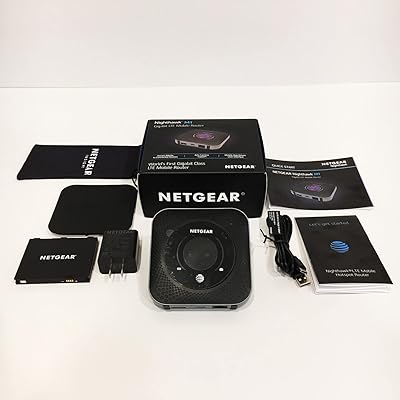
Netgear Nighthawk MR1100 Mobile Hotspot Router
79%
93%
Carrier Flexibility
88%
Multi-Device Performance
86%
Signal Reception
61%
Battery Life
89%
Setup & Ease of Use
More
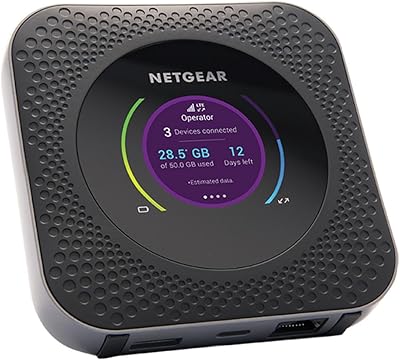
NETGEAR Nighthawk M1 4G LTE Mobile Hotspot
67%
58%
Carrier Compatibility
83%
Battery Life
76%
Signal Performance
81%
Multi-Device Capacity
78%
Ease of Setup
More
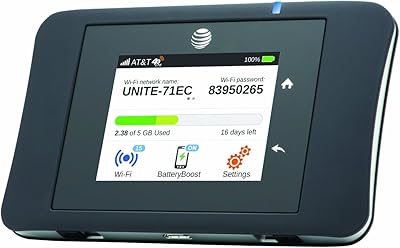
Netgear Unite Pro AC-781S Mobile Hotspot
68%
81%
Value for Money
74%
Connectivity Performance
67%
Carrier Compatibility
69%
Refurbished Condition
61%
Battery Life
More
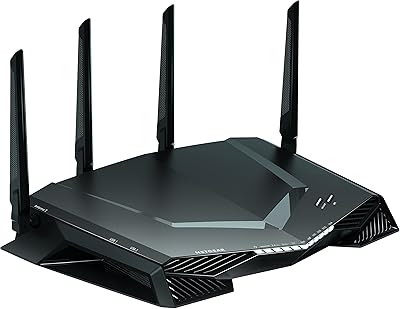
NETGEAR Nighthawk XR500 Gaming Wi-Fi Router
73%
83%
Ping Reduction
76%
DumaOS Software
88%
Wired Performance
81%
QoS Traffic Control
62%
Wi-Fi Range
More
Franklin T10 Mobile Hotspot
67%
74%
Value for Money
61%
Network Performance
54%
Battery Life
83%
Ease of Setup
88%
Portability
More
Netgear Nighthawk AX5200 Router
87%
92%
Wi-Fi Performance
89%
Range & Coverage
84%
Setup & Installation
88%
Reliability & Stability
91%
Gaming & Streaming Experience
More
NETGEAR Nighthawk R7350 AC2400 Wi-Fi Router
78%
88%
5GHz Performance
67%
2.4GHz Reliability
91%
Setup Experience
79%
Gaming Performance
73%
Coverage Range
More
NETGEAR Nighthawk CM1200
75%
88%
Internet Speed Performance
83%
Setup & Installation
63%
Long-Term Reliability
79%
Value for Money
71%
Compatibility & ISP Support
More
Netgear Nighthawk AX12 AX11000 Router
87%
92%
Wi-Fi Performance
89%
Speed & Latency
85%
Ease of Setup
88%
Build Quality
90%
Security Features
More
Orbic Speed 4G LTE Mobile Hotspot
73%
91%
Ease of Setup
88%
Portability
67%
Network Performance
74%
Battery Life
58%
Build Quality
More

FAQ

No data plan is included — you supply your own activated SIM card from a compatible carrier. In the US, it works with AT&T, T-Mobile, and Verizon, so you can use an existing data plan or grab a dedicated hotspot SIM. Slide it in, follow the on-screen prompts, and you're online in minutes.

For most people, no — and that's worth understanding before you buy. Those peak speeds require mmWave 5G coverage, which today is limited to dense downtown corridors in select cities. Outside those zones, you'll land on Sub-6 5G or LTE, which is still genuinely fast but nowhere near the headline figure. Check your carrier's mmWave coverage map for your specific locations before making the purchase decision.

NETGEAR rates the battery at around 13 hours of typical use, but real-world results vary depending on load. Under heavy use — multiple active video streams, a lot of connected devices, or sustained mmWave activity — some users report noticeably shorter runtimes. For stationary setups, removing the battery and running on AC power is actually the smarter configuration, and it also extends WiFi coverage range.

It can, and some users do exactly that — particularly in areas where cable or DSL isn't available or reliable. Plugged in via AC adapter with the battery removed, it covers up to 2,000 sq. ft. and offers a 2.5G Ethernet port for wired devices. That said, your experience will depend entirely on the strength and consistency of 5G coverage at your specific address, so checking carrier signal quality at home first is strongly recommended.

Very straightforward — the SIM tray is accessible and a swap takes under a minute. The device supports carriers across 125-plus countries, so picking up a local data SIM when you land is a practical way to sidestep expensive roaming fees. Just confirm the local carrier uses LTE or 5G bands that this router supports before committing to a plan.

The 32-device ceiling is a hardware limit, but real-world performance depends heavily on what those devices are actually doing. Light activity — phones checking notifications, smart home sensors pinging the cloud — barely registers. Stack several simultaneous 4K streams or video calls on a Sub-6 connection, though, and you will notice congestion. For a small remote team or a family of heavy streamers, it holds up well; for a mid-size office, you'd want to temper expectations.

No app or computer is required for basic setup. The 2.8-inch touchscreen walks you through carrier connection, WiFi credentials, and basic configuration right on the device. If you want deeper control — port forwarding, advanced security settings, or detailed traffic monitoring — there is a browser-based admin panel accessible from any connected device, but it's optional.

Yes, and it's worth making this the first thing you do after initial setup. Earlier firmware versions have had documented stability and performance issues, and several user reviews specifically mention that an update resolved problems they ran into early on. Log into the admin interface, check for available updates, and install them before putting the device into regular use.

Yes, and for home or office use it is actually the preferred setup. Running on AC power without the battery slightly increases WiFi transmit power — which is why the 2,000 sq. ft. coverage figure applies to that configuration specifically. It also eliminates any concerns about heat buildup or long-term battery degradation from continuous charging.

For most regular use cases, yes. A dedicated hotspot keeps your phone battery intact, the WiFi 6E radio outperforms what most smartphones offer, and supporting up to 32 devices simultaneously is something no phone hotspot handles gracefully. The 2.5G Ethernet port is also a capability your phone simply cannot match. That said, if you only need to share a connection to one laptop occasionally, your phone's built-in tethering is probably sufficient and free.

Where to Buy