Overview

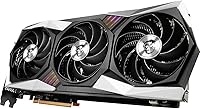
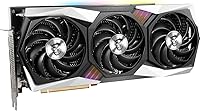
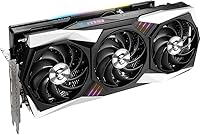
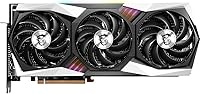
The MSI RX 6800 Gaming X Trio GPU sits at the top of MSI's RX 6800 stack, distinguishing itself from reference cards and the more basic Gaming Trio variant through its premium factory overclock and the imposing TRI FROZR 2 triple-fan cooler. At 12.8 inches long, it demands a full-size case — worth confirming before you buy. This card targets enthusiast 1440p builders and anyone exploring entry-level 4K gaming who wants extra thermal headroom baked in from day one, rather than something chased through manual tuning after the fact.
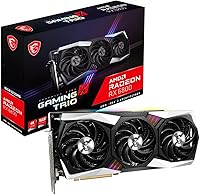
Features & Benefits

Packing 16GB of GDDR6 VRAM on a 256-bit bus, this RDNA 2 powerhouse provides a meaningful buffer for high-resolution texture packs, modded games, and multi-monitor workflows where lesser cards start to stumble. The Infinity Cache architecture keeps memory bandwidth competitive, and hardware ray tracing is supported — though AMD's RT performance honestly trails the strongest Nvidia alternatives at comparable price points. The 2105 MHz boost clock edges out stock RX 6800 specs noticeably, connectivity covers three DisplayPort 1.4 outputs alongside HDMI 2.1, and the dual 8-pin power setup means you should plan for a capable PSU handling a 300W draw.

Best For

This MSI triple-fan card is a strong match for competitive 1440p gaming where both performance and quiet operation matter — the Zero Frozr fan-stop keeps it virtually silent at idle, a genuine quality-of-life perk for anyone working at their PC throughout the day. Content creators handling 4K video timelines or 3D renders will appreciate the generous VRAM headroom. Multi-monitor users get four outputs to work with. It also suits players running heavily modded open-world titles, where VRAM becomes the bottleneck long before the GPU's compute cores do.

User Feedback

Owners consistently highlight cooling and noise levels as standouts — temperatures stay controlled under sustained loads, and fan noise remains low compared to many competing aftermarket designs. Frame delivery at 1440p draws repeated praise, with buyers describing gameplay as noticeably smooth. On the critical side, the card's length has caught a few builders off guard, and the 300W power draw occasionally surprises those upgrading from older mid-range hardware. AMD's driver software surfaces as a recurring mixed point — functional and steadily improving, but some users still prefer the polish found in Nvidia's ecosystem. Overall sentiment sits solidly positive.

Pros

  • Stays impressively cool under sustained gaming loads thanks to the TRI FROZR 2 triple-fan cooler.
  • Runs near-silent at idle with Zero Frozr fan-stop — a genuine daily-use quality-of-life feature.
  • 16GB GDDR6 VRAM provides real headroom for modded games, high-res textures, and creative workloads.
  • Factory overclock delivers a noticeable performance edge over stock RX 6800 cards without any manual tuning.
  • Four display outputs, including HDMI 2.1, make multi-monitor and high-resolution display setups straightforward.
  • Strong 1440p gaming performance with smooth frame delivery across a wide range of titles.
  • AMD Infinity Cache architecture helps maintain strong effective bandwidth despite the 256-bit bus.
  • DirectX 12 Ultimate and hardware ray tracing support keep the card relevant for current-gen titles.
  • MYSTIC LIGHT RGB integration suits builders who care about aesthetic consistency inside their case.
  • Solid Amazon rating backed by a meaningful number of verified buyer reviews reflects reliable real-world satisfaction.

Cons

  • At 12.8 inches long, the card will not fit many popular compact and mid-tower cases without careful measurement first.
  • The 300W power draw demands a quality PSU — budget builds may require an additional upgrade to accommodate it.
  • AMD's ray tracing performance, while functional, trails the best Nvidia alternatives at a similar price tier.
  • AMD's driver software, though improving, still draws occasional complaints around stability and polish compared to Nvidia.
  • No DLSS equivalent at launch; AMD's FSR is solid but not a perfect substitute for buyers who rely on DLSS titles.
  • The card's weight of 3.42 pounds may require a GPU support bracket in cases with flexible PCIe slots.
  • CUDA-dependent creative software workflows are simply not compatible, limiting appeal for certain professional users.
  • Buyers in the Nvidia ecosystem will face a meaningful platform transition, not just a hardware swap.

Ratings

The MSI RX 6800 Gaming X Trio GPU scores below were generated by our AI rating engine after systematically analyzing verified buyer reviews from global marketplaces, actively filtering out incentivized, bot-generated, and duplicate submissions. The result reflects an honest cross-section of real ownership experiences — strengths and frustrations alike — so you can make a genuinely informed decision before spending your money.
Thermal Performance
92%
The TRI FROZR 2 cooler earns consistent praise from users who push the card hard for hours. Temperatures stay well-controlled even during marathon gaming sessions, and multiple owners report GPU core temps settling in the low-to-mid 70s Celsius under sustained load — notably better than reference designs.
A small number of users in poorly ventilated cases or hot ambient environments report temperatures creeping higher than expected, suggesting the cooler's effectiveness is partially dependent on having adequate airflow inside the chassis.
Noise Levels
89%
The Zero Frozr fan-stop feature is a genuine highlight for people who use their PC for work during the day and gaming at night — the card is completely silent when idling or doing light tasks. Under load the fans spin up audibly but remain far less intrusive than many competing aftermarket cards.
At full gaming load the three fans do produce noticeable airflow noise, which some users with open-back headphones or noise-sensitive setups pick up during intense in-game moments. It is not loud by GPU standards, but it is not whisper-quiet under real pressure either.
1440p Gaming Performance
91%
This is where the Gaming X Trio genuinely excels and where most owners feel they got full value from it. Users routinely report hitting high frame rates in demanding titles at 1440p with settings dialed up, and the factory overclock provides a tangible edge over stock RX 6800 cards without any manual tuning required.
A handful of users note that certain poorly optimized or CPU-bound titles do not show a dramatic gap over slightly cheaper RX 6800 variants, raising a fair question about whether the premium over lower-tier models is always justified purely on frame rate grounds.
VRAM & Memory Headroom
88%
16GB of GDDR6 is a genuinely future-resistant amount for gaming and creative work alike. Users running modded titles like heavily overhauled RPGs or high-resolution texture packs report none of the stuttering or VRAM overflow issues that bite cards with 8GB or 10GB buffers in the same scenarios.
The 256-bit memory bus is narrower than some competing cards at this tier, and while AMD's Infinity Cache largely compensates in gaming workloads, bandwidth-intensive creative applications like high-bitrate video exports occasionally show the limitation more clearly than gaming benchmarks do.
4K Gaming Capability
71%
29%
The card can handle 4K in a meaningful range of titles, particularly those that are well-optimized or less graphically intense, and the 16GB VRAM buffer means it is not running out of memory at that resolution. Casual 4K users and those willing to dial back a few settings report a perfectly enjoyable experience.
Demanding AAA titles at 4K maximum settings regularly push the card below smooth frame rates, and users who bought it specifically for maxed-out 4K performance have expressed disappointment. For serious 4K gaming across all titles, this card sits at the edge of capability rather than comfortably within it.
Ray Tracing Performance
61%
39%
Hardware ray tracing is present and functional, and users playing titles with moderate RT loads — ambient occlusion, softer shadows, basic reflections — report acceptable results without crippling frame rate drops. For people who want RT enabled as a visual enhancement rather than a showcase, it does the job.
Users who came from or compared directly against Nvidia hardware at similar price points consistently note that AMD's RT performance trails noticeably in titles with heavy ray tracing implementations. Enabling RT in demanding titles often requires dropping resolution or other settings to maintain playable frame rates, which dilutes the visual payoff.
Build Quality & Design
86%
Owners frequently comment on how solid and premium the card feels in hand — the shroud, backplate, and overall construction give a clear impression of a product built to last rather than cut to a price point. The triple-slot design feels robust and well-engineered rather than bulky for the sake of aesthetics.
The card's 12.8-inch length and 3.42-pound weight have caused physical installation headaches for a meaningful number of buyers, with some needing to reroute cables or add a GPU support bracket to prevent PCIe slot sag over time. It is genuinely large, and case compatibility deserves careful research before purchase.
Power Efficiency
63%
37%
Performance-per-watt is competitive within AMD's own RDNA 2 lineup, and users who previously owned older GCN-based AMD cards report a noticeable efficiency improvement. For the frame rates delivered at 1440p, most owners accept the power draw as a reasonable trade-off.
The 300W TDP regularly surprises builders upgrading from mid-range or previous-generation hardware, and several users had to purchase a new power supply alongside the card — an unplanned expense that affected their perception of overall value. Nvidia competitors at comparable performance levels often draw less power.
Software & Drivers
67%
33%
AMD Adrenalin has genuinely matured as a software package, and the majority of everyday users report stable, issue-free operation through normal driver update cycles. Features like Radeon Anti-Lag and performance overlay tools are well-regarded among users who engage with them regularly.
Post-update driver instability is a recurring theme in user feedback, with a subset of owners reporting crashes, black screens, or performance regressions after major Adrenalin updates. Users migrating from Nvidia ecosystems also frequently note that AMD's software feels less polished in edge cases and niche workflow scenarios.
Connectivity & Display Output
87%
Four display outputs — three DisplayPort 1.4 and one HDMI 2.1 — is a genuinely versatile setup that multi-monitor users and home theater builders appreciate. HDMI 2.1 support in particular is valued by users connecting the card to modern 4K TVs with high refresh rate capabilities.
The absence of a USB-C or Thunderbolt output limits compatibility with certain newer monitors and portable displays that rely on those connections. Users with mixed display setups occasionally need adapters, which adds minor friction to an otherwise strong connectivity package.
Value for Money
74%
26%
At its launch positioning, the Gaming X Trio offered a compelling amount of VRAM and real-world 1440p performance relative to the market. Users who secured it at or near its intended price point generally feel the performance-per-dollar ratio stacks up reasonably against the competition.
The premium over lower-tier RX 6800 variants and the narrowing gap to the RX 6800 XT in some purchasing windows have led a portion of buyers to question whether the specific Gaming X Trio tier is the smartest spend. Value perception is highly sensitive to the exact price paid at time of purchase.
Installation & Compatibility
69%
31%
For users with full-tower or large mid-tower cases and a sufficiently rated PSU already installed, the physical installation is straightforward and no different from any other high-end GPU. The PCIe 4.0 interface with backward compatibility to 3.0 slots removes motherboard compatibility concerns for most buyers.
Case length restrictions, PSU upgrade requirements, and GPU sag concerns mean installation is more conditional than average. Several buyers report that getting the card properly seated and supported required more effort and additional hardware than they anticipated when ordering.
Idle & Light-Load Behavior
91%
Zero Frozr idle mode makes this card exceptionally pleasant for hybrid use workstations — people who edit documents, browse, or stream video for hours before gaming sessions genuinely notice and appreciate the complete silence at idle. It is one of the most consistently praised aspects across all user feedback.
Some users note that the transition from fan-stop to active cooling can produce a brief, slightly jarring spin-up noise when the GPU temperature crosses the activation threshold, which is noticeable in an otherwise silent room. It is a minor complaint but comes up with enough regularity to flag.
Multi-Monitor & High-Res Support
83%
The combination of four display outputs and HDMI 2.1 with 8K resolution support gives this card strong credentials for productivity-focused multi-monitor setups and users with high-end display hardware. Content creators running large workspace layouts across multiple screens find the output range genuinely practical.
Driving four monitors simultaneously at high refresh rates increases the GPU's workload during desktop use, and users with demanding display configurations may notice a slight bump in idle power draw and occasional driver complexity when configuring non-identical monitor arrays.

Suitable for:

The MSI RX 6800 Gaming X Trio GPU is purpose-built for enthusiast PC builders who game primarily at 1440p and want consistent high frame rates without babysitting thermals or fan curves. The generous 16GB VRAM buffer makes it a practical choice for players running heavily modded open-world titles or texture-heavy games where mid-range cards begin to choke. Content creators who split their time between gaming and video editing or 3D rendering will find the VRAM headroom genuinely useful day-to-day, not just a spec on paper. Multi-monitor users benefit from four simultaneous display outputs, and anyone who values a quiet desktop environment during work hours will appreciate the fan-stop idle mode keeping things near-silent when the GPU is not under load. It suits builders who want a capable, well-cooled card that performs confidently out of the box without requiring manual overclocking to reach its potential.
Not suitable for:

The MSI RX 6800 Gaming X Trio GPU is a poor fit for builders working with compact or mid-tower cases on the smaller end, since the 12.8-inch length physically will not clear many popular micro-ATX and ITX chassis. Buyers whose existing power supply sits below 650–750W should factor in a PSU upgrade, as the 300W TDP under full load is real and sustained. If ray tracing is a priority use-case — say, playing modern titles with RT maxed out — AMD's RDNA 2 implementation is capable but honestly lags behind comparable Nvidia options, so shoppers chasing the best RT experience should weigh that trade-off carefully. Users who are deep in Nvidia's software ecosystem, rely on DLSS, or use CUDA-dependent creative applications will find switching to AMD's platform introduces friction that goes beyond the GPU itself. Budget-focused buyers who primarily game at 1080p will also find this card delivers more performance and VRAM than their resolution actually demands.
Specifications

  • GPU Chip: Powered by the AMD Radeon RX 6800 graphics processor built on the RDNA 2 architecture.
  • VRAM: Equipped with 16GB of GDDR6 video memory running on a 256-bit memory interface.
  • Boost Clock: Factory overclocked to a boost clock of 2105 MHz, exceeding the reference RX 6800 specification out of the box.
  • Infinity Cache: Includes AMD's 128MB Infinity Cache, which significantly increases effective memory bandwidth for gaming workloads.
  • Cooling System: Uses MSI's TRI FROZR 2 thermal solution featuring three fans with Zero Frozr fan-stop technology for silent idle operation.
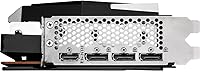
  • Display Outputs: Provides three DisplayPort 1.4 outputs and one HDMI 2.1 port, supporting up to four simultaneous displays.
  • Max Resolution: Supports a maximum digital output resolution of 7680x4320 (8K) via compatible display connections.
  • Power Connectors: Requires two 8-pin PCIe power connectors from the system power supply.
  • TDP: Rated at a total board power of 300W under full gaming load.
  • Card Dimensions: Measures 12.8 inches in length, 5.6 inches in height, and 2.2 inches in width, occupying approximately 2.5 slots.
  • Card Weight: The card alone weighs 3.42 pounds, which may require case support brackets in some builds.
  • API Support: Fully supports DirectX 12 Ultimate, Vulkan, and OpenGL 4.6 for broad game and application compatibility.
  • Ray Tracing: Includes hardware-accelerated ray tracing support via dedicated RT accelerators integrated into the RDNA 2 compute units.
  • PCIe Interface: Connects to the motherboard via a PCIe 4.0 x16 interface, with backwards compatibility for PCIe 3.0 slots.
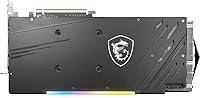
  • RGB Lighting: Features MSI MYSTIC LIGHT RGB illumination, controllable through MSI's Dragon Center or Mystic Light software.
  • Recommended PSU: MSI recommends a minimum 750W power supply unit for stable system operation with this card installed.
  • Release Date: First made available for purchase on December 18, 2020, as part of AMD's initial RDNA 2 launch lineup.
  • Manufacturer: Designed and produced by MSI (Micro-Star International), a Taiwan-based hardware manufacturer.

Related Reviews
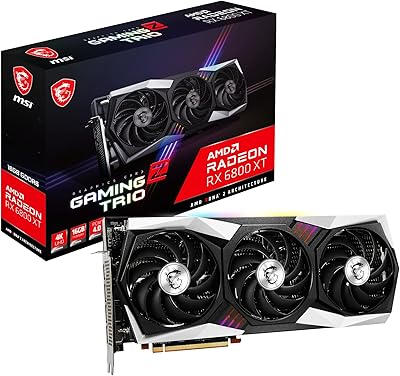
MSI Radeon RX 6800 XT GAMING Z TRIO 16GB
88%
94%
Gaming Performance
89%
Cooling Efficiency
92%
Build Quality
87%
Noise Level
90%
Value for Money
More
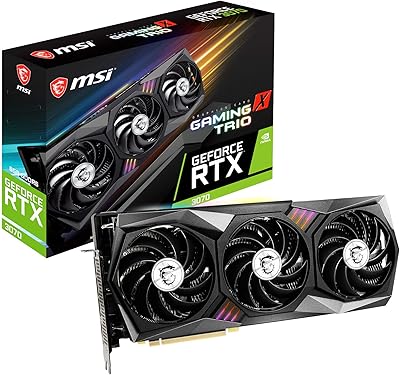
MSI RTX 3070 Gaming X Trio Graphics Card
76%
93%
Thermal Performance
91%
Noise Levels
89%
1440p Gaming Performance
88%
Build Quality
74%
Value for Money
More
MSI Radeon RX 580 Gaming X 8G
85%
86%
Gaming Performance
92%
Cooling Efficiency
89%
Value for Money
84%
Build Quality
91%
Noise Level
More
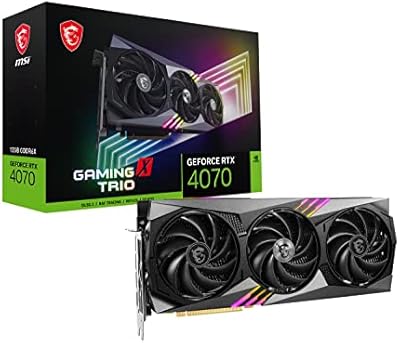
MSI RTX 4070 Gaming X Trio GPU
82%
92%
1440p Gaming Performance
93%
Thermal Performance
91%
Noise Levels
89%
Build Quality
71%
Value for Money
More
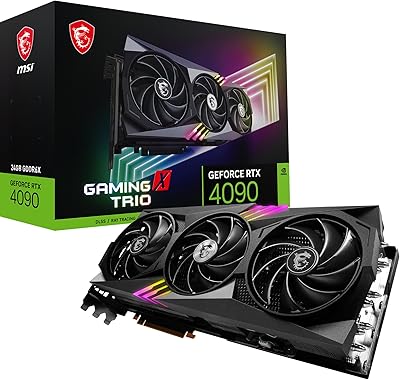
MSI RTX 4090 Gaming X Trio GPU
84%
93%
Thermal Performance
89%
Noise Levels
96%
Raw Gaming Performance
91%
VRAM & Memory
88%
Build Quality
More
MSI GeForce RTX 2080 Ti Gaming X Trio
87%
94%
Gaming Performance
91%
Ray Tracing Quality
88%
Thermals and Cooling
90%
Build Quality
65%
Noise Level Under Load
More
MSI GeForce RTX 3060 Gaming X Trio 12G
84%
91%
Gaming Performance
94%
Cooling Efficiency
87%
Build Quality
89%
Value for Money
70%
Compatibility with Cases
More
MSI GeForce RTX 3090 Ti Gaming X Trio 24GB
84%
94%
Gaming Performance
70%
Power Consumption
88%
Cooling Efficiency
65%
Size and Compatibility
92%
Overclocking Performance
More
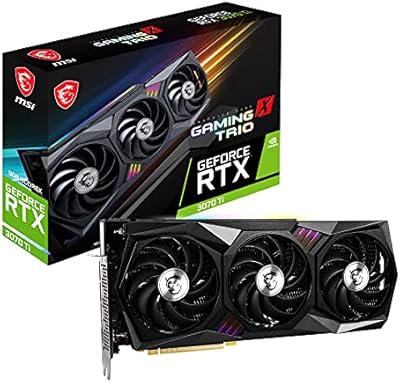
MSI GeForce RTX 3070 Ti Gaming X Trio 8GB
85%
92%
Gaming Performance
89%
Cooling Efficiency
88%
4K Gaming Experience
85%
RGB Customization
70%
Size & Compatibility
More
MSI GeForce RTX 3080 Ti Gaming X Trio 12G
86%
94%
Cooling Performance
92%
4K Gaming Performance
88%
Build Quality
91%
Noise Levels Under Load
85%
Installation and Setup
More

FAQ

That depends on your case. The Gaming X Trio is 12.8 inches long, which is on the larger end for aftermarket cards. Most full-tower and mid-tower cases handle it fine, but you should double-check your case's maximum GPU length specification before ordering. Compact or budget mid-tower cases often max out around 11 to 12 inches, so measure carefully.

Under a real gaming load, this card draws around 300W on its own. Factor in your CPU, storage, and other components, and a quality 750W PSU is a sensible minimum. If your current supply is a lower-wattage or older unit, budgeting for an upgrade at the same time as this card is worth doing rather than pushing an undersized PSU.

It sits right at the boundary. At 1440p, this RDNA 2 powerhouse handles virtually everything at high to max settings with strong frame rates. At 4K, it is capable in many titles but will need some settings compromises in demanding games to stay above 60fps consistently. If 4K at max settings in every title is the goal, the RX 6800 XT or higher is a more natural fit.

Noticeably quieter than most reference and budget aftermarket designs. The TRI FROZR 2 cooler does a solid job of keeping temperatures manageable without the fans spinning aggressively. At idle or light desktop use, Zero Frozr stops the fans entirely, so you will not hear it at all. Under sustained load the fans become audible but remain reasonable compared to similarly powerful cards.

Yes. FSR (FidelityFX Super Resolution) is a software-level feature supported across AMD's RDNA lineup and runs on virtually any modern GPU — you do not need specific hardware for it. Games that support FSR will let you enable it through their in-game settings regardless of which driver version you are on.

Honestly, AMD's RT performance is functional and improving with each driver update, but it is not class-leading at this tier. Games with heavy ray tracing loads will run noticeably better on comparable Nvidia hardware. For players who use RT selectively or at moderate settings, the gap is manageable. If maxed-out ray tracing in every supported title is a priority, that is worth factoring into your decision.

Yes. The Gaming X Trio provides three DisplayPort 1.4 outputs and one HDMI 2.1 port, so four simultaneous displays are supported. That is enough to run a triple-monitor gaming setup and still have the HDMI port free for a TV or streaming display without any adapters.

It uses two standard 8-pin PCIe power connectors. Most quality mid-range and high-end power supplies include at least two PCIe cables, but if your current PSU only has one dedicated PCIe cable with a splitter, it is better to use two separate cables from the PSU rather than a single daisy-chained cable for a card with this power draw.

For the vast majority of users, yes — AMD Adrenalin software has matured considerably and handles driver updates, performance overlays, and game profiles without major issues. That said, occasional hiccups after major driver updates are not unheard of, and some users coming from long-term Nvidia setups notice a difference in software polish. Sticking to stable driver releases rather than early betas tends to keep things smooth.

Yes, PCIe 4.0 is backwards compatible with PCIe 3.0 slots. You will not see the full theoretical bandwidth benefit of PCIe 4.0, but in practice the real-world gaming performance difference between running an RX 6800 on PCIe 3.0 versus 4.0 is minimal — well within single-digit percentage points in most tested scenarios.