Overview

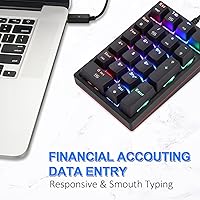
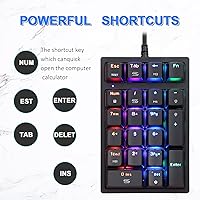
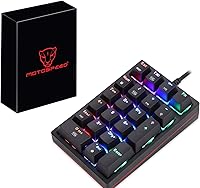
The MOTOSPEED MSK24 21-Key Mechanical Numpad is a compact wired USB keypad built for laptop and tenkeyless keyboard users who need reliable numeric input without switching to a full-size setup. At its price point, it sits in the budget tier yet still offers mechanical switches — something most competitors here skip entirely. The 21-key extended layout goes beyond a standard numpad by including ESC, Tab, Delete, and a calculator shortcut, adding real utility for office and finance work. Plug it in and it works immediately; no driver is needed for basic use. That said, installing the optional driver software will likely trigger an antivirus warning — a friction point worth knowing about before you buy.
Features & Benefits

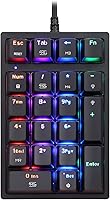
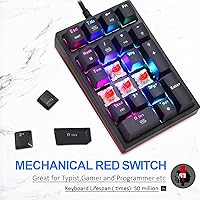
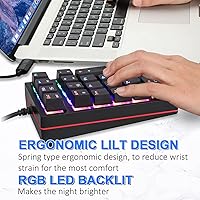
The red linear switches are probably this compact keypad's strongest selling point. Unlike tactile or clicky switches, reds actuate smoothly and quietly — a real advantage when punching numbers in a shared office or open workspace. They are rated for 50 million keystrokes, so longevity is not a serious concern. The 14 RGB backlight modes toggle through FN key combinations, which works well in dim environments without requiring any software at all. If you do install the driver, fully programmable keys let you remap functions or assign macros — genuinely useful for anyone building a custom data-entry or gaming workflow. The stepped keycap profile and spring-type base are designed to ease wrist strain during long sessions.

Best For

This mechanical numpad is a natural fit for laptop users and professionals in accounting, banking, or finance who deal with heavy numeric input on a daily basis. If you are working from a coffee shop or hotel room, the 10.6 oz weight and compact footprint make it easy to pack without a second thought. Gamers looking for a programmable macro pad on a tight budget will find the remapping capability genuinely worthwhile. It is also a low-stakes way for anyone curious about mechanical switches to try red linears before committing to a full board. Windows, Android, and Linux support means compatibility headaches are unlikely across most common setups.

User Feedback

With over 1,500 reviews and a 4.4-star average, the MSK24 holds up well in the court of public opinion. Most buyers praise the switch feel and RGB quality as punching well above their price expectations — and that is a fair take. Where things get uncomfortable is driver installation: a meaningful number of users report their antivirus flags the installer as a threat. MOTOSPEED's fix is to disable antivirus temporarily and reinstall, which works but feels like an unnecessary ask. On build quality, the ABS plastic chassis feels solid enough in daily use but will not impress anyone coming from a premium board. A few buyers also found the programmability software underdocumented and difficult to navigate.

Pros

  • Red linear switches offer a smooth, quiet keystroke that holds up well in shared or open office environments.
  • Plug-and-play setup means it works the moment you connect it — no driver required for everyday use.
  • The 21-key extended layout adds ESC, Tab, Delete, and a calculator shortcut that a standard numpad skips.
  • 14 RGB backlight modes are easy to cycle through without any software, useful in dim workspaces.
  • At under 11 oz with a compact footprint, this compact keypad slips into a bag without a second thought.
  • A 50-million-keystroke switch rating means durability is not a real concern for most daily users.
  • Broad OS support covers Windows versions going back to 2000, as well as Android and Linux.
  • Fully programmable keys unlock macro and remapping potential once the driver software is installed.
  • Strong community of over 1,500 reviewers gives buyers a reliable signal of real-world satisfaction.
  • The stepped keycap profile and spring-type base take genuine pressure off wrist fatigue during long sessions.

Cons

  • The driver installer consistently triggers antivirus warnings, requiring users to disable security software temporarily.
  • Programmability software is poorly documented, making advanced customization a trial-and-error process.
  • ABS plastic construction feels noticeably lightweight — do not expect a premium, solid-desk feel.
  • No wireless or Bluetooth option exists, so cable clutter on a tidy desk is unavoidable.
  • macOS is not listed as a supported OS, leaving Mac users without official compatibility assurance.
  • The driver software dependency for programmability is a dealbreaker if your IT environment restricts installations.
  • RGB lighting, while functional, has no standalone software control — adjustments rely entirely on FN key combos.
  • Keycap legends on ABS plastic can show wear faster than PBT alternatives under heavy daily use.
  • The MSK24 has no wrist rest included, so longer sessions may still require a separate ergonomic accessory.
  • Limited brand recognition compared to established peripheral makers may raise reliability concerns for cautious buyers.

Ratings

The scores below reflect an AI-driven analysis of verified global user reviews for the MOTOSPEED MSK24 21-Key Mechanical Numpad, with spam, bot activity, and incentivized feedback actively filtered out to ensure accuracy. Each category is rated based on patterns identified across thousands of real buyer experiences, giving equal weight to what users loved and where they felt let down. Both strengths and genuine pain points are reflected without bias.

Typing Feel
88%
The red linear switches are consistently the most praised aspect of this compact keypad. Accountants and data entry workers describe the keystroke as smooth and fatigue-free during long shifts, and many note that the absence of a tactile bump makes rapid number input feel almost effortless after a short adjustment period.
A minority of users accustomed to tactile or clicky switches found the linear feel underwhelming and lacking feedback. Those coming from budget membrane pads may also notice the keys bottom out with more force than expected, which can cause mild finger fatigue over very extended sessions.
Value for Money
91%
For buyers comparing the MSK24 against membrane alternatives in the same tier, the presence of genuine mechanical switches is a significant advantage that drives strong satisfaction. Most reviewers explicitly call it a smart buy, noting that the combination of RGB lighting, programmability, and mechanical switches would cost considerably more from better-known brands.
A handful of users felt the overall package slightly underdelivered once they encountered the driver antivirus issue and realized the programmability software needed extra effort to navigate. For buyers who expected a fully polished out-of-box experience, the setup friction dulled the perceived value.
Build Quality
67%
33%
The ABS plastic chassis holds together reliably for daily desk use, and most buyers report no structural issues after months of regular number entry. The unit does not flex or creak under normal typing pressure, and the overall footprint feels stable on a flat surface without excessive movement.
Buyers who handle premium peripherals will immediately notice the hollow, lightweight feel of the casing. The plastic quality is functional but noticeably budget-tier, and several users observed that the unit shifts position slightly on smooth desk surfaces due to limited grip on the underside.
RGB Lighting
83%
The 14 backlight modes consistently earn positive remarks, especially from users who work in dim environments or evening home offices. Toggling through modes via FN key combinations is straightforward, and the lighting is bright enough to remain visible through the keycaps without requiring any software installation at all.
The RGB implementation lacks per-key customization, which more experienced users will find limiting. Colors can also appear slightly uneven across the key surface depending on the active mode, and there is no software-based fine-tuning for users who want precise color control.
Software & Programmability
54%
46%
When the driver software installs successfully, the full key remapping capability is genuinely useful — power users and streamers have found creative ways to build compact macro setups from the MSK24 without spending significantly more on dedicated macro pads.
The driver installation process is a real obstacle: antivirus programs routinely flag the installer, requiring users to disable security software temporarily. Even after a successful install, the programming interface is underdocumented and not intuitive, which frustrates casual users who just want simple remapping without a troubleshooting session.
Keycap Quality
62%
38%
Key legends are clearly printed and readable out of the box, and the stepped keycap profile does provide a tangible improvement in finger placement accuracy for fast number entry compared to flat uniform keycaps at a similar price point.
ABS legends are vulnerable to shine and gradual fading with heavy daily use, a well-known limitation of this material. Users logging heavy daily accounting work have reported visible wear on the most frequently pressed keys — particularly 0, Enter, and the decimal point — within several months.
Portability
89%
Weighing just 10.6 oz with a compact footprint, this mechanical numpad genuinely earns its portability credentials. Remote workers and frequent travelers consistently praise how easily it slips into a laptop bag alongside other gear without adding noticeable bulk or weight to their daily carry.
The attached USB cable, while functional, is not detachable — meaning cable management for travel is slightly less convenient than it could be. Users who prefer to coil their cable separately or swap connection types have noted this as a minor but persistent inconvenience.
Plug-and-Play Setup
86%
For users who only need basic numpad functionality, the plug-and-play experience is genuinely smooth. Connecting to a Windows or Linux machine requires no configuration at all, and most users report the keypad registers and works within seconds of connecting the USB cable for the first time.
The distinction between plug-and-play and driver-dependent modes is not clearly communicated in the packaging, which leads some buyers to believe programmability works out of the box. When they discover the driver is separate — and comes with antivirus friction — it creates a frustration that colours their overall impression.
Ergonomics
71%
29%
The stepped keycap profile and spring-type angled base show genuine ergonomic intent, and users doing repetitive data entry have noted that the slight elevation angle reduces wrist bend compared to completely flat alternatives. It is a modest but meaningful improvement over basic flat keypads.
There is no detachable wrist rest included, and the elevation angle, while helpful, is fixed — meaning users with specific ergonomic requirements cannot adjust it. Those with pre-existing wrist conditions may still need a separate wrist support accessory for comfortable extended use.
OS Compatibility
76%
24%
Support for Windows, Android, and Linux is a broader compatibility range than many competing budget keypads offer. Linux users in particular appreciate that the device works without any driver fuss, which is not always a given for budget peripherals from smaller brands.
macOS is conspicuously absent from the official compatibility list, leaving a sizable portion of potential buyers without clear guidance. Some Mac users report basic functionality, but the absence of official support means key behavior inconsistencies are possible and largely unsupported.
Switch Durability
84%
A 50-million-keystroke rating is a credible lifespan figure for red mechanical switches at this price tier, and most long-term users have reported no switch failures or degradation in feel over months of regular data entry use. The switches feel consistent from first use onward.
No formal warranty detail on switch replacements is publicly documented, so buyers dealing with a rare defective switch have limited official recourse. The ABS keycap legends will visually degrade faster than the switches themselves, making the caps a more likely replacement need before the switches ever wear out.
Layout & Key Coverage
85%
The 21-key extended layout is a practical upgrade over bare-bones numpads. Having ESC, Tab, Delete, and a direct calculator launch key on the same pad makes spreadsheet navigation and data correction genuinely faster, reducing the need to reach back to the main keyboard mid-task.
The layout may feel slightly crowded to users with larger hands, particularly around the top row of function-adjacent keys. A small number of reviewers also noted that the key sizing is not perfectly uniform, which can cause occasional misstrikes during fast input until muscle memory fully develops.
Noise Level
82%
18%
Red switches keep noise to a genuinely low level compared to blue clicky alternatives, and users in open-plan offices have confirmed that the keypad does not attract complaints from nearby colleagues. The quieter actuation is a real day-to-day benefit for shared workspace environments.
The plastic keycaps and ABS body produce a slightly hollow bottom-out sound that some users find louder than expected for linear switches. Adding O-ring dampeners can reduce this further, but that modification requires separate purchase and DIY installation effort.
Overall Reliability
78%
22%
The majority of buyers report consistent performance over months of daily use with no disconnects, missed inputs, or hardware failures. The USB connection remains stable across different port types and machines, and the unit shows no signs of degrading performance under typical office workloads.
A portion of negative reviews cite quality control inconsistencies — a few units arrived with keys that felt stiffer or mushier than expected, suggesting variability in switch batching. Brand support responsiveness has also drawn mixed feedback from buyers who needed post-purchase assistance.

Suitable for:

The MOTOSPEED MSK24 21-Key Mechanical Numpad is a strong match for anyone who works on a laptop or tenkeyless keyboard and regularly needs to enter numbers — think accountants, bookkeepers, data entry clerks, or financial analysts who do not want to wrestle with on-screen keyboards or awkward top-row number keys. The extended 21-key layout, which adds ESC, Tab, Delete, and a direct calculator shortcut, makes it more versatile than a bare-bones numpad for real office workflows. Remote workers and frequent travelers will appreciate that it weighs under 11 oz and connects via a single USB cable with zero setup friction — plug it in and it simply works. Gamers and power users on a budget will also find value here, since the fully programmable keys can be remapped into a compact macro pad once the optional driver software is installed. It is also a genuinely low-risk way for keyboard enthusiasts to try red linear switches before spending significantly more on a full mechanical board.
Not suitable for:

The MOTOSPEED MSK24 21-Key Mechanical Numpad is not the right call for buyers who expect premium build quality at this price — the ABS plastic chassis gets the job done, but it will feel noticeably lightweight and slightly hollow compared to aluminum or higher-grade boards. Anyone who is not comfortable temporarily disabling antivirus software during driver installation will likely find the setup process frustrating, since the installer is routinely flagged as a threat. The programmability software has also drawn criticism for being underdocumented, so users who want deep macro customization without a learning curve should look at more established alternatives. Bluetooth or wireless connectivity is entirely absent, which rules it out for clean, cable-free desk setups. Finally, Mac users should note the listed OS compatibility does not include macOS, so compatibility in that environment is uncertain and not officially supported.
Specifications

  • Brand: Manufactured by MOTOSPEED, model number MSK24-red.
  • Key Count: 21 keys in an extended numpad layout, including dedicated NumLock, ESC, Tab, Delete, and a calculator shortcut key.
  • Switch Type: Red mechanical linear switches, offering smooth and quiet actuation with no tactile bump.
  • Switch Lifespan: Each switch is rated for up to 50 million keystrokes under normal operating conditions.
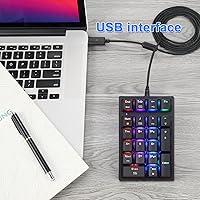
  • Connectivity: USB wired connection; no wireless or Bluetooth option is available.
  • Setup: Fully plug-and-play for standard numpad use; driver software is optional and required only for key remapping and macro programming.
  • Programmability: All 21 keys are fully remappable via MOTOSPEED's proprietary driver software, which must be downloaded separately.
  • Backlight: RGB backlighting with 14 preset modes, adjustable via FN key combinations without needing any software.
  • Keycap Material: Keycaps are made from ABS (Acrylonitrile Butadiene Styrene) plastic with laser-etched or printed legends.
  • Body Material: The outer chassis is constructed from ABS plastic, balancing lightweight portability with everyday durability.
  • Dimensions: The keypad measures 7.28″ in length, 5.71″ in width, and 2.17″ in height.
  • Weight: The unit weighs 10.6 oz (approximately 300 g), making it easy to carry in a laptop bag.
  • Keycap Profile: Stepped keycap profile is used across the layout to help guide finger placement and reduce input errors during fast typing.
  • Wrist Support: A spring-type ergonomic base design is built in to provide slight elevation and reduce wrist strain during extended use.
  • OS Compatibility: Compatible with Windows 2000, XP, Vista, 7, 8, and 10, as well as Android and Linux operating systems.
  • Cable: A USB cable is included in the box; cable length is not officially specified by the manufacturer.
  • Backlight Control: Brightness and backlight mode are toggled via FN key combinations and do not require driver software to operate.
  • Driver Warning: The optional driver installer is known to trigger antivirus detection on many systems; MOTOSPEED advises temporarily disabling antivirus software during installation.

Related Reviews
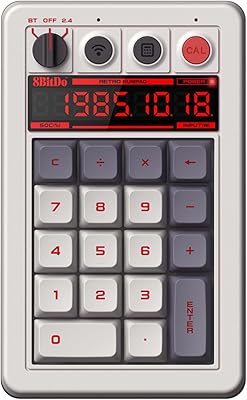
8Bitdo Retro Mechanical Numpad N Edition
78%
88%
Build Quality
84%
Switch Feel & Typing Experience
82%
Keycap Quality
86%
Dual Mode Functionality
79%
Wireless Connectivity
More
TISHLED K19 Wireless Mechanical Numpad
78%
88%
Typing Feel & Acoustics
82%
Wireless Connectivity
79%
Build Quality & Materials
71%
Battery Life
63%
Programmability & Driver Software
More
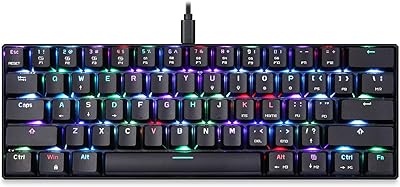
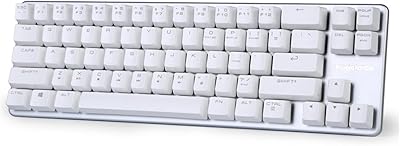
MOTOSPEED CK61 60% Mechanical Keyboard
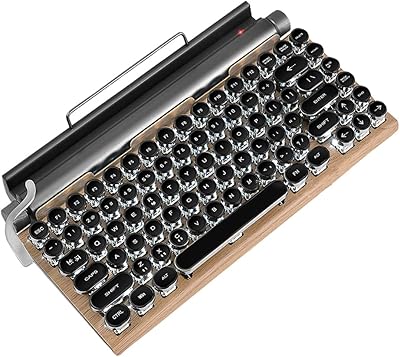
85%
89%
Typing Experience
92%
RGB Lighting Customization
85%
Build Quality
91%
Key Switch Smoothness
94%
Portability/Size
More
Logitech POP Keys Mechanical Wireless Keyboard
87%
88%
Overall Satisfaction
90%
Typing Comfort
85%
Customization Options
92%
Battery Life
75%
Bluetooth Connectivity
More
GUAZI STORE 83-Key Mechanical Keyboard
86%
91%
Typing Experience
88%
Build Quality
86%
Bluetooth Connectivity
89%
Backlighting Customization
80%
Ergonomics
More
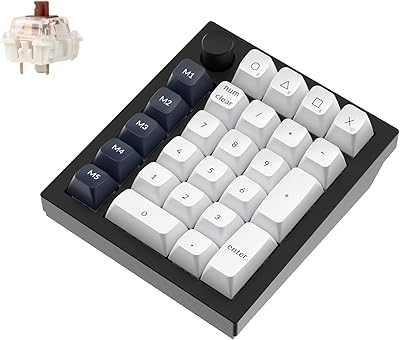
Keychron Q0 Max Wireless Mechanical Numpad
79%
94%
Build Quality
91%
Typing Sound & Feel
86%
Wireless Performance
83%
Customization & Firmware
89%
Switch Hot-Swap
More
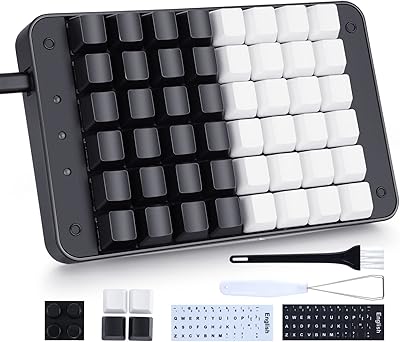
Koolertron 48-Key One-Handed Mechanical Keyboard
69%
83%
Key Feel & Switch Quality
78%
Programmability & Macro Power
44%
Configuration Software
71%
Build Quality & Materials
52%
Keycap Durability
More
Qisan Happy Deals 68-Keys Mechanical Gaming Keyboard Blue Switch
87%
92%
Portability
88%
Ergonomics
85%
Typing Experience
90%
Gaming Performance
87%
Build Quality
More
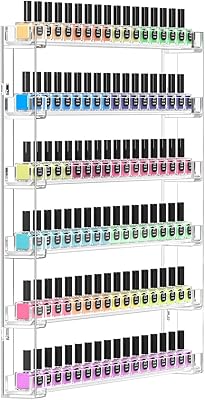
FEMELI 21 * 21 Inch Nail Polish Wall Rack
87%
91%
Installation Ease
88%
Design & Appearance
85%
Capacity & Organization
92%
Space-Saving Functionality
86%
Versatility
More
Rue 21 21 Black Eau De Parfum Women's Perfume Spray 1.7 fl oz
84%
87%
Scent/Fragrance
70%
Longevity
91%
Portability/Size
94%
Cruelty-Free Appeal
82%
Value for Money
More

FAQ

It works immediately when you plug it in — no drivers needed for standard numpad functions. The driver software is only required if you want to remap keys or set up macros. For most users, the plug-and-play experience is all they will ever need.

This is a well-documented quirk with the MOTOSPEED MSK24 21-Key Mechanical Numpad. The installer is not genuinely malicious, but it does get flagged by many antivirus programs due to how it is packaged. MOTOSPEED's official guidance is to temporarily disable your antivirus, complete the installation, and then re-enable protection. If that process makes you uncomfortable, you can skip the driver entirely and still use the numpad for all basic functions.

macOS is not listed as an officially supported operating system. Some users report basic plug-and-play functionality on Macs, but compatibility is not guaranteed and key behavior may differ. If you are primarily a Mac user, it is worth checking current user reports before purchasing.

Red linear switches are actually quieter than most membrane keyboards because there is no tactile click or bump — just a smooth, consistent press. They produce a soft bottom-out sound when keys bottom out, which is generally acceptable in shared office environments.

Yes, absolutely. The 14 RGB backlight modes and brightness levels are all controlled through FN key combinations directly on the keypad. You do not need to install the driver software at all to cycle through lighting effects.

It holds up well for everyday data entry, but you should go in with realistic expectations. The ABS plastic body is lightweight and functional, not premium. It will not rattle apart on your desk, but it also will not feel as substantial as a metal-bodied device. For the price tier, it is a reasonable trade-off.

A standard numpad typically covers numbers 0 through 9 plus basic math operators and Enter. This compact keypad adds ESC, Tab, Delete, and a dedicated calculator shortcut key on top of that, which makes it more practical for spreadsheet navigation, data correction, and quick calculator access.

Yes, once you install the driver software, all 21 keys become fully remappable to custom functions, shortcuts, or macros. Streamers and gamers on a budget have used it as a dedicated macro pad with decent results. Just be prepared for a bit of a learning curve with the software.

MOTOSPEED does not officially specify the cable length, which is an oversight worth noting. Based on user reports, the included USB cable is typically adequate for standard desk setups, but if you are routing cables to a desktop tower positioned far from your work surface, you may want to use a USB extension cable.

ABS keycaps are more prone to legend wear than PBT alternatives, particularly with intensive daily use. Over many months of heavy typing, you may notice some shine or fading on frequently used keys. For most office or accounting use cases this takes quite some time, but it is a known limitation of ABS at this price level.