

Overview

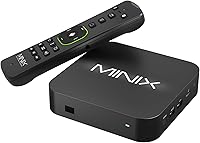
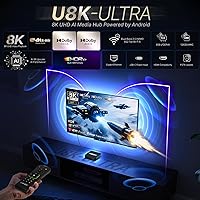
The MINIX U8K-Ultra is a premium Android media box built specifically for home theater enthusiasts who want full control over their playback environment without the restrictions that come with Google TV or standard Android TV platforms. It runs Android AOSP 11, which means no Play Store out of the box — sideloading is part of the deal, and buyers should know that going in. Under the hood, the Amlogic S928X-K processor is a genuine step above what most competing boxes at this price offer. The 8K label on the box is real, but honest context matters: true 8K content barely exists for consumers, so the AI upscaling engine is where most users will actually feel the difference. Also included is the MINIX A3 Pro wireless keyboard remote, which adds real utility from day one.

Features & Benefits

The AI-SR upscaling does meaningful work on everyday content — pushing 1080p material noticeably sharper on a 4K display, with even older 720p sources benefiting from the processing. It is not magic, but it is consistently better than leaving upscaling to the TV alone. Dolby Vision and Dolby Atmos certification means owners with compatible displays and audio setups get properly graded HDR and object-based surround sound, not just compatibility on paper. The BD-Rip playback with full menu navigation is a niche feature, but disc-ripping households will appreciate it. Connectivity is strong — Wi-Fi 6 with Gigabit Ethernet handles high-bitrate local streams without stuttering. The 8GB of RAM and 128GB of onboard storage are also well above the category average, keeping multitasking and app installs from becoming a bottleneck.

Best For

This AOSP media player is a strong fit for enthusiasts who maintain large local libraries in formats like AV1, H.265, AVS3, or BD-Rip and need a box that handles them natively without transcoding workarounds. It also suits households running network-attached storage setups where Wi-Fi 6 and Gigabit Ethernet make a practical difference during high-bitrate playback. Users who are already comfortable sideloading streaming apps and understand the HD Netflix and Hulu limitation will find the tradeoff worthwhile. That said, this is genuinely not the right buy for someone expecting a plug-and-play experience out of the box — if a Roku or Fire TV is what you are used to, the setup process here will feel unfamiliar and unnecessarily complex.

User Feedback

Buyers who match the intended audience tend to be satisfied — local playback quality and the responsiveness of the AOSP interface draw consistent praise, and several users specifically call out the AI upscaling as making a visible difference on older HD content. The A3 Pro keyboard remote gets mixed remarks: most appreciate the range and gyroscope control, though a few find the learning curve steeper than expected. The most common frustration comes from users who did not fully understand the AOSP system before purchasing, particularly around the absence of certified HD streaming for Netflix and Hulu. Initial setup complexity, especially for sideloading, surfaces regularly. On value, opinions split — enthusiasts call it justified, while casual users feel the premium price is hard to rationalize against cheaper alternatives.

Pros

  • Broad local format support covers AV1, H.265, AVS3, AVS2, and BD-Rip without transcoding workarounds.
  • AI upscaling makes a visible, practical difference when watching older 1080p and 720p content on a 4K display.
  • Dolby Vision and Dolby Atmos certification deliver properly graded HDR and object-based audio on compatible setups.
  • 8GB of RAM keeps multitasking fluid — a meaningful advantage over the 4GB found in most competing boxes.
  • 128GB of onboard storage means sideloaded apps and cached data rarely become a space management headache.
  • Gigabit Ethernet and Wi-Fi 6 together make high-bitrate NAS streaming reliable rather than occasionally frustrating.
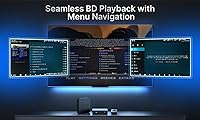
  • BD-Rip menu navigation lets disc-ripping enthusiasts access bonus features and scene selection just like a physical player.
  • The included A3 Pro gyroscope keyboard remote adds real day-to-day utility that most rival boxes do not bundle.
  • FOTA OTA updates provide ongoing firmware and security support without requiring manual intervention.
  • The Amlogic S928X-K chip delivers processing headroom that keeps the interface responsive under real-world multitasking loads.

Cons

  • HD Netflix and Hulu are not supported at certified quality — no sideloading trick changes this fundamental limitation.
  • Initial setup requires sideloading apps manually, which is a steep learning curve for non-technical users.
  • The AOSP system has no Play Store access out of the box, making app discovery and installation less straightforward.
  • The A3 Pro remote has a notable learning curve and can feel overwhelming to users accustomed to simple TV remotes.
  • The chassis runs warm during extended playback sessions, requiring adequate ventilation in enclosed media units.
  • Android AOSP 11 is not the latest platform version, and a confirmed major OS upgrade path has not been announced.
  • Buyers who do not use AI upscaling, Dolby features, or BD-Rip playback are paying a premium for unused capabilities.
  • Bluetooth range has been flagged as modest by some users, limiting wireless audio and peripheral flexibility.
  • The gyroscope on the A3 Pro remote may require calibration before it feels precise enough for comfortable daily navigation.
  • Users in crowded Wi-Fi environments may see less dramatic Wi-Fi 6 performance gains than the spec sheet implies.

Ratings

The MINIX U8K-Ultra has been evaluated by our AI system after analyzing verified buyer reviews from global markets, with spam, bot-generated, and incentivized feedback actively filtered out before scoring. The result is a balanced scorecard that honestly reflects both what this Android media box does exceptionally well and where real users have run into friction. Strengths and pain points carry equal weight in every category below.

Local Media Playback
93%
Users with large local libraries consistently describe this as one of the most capable boxes they have owned at this price point. Format support is broad enough that most people stop needing workarounds — AV1, H.265, AVS3, and BD-Rip files all play without the transcoding headaches common on cheaper hardware.
A small number of users reported occasional hiccups with niche or poorly encoded files, particularly some older AVS2 sources. These cases are rare, but they do exist and are worth noting for collectors with extensive legacy libraries.
AI Upscaling Performance
88%
The AI-SR engine produces genuinely visible improvements on 1080p and 720p content when viewed on a 4K display — most users notice sharper edges and better detail retention compared to leaving upscaling entirely to their TV. Several buyers specifically called this out as the feature that made the purchase feel worthwhile.
Results are not uniformly impressive across all content types. Heavily compressed streaming rips and older DVDs can show processing artifacts at higher upscaling multipliers, and some users felt the 4X setting on 480p content introduced unnatural sharpening rather than true detail recovery.
Streaming App Compatibility
51%
49%
For users who arrive prepared — knowing that sideloading is required and that some apps work perfectly fine outside certified environments — the experience is actually workable. YouTube, Plex, Kodi, and various IPTV apps run without major issues on the AOSP system.
This is the most polarizing aspect of the device. HD Netflix and Hulu do not work at certified quality, and no amount of sideloading changes that. Buyers who did not research this beforehand were frequently frustrated, and a meaningful portion of negative reviews trace directly back to this single limitation.
Picture Quality (Dolby Vision)
86%
On a Dolby Vision-capable display, HDR content looks noticeably better than on boxes that merely claim HDR support without proper certification. Tone mapping is handled well, and users with OLED or high-end LCD panels specifically praised the color accuracy and highlight detail in film content.
The benefit is entirely dependent on the display in use. Buyers with older or non-DV screens see no practical advantage from this certification, and a few users were disappointed to discover their mid-range TVs did not support the full Dolby Vision pipeline this box is capable of delivering.
Audio Performance (Dolby Atmos)
84%
Atmos passthrough works reliably for users connected to a compatible AV receiver or soundbar, and the audio handling on high-bitrate Blu-ray rips draws consistent praise from home theater setups. The difference versus standard surround output is noticeable on object-heavy film mixes.
Users running stereo or basic 5.1 setups report no meaningful advantage from the Atmos certification, which is expected but worth flagging for buyers who have not yet invested in compatible audio hardware. Occasional sync issues with certain Atmos tracks were reported by a small number of users.
Processing Power & Responsiveness
89%
The Amlogic S928X-K chip keeps the interface fluid even when multiple apps are running in the background, which is a real step up from the sluggishness many users have experienced on budget Amlogic boxes. Switching between Kodi, a browser, and a media manager happens quickly and without noticeable lag.
Under sustained heavy loads — long 4K encodes, simultaneous background tasks — some users noted the chassis getting warm. It does not throttle noticeably in typical use, but those pushing the hardware hard should expect some heat accumulation in enclosed entertainment units.
RAM & Storage
91%
Eight gigabytes of RAM is meaningfully more than the 4GB found in most competing boxes, and users sideloading several large apps alongside running background services genuinely benefit from the headroom. The 128GB of onboard eMMC storage is also generous enough that most users never hit capacity issues.
The eMMC storage speed is adequate but not exceptional compared to UFS-based alternatives. Heavy users transferring large local files directly to the device rather than streaming from NAS occasionally flagged slower-than-expected write speeds, though this rarely affects playback performance.
Network Connectivity
92%
Wi-Fi 6 with 2x2 MIMO and a Gigabit Ethernet port cover all realistic use cases, and users pulling high-bitrate 4K content from NAS drives over their home network report rock-solid streams without buffering. The Ethernet port in particular is praised by those who prefer wired connections for reliability.
A small number of users in dense Wi-Fi environments reported slightly less dramatic Wi-Fi 6 performance gains than expected, likely due to router-side limitations rather than the device itself. Bluetooth range was occasionally flagged as modest, though most users rely on the included remote rather than Bluetooth audio.
BD-Rip Playback & Menu Navigation
82%
18%
For disc-ripping enthusiasts, having a box that navigates BD menus natively — accessing bonus features, scene selection, and subtitle tracks the same way a physical player would — is a rare and appreciated feature at this price. Users who maintain ISO libraries specifically seek this out and consistently rate it well.
This feature is genuinely niche, and the menu navigation can feel slightly slower than a dedicated Blu-ray player when loading complex disc structures. Casual users who do not maintain ripped libraries will likely never use this capability and should not factor it into their buying decision.
Included Remote (A3 Pro)
74%
26%
The MINIX A3 Pro wireless keyboard remote adds real practical value — the gyroscope pointer makes navigating AOSP menus much faster than a standard D-pad remote, and the full QWERTY keyboard with voice input simplifies searching and sideloading considerably. Range is solid in typical living room setups.
The learning curve is steeper than buyers expect. Users accustomed to simple TV remotes find the A3 Pro initially confusing, and the number of buttons can feel overwhelming. A handful of users also reported the gyroscope sensitivity requiring calibration before it felt precise enough for comfortable daily use.
Setup & Initial Configuration
58%
42%
For technically confident users, the initial setup is straightforward and the AOSP system offers more configurability than Android TV alternatives. MINIX provides documentation, and the enthusiast community has solid resources for sideloading guides and app recommendations.
This is a genuine pain point for non-technical buyers. The absence of the Play Store means the out-of-box experience requires immediate manual steps, and several users described setup as confusing and time-consuming. Casual streamers expecting a Roku-like first boot experience are likely to be frustrated before they see the device at its best.
Build Quality & Design
81%
19%
The compact square chassis feels solid and well-finished for its size, and the port selection is practical. Users report the device sitting cleanly in an entertainment unit without looking out of place, and the build materials feel more premium than typical plastic-heavy competing boxes.
At under 1.1 inches tall, the box runs noticeably warm during extended playback sessions. There is no active cooling, and while thermal throttling is rarely reported, users in warm climates or those stacking it with other hardware should ensure adequate airflow around the unit.
Software Updates & Longevity
77%
23%
FOTA OTA update support means the device receives firmware improvements and security patches without manual intervention, which gives buyers more confidence in long-term relevance. MINIX has a reasonable track record of supporting its devices post-launch compared to smaller generic competitors.
AOSP 11 is not the newest Android version available, and there is no confirmed roadmap for a major Android version upgrade. Users thinking about a multi-year ownership horizon may find the software base feeling dated sooner than they would on a Google TV device that receives platform-level OS updates.
Value for Money
69%
31%
For the buyer this box is designed for — someone who wants powerful local playback, Dolby certification, and AOSP flexibility in one device — the value proposition holds up. The combination of specs, the included A3 Pro remote, and the niche feature set would cost more assembled from separate components.
The premium price is a genuine sticking point for many buyers, particularly when cheaper Amlogic-based boxes handle local playback competently at a fraction of the cost. Users who do not use the AI upscaling, Dolby features, or BD-Rip navigation are essentially paying a significant premium for capabilities they may never use.

Suitable for:

The MINIX U8K-Ultra is purpose-built for home theater enthusiasts who have already invested in a quality display and audio setup and want a media player that keeps up with that hardware rather than bottlenecking it. If you maintain a large local library of high-bitrate files — think full BD-Rip ISOs, AV1 encodes, or H.265 remuxes — this Android media box handles them natively without the transcoding compromises that plague cheaper alternatives. It is also a strong fit for users running a NAS or home server, where the combination of Wi-Fi 6 and Gigabit Ethernet means pulling a 60GB 4K file over the network is genuinely smooth rather than a gamble. Technically confident buyers who are comfortable sideloading apps and understand the AOSP environment will find the system flexible and rewarding to configure. Anyone who already uses Kodi, Plex, or similar media center software will feel at home here almost immediately, and the included A3 Pro keyboard remote makes navigating those interfaces considerably easier than a standard D-pad.

Not suitable for:

If your primary goal is hassle-free access to Netflix, Disney Plus, Hulu, or other major streaming platforms in full HD quality, this AOSP media player is the wrong tool for the job — full stop. The MINIX U8K-Ultra runs Android AOSP, not Android TV or Google TV, which means it lacks the DRM certifications that services like Netflix require for HD and 4K streaming, and no workaround fully resolves this. Casual users who expect a Roku or Fire TV-style experience out of the box will find the initial setup confusing and the lack of a Play Store immediately frustrating. The 8K branding may attract buyers hoping to future-proof for mainstream 8K content, but that content ecosystem does not yet exist in any meaningful way for consumers, so that angle alone does not justify the investment. Budget-conscious buyers who mainly want to stream from popular apps and occasionally play a local video should look at certified Android TV devices that cost considerably less and deliver a smoother out-of-box experience for that specific use case.

Specifications

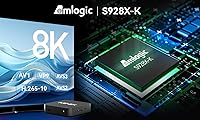
  • Processor: Powered by the Amlogic S928X-K big.LITTLE chip combining a quad-core ARM Cortex-A76 and a quad-core Cortex-A55 in a 64-bit architecture for efficient workload distribution.
  • GPU: Integrated ARM G57 MC2 graphics unit handles video decoding acceleration and AI processing tasks without burdening the main CPU cores.
  • RAM: 8GB of RAM provides substantially more multitasking headroom than the 4GB found in most competing Android media boxes at lower price points.
  • Storage: 128GB of onboard eMMC flash storage gives ample room for sideloaded apps, cached media, and system operations without immediate space constraints.
  • Operating System: Runs Android AOSP 11 with firmware-over-the-air update support, allowing the device to receive security patches and feature improvements without manual flashing.
  • Video Output: Supports video output up to 8K UHD resolution via HDMI, with practical everyday use centered on 4K playback and AI-assisted upscaling of lower-resolution content.
  • Video Formats: Natively decodes AV1, VP9, H.265-10, AVS3, and AVS2 video formats, plus full BD-Rip ISO playback with menu navigation support.
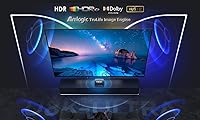
  • HDR Certification: Holds official Dolby Vision certification for properly tone-mapped HDR output on compatible displays, beyond basic HDR10 support common in cheaper alternatives.
  • Audio Certification: Certified for Dolby Atmos passthrough, enabling object-based surround sound output to compatible AV receivers and soundbars without re-encoding.
  • Wi-Fi: Dual-band 802.11ax Wi-Fi 6 with 2x2 MIMO antenna configuration supports faster throughput and lower latency in congested network environments compared to Wi-Fi 5 devices.
  • Wired Network: Full Gigabit Ethernet port allows wired network connections at up to 1000 Mbps, ideal for pulling high-bitrate content from a NAS or home server.
  • Connectivity: Includes Bluetooth, HDMI output, USB ports, Ethernet, and Wi-Fi, covering all standard peripheral and display connection needs for a living room setup.
  • Included Remote: Ships with the MINIX A3 Pro wireless keyboard remote featuring a six-axis gyroscope pointer, full QWERTY keyboard layout, and voice input support.
  • AI Upscaling: The onboard AI-SR engine upscales 1080p content by 2x, 720p by 3x, and 480p by 4x using real-time scene analysis rather than simple interpolation.
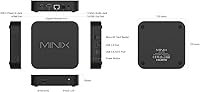
  • Dimensions: The unit measures 5.04 x 5.04 x 1.1 inches, making it compact enough to sit unobtrusively in most entertainment unit configurations.
  • Weight: Weighs 8.9 ounces, which is light enough for flexible placement but substantial enough to stay in position without additional mounting.
  • Power Source: Requires one lithium metal battery for the remote control, which is included in the box alongside the main unit and accessories.
  • Form Factor: Designed as a flat square TV box intended for horizontal placement, with no fan vents on the top surface to minimize dust accumulation during normal use.

Related Reviews
Ubiquiti Cloud Gateway Ultra (UCG-Ultra)
87%
89%
Performance
94%
Security Features (IDS/IPS)
85%
Ease of Setup
88%
Network Management
92%
Multi-Device Support
More
Epson EpiqVision Ultra LS800 Ultra Short Throw Laser Projector
83%
92%
Display Quality
89%
Ease of Setup
80%
Sound Quality
78%
Value for Money
85%
Connectivity & Smart Features
More
Roku Ultra 2024
Roku Ultra 2024
83%
93%
Streaming Performance
88%
Picture Quality
91%
Remote Quality
86%
Wi-Fi Connectivity
84%
Audio Performance
More
YoloLiv YoloBox Ultra
84%
93%
Hardware Performance
89%
Connection Stability
91%
User Interface
84%
Screen Quality
88%
Build Quality
More
WD My Passport Ultra 1TB
86%
94%
Portability
90%
Data Transfer Speed
89%
Design & Build Quality
83%
Compatibility
88%
Security Features (Encryption)
More
Lifeprint Ultra Slim Printer
80%
93%
Portability & Design
81%
Photo Quality
75%
Connectivity (Bluetooth & App)
88%
Ease of Use
82%
Battery Life
More
WD My Passport Ultra 500GB
88%
91%
Data Transfer Speed
88%
Build Quality
94%
Portability
89%
Ease of Setup
85%
Backup Software Reliability
More
Sonos Arc Ultra Soundbar
87%
94%
Sound Quality
88%
Ease of Setup
90%
AI-Powered Features
91%
Design & Build Quality
86%
Connectivity Options
More
MANSCAPED The Ultra Smooth Package
87%
88%
Effectiveness of Shave
92%
Ease of Use
85%
Skin Sensitivity/Comfort
79%
Exfoliation Effectiveness
90%
Shaving Gel Moisture & Protection
More
MYLOC8 Ultra GPS Tracker
85%
91%
Battery Life
88%
Ease of Setup
85%
Real-Time Tracking Accuracy
89%
Durability
78%
Subscription Flexibility
More

FAQ

No, and this is worth understanding before you buy. Because this Android media box runs AOSP rather than a certified Android TV or Google TV platform, it does not have the Widevine L1 DRM certification that Netflix requires for HD and 4K playback. You can sideload the Netflix app and it will run, but you will be limited to standard definition quality. If Netflix HD is a priority, this is the wrong device for you.

The Play Store is not installed out of the box since this runs stock AOSP, not Google-certified Android TV. That means you will need to sideload apps manually using APK files. For experienced Android users this is a straightforward process, but if you have never sideloaded an app before, expect a learning curve during the initial setup.

It analyses each frame in real time and reconstructs finer detail rather than simply stretching pixels. On a 4K display, 1080p content looks noticeably sharper than it does without processing — edges are cleaner and textures appear more defined. The improvement is most visible on older HD content and less dramatic on already well-encoded material. It is a genuine benefit, not just a marketing label.

Yes, and this is one of the genuinely standout features for physical media collectors. The MINIX U8K-Ultra supports BD-Rip ISO playback including full menu navigation, so you can access bonus features, scene selection, and subtitle tracks just as you would on a standalone Blu-ray player. It is a niche capability but a real one.

For most households, Wi-Fi 6 will be perfectly adequate for 4K streaming and even high-bitrate NAS playback. That said, if you are regularly pulling large uncompressed files or full BD-Rip ISOs from a local server, a wired Gigabit Ethernet connection will give you more consistent throughput and eliminate any wireless interference variables. Both options are well-implemented here.

Honestly, it requires more patience than a typical streaming box. There is no Play Store, which means getting your apps installed involves downloading APK files and enabling unknown sources in the settings. MINIX provides documentation and there are good community guides available, but if you are not comfortable with that kind of configuration, the first hour may feel frustrating.

It gets warm — noticeably so during extended 4K or high-bitrate playback — but not dangerously hot under normal conditions. The chassis has no active cooling fan, so heat dissipates passively through the casing. Giving it a few inches of open space around the unit is advisable, especially if it is sitting inside a closed entertainment cabinet.

It depends on your background. Users coming from media center setups who are used to air mice or keyboard remotes tend to appreciate the gyroscope pointer and the full keyboard layout for searching and sideloading. Users who have only used simple TV remotes often find it busy and slightly overwhelming at first. Most people report getting comfortable with it after a week or two of regular use.

Yes, it supports firmware-over-the-air updates, so security patches and feature improvements are delivered automatically without manual intervention. However, it ships with Android AOSP 11, which is not the newest available platform, and MINIX has not announced a confirmed major Android version upgrade path. For most users the current firmware is stable and functional, but it is worth keeping in mind for long-term ownership.

The core difference comes down to what you actually use the device for. Budget Amlogic boxes handle basic local playback and sideloaded apps adequately. This AOSP media player adds certified Dolby Vision and Atmos, a significantly better AI upscaling engine, more RAM and storage, Wi-Fi 6, and BD-Rip menu navigation. If those specific features match your actual use case, the premium is justifiable. If you mostly stream from apps and occasionally play a local file, the cheaper alternatives are probably sufficient.