Overview

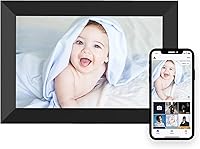
The Mezed P200 10.1-inch Digital Picture Frame sits comfortably in the mid-range of the smart frame market, built around one core promise: making it easy for families to share photos without anyone needing to be tech-savvy. The 10.1-inch IPS display puts out 1280x800 resolution — honest, capable picture quality for everyday shots, though not something you would scrutinize for fine detail on large prints. At under 9 inches wide and just under 2 pounds, this smart photo frame tucks naturally onto a desk, shelf, or nightstand. With nearly 600 ratings averaging 4.5 stars, it has built genuine credibility in a crowded category.
Features & Benefits

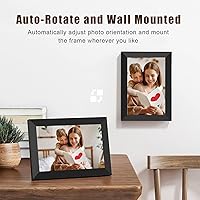
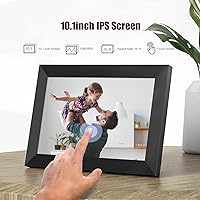
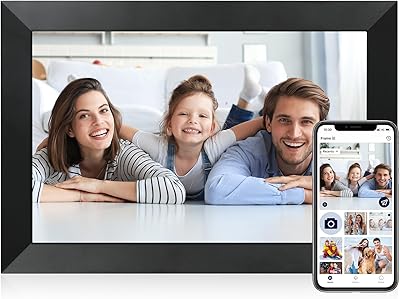
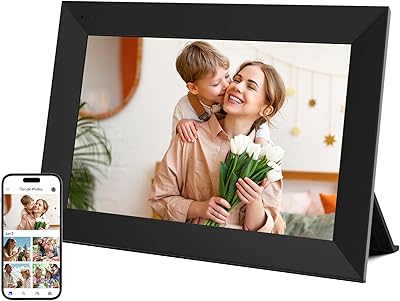
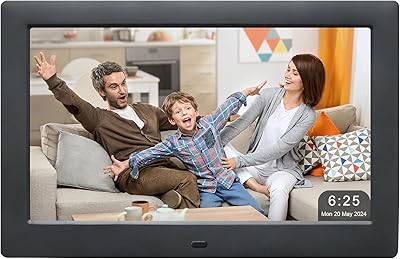
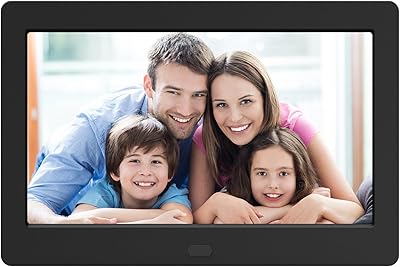
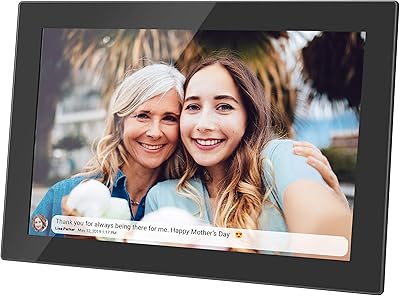
What sets the Mezed frame apart from cheaper options is its IPS touch screen, which keeps colors accurate and viewing angles wide — you are not squinting at a washed-out image from across the room. The auto-rotate function means it looks right whether you stand it vertically or lay it horizontally, and the slideshow settings let you control pacing and order so photos appear exactly the way you want them to. The companion app is where the experience really clicks: anyone with a smartphone can send photos directly to the frame, no USB drives, no memory cards. Remote photo sharing is genuinely easy here.

Best For

This digital frame is a strong pick as a gift for grandparents or older relatives who want to receive family photos without navigating complicated technology — the whole point is that the sender does the work from the app, and the recipient just enjoys the display. It also suits anyone setting up a cozy corner in a home office or bedroom where a rotating gallery of personal photos beats a generic print. That said, if you are after advanced media playback — videos, music, that sort of thing — look elsewhere. This is a frame built squarely around photo sharing, and it does that well.

User Feedback

Buyers consistently praise how quickly this smart photo frame gets up and running, with several noting that even less tech-confident family members had it working within minutes. The companion app earns particular compliments for letting distant relatives contribute photos without any fuss. On the flip side, a handful of users flag occasional app connectivity issues — dropped connections or the need to re-authenticate — which can be frustrating if your Wi-Fi setup is inconsistent. Image quality gets broadly positive marks for everyday snapshots, though a few buyers note it is not the sharpest option available. Long-term reliability seems solid for most, with few reports of hardware problems after extended use.

Pros

  • The companion app makes remote photo sharing genuinely straightforward, even for non-technical family members.
  • IPS panel delivers accurate colors and wide viewing angles that cheaper frames at this size cannot match.
  • Auto-rotate means you never have to worry about orientation — just place it and it adapts.
  • At under 2 pounds, the Mezed frame is light enough to reposition or mount without any hassle.
  • Slideshow customization lets you control pacing and photo order, so it feels curated rather than random.
  • Setup is fast — most buyers report getting the frame running in well under 30 minutes.
  • Nearly 600 real-world ratings averaging 4.5 stars signals consistent satisfaction across a broad user base.
  • The compact 8.6-inch width fits naturally on desks, shelves, or nightstands without eating up surface space.
  • Touch screen response is smooth enough for everyday navigation through settings and slideshows.
  • Makes a thoughtful, practical gift that carries genuine sentimental value beyond typical novelty items.

Cons

  • App connectivity can be inconsistent — some users report needing to re-authenticate or troubleshoot dropped links.
  • Entirely dependent on a smartphone and stable Wi-Fi; households without both will struggle to use core features.
  • No meaningful video or music playback support limits its usefulness as a general media display.
  • Resolution is adequate but not impressive — fine art photography or high-detail images will look noticeably soft.
  • Account registration is required to use the app, which may be a privacy concern for some buyers.
  • Local media management via USB or SD card is not a strong suit, frustrating buyers who prefer offline control.
  • The black frame finish, while clean, offers no color or finish alternatives for buyers with specific decor needs.
  • Long-term app support is uncertain — a lesser-known brand means software updates are not guaranteed indefinitely.
  • Touch screen can feel less responsive in colder environments or with certain screen protectors applied.
  • No built-in speaker or audio output, which rules it out for buyers wanting ambient sound alongside photos.

Ratings

The scores below reflect an AI-driven analysis of verified buyer reviews for the Mezed P200 10.1-inch Digital Picture Frame, sourced globally and filtered to remove incentivized, spam, and bot-generated feedback. Every category is scored on the basis of what real owners actually experienced — not manufacturer claims — so both the genuine strengths and the recurring frustrations are transparently reflected. If a category scores lower than expected, that is intentional: honest trade-offs matter more than flattering averages.

Ease of Setup
88%
Most buyers — including those gifting it to elderly relatives with limited tech experience — report getting the frame connected and receiving photos within 20 to 30 minutes. The on-screen Wi-Fi prompts are clear, and the companion app walks senders through the process step by step without assuming prior knowledge.
A subset of users ran into friction during initial account registration, particularly around email verification steps that did not always arrive promptly. Those on older smartphones occasionally reported compatibility hiccups with the app during first-time pairing.
App Experience
74%
26%
The core functionality of the app — sending a photo from your phone directly to someone's frame — works reliably under normal conditions and is genuinely appreciated by families spread across different cities or countries. Multiple contributors can be added without confusion, which is a real practical advantage.
App stability is the most commonly cited frustration across reviews. Some users report needing to re-authenticate periodically, and occasional sync failures mean photos do not always appear when expected. The experience can feel inconsistent, especially on Android devices running less common OS versions.
Display Quality
77%
23%
For everyday smartphone snapshots — birthday parties, holiday gatherings, candid family moments — the IPS panel renders colors warmly and naturally without the washed-out look common on cheaper TN-panel frames. Viewing angles are genuinely wide, so the image holds up whether you are sitting directly in front of it or glancing from across the room.
The 1280x800 resolution is adequate but not impressive by current standards, and buyers who try to display detailed or high-resolution photography will notice visible softness. It is not a frame for showcasing fine art prints or landscape photography; it is built for casual family content.
Remote Photo Sharing
86%
This is the frame's defining feature and where it earns the most praise. Grandchildren sending photos from college, parents sharing milestone moments from abroad — the concept works exactly as intended when the Wi-Fi connection on both ends is stable. It removes the need for any technical involvement from the frame's owner.
The experience is entirely dependent on a consistent internet connection at the frame's location. Users in homes with weaker Wi-Fi signals, or those gifting the frame to relatives in rural areas with limited broadband, report that photos sometimes queue without delivering, which defeats the emotional immediacy of the feature.
Build Quality
71%
29%
The frame feels solid enough for a mid-range product, and the slim 0.99-inch depth gives it a reasonably modern profile on a desk or shelf. At 1.74 pounds, it is light without feeling flimsy, and the stand holds it steadily in both landscape and portrait orientations.
The plastic surround does not project premium quality up close, and a few buyers note that the black finish attracts fingerprints visibly around the touch screen edges. It is not a frame that will impress purely on aesthetics, though it is inoffensive in most home settings.
Touch Screen Responsiveness
69%
31%
For basic navigation — adjusting slideshow speed, browsing settings, or changing orientation preferences — the touch screen gets the job done without making users fight with it. Most buyers who interact with it occasionally report it as functional and adequately responsive for those tasks.
It is not a snappy, high-precision touch experience. Users who try rapid multi-tap interactions or expect smartphone-level responsiveness will be disappointed. In cooler ambient temperatures, a small number of buyers noted reduced sensitivity that required firmer presses to register.
Slideshow Functionality
82%
18%
The ability to control transition timing and display order is more meaningful than it sounds — it lets buyers curate a purposeful visual experience rather than a random shuffle. Families who set it up in a living room or hallway appreciate being able to sequence photos the way they would a photo album.
Slideshow customization options, while functional, are not extensive. Power users who want granular control over effects, transition styles, or time-of-day scheduling will find the options limited compared to higher-end smart frames on the market.
Auto-Rotate
84%
The automatic orientation detection works reliably and removes a small but real point of friction that trips up buyers of cheaper frames. Whether the frame sits vertically on a narrow windowsill or horizontally on a wide dresser, the content adjusts without any manual input required.
A handful of users report that the auto-rotate occasionally takes a few seconds to respond after physically repositioning the frame, which can result in momentarily distorted or cropped images. It is a minor issue but noticeable if you frequently move the frame around.
Value for Money
79%
21%
Positioned in the accessible mid-range of the smart frame category, the Mezed frame delivers on its primary promise — easy remote photo sharing with a decent IPS display — without requiring buyers to spend significantly more. For gifting purposes especially, the price-to-emotional-impact ratio is favorable.
Buyers who compare it directly against slightly pricier competitors with better app stability, higher resolution displays, or broader media support may feel the value proposition weakens. It earns its price for the right use case, but stretches to justify itself if your needs go beyond basic photo sharing.
Wi-Fi Connectivity Stability
66%
34%
Under standard home Wi-Fi conditions with a reliable router, the frame maintains its connection well enough to receive photos in a timely manner. Buyers in apartments or homes with strong 2.4GHz signals report few connectivity issues during extended use.
This is one of the more divisive areas in buyer feedback. Users in homes with congested networks, older routers, or weak signal coverage in the room where the frame lives report frequent dropouts and delayed photo delivery. The frame does not appear to handle network instability gracefully.
Long-Term Reliability
73%
27%
The majority of buyers who have owned the frame for six months or more report that the hardware itself holds up well — no cracked screens, no power issues, no degradation in display quality over time. For a mid-range product, that baseline durability earns genuine goodwill.
Software-side reliability is less certain. App updates have occasionally introduced new bugs for existing users, and there is reasonable uncertainty about how long Mezed will actively support the companion app for an older model number like the P200 as the product line evolves.
Size & Placement Versatility
81%
19%
At 8.6 inches wide, the frame fits naturally into spaces where a larger display would feel intrusive — a bedside table, a kitchen counter, a home office desk corner. The lightweight build means it can be moved between rooms without any effort, which buyers who share it between spaces genuinely appreciate.
The 10.1-inch screen, while versatile in smaller spaces, can feel undersized in larger rooms or on wide shelving units where a 13-inch or 15-inch frame would command attention more effectively. It is a desk frame, not a statement piece.
Gift Suitability
87%
Across reviews, this digital frame is consistently described as a thoughtful and well-received gift — particularly for parents, grandparents, and relatives who live far from family. The emotional payoff of watching new photos appear automatically resonates strongly with recipients, and buyers report it landing well at birthdays and holidays.
The gifting experience requires the giver to handle initial setup, which means being present or guiding the recipient remotely through the Wi-Fi and app configuration. For long-distance gifts sent directly to the recipient, unboxing and setup without support can be a source of confusion.

Suitable for:

The Mezed P200 10.1-inch Digital Picture Frame is purpose-built for anyone whose primary goal is keeping family connected through shared photos, with minimal friction on either end. It is an especially strong fit for grandparents or elderly relatives who simply want a rotating gallery of family moments without having to manage uploads, memory cards, or complicated menus. Gift-givers will appreciate that the hard work happens in the app on the sender's side — the person receiving the frame just plugs it in and watches photos appear. The IPS screen and auto-rotate mean it works naturally in any room setup, and the compact size makes it easy to place on a crowded nightstand or office shelf without dominating the space. If your use case is heartfelt, practical, and photo-focused, this smart photo frame delivers exactly what it promises.

Not suitable for:

Buyers who want a full media hub — think video playback, music streaming, or cloud service integrations — will find the Mezed frame underwhelming, as its feature set is deliberately narrow. The app dependency is a genuine consideration: households without reliable Wi-Fi or family members who do not use smartphones will run into real friction with the core sharing experience. The 1280x800 resolution is respectable for casual snapshots, but if you are hoping to display high-detail photography or large prints with professional-grade clarity, this digital frame simply is not built for that. Users who prefer managing photos locally via USB or SD card may also find the setup less convenient than expected. If any of these scenarios sound familiar, it is worth exploring options that better match those specific needs.

Specifications

  • Screen Size: The display measures 10.1 inches diagonally, providing a comfortable viewing area for family photos on a desk or shelf.
  • Resolution: The IPS panel runs at 1280x800 pixels, delivering clear, natural-looking images for everyday photography.
  • Panel Type: An IPS (In-Plane Switching) panel is used, offering wider viewing angles and more accurate color reproduction than standard TN displays.
  • Touch Screen: The screen supports touch input, allowing users to navigate menus, adjust settings, and control slideshows directly on the display.
  • Dimensions: The frame measures 8.6 x 6.1 x 0.99 inches, making it compact enough for nightstands, desks, and smaller shelves.
  • Weight: At 1.74 pounds, the frame is light enough to reposition easily or mount on a wall without heavy-duty hardware.
  • Orientation: Auto-rotate detects whether the frame is positioned in landscape or portrait orientation and adjusts content display accordingly.
  • Slideshow: Built-in slideshow functionality supports customizable transition timing and photo display order for a personalized viewing experience.
  • Remote Sharing: Photos are sent to the frame remotely via a dedicated companion app, compatible with smartphones running current iOS and Android versions.
  • Connectivity: The frame connects to a local Wi-Fi network to receive photos pushed through the companion app from anywhere with internet access.
  • Compatible Devices: The companion app is designed for use with smartphones, allowing multiple family members to contribute photos from their own devices.
  • Color Finish: The frame is available in black, with a clean, minimal border design intended to suit most home and office decor styles.
  • Model Number: The official model designation is P200, as listed by the manufacturer Mezed on the product packaging and documentation.
  • Brand: This frame is manufactured by Mezed, a consumer electronics brand specializing in smart digital display products.
  • Category Rank: The frame holds a Best Sellers Rank of number 57 in the Digital Picture Frames category on Amazon at the time of evaluation.
  • Avg. Rating: Based on 588 customer ratings, the frame carries an average score of 4.5 out of 5 stars across verified purchases.

Related Reviews

KECAG 10.1-inch 1080p Digital Picture Frame
73%
88%
Display Quality
91%
Ease of Setup
84%
Value for Money
72%
Motion Sensor
63%
Remote Control
More
NOBKLEN 10.1-Inch WiFi Digital Photo Frame
81%
91%
Ease of Setup
86%
App Experience
72%
Display Quality
94%
Gifting Experience
88%
Photo Sharing Speed
More
Anna Bella 10.1 Inch Digital Picture Frame
86%
88%
Display Quality
91%
Ease of Setup
82%
WiFi Connectivity
74%
App Performance
89%
Storage Capacity
More
akimart 32GB 10.1-inch WiFi Digital Picture Frame
73%
88%
Ease of Setup
84%
Remote Photo Sharing
71%
Display Quality
63%
Build Quality
82%
Touch Screen Responsiveness
More
Uhale CR-1010 10.1-inch Digital Picture Frame
79%
91%
Ease of Setup
88%
Remote Photo Sharing
74%
Display Quality
67%
App Stability
72%
Build Quality
More
Frameo Digital Picture Frame 10.1 Inch with 64GB Memory
83%
85%
Display Quality
92%
Ease of Setup
80%
App Performance
91%
Storage Capacity
72%
WiFi Connectivity
More
Atatat Digital Picture Frame 10-inch
84%
90%
Display Quality
85%
Ease of Setup
88%
Slideshow Functionality
80%
Build Quality
83%
Remote Control Usability
More
CozylaHome 10.1″ Digital Picture Frame
82%
88%
Ease of Setup
93%
AI Photo Enhancement
85%
Display Quality
82%
Video Playback Support
70%
Connectivity (WiFi)
More
Jaihonda 10 Inch Digital Picture Frame
80%
90%
Display Quality
88%
Ease of Use
84%
Value for Money
75%
Build Quality
94%
Setup & Installation
More
Skylight 10-Inch WiFi Digital Picture Frame
78%
93%
Ease of Setup
91%
Photo Sharing Experience
84%
Display Quality
96%
Gift Readiness
67%
Value for Money
More

FAQ

Setup is genuinely straightforward. You plug the frame in, connect it to your Wi-Fi network using the on-screen prompts, and then download the companion app on your smartphone. Most buyers report the whole process takes well under 30 minutes, and the person receiving the frame does not need to do much beyond the initial Wi-Fi connection.

Yes, that is one of the more practical aspects of this smart photo frame. Multiple people can be invited to contribute through the companion app, so grandchildren, parents, and siblings can all send photos independently without any coordination needed on the frame's end.

It needs a Wi-Fi connection to receive new photos pushed through the app. If the connection drops, photos already loaded on the frame will continue to display in the slideshow, but new incoming images will not appear until connectivity is restored.

For everyday family photos taken on a smartphone, the 1280x800 IPS screen looks perfectly fine in a living room setting. It is not a professional-grade display, so if you are planning to showcase high-resolution photography with fine detail, you may notice some softness. For candid shots, birthday photos, and daily life snapshots, it holds up well.

The Mezed P200 10.1-inch Digital Picture Frame is primarily designed around app-based sharing rather than local media management. If offline loading via USB or SD card is important to your workflow, check the current product specifications carefully, as this frame leans heavily on its app connectivity as the primary method of adding content.

This digital frame is built around photo display and slideshow functionality. It is not marketed as a video or media playback device, so buyers looking for video support should look at frames specifically designed for that purpose.

Reliability of the connection is genuinely important here. Some users have reported issues with the app re-authenticating or photos not syncing when the Wi-Fi signal is weak or unstable. If the recipient is in an area with inconsistent internet, that could be a real source of frustration and is worth factoring into your decision.

Yes. The Mezed frame lets you adjust transition timing and display order through its settings, so you have a reasonable degree of control over how the slideshow plays out. It is not a bare-bones random shuffle — you can shape the experience to feel more intentional.

It is one of the more appropriate options in this category for exactly that scenario. The whole idea is that the tech-savvy family members handle everything through the app, and the grandparent simply enjoys the photos as they appear on screen. The touch screen is there for basic adjustments, but day-to-day it mostly runs itself.

Yes, the auto-rotate feature handles this automatically. Whether you stand it vertically on a shelf or lay it horizontally on a desk, the frame detects its orientation and adjusts how photos are displayed without any manual setting changes required.