
Overview
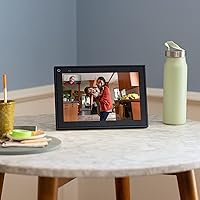
The Meta Portal 10″ Smart Video Display is a dedicated video-calling screen — not a tablet, not a streaming box, just a focused device built around keeping families connected. It entered the market in 2019 under Facebook Technologies and has since moved under the Meta umbrella. In a crowded space where the Amazon Echo Show and Google Nest Hub Max compete for living room real estate, this smart video display carves out a narrower lane: uncomplicated, always-ready video calls. If you go in expecting a Swiss Army knife of a smart home gadget, you will be disappointed. But if you want a dedicated calling station that practically anyone can figure out in minutes, you are in the right place.
Features & Benefits
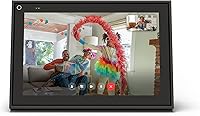
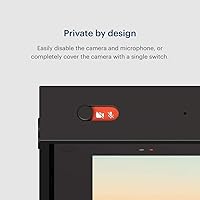
The standout feature here is Smart Camera auto-framing — the 13-megapixel lens tracks whoever moves around the room and keeps them centered in frame without manual adjustment. It works particularly well for restless kids on calls. Smart Sound filters out background noise like a running dishwasher or a barking dog, keeping voices clear on the other end. The 10-inch touchscreen runs at 1280×800, which is adequate for video calls but nothing especially crisp. Calls work through Messenger and WhatsApp, so the person on the other end needs neither a Portal device nor any special setup. There is also a hardware privacy switch that physically cuts the camera and microphone, plus a sliding lens cover — both solid, reassuring additions.
Best For
This video-calling device is an obvious fit for families who want a shared calling station in a common room — somewhere anyone can start a call without hunting for a phone. It suits older adults especially; the large screen, simple interface, and minimal setup mean there is very little that can go wrong or confuse. If your household already relies on WhatsApp or Messenger for keeping in touch with distant relatives, the Portal screen slots in naturally. It is less compelling for anyone who needs Zoom or Google Meet, or wants a device that doubles as a media player or home hub. Know what it is, and it delivers on that narrow promise consistently.
User Feedback
Among the 6,500-plus ratings, auto-framing and call quality come up most often as genuine strengths — people appreciate not needing to position the screen precisely before a call. Ease of setup gets consistent praise, especially from buyers who gifted it to elderly family members. On the other side, Meta ecosystem lock-in frustrates users who expected broader app support; the absence of Zoom or Google Meet is a real gap for many households. Privacy concerns surface regularly — understandable given Meta's reputation — though most reviewers acknowledge the physical kill switch as a meaningful safeguard. Display brightness in sunny rooms draws occasional complaints. And worth flagging: Meta discontinued Portal hardware in 2023, so long-term software support is uncertain.
Pros
- The auto-framing camera tracks movement intelligently, keeping everyone in frame without any manual repositioning during calls.
- Smart Sound noticeably reduces background noise, so voices stay clear even in a busy kitchen or open living space.
- Setup takes only a few minutes and requires no technical knowledge, making it genuinely accessible for older or less tech-savvy users.
- WhatsApp and Messenger compatibility means the person you are calling does not need any special hardware or app they do not already have.
- The physical camera kill-switch and sliding lens cover offer a real, tangible layer of privacy control — not just a software toggle.
- The 10-inch touchscreen is large enough to feel comfortable during extended family calls without overwhelming a countertop or shelf.
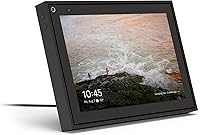
- The picture-frame form factor looks less intrusive than most smart displays and sits naturally in a home environment.
- Call quality and audio clarity consistently earn high marks from long-term owners across thousands of reviews.
Cons
- Meta discontinued the Portal hardware line in 2023, raising legitimate questions about how long software support will continue.
- No support for Zoom or Google Meet is a serious gap for anyone whose contacts use those platforms.
- The display resolution of 1280×800 is adequate but noticeably soft compared to more modern screens at this price point.
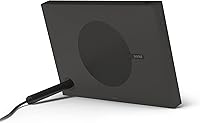
- The device is entirely corded with no battery option, limiting where you can realistically place it in your home.
- Full functionality is locked to the Meta ecosystem, which is a dealbreaker for users who prefer to avoid Meta products entirely.
- Display brightness can feel insufficient in brightly lit rooms or near windows, affecting call visibility during the day.
- 16 GB of internal storage leaves little room if the platform ever expands its app or media capabilities.
- There is no support for third-party video calling apps, which significantly narrows the device's long-term usefulness as contacts migrate to other platforms.
Ratings
The scores below for the Meta Portal 10″ Smart Video Display were generated by AI after analyzing thousands of verified global buyer reviews, with spam, bot submissions, and incentivized feedback actively filtered out. The ratings reflect a balanced synthesis of what real users consistently praised and where they ran into genuine frustration. Both the device's clear strengths and its meaningful limitations are transparently captured in each category.
Auto-Framing Camera
Call Audio Quality
Ease of Setup
Privacy Controls
Display Quality
App Ecosystem
Build & Design
Voice Control
Video Call Reliability
Touchscreen Responsiveness
Long-Term Software Support
Value for Money
Entertainment Features
Suitable for:
The Meta Portal 10″ Smart Video Display is built for households where staying connected with faraway family members is a genuine daily priority, not an afterthought. It is particularly well-suited for older adults or anyone who finds smartphones and laptops unnecessarily complicated for something as simple as a video call — the large touchscreen and stripped-down interface remove almost every friction point. Families who have already adopted WhatsApp or Messenger as their main way of keeping in touch will find this video-calling device slots right into their routine without any learning curve. Parents who want a shared screen in the kitchen or living room — somewhere a grandparent can start a call with grandchildren without asking for tech support — will get real, consistent value here. The auto-framing camera is especially practical for households with young children who will not sit still during a call.
Not suitable for:
The Meta Portal 10″ Smart Video Display is a poor fit for anyone expecting a versatile smart home hub or a general-purpose screen they can use for streaming, browsing, or productivity. If your household relies on Zoom or Google Meet for work or social calls, this device simply does not support them, and that is a hard limitation with no workaround. Buyers who are uncomfortable with Meta's broader data practices may find that even the hardware privacy switch does not fully resolve their concerns, and that discomfort is worth taking seriously before purchasing. It is also worth flagging plainly: Meta discontinued the Portal hardware line in 2023, which means long-term software updates and feature support are uncertain at best — that alone should give cautious buyers pause. Anyone comparing this against the Amazon Echo Show 10 or Google Nest Hub Max will find those alternatives offer meaningfully broader app ecosystems and better future-proofing.
Specifications
- Screen Size: The display measures 10 inches diagonally, providing a comfortable viewing area for video calls without dominating a countertop or shelf.
- Resolution: The touchscreen runs at 1280×800 pixels, which is adequate for video calling but not a high-definition panel by modern standards.
- Camera: A 13 MP wide-angle camera powers the Smart Camera system, using AI to automatically pan and zoom and keep subjects centered in frame.
- Auto-Framing: Smart Camera technology tracks movement in real time, adjusting the field of view so callers stay in frame even when moving around the room.
- Audio: Smart Sound processing actively suppresses background noise, helping voices remain clear and intelligible in typical home environments.
- Wireless: The device connects via 802.11ac Wi-Fi, supporting both 2.4 GHz and 5 GHz bands for a stable home network connection.
- Supported Apps: Video calling is supported through Messenger and WhatsApp; the receiving party does not need a Portal device to accept calls.
- Storage: Internal flash memory totals 16 GB, used for the operating system and app data rather than user-accessible media storage.
- Privacy Switch: A dedicated hardware switch physically disconnects the camera and microphone at the circuit level, independent of any software state.
- Lens Cover: A manual sliding lens cover provides a second physical layer of camera privacy in addition to the hardware disable switch.
- Dimensions: The unit measures 10.25 × 0.91 × 7.06 inches, giving it a slim, picture-frame profile that sits flat on a surface.
- Weight: At 2.28 pounds, the device is light enough to reposition easily but designed as a stationary, corded unit rather than a portable one.
- Power Source: The device operates on corded electric power only and does not include a battery, requiring it to remain near a power outlet at all times.
- Manufacturer: Designed and manufactured by Facebook Technologies LLC, now operating under the Meta brand umbrella.
- Launch Date: The product was first made available on September 17, 2019, and has since been rebranded from Facebook Portal to Meta Portal.
- Model Number: The official model number and national stock number for this unit is 899-00080-02.
- Interface: The device offers both touchscreen and voice control inputs, with an interface optimized for minimal setup and straightforward daily use.
Related Reviews
D-Link DGS-1210-10 10-Port Gigabit Smart Managed Switch
Meta Portal Plus 14-inch Smart Video Display
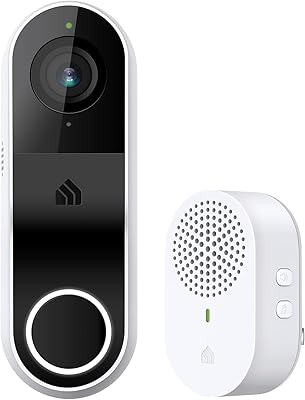
Kasa KD110 Smart Video Doorbell
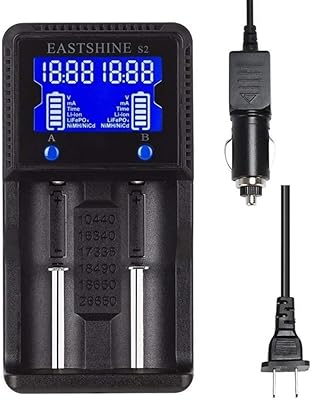
EASTSHINE S2 LCD Display Smart Charger
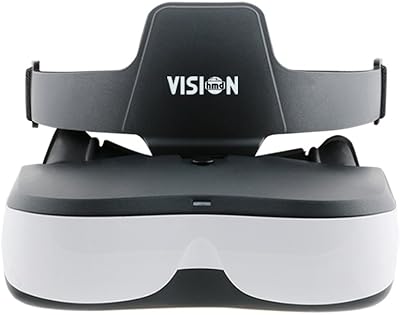
VISIONHMD Bigeyes H1 Video Display Glasses

AnyTone SMT-02 10 Meter Mobile Radio
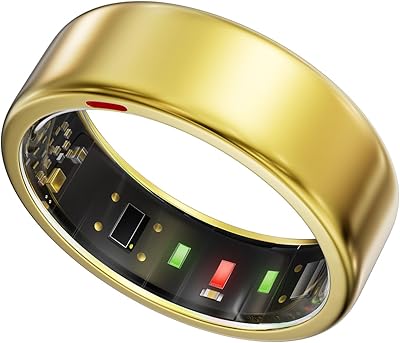
POBOVi Gen 1 Smart Ring
Pyle PHUD19 2.6″ Car HUD Display
Moonka 10.1-Inch Smart Family Calendar Display