Overview

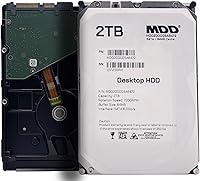
The MDD MaxDigitalData 2TB 7200RPM Internal Hard Drive entered the market in mid-2024 as a straightforward, no-frills storage option aimed squarely at desktop builders and upgraders watching their budget. MaxDigitalData is a value-tier brand, so expectations should be calibrated accordingly — this is not a Seagate or WD, but it competes directly with their entry-level offerings on price. One thing worth flagging upfront: this is a bare drive only, meaning no cables, screws, or mounting accessories are included. Factor that into your planning before ordering, especially if this is your first internal drive installation.
Features & Benefits

Running at 7200RPM, this desktop HDD has a clear speed advantage over the 5400RPM drives that often flood the budget segment — you will notice the difference when transferring large files or loading a heavy media library. The 64MB cache buffer helps smooth out sequential read and write operations, which matters for tasks like continuous video recording or large batch backups. The SATA 6.0Gbps interface keeps compatibility broad, working reliably across both modern systems and older desktops. One critical reminder: format the drive before use — it will not appear in your system otherwise, and skipping this step causes unnecessary frustration.

Best For

This budget hard drive makes the most sense as a secondary storage drive rather than a primary OS disk. It is a practical pick for expanding a desktop PC, adding bulk storage to a NAS enclosure, or running a DVR or surveillance setup that demands sustained write capability around the clock. Home lab users and small offices that prioritize cost-per-gigabyte over raw performance will find it fits the bill without much compromise. If you are building out a RAID array on a tight budget or just need a reliable media archive drive, this MaxDigitalData drive checks the right boxes.

User Feedback

With a 4.2-star average across 62 ratings, buyer reception is cautiously positive — not overwhelming, but solid for a newer brand with a limited review history. Recurring praise centers on straightforward installation and the drive delivering what was advertised at its price point. On the flip side, a handful of buyers have raised concerns about noise and vibration levels, which is not unusual for 7200RPM mechanical drives but worth noting if your build is in a quiet environment. A few users flagged early detection issues, almost always traced back to skipping the formatting step. Compared to name-brand alternatives, most buyers feel the value holds up reasonably well.

Pros

  • 7200RPM spindle speed delivers noticeably faster access than budget 5400RPM alternatives.
  • 2TB capacity covers media libraries, local backups, and DVR archives without running out quickly.
  • SATA 6.0Gbps interface works cleanly with virtually any desktop motherboard, old or new.
  • The cost-per-gigabyte ratio competes favorably against entry-level Seagate and WD options at this price tier.
  • 64MB cache buffer helps smooth out large sequential file transfers in practical use.
  • Fits standard 3.5-inch desktop bays and most NAS enclosures without any adapter hardware.
  • Backward-compatible design makes it a drop-in upgrade for older desktop systems still running SATA.
  • Buyers report the drive performs consistently within expectations for secondary storage roles.
  • At #198 in Internal Hard Drives on Amazon, real-world sales traction suggests genuine buyer satisfaction.
  • Adequate protective packaging means most units arrive undamaged and ready to install.

Cons

  • No mounting screws, SATA cable, or accessories included — budget accordingly before ordering.
  • Drive will not appear in your system until manually formatted, and this is not clearly communicated upfront.
  • Noise and vibration under sustained workloads can be disruptive in quiet or open-frame builds.
  • Brand reliability track record is too limited to inspire full confidence for long-term or mission-critical use.
  • Only 62 reviews available, making it difficult to draw firm conclusions about failure rates over time.
  • MaxDigitalData customer support is inconsistently rated and harder to reach than major storage brands.
  • Not rated for 24/7 NAS or surveillance duty cycles, unlike purpose-built alternatives in the same price range.
  • Some users with older BIOS versions needed a firmware update before the drive was detected reliably.
  • Random-access performance lags noticeably for anyone used to even a budget SATA SSD.
  • The lesser-known brand may affect resale value or replacement options down the line.

Ratings

The MDD MaxDigitalData 2TB 7200RPM Internal Hard Drive has been evaluated by our AI rating system after analyzing verified global buyer reviews, with spam, bot-generated, and incentivized feedback actively filtered out. Scores reflect real-world user experiences across a range of use cases — from home media storage to NAS builds — and both the strengths and the friction points are represented honestly. Buyers at this price tier tend to have specific expectations, and the scores below show exactly where this budget hard drive delivers and where it falls short.
Value for Money
83%
Most buyers feel they are getting a fair deal for a 2TB 7200RPM drive at this price point. When compared to refurbished name-brand alternatives or entry-level Seagate and WD options, many users note the cost-per-gigabyte ratio holds up well for secondary storage use cases.
A handful of buyers expressed hesitation about long-term value given the lesser-known brand. For those who have experienced a drive failure within the first year, the savings feel less compelling in retrospect.
Storage Capacity
88%
Two terabytes covers a wide range of practical needs — users running media libraries, surveillance footage archives, or bulk backup systems consistently report that 2TB hits a sweet spot without overpaying for unused headroom. It fills up a standard desktop bay without any compatibility fuss.
For power users running large virtualization workloads or professional video editing pipelines, 2TB can feel limiting fairly quickly. Those needing 4TB or more in a single drive will need to look elsewhere in the lineup.
Read/Write Speed
74%
26%
The 7200RPM spindle speed gives this desktop HDD a noticeable edge over slower 5400RPM budget drives. Users transferring large files or recording continuous surveillance footage report adequately responsive performance that does not bottleneck typical desktop workflows.
Sequential speeds still lag behind what a budget SATA SSD can deliver, and some users doing frequent random-access tasks — like running multiple applications simultaneously — notice the mechanical latency. This is a trade-off inherent to the HDD format, but worth knowing upfront.
Installation & Setup
71%
29%
The physical installation is straightforward for anyone who has handled a 3.5-inch internal drive before. The SATA 6.0Gbps interface is universally compatible, and the drive fits snugly into standard desktop bays and most NAS enclosures without adapter hardware.
A recurring complaint centers on the mandatory formatting step — the drive will not appear in the operating system until formatted, and the packaging does not make this obvious enough for first-time buyers. Several users mistakenly assumed a defective unit before discovering the formatting requirement.
Build & Physical Quality
68%
32%
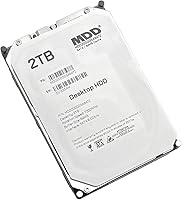
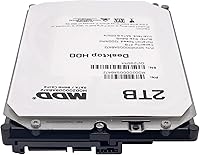
The silver metal enclosure feels adequately solid and the weight — just under two pounds — gives a reassuring sense of density typical of 7200RPM desktop drives. Nothing about the physical construction feels flimsy for its price tier.
Compared to the tactile quality of drives from Seagate or Western Digital, the housing finish feels slightly less refined. Some users noticed minor vibration transfer when running the drive in a quiet enclosure, which hints at less precise internal balancing.
Noise & Vibration
61%
39%
Under light workloads — browsing files, low-frequency reads — the drive runs relatively quietly and does not stand out acoustically in a typical desktop tower with case fans running.
Under sustained read/write loads, a noticeable hum and vibration are reported by multiple users. For those using open-frame NAS enclosures or building near-silent home theater PCs, the acoustic profile at higher activity levels may be more irritating than expected.
Compatibility
86%
The SATA 6.0Gbps interface and backward-compatible design mean this budget hard drive plugs into virtually any desktop motherboard made in the past fifteen years. Users across diverse system configurations — from older AMD builds to modern Intel rigs — consistently report clean detection after formatting.
A small number of users with very old BIOS versions reported needing a firmware update before the drive was recognized. This is rare, but worth keeping in mind if you are dropping this into legacy hardware.
NAS & RAID Suitability
66%
34%
Users building budget NAS arrays on platforms like Synology or QNAP report that this MaxDigitalData drive mounts and operates normally in RAID 1 and RAID 5 configurations. The cost savings when populating a multi-bay enclosure are meaningful.
MaxDigitalData does not officially rate this drive for NAS or 24/7 workloads, which gives some technically informed buyers pause. It lacks the vibration compensation features found in purpose-built NAS drives, and long-term reliability in always-on environments remains an open question given limited review history.
Surveillance & DVR Performance
69%
31%
Several buyers using this drive in DVR and home security systems report consistent continuous-write performance suitable for recording multiple camera feeds simultaneously. The 7200RPM speed helps keep up with high-bitrate footage without dropped frames under normal conditions.
Again, the absence of an official surveillance-grade rating is a real gap. Drives purpose-built for DVR use — like WD Purple — are optimized specifically for write-heavy, always-on recording, and this budget hard drive cannot claim equivalent durability assurances for those environments.
Reliability & Longevity
58%
42%
Among buyers who have owned the drive for several months, most report no failures or performance degradation. For the price, a working drive that meets basic expectations within the typical return window earns cautious praise.
The brand is new enough that long-term reliability data is simply thin. With only 62 reviews at the time of analysis, a few early failures carry outsized statistical weight. Buyers should treat this as a budget gamble rather than a confidence purchase, and back up data accordingly.
Packaging & Unboxing
63%
37%
The drive arrives in adequate protective packaging that prevents transit damage in most cases. Users report receiving units in good cosmetic and functional condition, with no common complaints about shipping damage.
The bare-drive format means zero accessories — no mounting screws, no SATA cable, nothing. For experienced builders this is standard practice, but newer buyers frequently flag surprise and frustration at the complete absence of any bundled hardware.
Documentation & Support
47%
53%
For users who know what they are doing, the lack of documentation is a non-issue. The drive behaves like any standard internal HDD, and community resources online cover any setup questions adequately.
MaxDigitalData offers minimal accessible customer support compared to industry leaders. The product page documentation is thin, and the formatting requirement — which trips up a meaningful portion of buyers — is buried rather than prominently communicated. Brand responsiveness to issues post-purchase is inconsistently reported.

Suitable for:

The MDD MaxDigitalData 2TB 7200RPM Internal Hard Drive was built for buyers who need practical, affordable storage expansion without chasing brand prestige. Desktop PC upgraders adding a secondary drive for media files, game libraries, or local backups will find this budget hard drive hits a comfortable sweet spot between capacity and cost. NAS users populating a multi-bay enclosure on a tight budget can stretch their dollar further here compared to name-brand alternatives, provided the workload is moderate rather than enterprise-grade. Home surveillance setups and DVR systems that need continuous-write capability will generally get reliable day-to-day performance from this drive. Small office and home lab users who treat storage as a commodity — prioritizing cost-per-gigabyte over brand loyalty — are squarely in the target audience. If you already own cables and mounting hardware and simply need a working 2TB drive without paying a premium, this MaxDigitalData drive is a reasonable consideration.
Not suitable for:

Buyers who plan to use the MDD MaxDigitalData 2TB 7200RPM Internal Hard Drive as their primary OS drive, or who need consistently fast random-access performance, should look at a solid-state alternative instead — mechanical drives at this tier simply cannot match SSD responsiveness for system tasks. Anyone building a mission-critical NAS array where uptime and data integrity are non-negotiable would be better served by drives purpose-engineered for always-on workloads, such as WD Red or Seagate IronWolf. Professional video editors, content creators managing large raw footage libraries, or anyone who will hammer this drive with heavy sustained workloads should temper expectations around long-term durability. First-time builders who are not comfortable formatting a drive before use and troubleshooting basic detection issues may find the experience frustrating without bundled guidance. Finally, buyers who need the peace of mind that comes with a well-established warranty track record and responsive manufacturer support will find this budget hard drive falls short compared to more established brands.
Specifications

  • Storage Capacity: This drive offers 2TB of raw mechanical storage, suitable for media libraries, backups, and archival data.
  • Spindle Speed: The drive spins at 7200RPM, providing faster sequential access compared to the 5400RPM drives common in the budget segment.
  • Cache Buffer: A 64MB onboard cache buffer helps smooth out sequential read and write operations during large file transfers.
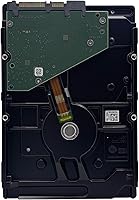
  • Interface: Uses a SATA 6.0Gbps (SATA III) interface, backward compatible with SATA II and SATA I ports at reduced speeds.
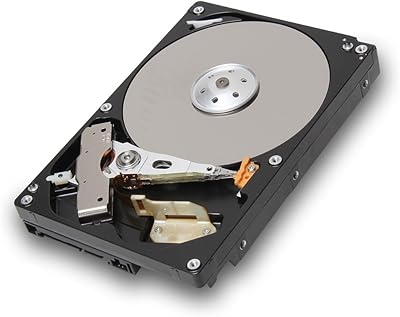
  • Form Factor: Standard 3.5-inch form factor fits desktop PC drive bays, most NAS enclosures, and RAID chassis without adapters.
  • Drive Type: Conventional mechanical hard disk drive (HDD) with spinning magnetic platters — not a solid-state or hybrid drive.
  • Installation Type: Designed exclusively for internal installation; not intended for use as an external or portable drive without a third-party enclosure.
  • Compatible Devices: Compatible with desktop PCs, Mac towers, NAS enclosures, RAID arrays, and DVR or surveillance recording systems.
  • Connectivity: SATA 6.0Gbps data interface pairs with a standard 15-pin SATA power connector found on all modern desktop power supplies.
  • Weight: The drive weighs 1.87 pounds, consistent with standard 3.5-inch desktop HDDs of this capacity class.
  • Dimensions: Package dimensions measure 8.78 x 6.06 x 2.95 inches, with the bare drive itself conforming to the standard 3.5-inch HDD footprint.
  • Color & Finish: Silver metal enclosure with a standard label on the top platter cover identifying model and serial information.
  • Backward Compatibility: Fully backward compatible with older SATA I and SATA II ports, operating at those interfaces' respective maximum speeds.
  • Accessories Included: This is a bare drive only — no SATA data cable, mounting screws, or installation accessories are included in the package.
  • Formatting Requirement: The drive must be manually formatted using Disk Management (Windows) or Disk Utility (macOS) before the operating system will detect it.
  • Release Date: First made available for purchase in July 2024, making it a relatively new entry in the budget internal HDD segment.
  • Manufacturer: Manufactured and sold by MaxDigitalData, a value-tier storage brand operating under the MDD label.
  • Amazon Ranking: Holds a Best Sellers Rank of #198 in Internal Hard Drives on Amazon at the time of this review, indicating active and consistent sales volume.

Related Reviews

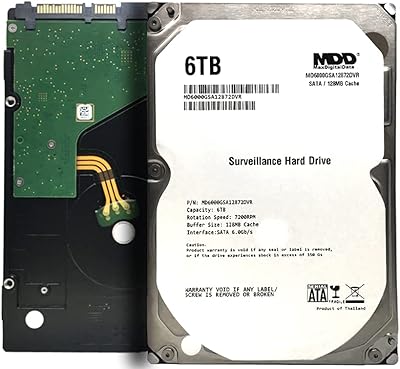
MaxDigitalData 6TB 7200RPM Internal Hard Drive
83%
88%
Performance
93%
Reliability for 24/7 Use
70%
Setup/Installation
85%
Data Transfer Speed
91%
Compatibility
More
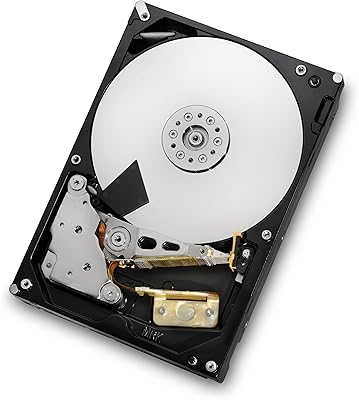
HGST Deskstar 2TB 7200RPM SATA III Internal Hard Drive
86%
88%
Performance
92%
Value for Money
85%
Reliability
65%
Noise Level
89%
Build Quality
More
Seagate BarraCuda 2TB Internal Hard Drive
85%
88%
Performance
91%
Reliability
86%
Build Quality
72%
Noise Level
85%
Data Transfer Speed
More
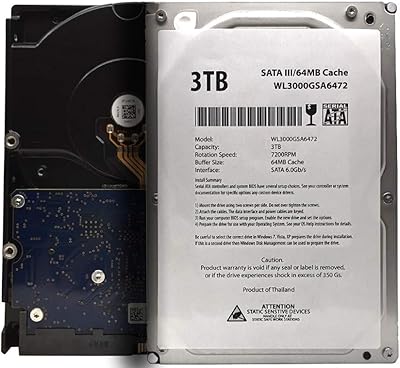
White Label 3TB 7200RPM Internal Hard Drive
77%
91%
Value for Money
88%
Storage Capacity
83%
Read/Write Speed
89%
Compatibility
67%
Build Quality & Reliability
More
Seagate BarraCuda Pro 1TB 7200RPM Internal Hard Drive
87%
92%
Performance
90%
Speed
88%
Reliability
95%
Ease of Installation
65%
Noise Levels
More
Toshiba DT01ACA200 2TB 7200 RPM Internal Hard Drive
86%
88%
Performance for Gaming
91%
Value for Money
85%
Ease of Installation
90%
Storage Capacity
87%
Power Efficiency
More
Seagate Constellation ES 1TB 7200RPM SATA Internal Hard Drive
84%
89%
Performance
88%
Reliability & Durability
90%
Power Consumption
65%
Noise Levels
87%
Vibration Tolerance
More
Western Digital WD Blue 2TB Hard Drive
81%
88%
Long-Term Reliability
91%
Value for Money
74%
Read/Write Performance
83%
Noise & Vibration
92%
Installation Ease
More
Seagate 2TB BarraCuda 2.5-Inch Internal Hard Drive
86%
89%
Performance
91%
Quiet Operation
88%
Energy Efficiency
93%
Installation Ease
90%
Reliability
More
WD Black 2TB 3.5″ Internal Hard Drive
79%
78%
Read & Write Performance
82%
Reliability & Longevity
74%
Noise & Vibration
76%
Value for Money
89%
Installation & Compatibility
More

FAQ

Yes — formatting is mandatory before the drive will show up in your system. On Windows, open Disk Management, find the new unallocated drive, create a new simple volume, and format it. On a Mac, use Disk Utility. This step trips up a lot of buyers, so do not skip it or assume the drive is defective if it does not appear immediately.

No, it is a bare drive only. You will need to supply your own SATA data cable and mounting screws. Most desktop cases include spare screws, and SATA cables are inexpensive, but factor that in before your order arrives.

Physically, yes — the 3.5-inch SATA form factor fits standard NAS bays without issue. That said, MaxDigitalData does not officially rate this budget hard drive for 24/7 NAS workloads, so if your NAS runs around the clock with heavy traffic, a purpose-built NAS drive like WD Red or Seagate IronWolf would be a safer long-term choice.

It works for home surveillance setups with a moderate number of camera feeds, and several buyers use it specifically in DVR systems. However, it lacks the official DVR or surveillance rating that drives like WD Purple carry, which means there are no guarantees around write endurance under continuous 24/7 recording. For a basic home camera system, it is likely fine; for a commercial or always-on multi-camera installation, consider a rated alternative.

The MDD MaxDigitalData 2TB 7200RPM Internal Hard Drive sits in the same price bracket as entry-level BarraCuda and WD Blue drives, and on raw specs the gap is narrow. Where it differs is brand heritage and long-term reliability data — Seagate and WD have decades of field performance history, while MaxDigitalData is a newer, less-proven name. If the prices are comparable, brand-conscious buyers will lean toward the established names; if this drive is meaningfully cheaper, it may be worth the trade-off for non-critical storage.
Almost certainly yes. The SATA 6.0Gbps interface is backward compatible with older SATA II and SATA I ports, so it will connect and function on older boards — just at that port's maximum speed rather than full SATA III speeds. A very small number of users with extremely old BIOS versions needed a firmware update before the drive was detected, but this is uncommon.

Technically you can, but it is not ideal. Booting an operating system from a 7200RPM mechanical drive will feel noticeably slow compared to even a budget SATA SSD. This MaxDigitalData drive is best used as a secondary storage drive for files, media, and backups, with an SSD handling the OS and applications.

Under light use, most buyers find it acceptably quiet. During heavy sustained reads or writes, you will hear the typical hum and seek noise common to 7200RPM mechanical drives. It is not unusually loud for its class, but if you are building a near-silent PC or using an open NAS shelf in a quiet room, the acoustic profile under load may be noticeable.

MaxDigitalData's warranty terms should be verified directly with the seller at the time of purchase, as coverage details can vary. The brand does not have the same widespread warranty infrastructure as Seagate or WD, so check the listing and keep your purchase receipt. For any drive at this price tier, maintaining a backup of important data is always the right approach regardless of warranty terms.

Formatted capacity will show slightly less than 2TB in your operating system — typically around 1.81TB to 1.86TB depending on your OS. This is normal and applies to all hard drives; manufacturers measure storage in decimal gigabytes while operating systems report in binary gibibytes, creating the apparent discrepancy.