Overview

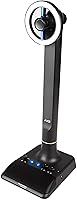
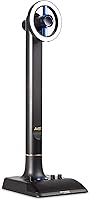
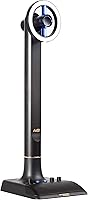
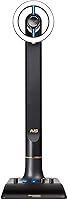
The Marantz Professional AVS isn't your typical clip-on webcam — it's a self-contained broadcasting station that packs a full HD camera, condenser microphone, dimmable ring light, and USB hub into a single freestanding unit. Marantz built its reputation in audio equipment, so bundling pro-grade sound capture with video hardware is a natural extension for the brand. The target buyer is someone who wants a single-cable desk setup without juggling three separate accessories. Released in October 2018, it holds a 3.8 out of 5 from 267 reviews — a realistic, middle-of-the-road score that signals a capable but not flawless product worth understanding before purchasing.
Features & Benefits

The full HD 1080p video uses H.264 compression, keeping file sizes manageable during recordings and streams without noticeable quality loss for conferencing. Where this desktop streaming unit really distinguishes itself is the built-in condenser microphone, capturing audio at 48kHz/16-bit — a spec that outclasses any laptop built-in for vocal clarity on calls. The dimmable LED ring light includes cool, warm, and diffusion filter options, so you can match your room's color temperature rather than fighting it. A USB-C connection handles low-latency capture, while two USB 3.0 hub ports and an integrated headphone amplifier quietly solve the cable-clutter problem many home offices face daily.

Best For

This all-in-one webcam station makes the most sense for remote professionals who spend hours on daily video calls and want noticeably better audio and lighting without researching three separate product categories. Beginner streamers and vloggers will appreciate having a ready-to-go setup rather than building a rig piece by piece. It's also a strong fit for small home offices with inconsistent natural light — the adjustable ring light compensates where window lighting fails. If you're still running on a built-in laptop webcam, the jump in audio fidelity and visual consistency is substantial. Budget-conscious buyers, though, should compare whether standalone components would offer more flexibility at a similar price.

User Feedback

Owners consistently praise the all-in-one convenience and report a clear improvement in call audio over built-in laptop microphones. The complaints, however, are equally consistent. At nearly 19 inches tall and weighing over two pounds, the AVS broadcasting kit is physically imposing — buyers expecting something compact are often caught off guard by its desk footprint. A handful of Mac and Linux users have flagged occasional driver friction worth noting. The boundary microphone, while genuinely good in quiet or treated spaces, can pick up room noise and echo more than the specs might suggest. Build quality earns generally positive marks, with no widespread reports of early hardware failure.

Pros

  • Single USB-C cable handles video, audio, lighting, and peripheral connections simultaneously — real desk clutter reduction.
  • The 48kHz/16-bit condenser microphone delivers vocal clarity that is a clear step above any integrated laptop microphone.
  • Dimmable ring light with cool, warm, and diffusion filter options handles inconsistent room lighting without a second accessory.
  • Two built-in USB 3.0 hub ports let you connect a keyboard, mouse, or drive directly through the unit.
  • Plug-and-play on Windows — recognized immediately by Zoom, Teams, and OBS without driver installation.
  • Compatible with Mac, Linux, PS4, and Xbox One, giving it broader platform reach than most webcams in this category.
  • Freestanding design works well for multi-monitor setups where clipping a webcam onto a screen is awkward.
  • Integrated headphone amplifier allows real-time audio monitoring during recordings without an additional interface.
  • Build quality is solid enough that long-term owners report consistent performance without hardware degradation over regular daily use.

Cons

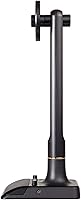
  • At 19.1 inches tall and 2.29 pounds, this desktop streaming unit is far bulkier than most buyers anticipate from product photos.
  • The boundary microphone picks up room echo and background noise noticeably in untreated or open spaces.
  • Mac users on recent macOS versions have reported audio routing issues that were not present at the time of the original launch.
  • The 2018 camera sensor lags behind current webcam competitors in low-light performance and dynamic range.
  • Only two USB hub ports fill up quickly for users who already run multiple peripherals.
  • The ring light produces a visible circular catchlight reflection in the eyes, which some users find unflattering on camera.
  • No onboard noise gate or hardware suppression means noisy environments require additional software-side processing to sound clean.
  • Firmware updates have been sparse since launch, leaving compatibility gaps as operating systems continue to evolve.
  • Buyers who later want to upgrade just the microphone or camera cannot do so — the whole unit must be replaced.
  • The headphone amplifier lacks sufficient output for higher-impedance headphones used in more serious monitoring applications.

Ratings

The Marantz Professional AVS earned an overall 3.8 out of 5 across 267 verified global reviews — a score our AI analysis corroborates after filtering out incentivized, duplicate, and bot-flagged submissions. What surfaces is a nuanced picture: genuine strengths in audio quality and setup convenience sit alongside real frustrations around physical bulk and platform compatibility. The scorecard below reflects both sides honestly, so you can judge whether the trade-offs work for your specific setup.
Audio Quality
83%
The 48kHz/16-bit condenser boundary microphone is the standout feature most buyers call out specifically. On video calls and recorded voiceovers, vocal clarity is noticeably richer than any built-in laptop mic, and the USB audio path avoids the noise floor issues common with analog connections.
The boundary mic design works best in quiet, acoustically treated spaces. In open-plan offices or rooms with hard floors and bare walls, echo and ambient noise bleed in more than the studio-grade spec suggests, which disappoints buyers expecting broadcast-level isolation.
Video Quality
74%
26%
Full HD 1080p output looks clean and sharp enough for Zoom, Teams, and casual streaming under decent lighting. H.264 compression keeps bandwidth usage reasonable, which matters for users on slower home internet connections during live calls.
Launched in 2018, the camera sensor shows its age against newer webcams with superior low-light processing and higher dynamic range. Buyers comparing it to more recent 1080p competitors often note softer detail in shadow areas and limited auto-exposure responsiveness.
Built-in Ring Light
81%
19%
The dimmable LED ring with cool, warm, and diffusion filter options is a genuine differentiator. Users in home offices with inconsistent window light report that flipping between the filter accessories lets them maintain a consistent, professional look across morning and evening calls without additional gear.
The ring light diameter is proportional to the unit's large frame, so it produces a noticeable circular reflection in the eyes — a look some users find unflattering on camera. Dimming range could also be wider; at its lowest setting it is still too bright for very dark ambient environments.
All-in-One Convenience
88%
The single-cable USB-C connection handling video, audio, lighting, and the hub simultaneously is the core value proposition, and most users agree it delivers. Buyers who previously juggled a separate webcam, USB mic, and ring light all report a meaningful reduction in desk clutter and setup time.
The convenience argument weakens slightly if any single component underperforms, since you cannot swap out just the microphone or camera independently. Users who later want to upgrade one element have to replace the entire unit rather than a single accessory.
Physical Size & Desk Footprint
51%
49%
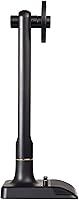
The freestanding design means no monitor mounting is required, which some users with ultrawide or multi-monitor setups actually prefer. The unit stands on its own base and stays stable on most desk surfaces without any clamping or adjustment hardware.
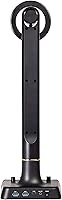
At 19.1 x 6.26 x 7.39 inches and 2.29 pounds, this is a substantial physical object. Multiple buyers express genuine surprise at the size after unboxing, and users with smaller desks or compact workstations report it dominates their workspace in a way they did not anticipate from product photos.
Build Quality & Durability
76%
24%
The overall construction feels solid for a peripheral in this price category. Long-term owners generally report no mechanical failures after regular daily use, and the LED ring has not shown significant brightness degradation in the reviews that mention ownership beyond the first year.
The plastic housing, while sturdy enough, does not communicate premium build in person. A few users note that the light filter accessories feel flimsy and are easy to misplace, and the USB-C port could benefit from a more reinforced connection given the unit's weight.
Plug-and-Play Setup
79%
21%
Windows users consistently report a genuinely driverless experience — plug in the USB-C cable and it appears immediately in Zoom, OBS, or Teams without any software installation. This zero-friction onboarding is particularly appreciated by less technical buyers.
Mac and Linux users are more divided. A subset of reviewers encountered recognition issues or had to manually configure audio routing, particularly on newer macOS versions released after the product's 2018 launch, suggesting driver maintenance has not kept pace with OS updates.
USB Hub Utility
82%
18%
The two integrated USB 3.0 ports are consistently flagged as an underappreciated bonus. Users connect keyboards, mice, or external drives through the unit itself, which reduces the number of cables running directly to the laptop and keeps the desk tidier.
With only two ports, the hub fills up quickly for users who already have multiple USB peripherals. It also adds to the overall cable management consideration, since those hub ports encourage more accessories to be routed through one central point on the desk.
Headphone Amplifier
69%
31%
Having a headphone output directly on the unit is a thoughtful inclusion for users who monitor their own audio during recordings or calls. The amplifier adds enough drive for standard 32-ohm headphones without distortion at moderate listening volumes.
Users with higher-impedance headphones report that the amplifier lacks sufficient output to drive them comfortably. It is a functional basic headphone out, but audiophile expectations or professional monitoring headphones will expose its limitations quickly.
Compatibility & Platform Range
77%
23%
Official support for Windows, Mac, Linux, PS4, and Xbox One gives this desktop streaming unit a wider compatibility net than most webcams at this tier. Console streamers in particular appreciate having a legitimately supported option that does not require a PC intermediary.
Compatibility claims sometimes outpace the real-world experience, especially on Linux distributions where users must configure video and audio devices manually. The PS4 and Xbox One support works for basic streaming but lacks the fine-tuning options available on desktop platforms.
Value for Money
63%
37%
For buyers who price out a separate 1080p webcam, USB condenser mic, and ring light individually, the bundled approach can represent reasonable value — especially when USB hub and headphone output are factored into the comparison.
The 2018 hardware means buyers are paying for a convenience bundle rather than cutting-edge specs. Savvy shoppers frequently note that individually sourced components at a similar combined price point often deliver better video resolution, more nuanced mic pickup patterns, and greater upgrade flexibility.
Lighting Adjustability
78%
22%
Three physical filter accessories for cool, warm, and diffused output give users a tactile, fast way to adapt to changing room conditions. The daylight-balanced default is genuinely flattering for most skin tones in standard office environments.
The dimming control, while present, is relatively basic compared to dedicated ring lights with step-less dimming or app-controlled color temperature. Users who stream at different times of day sometimes find the fixed filter options too coarse for fine-tuned color matching.
Noise & Echo Handling
58%
42%
In controlled environments — a home office with soft furnishings, a carpeted room, or a quiet workspace — the boundary microphone captures voice with very low self-noise and a natural presence that holds up well in recordings reviewed after the fact.
The boundary condenser pickup pattern is omnidirectional by nature, which is a real weakness in noisy settings. Keyboard clicks, air conditioning hum, and street noise all register clearly, and there is no onboard noise gate or suppression to compensate, leaving that work to software.
Software & Firmware Support
54%
46%
For the majority of Windows users running mainstream conferencing software, no dedicated software is needed at all, and the unit continues to function correctly with current Windows builds without intervention.
Given the product launched in 2018, firmware and driver updates have been sparse. This becomes a real issue as operating systems evolve — several buyers on macOS Ventura and later have reported configuration friction that was not present on older OS versions, with limited official support response.

Suitable for:

The Marantz Professional AVS is genuinely well-matched to remote professionals who spend the bulk of their workday on video calls and have grown frustrated with the thin, hollow audio that built-in laptop microphones produce. If your home office has inconsistent natural light — a basement setup, a north-facing room, or a space that shifts dramatically between morning and evening — the integrated dimmable ring light solves a real problem without requiring a separate purchase and a second power cable. Beginner streamers and vloggers who want to get started without researching and assembling a separate camera, microphone, and lighting rig will find the bundled approach removes a significant barrier to entry. It also suits users who specifically need to free up USB ports, since the built-in hub quietly handles peripheral connections that would otherwise go directly to the laptop. Essentially, this is a product for someone who values having everything working together out of the box and can accommodate a physically larger desktop footprint in exchange for that convenience.
Not suitable for:

The Marantz Professional AVS is a poor fit for anyone working in a noisy environment — open-plan offices, shared living spaces, or rooms with hard reflective surfaces — because the omnidirectional boundary microphone has no hardware noise suppression, and ambient sound bleeds into recordings more than the spec sheet implies. Users on Mac or Linux should proceed with caution; driver and recognition issues on newer OS versions have been a recurring theme in long-term owner feedback, and firmware support from Marantz has not kept pace with platform updates. Anyone with limited desk space should also look elsewhere — at nearly 19 inches tall and weighing over two pounds, this is not a compact accessory, and buyers who picture a small clip-on unit will be genuinely surprised at unboxing. Content creators who are even slightly serious about video quality and are considering 4K streaming or high-dynamic-range footage should recognize that the 2018 sensor is showing its age against current competitors. Finally, budget-focused shoppers who are willing to spend time researching individual components may find that a separately sourced webcam, dedicated cardioid USB microphone, and standalone ring light deliver better overall performance at a comparable or lower combined cost.
Specifications

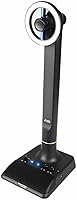
  • Video Resolution: Captures full HD 1080p video suitable for conferencing, streaming, and recording.
  • Video Compression: Uses H.264 encoding to reduce file sizes and bandwidth load during live capture and broadcast.
  • Microphone Type: Integrated USB condenser boundary microphone positioned for desktop voice pickup without a separate stand.
  • Audio Resolution: Records and transmits audio at 48kHz / 16-bit, matching the baseline standard used in professional broadcast workflows.
  • Ring Light: Daylight-balanced dimmable LED ring light with three physical filter accessories: cool, warm, and diffusion.
  • Connectivity: USB-C output to host computer for combined video, audio, hub, and power delivery over a single cable.
  • USB Hub: Built-in USB 3.0 hub provides two downstream ports for connecting additional peripherals directly through the unit.
  • Headphone Output: Integrated headphone amplifier with a standard 3.5mm output for real-time monitoring during recordings or calls.
  • Dimensions: Unit measures 19.1 x 6.26 x 7.39 inches as a freestanding desktop device — significantly larger than clip-on webcams.
  • Weight: Weighs 2.29 pounds, reflecting its self-contained all-in-one construction rather than a lightweight peripheral design.
  • Compatible OS: Officially supported on Windows 8 and later, macOS, and Linux operating systems with varying levels of plug-and-play reliability.
  • Console Support: Compatible with PlayStation 4 and Xbox One for console-based streaming without a PC intermediary.
  • Color: Available in black with a matte finish consistent with professional audio and broadcast peripheral aesthetics.
  • Model Number: Official model designation is AVSXUS, used for warranty registration, support inquiries, and part identification.
  • Display Size: Integrated screen component measures 4 inches, used for settings or status display on the unit itself.
  • Release Date: First made available in October 2018, making it a mature product with an established but aging hardware platform.
  • Brand: Manufactured by Marantz Professional, a division of an established audio equipment brand known for studio and broadcast gear.

Related Reviews

Marantz Professional MPM-1000
81%
84%
Vocal Clarity
87%
Build Materials
76%
Background Noise Rejection
93%
Value for Money
68%
Shock Mount Effectiveness
More
Marantz Professional Audio Scope SG-5BC
87%
88%
Sound Quality
94%
Portability
90%
Ease of Use
65%
Battery Life
87%
Build Quality
More
Marantz STEREO 70s 2-Channel AV Receiver
87%
94%
Sound Quality
88%
Ease of Setup
90%
Connectivity Options
91%
8K Video Support
85%
Build Quality
More
Marantz PMD-602A
Marantz PMD-602A
89%
93%
Audio Clarity
89%
Input Flexibility
95%
Portability
78%
Battery Life
87%
Build Quality
More
Marantz M-CR612
Marantz M-CR612
89%
95%
Sound Quality
91%
Build Quality
88%
Wireless Connectivity
90%
Multi-Room Functionality
87%
Voice Control Integration
More
Sony MDR7506
Sony MDR7506
85%
93%
Audio Accuracy
96%
Mechanical Durability
94%
Value for Money
82%
Sound Isolation
91%
Repairability
More
GLLYSION GS-B1 12x50 Binoculars
79%
83%
Optical Clarity
86%
Brightness & Low-Light Performance
78%
Build Quality & Durability
91%
Waterproofing & Weather Resistance
69%
Magnification Usability
More
ShearGuru Professional Barber Kit
86%
92%
Sharpness & Cutting Precision
88%
Ergonomics & Comfort for Long Sessions
94%
Durability & Material Quality
85%
Ease of Use
90%
Value for Money
More
INLAND Professional 512GB SSD
87%
88%
Performance
90%
Reliability
92%
Value for Money
85%
Boot Speed
89%
Durability
More
Jeppesen Professional Pilot Logbook
90%
96%
Build Quality
94%
Durability
92%
Page Layout & Organization
88%
Ease of Use
81%
Portability
More

FAQ

On Windows 10 and 11, the Marantz Professional AVS is fully plug-and-play — connect the USB-C cable and your computer recognizes it immediately as a webcam, microphone, and audio device without any driver installation. Mac and Linux users may experience a smoother setup on older OS versions, but some users on recent macOS releases have needed to manually configure audio routing in system preferences.
Yes, this all-in-one webcam station is compatible with all major video conferencing platforms on Windows. Since it registers as a standard UVC webcam and USB audio device, you simply select it as the camera and microphone source within each application's settings. No special integration or software bridge is required.

The ring light is visible to others as a circular reflection in your eyes, which is a natural characteristic of ring light designs. Whether that looks professional or distracting is somewhat subjective — many users find it flattering, while others prefer a more diffused lighting source. Swapping in the included diffusion filter softens the effect noticeably.

The unit outputs via USB-C, so you would need a USB-C to USB-A adapter to connect it to older laptops. A standard passive adapter works fine for this purpose — no powered hub or active cable is required. Just confirm your USB-A port supports USB 3.0 for full-speed data transfer.

For casual podcasting in a quiet, acoustically treated room, the built-in condenser mic performs well and the 48kHz/16-bit resolution is genuinely solid. However, the boundary microphone picks up sound omnidirectionally, so keyboard noise, room echo, and background hum will all be audible in recordings. If your recording environment is noisy or reverberant, a dedicated cardioid USB microphone will give you more isolation and control.

More than most people expect. At just over 19 inches tall and nearly 6.5 inches wide, the AVS broadcasting kit is a substantial freestanding unit — closer in footprint to a small desk lamp than a typical webcam. If your workspace is compact or already crowded with monitors and peripherals, measure carefully before ordering.

Yes, the ring light operates independently from the camera and microphone functions. You can leave the light off entirely if you have sufficient ambient lighting and only want to use the audio and video capture features. The dimmable control lets you run it anywhere from fully off to maximum brightness.

The two downstream ports are USB 3.0, so they are capable of handling fast storage devices, external drives, and high-speed peripherals — not just mice and keyboards. Keep in mind that total available bandwidth is shared across the hub and the video stream, so extremely data-intensive transfers and simultaneous streaming may compete for throughput.

The 1080p output is clean and usable, but the 2018 sensor shows its age in side-by-side comparisons with recent webcams that have improved low-light processing and faster auto-exposure adjustment. For standard daytime video calls, most viewers on the other end will not notice a significant difference. For streaming where close-up image quality and low-light performance matter, newer dedicated webcams have a meaningful advantage.

There is no hardware-level noise gate or cancellation built into this desktop streaming unit. The microphone captures the full sonic environment around it, including keyboard clicks, fans, and ambient room noise. If your setup is not acoustically quiet, you will want to apply noise suppression through software — OBS, Krisp, NVIDIA RTX Voice, or the noise suppression filters built into Zoom and Teams all work independently of the hardware.