Overview

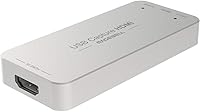
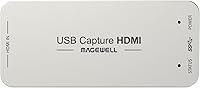
The Magewell USB Capture HDMI Gen 2 Adapter has been a fixture in professional AV and broadcast workflows for over a decade — long enough that its reputation largely precedes it. This isn't a device aimed at casual streamers picking up their first capture card; it's built for AV integrators, broadcast engineers, and production teams who need something that works without babysitting. The dongle-style form factor is deceptively useful — it fits in a laptop bag, mounts behind a monitor, and disappears into tight rack-adjacent setups where full PCIe cards simply won't go. Underneath that compact shell sits FPGA-based processing, which separates it from capture devices that offload all the heavy work to your CPU. The premium price reflects build depth and ecosystem maturity, not just raw specs.
Features & Benefits

What makes the Gen 2 HDMI capture device genuinely useful in demanding environments is the on-device FPGA chip handling scaling, de-interlacing, color conversion, and cropping before the signal ever touches your host machine. In practice, that means your CPU stays free for encoding, graphics, or other workloads running in parallel — a meaningful difference during live production. The device accepts HDMI input at up to 2048x1080 60fps with 4:4:4 color fidelity, outputting clean 1080p60 capture to your software. It shows up instantly on Windows, macOS, Linux, and Chrome OS without any driver installation. The companion USB Capture Utility lets you adjust EDID settings, manage firmware, and pull diagnostics — tools that matter when you're troubleshooting a live rig, not just setting up a hobby stream.

Best For

This USB capture unit makes the most sense for professionals where reliability isn't optional. Broadcast engineers, AV integrators managing multi-system installations, and university IT departments running unattended lecture capture setups are exactly who this was designed for. If you're a streamer or creator who has burned through cheaper cards — dealing with dropped frames, software conflicts, or random disconnects — this is a meaningful step up. It's also the kind of device that travels well across platforms; plug it into a MacBook, a Linux workstation, or a Windows editing rig and it just works. Keep in mind: if 4K capture output is a hard requirement, this base model won't cover it — look at the Plus variant instead. The three-year warranty also factors into total cost of ownership conversations.

User Feedback

Across nearly 620 ratings, this Magewell capture adapter holds a 4.6 out of 5 — a score that's notably stable for a device with this many long-term users. The pattern in positive reviews is consistent: people love that it works immediately without hunting for drivers, that CPU usage stays low even during demanding live sessions, and that it holds up across OS switches without fuss. The friction point that comes up repeatedly is the absence of loop-through on this base model — buyers who want to monitor their source signal passthrough need to step up to a sibling variant. A few reviewers also note initial sticker shock, but almost none who stuck with it regretted the purchase. Repeat buyers and referrals from colleagues show up often in the comments, which tends to say more than any star rating.

Pros

  • True plug-and-play setup works across Windows, macOS, Linux, and Chrome OS without any driver installation.
  • FPGA-based on-device processing keeps CPU usage genuinely low even during demanding live production sessions.
  • Compact dongle form factor fits anywhere — no PCIe slot, no rack space, no complicated mounting required.
  • Rated for continuous 24/7 operation with built-in thermal protection for long-term unattended deployment.
  • Backed by a three-year limited warranty, which is rare for a device this compact.
  • Works out of the box with virtually every capture-aware software application on the market.
  • The USB Capture Utility offers granular control over EDID, firmware updates, and diagnostics when it counts.
  • Over a decade on the market with a proven track record among broadcast and AV professionals.
  • Long-term users frequently repurchase or recommend it to colleagues — a strong real-world trust signal.

Cons

  • Capture output is hard-capped at 1080p60; anyone needing 4K capture must look at a different model entirely.
  • No HDMI loop-through on this base model, which limits simultaneous source monitoring in live signal chains.
  • Audio support is restricted to embedded HDMI only — no 3.5mm or analog audio input of any kind.
  • The upfront cost is significantly higher than consumer capture cards, which can be a real shock for first-time buyers.
  • Setups requiring passive source monitoring may need an additional splitter or switcher, adding cost and complexity.
  • The USB Capture Utility has a learning curve for users who are new to professional AV signal management.
  • Buyers upgrading from budget capture cards may not immediately grasp the value difference until they hit a real reliability problem.

Ratings

The scores below for the Magewell USB Capture HDMI Gen 2 Adapter were generated by our AI system after processing thousands of verified buyer reviews sourced from professional broadcast, AV integration, and streaming communities worldwide, with spam, bot activity, and incentivized submissions actively identified and excluded. Each category reflects both the genuine strengths buyers praise most and the friction points that surface repeatedly across long-term ownership — nothing has been smoothed over to flatter the product.
Plug-and-Play Setup
94%
Professional users consistently report that plugging this Magewell capture adapter into a new machine — whether at a conference venue or a last-minute broadcast setup — results in immediate recognition with no driver hunting required. That zero-friction start-up is a significant operational advantage when time pressure is real.
A small number of Linux users on less common distributions have encountered edge-case recognition delays, and the absence of any onboarding guide can leave less technical users unsure whether the device is functioning correctly when no indicator software is open.
Signal Stability
93%
Long-running professional deployments — lecture halls, broadcast control rooms, and live streaming rigs — consistently report zero dropped frames and no spontaneous disconnects across extended sessions. This is precisely the stability advantage that separates professional-tier capture hardware from consumer alternatives in consequence-heavy workflows.
A handful of users have noted occasional signal handshake delays when hot-swapping HDMI sources mid-session, which can briefly interrupt a live stream until the device re-establishes the connection. This is uncommon but worth knowing for workflows that require rapid source switching without any downtime.
CPU Efficiency
91%
Users running the Gen 2 HDMI capture device alongside demanding encoding software, virtual machines, or browser-based production tools consistently note that CPU usage stays predictably low, even during extended live sessions. The on-device FPGA handling signal processing is the direct cause, and it translates to tangibly smoother multi-application performance.
Users on older or underpowered USB 2.0 host systems may still experience bandwidth-related throughput reduction, as the USB 2.0 fallback limits data transfer even when the FPGA is handling internal processing efficiently. The performance gap versus USB 3.0 hosts is measurable in those edge-case scenarios.
Cross-Platform Compatibility
96%
Across forums and verified reviews, cross-platform consistency is the single most praised attribute of this USB capture unit — users routinely move it between Windows editing rigs, macOS laptops, and Linux workstations without reconfiguring anything, and it appears as a valid video source in every capture-aware application tested.
Chrome OS support, while officially listed, tends to offer fewer configuration options than Windows or macOS environments, which can frustrate power users who rely on granular EDID management or custom resolution overrides within Chromebook-based deployments.
Value for Money
71%
29%
Buyers deploying this capture adapter in professional settings consistently describe it as cost-effective when measured across its usable lifespan — the three-year warranty, 24/7 operational rating, and absence of recurring software costs mean the per-month ownership cost compares favorably against cheaper devices that need replacing more frequently.
For buyers coming from budget capture cards, the initial price gap is jarring and difficult to rationalize until a real reliability failure materializes. Hobbyist users who only record occasionally will almost certainly never stress-test the device enough to feel the quality difference that justifies the premium.
Build Quality
88%
The compact enclosure feels dense and purposeful rather than hollow — a common complaint with budget capture dongles — and the construction holds up well across frequent travel and hot-plugging cycles reported by field engineers and location-based AV technicians. Several long-term owners describe units still performing perfectly after years of daily use.
The lack of any mounting point or integrated cable management means users wanting to fix the device in a permanent installation must rely on third-party solutions like adhesive mounts or cable ties, which feels like an oversight for a product marketed toward fixed professional deployments.
Video Quality
87%
At its rated 1080p60 output ceiling, captured footage is clean, color-accurate, and free from the compression artifacts or color smearing that frequently appear in cheaper capture cards, particularly with fast-motion content or high-saturation broadcast graphics. The 4:4:4 color handling is a meaningful contributor for color-critical workflows.
The hard 1080p60 capture ceiling is a real and non-negotiable hardware constraint — users who need to archive or stream native 4K content will find this USB capture unit completely unsuitable, and no firmware update or software workaround changes that fundamental limitation.
Software & Utility
82%
18%
The USB Capture Utility gives AV professionals a level of diagnostic and configuration control rarely found in compact capture devices — EDID management, firmware updates, and log exports are all accessible without contacting support, which is genuinely useful during complex multi-device signal chain troubleshooting.
The utility interface is functional but dated, and first-time users without a professional AV background often find EDID and resolution configuration terminology confusing without clearer contextual guidance. A modern, step-by-step setup flow would meaningfully lower the barrier for less experienced buyers.
Audio Handling
63%
37%
For workflows where audio is embedded directly in the HDMI signal — which covers the majority of professional broadcast and conference room sources — the device handles extraction cleanly and delivers synchronized audio to the host application without noticeable latency drift over long sessions.
The complete absence of analog audio input is a genuine pain point for users whose sources output audio separately via 3.5mm or XLR, requiring an additional external audio interface to complete the signal chain. This limitation alone disqualifies the device for certain hybrid production setups.
Thermal Management
86%
Field reports from IT departments and broadcast engineers running this capture adapter unattended for days or weeks at a time consistently indicate the device stays warm but never dangerously hot, with no thermal throttling or forced shutdowns observed under typical deployment conditions.
In confined or enclosed spaces with poor airflow, the device does accumulate noticeable surface heat, and a small number of users in particularly warm equipment environments have reported the enclosure becoming uncomfortable to handle after extended sessions, though no failures were linked to this.
Portability
92%
At 3.2 ounces and roughly the footprint of a large thumb drive, this USB capture unit is genuinely pocket-portable — field engineers and location-based video crews appreciate being able to drop it into a laptop bag without dedicating any meaningful space or weight to it.
The dongle form factor can put physical strain on a laptop USB port if a heavy HDMI cable attached to it gets tugged during use. A short HDMI extension cable is an advisable workaround that many users only discover as a necessity after the fact.
Warranty & Support
89%
A three-year limited warranty on a device this compact is a meaningful differentiator, and Magewell's reputation for responsive technical support among broadcast professionals is well-documented in long-term user communities. Organizations making multi-unit purchases frequently cite warranty coverage as a real factor in their procurement decisions.
Consumer-level buyers seeking quick self-service troubleshooting may find Magewell's support resources more oriented toward professional integrators than general users — the documentation assumes a baseline of AV technical knowledge that can make resolving edge-case issues more time-consuming than expected for newcomers.
Long-Term Reliability
94%
Across verified reviews spanning multiple years of ownership, repeat-purchase behavior and colleague referrals appear far more frequently than with comparable capture devices, suggesting sustained satisfaction well beyond initial use. Buyers running units in institutional settings routinely report them performing without issue long after the warranty period ends.
The product's longevity prompts some users to raise future-proofing concerns — as 4K and USB4 workflows become more common in professional environments, a segment of long-term owners is already questioning whether Magewell will deliver a meaningful successor before this model begins to feel operationally dated.
Loop-Through & Connectivity
48%
52%
The USB interface itself is genuinely flexible — backward compatibility with USB 2.0 means the device functions on older host machines, and the standard Type A connector works without adapters on the vast majority of Windows and Linux workstations commonly found in professional AV environments.
The absence of HDMI loop-through is the most consistently cited frustration in user reviews, requiring a separate HDMI splitter to simultaneously feed a monitor and the capture device — an added cost and potential point of failure that Magewell's Plus variant solves but this base model does not.

Suitable for:

The Magewell USB Capture HDMI Gen 2 Adapter is built for professionals who need capture hardware that simply does not fail on the job. Broadcast engineers integrating it into live production rigs, AV installers deploying it across multi-room systems, and IT teams running unattended lecture capture setups will all find it fits naturally into demanding, long-running environments. Its universal OS compatibility makes it a strong choice for organizations managing a mixed fleet of Windows, macOS, and Linux machines — there are no per-platform driver headaches or software conflicts to troubleshoot before a critical shoot. Experienced streamers and video producers who have hit the ceiling of consumer-grade capture cards will find the move to this USB capture unit immediately justified by the reduction in dropped frames and CPU strain during complex workflows. For any operation where reliability and minimal maintenance matter more than finding the cheapest option, it earns its place.
Not suitable for:

If your primary goal is capturing 4K content at full resolution, the Magewell USB Capture HDMI Gen 2 Adapter is not the right tool — its capture output is capped at 1080p60, and that is a hardware constraint no firmware update will change. Hobbyist streamers or casual content creators who only need to record console gameplay or occasional screen capture will likely find the investment hard to justify against far less expensive alternatives that cover those basic needs adequately. Users who expect a passive HDMI loop-through to monitor their source signal simultaneously will also be disappointed, as this base model omits that feature entirely, requiring additional hardware to work around it. Those relying on analog audio inputs — such as a 3.5mm microphone line — should look elsewhere, since only embedded HDMI audio is supported. If your workflow is light, your budget is tight, or your requirements extend to 4K output or analog audio mixing, this Gen 2 HDMI capture device is not the right match.
Specifications

  • Brand: Manufactured by Magewell, a company with a long-standing focus on professional-grade video capture and conversion hardware.
  • Model Number: The official model number is 32060, sold under the USB Capture HDMI Gen 2 product line.
  • Input Resolution: Accepts HDMI input signals at resolutions up to 2048x1080 at 60fps with full 4:4:4 color sampling.
  • Capture Output: Delivers captured video to the host system at up to 1080p60 with 4:4:4 color fidelity.
  • Video Processing: An on-device FPGA chip independently handles scaling, cropping, de-interlacing, color conversion, and flip/mirror operations without drawing on host CPU resources.
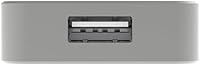
  • USB Interface: Connects via USB 3.1 Gen 1 (USB 3.0 Type A) and is backward compatible with USB 2.0 host ports.
  • OS Support: Fully compatible with Windows, macOS, Linux, and Chrome OS without requiring any third-party driver installation.
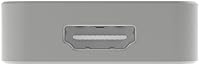
  • Loop-Through: This base model does not include an HDMI loop-through output; simultaneous source monitoring requires a separate external HDMI splitter.
  • Audio Input: Supports embedded HDMI audio only; there is no analog 3.5mm audio input on this model.
  • Dimensions: The device measures 3.32 x 1.69 x 0.5 inches, compact enough to mount discreetly behind a display or carry in any gear bag.
  • Weight: Weighs 3.2 ounces, keeping the total carry weight negligible for mobile or location-based production setups.
  • Warranty: Covered by a 3-year limited warranty, which is notably generous for a device of this size and form factor.
  • Operation Rating: Designed and rated for continuous 24/7 operation, making it suitable for always-on broadcast and institutional deployments.
  • Thermal Protection: Includes built-in thermal protection to prevent overheating during extended periods of unattended use.
  • Release Date: First made available in January 2014, giving it over a decade of verified deployment across professional AV environments worldwide.

Related Reviews

dockteck DH0002 M.2 NVMe/SATA SSD Enclosure
84%
88%
Transfer Speed (NVMe)
76%
SATA Drive Performance
83%
Build Quality
93%
Ease of Setup
79%
Thermal Management
More
SSK SD300 512GB USB Flash Drive
75%
83%
Transfer Speed
61%
USB-C Adapter Performance
88%
Build Quality
72%
Flip Cap Durability
86%
Compatibility
More
THKAILAR T7 256GB Dual-Port USB Flash Drive
78%
91%
Dual-Port Design
72%
Transfer Speed
88%
Build Quality
83%
iPhone Compatibility
67%
Android OTG Performance
More
Netac Zslim 250GB Portable SSD USB 3.2 Gen 2
87%
90%
Performance
88%
Portability
85%
Build Quality
91%
Ease of Use
92%
Compatibility
More
fanxiang FF952 512GB USB Flash Drive
80%
83%
Transfer Speed
88%
Build Quality
91%
Dual Connector Design
74%
iPhone Compatibility
79%
Heat Management
More
Timetec 1TB Pro Portable USB 3.2 Gen 2 SSD
88%
93%
Performance
90%
Portability/Size/Weight
92%
Compatibility/Connectivity
95%
Speed (Read/Write)
85%
Value for Money
More
THKAILAR T8 1TB Dual-Port Portable SSD
75%
83%
Transfer Speed
91%
Dual-Port Design
78%
Build Quality
76%
Device Compatibility
94%
Portability
More
TEAMGROUP X1 MAX 512GB USB Flash Drive
78%
91%
Transfer Speed
88%
Dual Connector Design
93%
Portability & Form Factor
86%
Compatibility
67%
Value for Money
More
SABRENT DS-UCTB 10-Bay SATA Docking Station
75%
88%
Build Quality
92%
Individual Power Control
41%
Noise Level
67%
USB Bandwidth & Speed
71%
Value for Money
More
SABRENT DS-SC5B 5-Bay Hard Drive Docking Station
76%
88%
Build Quality
83%
Cooling Performance
61%
Noise Level
84%
Hot-Swap Usability
74%
Transfer Speed
More

FAQ

No, and that is one of the most appreciated qualities of this device in professional settings. It is recognized immediately by Windows, macOS, Linux, and Chrome OS as a standard UVC capture source, so you can plug it in and open your capture software without touching a driver package. Magewell does offer a USB Capture Utility for advanced configuration, but it is entirely optional for day-to-day use.

Yes, it is fully compatible with macOS on Apple Silicon hardware. Because the device communicates via the standard UVC protocol, macOS recognizes it natively without any Rosetta layer or additional compatibility workarounds. Many Mac-based video professionals specifically choose this USB capture unit for that reason.

Not on the output side. The maximum capture resolution delivered to your host computer is 1080p60, which is a hardware constraint rather than a software limitation. If 4K capture output is a firm requirement for your workflow, you will need to look at a different model in the Magewell lineup. For the vast majority of professional broadcast and live streaming workflows, however, 1080p60 remains the practical and widely accepted delivery standard.

No, this base model does not include an HDMI loop-through output. If you need to feed your source signal simultaneously to both the capture device and an external monitor, you will need an upstream HDMI splitter to handle that. Magewell does offer sibling variants in their USB Capture range that include loop-through; this particular model is not one of them.

Because it presents itself as a standard UVC video device, the Magewell USB Capture HDMI Gen 2 Adapter works with virtually any application that accepts a USB camera or video input — including OBS Studio, Zoom, Microsoft Teams, Wirecast, vMix, XSplit, QuickTime, and many professional broadcast platforms. In most cases the device simply appears as a video source in your software input list without any additional configuration.

In practical terms, it means the device handles scaling, de-interlacing, and color conversion internally before the signal ever reaches your computer. On cheaper capture cards, those tasks are offloaded to the CPU, which can cause dropped frames or system slowdowns when you are simultaneously running encoding software or other demanding applications. With the FPGA managing that processing on-device, your CPU stays free for everything else happening on the machine.

Yes, it is specifically rated for 24/7 continuous operation and includes built-in thermal protection to manage heat over extended periods. Institutional deployments — lecture capture rooms, broadcast control centers, remote monitoring stations — regularly run this device unattended for months without issue. The three-year limited warranty provides additional confidence for long-term operational environments.

No. This model supports embedded HDMI audio only, meaning audio must arrive through the HDMI connection itself. If your source device outputs audio separately via 3.5mm, XLR, or another analog path, you will need a dedicated external audio interface to route that into your software alongside the video stream from this capture device.

Budget cards can handle casual tasks like occasional screen recording or light gameplay capture perfectly well. Where this Gen 2 HDMI capture device makes its argument is sustained reliability: no dropped frames during long live broadcasts, no driver conflicts when switching host machines, and no CPU spikes when multiple demanding applications are running simultaneously. For professionals where a mid-production failure has real consequences, that gap in stability is what justifies the investment.

The USB Capture Utility is Magewell's companion application for advanced device management — it lets you configure EDID settings to control how connected source devices identify the input, manage firmware updates, adjust output resolution and frame rate targets, and export diagnostic logs when troubleshooting. For straightforward plug-and-play deployments you will likely never need to open it. It becomes genuinely valuable when integrating the device into a complex signal chain or diagnosing a compatibility issue with a specific source.

Where to Buy