Overview

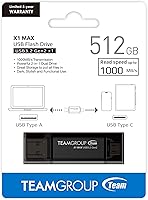
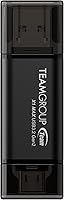
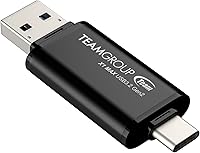
The TEAMGROUP X1 MAX 512GB USB Flash Drive arrived in mid-2024 as one of the few flash drives genuinely pushing into portable SSD speed territory. It's a slim, capless drive — about the thickness of a credit card — that slots into both Type-A and Type-C ports without needing an adapter. That dual-connector design is the central pitch here: one drive that works across virtually any modern device. TEAMGROUP backs it with a 5-year warranty, which at this price tier feels like a reasonable assurance rather than an empty gesture. For buyers tired of juggling multiple storage accessories, the X1 MAX makes a compelling case on paper.
Features & Benefits

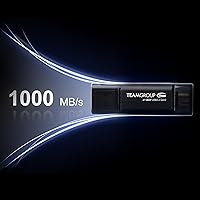
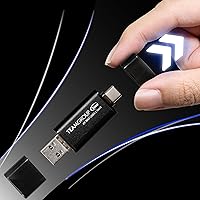
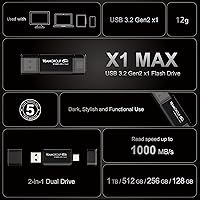
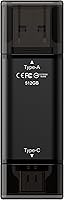
The headline spec is speed: this dual-interface drive reads at up to 1,000 MB/s, which in practice means a 10GB batch of RAW photos transfers in roughly ten seconds rather than the several minutes you would expect from a typical USB 3.0 stick. Write performance at 900 MB/s is nearly as impressive. The integrated Type-A and Type-C connectors sit flush within the body, so there is nothing to detach or misplace. OTG support extends that versatility to Android phones and USB-C iPads. At 512GB, it holds enough for most working professionals active project files, and it comes in sizes up to 1TB if you need more headroom.

Best For

This high-speed flash drive targets a fairly specific kind of user. Photographers and videographers who shuttle large files between a camera, a Windows editing rig, and a MacBook will appreciate not having to carry a dongle just to plug in. It is also a natural fit for remote workers and students who want a lightweight backup solution that does not require a power cable or a dedicated bag pocket. Where it gets less compelling is for casual users storing documents or music — the speed advantage simply will not register in everyday use, and a budget drive at a fraction of the cost would serve just as well.

User Feedback

With around 84 ratings at time of writing, the review pool is still fairly small, so it is worth treating early impressions as preliminary rather than definitive. That said, most reviewers note that real-world transfer speeds hold up reasonably close to advertised figures, which is not always a given in this category. A handful of buyers mention the drive running warm during sustained transfers — not unusual at these speeds, but worth knowing if you are moving large archives frequently. Fit in both connector types has generally drawn positive comments. A few users flagged that formatted capacity comes in slightly under the labeled 512GB, which is standard across the industry but occasionally surprises first-time buyers.

Pros

  • Transfer speeds are genuinely fast enough to handle large RAW photo or 4K video batches in seconds, not minutes.
  • The integrated Type-A and Type-C connectors mean one drive covers virtually every modern device without adapters.
  • At 512GB, there is enough space for a working professional's active project files and a full system backup.
  • OTG support makes this dual-interface drive genuinely useful with Android phones and USB-C iPads.
  • The capless, credit-card-thin body is slim enough to leave in a pocket or bag without noticing it.
  • TEAMGROUP backs the X1 MAX with a 5-year warranty, which provides real reassurance for a storage device you rely on daily.
  • Early buyers report that real-world speeds track reasonably close to advertised figures, which is not always true in this category.
  • Available in capacities up to 1TB for users who need room to grow beyond 512GB.
  • Compatible out of the box with Windows, macOS, Android, and iPadOS — no drivers or setup required.

Cons

  • With only around 84 ratings at time of writing, long-term reliability remains an open question.
  • Some users report the drive runs noticeably warm during sustained large transfers, which may give pause for frequent heavy use.
  • Price-per-gigabyte is harder to justify if your host device does not actually support USB 3.2 Gen 2 speeds.
  • Formatted capacity comes in slightly below the labeled 512GB, as is standard, but occasionally surprises buyers expecting the full figure.
  • Compact size is convenient, but it also makes the drive easy to misplace — there is no included case or lanyard loop.
  • Speed gains are only realized on compatible ports; plugging into a USB 2.0 or older USB 3.0 port dramatically reduces performance.
  • The price is noticeably higher than traditional flash drives, making it hard to recommend for basic document or media storage tasks.
  • No hardware encryption is mentioned, which could be a concern for professionals handling sensitive client files.

Ratings

The scores below reflect an AI-driven analysis of verified global user reviews for the TEAMGROUP X1 MAX 512GB USB Flash Drive, with spam, bot-generated feedback, and incentivized reviews actively filtered out before scoring. Each category is weighted against real-world usage patterns, not just advertised specifications, so both the standout strengths and the legitimate frustrations are represented honestly. The result is a transparent, balanced snapshot of how this high-speed flash drive actually performs in the hands of everyday buyers.

Transfer Speed
91%
For a flash drive, the real-world read performance is genuinely impressive — buyers moving large RAW photo batches or 4K footage between devices report transfer times that feel closer to a portable SSD than a traditional thumb drive. On a compatible USB 3.2 Gen 2 port, the difference versus budget drives is immediately obvious.
Write speeds, while strong, can dip noticeably during prolonged back-to-back transfers as the drive warms up. Users on older USB 3.0 ports also report a significant performance gap versus advertised figures, which is technically expected but still catches some buyers off guard.
Dual Connector Design
88%
The integrated Type-A and Type-C connector setup is the X1 MAX's most practical feature for mixed-device users — photographers plugging into a Windows desktop one minute and a MacBook the next no longer need to carry an adapter or a second drive. Early buyers consistently call it one of the most convenient flash drives they have owned.
A handful of users have noted slightly loose fit in certain Type-C ports, particularly on older USB-C hubs, which can cause the connection to feel less solid than expected. It is not a widespread complaint, but it is worth noting for anyone relying on the drive in a dock-heavy setup.
Portability & Form Factor
93%
At under a third of an ounce and roughly the thickness of a credit card, the X1 MAX is the kind of drive that genuinely disappears into a pocket, wallet slot, or carry-on pouch. The capless design removes one more thing to lose, and buyers who travel frequently appreciate not having to think about it.
The slim profile, while excellent for portability, also makes the drive easy to misplace entirely. There is no included storage case, lanyard loop, or keyring attachment point, so users who are not organized tend to report losing track of it more often than a bulkier drive with a clip.
Compatibility
86%
Out-of-the-box compatibility across Windows, macOS, Android, and USB-C iPads covers the vast majority of modern device combinations without requiring any drivers or manual formatting. OTG support for Android adds real utility for mobile users who want to offload photos directly from a smartphone.
iPhone compatibility is inconsistent and largely unsupported, which frustrates buyers who assumed USB-C meant universal support. A few Android users on older devices also reported OTG recognition issues, suggesting compatibility is not perfectly universal even within the supported platform list.
Value for Money
67%
33%
For users who actually push large files regularly and own a USB 3.2 Gen 2 device, the performance-per-dollar ratio is reasonable — you are getting close to portable SSD speeds in a fraction of the physical footprint. The 5-year warranty adds a layer of long-term confidence that budget alternatives simply do not offer.
For casual users storing documents or media, the price is hard to justify when a drive at a quarter of the cost would perform identically for their needs. At this price point, some compact portable SSDs offer comparable speeds with better sustained write consistency and more durable housings, making the value case genuinely competitive rather than clear-cut.
Build Quality
79%
21%
The slim aluminum-feel body feels solid in hand and does not have the hollow, plasticky impression of budget flash drives. Most buyers report it surviving the usual bumps and drops of daily bag or pocket carry without visible damage or connector degradation after several months of use.
The drive's thinness, while a portability asset, also makes it feel slightly fragile in thicker USB-A ports where leverage stress is possible. There is no IP rating or drop resistance specification published, so buyers who work in rough or outdoor environments have no official guidance on durability limits.
Heat Management
62%
38%
During typical short transfers — moving a folder of documents or a few hundred photos — the drive stays at a comfortable temperature that most users never notice. For everyday workloads, thermal behavior is not a concern that comes up in buyer feedback.
During sustained large transfers, such as moving 100GB or more in a single session, a meaningful number of early buyers report the drive running noticeably warm. While no reviews describe dangerous heat levels, it is a recurring enough observation to suggest that the thermal envelope is tighter than ideal for heavy professional workloads.
Real-World Speed Consistency
74%
26%
Unlike some flash drives that post strong benchmark numbers but throttle quickly under real workloads, most buyers report the X1 MAX holding reasonably close to its rated performance for moderate transfer sizes. File copying during typical work sessions — think project backups or photo library moves — tracks well against expectations.
Sustained sequential writes over extended sessions show more variance than the spec sheet implies, particularly as the drive heats up. Users benchmarking with large continuous write loads report speed curves that drop off after the first several gigabytes, which is a common limitation of flash architecture but worth knowing before purchase.
Advertised Capacity Accuracy
71%
29%
The formatted usable capacity is consistent with industry norms, and buyers who understand that storage is measured differently by manufacturers versus operating systems generally report no surprises. The available space after formatting is predictable and in line with comparable 512GB drives from other brands.
A recurring theme in negative reviews is frustration from buyers who expected 512GB of usable space and found closer to 476GB after formatting. This is a universal industry convention rather than a product defect, but TEAMGROUP's listing does not explain it clearly, leaving some buyers feeling misled.
Software & Setup
84%
There is essentially no setup friction — plug it in and it works. The exFAT formatting out of the box means Windows and macOS users can read and write to it immediately without reformatting, which is the right call for a drive designed to move between platforms.
There is no bundled backup software, encryption utility, or companion app, which some buyers in this price tier expect. Users who need password protection or automated sync have to source third-party tools independently, adding a step that competitors occasionally address with included software.
OTG Mobile Performance
72%
28%
Android users with OTG-enabled devices report a genuinely useful experience offloading photos and video directly to the drive without needing a computer in the loop. For travel photographers using Android-based cameras or tablets, the Type-C connector makes this a practical field backup tool.
Mobile performance depends heavily on the host device's USB controller, and several buyers noted that speeds on smartphones fell well short of what the same drive achieved on a laptop. OTG transfers are convenient, but users expecting laptop-class speeds from a phone connection will be disappointed.
Port Fit & Connection Stability
68%
32%
In the majority of Type-A and Type-C ports tested by buyers, the drive seats firmly and maintains a stable connection throughout transfers. Most users plugging into modern laptops and desktop ports report no dropout or recognition issues during normal use.
Loose fit in certain USB-C hubs and multi-port adapters is a recurring complaint, with some buyers noting the drive sits at a slight angle or requires a firm push to register. It is port-dependent rather than a consistent defect, but for users heavily reliant on docking stations, it is an irritant worth factoring in.
Warranty & Support
81%
19%
A 5-year warranty on a flash drive is above average and signals that TEAMGROUP stands behind the hardware beyond the typical one- or two-year window. Buyers who have contacted support report accessible response channels and a straightforward replacement process for confirmed defects.
The warranty covers hardware failure, not data loss, which is sometimes misunderstood by buyers who assume it protects their files. TEAMGROUP's support infrastructure, while adequate, is not as widely established as Samsung or SanDisk in Western markets, which leaves some users uncertain about the claims process.

Suitable for:

The TEAMGROUP X1 MAX 512GB USB Flash Drive is built for people whose storage needs regularly cross device boundaries. Photographers shooting RAW or videographers working with 4K footage will feel the difference immediately — transferring a full memory card worth of files takes seconds rather than minutes when the drive is connected to a USB 3.2 Gen 2 port. Freelancers and hybrid workers who alternate between a MacBook and a Windows machine benefit most from the integrated dual-connector design, since there is no adapter to forget and no separate cable to pack. It also works well as a compact OTG drive for Android or iPad users who occasionally need to offload files from a tablet without carrying a laptop. For anyone who has outgrown slow budget drives and wants something that keeps pace with a modern workflow, this high-speed flash drive hits a practical sweet spot between raw portability and genuine transfer performance.
Not suitable for:

The TEAMGROUP X1 MAX 512GB USB Flash Drive is not the right call for every buyer, and it is worth being honest about where the value proposition breaks down. If your typical use case is storing documents, spreadsheets, or music playlists, the speed advantage here is essentially invisible — a much cheaper USB 3.0 drive will feel identical in day-to-day use. Budget-conscious buyers should also consider that a compact portable SSD can often be found at a comparable price point with more durable hardware and similar speeds, making the cost-per-gigabyte math less straightforward. Users who need to work primarily in older USB 2.0 environments — older office desktops or budget laptops with legacy ports — will see almost none of the drive's speed potential. Finally, buyers who prefer a well-established review track record before committing should know the X1 MAX has a relatively modest number of ratings so far, so long-term reliability data is still limited.
Specifications

  • Brand: Manufactured by TEAMGROUP, a Taiwan-based storage hardware company with a broad consumer and enthusiast product lineup.
  • Model: The X1 MAX (TX1MAX3512GB01) is the high-speed dual-interface variant in TEAMGROUP's flash drive range.
  • Capacity: This variant offers 512GB of total storage, with the product line available in options ranging from 128GB up to 1TB.
  • Interface: Uses USB 3.2 Gen 2 (backwards compatible with USB 3.1 and 3.0), delivering the fastest speeds available in the standard USB flash drive category.
  • Read Speed: Sequential read speed is rated at up to 1,000 MB/s under optimal conditions with a compatible USB 3.2 Gen 2 host port.
  • Write Speed: Sequential write speed reaches up to 900 MB/s, which is significantly faster than conventional USB 3.0 flash drives.
  • Connectors: Integrates both a Type-A and a Type-C USB connector within a single unified body, with no detachable parts.
  • OTG Support: On-The-Go (OTG) functionality allows direct connection to compatible Android smartphones and USB-C iPads without a host computer.
  • Dimensions: The drive measures 2.48 x 0.79 x 0.04 inches, placing it roughly at the thickness of a standard credit card.
  • Weight: Weighs 0.317 oz, making it one of the lighter options in the high-speed flash storage category.
  • Color: Available in Black as the standard colorway for this model.
  • Compatibility: Works across Windows PCs, macOS laptops and desktops, Android devices with OTG support, and iPadOS devices with USB-C ports.
  • Flash Type: Uses NAND-based USB flash memory architecture, consistent with high-performance consumer flash storage products in this tier.
  • Warranty: Covered by a 5-year limited product warranty directly through TEAMGROUP, with technical support accessible via their official channels.
  • Release Date: First made available in July 2024, positioning it as a relatively recent entry in the premium flash drive market.
  • Cap Design: Capless design eliminates the risk of losing a protective cover, keeping the connectors integrated and accessible on both ends.

Related Reviews
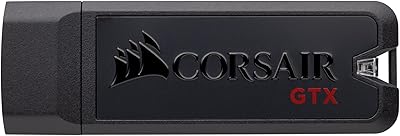
Corsair Flash Voyager GTX 512GB USB 3.1 Flash Drive
88%
94%
Performance
91%
Build Quality
82%
Value for Money
89%
Portability
96%
Transfer Speed
More
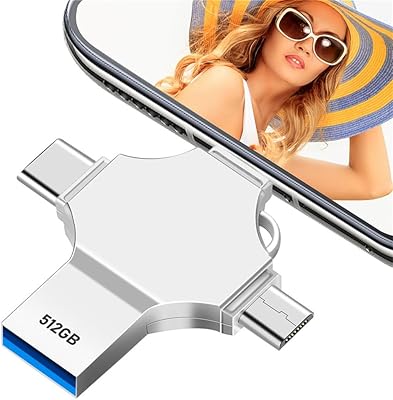
AOIRHLA 512GB USB Flash Drive
87%
87%
Performance
89%
Data Transfer Speed
82%
Compatibility
91%
Encryption and Security
95%
Portability and Size
More
GARMESE U54 512GB USB-C Flash Drive
82%
83%
Transfer Speed
88%
Build Quality
91%
Dual Connector Design
86%
Compatibility
89%
Storage Capacity
More
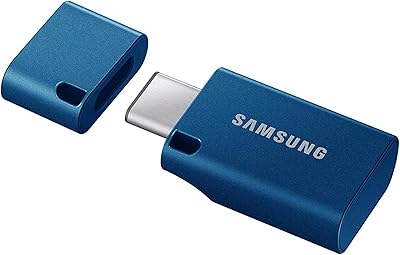
Samsung MUF-512DA 512GB USB-C Flash Drive
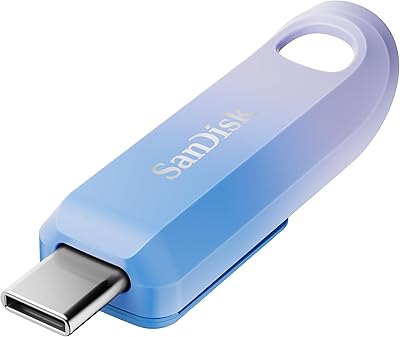
82%
91%
Read Speed Performance
63%
Write Speed Performance
88%
Build Quality & Durability
89%
Compatibility
94%
Portability & Form Factor
More
SanDisk Creator 512GB USB-C Flash Drive
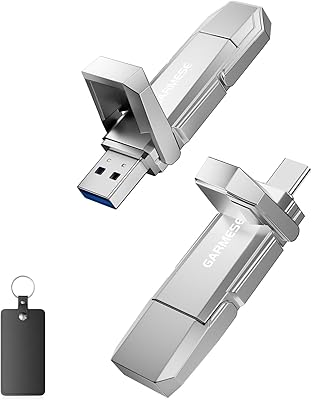
81%
88%
Read Speed Performance
51%
Write Speed Performance
94%
Portability
76%
USB-C Compatibility
72%
Value for Money
More
PNY Elite-X 512GB USB Flash Drive
82%
88%
Read Speed Performance
71%
Write Speed Performance
93%
Build Quality
58%
Cap & Connector Design
79%
Compatibility
More
PNY PRO Elite 512GB USB Flash Drive
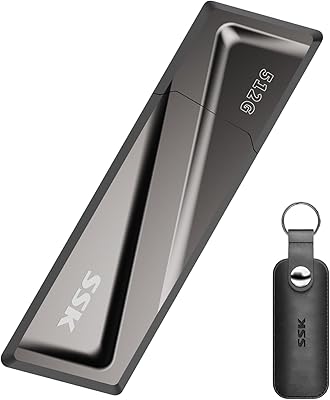
81%
88%
Read Speed Performance
71%
Write Speed Performance
91%
Build Quality
87%
Storage Capacity Value
93%
Portability & Form Factor
More
SSK SD300 512GB USB Flash Drive
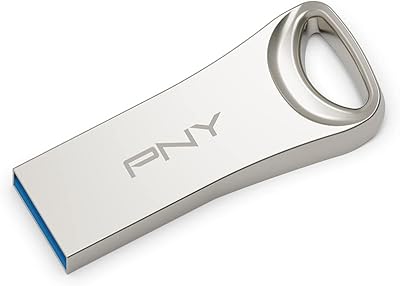
75%
83%
Transfer Speed
61%
USB-C Adapter Performance
88%
Build Quality
72%
Flip Cap Durability
86%
Compatibility
More
Samsung FIT Plus 512GB USB Flash Drive
81%
93%
Read Transfer Speed
71%
Write Transfer Speed
91%
Build Quality
94%
Form Factor & Design
66%
Value for Money
More
Micro Center Pro 512GB USB Flash Drive
75%
78%
Read Speed Performance
54%
Write Speed Performance
83%
Value for Money
91%
Compatibility
88%
Ease of Use
More

FAQ

It depends on your laptop's port. To get anywhere near the rated 1,000 MB/s read speed, your machine needs a USB 3.2 Gen 2 port — not just any USB-C or USB-A port. If your laptop only has USB 3.0 or USB 3.1 Gen 1, expect speeds closer to 400–500 MB/s, which is still fast but well short of the ceiling. Check your device specs before assuming you will see the full performance.

No — the Type-A and Type-C connectors share the same internal storage, so you connect to one device at a time using whichever port fits. The dual design is about universal compatibility across devices, not simultaneous connections.

Not directly. iPhones use Apple's ecosystem, and while newer iPhones have USB-C, compatibility with third-party flash drives through the Files app can be inconsistent depending on iOS version and file system format. Android phones with OTG support and USB-C iPads are more reliably compatible.

You will see slightly less than 512GB once the drive is formatted — typically somewhere around 476–480GB in Windows or macOS. This is standard across the industry because storage manufacturers measure gigabytes in base-10 while operating systems report in base-2, so the gap is expected and not a defect.

Some warmth is normal when pushing large files at high speeds — that is true of most fast flash drives. A handful of early buyers have noted the X1 MAX runs warm during sustained transfers, but nothing reported suggests dangerous heat levels. If you are regularly moving hundreds of gigabytes in one session, just make sure there is some airflow and avoid covering it in a tight pocket.

It ships formatted in exFAT, which is readable and writable on both Windows and macOS out of the box — no reformatting needed for basic cross-platform use. If you plan to use it exclusively with macOS and want Time Machine support, you would need to reformat to APFS or HFS+, but for general file transfers between the two systems, exFAT works fine.

A portable SSD at a comparable price will typically offer more consistent sustained write speeds, better thermal management, and a more durable enclosure. The X1 MAX trades some of those advantages for a significantly smaller form factor — it fits in a wallet slot where no SSD would. If raw performance and long write sessions matter most, an SSD may be the smarter call; if portability is the priority, the X1 MAX has the edge.

The 5-year warranty covers hardware defects, not data loss. If the drive fails due to a manufacturing fault, TEAMGROUP will replace the unit, but they are not liable for lost files. That is standard across the industry, so keep backups of anything important rather than relying on the drive as a sole copy.

Technically possible, but not ideal. Booting an OS or running applications requires consistent random read and write performance, not just high sequential speeds. Flash drives, even fast ones like this, are not optimized for the random I/O patterns that OS operations demand. You would see sluggish performance compared to a dedicated bootable SSD.

No hardware encryption or password protection feature is listed for this drive. If you need to secure sensitive files, you would need to use third-party software like VeraCrypt or BitLocker on Windows to add an encryption layer manually. For anyone carrying confidential client data, that is worth factoring into the buying decision.

Where to Buy