




Overview

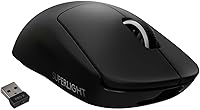
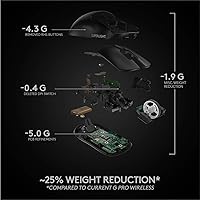
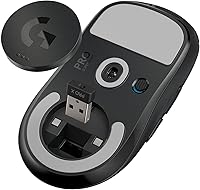
The Logitech G PRO X Superlight is, without much debate, one of the most serious wireless gaming mice built for competitive play. Developed alongside professional esports players, it strips everything back to hit under 63 grams — a reduction you actually feel the moment you pick it up. Long sessions become noticeably less fatiguing, and quick directional movements feel less like work. The HERO 25K sensor and LIGHTSPEED wireless round out the core package. One thing to flag early: this is a right-handed design with a minimal button layout, so if you game lefty or rely on extra buttons, this esports mouse probably is not your match.

Features & Benefits

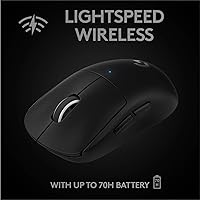
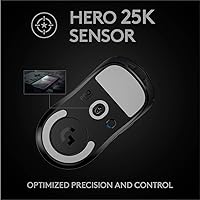
The HERO 25K optical sensor runs without any smoothing, filtering, or artificial acceleration, which means your cursor goes exactly where your hand tells it — nothing added, nothing softened. Pair that with LIGHTSPEED wireless, which operates at sub-1ms response time, and the wired-versus-wireless debate essentially disappears. The PTFE feet are zero-additive, so glide feels consistent and honest across most surfaces. Battery life stretches to around 70 hours on a charge, meaning you can go days of heavy use without thinking about it. Five programmable buttons handle everything a competitive player needs, and keeping the count low is part of what keeps the weight this low.

Best For

This wireless gaming mouse was built for one type of player: someone who competes, or wants to. FPS gamers in particular will notice the difference — fast flicks, precise tracking, and reduced wrist fatigue over long ranked sessions all stack up meaningfully at this weight class. It also makes strong sense for anyone upgrading from the original PRO Wireless who found the older model just slightly too heavy for comfort. If you have been tolerating a heavier mouse out of habit or budget, the Superlight makes a compelling case for switching. Casual users or those needing macro-heavy setups will likely find the minimalist layout frustrating.

User Feedback

Across thousands of reviews, the Superlight holds a 4.6-star rating, and the pattern in buyer feedback is consistent: people notice the weight immediately, and that alone wins most of them over. Battery life claims hold up well in real-world use, with few complaints about longevity. The trade-offs people mention most are the side buttons, which some find shallower and less satisfying to click than competing options, and the lack of extra programmable inputs for non-FPS use. Left-handed gamers occasionally surface in reviews frustrated by the shape. It is not a mouse for everyone, but for its intended audience, satisfaction rates are genuinely high.

Pros

  • Picking up the Superlight for the first time, the weight difference versus conventional mice is immediately, unmistakably obvious.
  • The HERO 25K sensor tracks with zero smoothing or acceleration, giving you raw, honest cursor movement.
  • LIGHTSPEED wireless matches wired response times closely enough that switching back feels unnecessary.
  • Verified buyers consistently confirm the 70-hour battery claim holds up under real daily use.
  • Zero-additive PTFE feet glide smoothly on both cloth and hard pads without needing replacement out of the box.
  • Primary click feel is crisp and consistent — confident without being stiff during fast, repeated inputs.
  • Available in black and white, the clean design fits most desk setups without visual noise.
  • Wrist fatigue during multi-hour sessions is noticeably reduced compared to mice in the 90–110g range.
  • Onboard profile storage means your settings travel with the mouse, no software required at a friend's setup.

Cons

  • The side buttons feel noticeably shallower and less satisfying than the primary clicks — a weak point at this price.
  • No USB-C charging is a real omission; the proprietary cable feels behind the times for a premium peripheral.
  • G HUB software has a documented track record of bugs, background resource drain, and occasional update headaches.
  • Five buttons is a hard ceiling — there is no way to add inputs if your game or workflow needs more.
  • The matte plastic shell picks up fingerprints and light scratches faster than the price suggests it should.
  • No free-scroll wheel mode limits usefulness for anyone who also uses this wireless gaming mouse for desktop work.
  • The USB receiver is small enough to lose easily, and there is no Bluetooth fallback if it goes missing.
  • Left-handed players have no viable option here — the shape is non-negotiable and fully right-handed.
  • Feet wear may become a factor sooner than expected on abrasive hard mousepads, requiring eventual replacement.

Ratings

The Logitech G PRO X Superlight earns its reputation through consistent real-world performance across thousands of verified buyer reviews worldwide — our AI scoring system filtered out incentivized and bot-driven feedback to surface what genuine users actually experience. Scores below reflect both the strengths that make this esports mouse a top-tier pick and the friction points that keep it from being the right choice for every type of gamer.

Weight & Ergonomics
96%
The sub-63g body is the single most praised aspect across the entire review base. Buyers who switched from heavier mice consistently describe reduced wrist strain during multi-hour sessions, and FPS players note that flick shots feel faster and less effortful almost immediately after the transition.
The shape is strictly right-handed, which is a hard limitation for left-handed players. A small group of users with larger hands also find the relatively compact frame less comfortable during extended claw-grip sessions.
Sensor Accuracy
94%
The HERO 25K sensor draws consistent praise for its raw, unfiltered tracking. Competitive players appreciate that there is no acceleration or smoothing layered on top, meaning cursor movement reflects hand movement directly — a quality that matters most in high-stakes ranked play.
At very low DPI settings, a minority of users report minor inconsistencies, though this is an edge case. The sensor's strengths are most apparent at higher sensitivity ranges, so users who prefer very low DPI configurations may not fully benefit.
Wireless Performance
93%
LIGHTSPEED wireless draws near-universal praise for its reliability. Buyers who were previously skeptical of wireless mice for competitive play frequently note they stopped noticing any difference from their previous wired setups within days of switching.
The USB receiver is small and easy to misplace, which a handful of buyers mention as a recurring frustration. Range is not an issue for desk use, but a few users in larger setups note occasional micro-dropouts beyond standard desktop distances.
Battery Life
91%
Real-world battery reports from buyers closely match the advertised 70-hour claim, which is relatively rare for wireless peripherals. Gamers who play four to six hours daily report going well over a week between charges, which removes battery anxiety almost entirely.
The mouse uses a proprietary charging cable rather than a universal USB-C connection, which frustrates buyers who prefer standardized charging across their devices. Charging speed is adequate but not particularly fast if the battery does run low unexpectedly.
Click Feel & Switches
84%
The primary left and right clicks are crisp, responsive, and consistent — a quality buyers who have used cheaper mice notice right away. The actuation feels confident without being stiff, which suits both deliberate shots and rapid clicking in fast-paced games.
The side buttons are the most frequently criticized part of the click experience. A notable segment of users describes them as shallow and slightly mushy compared to the primary buttons, which feels inconsistent for a mouse at this price point.
Glide & Feet Quality
89%
The zero-additive PTFE feet get specific mention from buyers who have tried aftermarket skates on other mice — several note they felt no immediate urge to replace them, which is a meaningful endorsement. Glide is smooth and consistent across cloth and hard pads alike.
Over extended use, a small number of buyers report the feet wearing down faster than expected, particularly on rough or textured hard mousepads. Replacement feet are available but represent an additional cost that buyers at this tier do not expect to need quickly.
Build Quality
88%
The shell feels solid and well-constructed without contributing unnecessary weight. Buyers who have owned the mouse for over a year generally report no significant flex, creak, or structural degradation, which suggests the materials hold up well under daily competitive use.
The matte plastic finish attracts fingerprints and light surface scratches over time, which bothers aesthetics-conscious buyers more than performance-focused ones. There is no rubberized grip or textured coating, so sweaty hands during intense sessions can affect feel.
Software & Customization
67%
33%
G HUB software covers the basics — DPI adjustment, button remapping, and onboard profile storage work reliably for most users. Buyers who only need to set their DPI and forget it generally have no complaints about the software experience.
G HUB has a well-documented history of performance issues, background resource usage, and occasional update-related bugs that the broader Logitech user base discusses frequently. Buyers who want deep macro programming or complex lighting control will find the feature set limited compared to rivals.
Button Layout & Count
71%
29%
For pure FPS use, five buttons is genuinely enough — left click, right click, scroll wheel click, and two side buttons cover every standard competitive binding. Buyers who exclusively play shooters rarely mention wanting more.
Anyone coming from a mouse with six or more buttons for MMO, MOBA, or productivity use will feel constrained almost immediately. The minimalist layout is a deliberate design choice, but it makes this esports mouse a poor fit outside of its intended competitive niche.
Value for Money
78%
22%
Buyers who prioritize competitive performance tend to consider the price justified given the sensor quality, wireless reliability, and weight engineering involved. For esports-focused users, the hardware genuinely delivers at the level the price implies.
At its price point, the absence of USB-C charging, the basic software, and the shallow side buttons give some buyers pause. Competing mice at similar or lower prices offer more features, which makes the value case entirely dependent on whether ultra-low weight is a top priority.
Scroll Wheel
72%
28%
The scroll wheel is tactile and precise for in-game use — weapon switching and menu navigation feel accurate. Buyers focused purely on gaming rarely raise any complaints about the wheel's core function.
The wheel lacks any free-scroll or high-speed mode, which limits its usefulness for productivity tasks. A few buyers also note the wheel feels slightly light and plasticky compared to the premium feel of the rest of the mouse.
Compatibility
87%
Works reliably across Windows and macOS without driver installation for basic use, which buyers who switch between machines appreciate. The USB receiver plugs in and operates immediately, making setup genuinely straightforward.
macOS users occasionally report minor compatibility gaps with G HUB features and firmware updates. Bluetooth is not supported — the mouse relies entirely on the USB receiver, which can be a limitation for users on machines with limited USB ports.
Aesthetics & Design
81%
19%
The clean, minimal silhouette appeals strongly to buyers who prefer their setup to look understated. Available in both black and white, it fits a wide range of desk aesthetics without demanding attention.
There is no RGB lighting, which is a deliberate weight-saving choice but disappoints buyers who want visual customization. For those who spent money building a themed setup, the completely plain exterior can feel visually underwhelming next to more feature-rich competitors.

Suitable for:

The Logitech G PRO X Superlight is purpose-built for competitive right-handed gamers — particularly those who play FPS titles like CS2, Valorant, or Apex Legends where fast, precise movement and low fatigue directly affect performance. If you have ever finished a long session with a sore wrist and blamed your mouse, the weight difference here is something you will notice within minutes, not days. Aspiring esports players and anyone grinding ranked queues for hours at a time will find the combination of sub-63g weight, zero-lag wireless, and an honest, unfiltered sensor genuinely worth the investment. It also makes strong sense for someone upgrading from the original PRO Wireless who wants to keep the same trusted platform but shed some grams. If wireless reliability has historically made you nervous in competitive settings, the LIGHTSPEED connection largely resolves that concern based on broad, consistent real-world feedback.

Not suitable for:

If you play MMOs, MOBAs, or any genre where five buttons simply is not enough, the Superlight will frustrate you quickly — the minimalist layout is a deliberate trade-off, not an oversight, and it cannot be worked around. Left-handed gamers should look elsewhere entirely, as the shape is designed exclusively for right-handed use with no ambidextrous option in this line. Users who want deep software customization, macro programming, or RGB lighting will also find this esports mouse underwhelming compared to feature-rich competitors at similar price points. If you split your time between gaming and productivity tasks like spreadsheets or creative work, the limited button count becomes a daily inconvenience. Buyers on a tighter budget who do not specifically need ultra-low weight should know that competing wireless mice offer more features per dollar — the premium here is almost entirely justified by the engineering behind the weight reduction, so if that is not your priority, the value case weakens considerably.

Specifications

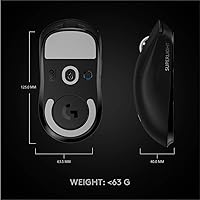
  • Weight: The mouse weighs under 63 grams, making it one of the lightest wireless gaming mice available in its class.
  • Sensor: Equipped with the HERO 25K optical sensor, engineered by Logitech G for zero smoothing, filtering, or acceleration across the full DPI range.
  • Max DPI: The sensor supports a maximum resolution of 25,600 DPI, adjustable in steps to suit any sensitivity preference.
  • Wireless Tech: Uses Logitech LIGHTSPEED wireless technology, delivering a sub-1ms report rate over a dedicated 2.4GHz USB receiver connection.
  • Battery Life: Rated for up to 70 hours of continuous use on a single full charge under standard gaming conditions.
  • Buttons: Features 5 programmable buttons: left click, right click, scroll wheel click, and two thumb-side buttons positioned for right-handed users.
  • Dimensions: Measures 4.92 inches long, 2.5 inches wide, and 1.57 inches tall, suited to medium and large right-handed grip styles.
  • Mouse Feet: Pre-installed with full-coverage, zero-additive PTFE glide feet designed for consistent, low-friction movement on both cloth and hard surfaces.
  • Charging: Rechargeable via a proprietary charging cable included in the box; does not support USB-C or wireless charging.
  • Battery Type: Powered internally by a built-in lithium polymer battery that is not user-replaceable.
  • Connection: Connects via an included USB-A LIGHTSPEED receiver; no Bluetooth mode is available.
  • Compatibility: Fully compatible with Windows 8 or later and macOS 10.11 or later; basic plug-and-play functionality works without software installation.
  • Software: Optionally configurable through Logitech G HUB software, which enables DPI tuning, button remapping, and onboard profile management.
  • Form Factor: Designed exclusively for right-handed users with a low-profile ergonomic shell; no ambidextrous or left-handed variant exists in this series.
  • Colors: Available in two colorways: matte black and matte white, both sharing identical hardware specifications.
  • Onboard Memory: Includes onboard profile storage so DPI and button settings are retained on the mouse without requiring software on the host machine.
  • Item Weight (Shipping): The retail package weighs approximately 2.2 ounces for the mouse unit itself, excluding packaging and accessories.
  • Warranty: Covered by a 2-year limited hardware warranty provided by Logitech from the original date of purchase.

Related Reviews
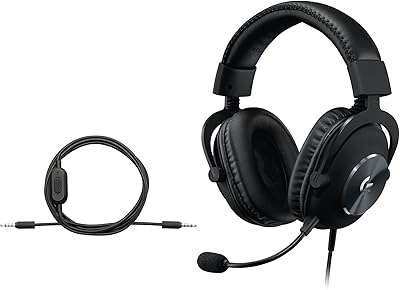
Logitech G PRO X Gaming Headset
84%
93%
Microphone Clarity
89%
Comfort for Long Sessions
91%
Audio Performance
74%
Build Quality
88%
Noise Isolation
More
Logitech G PRO X TKL Gaming Keyboard
86%
88%
Performance
92%
Build Quality
85%
Usability & Ergonomics
90%
Portability
89%
Customization Options
More
Logitech G Pro X SE Gaming Headset
79%
91%
Build Quality
84%
Sound Quality
88%
Microphone Performance
76%
Comfort & Fit
78%
Surround Sound & Spatial Audio
More
Logitech X-530
Logitech X-530
75%
82%
Sound Quality
80%
Bass Performance
86%
Dialogue / Center Channel
84%
Surround Imaging
75%
Build Quality
More
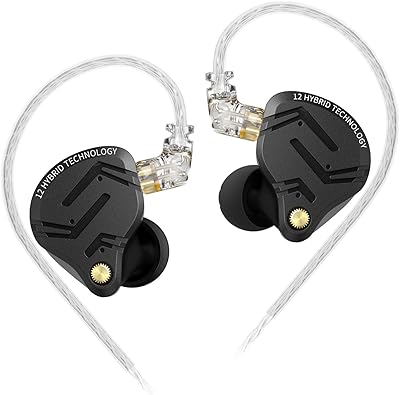
KZ ZS12 PRO X
KZ ZS12 PRO X
89%
95%
Sound Clarity
91%
Bass Response
93%
Treble Detail
90%
Midrange Accuracy
88%
Noise Isolation
More
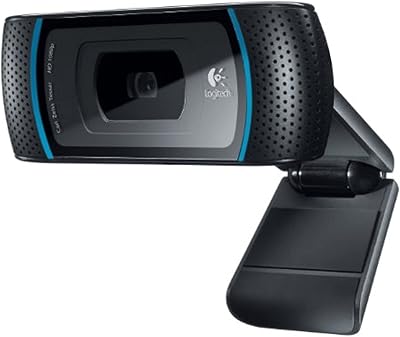
Logitech C920x HD Pro Webcam
75%
83%
Video Quality
86%
Low-Light Performance
81%
Autofocus Accuracy
62%
Built-in Microphone Quality
93%
Ease of Setup
More
Datacolor Spyder X Capture Pro
80%
88%
Ease of Use
91%
Calibration Accuracy
85%
Device Compatibility
80%
Setup and Installation
70%
Software Experience
More
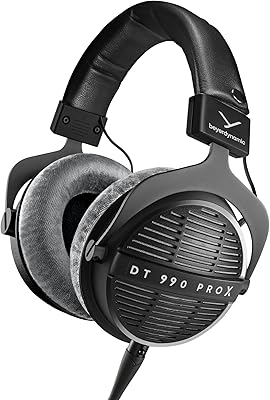
beyerdynamic DT 990 Pro X
92%
96%
Sound Clarity
94%
Stereo Imaging
91%
Bass Accuracy
95%
Treble Detail
93%
Midrange Balance
More
Logitech HD Pro Webcam C910
85%
89%
Video Quality
85%
Audio Quality
92%
Ease of Setup
88%
Low-Light Performance
78%
Autofocus
More
Logitech C922 Pro Stream Webcam
77%
88%
Image Quality in Good Lighting
71%
Low-Light Performance
67%
Autofocus Reliability
63%
Microphone Quality
74%
Frame Rate & Streaming Performance
More

FAQ

Yes, it does. The Superlight functions as a plug-and-play device — just insert the USB receiver and you are ready to go. Your DPI and button settings can also be saved directly to the mouse using G HUB, so they carry over to any machine you use it on without needing software installed there.

It works at low DPI settings, and most users have no issues. That said, the HERO sensor performs most impressively in the mid-to-high DPI range. A small number of users have reported very minor inconsistencies at extremely low sensitivity settings, though this is not a common complaint and may depend on individual sensitivity to tracking behavior.

A full charge from empty takes roughly 1 to 1.5 hours using the included cable. Given the 70-hour battery life, most users charge it once a week or less, so downtime is rarely an issue in practice.

Yes, you can plug in the charging cable and continue using the mouse without interruption. It functions normally during charging, so you are never truly stuck waiting.

It depends on your hand size. The mouse is on the smaller side of medium, so fingertip grip users with medium hands tend to find it comfortable. Players with larger hands using fingertip grip have occasionally noted the shell feels slightly short. If possible, compare the dimensions — 4.92 inches long and 2.5 inches wide — against your current mouse before committing.

No, the scroll wheel is tactile-only with no free-spin option. It clicks through each notch, which works well for weapon switching in games, but users who do a lot of document scrolling or web browsing may find it slower than mice with a dual-mode wheel.

The receiver is small — intentionally so, to stay low-profile in your PC. Some versions of the mouse include a small slot or compartment to store the receiver inside the mouse itself when traveling, which helps. That said, it is worth keeping track of it carefully since there is no Bluetooth fallback if you misplace it.

In practical use, the difference is essentially undetectable. The LIGHTSPEED connection reports at sub-1ms, which is on par with or faster than most wired mice. Many competitive players who made the switch report they could not tell any difference in responsiveness during actual gameplay.

Yes, third-party replacement PTFE feet compatible with this esports mouse are widely available from brands like Corepad and Tiger Gaming. The stock feet are considered high quality, but users who play on rougher hard pads may find they need to replace them after a year or more of heavy use.

No, there is no RGB lighting on the Superlight. The absence of LEDs is a deliberate design choice to reduce weight and extend battery life. If a lit-up setup is important to you, this wireless gaming mouse will look noticeably plain compared to RGB-equipped alternatives.