Overview

The Livescribe Echo 2GB Smartpen is a pen that records both what you write and what you hear at the same time, then links those two things together in a surprisingly useful way. The core idea is simple: tap any word on your notes and the pen replays the audio from exactly that moment in the recording. With 2GB of storage, you get roughly 200 hours of recording time — more than enough for heavy daily use. It sits in the premium tier, so buyers come in expecting a polished, reliable experience rather than a novelty gadget. Students, journalists, and busy professionals are the natural audience here.
Features & Benefits

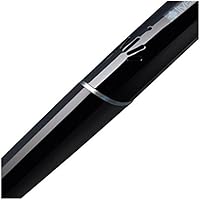
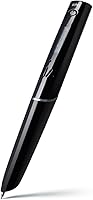
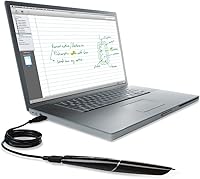
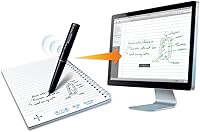
The tap-to-replay functionality is the heart of how the Echo smartpen works in practice. While you write in one of Livescribe's required dot-paper notebooks, the pen's built-in microphone records ambient audio and ties it to your exact pen strokes. Later, just tap a word or sketch and the pen jumps to that audio moment instantly. At 6.18 inches, it sits comfortably in hand like a standard pen, and the small OLED display keeps you informed about recording status and storage. Charging and syncing both happen over a standard Micro USB cable. The Echo Desktop software for Mac and Windows lets you browse and replay your notes on a proper screen.

Best For

This smartpen makes the most sense for people whose work depends on accuracy and recall. College students are the obvious fit — capturing a professor's exact words while still writing notes by hand removes the anxiety of missing something important. Journalists and interviewers benefit similarly, since the linked audio means they can verify quotes without fumbling for a separate recorder. In corporate settings, it works well for anyone who attends frequent meetings and wants a written record backed by actual audio. Researchers who annotate dense material also get real value here. It is worth noting this pen does require commitment — proprietary notebooks, a learning period, and the expectation that you will write by hand consistently.

User Feedback

Across more than 1,200 ratings, the Livescribe pen holds a solid 4-star average, and the pattern in reviews is pretty consistent. The tap-to-replay experience draws the most praise — people genuinely find it useful in real situations, not just impressive on paper. Build quality and the pen's natural feel also come up repeatedly as positives. On the other side, the hard dependency on Livescribe's dot-paper notebooks is the most common frustration; it adds ongoing cost and limits where you can buy supplies. The Echo Desktop software works, but several users note it feels behind on compatibility with recent operating systems. Battery life during long recording sessions gets mixed marks. Long-term owners, though, tend to report that the pen itself holds up well over years of regular use.

Pros

  • Tap-to-replay is genuinely useful in practice — tapping any written word jumps audio to that exact recorded moment.
  • Two gigabytes of storage covers well over a hundred hours of recordings before you need to offload anything.
  • The pen writes naturally and feels solid, with a build quality that holds up through years of regular use.
  • No proprietary charging dock needed — a standard Micro USB cable handles both power and data transfer.
  • The Echo smartpen is compact enough to carry in a pocket alongside a notebook without adding noticeable bulk.
  • Notes and pencasts can be exported as images, making it easy to share written content with people who do not own the pen.
  • The included starter notebook lets you learn the full workflow before spending anything extra.
  • Long-term owners consistently report reliable performance, suggesting the hardware investment pays off over time.
  • The small OLED display gives clear status feedback on recording mode and storage without needing to open an app.

Cons

  • Proprietary dot-paper notebooks are mandatory and must be repurchased regularly, adding a recurring cost to ownership.
  • Echo Desktop software feels outdated and has reported compatibility issues on recent Mac and Windows versions.
  • The microphone struggles in noisy environments, making audio playback genuinely difficult after loud or crowded sessions.
  • Battery performance during extended multi-hour recording days is inconsistent and has drawn mixed feedback from heavy users.
  • The pen barrel is noticeably thicker than a standard pen, which causes fatigue for some users during long writing sessions.
  • There is no expandable storage option, so users who do not sync and clear files regularly will hit the 2GB ceiling.
  • Pencast sharing only works interactively if the recipient has compatible software — the audio linkage is lost in plain image exports.
  • The full workflow takes several weeks to master, which feels like a steep expectation at this price point.
  • Sourcing replacement Livescribe notebooks can be difficult in regions where they are not widely distributed in stores.

Ratings

The Livescribe Echo 2GB Smartpen has been scored below by our AI system after analyzing hundreds of verified global buyer reviews, with spam, incentivized, and bot-flagged submissions actively filtered out before any scoring was applied. The ratings reflect where this smartpen genuinely earns its keep — and where real users have run into friction — so you get an honest picture rather than a polished highlight reel.
Tap-to-Replay Accuracy
91%
Users consistently describe the tap-to-replay feature as the single most impressive thing the Echo smartpen does. In real lecture and meeting scenarios, tapping a hastily written word and hearing exactly what was being said at that moment removes a huge amount of post-session guesswork. The synchronization between pen strokes and audio is tight and dependable.
In loud or echoey environments — think large lecture halls or open-plan offices — the linked audio can be harder to parse during playback. A small number of users also noted that replaying audio by tapping works better on fresh notes than on older notebooks that have been heavily annotated over time.
Build Quality & Durability
88%
The pen feels solid in hand — not plasticky or hollow — and long-term owners frequently mention that their unit has held up through years of daily use without any structural issues. The ink cartridge mechanism feels precise, and the overall construction gives the impression of a tool built to last rather than a consumer gadget with a short lifespan.
The pen is noticeably thicker and heavier than a standard ballpoint, which a minority of users find tiring during very long writing sessions. A few buyers also noted that the cap can feel slightly loose over time, though this was not widely reported as a dealbreaker.
Audio Recording Quality
79%
21%
For one-on-one interviews, small group meetings, and standard classroom settings, the built-in microphone captures audio clearly enough to be genuinely useful for recall and transcription. Journalists and students in quiet environments praised the recording fidelity as more than adequate for their everyday needs.
Background noise is a known limitation — cafeteria ambiance, air conditioning, or side conversations can muddy the recording in ways that make playback frustrating. Users expecting studio-level clarity will be disappointed; this is a functional capture tool, not a dedicated audio recorder.
Dot-Paper Dependency
53%
47%
The dot-paper system is what makes the tap-to-replay magic possible, and within that constraint it works reliably. The starter notebook included in the box gives new users enough pages to genuinely learn the workflow before committing to more supplies.
This is one of the most recurring complaints in the review pool. You cannot use ordinary notebooks — every session requires Livescribe-specific dot-paper, which adds an ongoing cost and means you are locked into a single supplier. Travelers and users in regions where Livescribe notebooks are hard to source found this especially frustrating.
Software & Desktop Experience
58%
42%
Echo Desktop does what it promises at a basic level — you can browse your notes visually, organize sessions, and replay linked audio on a proper screen. For users running stable, mid-cycle operating system versions, the workflow between pen and computer is functional and reasonably intuitive.
Multiple users on newer Mac OS and Windows versions reported compatibility hiccups, sluggish performance, and a UI that clearly has not kept pace with modern software standards. The desktop app feels like it was designed several years ago and has received only minimal maintenance since, which is a real friction point for daily power users.
Pen Comfort & Writing Feel
84%
For a smartpen with internal hardware, the Echo writes surprisingly naturally. The weight distribution feels balanced during normal note-taking, and the ink output is smooth enough that many users forget they are holding a recording device and not a regular pen.
The wider barrel is not universally comfortable, and users with smaller hands or those accustomed to ultra-slim pens may need an adjustment period. Extended writing sessions — two or more hours — occasionally draw fatigue complaints that would not apply to a lighter everyday pen.
Battery Life
62%
38%
For typical use — an hour-long class or a standard business meeting — the battery holds up without issue. Users who record in focused daily bursts generally charge the pen overnight via Micro USB and report no interruption to their routine.
Heavy users who record three or more hours in a single day found battery performance inconsistent, with some units dropping out earlier than expected. The mixed feedback here suggests variability across units or degradation over time rather than a uniform experience.
Storage Capacity
86%
Two gigabytes translates to a substantial amount of real recording time — enough that most students and professionals will never genuinely hit the ceiling in ordinary use. The storage feels right-sized for the intended audience and rarely comes up as a limitation in user reviews.
For archival users or those who record full-day workshops and conferences without regularly offloading to a computer, 2GB can feel tighter than expected. There is no expandable storage option, so heavy users simply have to stay on top of syncing and clearing sessions.
Setup & Learning Curve
67%
33%
The basic workflow — press the record button, write, tap to replay — is intuitive enough that most users are up and running within a single session. The included starter notebook and clear visual indicators on the OLED display help new users orient themselves quickly.
Getting the most out of the pen, including the desktop software, pencast sharing, and folder organization, takes considerably more time to learn. Several users reported a few weeks of frustration before the full system clicked, which matters at this price point where buyers expect immediate value.
Value for Money
63%
37%
For users who rely on it daily — students in information-dense programs, journalists on active beats, executives in back-to-back meetings — the Echo smartpen delivers a workflow improvement that justifies the cost over time. The longevity reported by long-term owners also spreads the investment across years of use.
At the premium end of the price range, the dated software and the mandatory ongoing cost of proprietary notebooks make the total ownership picture less attractive than the initial purchase price suggests. Casual or infrequent users are unlikely to extract enough value to feel the purchase was worthwhile.
Sync & Transfer Reliability
74%
26%
The Micro USB connection is a practical, no-nonsense choice that means no searching for proprietary cables. In stable software environments, syncing notes and audio to the desktop app completes without drama and the linked structure transfers intact.
Users on the latest operating system versions reported occasional sync failures or unrecognized connections that required troubleshooting. This is tied directly to the aging software issue and surfaces most often after an OS update rather than as a day-one problem.
Portability
82%
18%
At just over an ounce and roughly the size of a chunky pen, the Echo smartpen slips into a jacket pocket, pencil case, or bag without adding meaningful bulk. Commuters and students who move between locations daily appreciated not having to carry a separate recorder alongside their notebook.
The pen requires its own dedicated dot-paper notebook to function, which means portability always involves carrying that specific notebook rather than any scrap paper. That pairing requirement limits the spontaneous, grab-and-go convenience that the pen's physical size otherwise suggests.
Sharing & Export Options
71%
29%
The ability to export notes as images and pencasts — audio-linked note files — is a genuinely useful feature for sharing with colleagues or uploading to cloud storage. Students who share lecture notes found the image export clean and readable without requiring the recipient to own a Livescribe pen.
Pencast playback requires the recipient to use compatible software or the Livescribe platform, which limits how broadly you can share the interactive audio-linked format. Plain image exports lose the audio linkage entirely, so the most compelling feature does not survive the sharing process in many practical scenarios.

Suitable for:

The Livescribe Echo 2GB Smartpen was built for people whose work or study depends on accurate recall, and it delivers best when used consistently in that context. College students in lecture-heavy programs — law, medicine, journalism, engineering — get the most obvious return, since they can write notes naturally while knowing the full audio is captured and indexed to every word on the page. Journalists and interviewers will appreciate having a verbatim audio trail without the awkwardness of a visible recorder on the table. Business professionals who sit through dense technical meetings, legal proceedings, or client briefings will also find real value in being able to revisit exactly what was said at a specific moment rather than relying on memory or incomplete typed notes. Researchers who annotate source documents and want to attach spoken context to written observations round out the core audience. If you are a committed handwriter who has wished for a digital safety net during high-stakes conversations, this smartpen is designed precisely for you.
Not suitable for:

Buyers who want a flexible, low-commitment note-taking upgrade should think carefully before purchasing the Livescribe Echo 2GB Smartpen, because the system works only with proprietary Livescribe dot-paper notebooks — ordinary paper simply does not function with it, and those notebooks carry an ongoing cost that adds up over time. If you primarily type your notes, use a tablet, or have already shifted to digital workflows, the pen-and-paper foundation of this device will feel like a step backward rather than a productivity tool. Casual users who only occasionally record a meeting or lecture are unlikely to extract enough value to justify the premium price. Anyone running the latest versions of Mac OS or Windows should also be aware that the Echo Desktop companion software has not kept pace with modern operating systems, and compatibility issues are a real possibility. Users who need high-fidelity audio capture in noisy environments — crowded conferences, outdoor interviews, busy coworking spaces — will find the built-in microphone falls short of a dedicated recorder. Finally, buyers expecting an out-of-the-box experience with zero learning curve may find the initial setup and workflow more involved than anticipated.

Specifications

  • Storage: The pen includes 2GB of internal storage, providing approximately 200 hours of audio recording capacity before requiring a sync and offload to a computer.
  • Pen Length: The pen measures 6.18 inches in length, making it close in size to a standard ballpoint pen while housing internal recording hardware.
  • Weight: The unit weighs 1.28 ounces, which is heavier than a typical pen due to its built-in electronics and battery.
  • Display: A 1.8″ OLED screen on the pen body shows recording status, storage levels, and session information in real time.
  • Connectivity: The pen connects to computers via standard Micro USB, which handles both battery charging and note and audio data transfer.
  • Compatibility: Echo Desktop software is compatible with Mac OS X 10.8.5 and above, and Windows 7 or Windows 8 and above.
  • Power: The pen runs on a built-in rechargeable battery that charges through the included Micro USB cable; no external dock or proprietary charger is required.
  • Note Format: All recording and tap-to-replay functionality requires Livescribe-branded dot-paper notebooks; standard ruled or blank paper is not compatible with the pen's optical tracking system.
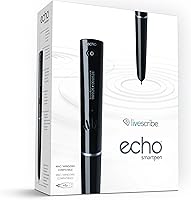
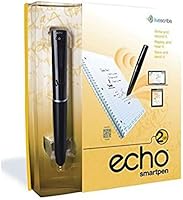
  • Included Accessories: The box contains a starter notebook with 50 pages, two ink cartridges (one pre-installed, one spare), a smartpen cap, and a Micro USB cable.
  • Software: Echo Desktop, a downloadable application for Mac and Windows, enables users to organize, browse, and replay linked notes and audio sessions on their computer.
  • Output Formats: Notes can be exported as static images, and full pencasts — interactive files that link handwriting to audio — can be shared in Livescribe's pencast format.
  • Color: The pen is available in black with a matte finish across the barrel and grip section.
  • Audio Capture: The built-in microphone records ambient audio simultaneously with pen strokes, linking every written mark to its corresponding moment in the audio timeline.
  • Amazon Ranking: The pen holds a rank of #164 in the Digital Pens category on Amazon, based on recent sales performance data.
  • User Rating: The pen carries a 4.0 out of 5 star rating derived from 1,247 verified buyer ratings on Amazon at the time of this review.
  • Battery Type: The pen uses a non-removable internal lithium battery; replacement is not user-serviceable and the pen must be charged via USB when depleted.
  • Ink Cartridges: The pen uses standard Livescribe-compatible ballpoint ink cartridges, which can be replaced when depleted without affecting the electronic recording components.
  • Model Number: The official model designation is APX-00008, as listed by manufacturer Livescribe on the product packaging and documentation.

Related Reviews
Brunton Echo 7x18 Monocular
73%
94%
Portability
76%
Optical Clarity (Daytime)
47%
Low-Light Performance
82%
Build Quality & Durability
78%
Magnification Usability
More
Echo Dot 4th Gen with Clock
84%
92%
Value for Money
78%
Audio Quality
94%
Design & Compactness
88%
Smart Home Integration
90%
Ease of Setup
More
Libre Computer AML-S905X-CC 2GB
83%
85%
Performance
78%
Build Quality
91%
Power Efficiency
87%
Ease of Setup
82%
Graphics/Video Playback
More
NVIDIA NVS 510 Graphics Card 2GB
84%
93%
Multi-Display Support
91%
Energy Efficiency
88%
Ease of Installation
86%
Performance for Business Use
89%
Low-Profile Design
More
FiiO Echo Mini Bluetooth MP3 Player
78%
88%
Audio Quality
84%
Balanced Output (4.4mm)
58%
Bluetooth Performance
91%
Storage & Capacity
79%
Battery Life
More
Amazon Echo Dot Kids 2023 with Alexa
87%
88%
Sound Quality
91%
Ease of Use
95%
Parental Controls
87%
Educational Content
85%
Voice Customization
More
Olympus VN-8100PC Digital Voice Recorder 2GB
84%
82%
Recording Quality
90%
Ease of Use
88%
Battery Life
76%
Build Quality
91%
Portability
More
Sony ICD-UX512 2GB Digital Voice Recorder
83%
89%
Ease of Use
91%
Battery Life
78%
Audio Quality
95%
Portability
84%
Build Quality
More
LILYGO T-Echo 915MHz
73%
88%
LoRa Range & Signal Quality
83%
Meshtastic Compatibility
91%
Hardware Integration & Component Density
79%
E-Ink Display Quality
62%
Battery Life (Real-World)
More
AMD Radeon Pro W2100 2GB Graphics Card
86%
88%
Performance for CAD & 3D Modeling
91%
Value for Money
93%
Ease of Installation
87%
Driver Stability
85%
Compatibility with Software
More

FAQ

You do have to use Livescribe dot-paper notebooks — regular paper will not work. The pen's camera tracks a microscopic dot pattern printed on Livescribe paper to know exactly where on the page you are writing, which is what makes the tap-to-replay feature possible. The starter notebook included in the box gives you 50 pages to get going, but plan to budget for replacement notebooks as an ongoing cost.

With 2GB of internal storage, you are looking at roughly 200 hours of recorded audio, which is a substantial amount for most users. A full semester of weekly two-hour lectures, for example, would only use a fraction of that. The main thing is to sync your sessions to Echo Desktop periodically so you always have a backup and can clear space if needed.

This is worth checking carefully before you buy. The Echo Desktop software was designed for Mac OS X 10.8.5 and above, and Windows 7 or 8 and above, but several users running newer operating system versions have reported compatibility issues and sluggish performance. The software has not been updated aggressively, so if you are on the latest OS release, it is worth researching current compatibility before committing.

Yes, partially. You can export your handwritten notes as standard image files, which anyone can open and read. However, the interactive pencast format — where tapping the notes plays back the linked audio — requires compatible software on the recipient's end. If you just need to share the written content, image export works fine; if you want to share the full audio-linked experience, the recipient needs to be set up with Livescribe's platform.

Battery life is adequate for typical daily use — most users covering a single lecture or a standard business meeting will not run into issues. Where it gets mixed is during heavy recording days of three or more continuous hours; some users report the battery flagging before the session ends. Charging overnight via Micro USB is the easiest routine to adopt, and the pen charges from any standard USB power source.

No — the pen only records audio when you actively start a recording session, typically by tapping the record control in the notebook or pressing the physical button. If you forget to start recording and just start writing, no audio will be captured for those notes. Building the habit of starting a session before you begin writing is a small but important part of the learning curve with this pen.

When you tap your pen on any word, symbol, or drawing you made during a recorded session, the pen jumps to the exact moment in the audio when you wrote that mark and plays back the sound from that point. So if you wrote a key term during a lecture and circled it, tapping that circle later plays the audio from exactly when you wrote it. It works through the optical dot-paper tracking system, which maps every pen stroke to a timestamp in the recording.

Most users find it comfortable for standard session lengths — a one-hour class or meeting rarely draws complaints. The pen is thicker and heavier than a regular ballpoint, though, and users who write for two or more continuous hours sometimes mention hand fatigue. If you have smaller hands or are sensitive to pen weight, it is worth being aware of this before purchasing.

If you have been regularly syncing to Echo Desktop, all your notes and audio are backed up on your computer and are not lost with the pen. This is one of the better arguments for staying on top of regular syncing rather than treating the pen as your only storage location. If you have never synced, anything stored only on the pen would be lost, so getting into the habit of connecting via USB after important sessions is strongly recommended.

It can be, but go in with realistic expectations about the setup process. The core idea — write notes, tap to hear what was said — is intuitive, but getting comfortable with the full system, including the desktop software, notebook management, and session organization, takes a few weeks of regular use. Students in lecture-heavy programs who commit to the workflow consistently tend to get the most out of it; students who only use it occasionally may find the friction outweighs the benefit.

Where to Buy