Overview

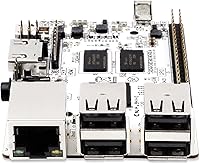
The Libre Computer Le Potato 2GB Single-Board Computer has been quietly earning its place in the maker community since 2017 — long enough to prove it is not just another here-today-gone-tomorrow hobbyist board. Built as a capable alternative to the Raspberry Pi 3 Model B, the Le Potato shares the same physical footprint, meaning existing cases, power supplies, and accessories carry right over. Libre Computer contributes directly to mainline Linux and u-boot, giving it genuine long-term software support rather than a snapshot that quietly ages out. That said, this board rewards patience and some Linux experience — it is not a plug-and-play appliance, and buyers should set expectations accordingly before diving in.
Features & Benefits

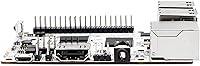
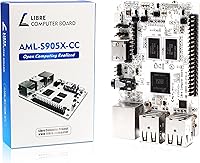
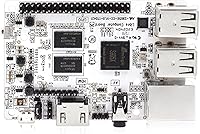
The Le Potato packs a quad-core ARM Cortex-A53 running at 1.5GHz — enough muscle for web browsing, terminal work, and lightweight server tasks without the processor becoming a bottleneck. Paired with 2GB of DDR3 RAM, it handles multitasking better than most boards in this tier. Where it genuinely stands out is 4K hardware video decoding — H.265, H.264, and VP9 are all handled in silicon, so high-resolution playback does not tax the CPU at all. The 40-pin GPIO header mirrors the Raspberry Pi pinout exactly, and the libretech-wiring-tool speeds up prototyping considerably. Booting via UEFI and GRUB feels like working on a standard PC rather than wrestling with typical SBC boot quirks.

Best For

This SBC hits a sweet spot for anyone building a dedicated media center — hook it to a TV, load Kodi, and the hardware decoding does the heavy lifting. Linux students and self-taught developers get real command-line experience on physical hardware, which beats a virtual machine for learning fundamentals. Makers with a spare Raspberry Pi case or power supply can drop this board right in without buying new accessories. It also works reliably as an always-on home server for tasks like Pi-hole, basic file sharing, or a lightweight web host. One firm caveat: there is no onboard Wi-Fi or Bluetooth, so a wired Ethernet connection or USB wireless adapter is a must.

User Feedback

Owners who have spent time with the Libre Computer board consistently praise two things: software maturity and the responsiveness of the community around it. Ubuntu 22.04 LTS works reliably, and when something breaks, there is usually a forum thread or GitHub issue already addressing it. On the flip side, beginners frequently mention a steep setup curve — this is not the board that walks you through configuration. Thermal performance under sustained load gets mixed marks; passive cooling handles typical use fine, but intensive workloads without some airflow can cause throttling. During the Raspberry Pi shortage, many users switched to this SBC and found it a stronger alternative than expected, which drives much of its loyal following today.

Pros

  • Ubuntu 22.04 LTS and Raspbian 11 are actively supported, so the OS does not quietly age out after a year or two.
  • Hardware 4K video decoding keeps media playback smooth without hammering the CPU.
  • The 40-pin GPIO header is pin-compatible with Raspberry Pi 3, making accessory reuse straightforward.
  • UEFI and GRUB boot behavior feels far more like a standard PC than most competing boards.
  • The Le Potato draws roughly half the power of a Pi 3 B+ under comparable load, which adds up over time for always-on builds.
  • Upstream Linux contributions mean drivers and fixes land in mainline rather than rotting in a vendor fork.
  • The libretech-wiring-tool speeds up GPIO prototyping significantly compared to manual device tree editing.
  • Community support is active and technically knowledgeable, with real answers rather than forum dead-ends.
  • At this price point, the 2GB of RAM gives noticeably more headroom than 1GB competitors for multitasking.
  • HDMI output with HDR support means it connects cleanly to modern 4K televisions without adapters.

Cons

  • No onboard Wi-Fi or Bluetooth means a USB adapter is required for any wireless use, consuming one of four USB ports.
  • Initial setup has a real learning curve that can stump buyers new to Linux or SBC hardware.
  • Passive cooling may not be sufficient under sustained CPU-intensive workloads without added airflow.
  • Only USB 2.0 ports are available, which limits external storage transfer speeds noticeably.
  • The Mali-450MP GPU is adequate for basic tasks but struggles with anything beyond lightweight 3D rendering.
  • Documentation aimed at beginners is thinner compared to the broader Raspberry Pi ecosystem.
  • No onboard storage slot beyond microSD means storage performance is capped by card speeds.
  • Android support exists but is not a primary focus, and the experience can feel inconsistent compared to Linux.
  • Some third-party HATs and accessories designed for Pi may require software tweaks despite the matching pinout.
  • Finding ready-made enclosures specifically designed for this board requires more searching than for mainstream Pi hardware.

Ratings

The scores below reflect AI-synthesized analysis of verified global user reviews for the Libre Computer Le Potato 2GB Single-Board Computer, with spam, bot-generated, and incentivized feedback actively filtered out before any scoring was applied. Ratings are grounded in what real buyers across skill levels actually experienced — from first-time Linux hobbyists to veteran embedded developers — and both the genuine strengths and recurring frustrations are represented transparently.

Software Support & Longevity
91%
Users consistently highlight that Libre Computer actively maintains upstream Linux kernel and u-boot contributions, which means security patches and new kernel features arrive without waiting on a vendor fork. For a board launched in 2017 still receiving Ubuntu 22.04 LTS support, that track record is rare and genuinely reassuring for long-term projects.
A small subset of users note that documentation aimed at absolute beginners lags behind the quality of the software itself, meaning the strong software foundation is not always easy to tap into without prior Linux experience.
Value for Money
88%
During the Raspberry Pi shortage, many buyers discovered the Le Potato and found it punched well above its price class, offering 2GB of RAM and 4K hardware decoding at a tier where competitors often ship with half the memory. Experienced makers routinely describe it as one of the better-value SBCs available without compromise.
Buyers who factor in the cost of a USB Wi-Fi adapter, a quality microSD card, and a stable power supply find the true out-of-pocket cost is noticeably higher than the board price alone, which narrows the value proposition for budget-conscious newcomers.
Media Playback Performance
89%
Hardware decoding for H.265, H.264, and VP9 at 4K resolution is a standout capability that users running Kodi or similar media players consistently praise. Playback is smooth, the board stays cool during extended movie sessions, and the HDMI HDR output connects directly to modern TVs without any fuss.
Formats outside the supported hardware decode list fall back to software rendering, where the Cortex-A53 shows its limits quickly. A handful of users also note that initial Kodi configuration requires more manual setup than a dedicated media box would need.
Raspberry Pi Compatibility
84%
The shared form factor with the Pi 3 Model B means existing cases, power supplies, and many HATs work without modification, which is a real practical benefit for makers with drawers full of existing accessories. The GPIO pinout alignment also means most wiring diagrams and tutorials written for the Pi translate directly.
HATs relying on proprietary Raspberry Pi firmware blobs or closed-source kernel modules can fail silently or require workarounds, which surprises users who assumed full drop-in compatibility. A small number of enclosures with tight port cutouts also do not align perfectly due to minor positional differences.
Setup & Initial Configuration
61%
39%
Users with prior Linux experience report a straightforward setup process, particularly with the UEFI and GRUB boot system that behaves predictably compared to the more opaque boot flows found on many other SBCs. The libretech-wiring-tool also simplifies GPIO configuration considerably once the OS is running.
Complete beginners frequently describe the initial setup as a wall — there is no guided installer, and getting from a blank microSD card to a working desktop environment involves enough terminal work to discourage those without prior exposure. Forum posts about setup failures from new users are among the most common support topics.
CPU Performance
78%
22%
For its intended workloads — terminal sessions, lightweight web browsing, a Pi-hole instance, or a small home server — the quad-core Cortex-A53 at 1.5GHz delivers responsive and consistent performance. Users running always-on server tasks note that it handles the load without throttling under typical conditions.
Push the board toward sustained CPU-intensive tasks like compiling large codebases or running multiple concurrent workloads and the performance ceiling becomes apparent fairly quickly. It is not a replacement for even a modest desktop chip, and users expecting otherwise tend to be disappointed.
Thermal Management
67%
33%
For typical media playback and server duties, passive cooling handles the thermal load well enough that most users never add a heatsink and report no stability issues over months of continuous use. The board's power-efficient design genuinely helps keep temperatures in check under light to moderate demand.
Under sustained heavy CPU load, particularly in enclosed cases with poor airflow, thermal throttling has been observed and reported. Users running compute-heavy workloads for extended periods recommend adding at least a small heatsink, which is an extra step that should not be necessary at this price tier.
Connectivity Options
53%
47%
The four USB 2.0 ports cover basic peripheral needs — keyboard, mouse, and storage — and the 10/100 Ethernet port is solid for wired home server use cases where latency and reliability matter more than raw speed.
The complete absence of onboard Wi-Fi and Bluetooth is the most frequently cited disappointment in user reviews, and it is significant enough to affect real purchasing decisions. Buyers who expected wireless out of the box and did not read the specs closely report frustration, and using a USB Wi-Fi adapter consumes a port and adds setup complexity.
GPIO & Prototyping
83%
Makers who use this SBC for hardware projects appreciate the clean pinout compatibility and the libretech-wiring-tool, which makes toggling GPIOs and managing device tree overlays from the terminal faster than on many competing boards. The open-source tooling also means the workflow is well-documented and community-tested.
Users coming from a Raspberry Pi background occasionally hit friction with dtoverlay differences, and some community tutorials written specifically for Pi GPIO workflows require adaptation rather than direct copy-paste application.
Build Quality
81%
19%
The board feels solid for its weight class — components are well-seated, the GPIO header pins are straight and consistent, and the HDMI and USB ports hold connections securely without wobble. Users report no issues with delamination or component failures under normal handling over extended ownership periods.
There is no mounting hole standardization beyond what the Pi footprint provides, and the bare PCB ships without any protective elements, meaning users need to plan enclosure and handling carefully to avoid accidental static discharge or physical damage during installation.
Community & Documentation
76%
24%
The Libre Computer community is technically knowledgeable and active, with a GitHub presence, YouTube tutorials for common setup questions, and forum support that tends to produce real answers rather than dead-end threads. For users willing to engage with that ecosystem, help is genuinely available.
The community is smaller than the Raspberry Pi's massive global network, which means niche use cases or obscure hardware combinations can sometimes go unanswered for days. Beginner-oriented guides are thinner on the ground compared to the wealth of step-by-step tutorials available for Pi hardware.
Power Efficiency
86%
Running at roughly half the power draw of a comparable Raspberry Pi 3 B+ under similar loads is a meaningful advantage for always-on deployments where electricity cost and heat accumulation matter over weeks and months. Users running home servers and IoT applications specifically call this out as a deciding factor.
Power efficiency gains depend heavily on using a quality regulated supply — users who run the board from cheap or marginal chargers report instability that undermines the efficiency advantage and can cause microSD corruption over time.
OS Variety & Flexibility
74%
26%
Support for Ubuntu 22.04 LTS, Raspbian 11, and upstream Linux 6.x gives users meaningful flexibility to choose a familiar environment without starting from a community-maintained image of unknown quality. UEFI support also makes dual-boot experimentation more accessible than on most SBCs.
Android support exists but is clearly a secondary priority, and users who try it for anything beyond casual testing tend to find the experience inconsistent and infrequently updated compared to the Linux offerings. Those specifically wanting a polished Android SBC should look elsewhere.
Boot Experience
82%
18%
UEFI and GRUB support make the boot process feel predictable and familiar to anyone who has managed a standard PC or server, reducing the learning curve around OS installation and recovery. Users appreciate being able to use standard bootable USB tools and familiar partition schemes.
The more PC-like boot flow, while beneficial for experienced users, adds a layer of configuration that complete beginners find confusing when following generic SBC tutorials that assume a different boot model. Occasional reports of GRUB misconfiguration causing unbootable states surface in community support channels.

Suitable for:

The Libre Computer Le Potato 2GB Single-Board Computer is a strong fit for anyone who is comfortable in a Linux terminal and wants capable, well-supported hardware without paying a premium. Makers and hobbyists who already own Raspberry Pi 3 cases, power supplies, or HATs will appreciate dropping this board in without buying new accessories. It is particularly well-suited for building a dedicated 4K media center, since the hardware video decoding handles H.265 and VP9 without taxing the CPU, keeping playback smooth and power draw low. Students and self-taught developers get a real, hands-on Linux environment that teaches system administration and GPIO prototyping on physical hardware. Those looking for a low-power always-on device — a Pi-hole, a lightweight file server, or a small IoT gateway — will find this SBC reliable and easy to maintain long-term thanks to genuine Ubuntu LTS and upstream Linux support.
Not suitable for:

Buyers expecting a true plug-and-play experience should look elsewhere — the Libre Computer Le Potato 2GB Single-Board Computer rewards those who are willing to spend time on initial configuration, and it can frustrate complete beginners who have never touched a Linux command line. There is no onboard Wi-Fi or Bluetooth whatsoever, so anyone planning a wireless setup needs to budget for a USB adapter and account for the extra USB port it consumes. Users who need a capable desktop replacement for daily productivity tasks will hit the ceiling of what this SBC can realistically handle, especially with a browser and multiple tabs open simultaneously. Those wanting a well-documented beginner ecosystem with wide retail accessory support may find the Raspberry Pi world a more comfortable starting point. If sustained heavy workloads are involved, thermal management needs attention, as passive cooling alone may not be sufficient without some airflow.
Specifications

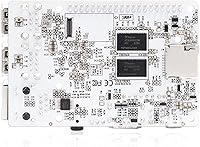
  • SoC: The board is powered by the Amlogic S905X system-on-chip, which handles CPU, GPU, and media decoding tasks in a single integrated package.
  • CPU: A quad-core 64-bit ARM Cortex-A53 processor runs at 1.5GHz, providing enough sustained performance for media playback, lightweight servers, and GPIO projects.
  • RAM: 2GB of DDR3 SDRAM operating at 2133MHz is soldered onboard, offering solid multitasking headroom compared to 1GB alternatives in this category.
  • GPU: The Mali-450MP running at 750MHz supports OpenGL ES 2.0, handling accelerated 2D rendering and basic 3D tasks without relying on the CPU.
  • Video Decode: Hardware decoding covers 4K H.265 HEVC, H.264 AVC, and VP9, enabling smooth high-resolution media playback with minimal CPU involvement.
  • Display Output: A full-size HDMI port with HDR support allows direct connection to 4K televisions and monitors without any adapter required.
  • GPIO Header: The 40-pin GPIO header mirrors the Raspberry Pi 3 Model B pinout, supporting SPI, I2C, PWM, UART, and compatible HAT accessories.
  • USB Ports: Four USB 2.0 Type-A ports are available for peripherals such as keyboards, mice, USB hubs, and wireless adapters.
  • Wireless: There is no onboard Wi-Fi or Bluetooth; the only built-in wireless interface is an infrared receiver, so network connectivity requires wired Ethernet or a USB adapter.
  • Boot System: UEFI firmware with GRUB bootloader support gives the board a PC-like startup experience and makes OS installation and management more straightforward than on most SBCs.
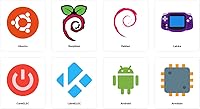
  • OS Support: Officially supported operating systems include Ubuntu 22.04 LTS, Raspbian 11, and Android, with upstream Linux kernel 6.x support maintained actively.
  • Power Input: The board runs on 5V DC supplied via a Micro-USB port, compatible with most existing Raspberry Pi power supplies rated at 2A or higher.
  • Storage Interface: A microSD card slot serves as the primary boot and storage medium, with card speed directly affecting overall system responsiveness.
  • Form Factor: Physical dimensions are 4.8 x 2.95 x 1.06 inches, matching the Raspberry Pi 3 Model B footprint and allowing use with compatible enclosures.
  • Weight: The bare board weighs 2.08 ounces, making it light enough for embedded and wall-mounted installations without structural concerns.
  • Ethernet: A 10/100 Fast Ethernet port provides wired network connectivity, sufficient for home server tasks, media streaming, and IoT applications.
  • GPIO Tool: The open-source libretech-wiring-tool, available on GitHub, allows dynamic GPIO toggling and device tree overlay control directly from the command line.
  • Voltage: The board operates at 5V and is designed with input voltage optimizations to reduce instability caused by marginal power supplies.

Related Reviews
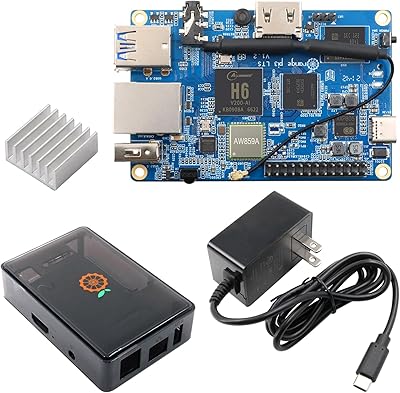
Orange Pi 3 LTS Single-Board Computer
65%
83%
Value for Money
81%
eMMC Storage Performance
67%
CPU Performance
54%
Thermal Management
79%
Networking & Connectivity
More
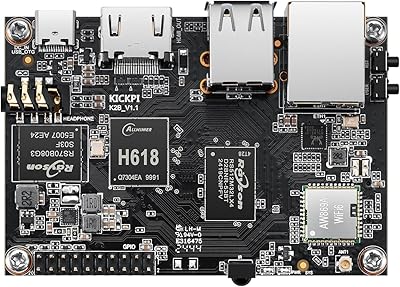
KICKPI K2B Single Board Computer
70%
82%
Value for Money
67%
Performance
74%
Build Quality
88%
Connectivity
79%
GPIO & Expandability
More
Boogie Board Scribble n' Play Drawing Board

82%
91%
Visual Appeal
88%
Ease of Use
86%
Build Quality
93%
Portability
74%
Value for Money
More
Le Monde Gourmand Le Beach Perfume Oil 30mL
85%
83%
Scent Longevity
88%
Fragrance Appeal
92%
Skin Sensitivity Compatibility
89%
Ease of Application
90%
Travel-Friendliness
More
Le Monde Gourmand Le Beach Eau de Parfum 1oz
86%
88%
Scent Quality
85%
Longevity
90%
Packaging Design
95%
Vegan & Cruelty-Free Formulation
87%
Value for Money
More
Le Glorie Le Iris EDP 1.7 fl oz
86%
88%
Scent Complexity
92%
Longevity (12-14 hours)
85%
Unisex Appeal
87%
Fragrance Freshness
84%
Packaging Quality
More
Jean Paul Gaultier Le Male Le Parfum for Men 4.2oz Eau de Parfum

88%
91%
Fragrance Longevity
87%
Scent Complexity
95%
Packaging Design
89%
Versatility for Day-to-Night Wear
90%
Sillage/Projection
More
Le Monde Gourmand Le Jumbo Chai Épicé Eau de Parfum 2.5 fl oz
83%
91%
Scent Quality
88%
Longevity
87%
Fragrance Complexity
85%
Value for Money
93%
Vegan & Cruelty-Free
More
Jean Paul Gaultier 4 Piece Gift Set Le Male, Scandal, Elixir, Le Beau Eau De Toilette Sprays 0.24 Oz Each
83%
94%
Scent Variety
72%
Fragrance Longevity
85%
Packaging Quality
91%
Travel-friendliness
89%
Giftability
More
LANGTU 104-Key Membrane Keyboard
72%
74%
Build Quality
61%
Typing Feel
83%
Backlight Quality
79%
Keycap Durability
82%
Value for Money
More

FAQ

No, it does not. The Le Potato has no onboard Wi-Fi or Bluetooth at all — the only wireless hardware on the board is an infrared receiver. If you need wireless connectivity, you will need to plug in a USB Wi-Fi adapter, which works fine but does consume one of the four USB ports.

In most cases, yes. The board shares the same physical footprint as the Raspberry Pi 3 Model B, so cases designed for that model typically fit without modification. The power supply situation is equally straightforward — if you have a good-quality 5V Micro-USB supply rated at 2A or more, it should work reliably.

It depends on your starting point. If you have zero Linux experience, the setup process can be frustrating — there is no guided wizard, and you will spend time in the terminal fairly quickly. That said, if you are willing to learn and comfortable following online documentation, it is actually a great board to grow on. The community is active and the upstream Linux support means answers to common problems are not hard to find.

Quite well, for supported formats. H.265, H.264, and VP9 are all decoded in hardware, which means the chip handles the heavy lifting rather than the CPU. Running something like Kodi with a well-configured media setup, 4K playback is smooth and the board stays cool. Formats not covered by hardware decoding will struggle, so sticking to those three covers the vast majority of modern video content.

The 40-pin GPIO header is electrically compatible with the Raspberry Pi 3 pinout, so many HATs will physically connect and function correctly. That said, HATs that depend on proprietary Raspberry Pi firmware features or closed-source drivers may need software adjustments or may not work at all. For standard I2C, SPI, and UART-based HATs, compatibility is generally good.

Card speed matters more than most people expect. Since the microSD slot is the only storage interface, a slow card drags down the entire system — boot times, app launches, and file operations all suffer. A reputable UHS-I Speed Class 3 (U3) or A1-rated card from a known brand is a solid starting point. Avoid cheap, unbranded cards, which tend to cause random read errors and instability.

Android is listed as a supported OS, but it is not the board's strong suit. The experience is functional but not as polished or regularly updated as the Linux side of things. If Android is your primary goal, there are other SBCs with better-optimized Android builds. For Linux-based use cases, this board is on much firmer footing.

Under typical loads — media playback, a lightweight server, general terminal work — the board runs warm but manageable with passive cooling. If you plan to run sustained CPU-heavy workloads for extended periods, adding a small heatsink is a sensible precaution. A fan is rarely necessary for most common use cases, but a case with ventilation helps if the board is in an enclosed space.

This is genuinely one of the Libre Computer board's stronger points. Libre Computer contributes directly to the mainline Linux kernel and u-boot, which means software updates flow from upstream rather than depending on a vendor to backport patches. Ubuntu 22.04 LTS support is active, and the project has maintained software for this board since 2017 — a track record that most competitors in this price range cannot match.

Technically a phone charger will power it on, but it is not recommended for real use. Cheap chargers often have inconsistent voltage under load, which causes random reboots and filesystem corruption on the microSD card. A dedicated 5V supply rated at 2A minimum — ideally 2.5A — from a reputable brand is the right call. It is a small investment that prevents a lot of frustrating troubleshooting down the line.