Overview

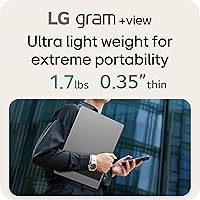
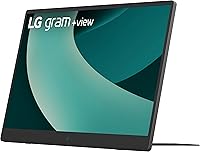
The LG gram +View 17-inch Portable Monitor launched in early 2025 as LG's answer to a real gap in the portable display market: a screen big enough to actually work on, yet light enough to toss in a laptop bag without a second thought. At just 1.72 lbs, this travel-friendly display threads a needle that most portable monitors miss — 13-inch panels feel cramped for real work, while anything larger becomes a transport headache. Productivity is the clear priority here, not gaming or professional color-grading. That honest focus shapes what this monitor does well, and it's worth understanding before committing at its upper-mid to premium price point.
Features & Benefits

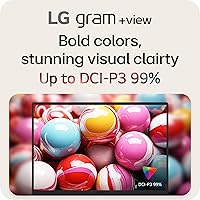
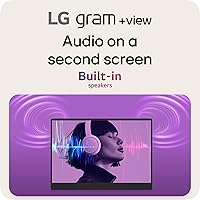
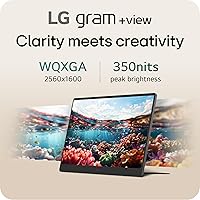
The 2560x1600 resolution is more meaningful than the numbers suggest. That extra vertical height from the 16:10 aspect ratio means you can read a full document page, keep a terminal open alongside code, or track a spreadsheet without constant scrolling — a small change that adds up over a full workday. The matte IPS panel handles mixed lighting well, and 99% DCI-P3 coverage makes it usable for light photo review, though it's not a substitute for a calibrated studio display. USB-C connects most modern laptops in seconds, and the auto-pivot cover lets you flip to portrait without fiddling with settings. The LG Switch app manages split-screen layouts and quick adjustments, though macOS compatibility feels less polished than the Windows experience. The built-in speaker works fine for calls; don't expect much more.

Best For

This portable second screen makes the most sense for people who live and work across multiple locations — consultants, remote employees, and frequent travelers who need consistent screen space but aren't willing to sacrifice portability for it. If you already own an LG gram laptop, the size and design match is genuinely convenient. Writers and developers will appreciate the taller 16:10 canvas more than most, since reading long files or keeping two windows side by side becomes noticeably easier. Students who regularly collaborate or present to small groups will find the lightweight build and portrait orientation support practical. That said, if you're a gamer chasing high refresh rates or a video editor who needs HDR, this isn't the right tool — and that's an important distinction to make before buying.

User Feedback

Early buyer reception has been positive — a 4.3-star average from just over 100 ratings is a solid start, though it's worth noting that the pool is still relatively small for a display that only became available in January 2025. Owners frequently call out display sharpness and the ease of the USB-C single-cable setup as standout strengths. Build quality gets consistent praise given how light the unit is. On the other side, a few users have flagged that the stand can feel less rigid than expected, and outdoor brightness may disappoint in direct sunlight. Some Windows users noted the LG Switch app works well, but macOS support appears rougher around the edges. As the review count grows, a clearer picture will emerge — treat current feedback as a promising early signal, not a final verdict.

Pros

  • Sharp 2560x1600 resolution makes text and fine detail noticeably crisper than most portable monitors in this category.
  • The 16:10 aspect ratio delivers meaningfully more vertical space, reducing scrolling fatigue during long document or coding sessions.
  • At 1.72 lbs, it fits into a laptop bag without adding bulk you will actually notice during travel.
  • USB-C single-cable setup connects with most modern laptops immediately, with no driver installation required.
  • Auto-pivot cover enables portrait orientation on the fly, with no separate stand or adapter needed.
  • 99% DCI-P3 color coverage makes it a credible option for light photo review and color-sensitive work.
  • The matte anti-glare surface holds up well under mixed indoor lighting without washing out or creating distracting reflections.
  • Early owners consistently praise build quality as punching above its weight given how thin and light the unit is.
  • Mini HDMI port provides a reliable fallback connection for older laptops or devices without USB-C output.
  • Two USB 3.0 ports expand your workspace connectivity without needing a separate hub for basic peripherals.

Cons

  • The cover-based stand can feel wobbly on uneven surfaces, and there is no way to fine-tune the tilt angle.
  • Peak brightness may struggle to stay legible in direct sunlight or very bright outdoor environments.
  • The LG Switch app feels noticeably less polished on macOS, which is a real friction point for Apple laptop users.
  • A mini HDMI cable is not included in the box, which feels like an omission at this price point.
  • Built-in speaker output is thin and low-volume — workable for a quick system alert, not a reliable call or media option.
  • With roughly 100 reviews since its January 2025 launch, long-term durability and reliability data is still limited.
  • No HDR support makes it a poor choice for media-intensive work or any workflow where tone mapping accuracy matters.
  • Buyers are partly paying for the gram brand premium, which may not be justified if you do not already own LG gram hardware.
  • The 0.35-inch thickness means heat dissipation is minimal, and sustained workloads may cause the panel to run warmer than expected.

Ratings

The scores below for the LG gram +View 17-inch Portable Monitor were generated by our AI after analyzing verified buyer reviews across multiple global markets, with spam, bot-generated, and incentivized feedback actively filtered out before scoring. Every category reflects the full range of what real users experienced — not just the highlights. Where this portable second screen earns strong marks and where it genuinely frustrates buyers are both captured transparently in the results.
Display Quality
91%
Reviewers consistently highlight how sharp text appears at native resolution, particularly when reading long documents or reviewing code for hours at a stretch. The matte IPS panel holds color consistency well from varied viewing angles, which matters when sharing the screen with a colleague leaning in from the side.
A portion of buyers note the display does not reach the brightness levels needed to stay comfortably legible in direct sunlight, limiting outdoor usability in a meaningful way. There is also no HDR support, which narrows its appeal for anyone hoping to use it for serious media review beyond basic photo editing.
Portability & Weight
93%
At 1.72 lbs, this travel-friendly display has earned consistent praise from buyers who carry it daily between coworking spaces, hotel rooms, and client offices. Several reviewers note it slides in alongside a 15-inch laptop without adding noticeable bulk to a shoulder bag, which was the deciding factor for frequent travelers.
Users who switched from smaller 13-inch portable panels mention the 17-inch footprint is a meaningful step up in surface area, making it a tighter fit in more compact laptop sleeves. The slim profile also means there is no room for a kickstand with real depth — the monitor relies entirely on the cover to stay upright.
Build Quality
87%
For a display this light, buyers are frequently surprised by how solid the construction feels — the chassis does not flex noticeably under light pressure, and the Titan Silver finish holds up well against daily bag-in, bag-out handling over weeks of travel.
The cover-based stand is the structurally weakest point, and several buyers mention it feels less rigid than a proper adjustable leg would. Surface scuffing from bag contact has been noted by a small segment of longer-term users, though not widely enough yet to be a dominant pattern.
Color Accuracy
84%
The wide color coverage genuinely shows up in real use — buyers doing light photo editing, design mockup review, or color-reference work report that colors look vivid and credible out of the box without needing manual calibration for general productivity tasks.
Buyers with serious color-grading or print-accurate production needs note this is not a factory-calibrated display, and the panel's brightness ceiling limits its usefulness in demanding professional color workflows. It sits comfortably above average for a portable monitor but falls short of dedicated color-critical panels.
Connectivity
78%
22%
USB-C single-cable setup is a clear standout — reviewers frequently describe plugging in and having both display signal and power running instantly, with no configuration required. The addition of a mini HDMI port as a backup input is appreciated by users with older business laptops that lack USB-C display output.
The most consistent complaint is that no mini HDMI cable is included in the box, forcing buyers to source one themselves right after unboxing. A number of users also note that not all USB-C cables carry DisplayPort signal, which created unexpected compatibility friction on their first setup attempt.
Stand & Ergonomics
58%
42%
The auto-pivot cover removes the need to carry a separate stand, which is a genuine practical advantage for travelers who value minimal gear. Reviewers working on flat hotel desks or clean coworking tables find the built-in prop functional enough to support full workdays without issue.
On uneven surfaces, rough table textures, or soft materials like fabric couches, the cover-based stand shows real instability — multiple reviewers describe the monitor shifting or tipping with minimal accidental contact. The fixed prop angle also means users who prefer a steeper or shallower tilt have absolutely no adjustment option.
Software Experience
67%
33%
Windows users report a reasonably intuitive experience with the LG Switch app, particularly the split-screen preset feature that speeds up dual-window configuration without diving into OS-level display settings. Hotkey customization for tasks like launching video calls gets positive mentions from power users who configured it once and now benefit from it daily.
macOS users consistently describe the LG Switch app as noticeably rougher — missing features, slower response, and occasional crashes surfaced across multiple reviews from Mac laptop owners. A segment of buyers on both platforms also notes the app is entirely optional for basic display use, making the learning curve feel difficult to justify.
Value for Money
71%
29%
For buyers already invested in the LG gram ecosystem or specifically seeking a 17-inch portable with WQXGA resolution, the pricing makes reasonable sense — few competitors match this size and resolution combination in a sub-2-lb form factor. Early buyers who needed exactly those specifications report feeling the premium was justified.
Buyers comparing it against lower-cost 15-inch or 1080p portable monitors frequently question whether the size and resolution step-up is worth the price difference for standard productivity work. The absence of a mini HDMI cable and a more stable stand at this price tier is a recurring frustration in value-focused feedback.
Setup & Ease of Use
86%
Plug-and-play USB-C setup is one of the most frequently praised aspects — reviewers describe unboxing, plugging in, and being productive within minutes without consulting any instructions. The auto-pivot cover doubling as a stand removes one more decision from the setup process for first-time users.
A minority of users hit initial friction when their existing USB-C cable did not support video output, requiring an unexpected cable swap before they could use the display at all. macOS users setting up portrait mode also report that display rotation configuration is less intuitive than on Windows, adding extra steps that can catch first-timers off guard.
Audio Quality
43%
57%
The presence of a built-in speaker earns modest credit from users who occasionally need a quick system alert or low-level notification sound without reaching for headphones. In a quiet conference room, it can just about handle a low-volume call in a genuine pinch.
Multiple reviewers describe the built-in speaker as thin, low-volume, and clearly an afterthought — useful for a ping but nothing meaningfully beyond that. Users who expected to run video calls or background audio through the monitor alone were generally disappointed and defaulted back to laptop speakers or earbuds within a few days.
Brightness & Visibility
62%
38%
Indoors and in standard office environments, brightness levels are reported as comfortable for full workdays — reviewers in normally lit spaces rarely flag it as a problem during typical use. The matte anti-glare coating helps the panel feel more usable at moderate brightness by cutting down on distracting surface reflections.
Outdoor use in bright conditions is where multiple buyers report clear disappointment — the panel does not get bright enough to stay comfortably readable in direct sunlight or beside a sun-facing window. This is a genuine and repeated limitation for anyone whose working environments include a lot of natural bright light.
Aspect Ratio Utility
89%
The 16:10 aspect ratio is one of the most consistently praised features among developers, writers, and analysts — users describe needing to scroll noticeably less through long documents, terminal windows, and spreadsheets compared to the 16:9 portable monitors they replaced. It is a subtle difference that accumulates into real time saved across a full workday.
For buyers whose primary use is streaming or watching video content, the 16:10 ratio produces visible letterboxing on standard 16:9 media, which some users find mildly distracting during casual viewing. This is largely a non-issue for productivity-focused buyers but worth understanding before purchasing if media consumption is a regular part of intended use.
macOS Compatibility
61%
39%
The core display function — connecting via USB-C and outputting video — works cleanly on macOS without driver installation or special configuration for basic use. Many MacBook Pro and MacBook Air users report a smooth display experience for standard productivity tasks right out of the box.
The LG Switch app is where macOS compatibility breaks down — reviewers describe missing controls, instability, and a noticeably less complete feature set compared to the Windows version. Mac-first users who expected full software parity are the most vocal critics of this aspect within the current review pool.
Portrait Mode Flexibility
77%
23%
Users who rotate between landscape and portrait regularly — developers reading tall documentation, lawyers reviewing lengthy briefs, or content curators scrolling through feeds — describe portrait mode as a practical daily advantage that reduces scrolling fatigue compared to any landscape-only portable setup they had previously used.
Rotating to portrait requires a manual display rotation adjustment in OS settings each time for users who have not preconfigured a hotkey through the LG Switch app, which adds friction to what should be a quick transition. The cover-based stand also provides less stability in portrait than in landscape, making the setup feel precarious on smaller or less even surfaces.
In-Box Accessories
53%
47%
A USB-C cable is included and covers the primary use case right out of the box, meaning most users with modern laptops can be fully operational without an extra purchase. The protective cover doubling as a stand also removes the need to budget separately for a monitor stand accessory.
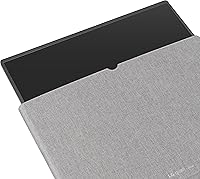
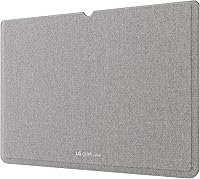
The most glaring omission is the mini HDMI cable — given the port exists on the unit and the price implies a complete package, multiple buyers express frustration at needing to order one separately. There is also no carry sleeve or cleaning cloth included, which feels like a missed opportunity for a display positioned squarely at frequent travelers.

Suitable for:

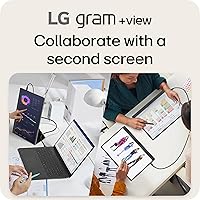
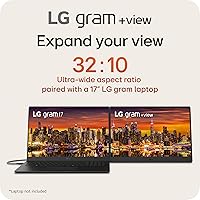
The LG gram +View 17-inch Portable Monitor is a strong fit for professionals who genuinely move between locations — the consultant hopping between client sites, the remote worker rotating through home, office, and coffee shop, or the frequent traveler who needs a real dual-screen setup without checking extra luggage. At 1.72 lbs, it is light enough to stop being an afterthought and start being a daily habit. The taller 16:10 display ratio makes it particularly valuable for developers, writers, and analysts who spend long hours reading through code, documents, or spreadsheets, since you scroll less and see more content at once. If you already own an LG gram laptop, the aesthetic and size match is a genuine practical bonus. Students who share screens during collaborative sessions will also appreciate how easily the auto-pivot cover flips into portrait mode and angles toward another person.
Not suitable for:

Gamers, serious video editors, and anyone chasing peak display performance should look elsewhere — this travel-friendly display offers no high refresh rate support, no HDR certification, and while its color coverage is respectable, it is not a replacement for a purpose-built, color-accurate production panel. The stand system integrated into the cover works adequately on a flat desk but can feel limiting when you need precise tilt control or a rigid setup on an uneven surface. Users who work primarily outdoors or under intense ambient light may find the peak brightness falls short in direct sunlight. The LG Switch app, which handles split-screen layouts and display adjustments, is noticeably rougher on macOS than on Windows — a real friction point for Mac-first users. Finally, buyers on a strict budget should weigh the premium price point carefully, as capable alternatives exist at lower cost if the gram ecosystem and larger screen size are not priorities.

Specifications

  • Screen Size: The display measures 17 inches diagonally, making it one of the larger portable monitors available while remaining manageable for daily travel.
  • Resolution: Native resolution is 2560x1600 (WQXGA), delivering sharper text and finer detail than standard 1080p portable panels in the same size class.
  • Aspect Ratio: The 16:10 aspect ratio provides more vertical screen space than conventional 16:9 displays, which is particularly useful for reading long documents, writing code, or working with spreadsheets.
  • Panel Type: Uses an IPS panel with a matte anti-glare coating, maintaining consistent color accuracy across wide viewing angles while reducing surface reflections in mixed lighting conditions.
  • Color Gamut: Covers up to 99% of the DCI-P3 color space, making it suitable for light photo review and color-sensitive productivity tasks beyond standard office use.
  • Weight: Weighs approximately 1.72 lbs (780g), which is notably light for a 17-inch display and allows it to fit into most laptop bags without adding significant burden.
  • Dimensions: Physical dimensions are 14.9 x 10.4 x 0.35 inches, keeping the profile slim enough to slide alongside a laptop in most standard travel sleeves.
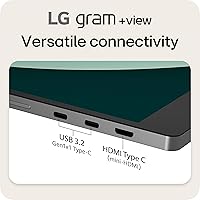
  • Connectivity: Offers one USB Type-C port and one mini HDMI input, providing compatibility with a broad range of modern and legacy laptops without requiring additional adapters in most setups.
  • USB Ports: Includes two USB 3.0 ports, allowing direct connection of peripherals such as a mouse or USB drive through the monitor itself.
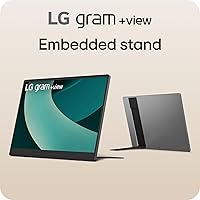
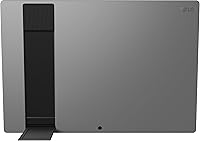
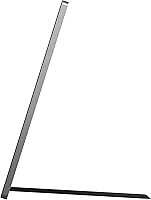
  • Orientation: Supports both landscape and portrait orientations via an integrated auto-pivot cover that physically props the display at a fixed angle without requiring a separate stand.
  • Built-in Speaker: Features an integrated speaker that provides basic audio output sufficient for system alerts and light use, but is not designed for music playback or extended media sessions.
  • Display Software: Compatible with the LG Switch app, which provides controls for split-screen configuration, brightness and contrast adjustments, and customizable hotkey shortcuts from the host device.
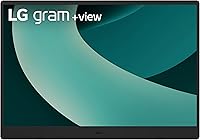
  • Finish & Color: Available in Titan Silver, a matte metallic finish that aligns visually with LG's gram laptop lineup for a consistent aesthetic when used as a paired companion display.
  • Model Number: The manufacturer model identifier is 17MT70.ASDU1, which can be used to verify the exact variant when sourcing accessories or contacting product support.
  • Availability: First became available in January 2025, making it one of the more recent portable monitor releases in the upper-mid to premium price tier.

Related Reviews
LG gram +view 16″ Portable Monitor
80%
91%
Display Quality
88%
Color Accuracy
93%
Portability
89%
Build Quality
71%
Stand & Cover System
More
Yodoit PTM17 17.3″ Portable Monitor
75%
91%
Screen Size & Usability
76%
Image & Color Quality
62%
Brightness & Glare
54%
HDR Performance
83%
Connectivity & Compatibility
More
CAPERAVE 17.3-inch 4K Portable Monitor
87%
92%
Display Quality
89%
Portability
88%
Ease of Setup
91%
Color Accuracy
85%
Compatibility with Devices
More
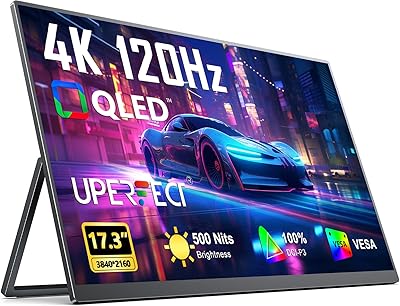
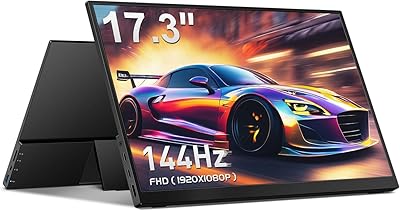
UPERFECT 17.3-inch 4K Portable Monitor
86%
94%
Display Quality
88%
Portability
90%
Gaming Performance
93%
Color Accuracy
85%
Ease of Setup
More
CAPERAVE CF17H 17.3″ Portable Gaming Monitor
73%
88%
Portability
79%
Display Quality
63%
Refresh Rate Performance
86%
Connectivity
77%
Build Quality
More
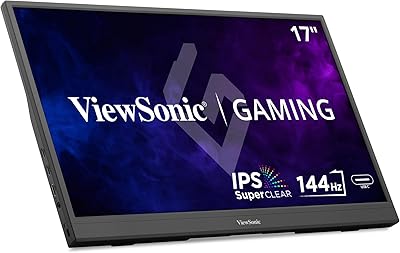
ViewSonic VX1754 17-inch 1080p IPS Portable Gaming Monitor
85%
93%
Portability & Design
89%
Gaming Performance (144Hz Refresh Rate)
88%
Display Quality (Colors & Viewing Angles)
85%
Ease of Setup & Usability
78%
Build Quality & Durability
More
UPERFECT 2K 144Hz 17.3-inch Portable Monitor
74%
91%
Display Clarity
83%
Color Accuracy
88%
Refresh Rate & Gaming
62%
Portability & Weight
74%
USB-C Connectivity
More
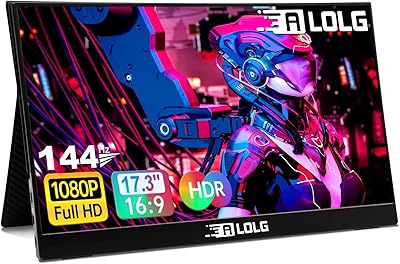
ALOGL 17.3-inch Portable Monitor FHD 1080P 144Hz
84%
89%
Display Quality
92%
Performance (Gaming)
95%
Portability
88%
Compatibility
85%
Build Quality
More
SKitphrati S-17-W 17-inch LED Monitor
64%
78%
Value for Money
54%
Display Quality
41%
Viewing Angles
91%
Ease of Setup
62%
Build Quality
More
Kenowa HD-133 13.3-inch Portable Monitor
68%
91%
Setup & Ease of Use
47%
Display Resolution
83%
Portability & Form Factor
76%
Connectivity & Compatibility
68%
Brightness & Visibility
More

FAQ

It connects and displays without issue on a MacBook via USB-C — no driver installation is required for the core display function. The main caveat is the LG Switch companion app, which manages split-screen layouts and on-screen controls; it works on macOS but feels noticeably less refined than the Windows version. If you rely heavily on the software controls and are primarily a Mac user, be prepared for a rougher experience on that side.

A USB-C cable is typically included, which handles both display signal and power delivery in a single connection for most modern laptops. A mini HDMI cable, however, is generally not bundled, so if you plan to use that input you will need to source one separately. It is a minor but real omission at this price point.

When connected via USB-C to a laptop that supports DisplayPort Alt Mode with Power Delivery, this portable second screen draws power directly from your host device with no wall adapter needed. The trade-off is that it will deplete your laptop battery faster than usual, so on long sessions away from a power source, plan accordingly.

The auto-pivot cover handles the physical rotation and props the display upright without any separate stand. You will typically need to adjust your operating system display rotation settings manually the first time, but after that initial setup the process becomes quick. The LG Switch app also allows you to assign a hotkey for faster toggling if you rotate between orientations frequently.

The matte anti-glare coating does a solid job of reducing reflections indoors and in mixed ambient lighting. In direct sunlight, though, the peak brightness of this travel-friendly display can fall short — several early users noted difficulty reading the screen in very bright outdoor conditions. For indoor use or shaded outdoor environments it performs well; full daylight is where its limits become apparent.

Yes, it works with any laptop that has a USB-C port supporting DisplayPort Alt Mode, or an HDMI output connected via the mini HDMI port. There is no LG hardware requirement; the gram branding reflects the aesthetic family, not a compatibility restriction. Windows, macOS, and many ChromeOS devices all work fine, though the companion app experience will vary by platform.

Honest answer: the speaker is minimal and best treated as a convenience feature rather than a real audio solution. It handles system alerts and very low-volume background audio, but expecting clear voice reproduction for video calls or any kind of music listening will likely disappoint. For regular calls, a pair of earbuds or an external speaker will make a meaningful difference.

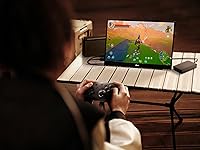
Games will display on it, but it was not designed with gaming in mind — there is no high refresh rate support and no adaptive sync technology. For casual or turn-based games where smoothness is not critical, it can serve as a functional second screen. Anyone interested in fast-paced or competitive gaming should look at monitors built specifically for that purpose.

The stand is integrated into the cover, which props the monitor at a fixed angle rather than offering adjustable legs or a freestanding base. On a flat, stable surface it holds well enough for everyday use, but on uneven surfaces or if you regularly reach across and bump the display, it can feel less than solid. A handful of early buyers flagged stand rigidity as a minor frustration, so it is worth considering if a rock-steady setup is important to you.

The difference is more noticeable than the numbers suggest, especially given the taller 16:10 proportions — you get meaningfully more vertical space, which translates to fewer overlapping windows and less scrolling during document-heavy work. LG's 17-inch gram monitor does take up more room in a bag, though the weight difference over a typical 15-inch portable is modest. For most professionals doing multi-window or reading-intensive tasks, the extra size earns its keep; ultra-light packers who already find 15-inch portables borderline may want to weigh that tradeoff carefully.