Overview

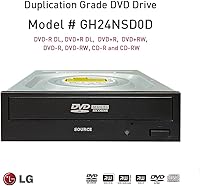
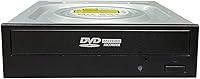
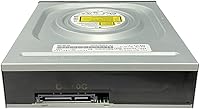
The Vinpower Digital GH24NSD0D Internal DVD CD Burner is not a drive for casual users who burn a disc once a year — it's built specifically for the duplication market, running on hardware manufactured by HLDS, LG's dedicated optical drive division. It fits any standard desktop with a 5.25-inch half-height bay and connects via SATA, making installation straightforward. What sets it apart from generic consumer drives is its duplication-grade tuning: tighter quality controls and a longer operational lifespan by design. It ships as a bare bulk drive — no software, no frills, just the hardware. If you need that kind of purpose-built reliability, it's worth a serious look.
Features & Benefits

At 24x DVD and 48x CD write speeds, this LG HLDS burner handles a standard DVD in roughly four to five minutes — fast enough for production runs without sacrificing consistency. The M-DISC support is a standout feature for archivists: M-DISC is an inorganic media format rated for centuries of storage, though you'll need to buy M-DISC blanks separately to take advantage of it. Vinpower's Enhanced Recording Preservation Control quietly manages burn parameters in the background, reducing coasters and extending the drive's working life over heavy use. Add in solid read performance on slightly scratched discs and support for virtually every mainstream DVD and CD format, and this is a capable optical drive that earns its place in any serious workstation.

Best For

The GH24NSD0D drive is a natural fit for anyone running a home or small-business duplication setup where burns need to be consistent across dozens or hundreds of discs. Photographers, archivists, and IT professionals who want long-term data preservation using M-DISC media will find real value here. It's also a solid upgrade for hobbyists or PC builders who've grown frustrated with cheap consumer burners that fail early or produce unreliable results. If you're sitting on a collection of old, scratched CDs or DVDs you want to rip before they degrade further, the improved read capability makes this internal disc burner genuinely useful for that task as well.

User Feedback

Across roughly 100 ratings, this LG HLDS burner holds a strong 4.4-star average, and the sentiment tracks with what you'd expect from a purpose-built drive. Buyers consistently praise consistent burn quality and the drive's ability to read aging or lightly scratched discs that other drives struggled with. Installation in standard desktop cases gets positive marks too — straightforward and no-fuss. On the downside, a handful of buyers were caught off guard by the bare bulk packaging; if you need burning software, you'll have to source it separately. A few users noted compatibility quirks with certain older motherboards. Long-term reviewers, though, tend to report that performance holds up well after extended use — which is exactly what you're paying for with a duplication-grade drive.

Pros

  • Duplication-grade tuning delivers noticeably more consistent burns than standard consumer drives.
  • M-DISC support enables archival-quality storage for photos, documents, and critical backups.
  • Broad format compatibility covers virtually every CD and DVD format in common use today.
  • The improved read capability handles lightly scratched or aging discs that cheaper drives fail on.
  • Built on proven HLDS hardware, the same manufacturing arm behind LG optical drives.
  • Standard SATA interface and 5.25-inch form factor make installation simple in most desktop cases.
  • Holds a strong 4.4-star rating from real buyers, with long-term users reporting sustained performance.
  • 24x DVD and 48x CD write speeds keep production time reasonable even for batch duplication runs.
  • Bulk packaging keeps the price down for buyers who do not need bundled software.

Cons

  • Ships with no burning software — you must source a separate application before you can use it.
  • Bulk packaging means no retail box, documentation, or accessories, which surprises some buyers.
  • A few users have reported compatibility issues with certain older desktop motherboards.
  • No Blu-ray support at all — strictly limited to CD and DVD formats.
  • Internal-only design completely excludes laptop users and those without an available drive bay.
  • M-DISC archival capability requires purchasing separate M-DISC blank media, adding to overall cost.
  • The duplication-market focus means you are paying for features most occasional users will never need.
  • With optical media use declining broadly, resale value and long-term parts availability are uncertain.

Ratings

Our AI scoring model analyzed verified global buyer reviews for the Vinpower Digital GH24NSD0D Internal DVD CD Burner, actively filtering out incentivized, duplicate, and bot-generated feedback to reflect what real users actually experience. The scores below cover everything from burn reliability to out-of-box setup friction, and both the strengths and genuine frustrations are represented without sugarcoating.

Burn Reliability
91%
For users running repeated duplication jobs — burning dozens of discs in a single session — this drive delivers a level of consistency that consumer-grade drives simply cannot match. The Enhanced Recording Preservation Control keeps coaster rates noticeably low even on extended runs, which is exactly what buyers in small duplication setups praised most.
A handful of users reported occasional burn failures when using off-brand or very old blank media stock, suggesting the drive performs best when paired with quality discs. It is not entirely immune to media-quality variables, which matters if you are sourcing cheap bulk blanks.
Read Performance
88%
Buyers who used this LG HLDS burner specifically to recover aging or lightly scratched CDs and DVDs were frequently surprised by how much better it performed than their previous drives. For ripping old music collections or salvaging data discs with surface wear, the enhanced read capability proved to be a genuine practical advantage.
Heavily damaged discs with deep scratches or significant delamination are still beyond what this drive can reliably recover — and it should be said that no optical drive handles severe damage well. Expectations need to be calibrated: it handles wear-and-tear gracefully, not physical destruction.
Installation Ease
84%
Most buyers installing this into a standard mid-tower or full-tower desktop reported a painless experience — plug in the SATA data and power cables, secure with screws, and the OS detects it immediately. IT professionals and experienced builders found the process completely unremarkable, which is exactly what you want from a drive installation.
The bulk packaging includes no SATA cable, no mounting screws, and no setup guide, which caught a few first-time builders off guard. Buyers who assumed the box would contain accessories were disappointed, and those without spare SATA cables on hand needed an extra trip to the hardware store.
Software Inclusion
31%
69%
There is genuinely nothing to say in favor of the software situation — but buyers who already owned burning software like Nero, Roxio, or ImgBurn had no complaints, since those tools pair with this drive without any issues.
Shipping with zero software is a real friction point for buyers who do not already have a burning application installed. For users coming from a retail-boxed drive that bundled a basic suite, the absence here feels like a step backward, and it adds an extra task before the drive is actually usable.
M-DISC Support
82%
18%
For archivists, photographers, and anyone preserving irreplaceable data for the long haul, M-DISC support is a meaningful differentiator that most consumer drives lack entirely. Buyers who specifically sought out this feature for preserving family photos or business archives rated it highly as a future-proofing decision.
The drive supports M-DISC but does not come with any M-DISC blank media, and those discs cost significantly more than standard recordables — which dilutes the accessibility of the feature. Users who did not realize this upfront felt the advertised benefit came with a hidden cost attached.
Build Quality
79%
21%
The HLDS manufacturing heritage gives this internal disc burner a noticeably more solid feel than budget optical drives, with users describing it as sturdy and well-constructed for a half-height form factor. Long-term users in particular noted that the drive held up well mechanically after months of regular use.
As a bulk drive, there is no retail packaging to protect it during shipping, and a few buyers received units with minor cosmetic damage to the housing. The internals appeared fine in those cases, but the unboxing experience leaves something to be desired compared to retail-packaged alternatives.
Format Compatibility
93%
The range of supported formats — DVD+R, DVD-R, DVD+RW, DVD-RW, DVD-RAM, CD-R, and CD-RW — covers every mainstream optical format a typical user or small production house would realistically encounter. Buyers working across mixed media types appreciated not having to think about compatibility before loading a disc.
The one glaring gap is Blu-ray: this drive does not read or write BD media at all, which rules it out for anyone working with high-definition disc content. For a drive at this price point targeting prosumer users, the absence of even BD-ROM read support is a limitation worth noting.
Write Speed
86%
At 24x DVD and 48x CD, the GH24NSD0D drive keeps batch duplication sessions moving at a reasonable pace — burning a full DVD-R in roughly four to five minutes is perfectly workable for production environments that need volume without sacrificing quality. CD burns at 48x are fast enough that they are rarely the bottleneck in any workflow.
Maximum rated speeds are not always optimal for quality-critical burns, and experienced users typically back off to 8x or 16x for archival work anyway. Those who expected top-speed burns on every disc and compared results to slower, more deliberate burns noted a slight quality difference at full speed on cheaper media.
Motherboard Compatibility
71%
29%
The vast majority of buyers with modern desktop motherboards reported zero compatibility issues, and the standard SATA interface means it works with essentially any PC built in the last decade without driver headaches.
A recurring thread in negative reviews involves older motherboards — particularly pre-2015 chipsets — where some buyers experienced detection issues or inconsistent performance. A BIOS update typically resolved the problem, but it added friction for buyers who expected plug-and-play simplicity.
Value for Money
77%
23%
For buyers who genuinely need a duplication-grade drive and understand what they are getting, the pricing feels justified given the HLDS build quality and tuned firmware. Compared to generic consumer burners that fail after light use, the longer operational lifespan makes the cost-per-burn math favorable over time.
For occasional users or anyone who just needs to burn a disc now and then, this drive is more drive than they need and priced accordingly. The lack of bundled software also means the true out-of-pocket cost is slightly higher than the sticker price if you need to purchase a burning application separately.
Noise & Vibration
74%
26%
During standard-speed burns and reads, most buyers described the drive as acceptably quiet — comparable to other HLDS-made optical drives and not noticeably disruptive in a normal desktop environment.
At maximum read speeds, particularly when the drive spins up to access data quickly, some users noted a distinct spin-up noise and mild vibration transmitted through the case. It is not unusual for optical drives, but buyers expecting near-silent operation may want to manually cap read speeds in their software.
Long-Term Durability
83%
Several buyers who left reviews after six months or more of regular use noted that the drive continued performing at the same level it did when new, which is a strong indicator of the duplication-grade build quality delivering on its promise over sustained workloads.
The optical drive market is shrinking, and sourcing a replacement or getting warranty service years down the line is less certain than it once was. Buyers factoring total cost of ownership over a multi-year horizon should keep the narrowing support ecosystem in mind.
Out-of-Box Experience
44%
56%
For experienced builders and IT professionals who expected a bare drive and had everything they needed on hand, the unboxing experience was entirely adequate — just the drive, ready to install.
For anyone else, the out-of-box experience is genuinely poor: no software, no cable, no accessories, and minimal protective packaging. Multiple buyers expressed frustration at discovering the drive could not be used immediately without additional purchases, which is a reasonable complaint for a product at this price tier.

Suitable for:

The Vinpower Digital GH24NSD0D Internal DVD CD Burner is a strong match for anyone who burns discs with real regularity and needs a drive that holds up over time. Small-business owners running duplication setups, church media teams copying sermon discs, or independent musicians producing physical releases will all benefit from its duplication-grade reliability. Archivists and photographers who want to preserve irreplaceable files on M-DISC media — a format designed to last far longer than standard recordable discs — will find the M-DISC support genuinely valuable, provided they budget separately for compatible blank media. IT professionals adding optical capability to a workstation build or hobbyists upgrading from a worn-out budget drive will appreciate the HLDS manufacturing pedigree behind this LG-sourced hardware. It also punches above its weight for ripping collections of older CDs and DVDs that have picked up scratches over the years, where lesser drives simply give up.
Not suitable for:

The Vinpower Digital GH24NSD0D Internal DVD CD Burner is not the right call for casual users who burn a disc a few times a year and just want something cheap and functional. If you don't already own disc burning software, factor that cost in — this ships as a bare drive with no bundled tools, which can catch unprepared buyers off guard. It requires a desktop PC with an available 5.25-inch half-height bay and a free SATA port, so laptop users or those with compact small-form-factor builds are simply out of luck. Buyers on a tight budget who only need occasional disc playback might find a simpler, cheaper external USB drive meets their needs without the installation hassle. And if your primary use is watching Blu-ray movies, this drive does not support Blu-ray — it is strictly a CD and DVD burner.
Specifications

  • Brand: This drive is sold under the Vinpower Digital brand and manufactured by HLDS, LG's dedicated optical drive production division.
  • Model Number: The exact model identifier is GH24NSD0D, which can be used to verify compatibility with duplication hardware and software.
  • Interface: The drive uses an internal SATA interface, compatible with any standard desktop motherboard that has an available SATA port.
  • Form Factor: It uses a 5.25-inch half-height form factor, fitting the standard optical drive bay found in most full-tower and mid-tower desktop cases.
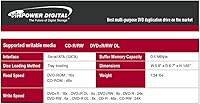
  • DVD Write Speed: Maximum DVD write speed is 24x, which burns a standard single-layer DVD in approximately four to five minutes under normal conditions.
  • CD Write Speed: Maximum CD write speed is 48x, allowing a standard 700MB CD to be burned in roughly two minutes.
  • Read Speed: Both CD and DVD read speeds reach up to 24x, with enhanced capability for recovering data from lightly scratched or worn discs.
  • Supported Formats: The drive supports DVD+R, DVD-R, DVD+RW, DVD-RW, DVD-RAM, CD-R, and CD-RW, covering virtually all mainstream optical disc formats in active use.
  • M-DISC Support: The drive supports M-DISC media, an inorganic archival disc format rated for significantly longer data retention than standard recordable discs.
  • Dimensions: Physical dimensions are 6.7 × 5.75 × 1.6 inches, consistent with the standard half-height 5.25-inch optical drive specification.
  • Weight: The drive weighs 1.32 pounds, which is typical for a half-height internal optical drive of this class.
  • Platform: Compatible with PC platforms running multiple operating systems, including current and legacy versions of Windows and other PC-compatible environments.
  • Packaging: Ships as a bulk bare drive with no retail box, no bundled software, and no mounting screws or accessories included.
  • Blu-ray Support: This drive does not support Blu-ray reading or writing; it is strictly limited to CD and DVD formats.
  • Recording Control: Vinpower's Enhanced Recording Preservation Control technology actively manages burn parameters to improve disc quality consistency and extend the operational lifespan of the drive.
  • BSR Ranking: The drive holds a Best Sellers Rank of number 23 in the Internal CD and DVD Drives category on Amazon at time of review.
  • Rating: It holds a 4.4 out of 5 star average rating across approximately 100 customer reviews on Amazon.
  • Power Connection: As a standard internal SATA optical drive, it draws power from a SATA power connector supplied by the desktop PC's power supply unit.

Related Reviews
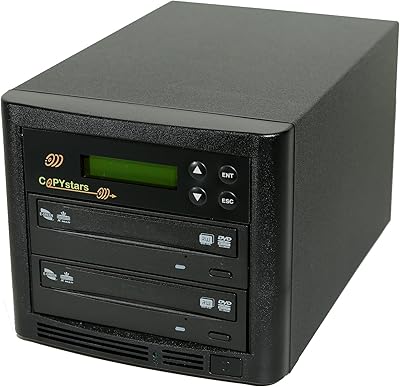
Copystars DVD Duplicator Sata CD-DVD Burner 24X 1 to 1 DVD Copier Duplicator Tower
82%
85%
Performance
92%
Ease of Use
88%
Writing Speed
90%
Compatibility
84%
Reliability
More
Optiarc AD-5290S Internal SATA DVD Burner
75%
88%
Burn Reliability
83%
Build Quality
91%
Ease of Installation
86%
Format Compatibility
78%
M-Disc Archival Support
More
Digital Innovations SkipDr Manual Disc Repair System
76%
74%
Scratch Repair Effectiveness
88%
Ease of Use
81%
Value for Money
61%
FlexiWheel Durability
77%
Included Accessories
More
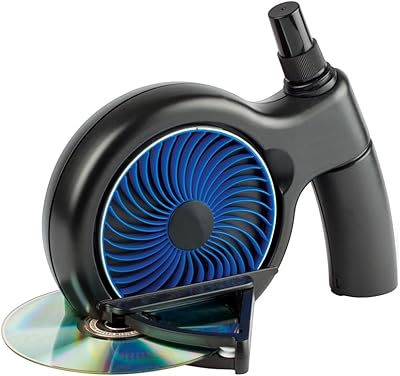
Digital Innovations SkipDr Motorized Disc Repair System
77%
78%
Repair Effectiveness
91%
Ease of Use
63%
FlexiWheel Longevity
74%
Value for Money
69%
Build Quality & Durability
More
Dell Optiplex SFF Replacement CD DVD Burner Drive
79%
83%
Compatibility
88%
Ease of Installation
86%
Value for Money
67%
Build Quality
81%
Read Performance
More
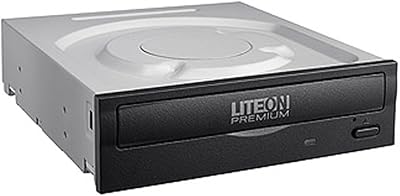
Lite-On DH-16AFSH Internal DVD Burner
82%
88%
Read & Write Reliability
91%
Installation Ease
86%
DVD Burn Speed
84%
CD Burn Speed
79%
Dual-Layer DVD Support
More
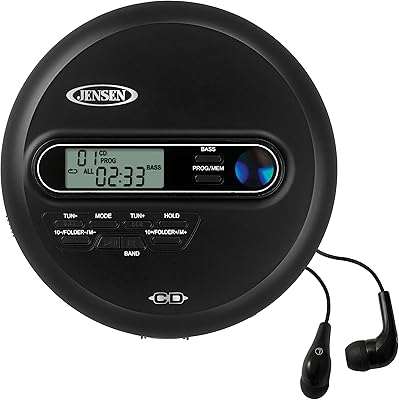
Jensen CD-65 Portable CD/MP3 Player
73%
83%
Value for Money
67%
Anti-Skip Performance
58%
Build Quality
91%
Ease of Use
76%
FM Radio Quality
More
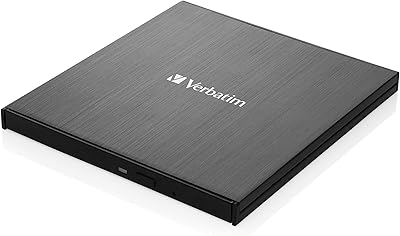
Verbatim 43886 Slimline External DVD Writer
79%
92%
Ease of Setup
81%
Build Quality
94%
Portability
78%
Read Performance
74%
Write Performance
More
ORIGBELIE External CD/DVD Drive BT524
85%
88%
Performance
90%
Compatibility
92%
Portability
95%
Ease of Setup
82%
Build Quality
More
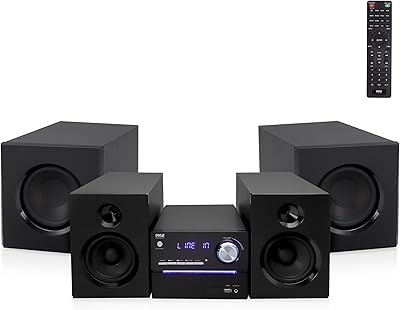
Pyle PHSKR22 CD/DVD Stereo System
85%
88%
Sound Quality
90%
Bluetooth Connectivity
68%
Build Quality
85%
Wireless Microphone Performance
92%
Ease of Use
More

FAQ

No, it ships as a bare bulk drive with no software included. You will need to source your own disc burning application — popular free options include ImgBurn, while commercial suites like Nero or Roxio work well if you prefer a full-featured package.

M-DISC is an archival optical disc format made from inorganic materials, which makes burned data far more resistant to degradation over time compared to standard recordable discs. Yes, you do need to purchase M-DISC compatible blank media separately — standard DVD-R or CD-R blanks will not give you the archival benefit. The GH24NSD0D drive simply has the hardware capability to write to those special discs when you provide them.

If your case has a standard 5.25-inch half-height drive bay — which most full-tower and mid-tower ATX cases do — this drive will fit. You will also need an available SATA data port on your motherboard and a free SATA power connector from your power supply. Slim or compact small-form-factor builds often lack this bay entirely, so check your case specs before ordering.

Not without additional hardware. This is a strictly internal SATA drive. If you want to use it externally, you would need a separate USB-to-SATA enclosure designed for 5.25-inch optical drives, but that adds cost and complexity. If you need a plug-and-play external solution, a dedicated external USB burner would be a more straightforward choice.

The drive itself is hardware and will physically connect to any machine with a compatible SATA bay, but macOS support depends on your specific Mac model and version. Most modern Macs have dropped internal optical drive bays entirely. For PC desktops running Windows or Linux, compatibility is broadly reliable.

It handles lightly scratched discs noticeably better than most budget consumer drives, thanks to its enhanced read capability tuned for recovering data from imperfect media. Severely damaged discs are still a challenge for any optical drive, but for the typical wear-and-tear scratches you find on old music CDs or data discs, this LG HLDS burner has a solid track record based on buyer feedback.

Maximum rated speeds are fine for casual burns, but if quality and longevity matter to you — especially for archival or duplication work — burning DVDs at 8x to 16x and CDs at 24x to 32x tends to produce more reliable results. The drive's Enhanced Recording Preservation Control does help manage burn quality automatically, but giving it a little headroom with a lower speed never hurts for critical burns.

It is closely related but not identical. HLDS manufactures both, but this Vinpower version has been tuned specifically for the duplication market, with firmware and quality controls optimized for high-volume, consistent burning rather than standard retail consumer use. Think of it as a more tightly spec'd variant of the same core hardware.

A small number of buyers have reported compatibility quirks with older motherboards, though issues are uncommon with modern hardware. If you run into problems, updating your motherboard's BIOS and checking SATA controller settings usually resolves them. If problems persist, contacting Vinpower Digital's support is your best path forward.

Just the drive itself — nothing else. No software disc, no mounting screws, no SATA cable, no instructions. If you are installing this into a new build, make sure you have a SATA data cable on hand, as most drives in this class no longer include one. Bulk packaging keeps costs down but does require a little more preparation on your end.