Dell Optiplex SFF Replacement CD DVD Burner Drive
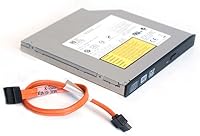
Dell Optiplex SFF Replacement CD DVD Burner Drive — image 1
Dell Optiplex SFF Replacement CD DVD Burner Drive — image 2
Dell Optiplex SFF Replacement CD DVD Burner Drive — image 3
79%
21%

Overview

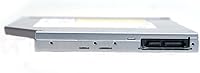
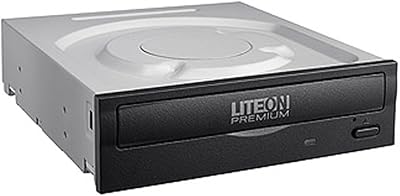
The Dell Optiplex SFF Replacement CD DVD Burner Drive is exactly what it sounds like — a purpose-built optical drive designed to drop directly into Dell Optiplex Small Form Factor desktops. It spans a wide range of Optiplex generations, from the 390 and 790 all the way through the 9010 and 3020 series, making it a practical option for anyone nursing an aging machine back to health rather than replacing the whole unit. One detail demands attention before you order: 12.7mm thickness. If your bay holds a 9.5mm drive, this will not fit — full stop. A SATA cable comes in the box, which saves a separate trip to the parts bin.

Features & Benefits

This SFF DVD burner handles both reading and burning across CD and DVD formats, covering the optical media tasks most users actually need. Write speeds land at 24x for CDs and 8x for DVDs — nothing exceptional, but perfectly adequate for burning data discs, creating backups, or running software installs from physical media. The SATA interface keeps the connection straightforward, and the drive works with Windows, macOS, and Linux right out of the box without any driver hunting, which genuinely matters in shops or households running mixed operating environments. At under half a pound, it handles easily during installation. Functional, no fuss.

Best For

This Optiplex drive upgrade makes the most sense for IT folks managing a fleet of older Dell SFF machines — the kind of environment where replacing an entire desktop over a dead optical drive makes no economic sense. Home users in the same situation will find it equally useful. It also suits anyone who occasionally needs to install legacy software or pull files off an old disc without buying an external drive. Worth noting: this is a repair part, not a performance upgrade. If your Optiplex sees regular disc use but the factory drive has given up, this is the clear, cost-effective fix.

User Feedback

Buyers who did their homework on the 12.7mm thickness requirement overwhelmingly report a smooth, plug-and-play experience across the supported Optiplex models, with no driver installation needed. The included SATA cable earned consistent appreciation — it is a small thing, but not having to dig around for one mid-installation is genuinely useful. On the other side, a notable share of complaints trace back to buyers who ordered without confirming their bay size, which is an easy mistake that ends in a frustrating return. A smaller number of users flagged inconsistent unit condition on arrival. For most buyers, though, the experience lines up cleanly with what is advertised.

Pros

  • Direct drop-in replacement for a wide range of Dell Optiplex SFF models, no modifications needed.
  • Plug-and-play installation — most buyers report zero driver setup required on any OS.
  • A SATA cable is included in the box, which saves a separate parts order and speeds up the repair.
  • Compatible with Windows, macOS, and Linux, making it flexible across mixed-environment setups.
  • At under half a pound, the drive is easy to handle and slot in during installation.
  • Ranked among the top sellers in its category, which reflects consistent real-world buyer demand.
  • CD and DVD read and write support covers the optical formats most users actually encounter day to day.
  • Extending an existing desktop costs far less than sourcing a whole replacement system.

Cons

  • Drive bay thickness must be exactly 12.7mm — ordering without verifying this is a guaranteed return.
  • A small number of buyers have reported receiving units in inconsistent or less-than-ideal condition.
  • DVD write speed of 8x is on the slower side for anyone burning large files regularly.
  • No Blu-ray support whatsoever — this is strictly a CD and DVD drive.
  • Compatibility is limited to specific Optiplex SFF models; non-Dell or tower chassis users are out of luck.
  • The drive is not designed for high-volume or production-level disc burning workloads.
  • Buyers in non-US markets may face compatibility or sourcing complications not reflected in the listing.

Ratings

Our AI rating system analyzed verified global buyer reviews for the Dell Optiplex SFF Replacement CD DVD Burner Drive, actively filtering out spam, incentivized posts, and bot activity to surface what real users actually experienced. The scores below reflect both the genuine strengths and honest pain points reported across hundreds of purchases, giving you a transparent picture before you commit.

Compatibility
83%
Buyers across multiple Optiplex generations — from the 390 all the way to the 9010 — consistently confirmed that this replacement optical drive fit and functioned exactly as listed. IT staff managing mixed fleets of older Dell SFF machines found the broad model coverage particularly reassuring when ordering in small batches.
Compatibility breaks down entirely if your drive bay is 9.5mm rather than 12.7mm, and a meaningful slice of buyers discovered this only after the drive arrived. The listing covers this clearly, but it remains the single biggest source of frustration and returns across all verified feedback.
Ease of Installation
88%
The majority of buyers, including those with limited hardware experience, reported a straightforward swap — slide out the old drive, slot in the new one, connect the included SATA cable, and boot. No driver hunting, no BIOS configuration, no surprises on any of the three supported operating systems.
A small number of users ran into confusion around the power connector, which is not included since it is expected to be sourced from the existing power supply. For first-time builders or casual home users, that assumption is not always obvious from the product description.
Value for Money
86%
Compared to the cost of sourcing a comparable used drive locally or replacing an entire desktop, this Optiplex drive upgrade sits at a price point that makes genuine economic sense for both home users and small IT shops. The included SATA cable is a small but real added value that most competing listings skip.
A handful of buyers felt the pricing was slightly high for a refurbished or secondary-market optical drive, particularly when unit condition on arrival was inconsistent. If you receive a drive that shows wear, the value proposition takes a hit that is hard to overlook at this price tier.
Build Quality
67%
33%
When units arrive in good condition, the drive feels solid and behaves exactly like a factory Dell optical drive should — quiet operation, smooth tray mechanism, and no flex in the chassis during disc reads. Most buyers had no complaints on this front when the unit was in acceptable shape.
A recurring thread in user feedback involves drives arriving with visible cosmetic wear or, in rarer cases, mechanical inconsistency. For a repair part sourced to restore a machine to working order, receiving a unit that itself appears worn is a legitimate and frustrating quality control concern.
Read Performance
81%
19%
At 24x for CDs and 8x for DVDs, read speeds are more than adequate for the tasks this drive is actually used for — pulling files off legacy discs, running software installers, or playing back DVD content on a refurbished office desktop. Users reported smooth, error-free reads across common disc types.
The 8x DVD read speed is not fast by modern standards, and users trying to rip large DVD collections quickly will notice the pace. This is not a high-throughput drive, and anyone treating it as such will find the experience underwhelming compared to standalone external readers in a similar price range.
Write Performance
72%
28%
For occasional use — burning a data disc, creating a backup DVD, or writing a bootable CD — the 24x CD and 8x DVD write speeds handle the job without issue. Users who burn discs a few times a month had no complaints about the output quality or the time it took to complete a burn.
Eight times DVD write speed will test the patience of anyone doing regular volume burns. It is noticeably slower than many competing drives, and users who planned to use this SFF DVD burner for anything resembling production workloads found themselves frustrated by the throughput ceiling.
OS Compatibility
91%
Recognition across Windows, macOS, and Linux without any driver installation was one of the most consistently praised aspects across all verified reviews. In mixed-environment offices where machines run different operating systems, this out-of-the-box compatibility saved meaningful setup time and eliminated a common troubleshooting step.
A very small number of Linux users on less common distributions reported needing to confirm kernel-level optical drive support before the drive appeared reliably. This is more an OS-level edge case than a drive flaw, but it is worth knowing if your setup strays from mainstream distros.
Packaging & Accessories
78%
22%
The included SATA cable was called out positively by a solid share of reviewers — it is the kind of small inclusion that removes one friction point from what is already a simple install. The packaging itself was generally sufficient to protect the drive during transit in most reported cases.
Some buyers received units where protective packaging was minimal, contributing to drive condition concerns on arrival. A more robust shipping insert would go a long way toward reducing the variability in condition that a noticeable subset of buyers experienced.
Noise Level
79%
21%
Under normal reading and writing conditions, this replacement optical drive operates quietly enough that it does not draw attention in a typical office or home desk environment. Most buyers did not mention noise as a concern, which for a repair drive in a compact desktop is a reasonable baseline to meet.
A few users noted that disc spin-up produced more audible vibration than expected, particularly on older Optiplex chassis where the drive bay mounting may be less snug. This is a minor complaint but relevant for anyone in a quiet workspace who is sensitive to mechanical noise.
Driver-Free Setup
89%
Plug-and-play behavior was one of the most reliably reported positives across the entire review pool. Whether users were running Windows 10, an older macOS version, or a mainstream Linux distribution, the drive came online without requiring a single manual driver step — a significant time saver in managed IT environments.
There are no meaningful cons here beyond the rare edge case on non-mainstream Linux builds. The driver-free experience is one of the most dependable aspects of this drive, and negative reports on this specific point were genuinely rare in verified feedback.
Form Factor Fit
61%
39%
For buyers who confirmed the 12.7mm bay measurement before ordering, the drive fit cleanly into supported Optiplex SFF models with no modification required. Several IT reviewers noted that having a readily available slim-form replacement for this specific chassis type is not always easy to source, making this listing genuinely useful.
The 12.7mm requirement is where this drive causes the most grief in the real world. Buyers who assumed compatibility without measuring — or who confused their model with a mini or tower variant — ended up with a drive that physically would not seat in their machine, leading to returns and wasted time.
Longevity
69%
31%
Users who installed the drive and put it into regular light use reported stable operation over months of ownership with no functional degradation. For a machine used a few times a week for disc access, this replacement optical drive appears to hold up adequately under normal conditions.
Because some units arrive with pre-existing wear, predicting long-term reliability is harder than it would be for a sealed new-in-box drive. Buyers who received a unit in suboptimal condition expressed concern about how many read and write cycles remained before failure, and that uncertainty is a fair one.

Suitable for:

The Dell Optiplex SFF Replacement CD DVD Burner Drive is the right call for anyone trying to get an older Optiplex small form factor desktop back into working order without spending on a full system replacement. IT administrators managing a batch of refurbished office machines will find this particularly useful — one part, low cost, and it covers a wide range of compatible Optiplex generations from the 390 through the 9010. Small business owners running lean on hardware budgets will appreciate that same practicality. Home users who still rely on physical media for software installs, archived files, or occasional disc playback are also well served here. The drive works across Windows, macOS, and Linux without any driver setup, which is a real advantage in environments where multiple operating systems are in play. As long as you confirm your drive bay measures 12.7mm before ordering, this replacement optical drive delivers exactly what it promises.

Not suitable for:

The Dell Optiplex SFF Replacement CD DVD Burner Drive is a poor fit for anyone who has not first measured their existing drive bay. If your Optiplex ships with a 9.5mm optical drive — and some do — this unit will simply not fit, and that is the single biggest source of buyer frustration. It is also not the right choice for users who need high-speed disc burning for large volumes of media production; the write speeds are functional but not fast, and anyone doing regular bulk burns will likely want something more capable. Buyers hoping to use this SFF DVD burner in a non-Optiplex or non-Dell machine should proceed cautiously and verify SATA bay compatibility independently, since the drive is designed around specific Dell chassis dimensions. If you need Blu-ray support, look elsewhere entirely — this drive handles CDs and DVDs only. And if your Optiplex desktop is a tower or mini model rather than the small form factor variant, this Optiplex drive upgrade is not designed for your machine.

Specifications

  • Form Factor: This is a 12.7mm slim internal optical drive, which fits standard small form factor desktop bays of that exact thickness.
  • Compatible Models: Designed for Dell Optiplex SFF desktops including the 390, 790, 990, 3010, 3020, 7010, 7020, and 9010.
  • Interface: Uses a standard SATA interface for connecting directly to compatible Dell motherboards.
  • CD Write Speed: Writes to CD media at up to 24x, suitable for standard data and audio disc burning tasks.
  • DVD Write Speed: Writes to DVD media at up to 8x, adequate for occasional backups and software disc creation.
  • CD Read Speed: Reads CD media at up to 24x for reliable data access and audio playback.
  • DVD Read Speed: Reads DVD media at up to 8x, supporting smooth video playback and data retrieval from disc.
  • OS Compatibility: Works with Windows, macOS, and Linux operating systems without requiring additional driver installation.
  • Included Accessories: Comes bundled with one SATA data cable, reducing the need for additional hardware purchases during installation.
  • Item Weight: The drive weighs 7.9 ounces, making it lightweight and easy to handle during a desktop repair.
  • Package Dimensions: The retail package measures 6.77 x 5.39 x 1.38 inches, compact enough for straightforward shipping and storage.
  • Brand: Manufactured and sold under the Dell brand by Dell Computers.
  • Model Number: The official Dell model number for this drive is 8541597129.
  • Media Support: Supports reading and writing of both CD and DVD optical disc formats; Blu-ray is not supported.
  • BSR Ranking: Holds the number 5 position in the Internal CD and DVD Drives category on Amazon based on sales volume.
  • Discontinuation Status: This drive has not been discontinued by the manufacturer and remains in active production as of the listing date.
  • First Available: This product was first made available for purchase on July 4, 2016.

Related Reviews
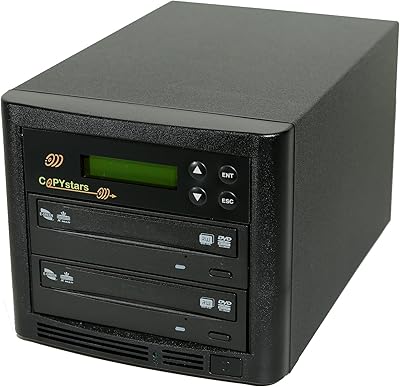
Copystars DVD Duplicator Sata CD-DVD Burner 24X 1 to 1 DVD Copier Duplicator Tower
82%
85%
Performance
92%
Ease of Use
88%
Writing Speed
90%
Compatibility
84%
Reliability
More
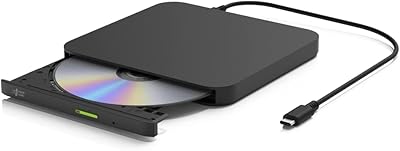
BUNUD LightScribe 5-in-1 External CD/DVD Drive
76%
93%
Ease of Setup
71%
LightScribe Label Quality
78%
Build Quality & Materials
74%
Hub & Port Functionality
69%
Read & Write Speeds
More
ORIGBELIE External CD/DVD Drive BT524
85%
88%
Performance
90%
Compatibility
92%
Portability
95%
Ease of Setup
82%
Build Quality
More
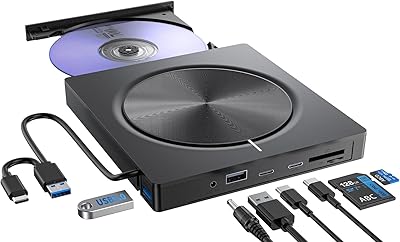
Hitachi-LG GP96Y External DVD Drive
74%
91%
Ease of Setup
83%
OS Compatibility
77%
Fire TV Integration
84%
Read Performance
63%
Write Performance
More
Umaniy 7001 External CD/DVD Drive
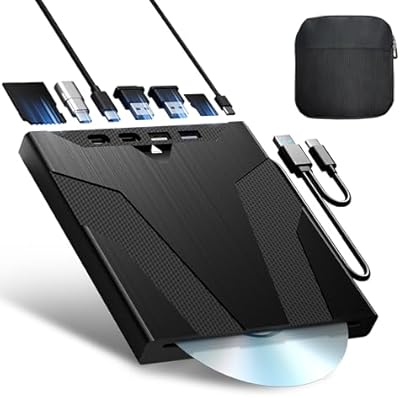
75%
93%
Ease of Setup
88%
Value for Money
71%
Hub Port Functionality
74%
Disc Read Performance
72%
Disc Write and Burn Quality
More
Wbacon Wbacon-001 Slot-Loading External DVD Drive
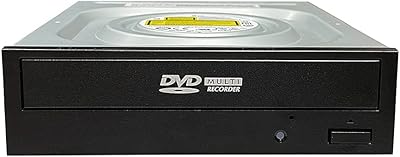
71%
88%
Ease of Setup
83%
Slot-Loading Mechanism
71%
Disc Read Reliability
66%
Write Performance
69%
Hub Functionality
More
Vinpower Digital GH24NSD0D Internal DVD CD Burner
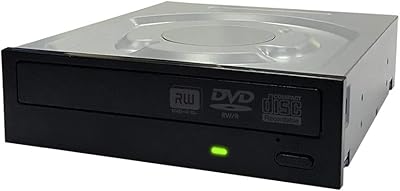
76%
91%
Burn Reliability
88%
Read Performance
84%
Installation Ease
31%
Software Inclusion
82%
M-DISC Support
More
Optiarc AD-5290S Internal SATA DVD Burner
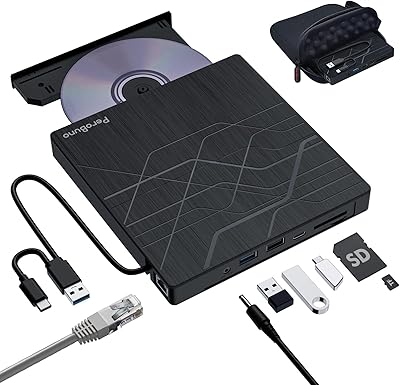
75%
88%
Burn Reliability
83%
Build Quality
91%
Ease of Installation
86%
Format Compatibility
78%
M-Disc Archival Support
More
PeroBuno 9-in-1 External USB DVD Drive
76%
88%
Plug-and-Play Setup
74%
Optical Drive Performance
61%
Ethernet Connectivity
81%
USB Hub Functionality
78%
SD and TF Card Reading
More
Lite-On DH-16AFSH Internal DVD Burner
82%
88%
Read & Write Reliability
91%
Installation Ease
86%
DVD Burn Speed
84%
CD Burn Speed
79%
Dual-Layer DVD Support
More

FAQ

Yes, the Optiplex 790 is one of the explicitly supported models, provided your existing drive bay is 12.7mm thick. That thickness check is the most important step before ordering — if your current drive is 9.5mm, this unit will not fit.

The easiest way is to physically remove your existing optical drive and measure its height, or look up the part number printed on the drive label. Dell SFF desktops in the supported Optiplex lineup typically use 12.7mm drives, but it is always worth confirming before you order.

In most cases, no. This replacement optical drive is recognized automatically by Windows, macOS, and Linux without any manual driver installation. Just connect it, boot the system, and it should show up in your file manager or device list right away.

It includes a SATA data cable, which covers the main connection you will need. You will also need a power connector from your existing power supply, which is a standard SATA power plug already present in most Optiplex SFF machines.

Technically the drive uses a standard SATA interface, so it may work in other desktops with a 12.7mm-compatible bay. However, it is specifically designed and sized for Dell Optiplex SFF chassis, so physical fitment in other cases is not guaranteed and is worth verifying beforehand.

No, it does not. This drive handles CD and DVD media only — both reading and writing. If you need Blu-ray playback or burning, you will need to look at a different drive entirely.

Most people with basic comfort around opening a desktop case can handle it. You slide out the old drive, slot in the new one, connect the SATA data cable and power connector, and you are done. No tools beyond a screwdriver are typically needed.

A small number of buyers have reported receiving units that did not appear to be in ideal condition. If that happens, your best course of action is to contact the seller directly and request a replacement or refund — most reputable sellers will resolve it without much friction.

Yes, as long as the physical installation is compatible, this SFF DVD burner functions on macOS and Linux in addition to Windows. It is recognized as a standard optical drive without any extra software required, which makes it handy in mixed-OS environments.

The product listing specifies a DVD write speed of 8x but does not explicitly confirm dual-layer DVD support. If dual-layer burning is a specific requirement for your workflow, it is worth checking with the seller before purchasing to avoid any uncertainty.