Overview

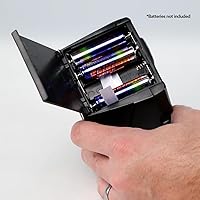
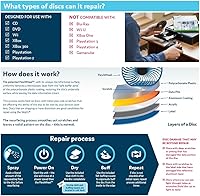
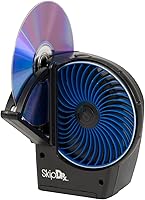
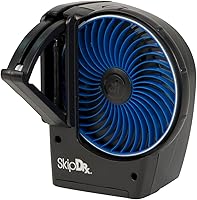
The Digital Innovations SkipDr Motorized Disc Repair System is a motorized resurfacing tool built to bring skipping, freezing, or completely unplayable CDs and DVDs back to life. It sits in the mid-range tier — more capable than a cheap manual buffing kit, but not competing with professional optical disc equipment. The process works by polishing the polycarbonate surface layer using a radial polishing action that smooths scratches without touching the data beneath. One critical note before buying: this disc repair system does not work with Xbox One, PS3, PS4, or Wii U discs. It runs on six AAA batteries, keeping it cord-free, and its sustained top-10 category ranking suggests real, lasting buyer confidence.
Features & Benefits

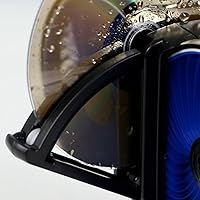
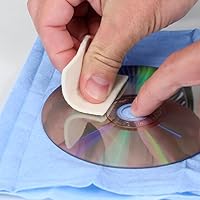
At the heart of the SkipDr is the patented FlexiWheel, rated to handle up to 25 disc repairs before needing replacement. Because the motor drives the resurfacing process, you get a consistent result every time — no uneven hand pressure, no accidental cross-grain scratches. The radial pattern the wheel follows closely matches the direction disc lasers read data, which reduces the risk of introducing new read errors during repair. It removes only the thinnest possible layer of polycarbonate, meaning the same disc can be treated more than once without damage. At roughly 6.7 by 3.7 by 6.2 inches, this motorized resurfacer is compact enough to tuck into a drawer, and it handles CDs, DVDs, and standard game discs with equal ease.

Best For

This disc repair system makes the most sense for a handful of specific buyers. Retro gamers and collectors sitting on large libraries of aging PS1, PS2, or early Xbox titles will get the most mileage out of it — those discs are scratched and no longer cheap to replace. Parents who cycle through the same handful of kids DVDs will find it pays for itself quickly. It also fits well in small institutional settings, like a school media room or a public library's A/V collection. Anyone frustrated by the inconsistency of manual kits will appreciate the motorized consistency here. If your priority is fixing discs without spending more than the disc is worth, this is a practical, reusable solution.

User Feedback

Buyer sentiment around the SkipDr tends to split fairly predictably. Surface-level scratches — the kind that cause intermittent skipping or minor freezing — are where this motorized resurfacer genuinely delivers, and many users report restoring discs they had written off entirely after a single pass. The picture changes with deep gouges, where results are inconsistent at best. A few buyers note that the FlexiWheel wears down faster than the rated 25-disc ceiling if heavily scratched discs are processed repeatedly. Battery drain comes up occasionally in longer feedback threads, though most users treat it as a minor inconvenience rather than a real flaw. Setup is generally described as intuitive, which matters for a tool that non-technical users will reach for in a moment of frustration.

Pros

  • Motorized operation delivers consistent, repeatable results that manual kits simply cannot match.
  • Radial resurfacing pattern reduces the risk of introducing new read errors during treatment.
  • Removes only the thinnest polycarbonate layer, so the same disc can be safely treated more than once.
  • Compact enough to store in a drawer and light enough to carry without any hassle.
  • Battery-powered design means no cables, no desk setup, no hunting for a nearby outlet.
  • Broad compatibility covers CDs, DVDs, and standard game discs across multiple formats and generations.
  • Setup takes minutes and requires no technical background — genuinely approachable for any user.
  • The SkipDr sits in a practical price tier that makes financial sense compared to replacing discs individually.
  • Sustained top-10 category ranking reflects years of real buyer satisfaction, not a short-lived spike.
  • Works gently enough for irreplaceable discs — home recordings, out-of-print titles, or personal archives.

Cons

  • Deep gouges and heavy physical damage are beyond what this motorized resurfacer can reliably fix.
  • Xbox One, PS3, PS4, and Wii U discs are fully incompatible — a significant blind spot for console gamers.
  • FlexiWheel longevity falls short of its 25-disc rating when used on heavily damaged discs.
  • No built-in indicator tells you when a disc has been sufficiently treated or when to stop.
  • Replacement wheel costs accumulate noticeably for users processing large disc backlogs regularly.
  • Battery drain becomes a real inconvenience during extended multi-disc repair sessions.
  • Inconsistent results across discs with seemingly similar damage levels can be frustrating to predict.
  • No storage compartment for spare wheels or accessories, making small parts easy to misplace.
  • Plastic housing feels lightweight and raises durability questions under sustained heavy use.
  • Instruction materials lack troubleshooting guidance for edge cases like warped or unusually thin discs.

Ratings

The Digital Innovations SkipDr Motorized Disc Repair System earns its place as a consistently top-ranked home disc repair tool, and these scores reflect what real buyers across multiple verified purchase platforms actually experienced — with AI filtering applied to remove incentivized, bot-generated, and outlier reviews. The result is an honest snapshot of where this motorized resurfacer genuinely delivers and where it falls short, covering everything from repair effectiveness to long-term consumable costs.
Repair Effectiveness
78%
22%
For surface-level and moderate scratches, the SkipDr produces results that genuinely surprise first-time users — discs that skipped through entire chapters or refused to load often play cleanly after a single treatment. The radial resurfacing pattern is well-suited to how optical lasers read data, which means restored discs tend to play stably rather than intermittently.
Deep gouges are a consistent weak point. Users with heavily damaged discs — the kind with visible grooves rather than fine surface haze — report unpredictable outcomes, and some discs come out no better than they went in. Managing expectations around severe damage is essential before purchase.
Ease of Use
91%
Setup takes under two minutes and requires no prior technical knowledge. Most buyers describe the process as straightforward enough to hand off to a teenager or an elderly relative, and the motorized mechanism removes the guesswork of applying consistent manual pressure.
A small number of users mention that fitting certain disc sizes snugly into the mechanism takes a little trial and error on first use. The instruction materials could be more explicit about optimal disc positioning for best results.
FlexiWheel Longevity
63%
37%
When used on lightly to moderately scratched discs, the FlexiWheel holds up reasonably well and the 25-disc rating feels achievable for casual household use. Buyers who treat it as an occasional rescue tool rather than a daily workhorse tend to be satisfied with how long a single wheel lasts.
Heavy users — particularly those processing entire retro game libraries or lending collections — find the wheel degrades noticeably faster than advertised. Processing multiple deeply scratched discs in a single session accelerates wear significantly, and replacement wheel costs add up over time.
Value for Money
74%
26%
Compared to replacing scratched discs individually, the math works in this device's favor fairly quickly — especially for parents or collectors dealing with titles that are out of print or expensive to rebuy. It occupies a practical middle ground between cheap manual kits and costly professional resurfacing services.
The ongoing cost of replacement FlexiWheels chips away at the initial value proposition for high-volume users. Buyers who process only a handful of discs per year will find the value strong, but those with large backlogs may find the per-disc cost climbs higher than expected.
Build Quality & Durability
69%
31%
The unit feels sturdy enough for household use and does not rattle or flex during operation. Several long-term owners report using the same device across multiple years without mechanical failure, which speaks reasonably well to its construction at this price point.
The plastic housing feels noticeably lightweight, and a subset of buyers express concern about long-term durability after extended use. It does not feel like a tool built to withstand a professional or semi-commercial workload.
Battery Performance
71%
29%
Running on six AAA batteries keeps the unit cord-free and genuinely portable — useful for anyone who wants to process discs away from a desk or power outlet. For occasional users, a single set of batteries lasts through multiple repair sessions without issue.
Users who process large batches of discs in one sitting report that battery drain becomes noticeable fairly quickly. It is not a dealbreaker for light use, but buyers planning extended sessions would benefit from keeping a spare set of batteries nearby.
Compatibility Range
66%
34%
Coverage across CDs, DVDs, and standard game discs gives this motorized resurfacer broad utility for most home media collections. It handles the formats that make up the bulk of disc libraries accumulated over the past two decades without requiring any adjustments.
The exclusion of Xbox One, PS3, PS4, and Wii U discs is a genuine limitation that catches a meaningful portion of buyers off guard. Gamers specifically targeting modern console disc repairs will find this device cannot help them, which significantly narrows its appeal for that audience.
Portability & Storage
86%
At just over three ounces and with a compact footprint, the SkipDr stores easily in a drawer or on a shelf without claiming meaningful space. The battery-powered design means it can be pulled out, used, and put away without needing to be near an outlet.
There is no dedicated storage compartment for spare FlexiWheels or accessories, which means small consumable parts can get misplaced over time. A basic carrying case or accessory pouch would have made this a more complete package.
Consistency of Results
72%
28%
The motorized mechanism delivers a meaningfully more repeatable outcome than hand-buffing alternatives, where uneven pressure often introduces new issues. Users coming from manual kits frequently note that the SkipDr produces fewer follow-up problems like swirl marks or directional scratches.
Results across identical scratch profiles are not perfectly uniform — two discs with seemingly similar damage can yield different outcomes from the same treatment cycle. This inconsistency is frustrating for users trying to predict whether a borderline disc is worth processing.
Setup & Learning Curve
88%
Out of the box, the process is approachable enough that most users are running their first repair within minutes. The motorized operation handles the technical side of resurfacing automatically, which flattens the learning curve considerably compared to manual polish-and-buff kits.
Some users note the included instructions do not clearly address edge cases, such as how to handle warped discs or when to stop if a disc shows no improvement after one pass. A short troubleshooting guide would reduce buyer frustration noticeably.
Noise Level During Operation
81%
19%
The motor runs at a quiet, low hum that most users describe as unobtrusive. It is easily used in a living room or home office environment without disturbing nearby conversations or activities.
A small number of buyers report a higher-pitched whine when the FlexiWheel begins to wear down, which can be slightly grating during extended sessions. This tends to appear later in the wheel's lifespan rather than immediately out of the box.
Speed of Repair
83%
Each disc cycle completes quickly, making it practical to process several discs in a single sitting without the time investment of professional resurfacing services. For a household working through a backlog of scratched kids movies, the per-disc time commitment is low.
Heavily damaged discs sometimes require multiple passes to achieve a usable result, which multiplies the time investment and accelerates FlexiWheel wear simultaneously. There is no clear indicator on the device to signal when a disc has been sufficiently treated.
Disc Safety
77%
23%
The design specifically removes the thinnest possible layer of polycarbonate, and the radial action avoids the cross-grain damage that manual kits can introduce. Most users report no disc degradation from repeated treatments, which matters for irreplaceable recordings or out-of-print titles.
On rare occasions, users report a disc emerging from treatment with a slightly hazy surface that was not present before processing, suggesting the wheel contact was uneven. This appears to be more common with older, more brittle discs rather than standard commercial releases.

Suitable for:

The Digital Innovations SkipDr Motorized Disc Repair System is a strong fit for anyone whose disc collection represents real, hard-to-replace value. Retro gamers working through libraries of PS1, PS2, or original Xbox titles will find it particularly useful — those discs are aging, often scratched, and increasingly expensive to replace. Parents who cycle the same handful of kids movies through a household full of sticky fingers will likely recoup the cost within the first few rescues. It also makes practical sense for small institutional settings like school media rooms, public libraries, or community centers where discs take heavy handling and professional resurfacing services are cost-prohibitive. Anyone currently using a manual buffing kit and frustrated by inconsistent results will notice an immediate improvement from the motorized, repeatable process this device offers.

Not suitable for:

Buyers expecting a universal disc repair solution should look carefully before committing, because the Digital Innovations SkipDr Motorized Disc Repair System has meaningful gaps in its compatibility list. It does not work with Xbox One, PS3, PS4, or Wii U discs — a detail that is easy to miss and one that disqualifies it entirely for gamers whose damaged titles come from those platforms. It is also not the right tool for discs with deep, visible gouges; the resurfacing mechanism handles surface-level scratches well but struggles with severe physical damage, and repeated passes on a badly damaged disc waste FlexiWheel capacity without guaranteeing a result. High-volume users who need to process dozens of discs regularly will find the replacement wheel costs erode the value proposition faster than casual buyers would. Finally, anyone hoping for a plug-in, always-ready appliance may find the battery-powered setup mildly inconvenient if they tend to forget spare batteries on hand.
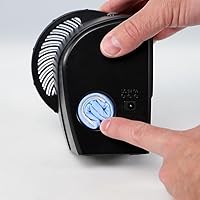
Specifications

  • Brand: Manufactured by Digital Innovations LLC and distributed under the Allsop brand umbrella.
  • Model Number: The unit's official model identifier is 4070300.
  • Dimensions: The device measures 6.7 x 3.7 x 6.2 inches, making it compact enough to store in most media drawers.
  • Weight: The unit weighs 3.17 ounces, keeping it lightweight and easy to handle during operation.
  • Power Source: Runs entirely on 6 AAA batteries, requiring no power cord or wall outlet.
  • Operation Type: Fully motorized resurfacing process driven by the internal mechanism rather than manual hand pressure.
  • Repair Mechanism: Uses a patented FlexiWheel component that contacts and polishes the disc surface during each repair cycle.
  • Resurfacing Method: Applies a radial polishing action that mirrors the direction optical disc lasers read data tracks.
  • Surface Treated: Designed to work on the polycarbonate plastic coating applied to the outer surface of optical discs.
  • FlexiWheel Capacity: Each FlexiWheel is rated to perform up to 25 individual disc repair cycles before replacement is needed.
  • Compatible Media: Works with standard CDs, DVDs, and conventional game and data discs from compatible platforms.
  • Incompatible Media: Does not support Xbox One, PlayStation 3, PlayStation 4, or Wii U discs due to proprietary disc coating differences.
  • Connector Type: Equipped with a USB connector for power or connectivity purposes as indicated in product specifications.
  • Category Rank: Holds a top-10 position in the Audio and Video Disc Repair Kits category on Amazon as of available ranking data.
  • Manufacturer Status: The product has not been discontinued by the manufacturer and remains in active production.
  • Date Available: First listed for sale on July 3, 2017, indicating a well-established product with a multi-year market presence.

Related Reviews
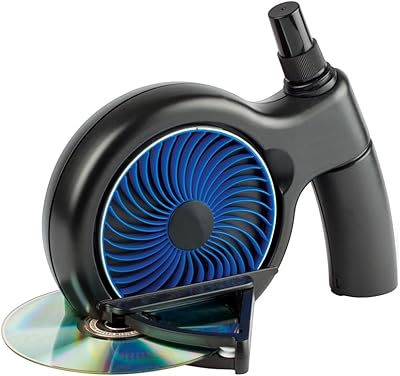
Digital Innovations SkipDr Manual Disc Repair System
76%
74%
Scratch Repair Effectiveness
88%
Ease of Use
81%
Value for Money
61%
FlexiWheel Durability
77%
Included Accessories
More
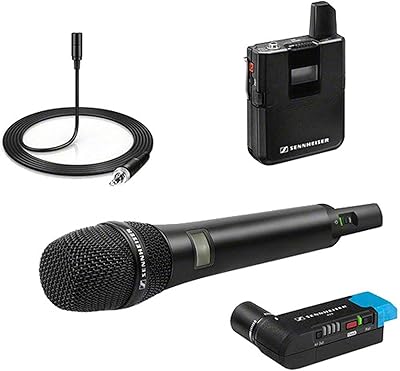
Sennheiser AVX Digital Wireless Microphone System
87%
94%
Audio Quality
91%
Ease of Setup
88%
Build Quality
86%
Portability
77%
Battery Life
More
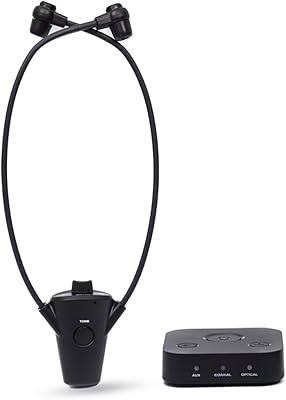
HearSound Gold Digital Wireless Headset System for TV
86%
88%
Audio Clarity
91%
Comfort and Fit
86%
Battery Life
75%
Ease of Setup
82%
Range and Connectivity
More
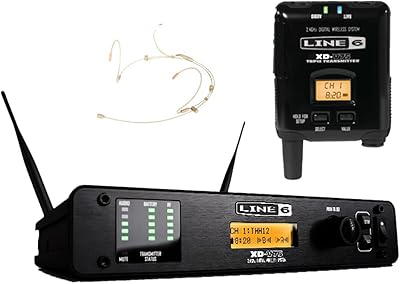
Line 6 XD-V75HS Digital Wireless System
86%
88%
Performance in Crowded Environments
91%
Audio Clarity & Quality
85%
Ease of Setup
92%
Signal Reliability
70%
Battery Life
More
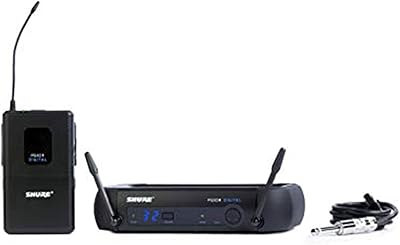
Shure PGXD14 Digital Wireless System for Guitar/Bass
85%
92%
Signal Reliability
94%
Audio Quality
88%
Battery Life
91%
Ease of Setup
77%
Range Performance
More
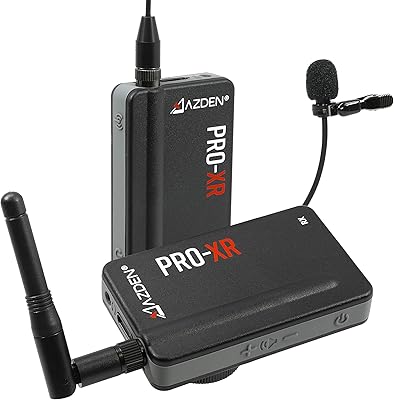
Azden PRO-XR Digital Wireless Microphone System
86%
94%
Wireless Range
89%
Sound Quality
87%
Battery Life
92%
Ease of Setup
85%
Connectivity Stability
More
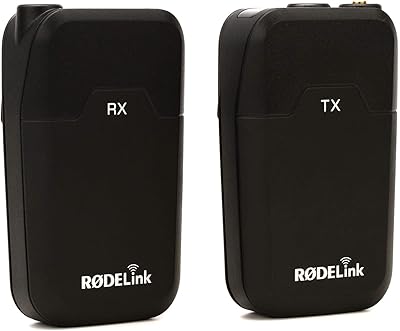
RØDE RodeLink FM Digital Wireless Filmmaker System
85%
94%
Signal Stability
91%
Audio Quality
88%
Ease of Setup
89%
Build Quality
85%
Battery Life
More
OM SYSTEM VN-541PC
OM SYSTEM VN-541PC
77%
93%
Ease of Use
71%
Audio Recording Quality
68%
Noise Cancellation
84%
Battery Life
62%
Build Quality & Durability
More
OM System WS-882 Digital Voice Recorder
78%
88%
Audio Clarity (PCM Mode)
63%
Background Noise Handling
84%
Battery Life
74%
Ease of Use
77%
Build Quality & Durability
More
Shure SLXD24/SM58 Digital Wireless Handheld Microphone System
87%
92%
Sound Clarity
89%
Build Quality
91%
Ease of Setup
86%
Signal Stability
85%
Comfort & Ergonomics
More

FAQ

Unfortunately, no. The SkipDr is not compatible with PS3 or PS4 discs, nor does it work with Xbox One or Wii U discs. If your scratched discs are from one of those platforms, this is not the right tool for the job.

This motorized resurfacer handles surface-level and moderate scratches well — the kind that cause skipping, freezing, or loading failures during playback. Deep physical gouges that you can feel with a fingernail are a different story; results on those are inconsistent at best, and some heavily damaged discs may see little to no improvement.

Yes, and that is actually one of the design goals. The radial polishing action removes only the thinnest possible layer of polycarbonate each time, which means the disc retains enough material to withstand multiple treatments. That said, it is not a good idea to run a disc through repeatedly in a single session if it is not showing improvement.

The official rating is up to 25 disc repairs per wheel, and for casual household use that figure is realistic. If you are processing a large backlog of heavily scratched discs in concentrated sessions, expect the wheel to wear faster than that. Replacement wheels are available separately.

Yes, it comes ready to use out of the box — you just need to supply six AAA batteries, which are not included. Setup takes only a few minutes and no tools or special knowledge are required.

It is designed to be conservative in how much material it removes, so most users treat it as safe for discs they care about. That said, if a disc has severe damage, there is always a small risk with any resurfacing approach. For truly irreplaceable recordings, it may be worth doing a test pass on a less important disc first to get a feel for the process.

Manual methods are inconsistent because the pressure and direction vary with each stroke, which can introduce new surface irregularities. The motorized, radial action here is more controlled and mirrors the way disc lasers actually read data, which reduces the chance of making things worse. Most users who have tried both approaches find the results here noticeably more reliable.

It gently polishes the outer polycarbonate coating, smoothing out the ridges that scratches create. Those ridges are what cause a disc laser to lose focus, which is what you experience as skipping or freezing. By leveling the surface, the laser can track properly again — the data underneath is not touched at all.

Each pass is fairly quick, typically completing in under a couple of minutes per disc. If a disc needs a second pass, you can run it through again immediately. For working through a handful of discs in one sitting, the time investment is low.

Yes, replacement wheels are sold separately and are generally available wherever the device is sold. If you plan to use this disc repair system heavily, it is worth picking up a spare wheel or two at the same time so you are not stuck waiting on a reorder mid-project.