


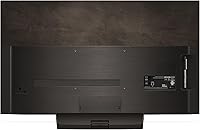
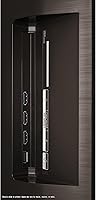
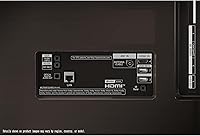
Overview

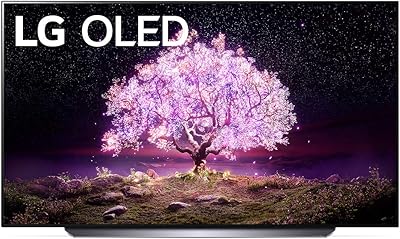
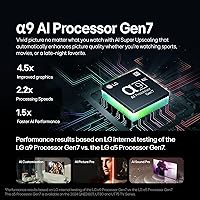
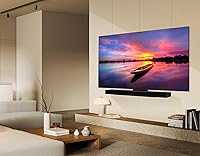
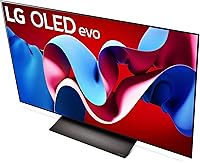
The LG OLED C4 48-inch 4K Smart TV sits at an interesting crossroads in LG's 2024 lineup — large enough to anchor a living room setup, compact enough to fit comfortably on a desk or in a bedroom without dominating the space. That 48-inch sweet spot is deliberate, particularly for gamers who want genuine OLED quality without committing to a screen that requires rearranging furniture. Under the hood, the A9 AI Gen7 processor handles picture optimization and upscaling intelligently, adjusting dynamically to whatever you're watching. Compared to larger OLED options, this 48-inch OLED lands at a noticeably friendlier price point — though it still delivers picture performance you'd associate with a premium panel.

Features & Benefits

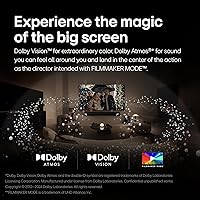
Start with what OLED actually means in daily use: every one of those 8 million self-lit pixels switches off individually for true black, so shadow detail in a dark thriller or the starfield in a space game looks genuinely striking — not just dark gray. For gaming specifically, the C4 pushes up to 144Hz with a 0.1ms response time, and with four HDMI 2.1 ports, you can keep a PS5, Xbox, and PC all connected without swapping cables. Dolby Vision and Dolby Atmos round out the cinematic side, and the webOS 24 interface is snappy enough that scrolling through apps never feels like a chore. The five-year software update commitment is a practical bonus few rivals match.

Best For

This LG OLED panel earns its strongest recommendation for dedicated console gamers — especially those running a PS5 or Xbox Series X in a bedroom or gaming den. The 48-inch size is also ideal for apartments or smaller rooms where anything larger would feel overwhelming at typical seating distances. Home theater fans who prioritize contrast and color accuracy over sheer screen size will find the C4 punches well above its category. PC users thinking about replacing a large monitor with something closer to a proper display will find this format surprisingly practical. Where it's less convincing is a large, bright living room — buyers in that scenario should seriously consider sizing up.

User Feedback

Owners consistently single out picture quality as the standout strength — dark-room viewing draws near-universal praise across buyer reviews. Gamers report measurably smoother console gameplay, with input lag rarely mentioned as a concern. On the flip side, the built-in speakers are a common sticking point; the 2.2-channel system handles dialogue fine but lacks weight for action scenes, and many users eventually pair the C4 with a soundbar. Burn-in comes up occasionally in discussions — worth knowing about, but regular TV and gaming use is very unlikely to cause issues unless static images sit on-screen for extended periods. The Magic Remote and webOS responsiveness earn consistent, unprompted praise.

Pros

  • OLED picture quality produces genuinely deep blacks and vivid color that LCD panels at this size simply cannot match.
  • Four HDMI 2.1 ports mean you can keep every current-gen device connected without ever swapping cables.
  • 144Hz refresh rate and 0.1ms response time make fast-paced gaming feel noticeably sharper and more responsive.
  • Dolby Vision and Dolby Atmos support brings a proper cinematic experience to streaming content right out of the box.
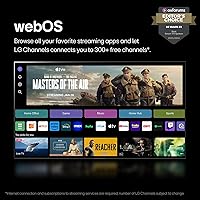
  • The webOS 24 interface is fast, intuitive, and comes with over 300 free live channels built in — no extra hardware needed.
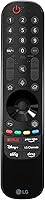
  • Magic Remote with voice control is one of the better TV remotes available and significantly reduces navigation friction.
  • A5-year software update commitment is rare in the TV category and meaningfully extends the panel's long-term usefulness.
  • The 48-inch form factor is genuinely practical for gaming setups, bedrooms, and smaller apartments where bigger screens crowd the room.
  • G-Sync and FreeSync Premium compatibility means PC gamers get tear-free visuals without needing to choose sides.

Cons

  • The built-in 2.2-channel speaker system lacks bass and volume for anything beyond casual background viewing.
  • At typical living room distances, the 48-inch screen can feel smaller than buyers anticipate — size expectations need managing upfront.
  • Peak brightness is lower than premium mini-LED competitors, making daytime performance in bright rooms noticeably softer.
  • Burn-in is a real long-term consideration if you routinely display static graphics or pause content for extended periods.
  • No stand configuration options; the included stand design may not suit all furniture setups without third-party solutions.
  • The price per inch is high compared to LCD alternatives — buyers prioritizing screen size over picture quality may feel underserved.
  • Dolby Atmos through the built-in speakers is a modest experience; the format only truly shines with an external audio setup.
  • webOS smart platform, while capable, carries some pre-installed bloatware apps that cannot be fully removed.

Ratings

The scores below reflect an AI-driven analysis of verified global buyer reviews for the LG OLED C4 48-inch 4K Smart TV, with spam, bot-submitted, and incentivized feedback actively filtered out to ensure accuracy. Ratings cover everything from picture quality and gaming responsiveness to smart platform usability and long-term value — with both the standout strengths and the recurring frustrations weighted transparently into each score.

Picture Quality
96%
Owners consistently describe the viewing experience as transformative, particularly in dark or dimly lit rooms where the OLED panel's true blacks and infinite contrast deliver depth that LED-backlit rivals simply cannot replicate. Watching a cinematic film or a dark-themed game on this panel at night draws near-universal praise — the colors are vivid without looking oversaturated.
In brighter ambient lighting, the panel's peak brightness shows its limits more clearly compared to high-end mini-LED competitors, and some users in sun-facing rooms report that highlights in HDR content don't pop as dramatically as expected. This is a structural OLED trade-off, not a defect, but it's worth knowing before buying.
Gaming Performance
93%
Console gamers running PS5 or Xbox Series X report a noticeably sharper and more responsive feel compared to their previous displays, with input lag being essentially imperceptible during fast-paced competitive titles. The Game Optimizer dashboard gives hands-on control over settings without diving into buried menus, which players genuinely appreciate.
A small number of PC gamers note that achieving the full 144Hz output requires a capable GPU and correct cable setup, and initial configuration can trip up less technical users. VRR occasionally produces minor screen flickering at very low frame rates on certain titles, though this is not unique to LG's implementation.
Value for Money
81%
19%
Relative to larger OLED sizes, the 48-inch C4 offers a meaningful entry point into premium OLED territory without requiring a substantial jump in budget, which many buyers frame as the smartest way to get OLED quality for a gaming room or bedroom setup. The five-year software update commitment adds perceived longevity that strengthens the long-term value case.
On a pure dollars-per-inch basis, the C4 is significantly more expensive than comparably sized LED or QLED alternatives, and buyers primarily motivated by screen size rather than picture quality may feel the math doesn't add up in its favor. A few reviewers also note that LG's pricing holds firm, meaning discounts deep enough to feel like a bargain are rare.
Smart TV Platform
88%
WebOS 24 earns consistent praise for its clean layout, fast app loading, and the practical bonus of over 300 free live channels through LG Channels — genuinely useful for cord-cutters who want live content without a separate subscription. The Magic Remote's point-and-click navigation makes browsing streaming libraries noticeably faster than a traditional directional pad.
A handful of users find the pre-installed app bloat frustrating, particularly because several factory-loaded apps cannot be fully uninstalled and take up space on the home screen. Occasional reports of the webOS interface slowing down after extended uptime suggest a periodic restart is needed to keep things snappy.
Build Quality & Design
84%
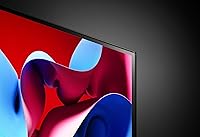
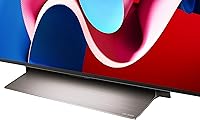
The slim panel profile and minimal bezel give the C4 a premium look on a wall or entertainment unit, and buyers frequently comment that it looks more expensive than its price suggests. The overall construction feels solid, and the stand — while simple in design — keeps the panel stable on flat surfaces without wobble.
The stand design is fairly basic and does not offer height or swivel adjustment, which frustrates buyers who need precise positioning without a wall mount. A few users also noted that the rear cable management could be better organized, making installations look messier than the front aesthetic implies.
Audio Performance
61%
39%
For background TV watching, news, and dialogue-heavy streaming, the built-in 2.2-channel speakers perform competently and voices come through cleanly without muddiness. Dolby Atmos content does produce a slightly wider soundstage than a standard stereo setup, which is appreciated in casual use.
The speaker system consistently draws criticism from buyers who watch action films or listen to music through the TV — bass is thin, volume ceiling is moderate, and the overall sonic experience feels mismatched with the panel's visual capability. The majority of engaged buyers end up purchasing a soundbar within a few months, treating the built-in audio as a stopgap.
Gaming Input Lag
94%
Measured input lag in Game Mode is among the lowest available in any consumer TV category, and this translates into a genuinely tactile difference during fast-response genres like first-person shooters and fighting games. Players moving from standard TVs describe the difference as immediately noticeable from the first session.
Input lag figures only hold when Game Mode is explicitly enabled — leaving it off results in meaningfully higher lag that some users discovered accidentally before adjusting settings. A brief onboarding tutorial or automatic prompt when a console is connected would help less experienced buyers avoid this pitfall.
Burn-in Risk
67%
33%
For mixed-use viewing — cycling between streaming, gaming, and general TV — real-world burn-in incidents are rare, and most long-term owners report no visible retention issues after a year or more of regular use. LG's built-in pixel-care tools, including screen shift and logo luminance adjustment, provide a meaningful layer of passive protection.
Static-heavy use cases — such as leaving a cable news ticker running for hours daily or pausing games with bright HUD elements for extended periods — do carry a genuine long-term risk, and a minority of users have reported early retention marks under those conditions. This is the most cited source of buyer anxiety, and it's a legitimate concern for anyone with habits that involve prolonged static content.
Setup Experience
79%
21%
The initial setup wizard is straightforward enough that most buyers complete it without consulting the manual, and the Magic Remote pairs automatically with no extra steps. Wall mounting is also manageable for two people given the panel's 37-pound weight, and the standard VESA pattern means compatible mounts are widely available.
Some users find the picture mode defaults confusing at first — the TV ships in a vivid or energy-saving mode that doesn't reflect the panel's actual capability, and reaching the better Cinema or OLED Cinema modes requires digging into the settings menu. First-time OLED owners occasionally report frustration at calibrating their expectations against the initial out-of-box image.
App & Streaming Compatibility
86%
All major streaming services — Netflix, Disney+, Apple TV+, HBO Max, Amazon Prime Video — are available natively and load quickly, and Dolby Vision content from Netflix and Disney+ is recognized and rendered correctly without any manual configuration. LG's free channel offering through LG Channels adds unexpected depth for users who didn't anticipate having live TV access without a cable subscription.
The app store selection, while sufficient for mainstream use, is narrower than competing platforms like Roku, and a few niche streaming services are absent or require workarounds. Occasional app update delays mean some platforms run slightly older versions compared to dedicated streaming sticks.
Remote Control
89%
The Magic Remote is genuinely one of the better TV remotes available in any category — the point-and-click interface speeds up navigation dramatically compared to traditional directional remotes, and voice control via Alexa works reliably for common commands like adjusting volume, switching inputs, or launching apps. Buyers who upgrade from older LG remotes frequently call it an underrated feature.
The motion-based pointing can feel imprecise for users with unsteady hands or when used from non-ideal angles, and the Alexa integration occasionally mishears commands in noisy environments. A small number of users also report that the remote's battery life is shorter than expected under heavy daily use.
Connectivity
91%
Four HDMI 2.1 ports is a genuinely uncommon spec at this price tier and eliminates the need to swap cables between a gaming console, streaming device, and PC simultaneously. Wi-Fi connectivity is reliable and fast enough for 4K streaming without buffering under normal home network conditions.
The USB ports are primarily suited for media playback rather than powering devices, and their placement on the back of the panel makes them less convenient to access when the TV is wall-mounted. Bluetooth connectivity works but lacks the stability some users expect when pairing audio devices with no drop tolerance.
Upscaling Quality
83%
The A9 AI Gen7 processor handles upscaling of 1080p and even 720p content well enough that older TV shows and cable broadcasts look meaningfully better than on most rival panels in the same category. Sports broadcasts in particular benefit from the motion processing, which reduces the soap-opera-style judder that can appear on lesser upscaling engines.
Very low-resolution sources — old DVD content, for instance — still show visible artifacting under close scrutiny, and the AI upscaling occasionally over-sharpens textures in ways that look slightly unnatural on a display this precise. These are edge cases, but purists who regularly watch legacy content will notice them.
Size Suitability
72%
28%
For the specific use cases the C4's 48-inch size targets — gaming setups, bedroom viewing, and compact living spaces — the proportions genuinely work, and buyers who measured their space carefully before purchasing are consistently satisfied with how the screen fits into their environment.
Buyers who eyeball the size without measuring their seating distance frequently report that the screen feels smaller than anticipated once installed in a mid-size or large living room. This is the single most common source of post-purchase disappointment and tends to push regretful buyers toward the 55-inch model in retrospect.

Suitable for:

The LG OLED C4 48-inch 4K Smart TV was clearly built with a specific kind of buyer in mind, and if you fall into that group, it's a compelling choice. Console gamers running a PS5 or Xbox Series X in a bedroom or dedicated gaming room will get the most out of it — the combination of true OLED blacks, sub-millisecond response time, and full HDMI 2.1 bandwidth is exactly what next-gen gaming deserves. It also makes a lot of sense for apartment dwellers or anyone working with a smaller room, where the 48-inch footprint hits a practical balance between immersion and fit. Home theater enthusiasts who prioritize contrast and color accuracy over raw screen size will find the picture quality hard to fault at this price tier. PC users ready to move beyond a traditional monitor will also find the C4 format surprisingly well-suited to close-range, desk-based use.

Not suitable for:

The LG OLED C4 48-inch 4K Smart TV is a harder sell the moment your room or expectations push outside its intended niche. If your living room is large and your primary couch sits eight or more feet away, the 48-inch panel will feel underwhelming — this is genuinely one of those cases where buyers report wishing they had sized up to a 55-inch or 65-inch model. Bright, sun-facing rooms are also a weak spot; OLED panels generally cannot match the peak brightness of high-end mini-LED or QLED rivals, so daytime viewing in a well-lit space produces less punch. Budget-focused buyers expecting big-screen impact may feel the size-to-cost ratio is tight compared to larger LCD alternatives. Anyone planning to use the TV for many hours of static-heavy content — spreadsheets, paused menus, or news tickers running constantly — should research OLED burn-in risks and develop good usage habits before committing. Finally, audiophiles will almost certainly need to budget for an external soundbar, as the built-in speakers are adequate but not satisfying for serious listening.

Specifications

  • Screen Size: The panel measures 48 inches diagonally, making it well-suited for bedrooms, gaming setups, and smaller living spaces.
  • Display Type: Uses LG OLED evo technology, where each of the 8 million pixels produces its own light and can switch off completely for true black.
  • Resolution: Native 4K UHD resolution (3840 x 2160 pixels) delivers four times the pixel density of a standard 1080p display.
  • Refresh Rate: Supports a native refresh rate of up to 144Hz, enabling smoother motion in fast-moving content and high-frame-rate gaming.
  • Response Time: Rated at 0.1ms response time, which virtually eliminates motion blur and ghosting during rapid on-screen movement.
  • Processor: Powered by the A9 AI Gen7 processor, which handles real-time picture upscaling, noise reduction, and content-type optimization automatically.
  • HDR Support: Compatible with Dolby Vision, HDR10, and HLG formats, covering the full range of HDR standards used across streaming services and physical media.
  • HDMI Ports: Equipped with four HDMI 2.1 ports, each supporting 4K at 120Hz with full bandwidth for uncompressed high-frame-rate signals.
  • Gaming Features: Includes NVIDIA G-Sync, AMD FreeSync Premium, Variable Refresh Rate (VRR), and a dedicated Game Optimizer dashboard for fine-tuned control.
  • Audio System: Built-in 2.2-channel speaker configuration with Dolby Atmos decoding; actual wattage output is suited for casual listening rather than high-volume environments.
  • Smart Platform: Runs webOS 24, LG's proprietary smart TV operating system, with access to all major streaming apps and over 300 free live LG Channels.
  • Voice Assistants: Alexa is built directly into the TV; Google Assistant is also supported via the Magic Remote for hands-free control.
  • Connectivity: Includes Wi-Fi, Bluetooth, Ethernet, and multiple USB ports for flexible wired and wireless device connections.
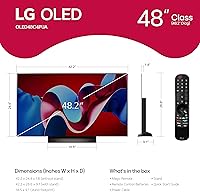
  • Dimensions: Without the stand, the panel measures 42.17″ wide, 26.57″ tall, and 9.1″ deep; with stand, overall height and depth increase.
  • Weight: The TV weighs 37 pounds without the stand, which is manageable for a two-person wall-mount installation.
  • Power Consumption: Rated at 94.3 watts during standard operation, which is relatively efficient for an OLED panel of this size.
  • Software Support: Covered by LG's webOS Re:New Program, guaranteeing software updates and new feature rollouts for five years from the original release date.
  • Remote Control: Ships with the Magic Remote MR24, which supports point-and-click navigation, voice input, and motion-based control out of the box.
  • Model Number: The official model identifier is OLED48C4PUA, which can be used to verify compatibility with wall mounts, firmware updates, and accessories.
  • Release Date: First made available in March 2024 as part of LG's C4 series refresh of its mainstream OLED lineup.

Related Reviews
LG OLED C1 48-inch 4K Smart TV
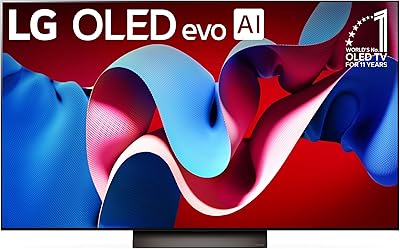
83%
96%
Picture Quality
93%
Gaming Performance
97%
Black Levels & Contrast
91%
Input Lag & Responsiveness
82%
Smart TV Platform (webOS)
More
LG 55-inch OLED evo C4 Smart TV
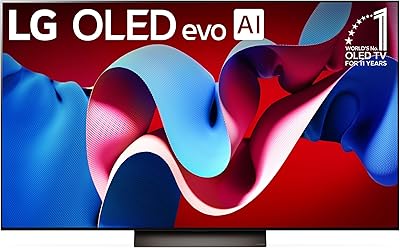
81%
96%
Picture Quality
93%
Gaming Performance
71%
Brightness
78%
Value for Money
74%
Smart TV & Software
More
LG 77-inch OLED evo C4 Smart TV
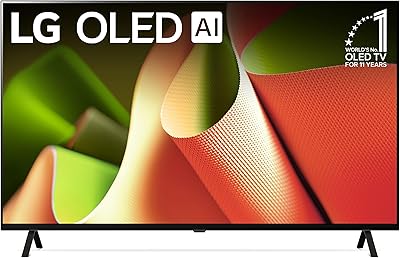
83%
96%
Picture Quality
93%
Gaming Performance
97%
Contrast & Black Levels
71%
Brightness
82%
Smart TV & webOS
More
LG OLED C1 55-inch 4K Smart TV

86%
96%
Picture Quality
93%
Gaming Performance
62%
Peak Brightness
88%
Smart TV Platform
91%
Build Quality & Design
More
LG OLED B4 65-inch Smart TV
81%
93%
Picture Quality
96%
Contrast & Black Levels
91%
Gaming Performance
82%
Smart TV Platform (WebOS 24)
58%
Audio Performance
More
LG G3 83-Inch OLED 4K Smart TV
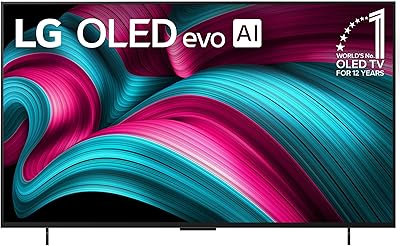
82%
97%
Picture Quality
91%
Gaming Performance
78%
Brightness & HDR Range
93%
Design & Aesthetics
84%
Smart TV & Interface
More
LG C5 55-Inch OLED 4K TV
85%
96%
Picture Quality
98%
Black Levels & Contrast
94%
Gaming Performance
81%
Bright Room Performance
92%
HDR Performance
More
LG 42-Inch OLED C5 Smart TV
83%
96%
Picture Quality
94%
Gaming Performance
81%
Smart TV Platform
61%
Audio Quality
78%
Value for Money
More
LG 77-Inch OLED evo AI 4K C5 Series Smart TV
88%
96%
Picture Quality
94%
Gaming Performance
90%
Smart Features & Usability
88%
Sound Quality
91%
Design & Aesthetics
More
LG 75-Inch UQ7590 4K Smart TV
69%
74%
Picture Quality
58%
Motion & Refresh Rate
83%
Smart TV Platform
81%
Value for Money
62%
Gaming Performance
More

FAQ

It is genuinely one of the better options available for current-gen console gaming. All four HDMI ports are 2.1, so you get full 4K at 120Hz bandwidth from day one, and the 0.1ms response time keeps input lag essentially imperceptible. G-Sync and FreeSync Premium also work on the PC side if you ever connect a gaming laptop or desktop.

For the vast majority of users, burn-in is not a practical concern. It becomes a real risk only when the same high-contrast static image — like a channel logo or a game HUD — sits on screen for many hours a day over months or years. Casual TV watching, movies, and mixed gaming use are very unlikely to cause any lasting damage. LG also includes built-in screen care tools to help manage long-term panel health.

That depends almost entirely on your room and your seating distance. At around 4 to 6 feet away — typical for a gaming setup or bedroom viewing — 48 inches feels substantial and immersive. If you're sitting 8 feet or more away in a proper living room, it will probably feel smaller than you expect. When in doubt, measure your viewing distance and use a screen size calculator before committing.

Yes, and it works quite well in that role. The 48-inch screen at 4K resolution gives you a lot of usable desktop space, and the HDMI 2.1 ports support high refresh rates from a compatible GPU. Just be aware that OLED panels can be more susceptible to static image retention if your desktop wallpaper or taskbar stays visible for long periods, so enabling a screensaver or auto-sleep is a smart habit.

Not immediately, but eventually most people want one. The built-in 2.2-channel speakers handle everyday TV and streaming dialogue without issue, and Dolby Atmos content is technically decoded. That said, the speakers lack the bass and volume to do justice to action movies or music. If audio quality matters to you, budgeting for even a modest soundbar will make a meaningful difference.

WebOS 24 is genuinely competitive — it loads quickly, has a clean layout, and supports every major streaming platform. LG Channels adds over 300 free live streams without a subscription, which is a nice bonus. It doesn't have quite the app library depth of Roku, but for most users it covers everything needed without feeling limiting. The Magic Remote also makes navigation faster than a standard directional remote.

The C4 48-inch uses a standard VESA 300x200mm mounting pattern, so any wall mount rated for that pattern and capable of supporting at least 37 pounds will work. Always double-check the specific mount's weight and VESA ratings before purchasing, and use the model number OLED48C4PUA to confirm compatibility if the mount manufacturer provides a lookup tool.

Yes, Dolby Vision is fully supported, and both Netflix and Disney+ stream in Dolby Vision on this panel when the content is available in that format. Combined with the OLED display's natural contrast capabilities, Dolby Vision content looks noticeably richer than standard HDR10 — darker scenes in particular benefit significantly.

The C4 brings the upgraded A9 AI Gen7 processor over the C3's Gen6 chip, which improves upscaling and motion handling. The C4 also adds native 144Hz support where the C3 was capped at 120Hz, a notable plus for PC gamers with high-refresh displays. The webOS version is also newer. Picture quality improvements are more incremental than generational, so C3 owners likely don't need to upgrade, but for a new buyer the C4 is the clear choice.

Largely yes. The initial setup wizard walks you through Wi-Fi connection, account login, and basic picture settings step by step. The Magic Remote pairs automatically and the interface is visual enough that most people get through it without needing the manual. The trickiest part for some users is deciding on picture mode settings, but the default settings out of the box are reasonable, and the Cinema or OLED Cinema modes are solid starting points for most content.