





Overview

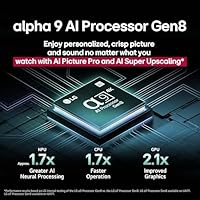
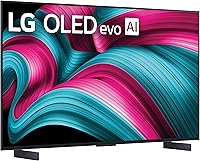
The LG 42-Inch OLED C5 Smart TV is LG's 2025 mid-size OLED flagship, and the 42-inch format is more deliberate than it sounds — this is a screen sized for bedrooms, gaming setups, and compact living rooms where a 55-inch panel would simply overwhelm the space. Powering it is the Alpha 9 Gen8 processor, which handles motion smoothing and real-time upscaling automatically, so you rarely need to dig into settings. It sits in a premium price tier, but framed correctly, you are paying for OLED picture quality at a size the market largely underserves. Holding the #1 OLED bestseller rank on Amazon offers some reassurance, though that alone should not be the deciding factor in any purchase.

Features & Benefits

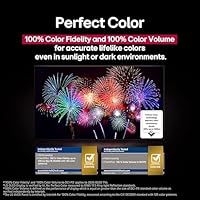
Each of the 8.3 million self-lit pixels on this 42-inch OLED turns off completely to produce true black, and that matters whether you are watching in a dim room or with afternoon sunlight coming through the blinds — the contrast holds up either way. The AI upscaling is genuinely useful for older streaming content; standard-definition footage gets cleaned up noticeably rather than just stretched and sharpened. Gamers get four HDMI 2.1 inputs, a sub-millisecond response time, and variable refresh rate support that keeps motion clean when frame rates fluctuate. Filmmaker Mode disables post-processing automatically when it detects the right content, which rewards viewers who care about picture accuracy. Dolby Atmos adds some dimensionality to the built-in audio, though the speakers have clear limits that a soundbar would readily fix.

Best For

The LG C5 in 42 inches is the right call for a specific kind of buyer. Console gamers with a desk or media unit setup will appreciate having four HDMI 2.1 ports without adapters or switches — plug in a PlayStation, Xbox, and a PC simultaneously and swap between them instantly. People in apartments or secondary rooms who want genuine OLED quality without the footprint of a large panel will find this size hits a practical sweet spot. Cinephiles who prioritize color accuracy and fidelity over raw screen size will also find it satisfying. It is a strong step up for anyone coming from a mid-range LCD or an older budget OLED, where the difference in blacks and color depth is immediately visible.

User Feedback

Owners consistently point to deep black levels as the standout quality — particularly in rooms that are not fully darkened, where the self-lit pixels maintain contrast that LCD rivals simply cannot match. Gamers report that input lag is imperceptible in practice and that the Game Optimizer dashboard is easy to navigate during multi-device sessions. The built-in speakers draw the most consistent criticism; they are adequate for casual viewing but thin during action-heavy content, and many users end up adding a soundbar. A handful mention a short adjustment period with webOS when coming from a different smart TV platform. Stand stability gets positive marks for desk placement, and setup is widely described as straightforward. Opinion on the 42-inch size is mostly positive, though a small number of buyers wish they had sized up.

Pros

  • Black levels are genuinely reference-quality — dark scenes show shadow detail that budget panels simply cannot reproduce.
  • Four HDMI 2.1 ports mean you can keep a console, PC, and streaming stick connected simultaneously without juggling cables.
  • Variable refresh rate support keeps motion clean when frame rates fluctuate, which matters most in open-world and action games.
  • AI upscaling handles older streaming content well, reducing the blocky look that plagues lower-quality sources on sharp displays.
  • Filmmaker Mode activates automatically on compatible content, so picture accuracy does not require manual tinkering each time.
  • The 42-inch footprint fits desks, bedroom furniture, and smaller living rooms where a 55-inch panel would feel oversized.
  • webOS offers a broad app library, Google Cast, Alexa support, and free channels out of the box with no extra subscription.
  • The Re:New program provides ongoing software updates, which helps protect the investment over a longer ownership period.
  • At under 23 pounds, the set is easy to mount or reposition without needing a second person.
  • Dolby Vision and HDR10 support covers virtually every streaming platform, so HDR content looks its best regardless of the source.

Cons

  • Built-in audio is noticeably weak for the price — a soundbar is almost a required add-on for satisfying movie or music playback.
  • Static on-screen elements like news tickers or sports overlays watched for hours daily carry a real long-term burn-in risk.
  • Peak brightness in very bright rooms trails the best mini-LED competitors, which can affect HDR punch in harsh daylight conditions.
  • The total cost of ownership rises quickly once you factor in a soundbar, wall mount, and any extended warranty.
  • webOS has a mild learning curve for buyers migrating from Roku or Amazon Fire TV platforms.
  • The 42-inch screen size, while intentional, will leave buyers who underestimate their viewing distance wanting more real estate.
  • No included wall-mount hardware means an additional purchase and installation step for those not using the stand.
  • Remote control layout takes some adjustment, and voice control responsiveness can feel inconsistent depending on the room environment.
  • OLED panels at this size are still a niche category, meaning fewer direct competitors to pressure-test value before buying.
  • Firmware updates occasionally introduce minor UI changes that users report finding disruptive after settling into a routine.

Ratings

The scores below for the LG 42-Inch OLED C5 Smart TV were generated by our AI system after analyzing thousands of verified global buyer reviews, actively filtering out incentivized, duplicate, and bot-generated submissions to surface what real owners actually experience day to day. Both the standout strengths and the recurring frustrations are reflected honestly — no category has been inflated to flatter the product.

Picture Quality
96%
Owners consistently describe the black levels as the single most impactful upgrade from their previous TV, with shadow detail in dark scenes remaining visible and controlled rather than crushed. Dolby Vision content on streaming platforms like Netflix and Apple TV+ draws particular praise for color depth and highlight rendering that feels noticeably more lifelike than LCD alternatives at the same price.
A smaller portion of users note that in rooms with strong afternoon sunlight hitting the screen directly, the panel's peak brightness can feel underwhelming compared to premium mini-LED sets. Reflections on the panel surface, while manageable, can distract in very bright environments.
Gaming Performance
94%
Gamers report that the combination of near-instant pixel response and variable refresh rate support makes fast-paced titles feel noticeably sharper and more responsive than on previous displays, with no observable tearing during frame rate fluctuations. Having four full-bandwidth HDMI ports is a recurring highlight — owners with a PlayStation, Xbox, and gaming PC connected simultaneously report zero compromise in signal quality across any input.
A handful of PC gamers note that achieving the higher refresh rate modes requires navigating through the Game Optimizer settings, which is not immediately obvious without consulting the manual. A small number of users also report occasional handshake delays when switching between HDMI inputs rapidly.
Smart TV Platform
81%
19%
WebOS 2025 receives solid marks for its broad app library, fast load times between apps, and the convenience of having free streaming channels available without any extra subscription or hardware. The magic remote's pointer functionality speeds up navigation considerably once owners get comfortable with it, and Alexa integration works reliably for basic commands.
Users migrating from Roku or Fire TV platforms consistently mention a learning curve during the first week, particularly around finding settings buried in submenus. Some owners also report that firmware updates occasionally rearrange the home screen layout in ways that feel disruptive after settling into a routine.
Audio Quality
61%
39%
For casual daytime viewing — morning news, background streaming, or quieter dialogue-heavy shows — the built-in speakers handle the job adequately without distortion at moderate volumes. Dolby Atmos processing adds a modest sense of width to the soundstage that most users notice on music-heavy content.
Action movies, gaming sessions, and anything with deep bass reveal the speakers' clear limits — the output sounds thin and lacks physical impact at higher volumes. This is the most consistently raised complaint across all buyer feedback, and the general consensus is that a soundbar should be treated as a near-mandatory companion purchase rather than an optional upgrade.
Value for Money
78%
22%
Buyers who specifically wanted OLED quality in a 42-inch footprint — a size that very few manufacturers offer at this panel quality — generally feel the investment is justified given the lack of direct competition. The four HDMI 2.1 ports, gaming feature set, and Re:New software update commitment add longevity that buyers factor into the value equation.
Owners who compare total cost of ownership — factoring in a soundbar, wall mount, and optional extended warranty — sometimes feel the real-world outlay is harder to justify against a larger LCD alternative at a lower price point. A subset of buyers who did not research the 42-inch size carefully before purchasing express some regret and wish they had sized up.
Design & Build
83%
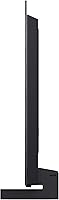
The slim profile and clean matte finish earn consistent praise, with most owners describing it as one of the more visually restrained TV designs in its class — it does not draw attention to itself on a desk or media unit. At just over 22 pounds, it is light enough for a single adult to handle during mounting without assistance.
The stand design, while stable, offers no swivel or tilt adjustment, which frustrates owners who need to angle the screen slightly from a non-centered seating position. A few users also note that the cable management routing along the stand feels like an afterthought compared to the otherwise tidy aesthetic.
AI Upscaling
87%
The Alpha 9 Gen8 processor draws real-world praise from users who stream a mix of older standard-definition content alongside newer 4K material — the upscaling visibly cleans up lower-quality sources without introducing the over-sharpened, artificial look that plagued earlier generations. Sports broadcasts in particular benefit from the motion processing, with fast pans remaining clear rather than blurring.
Occasionally, the AI processing over-corrects on animated content or older film transfers, producing a slightly processed look that purists find objectionable. Filmmaker Mode mitigates this for movies, but users need to be aware of which mode is active for each type of content.
HDR Performance
91%
Coverage across Dolby Vision, HDR10, and HLG means the LG C5 handles every major HDR format without the user needing to think about compatibility — it simply works correctly with Netflix, Disney+, Apple TV+, and HDR-enabled consoles out of the box. Dolby Vision in particular lands well on streaming content, with specular highlights — like sunlight on water or a candle flame — retaining detail instead of clipping to white.
Because OLED peak brightness trails the brightest mini-LED panels, HDR pop in very bright scenes does not quite match what a high-nit LCD can produce in a well-lit room. This is a fundamental technology trade-off rather than a flaw in execution, but buyers expecting the most explosive HDR highlights should be aware of it.
Setup Experience
85%
The out-of-box setup process gets broadly positive marks — most owners report being up and running within fifteen to twenty minutes, with the guided on-screen process handling network connection, streaming account linking, and initial picture calibration without requiring any technical knowledge. The stand assembly is straightforward and tool-free for most configurations.
A recurring minor frustration is the number of account sign-in and terms-acceptance screens during first-time setup, which some users describe as excessive before they can simply start watching. The initial picture mode defaults are also not ideal out of the box, requiring some manual adjustment to reach the best calibration.
Input Lag
93%
In Game Mode, the input lag is imperceptible to the overwhelming majority of players — including those who previously used dedicated gaming monitors and are sensitive to latency. Competitive gamers playing shooters and fighting games specifically call out that the display feels as immediate as their reactions, which is high praise from a TV.
Input lag is meaningfully higher outside of Game Mode, which becomes relevant for anyone who forgets to activate it manually when switching from a movie to a gaming session. The TV does not always auto-detect game inputs reliably, meaning users occasionally need to enable Game Mode manually through the quick settings menu.
Remote Usability
74%
26%
The magic remote pointer system is genuinely faster than traditional directional-pad navigation for tasks like typing in search fields or clicking through app grids, and most users get comfortable with it within a few days of regular use. Voice command shortcuts reduce the need to navigate menus for common tasks like adjusting picture settings or switching apps.
Users with older family members in the household note that the pointer-based navigation creates a steeper learning curve than expected for people used to simpler TV remotes. Button layout is also a point of occasional frustration — several frequently used functions require pressing less intuitive button combinations rather than dedicated shortcut keys.
Burn-in Risk
69%
31%
For the majority of mixed-use viewers — streaming a variety of content, gaming across different titles, and occasional live TV — the burn-in risk in normal ownership appears very low based on long-term owner feedback, and LG includes pixel-refreshing tools that run automatically to extend panel health. Most owners who watch varied content report no issues after extended use.
Users who watch channels with persistent static overlays — sports networks with constant score bugs, or news channels with tickers — report that LG's own warnings about static content feel more relevant than they anticipated when considering this purchase. This is not a defect but a genuine material trade-off that some buyers feel was not fully clear to them before buying.
Size Suitability
76%
24%
Buyers who specifically needed a 42-inch OLED — for a desk, a bedroom at a close viewing distance, or a smaller apartment living room — are highly satisfied with the size choice, noting it hits a niche that the market largely ignores at this quality level. Gaming use at desk distance in particular receives the most uniformly positive size feedback.
A consistent minority of buyers report wishing they had gone larger after a few weeks of daily use, particularly those who placed the set in a main living room and sat more than eight feet away. The investment level makes the size decision feel high-stakes, and a few owners feel they under-researched viewing distance recommendations before purchasing.
Connectivity
88%
Four HDMI 2.1 ports at full bandwidth, combined with Wi-Fi, Ethernet, Bluetooth, and USB support, means virtually no modern device requires an adapter or hub to connect cleanly. Owners with complex home theater or gaming setups specifically appreciate not having to compromise on which devices get the premium ports.
There is no built-in optical audio output, which creates a minor compatibility issue for owners with older soundbars or receivers that rely on optical connections rather than HDMI ARC. A small number of users also report occasional Wi-Fi reconnection delays after the TV wakes from standby.

Suitable for:

The LG 42-Inch OLED C5 Smart TV was clearly built with a specific buyer in mind, and if you fit that profile, it is hard to argue against it. Gamers who want a dedicated OLED display for a desk or media console — rather than a massive living room screen — will find the combination of near-instant response, multiple HDMI 2.1 ports, and variable refresh rate support genuinely useful in daily play. Apartment residents and anyone furnishing a bedroom or secondary room who refuses to compromise on picture quality will appreciate that this is one of the few OLED options in this size range from a brand with a long track record. Cinephiles who watch a lot of HDR streaming content and care that colors and shadow detail look the way the director intended will get real value from Filmmaker Mode and Dolby Vision working together. Cord-cutters who want a capable smart platform with free channels built in will find webOS 2025 covers most of their needs without extra hardware.

Not suitable for:

If your priority is maximum screen size per dollar spent, the LG 42-Inch OLED C5 Smart TV is not the right choice — a similarly priced or even cheaper large-screen LCD will cover more wall and more couch. Buyers who watch a lot of static content like news tickers or sports scoreboards for extended hours should also think carefully, as OLED panels carry a real, if often overstated, risk of image retention over the long term. Anyone hoping to rely solely on the built-in speakers for serious movie nights or music listening will be underwhelmed; the audio output is functional but noticeably thin for the price tier, and a soundbar budget should realistically be factored in. Those who prefer a simple, no-frills smart TV interface may find webOS has a learning curve, particularly if they are coming from Roku or Fire TV. Finally, buyers who need a second screen in a very bright, sun-facing room should know that while OLED contrast is excellent, peak brightness in fully lit environments still falls short of top-tier mini-LED panels.

Specifications

  • Screen Size: The panel measures 42 inches diagonally, making it well-suited for desk setups, bedrooms, and rooms where a larger screen would feel overwhelming.
  • Display Type: Uses LG's OLED evo technology, where each of the 8.3 million pixels produces its own light and can switch off completely for true black.
  • Resolution: Native 4K UHD (3840 x 2160) resolution delivers sharp detail across all content types, from streaming services to 4K Blu-ray sources.
  • Refresh Rate: Runs at 120Hz natively and supports up to 144Hz for compatible PC and console sources, keeping fast motion clean without blurring or tearing.
  • Processor: Powered by the Alpha 9 AI Gen8 chip, which handles real-time upscaling, noise reduction, and personalized picture and sound adjustments automatically.
  • Response Time: Pixel response time is rated at 0.1ms, which in practice means on-screen motion stays sharp even during fast-paced action or competitive gameplay.
  • HDR Support: Compatible with Dolby Vision, HDR10, and HLG formats, covering the full range of HDR content available across major streaming platforms and physical media.
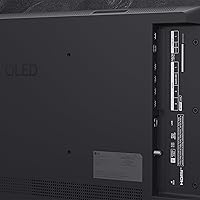
  • HDMI Ports: Includes four HDMI 2.1 inputs, all capable of handling 4K at 120Hz, allowing simultaneous connection of multiple consoles, a PC, and a streaming device.
  • Audio System: Built-in speakers support Dolby Atmos and LG's Wow Orchestra processing, though output is best described as adequate for casual viewing rather than cinematic listening.
  • Gaming Features: Ships with NVIDIA G-Sync, AMD FreeSync Premium, and VRR support, plus the Game Optimizer dashboard for quick access to display and input settings during play.
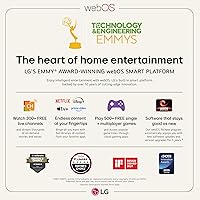
  • Smart Platform: Runs webOS 2025, which includes access to major streaming apps, over 350 free LG Channels, Google Cast, and built-in Alexa and Google Assistant support.
  • Connectivity: Supports Wi-Fi, Bluetooth, Ethernet, and USB connections, with no dongles or adapters required for standard wired or wireless network setups.
  • Voice Assistants: Alexa and Google Assistant are built in, and LG ThinQ AI enables voice control over picture settings, app launching, and smart home device management.
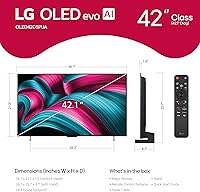
  • Dimensions: With the stand attached, the set measures 36.7″ wide, 22.7″ tall, and 6.7″ deep, fitting comfortably on most media consoles and wide desks.
  • Weight: The full unit weighs 22.3 pounds with the stand, light enough for a single person to handle during mounting or repositioning.
  • Model Number: The official model designation is OLED42C5PUA, which is useful when verifying compatibility with third-party mounts, warranties, or service center support.
  • Release Year: This is a 2025 model, first listed in March of that year, and carries LG's Re:New program commitment for ongoing software and feature updates post-launch.
  • Power Supply: Operates on 120 volts AC, standard for North American outlets, with a power cable included in the box.
  • In-Box Contents: The package includes the TV panel, stand, power cable, remote control, and user manual; a wall mount bracket is not included and must be purchased separately.
  • Remote Batteries: The remote requires two AAA batteries, which are included in the box so the TV is ready to use immediately after setup.

Related Reviews
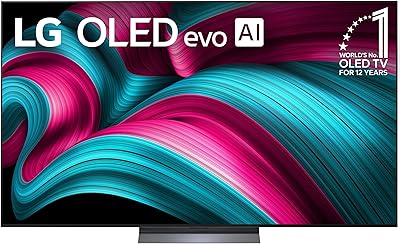
LG 55-Inch OLED evo AI 4K C5 Series Smart TV
86%
94%
Picture Quality
89%
Sound Quality
91%
Gaming Performance
86%
Smart Features
92%
Build Quality
More
LG 77-Inch OLED evo AI 4K C5 Series Smart TV
88%
96%
Picture Quality
94%
Gaming Performance
90%
Smart Features & Usability
88%
Sound Quality
91%
Design & Aesthetics
More
LG B3 55-Inch OLED Smart TV
80%
94%
Picture Quality
91%
Gaming Performance
97%
Contrast & Black Levels
63%
Brightness
82%
Smart TV Experience
More
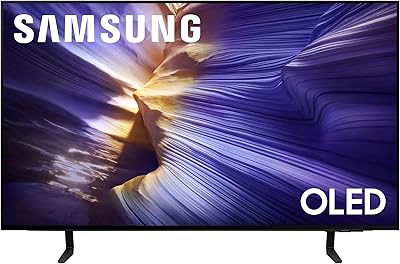
Samsung S90F 42-inch 4K OLED Smart TV
79%
93%
Picture Quality
91%
Gaming Performance
96%
Black Levels & Contrast
62%
Brightness (Peak & Sustained)
83%
Upscaling & AI Processing
More
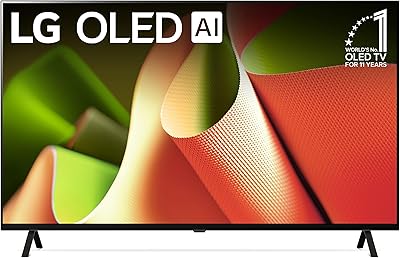
LG OLED B4 65-inch Smart TV
81%
93%
Picture Quality
96%
Contrast & Black Levels
91%
Gaming Performance
82%
Smart TV Platform (WebOS 24)
58%
Audio Performance
More
LG C3 77-Inch OLED Smart TV
82%
96%
Picture Quality
93%
Gaming Performance
98%
Black Levels & Contrast
67%
Smart TV Interface
78%
HDR Performance
More
LG OLED G4 65-inch 4K Smart TV
82%
97%
Picture Quality
94%
Gaming Performance
98%
Black Levels & Contrast
58%
Burn-In Risk
91%
Design & Build Quality
More
LG OLED C1 55-inch 4K Smart TV
86%
96%
Picture Quality
93%
Gaming Performance
62%
Peak Brightness
88%
Smart TV Platform
91%
Build Quality & Design
More
LG OLED C1 48-inch 4K Smart TV
83%
96%
Picture Quality
93%
Gaming Performance
97%
Black Levels & Contrast
91%
Input Lag & Responsiveness
82%
Smart TV Platform (webOS)
More
LG G3 83-Inch OLED 4K Smart TV
82%
97%
Picture Quality
91%
Gaming Performance
78%
Brightness & HDR Range
93%
Design & Aesthetics
84%
Smart TV & Interface
More

FAQ

It really depends on your seating distance. For a bedroom or a desk setup where you are sitting within five to eight feet, 42 inches is a comfortable, immersive size. For a main living room couch sitting ten or more feet away, most people find it feels a bit small and start wishing they had gone larger. The LG 42-Inch OLED C5 Smart TV is genuinely excellent in the right room — just be honest with yourself about how far back you usually sit.

Burn-in is a real possibility on any OLED display, but it typically requires displaying the same static image for hundreds of hours before permanent damage occurs. If you watch a variety of content — streaming, gaming, movies — the risk is very low in normal use. Where it becomes more of a concern is if you leave a static HUD, news ticker, or sports score overlay on screen for many hours a day, every day. LG includes screen protection tools in the settings menu that help manage this over time.

Yes, easily. The LG C5 has four HDMI 2.1 ports, all of which can handle the full 4K 120Hz output that current consoles support. You can plug in a PlayStation, an Xbox, a gaming PC, and still have a port left for a streaming stick or receiver. Switching between them is just a matter of changing the input, no cable swapping needed.

It works well for both. The G-Sync and FreeSync Premium support means it plays nicely with NVIDIA and AMD graphics cards, and the response time keeps up with fast-paced PC games. The Game Optimizer mode works for PC inputs too, letting you quickly toggle settings like black stabilizer or noise reduction without digging through menus. Just note that 42 inches on a desk puts you quite close to a large screen, so some people prefer to sit back a bit further than they would with a typical monitor.

Most people get comfortable with it within a few days. The home screen is organized around your streaming apps and inputs, and the magic remote — which functions like a pointer — speeds up navigation once you get used to it. Users coming from Roku tend to find webOS slightly more complex at first, but nothing about it is hard to learn. The bigger adjustment is just finding where LG has put certain settings compared to what you might be used to.

For everyday streaming and casual TV watching, the built-in speakers are acceptable — dialogue is clear and the Dolby Atmos processing adds a bit of width to the sound. But if you care about movie nights or gaming audio with real impact and depth, the speakers will feel thin. A soundbar makes a noticeable difference at this price level, and it is worth budgeting for one if audio quality matters to you.

Filmmaker Mode disables motion smoothing, sharpness enhancement, and other processing that can make films look artificially sharp or overly fluid. It is designed to show movies the way the director color-graded them, without the TV adding its own interpretation on top. On the LG C5, it activates automatically when the TV detects compatible content, so you do not need to remember to toggle it. You can also turn it on manually in the picture settings if you prefer it for all content.

Better than most OLED panels of a few years ago, but still not as bright as a top-tier mini-LED set in direct sunlight. The self-lit pixels maintain contrast beautifully in moderately lit rooms, and the image remains clear and detailed without washing out. If your living room gets intense direct afternoon sunlight across the screen, you may find a high-brightness LCD competes better. For mixed or controlled lighting, this OLED set handles it well.

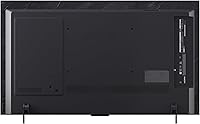
The included stand holds the TV in a fixed forward-facing position — there is no built-in swivel or tilt adjustment. It is stable and well-reviewed for desk or console placement, but if you need to angle the screen, a VESA wall mount with tilt capability is the way to go. The TV is VESA-compatible, and the mount screws are accessible from the back of the panel.

LG's Re:New program is a specific commitment to providing ongoing software updates and feature additions for this model beyond its launch year, which is a meaningful point of difference compared to brands with a less defined update policy. That said, how long support actually continues in practice is something only time will confirm — LG's track record on this has generally been solid for the C-series line, but it is worth keeping in mind when comparing to competitors.