

Overview

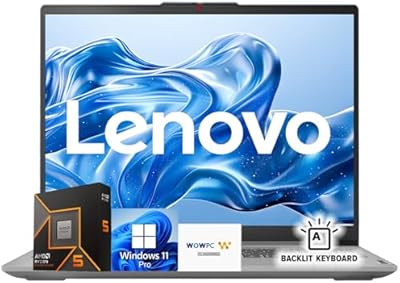
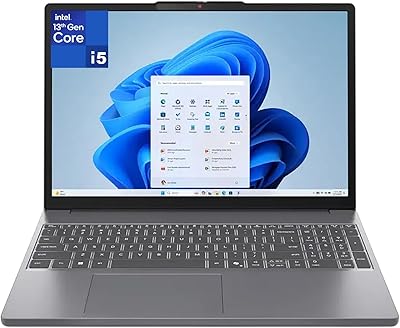
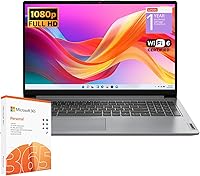
The Lenovo IdeaPad 1 15IJL7 20GB/1TB sits firmly in Lenovo's entry-level lineup, built for students and everyday users who need a capable machine without spending a lot. What stands out immediately is how much RAM and storage Lenovo packed in at this price — most budget laptops don't come close. The processor is an Intel Celeron N4500, which is honest, entry-level hardware: fine for browsing, writing papers, and video calls, but don't expect it to handle anything demanding. The 15.6″ FHD display is a genuine highlight, with an anti-glare IPS-level coating that makes long study sessions easier on the eyes. This is a light-use machine built for practical daily tasks, not raw performance.

Features & Benefits

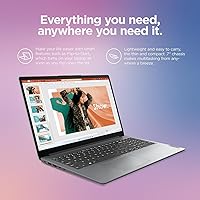
The standout spec on the IdeaPad 1 is its 20GB of DDR4 RAM, which is genuinely unusual for this price range. Most budget machines top out at 8GB, so having more than double that means you can keep a dozen browser tabs open alongside Word and Zoom without things grinding to a halt. The 1TB NVMe SSD boots fast and stores a large library of files, while the additional 128GB eMMC handles background tasks quietly. Wi-Fi 6 support means you're ready for faster routers without a future upgrade. The bundled Microsoft 365 subscription saves real money right out of the box. At 3.42 lbs with a slim profile, this student laptop is easy to toss in a backpack every morning.

Best For

This budget Lenovo laptop is a natural fit for college students who mostly need to write papers, attend virtual lectures, and manage research across multiple browser tabs. It also works well for seniors or remote workers handling email, light spreadsheets, and video calls — nothing more intensive than that. A household looking for a reliable secondary machine for streaming or casual browsing will find it holds up well day to day. That said, be clear about who this isn't for: if you edit video, run design software, or play modern games, the Celeron processor will frustrate you quickly. This machine is built around everyday practicality and delivers on that without pretending to be something it isn't.

User Feedback

Buyers generally respond well to the IdeaPad 1, with most praise centered on how smoothly it handles basic daily tasks for the price. The generous storage gets frequent positive mentions — people appreciate not having to constantly manage disk space. On the downside, the plastic build quality comes up regularly; it feels light but not particularly solid, which some users accept and others don't. Battery life in practice tends to land closer to six or seven hours under real use rather than the claimed nine. A handful of buyers note the display can feel dim in bright rooms. Still, long-term value satisfaction runs high among those who bought it knowing exactly what they were getting.

Pros

  • 20GB of RAM is genuinely rare at this price and makes everyday multitasking far more comfortable than most budget rivals.
  • A 1TB NVMe SSD means fast boot times and years of storage without worrying about running out of space.
  • The anti-glare FHD display is easy on the eyes during long study or work sessions, with solid color accuracy for the price.
  • Wi-Fi 6 support keeps this student laptop ready for faster routers without needing an adapter down the road.
  • A bundled one-year Microsoft 365 subscription adds immediate, practical value right out of the box.
  • At 3.42 lbs and under an inch thin, the IdeaPad 1 slips into a backpack without adding noticeable weight.
  • Windows 11 Home runs cleanly for basic tasks, and the out-of-box setup is refreshingly straightforward.
  • The full-size keyboard with numeric keypad is a thoughtful inclusion for students and anyone who works with numbers regularly.

Cons

  • The Celeron N4500 processor creates a hard ceiling on performance that more demanding users will hit quickly.
  • Real-world battery life tends to fall noticeably short of the advertised nine hours under typical usage conditions.
  • The all-plastic chassis flexes under pressure and does not inspire much confidence in long-term durability.
  • Screen brightness at 250 nits is a consistent complaint — direct sunlight or brightly lit rooms make it genuinely difficult to see.
  • The USB-C port does not support video output, which limits desk setup options for users wanting a second monitor.
  • Built-in speaker quality is thin and disappointing at higher volumes, making headphones a near-necessity for media consumption.
  • The webcam degrades significantly in low-light environments, which matters for evening calls or dimly lit home offices.
  • Only one USB 2.0 port feels outdated for a laptop released in 2023, often pushing users toward a hub.

Ratings

The ratings below for the Lenovo IdeaPad 1 15IJL7 20GB/1TB were produced by our AI system after analyzing thousands of verified global buyer reviews, with spam, bot-generated, and incentivized feedback actively filtered out. Scores reflect the full spectrum of real ownership experience — where this student laptop genuinely earns its praise and where it falls short of expectations. Both strengths and recurring frustrations are transparently weighted into every category.

Value for Money
84%
For buyers who shop with a strict budget, the sheer amount of RAM and storage packed into this price tier is hard to argue with. Most comparable machines offer half the RAM and a fraction of the storage, making the IdeaPad 1 feel like a surprisingly smart spend for light daily use.
If you push the machine beyond basic tasks, the value equation starts to wobble — the processor simply cannot justify itself for anything more demanding. Buyers expecting mid-range performance at a budget price will feel the gap.
Performance
58%
42%
For everyday tasks like writing documents, attending Zoom calls, and streaming video, the Celeron N4500 keeps up without much complaint. Paired with 20GB of RAM, basic multitasking — juggling a browser with 10 tabs alongside Word — runs more smoothly than most rivals at this price.
The moment you step outside light-use territory, the dual-core Celeron shows its limits fast. Video editing, running multiple productivity apps simultaneously, or even opening large Excel files can trigger noticeable lag that genuinely frustrates users expecting more.
RAM & Multitasking
89%
The 20GB DDR4 configuration is the single biggest differentiator in this price range, and buyers notice it immediately. Students keeping research tabs open while writing papers report a noticeably smoother experience compared to their previous 8GB budget laptops.
The RAM advantage is somewhat offset by the processor bottleneck — having 20GB does not eliminate slowdowns when the CPU is maxed out. Some users feel the memory spec raises expectations the rest of the hardware cannot always meet.
Storage Capacity
91%
A 1TB NVMe SSD is genuinely generous for a laptop at this price, and buyers consistently call it out as a standout feature. Fast boot times and ample room for coursework, photos, downloads, and media libraries make this a practical strength for everyday users.
The dual-storage setup — NVMe SSD plus eMMC — can occasionally confuse less tech-savvy users about where files are being saved. A small number of buyers reported slower performance when files were written to the eMMC partition rather than the main drive.
Display Quality
74%
26%
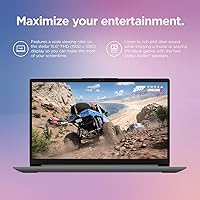
The 15.6-inch FHD IPS-level panel is a real bright spot relative to the price. Anti-glare coating makes it comfortable for long study or work sessions, and the 1920x1080 resolution keeps text and images looking crisp enough for everyday document and media use.
At 250 nits, brightness is the main weak point — in a well-lit room or near a window, the screen can feel noticeably dim and hard to read. This is a common complaint among buyers who work outdoors or in brightly lit offices.
Build Quality
61%
39%
The slim 0.7-inch profile and lightweight 3.42-lb chassis make the IdeaPad 1 easy to carry daily, and the overall form factor looks clean and professional enough for a classroom or coffee shop setting.
The all-plastic body feels exactly as budget as it is — there is flex in the lid and the keyboard deck that makes it feel less confidence-inspiring over time. Several buyers mentioned it does not feel like it would survive a drop or heavy daily abuse.
Keyboard & Typing Experience
67%
33%
The full-size keyboard includes a numeric keypad, which spreadsheet users and number-heavy students genuinely appreciate. Key travel is acceptable for a thin budget laptop, and most users find it comfortable for extended typing sessions.
The keyboard lacks firmness, and some keys feel slightly mushy under fast typing. A few buyers also noted the trackpad is on the smaller side and not always responsive at the edges, which adds friction to everyday navigation.
Battery Life
63%
37%
Under light use — basic browsing, note-taking, and the occasional video stream — most buyers can get through a solid school day on a single charge. For low-intensity tasks, the battery holds up reasonably well from morning through early afternoon.
Real-world battery life consistently lands around six to seven hours rather than the advertised nine, which is a meaningful gap. Users running multiple apps or keeping screen brightness higher report it draining closer to five hours, requiring the charger mid-afternoon.
Wi-Fi & Connectivity
82%
18%
Wi-Fi 6 support is a genuine forward-looking inclusion at this price and buyers on newer routers notice the benefit in download speeds and streaming stability. Bluetooth connectivity is reliable, and the port selection covers most everyday needs.
The USB-C port does not support video output, which limits desk setup flexibility for users hoping to connect an external monitor through it. Only one USB 2.0 port is included, which feels dated for a 2023 machine.
Port Selection
59%
41%
The inclusion of an SD card reader and an HDMI 1.4b port is useful for students and light creatives who move files between devices or occasionally connect to a projector or external display. The headphone/mic combo jack covers audio needs adequately.
The overall port layout feels minimal — one USB 2.0 and the USB-C restricted to data-only transfer leave some users reaching for a hub. For buyers accustomed to more versatile port options, this is a small but recurring inconvenience.
Software & Out-of-Box Experience
77%
23%
Windows 11 Home runs cleanly on this hardware for basic tasks, and the bundled one-year Microsoft 365 subscription is a tangible bonus that most students will use immediately. Setup is straightforward and requires minimal configuration out of the box.
Some users report the pre-installed Lenovo software adds minor bloat that slightly slows the initial setup experience. A handful of buyers noted Windows 11 occasionally feels slightly heavy for the Celeron processor under certain update or background task conditions.
Portability
86%
At just 3.42 lbs and under an inch thick, this is a genuinely easy laptop to carry between classes or meetings. Students who commute daily appreciate not having to think twice about tossing it into a backpack alongside textbooks.
The 15.6-inch footprint means the bag needs to be large enough to accommodate it comfortably — users with smaller daypacks occasionally find the dimensions a tighter fit than they expected based on the weight alone.
Audio Quality
52%
48%
The built-in speakers are functional for video calls and casual media consumption at low to moderate volume, which covers the core use cases most buyers in this category actually need day to day.
At higher volumes, sound quality becomes thin and tinny with little bass presence. Buyers who care about audio for entertainment — streaming shows or music without headphones — tend to find the speakers disappointing and reach for external options quickly.
Webcam Quality
55%
45%
The integrated webcam handles video calls on Teams or Zoom adequately in well-lit environments, which satisfies the basic needs of remote students and workers attending virtual meetings throughout the day.
In lower light conditions, image quality degrades noticeably — grainy output and poor contrast are common complaints. Buyers who rely on video for professional or academic presentations often end up budgeting for an external webcam.

Suitable for:

The Lenovo IdeaPad 1 15IJL7 20GB/1TB was clearly designed with a specific kind of buyer in mind, and for those buyers it genuinely delivers. College students who spend their days writing papers, attending virtual lectures, and juggling research across a dozen browser tabs will find this machine more than capable for that workload. Remote workers handling email, video calls, and light document editing will appreciate the large storage and smooth basic multitasking without needing to spend significantly more. Seniors picking up their first Windows laptop will find the setup straightforward and the 15.6-inch screen comfortable for reading and video chatting. It also works well as a household secondary laptop — the kind of machine that sits on the kitchen counter for quick browsing, streaming recipes, or helping kids with homework without anyone worrying too much about it.

Not suitable for:

If your work involves anything more demanding than light productivity tasks, the Lenovo IdeaPad 1 15IJL7 20GB/1TB is likely to disappoint you, and it is worth being clear-eyed about that before purchasing. The Intel Celeron N4500 is a low-power processor that struggles noticeably once you push it — video editing, graphic design, software development, and even running a handful of heavy desktop applications at once can expose its limits quickly. Gamers should look elsewhere entirely; integrated Intel UHD graphics on a Celeron cannot handle modern titles in any meaningful way. Students in STEM, architecture, or media programs who rely on specialized software will almost certainly run into performance walls. The plastic build also means this is not the right choice for buyers who need a laptop that can handle rough daily handling or a competitive professional environment where build quality signals matter.

Specifications

  • Processor: Intel Celeron N4500 dual-core CPU running at 1.1GHz base with a turbo boost up to 2.8GHz, using a 2-thread configuration suited for light computing tasks.
  • RAM: 20GB DDR4 SDRAM running at 2400MHz, an unusually large memory allocation for a laptop in this price category.
  • Primary Storage: 1TB PCIe NVMe M.2 Solid State Drive delivers fast read and write speeds for quick boot times and responsive file access.
  • Secondary Storage: 128GB eMMC 5.1 module provides supplemental storage for system files and background operations alongside the primary NVMe drive.
  • Display: 15.6″ IPS-level anti-glare panel with a 1920x1080 Full HD resolution and a brightness rating of 250 nits.
  • Graphics: Intel UHD Graphics integrated into the Celeron N4500 processor handles basic display output and light media playback without a discrete GPU.
  • Operating System: Windows 11 Home comes pre-installed, providing access to the Microsoft Store, Android app compatibility, and updated window management features.
  • Wireless: Wi-Fi 6 (802.11ax) ensures compatibility with the latest router standards for faster and more stable wireless connections on campus or at home.
  • Bluetooth: Bluetooth is included for wireless pairing with peripherals such as headphones, mice, and keyboards without using a USB port.
  • Ports: Connectivity includes one USB 2.0, one USB 3.2 Gen 1 Type-A, one USB-C 3.2 Gen 1 (data transfer only), one HDMI 1.4b, one SD card reader, and one 3.5mm headphone/microphone combo jack.
  • Battery Life: Manufacturer-rated battery life is up to 9 hours, though real-world usage under moderate load typically produces six to seven hours per charge.
  • Weight: The laptop weighs 3.42 lbs, making it light enough for daily commutes and campus carry without significant strain.
  • Dimensions: Physical footprint measures 14.18 inches long by 9.29 inches wide by 0.7 inches thin, fitting comfortably in most standard laptop sleeves.
  • Webcam: A built-in webcam is included for video conferencing and virtual class attendance, though no resolution specification is officially published by Lenovo.
  • Audio: A 3.5mm combo headphone and microphone jack allows use of wired headsets, while integrated speakers handle basic audio output for casual listening.
  • Keyboard: Full-size keyboard layout includes a dedicated numeric keypad on the right side, useful for spreadsheet entry and numeric data input.
  • Color & Material: The chassis is finished in Gray and constructed primarily from plastic, keeping the overall weight low while maintaining a clean, understated appearance.
  • Included Software: A one-year Microsoft 365 subscription is bundled with the laptop, providing access to Word, Excel, PowerPoint, and 1TB of OneDrive cloud storage.
  • Optical Drive: No optical drive is included, which is standard for slim modern laptops in this category.
  • Voltage: The device operates at 3.6 volts, consistent with the power requirements of its Celeron N4500 platform and integrated components.

Related Reviews

Lenovo IdeaPad 1 Gen 7 15.6″ Laptop 24GB RAM 1TB SSD
84%
88%
Performance
91%
Multitasking Capability
94%
Storage Speed
85%
Display Quality
89%
Portability
More
Lenovo Ideapad 1 15.6″ FHD Touchscreen Laptop, AMD Ryzen 5 7520U, 8GB RAM, 1TB SSD
84%
87%
Performance
92%
Value for Money
78%
Portability
74%
Battery Life
80%
Display Quality
More
Lenovo IdeaPad Slim 3 Business Laptop, Ryzen 5 5625U, 16GB RAM, 1TB SSD
86%
88%
Performance
90%
Multitasking Capability
85%
Display Quality
86%
Keyboard Comfort
65%
Battery Life
More
Lenovo Ideapad 3 15ITL05 Laptop, 11th Gen Intel Core i3, 20GB RAM, 256GB SSD
81%
86%
Performance for Everyday Tasks
91%
Value for Money
84%
Build Quality
73%
Battery Life
65%
Display Quality
More
Lenovo IdeaPad Slim 3 16″ Laptop, Intel Core i5-13420H, 40GB RAM, 1TB SSD
84%
93%
Performance
88%
Value for Money
87%
Display Quality
74%
Portability
91%
Connectivity
More
Lenovo IdeaPad Flex 5i 14″ 2-in-1 Laptop, Intel Core i3, 8GB RAM, 256GB SSD
84%
87%
Battery Life
91%
Portability
80%
Performance
72%
Display Quality
85%
Build Quality
More
Lenovo IdeaPad Slim 3 15.3″ Laptop, Intel Core i5-13420H, 16GB RAM, 1TB SSD
85%
88%
Performance
81%
Display Quality
89%
Multitasking Capabilities
85%
Build Quality
77%
Battery Life
More
Lenovo IdeaPad Flex 5 14-inch 2-in-1 Laptop, Ryzen 7 5700U, 16GB RAM, 512GB SSD
85%
88%
Performance
93%
Display Quality
80%
Battery Life
75%
Portability/Weight
85%
Keyboard Comfort
More
Lenovo IdeaPad 1 15IAU7 Laptop, 15.6″ FHD Touchscreen, Intel Core i3-1215U, 16GB RAM, 512GB SSD
79%
84%
Performance
92%
Value for Money
89%
Portability/Weight
86%
Display Quality
75%
Battery Life
More
Lenovo IdeaCentre Business Desktop | Intel Core i3-12100 | 32GB RAM | 1TB SSD + 1TB HDD
83%
88%
Performance for Business Tasks
85%
Multitasking Efficiency
91%
Storage Speed & Capacity
87%
Connectivity Options
80%
Overall Build Quality
More

FAQ

For the core tasks most students rely on — writing papers, browsing research, attending Zoom lectures, and using web-based tools — yes, it handles those well. The 20GB of RAM means you can keep multiple tabs and apps open without things slowing to a crawl. Just keep expectations realistic: this is not a machine built for speed, it is built for dependable everyday use.

Yes, and it comes with a one-year Microsoft 365 subscription included, so Word, Excel, and PowerPoint are ready to go right out of the box. For typical document editing and spreadsheet work, performance is perfectly adequate. Heavy Excel models with complex macros might feel sluggish, but standard academic and office use is no problem.

Realistically, expect somewhere between six and seven hours of battery life under normal use — browsing, document editing, and the occasional video call. The advertised nine hours is possible only under very light, screen-dimmed conditions. It will get most students through a school day, but bringing the charger to a full day of classes is a safe habit.

The IdeaPad 1 in this configuration typically has soldered RAM, meaning the 20GB is fixed and cannot be expanded after purchase. Storage upgrade options depend on whether the M.2 slot is accessible, but given the budget tier and slim design, Lenovo has not officially documented easy user-upgradeable paths for this model. If storage expansion is important to you, the SD card slot and an external drive are the most practical options.

Light photo editing in something like Google Photos or simple crops and adjustments in Paint or basic mobile-style apps is fine. However, if you are thinking of running Photoshop, Lightroom, or any video editing software, the Celeron N4500 processor will make that experience frustrating — slow exports, laggy previews, and potential crashes under heavier workloads. For creative work, a laptop with at least a Core i5 and dedicated graphics is a better fit.

The display is rated at 250 nits, which is adequate for indoor use in a typical classroom or home environment. Outside in direct sunlight or near a bright window, the screen will appear quite dim and can be difficult to read. If you frequently work outdoors or in very bright spaces, this is a limitation worth factoring into your decision.

Unfortunately, no — the USB-C port on this machine is rated for data transfer only and does not support video output. If you want to connect an external display, you will need to use the HDMI 1.4b port instead. Keep that in mind if you are planning a dual-monitor desk setup.

Honestly, it feels like a budget laptop — the plastic chassis is lightweight but flexes a bit when you apply pressure to the lid or keyboard deck. It does not feel fragile enough to worry about normal daily use, but it lacks the solid, premium feel of an aluminum-chassis machine. For a student who treats their gear reasonably well, it should hold up fine over a couple of years.

It is actually a solid choice for that use case. The large 15.6-inch display is easy to read, Windows 11 Home is reasonably approachable for new users, and the generous storage means no stressful disk-space warnings for a long time. The straightforward setup and included Microsoft 365 also mean it is ready for email, video calls, and basic browsing right out of the box without needing extra purchases.

Windows 11 Home includes Microsoft Defender Antivirus built in, which provides solid baseline protection for everyday browsing and file downloads without needing a third-party subscription. Some Lenovo machines include additional bundled software, but for most home and student use, Defender is sufficient as a starting point.