Keyestudio Micro:bit V2 Go Kit

Overview
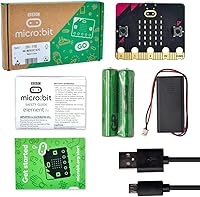
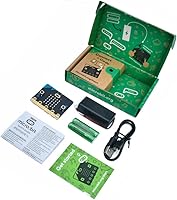
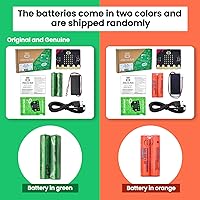
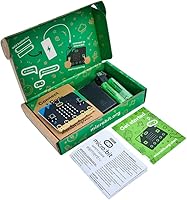
The Keyestudio Micro:bit V2 Go Kit is a straightforward entry point into physical computing, built around the official BBC micro:bit V2.2 — not a third-party replica. That distinction matters. Keyestudio is the kit packager here; the board itself comes from the BBC micro:bit Educational Foundation, which gives it credibility that cheaper alternatives simply lack. Out of the box you get the board, a micro USB cable, a battery holder, and two AAA batteries — enough to start building and coding right away. At this price tier, few STEM kits offer this combination of genuine hardware and immediate usability without needing to source extra parts first.
Features & Benefits
What makes the micro:bit V2.2 stand out from older boards is how much capability is packed onto such a small device. There is a built-in speaker and microphone, a 25-LED matrix you can animate, plus sensors for temperature, light, and motion — all without connecting a single wire. Bluetooth and a radio channel let the board communicate with phones or other micro:bits, which opens up surprisingly creative project possibilities. Coding happens through a browser-based editor; you write blocks, JavaScript, or MicroPython, then drag the resulting file onto the board like a USB drive. No software installation required. The official micro:bit website also provides free project guides that are genuinely useful for beginners.
Best For
This coding kit is a natural fit for children roughly between ages 8 and 14 who are just starting to explore how software and hardware connect. It also works well in classroom or club settings — teachers appreciate that setup is minimal and curriculum resources are already built out. Parents looking for an educational gift that offers lasting value tend to be satisfied, since the platform grows with the child from simple LED animations to more advanced Python projects. Hobbyists with no prior electronics background can pick it up easily too. Just keep expectations realistic: this is a go kit, not an expansion set — no breadboard, no jumper wires, nothing beyond what is onboard.
User Feedback
Buyers rate this micro:bit starter kit highly overall, and the recurring theme in reviews is how effortless the first session feels — unbox, plug in, and start coding within minutes. The fact that you receive the genuine V2.2 board, not a knockoff, comes up repeatedly as a point of reassurance. That said, a handful of users note that the kit feels light on extras: no breadboard, no jumper wires, no additional modules. For pure beginners that is perfectly fine, but anyone planning more complex builds will need to purchase components separately. Long-term feedback from parents and teachers skews positive, with build quality and reliability cited as consistent strengths after sustained classroom use.
Pros
- Ships with the genuine BBC micro:bit V2.2 board, not a third-party clone.
- Batteries and cable are included — you can start coding the same day it arrives.
- No software installation needed; the board mounts like a USB drive on any computer.
- Supports block coding, JavaScript, and MicroPython, so it grows alongside the learner.
- Built-in speaker, microphone, and motion sensor enable creative projects without extra wiring.
- The official micro:bit website offers an extensive, free library of beginner projects.
- Bluetooth and radio connectivity open up collaborative and smartphone-linked activities.
- Compact and lightweight enough to carry between home and school without a second thought.
- Consistently praised by educators for reliability across multiple terms of classroom use.
- Competitive price for a complete kit built around a board with this level of onboard capability.
Cons
- No breadboard, jumper wires, or expansion modules are included in the package.
- The physical user guide is too thin to carry a complete beginner through their first project unaided.
- Buyers who want offline resources will find almost nothing useful beyond the sparse printed insert.
- The exposed board has no protective casing, making it vulnerable during storage or transport.
- Bluetooth pairing can be inconsistent depending on browser and device combinations.
- Edge connector pins are easy to bend accidentally, especially in younger hands.
- Onboard sensors lack the precision needed for any project requiring real-world measurement accuracy.
- Non-English-speaking users will find most community resources and tutorials are English-only.
- Moving beyond onboard capabilities requires separate purchases with no included guidance on what to buy next.
- Speaker volume is too low for use in a noisy classroom environment without an external audio setup.
Ratings
The Keyestudio Micro:bit V2 Go Kit has been evaluated by our AI rating system after analyzing thousands of verified global buyer reviews, with spam, bot activity, and incentivized feedback actively filtered out. What emerges is a clear, balanced picture — strong scores where the kit genuinely delivers, and honest marks where it falls short. Both the highlights and the friction points are reflected transparently below.
Out-of-Box Experience
Board Authenticity & Quality
Ease of Programming
Onboard Sensor Variety
Value for Money
Audio Capabilities
Wireless Connectivity
Build Durability
Included Documentation
Scalability for Growing Learners
Packaging & Presentation
Setup Time & Friction
Community & Ecosystem Support
Accessory Completeness
Suitable for:
The Keyestudio Micro:bit V2 Go Kit is genuinely well-matched for children between roughly 8 and 14 years old who are taking their first real steps into coding and physical computing. Because the board is the official BBC micro:bit V2.2 — not a budget imitation — parents can feel confident the hardware will behave exactly as tutorials and classroom guides describe, which matters more than most buyers initially realize. Teachers running coding clubs or after-school STEM sessions will appreciate how little setup is required: no software installation, no configuration, just plug in and start. Gift buyers looking for something educational that will not collect dust after two weeks will find this coding kit has genuine longevity, since the same board supports progression from beginner block coding all the way through to Python. Homeschooling parents who want a structured, curriculum-aligned tool also find this a practical choice, especially given the extensive free resources maintained by the micro:bit foundation.
Not suitable for:
The Keyestudio Micro:bit V2 Go Kit is a poor match for anyone expecting a component-rich starter kit with a breadboard, jumper wires, or expansion modules included in the box — that is simply not what this product is. Intermediate or advanced hobbyists who have already worked with microcontrollers and want to build sensor networks, connect servos, or prototype more complex circuits will outgrow the onboard hardware almost immediately and should budget for additional components from the start. Very young children under 7 or 8 may find the coding concepts abstract and the board physically fragile without constant adult supervision. Buyers who need offline documentation or printed step-by-step guides will also be frustrated, since the physical insert in the box is minimal and the richer resources all live online. Finally, anyone expecting a polished, packaged learning experience similar to a toy-grade coding kit — with structured lesson cards or a guided curriculum in the box — will find this micro:bit starter kit more bare-bones than anticipated.
Specifications
- Board Version: Includes the official BBC micro:bit V2.2, manufactured and certified by the micro:bit Educational Foundation.
- LED Matrix: Features a 5×5 grid of 25 individually programmable red LEDs for displaying text, numbers, and simple animations.
- Processor: Powered by a single Nordic nRF52833 processor with 3 MB of LPDDR3 memory onboard.
- Wireless: Supports Bluetooth Low Energy for smartphone pairing and a built-in 2.4 GHz radio for board-to-board communication.
- Sensors: Onboard sensors include a temperature sensor, light sensor, accelerometer (motion), magnetometer (compass), and a MEMS microphone.
- Audio Output: Built-in speaker produces tones and melodies directly without any external audio hardware required.
- Connectivity: Connects to a computer via Micro USB for both power delivery and program file transfer.
- Edge Connector: 25-pin edge connector provides access to GPIO, analog inputs, I2C, SPI, and UART for hardware expansion projects.
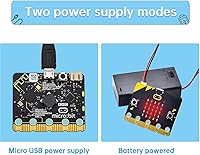
- Power Supply: Runs on 2x AAA batteries (included) via the supplied battery holder, or directly through the Micro USB connection.
- Operating Voltage: Board operates at 2V nominal, with input voltage tolerance managed by the onboard power regulation circuitry.
- Coding Languages: Compatible with MakeCode block editor, JavaScript, and MicroPython, all accessible through a standard web browser with no installation required.
- OS Compatibility: Works across Windows, macOS, ChromeOS, and Linux systems via any modern browser, with no platform-specific drivers needed on most setups.
- Package Contents: Box includes one BBC micro:bit V2.2 board, one Micro USB cable, one battery holder, two AAA batteries, and a basic user guide.
- Package Dimensions: Retail packaging measures 5.24 × 3.15 × 0.91 inches, compact enough to fit in a standard school bag or gift bag.
- Item Weight: Complete kit weighs 2.89 ounces, making it lightweight and easy to transport between home and classroom.
- Board Manufacturer: The micro:bit board itself is produced by the BBC micro:bit Educational Foundation; Keyestudio serves as the kit assembler and distributor.
- Expansion Support: The board is compatible with a wide range of third-party expansion boards, sensor kits, and robotics platforms designed for the micro:bit ecosystem.
- Tutorial Resources: Free beginner and intermediate project guides are available through the official micro:bit foundation website at no additional cost.
Related Reviews
ELECFREAKS BBC micro:bit V2.2

Anthony Face It & Go Kit

Drybar Glossy Gang On-the-Go Kit

SEEN Curly On The Go Hair Kit
KEYESTUDIO ESP32 Smart Home Starter Kit
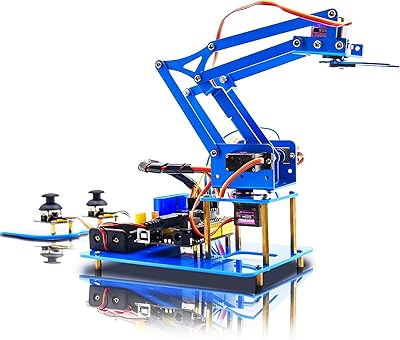
KEYESTUDIO 4DOF Robot Arm Arduino Kit
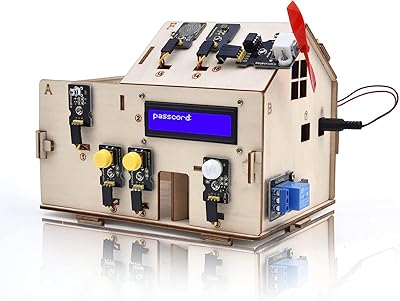
KEYESTUDIO KS0085 Smart Home Arduino Starter Kit
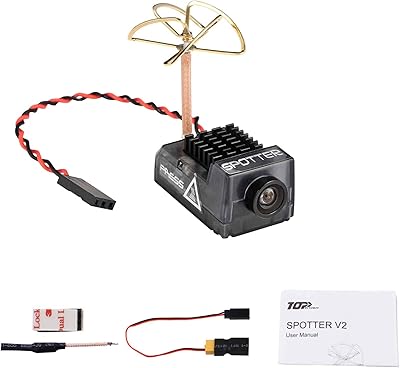
RunCam Spotter V2 AIO FPV Camera

Cuccio 4 Piece Spa To Go Kit – Pomegranate & Fig