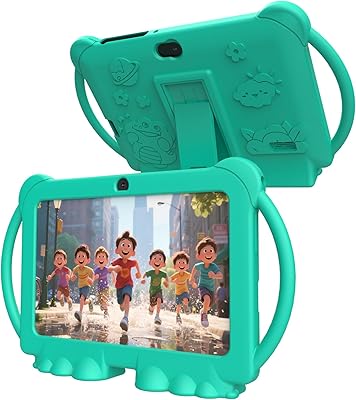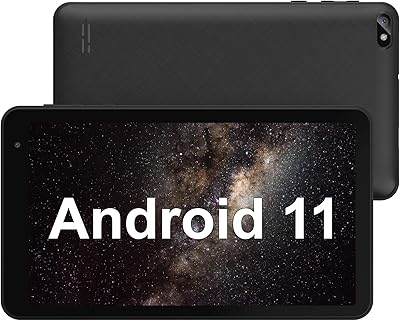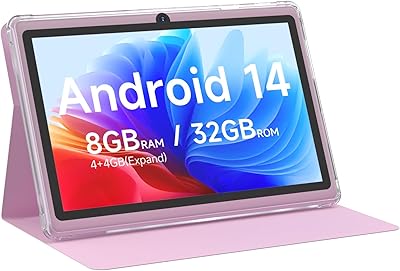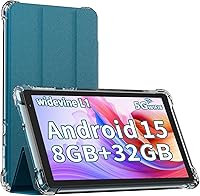



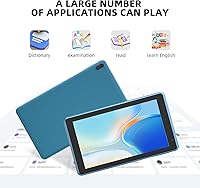
Overview

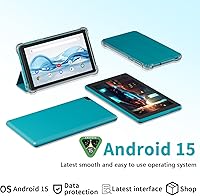
The IWEGGO Q2S Pro 7-Inch Android Tablet is a no-frills entry-level device that knows exactly what it is — and that honesty is refreshing. The brand isn't a household name, so walk in with calibrated expectations rather than flagship ambitions. What you get is a compact, palm-friendly slate weighing just over a pound, light enough for a child to hold comfortably for extended periods. Running Android 15 is genuinely impressive at this price point, as most budget competitors are still shipping older OS versions. The package even includes a protective case, which removes one immediate purchase from your list. Think of it as a practical starter tablet, not a powerhouse.

Features & Benefits

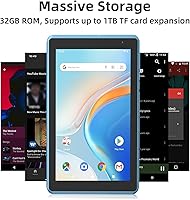
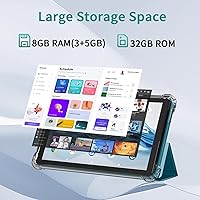
The spec sheet for the IWEGGO Q2S Pro deserves a closer read before you get too excited. The advertised 8GB of RAM breaks down to 3GB of physical memory plus 5GB of virtual extended RAM — a software trick that adds headroom but doesn't replicate the performance of real hardware. For light browsing, streaming, and educational apps it holds up fine. Storage starts at 32GB, but the microSD slot — supporting cards up to 1TB — is a genuine lifesaver. The 7-inch screen at 1024x600 looks acceptable for its size. Wi-Fi 6 is a pleasant surprise at this tier, though the 1.6GHz quad-core chip can itself be the bottleneck, not your home network.

Best For

This 7-inch Android tablet is a natural fit for a handful of specific buyers — and probably not the right call for everyone else. Kids get the most out of it: the compact size is easy to grip, Google Play opens up a wide range of educational and entertainment apps, and the included case means one less thing to worry about if it gets dropped. Seniors who just need a simple device for video calls and web browsing will find it uncomplicated to set up and use. It also works well as a secondary travel device — toss it in a bag for reading or streaming without the anxiety of damaging something expensive. Gift-givers will appreciate that it arrives essentially ready to use straight out of the box.

User Feedback

Buyers who approach this compact budget tablet without comparing it to a mid-range device tend to walk away reasonably happy. The most consistent praise centers on how easy it is to set up right out of the box — connect to Wi-Fi, sign into Google, and you're done. The compact form factor gets mentioned frequently as a positive, especially for younger users. On the critical side, multitasking more than two or three apps at once can expose the limits of that 3GB physical RAM, causing occasional slowdowns. Screen visibility outdoors is another common complaint. Battery life, rated at around six hours, reportedly dips shorter under continuous video or heavy app use. Software stability appears mostly reliable, though long-term build quality remains a mixed picture across reviews.

Pros

  • Runs Android 15 out of the box, which is genuinely uncommon at this price point.
  • microSD slot supports cards up to 1TB, making storage limitations easy and cheap to work around.
  • Wi-Fi 6 support delivers faster, more stable wireless than you would typically expect from a budget device.
  • Lightweight at just over a pound, comfortable enough for kids or seniors to hold for extended periods.
  • Protective case included in the box removes one immediate extra purchase from your list.
  • Google Play comes pre-installed, opening up the full Android app ecosystem from day one.
  • Simple setup process means even non-technical users can be browsing and streaming within minutes.
  • The overall package — tablet, case, and USB-C cable — represents genuine value for a casual first device.
  • Dual speakers and a 3.5mm headphone jack offer flexible audio options for media playback.
  • The compact 7-inch form factor slips easily into a bag, backpack, or large coat pocket.

Cons

  • Only 3GB of physical RAM hides behind misleading 8GB marketing; real-world multitasking suffers noticeably.
  • Screen brightness struggles in direct sunlight, making outdoor use uncomfortable and difficult to read.
  • The 1024x600 resolution looks noticeably soft compared to any modern mid-range or premium display.
  • Battery life falls short of the stated six hours under moderate to heavy continuous use.
  • The 1.6GHz quad-core processor stalls on demanding apps, and Wi-Fi 6 cannot compensate for the chip's ceiling.
  • Build quality and long-term durability are difficult to verify given the brand's limited track record.
  • The 2MP front camera produces mediocre video call quality that shows clearly on the other person's screen.
  • No clear firmware update commitment raises concerns about ongoing Android security patches over time.
  • The 5MP rear camera is passable for scanning documents but disappoints for any real photography.
  • Internal 32GB storage fills up faster than expected once apps, updates, and media files accumulate.

Ratings

The IWEGGO Q2S Pro 7-Inch Android Tablet has been scored by our AI rating engine after analyzing thousands of verified buyer reviews across global marketplaces, with spam, bot-generated, and incentivized feedback actively screened out before any score was calculated. Each category below reflects real patterns from everyday users — including the genuine strengths that make this compact device appealing at its price point, and the honest frustrations that surface once the novelty wears off. Both sides of the experience are transparently represented so you can self-select with confidence before buying.

Value for Money
78%
22%
At this price tier, arriving with a protective case and charging cable already in the box is a meaningful bonus that buyers consistently appreciate. For parents equipping a child or gifting a first tablet to an older relative, the overall package feels like fair compensation for the compromises made elsewhere.
Buyers who stretch their expectations even slightly above the entry-level tier will feel the gap sharply, particularly around screen quality and raw processing speed. The value equation works best for those who genuinely need only basic functionality and are not coming from anything more capable.
Performance
54%
46%
For streaming YouTube, loading simple apps like a news reader or social feed, and handling light reading, the quad-core chip does what it promises without crashing or becoming completely sluggish. Users with modest expectations — particularly kids and older adults — tend to find the day-to-day experience acceptably smooth.
Switch between three or more apps and the cracks start to show — stuttering, brief freezes, and apps reloading from scratch are all reported by users who push it even mildly. Anything involving graphics-heavy games or simultaneous downloads becomes a noticeably frustrating experience.
Display Quality
61%
39%
Indoors and in low light, the 7-inch screen holds up reasonably well for casual use — reading ebooks, watching YouTube, or browsing social media feels comfortable at close range. Users who primarily reach for this tablet in the evening or in dim environments report far fewer complaints than those using it throughout the day.
At 1024x600 resolution, fine text and small icons look noticeably softer than on any modern phone or mid-range tablet, which bothers users who have recently come from better hardware. Outdoor use is frequently cited as a real weakness — direct sunlight makes the screen difficult to read comfortably, and the brightness ceiling cannot fully compensate.
Battery Life
58%
42%
For light, intermittent use — checking messages, reading for half an hour, watching a short video — the battery holds up across a full day without needing a midday charge. Users who treat this as a secondary or occasional device report that it rarely dies on them unexpectedly.
Under sustained use — continuous video streaming, active gaming, or keeping several apps alive in the background — the 3000mAh cell drains faster than the rated six hours, with many users reporting four to five hours of real screen-on time. For a long travel day or school session without charger access, this becomes a genuine practical limitation.
RAM & Multitasking
47%
53%
For a single active app — a browser tab, a YouTube video, or a basic game — the device keeps up without obvious lag, which is enough for the simplest intended use cases. Users who configure it for one dedicated purpose, like a kid's media player or a reading device, tend to be considerably more satisfied.
The virtual RAM approach inflates the headline number but does not deliver equivalent real-world performance — apps are frequently kicked from memory and must fully reload when switching tasks, which users find consistently annoying. Anyone who naturally keeps social media, a browser, music, and messaging running simultaneously will hit the ceiling almost immediately.
Build Quality
62%
38%
The slim 0.3-inch profile and lightweight construction give the IWEGGO Q2S Pro a cleaner, less toy-like feel than many devices in the same price bracket, and some users report the chassis feels more solid than expected for an unfamiliar brand. The included case also adds a protective layer that partially offsets concerns about the underlying build.
IWEGGO does not carry the established manufacturing track record of more recognizable brands, and longer-term durability reports are mixed — some users mention creaking or flex in the chassis after a few months of regular use. After-sales support is also uncertain, which becomes more significant when the build itself is already an open question.
Portability
84%
At just over a pound and not much thicker than a standard pencil, this 7-inch Android tablet genuinely disappears into a bag without adding meaningful bulk — a quality that buyers with school-age kids and frequent travelers consistently highlight as a standout strength. One-handed use is comfortable for most adult hand sizes, and children handle it without tiring.
The slim chassis leaves less internal room for a larger battery cell, which is part of why stamina under heavy use is a known trade-off for such a compact form factor. A few users also note the device can warm up noticeably during extended streaming sessions, which becomes slightly uncomfortable when holding it for long periods.
Software Experience
76%
24%
Android 15 is a legitimately current operating system for a device in this tier, and reviewers appreciate the clean out-of-box setup, pre-installed Google Play, and compatibility with mainstream apps like YouTube, TikTok, and Instagram. The absence of heavy manufacturer bloatware also keeps the experience from feeling overcrowded or artificially slowed.
There is no published commitment from IWEGGO regarding how long this device will receive Android security updates, which is a genuine long-term concern. Some users have also reported minor software instability — occasional app crashes or a lagging interface — particularly after the device has been running for several hours without a restart.
Wireless & Connectivity
79%
21%
Wi-Fi 6 support stands out as one of the clearest spec wins on this compact budget tablet — users in busy households with many connected devices report noticeably stable and fast connections compared to budget tablets running older wireless standards. Bluetooth, a headphone jack, and USB Type-C round out a connectivity package that covers daily needs without obvious gaps.
The processor remains the real ceiling — even with Wi-Fi 6 pulling data efficiently, the chip can lag behind on rendering pages or buffering heavy content, which means the wireless advantage is partially neutralized in practice. There is also no cellular option, making this a strictly Wi-Fi-dependent device in every use scenario.
Storage Flexibility
82%
18%
The microSD expansion slot is consistently praised by buyers who quickly discover 32GB fills up fast — dropping in an affordable high-capacity card transforms the available space without any technical skill required. Users who store offline video playlists, downloaded reading material, or a child's app library find this feature genuinely extends the useful life of the device.
The base 32GB is tight enough that purchasing a microSD card almost feels mandatory rather than optional, which is an invisible additional cost buyers should factor in at the point of purchase. Android also generally restricts app installations to internal storage, meaning the card primarily benefits media and file storage rather than expanding the app library itself.
Camera Quality
43%
57%
The rear camera is passable for scanning documents, photographing whiteboards, or capturing a quick snapshot of something a child wants to save — tasks where functional accuracy matters more than image quality. Users who stick to these practical purposes report it does the job without being completely unusable.
The 2MP front camera shows its limits immediately during video calls — images appear grainy, colors wash out in anything but ideal lighting, and sharpness is consistently poor. Anyone who cares about looking presentable on calls or wants to capture decent photos for any reason should factor this in as a firm limitation before buying.
Setup & Ease of Use
87%
One of the most consistently praised aspects across reviews is how quickly this tablet reaches a usable state — connect to Wi-Fi, sign into a Google account, and the entire Android ecosystem opens up within minutes. This makes it particularly well-suited for gift-giving, since the recipient needs no technical involvement to get started.
A small number of users have reported initial Wi-Fi pairing issues or difficulty signing into certain Google services on first boot, which can be frustrating for less tech-savvy recipients. Parental controls are present but basic — caregivers who want granular content filtering will need to install a third-party app rather than rely on the built-in tools.
Audio Quality
57%
43%
The dual-speaker setup produces enough volume for watching videos in a quiet room or listening to music without headphones, which users in calm home environments tend to find adequate for casual use. The retained 3.5mm headphone jack is genuinely appreciated and considered a practical rarity at this price tier.
Bass is virtually absent and high frequencies sound tinny at higher volumes — a common frustration among users who tried watching action content or listening to music without headphones. In any environment with moderate background noise, the speakers lack the output and clarity needed to be genuinely useful.
Gaming Performance
41%
59%
Casual, low-demand titles — puzzle apps, simple card games, and educational games designed for kids — run without issues and provide genuine entertainment for the device's core intended audience. For children playing age-appropriate mobile games, this compact budget tablet holds up without obvious problems.
Any title with 3D graphics, high frame-rate demands, or large downloadable content will expose the chip's limitations rapidly — frame drops, long load times, and thermal throttling during extended play are all documented by users who attempted games like Roblox or modern action titles. This is firmly not a device intended for gaming beyond the most casual use.
Long-Term Reliability
56%
44%
Users who treat this 7-inch Android tablet as a low-stakes secondary device — something kept for occasional use or handed to a child for supervised sessions — report it performs without major issues over the short to medium term. Those with modest expectations and careful use tend to report higher satisfaction after several months of ownership.
With no clear warranty documentation and a brand that is difficult to contact for support, users who encounter hardware issues after a few months are largely left on their own. Reports of charging port loosening, increasing software glitches over time, and general physical wear suggest long-term reliability remains an open question for this device.

Suitable for:

The IWEGGO Q2S Pro 7-Inch Android Tablet is a solid pick for buyers who know exactly what they need and are not chasing specs they will never use. Parents shopping for a child's first tablet will find it hits a practical sweet spot — it is light enough for small hands, runs Google Play right out of the box, and the included protective case softens the blow of inevitable drops. Seniors who want a simple, portable screen for video calls with family, casual web browsing, or reading news will appreciate how uncomplicated the setup process is. Travelers who already own a laptop or smartphone but want a cheap, lightweight companion for flights and hotel rooms — one they won't lose sleep over if it gets bumped or scratched — will find this compact device earns its keep in a bag. Gift buyers, particularly those shopping for children or older relatives, get added value from the bundled case and the plug-and-play Android experience that requires no technical know-how to get started.

Not suitable for:

The IWEGGO Q2S Pro 7-Inch Android Tablet is not the right device for anyone expecting mid-range performance, and it is worth being direct about that before a purchase is made. The 3GB of physical RAM — padded to 8GB on paper through a virtual RAM extension — will reveal its limits quickly if you push beyond light multitasking, turning routine use into a frustrating experience for anyone who regularly switches between multiple apps. Anyone who works with documents, spreadsheets, or cloud-based productivity tools and needs consistent, lag-free performance should look at more capable hardware. Mobile gamers will also hit a ceiling fast, as the 1.6GHz quad-core processor simply is not built for graphically demanding titles. The screen resolution and outdoor brightness fall well short of what a media enthusiast or avid reader in bright environments would find acceptable. And if you're the type to compare your purchase closely against established mid-range brands, the performance gap will be noticeable enough to feel like a regret.

Specifications

  • Screen Size: The display measures 7 inches diagonally, offering a compact form factor well suited to one-handed use and portability.
  • Resolution: The screen renders at 1024x600 pixels, a standard entry-level resolution that is adequate for reading, browsing, and casual video streaming.
  • Operating System: The tablet ships with Android 15, which is a notably current OS release for a device in this price category.
  • Physical RAM: The device contains 3GB of physical RAM, extended to a marketed 8GB total through a software-based virtual RAM feature.
  • Internal Storage: Onboard storage is 32GB, a modest but functional baseline for a core set of apps, settings, and light media files.
  • Expandable Storage: A microSD card slot supports expansion up to 1TB, providing a practical and inexpensive way to significantly increase available space.
  • Processor: A quad-core ARM processor clocked at 1.6GHz handles everyday tasks including web browsing, video playback, and standard Android apps.
  • Battery: The built-in 3000mAh lithium polymer battery is rated for approximately six hours of use under typical light-to-moderate conditions.
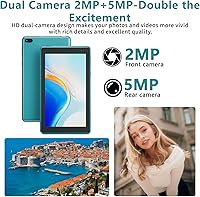
  • Rear Camera: The rear-facing camera shoots at 5MP, which is suitable for casual snapshots and document scanning but not intended for serious photography.
  • Front Camera: The front-facing camera operates at 2MP, designed primarily for basic video calls rather than high-resolution self-portraits.
  • Wireless: Wi-Fi 6 (802.11ax) is supported, delivering improved connection stability and speeds compared to older 802.11ac or 802.11n standards.
  • Connectivity: The tablet includes Bluetooth wireless, a 3.5mm headphone jack, and a USB Type-C port for both charging and data transfer.
  • Dimensions: The device measures 7.5 x 4.3 x 0.3 inches, making it notably slim and easy to slide into a bag, purse, or large coat pocket.
  • Weight: At 1.08 pounds, this tablet is light enough for children and older adults to hold comfortably during extended reading or viewing sessions.
  • Color: The unit is offered in Navy Blue, a subdued and neutral finish that avoids the plasticky look common on many budget devices.
  • In the Box: Each purchase includes the tablet itself, a protective case, and a USB Type-C charging cable — no additional accessories are required to get started.

Related Reviews

PRITOM K7 Pro 7-inch Kids Tablet
66%
83%
Value for Money
71%
Parental Controls
88%
Ease of Setup
58%
Performance
43%
Battery Life
More
ADREAMER KidsPad10 Pro 10-inch Kids Tablet
73%
88%
Value for Money
84%
Cellular Connectivity
72%
Battery Life
77%
Parental Controls
81%
Build & Durability
More
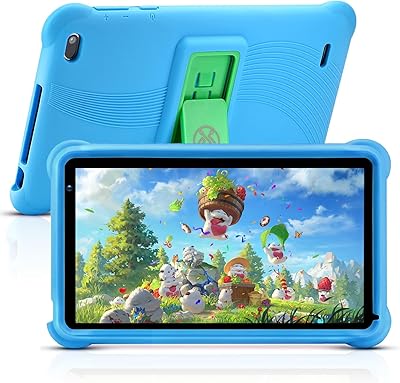
qunyiCO Y7 7-inch Kids Android Tablet
69%
83%
Value for Money
88%
Ease of Setup
54%
Performance & Speed
81%
Parental Controls
72%
Display Quality
More
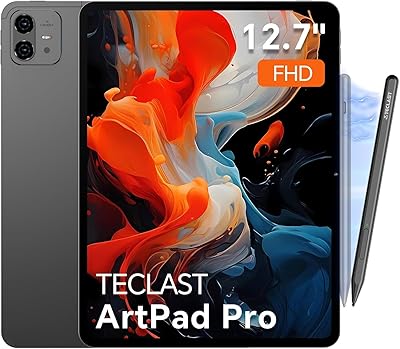
TECLAST Artpad Pro 12.7-inch Android Tablet
71%
84%
Display Quality
79%
Stylus Performance
88%
Battery Life
63%
Performance & Speed
82%
Value for Money
More
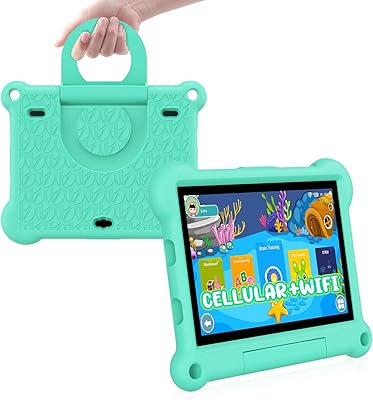
PEICHENG PCQ8 7-Inch Kids Android Tablet
68%
83%
Value for Money
78%
Parental Controls
67%
Display Quality
62%
Performance & Speed
71%
Build & Durability
More
Geniatech KloudNote Mini 9.7″ E-Ink Tablet
68%
74%
Display Quality
81%
Stylus Performance
78%
Battery Life
41%
Software & App Compatibility
79%
Note-Taking Experience
More
RliyOliy TAB7 7-inch Android Tablet
62%
81%
Value for Money
47%
Performance & Speed
53%
Display Quality
55%
Build Quality
62%
Battery Life
More
HNVHNV E07 7-Inch Android Tablet
64%
83%
Value for Money
51%
Performance & Speed
54%
Display Quality
42%
Battery Life
71%
Build Quality & Durability
More
Aheadlink Q8PRO 7-inch Android Tablet
69%
83%
Value for Money
54%
Performance
61%
Display Quality
88%
Streaming & Widevine
57%
Battery Life
More
BYANDBY BYCP10-PRO 10.1-inch Android 14 Tablet, 64GB Storage
80%
92%
Value for Money
89%
Battery Life
78%
Performance
87%
Portability/Size/Weight
76%
Build Quality/Durability
More

FAQ

It genuinely does. A protective case and a USB Type-C cable are both packed in the box, so you can use it straight away without spending anything extra on accessories. For a device at this price point, that is a more practical inclusion than it might seem.

Not entirely. The IWEGGO Q2S Pro 7-Inch Android Tablet has 3GB of physical RAM, and the rest is made up using a software trick called virtual extended RAM, which borrows space from internal storage to pad the total to 8GB. Physical RAM is what actually drives day-to-day performance, so in practice you should think of this as a 3GB device. It handles light tasks without complaint, but pushing several apps at once will expose that ceiling fairly quickly.

Yes, without any workarounds. Google Play is pre-installed and fully certified on this tablet, so downloading apps works exactly as it would on any mainstream Android device. YouTube Kids, educational tools, and most casual games are all compatible and available right away.

For a child or casual user with a modest app library, 32GB is workable to start. Where it gets tight is when you factor in app updates, cached video, and downloaded media — those accumulate faster than most people expect. The microSD slot is the real saving grace here; dropping in an affordable card gives you a serious amount of extra room without any technical effort.

It helps more than you might expect, particularly in households with a lot of devices competing for bandwidth. Pages and streams load reliably, and the connection holds steady where older Wi-Fi standards sometimes drop. That said, the processor is the real bottleneck on this device — faster Wi-Fi does not make the chip faster, so do not expect it to transform the overall speed of the experience.

The six-hour figure is achievable if you are reading ebooks, browsing lightly, or watching occasional videos. Continuous streaming, gaming, or keeping multiple apps active will bring that down to somewhere between four and five hours in reality. It is not a device for a long travel day without a charger, but it covers a typical school session or casual home use session comfortably.

Honestly, yes. It is one of the stronger use cases for this kind of device. Android 15 is clean and familiar once configured, and the light weight means it is easy to hold without fatigue. If you set it up for her in advance — sign into a Google account, install the relevant apps, bump up the font size — she can use it independently without much friction. It is not complicated, which in this case is the point.

Indoors in reasonable lighting, it is acceptable. Text is legible, colors are decent enough for casual video, and the compact size makes it comfortable to hold while reading. Outdoors or in bright sunlight is where it noticeably struggles — the screen brightness tops out at a level that makes glare a real problem. Think of it as a couch or bedside device rather than a bright-daylight companion.

Yes. Both apps install through Google Play without issue, and the 2MP front camera produces a clear enough image for a casual call. The audio through the built-in speaker is adequate for voice, and using a headset via the 3.5mm jack improves the experience further. It is not a polished video-calling setup, but it works reliably for regular family check-ins.

It depends almost entirely on who is receiving it and what they plan to do with it. For a child getting their first tablet, a senior who wants something simple and portable, or a traveler who needs a cheap secondary screen, it is a thoughtful and genuinely useful gift — made better by the included case. For a tech-savvy adult who will benchmark it against anything mid-range or above, expectations will not be met. Know your audience and you will make the right call.