Overview

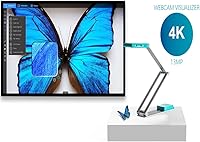
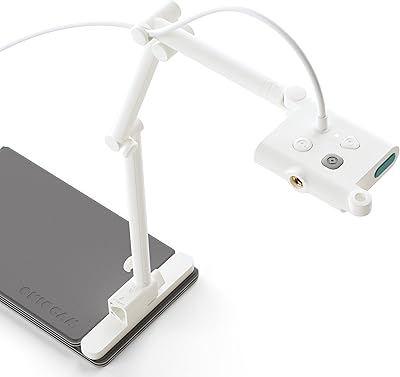
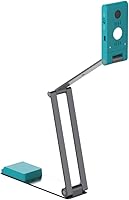
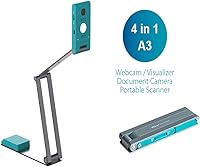
The IRIScan Visualizer V7 4K Document Camera positions itself at an interesting intersection of the market — part webcam, part document camera, part portable scanner, and part visualizer all folded into one USB-powered unit. It targets educators and remote professionals who are tired of juggling separate devices for different tasks. The foldable arm collapses neatly, making it genuinely portable rather than just technically so. Plug it in via USB-C and most computers recognize it instantly — no driver installation required. The bundled Readiris PDF OCR software is a real inclusion worth noting; it adds scanning and document processing capabilities that meaningfully expand what this 4-in-1 classroom camera can do out of the box.
Features & Benefits

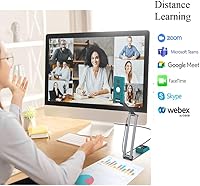
At its core, this document camera runs on a 1/3.06-inch Sony CMOS sensor that captures at 13 megapixels, covering documents up to A3 size with solid clarity. In practice, the 4K output looks sharp when displaying printed text or book pages during a live video call, though the 10x digital zoom — being digital rather than optical — does soften fine detail at maximum magnification. The dual-mode autofocus switches between continuous and single-shot modes, which is genuinely useful when moving between a static document and a three-dimensional object. The built-in G-sensor handles automatic rotation quietly, and the AI noise reduction keeps background audio from intruding during presentations. It works out of the box with Zoom, Teams, and Google Meet.

Best For

The IRIScan visualizer makes the most sense for teachers running hybrid or in-person classes who want a single device to show physical materials clearly to remote students. It also fits remote workers and consultants who regularly present physical documents — contracts, sketches, product samples — without setting up a dedicated scanning workflow. Students or researchers who need to occasionally digitize large-format printed materials will find the A3 coverage and OCR software genuinely practical. For frequent travelers consolidating gear, this 4-in-1 classroom camera reduces bag weight meaningfully. It is less suited to users who require professional-grade optical zoom or dedicated high-volume scanning.

User Feedback

With a 4.1-star average across 142 ratings, this document camera earns its score without being universally adored. Buyers frequently call out image clarity and zero-hassle setup as highlights — plug it in and it just works, which matters enormously when you are mid-class or mid-meeting. The Readiris software draws positive mentions for its breadth of features, though a fair number of users note that getting comfortable with it takes time. On the other side, some reviewers have flagged the arm as feeling less rigid than expected under regular use, and a few note that the digital zoom loses crispness well before the 10x limit. Buyers upgrading from basic webcams tend to be satisfied; those coming from dedicated document cameras have more mixed views.

Pros

  • Plug-and-play via USB-C with no driver installation — works immediately with Zoom, Teams, and Google Meet.
  • The 4K Sony CMOS sensor produces sharp, detailed captures of printed text and A3 documents.
  • Bundled Readiris OCR software adds real scanning and PDF processing value at no extra cost.
  • Foldable arm design makes this document camera genuinely portable and bag-friendly for teachers on the move.
  • Dual-mode autofocus handles both static documents and three-dimensional objects without manual adjustment.
  • Built-in G-sensor automatically rotates the video feed, removing a small but frequent frustration during presentations.
  • AI-powered microphone noise reduction keeps audio clean during lessons or remote meetings.
  • Powers entirely over USB — no wall adapter, no extra cable to manage.
  • Compatible with both Windows and macOS, covering the vast majority of classroom and office setups.
  • Covers A3 document size, which is noticeably larger than what most webcam-based alternatives can capture.

Cons

  • Digital zoom degrades image sharpness well before reaching the stated 10x maximum.
  • The mechanical arm feels less rigid than expected and may shift position with regular handling.
  • Readiris software requires a meaningful time investment before users can take advantage of its full feature set.
  • At this sensor size, low-light performance can be inconsistent without adequate desk lighting.
  • No optical zoom means the IRIScan visualizer cannot match dedicated visualizers for precise close-up work.
  • Some buyers report autofocus hesitation when transitioning quickly between a flat document and a raised object.
  • The teal color is not universally appealing and may look out of place in formal office settings.
  • 10x digital zoom is the only zoom option — there is no optical or hybrid zoom to fall back on.

Ratings

The scores below for the IRIScan Visualizer V7 4K Document Camera were generated by AI after analyzing verified buyer reviews from multiple global markets, with spam, bot-submitted, and incentivized feedback actively filtered out. Each category reflects the genuine consensus of real users — educators, remote workers, and everyday professionals — who put this device through its paces in classrooms, home offices, and on the road. Both the strengths that made buyers recommend it and the frustrations that held scores back are represented transparently here.
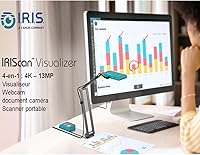
Image Clarity
83%
For displaying printed text, book pages, or handwritten notes during a live class or video call, the 13MP Sony sensor delivers results that genuinely impress at this price tier. Teachers report that students can read standard-size fonts clearly without needing to reposition the camera.
Clarity drops off when using the digital zoom beyond moderate levels — fine detail in maps, small diagrams, or dense spreadsheets becomes noticeably softer past around 4x magnification. Users expecting optical-quality sharpness across the full zoom range will be disappointed.
Ease of Setup
91%
Plug-and-play really does mean plug-and-play here — buyers consistently report that connecting via USB-C on both Windows and macOS results in instant recognition with no driver hunting required. This is one of the most frequently praised aspects, especially by teachers who cannot afford setup delays between classes.
A small number of users on older machines or non-standard USB-C hubs experienced intermittent recognition issues, suggesting the experience is not entirely universal. These cases appear rare but worth noting for anyone relying on older hardware.
Software Value
76%
24%
The bundled Readiris Visual software adds genuine depth — OCR scanning, split-screen display, stop motion, and interactive whiteboard tools are all included at no extra cost, which meaningfully expands what the device can do beyond basic video capture.
The software has a learning curve that frustrates less tech-savvy users, with several reviewers noting that navigating the interface took significant trial and error before it felt comfortable. For educators who want to hand this off to a teaching assistant with minimal instruction, that friction is a real barrier.
Portability
88%
The foldable arm collapses into a compact, bag-friendly profile that weighs just 14.5 ounces, making it genuinely practical for teachers who move between classrooms or professionals who carry it to client meetings. Several users specifically mentioned fitting it alongside a laptop without adding noticeable bulk.
The folded dimensions are compact, but at 15.35 inches long even when collapsed, it will not disappear into a small backpack or briefcase pocket. Users with minimal bag space may find themselves making deliberate room for it.
Build Quality
67%
33%
The overall assembly feels considered for a device in this category — the USB-C cable is attached cleanly, the control panel is accessible, and the folding mechanism operates smoothly when new. Most users get through the first several months without any structural complaints.
The arm rigidity is the most commonly raised hardware concern: under repeated daily setup and teardown, some users report that the arm loses its firmness and starts shifting position mid-use. For classroom teachers handling it multiple times a day, this becomes a meaningful durability concern over time.
Autofocus Performance
72%
28%
The dual-mode autofocus — continuous for live objects and single-shot for static documents — works reliably for the core use case of displaying flat materials. Switching between a textbook and a three-dimensional object during a lesson is handled without lengthy hunting.
Several buyers report a noticeable lag when the camera transitions quickly between subjects at different distances, which can be disruptive during fast-paced presentations. In continuous mode, the autofocus occasionally hunts in lower light conditions before locking on.
Video Conferencing Compatibility
93%
Compatibility with Zoom, Teams, Google Meet, and other UVC-compliant platforms is essentially universal in user reports — selecting it as the active camera source works without fuss across all major conferencing tools on both operating systems.
A handful of users noted that some less common or enterprise-specific conferencing platforms required manual camera selection steps, though outright incompatibility was rare. Chrome-based systems and iPads are not officially supported, which matters for schools using Chromebook fleets.
Document Coverage
86%
A3 document coverage is a genuine differentiator at this price point — being able to capture a full double-page textbook spread or a large printed diagram in a single shot saves repeated repositioning during lessons or scanning sessions.
Coverage is only maximized when the arm is fully extended and the camera is positioned at the correct height, which requires some initial calibration. Users who work on smaller desks may find the required clearance more limiting than expected.
Microphone Quality
69%
31%
The AI noise reduction does a reasonable job of suppressing keyboard clicks, HVAC hum, and light background noise during video calls, which users in open-plan offices and shared classrooms appreciated more than they expected.
In noisier environments — busy open classrooms, cafes, or rooms with hard surfaces — the noise reduction struggles to keep up and voices can sound thin or slightly processed. Buyers who prioritize audio quality for professional recordings would be better served by an external microphone.
Scanning Capability
71%
29%
For occasional document digitization — capturing a receipt, a signed form, or a book page — the scanner function paired with Readiris OCR produces clean, searchable PDFs that would otherwise require a dedicated flatbed scanner.
This is not a substitute for a high-volume document scanner: there is no auto-feed, each capture requires manual positioning, and processing speed through Readiris is slower than purpose-built scanning hardware. Users with batches of more than a handful of pages per session will find the workflow tedious.
Value for Money
78%
22%
Buyers coming from basic webcams or entry-level document cameras consistently rate the value positively, citing the 4-in-1 functionality and included software as meaningful extras that justify the mid-range price over cheaper single-function alternatives.
Users who owned a dedicated visualizer or a high-quality webcam before purchasing are more divided — the trade-off of versatility over depth becomes apparent at this price, and some feel a focused single-purpose device at the same cost would have served them better.
Low-Light Performance
61%
39%
Under standard desk lamp or overhead classroom lighting, the camera produces acceptable results for document display and video calls without requiring any special setup or additional lighting equipment.
In dimly lit rooms or evening home-office setups, image quality drops noticeably and the autofocus struggles — the 1/3.06-inch sensor simply does not gather enough light to compensate. Users who work in variable or low-light conditions should plan to use supplemental lighting.
Software Learning Curve
58%
42%
Once users invest time in learning Readiris Visual, the range of functions — OCR, stop motion, whiteboard mode, picture-in-picture — genuinely expands the device's usefulness beyond what the hardware alone would suggest.
The learning investment is steep enough that multiple reviewers simply stopped using the software after initial frustration and relied on the device purely as a plug-and-play webcam. The interface design does not guide new users intuitively, and the documentation is not thorough enough to bridge the gap quickly.
Arm Stability
63%
37%
For stationary desk use where the camera is set up once and left in place, the arm holds position reliably and the built-in G-sensor handles any minor tilt adjustments automatically.
Users who set up and pack away the device repeatedly — daily classroom teachers in particular — report that the arm joint loosens over weeks of use and begins drifting from the desired angle mid-session. This is the most consistent hardware complaint across verified reviews.

Suitable for:

The IRIScan Visualizer V7 4K Document Camera is a strong fit for teachers and educators who move between classrooms or switch between in-person and remote instruction — the foldable arm and USB-C plug-and-play setup make that kind of daily flexibility realistic rather than theoretical. It also suits remote professionals who regularly need to show physical materials on video calls, whether that is a signed contract, a printed diagram, or a product sample, without building out a more expensive AV setup. Researchers and students who occasionally need to digitize A3-sized documents will find the bundled Readiris OCR software adds genuine utility beyond simple video capture. If you have been managing a webcam, a separate document camera, and a flatbed scanner as three distinct tools, consolidating into this 4-in-1 classroom camera is a practical trade-off worth considering. It rewards buyers who value versatility and portability over outright best-in-class performance in any single function.
Not suitable for:

The IRIScan Visualizer V7 4K Document Camera is not the right choice for professionals who need optically precise zoom, since the 10x digital zoom softens detail noticeably at higher magnification levels and cannot substitute for optical zoom found on dedicated visualizers at higher price points. Users who need to scan large volumes of documents regularly will find this device too slow and manual compared to a dedicated auto-feed scanner. If your primary need is a high-quality webcam for video calls with no document work involved, there are purpose-built options at lower prices that will outperform it for that singular task. The Readiris software, while capable, has a learning curve that may frustrate less tech-savvy users who want something they can hand to a classroom aide or assistant without any training. Buyers who require a rock-solid mechanical arm for extended use in demanding environments may also find the build quality falls short of their expectations.
Specifications

  • Sensor: The camera uses a 1/3.06-inch Sony CMOS sensor capable of capturing stills at 13 megapixels (4160 x 3120 pixels).
  • Video Output: Video is output at 4K Ultra HD resolution, suitable for display on projectors, monitors, or video conferencing platforms.
  • Document Coverage: The optical field of view covers documents up to A3 size, which measures approximately 11.7 x 16.5 inches.
  • Digital Zoom: The device supports up to 10x digital zoom, though image sharpness decreases noticeably at higher zoom levels.
  • Autofocus: Dual-mode autofocus supports both continuous (AF-C) and single-shot (AF-S) modes for adapting to static and moving subjects.
  • Connectivity: The camera connects via USB Type-C and is fully UVC and UAC compliant, requiring no driver installation on most operating systems.
  • Power Source: The device is powered entirely through its USB connection, eliminating the need for a separate power adapter or wall outlet.
  • G-Sensor: A built-in G-sensor automatically detects orientation and rotates the video feed accordingly without any manual input.
  • Microphone: An embedded microphone with AI-based noise reduction is included, helping to filter out ambient background sound during recordings or calls.
  • Software: Readiris Visual software is bundled and runs on both Windows and macOS, offering OCR, split-screen, stop motion, and interactive whiteboard tools.
  • Design: The arm is foldable and collapses into a compact body measuring 15.35 x 1.97 x 13.78 inches for easy transport.
  • Weight: The unit weighs 14.5 ounces, making it light enough to carry in a standard laptop bag without adding significant bulk.
  • Compatibility: The plug-and-play design is confirmed compatible with Zoom, Microsoft Teams, Google Meet, and other major video conferencing platforms.
  • OS Support: The device and bundled software are supported on Windows and macOS; no specific Linux support is officially stated by the manufacturer.
  • Color: The unit is available in teal, which is the only listed color option for this model.

Related Reviews

OKIOCAM S-4K
OKIOCAM S-4K
77%
88%
Image Quality
93%
Portability & Design
94%
Ease of Setup
82%
OKIOPoint AI Pointer
71%
Software & Companion App
More
Ideao DC400 4K USB Document Camera
86%
89%
Image Quality
93%
Portability & Design
71%
OCR Functionality
86%
Video Performance
90%
Ease of Setup
More
Kitchbai KB-700 4K USB Document Camera
81%
88%
Image Clarity
67%
Autofocus Performance
94%
Ease of Setup
91%
Image Invert Function
79%
LED Lighting
More
OKIOLABS OKIOCAM T-4K
79%
91%
Image Quality
94%
Ease of Setup
88%
Portability & Design
89%
Viewing Area Coverage
83%
OKIOPoint AI Pointer
More
ROQIOO A9
ROQIOO A9
67%
83%
Value for Money
61%
Image Quality
58%
Video Quality
81%
Flip Screen Usability
54%
Build Quality & Durability
More
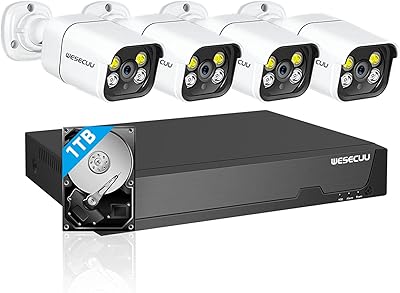
WESECUU 4CAM 4K POE Security Camera System
71%
83%
Image Clarity
78%
Night Vision Performance
71%
AI Detection Accuracy
54%
Mobile App Experience
76%
Setup & Installation
More
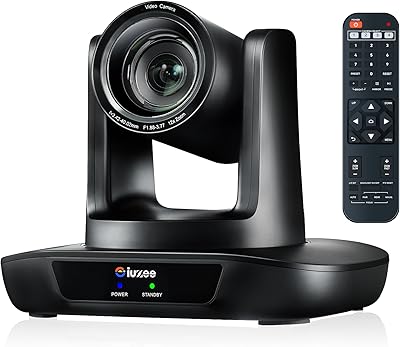
iuZee UHD12U-4K 4K PTZ Camera with 12X Optical Zoom
84%
88%
Video Quality
92%
Ease of Setup
85%
Zoom Performance
89%
Build Quality
87%
Low-Light Performance
More
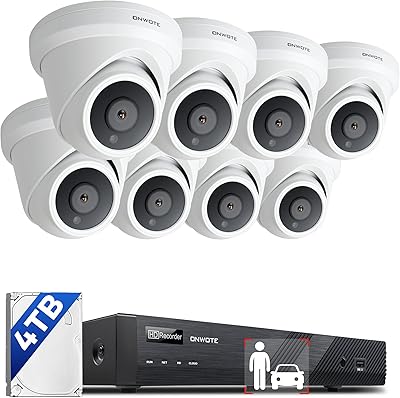
ONWOTE PKA801608S 16-Channel 4K PoE Security Camera System
78%
91%
Image Clarity
83%
Night Vision
74%
AI Detection Accuracy
67%
Ease of Installation
69%
Audio Recording
More
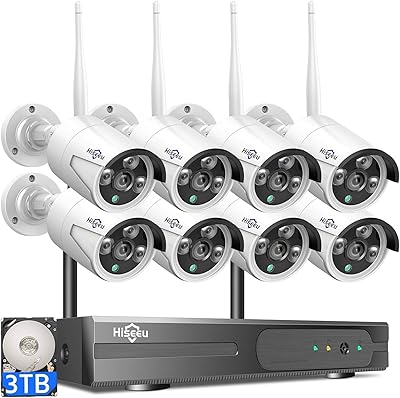
Hiseeu Wireless Pro 4K NVR Security Camera System, 8 Cameras, 3TB Storage
85%
94%
Setup and Installation
88%
Image Quality
92%
Storage Capacity
85%
Motion Detection Accuracy
87%
Night Vision Performance
More
Night Owl 8-Channel 4K Security Camera System
76%
91%
Image Quality
88%
Night Vision Performance
89%
Local Storage & Privacy
54%
Ease of Installation
58%
DVR Interface & Usability
More

FAQ

No. The IRIScan Visualizer V7 4K Document Camera is UVC and UAC compliant, which means your computer should recognize it automatically the moment you plug it in via USB-C. This works on both Windows and macOS without any driver downloads.

Yes, it works with Zoom, Google Meet, Microsoft Teams, and most other video conferencing platforms that accept a standard webcam input. Just select it as your camera source in the app settings, and you are ready to go.

The IRIScan visualizer can cover a full A3-sized document, which is roughly the equivalent of two standard letter-size sheets side by side. That makes it practical for textbooks, large engineering drawings, or double-page spreads.

Readiris Visual is included in the box at no additional cost. It handles OCR, PDF creation, split-screen display, stop motion recording, and interactive whiteboard functions. Be aware that it takes some time to learn — it is not as intuitive as a simple webcam app.

The 10x digital zoom is functional for basic tasks, but it is worth being realistic: because it is digital rather than optical, image quality softens noticeably as you zoom in beyond 3x to 4x. For reading small text at a distance, moderate zoom levels are fine; at maximum zoom, fine detail becomes blurry.

Yes, this 4-in-1 classroom camera works as a standard webcam for regular video calls. The 4K output and built-in noise-reducing microphone make it a capable everyday option, though it is physically larger than a compact clip-on webcam so desk space is worth considering.

The arm is foldable and holds position adequately for most users, but some buyers have noted that it feels less rigid than they expected, especially with frequent setup and takedown. If you are carrying it between classrooms every day, handle it with a bit of care when positioning it.

It runs entirely off USB power — no wall adapter needed. As long as your laptop or desktop has a USB-C port with sufficient power output, the device will operate without any separate power source.

Yes, the bundled Readiris software lets you capture documents through the camera and export them as searchable PDFs using its OCR engine. It is not as fast as a dedicated sheet-fed scanner for large batches, but for occasional single-page or multi-page captures it works well.

The UVC compliance means it may work on some Chromebooks that support external USB cameras, but official support is only confirmed for Windows and macOS. iPad compatibility depends on the specific adapter and app being used, and IRIS does not officially list iOS or ChromeOS as supported platforms.