

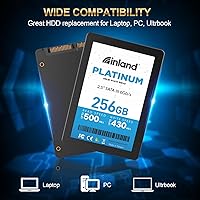
Overview
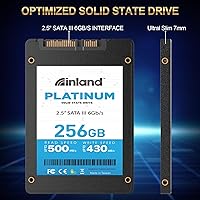
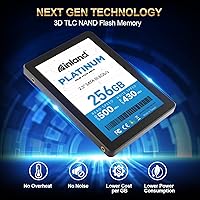
The Inland Platinum 256GB SSD is a reliable storage upgrade for users looking to replace their traditional hard drive. Featuring a 256GB capacity and utilizing the SATA III interface, this solid-state drive offers fast data transfer speeds and is compatible with most desktops and laptops. It uses TLC 3D NAND technology to strike a balance between performance and affordability. With a slim 2.5-inch form factor, it’s designed for easy installation, even in thinner devices like ultrabooks and laptops.
Features & Benefits
This Inland SSD offers sequential read speeds up to 500MB/s, making it ideal for improving boot times and accelerating file transfers. Its low power consumption compared to traditional hard drives ensures extended battery life in laptops, while its lack of moving parts contributes to a quieter, more durable performance. The drive is built to last with a MTBF of 1,000,000 hours and comes with a 4-year limited warranty, providing both reliability and peace of mind for long-term use.
Best For
The Inland Platinum 256GB SSD is perfect for users looking to upgrade their computer's storage without breaking the bank. It's an excellent choice for laptops and desktops that need a reliable, space-efficient storage solution. Whether you're switching from an old hard drive or seeking a budget-friendly SSD, this drive provides significant performance gains at an affordable price. It's also a good fit for those who need to boost their system's speed without the cost of high-capacity options.
User Feedback
Many users have praised this Inland SSD for its easy installation and noticeable speed improvement over traditional hard drives. Several customers have highlighted its affordability, especially in comparison to other SSDs in the same category. However, some have noted that performance can vary depending on the system configuration, with a few users reporting slightly lower speeds than advertised. Despite these minor issues, most find it to be a reliable and cost-effective upgrade for their devices.
Pros
- Affordable price point for users looking to upgrade from traditional hard drives.
- Easy installation process, making it accessible even for beginners.
- Good performance with sequential read speeds up to 500MB/s for general use.
- Low power consumption compared to HDDs, improving battery life on laptops.
- Compact 2.5-inch form factor fits easily into most desktops and ultrabooks.
- Reliable durability with no moving parts, reducing the risk of mechanical failure.
Cons
- Performance can vary depending on system configuration, especially with older hardware.
- Sequential write speed of 430MB/s may not be sufficient for heavy-duty tasks like video editing.
- Larger capacities are available at similar prices, offering more value for power users.
- May not offer the fastest speeds for gaming or high-performance applications.
- Some users report inconsistent results when using it with certain motherboards.
- Warranty is limited to 4 years, which may not be long enough for long-term use in high-demand environments.
Ratings
The reviews for the Inland Platinum 256GB SSD highlight its solid performance and value for money, with users appreciating the ease of installation and speed improvements. After analyzing verified feedback from various countries and platforms, we found both strengths and pain points reflected in the ratings. Spam, bot, and incentivized reviews have been filtered out to ensure that only authentic, high-quality insights are considered in the results for this device.
Performance
Value for Money
Durability & Reliability
Installation Ease
Speed Improvements
Noise Levels
Power Efficiency
Compatibility
Long-Term Value
Customer Support & Warranty
Suitable for:
The Inland Platinum 256GB SSD is ideal for budget-conscious users looking to upgrade from traditional hard drives without compromising too much on performance. Students, professionals, and casual users who need a reliable, space-efficient storage solution for laptops, desktops, or ultrabooks will find this drive particularly beneficial. With its 500MB/s sequential read speed, it's perfect for anyone seeking faster boot times, quicker file transfers, and longer battery life on a tight budget. Additionally, the easy installation process makes it suitable for users without extensive technical expertise, providing a straightforward upgrade for those new to SSDs.
Not suitable for:
While the Inland Platinum 256GB SSD offers solid performance for everyday use, it may not be the best fit for users with demanding needs. Gamers, video editors, or professionals who regularly work with large files may find the 430MB/s sequential write speed limiting, especially for data-heavy applications. Similarly, those looking for the absolute fastest SSD performance may prefer higher-end options, as this drive may not meet the performance standards of premium models. Additionally, users with older systems or specialized hardware configurations may encounter compatibility issues, which could hinder its performance in certain setups.
Specifications
- Capacity: 256GB of storage space for your files, applications, and system data.
- Interface: Uses SATA III 6Gb/s interface for compatibility with most desktops and laptops.
- Form Factor: 2.5-inch form factor for easy installation in slim devices like ultrabooks and laptops.
- NAND Type: TLC 3D NAND technology balances performance and cost while offering reliable storage.
- Sequential Read Speed: Sequential read speeds up to 500MB/s for fast data access and improved system performance.
- Sequential Write Speed: Sequential write speeds up to 430MB/s, ideal for rapid file transfers.
- Random Read Speed: Up to 40K IOPS for 4K random read operations, improving system responsiveness.
- Random Write Speed: Up to 40K IOPS for 4K random write operations, enhancing multi-tasking performance.
- Power Consumption: Low power consumption compared to traditional hard drives, helping extend battery life in laptops.
- MTBF: 1,000,000 hours MTBF (Mean Time Between Failures), indicating high durability and long-term reliability.
- Warranty: Comes with a 4-year limited warranty for peace of mind on reliability.
- Durability: No moving parts, making it more durable and resistant to physical damage compared to HDDs.
- Compatibility: Compatible with most desktops, laptops, and ultrabooks that support 2.5-inch SATA drives.
- Operating Temperature: Operates within a temperature range of 0°C to 70°C for stable performance in various environments.
- Shock Resistance: Shock-resistant design, ideal for protecting data during travel or in environments with physical risks.
- Dimensions: Measures 2.75 x 3.96 x 0.28 inches (70 x 100 x 7 mm) for a compact fit in compatible devices.
- Weight: Weighs approximately 1.7 ounces (48 grams), offering a lightweight solution for portable storage.
- Data Encryption: Supports basic security features, though full hardware encryption may require higher-end models.
- System Performance: Improves overall system performance by significantly reducing boot-up and load times.
Related Reviews
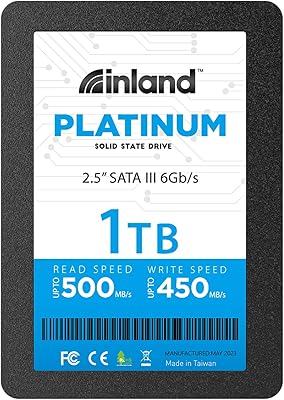
INLAND Platinum 1TB SSD
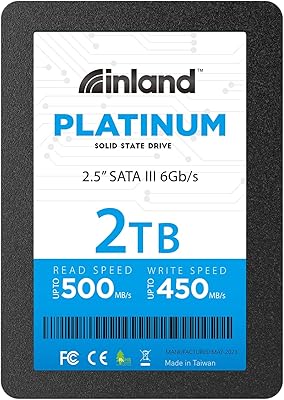
INLAND Platinum 2TB SATA III Internal SSD
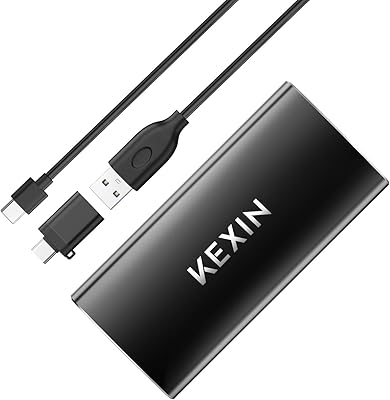
KEXIN 256GB USB-C Portable External SSD
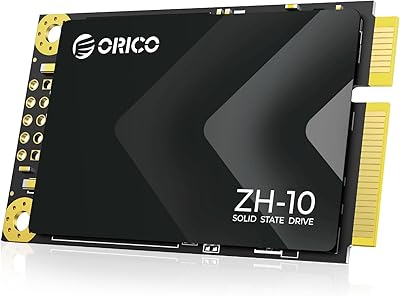
ORICO ZH10 128GB mSATA SSD
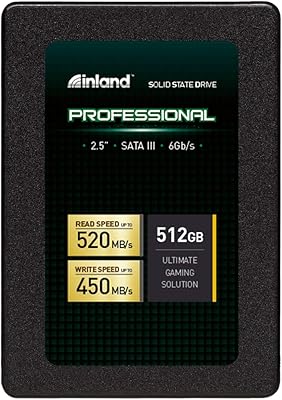
INLAND Professional 512GB SATA Internal SSD
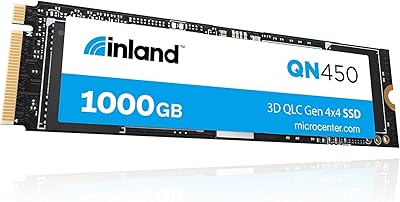
INLAND QN450 1TB NVMe SSD
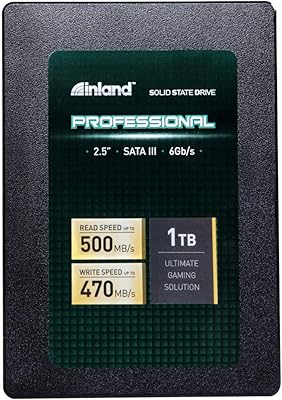
Inland Professional 1TB SATA Internal SSD
Transcend ESD310 256GB External SSD
Intel SSD 545s Series 256GB