Overview

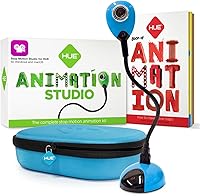
The HUE Animation Studio ASC001 is one of those kits that actually delivers on what it promises — a complete, ready-to-use stop motion setup rather than a camera that needs extra software hunting. For a mid-range price, you get the USB camera, a perpetual software license, a 64-page illustrated book, a mini stage, and a shockproof carry case. HUE has built genuine credibility here: the kit is STEM.org Authenticated, recommended by the Good Toy Guide, and has collected a shelf of awards. Practically speaking, a seven-year-old can work through it independently, while younger siblings can join in with guidance. It supports both Windows and macOS, which matters in mixed-device households.
Features & Benefits

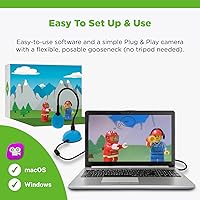
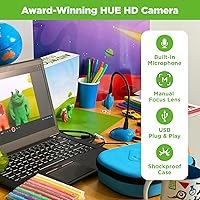
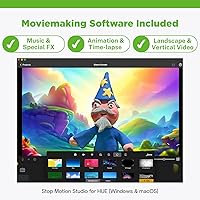
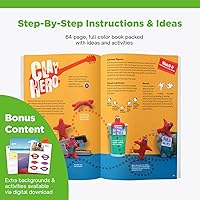
The camera sits on a flexible gooseneck arm, which sounds minor but genuinely changes how easy it is to frame a shot on a low tabletop setup. It is plug-and-play over USB, captures at 720p — honest enough for kids projects, though parents accustomed to 4K cameras will notice the difference. The bundled software punches above its price tier: onion skinning, green screen, time-lapse, and HD video export are all included. The built-in microphone handles narration without needing extra equipment. What often surprises buyers most is the 64-page animation book, which teaches framing, storytelling, and pacing — not just how to click the shutter button.

Best For

This animation kit hits its stride with kids aged roughly 7 to 12 who want a creative hobby with real structure. It is an especially good fit for homeschool families or after-school programs hunting for a hands-on STEM activity that does not require parental tech support to get started. Educators building out makerspaces or running classroom animation clubs have found it practical and cost-effective at this price tier. And if you are shopping for a child who is already bored with standard toys, the fact that everything needed arrives in one box — no separate software purchases, no compatibility guesswork — makes this stop motion studio a genuinely considered choice rather than a novelty.

User Feedback

Most reviewers land in the four-to-five-star range, and the recurring theme is how quickly kids get absorbed — parents report sessions stretching well past an hour without any prompting. Teachers and homeschoolers are notably vocal, consistently praising how the physical book guides students without adult intervention. On the critical side, a handful of tech-savvy parents feel the 720p resolution lags behind modern expectations, and a small number of buyers ran into software activation friction that required a support call to sort out. Opinions on the carry case split fairly evenly — some appreciate the protection, others find fitting the USB cable back in takes patience. Most complaints read as minor friction rather than structural flaws.

Pros

  • Everything needed to start animating arrives in one box — no separate software purchases or compatibility research required.
  • The 64-page illustrated book teaches storytelling and pacing, giving young animators a real creative foundation.
  • Plug-and-play USB setup means most kids are capturing frames within minutes of opening the box.
  • The perpetual software license covers both Windows and macOS with no ongoing subscription cost.
  • A 3-year manufacturer warranty is notably longer than what competing kits typically offer.
  • The flexible gooseneck camera arm holds its position reliably, which matters when framing precise stop motion shots.
  • STEM.org Authentication and Good Toy Guide recognition give parents and educators an independent credibility check.
  • The shockproof carry case makes it practical to bring this animation kit to school, clubs, or a relative's house.
  • Software features like green screen and onion skinning give kids room to grow technically without needing a new tool.
  • Teachers and homeschoolers report that children work through projects independently, reducing the need for constant adult input.

Cons

  • 720p resolution looks noticeably soft in low indoor lighting, requiring a nearby lamp for best results.
  • Software activation can hit a snag post-purchase, and resolving it depends on how quickly support responds.
  • The carry case is sized tightly — repacking the USB cable neatly takes more patience than it should.
  • macOS and Windows updates occasionally break the software registration, forcing a reinstall at inconvenient moments.
  • The built-in microphone picks up room noise easily and loses quality when the camera neck is fully extended.
  • The included stage and background are basic enough that motivated kids outgrow them within a few projects.
  • There is no auto-save feature, so a crashed session or accidental close can mean lost animation frames.
  • Chromebook users are excluded entirely, which is a real gap given how common that platform is in schools.
  • The educational book is well-pitched for ages 7 to 10 but offers limited challenge for older or faster-progressing children.
  • Households that already own a capable webcam will find the camera portion of the bundle adds less incremental value.

Ratings

Our scores for the HUE Animation Studio ASC001 are generated by AI after analyzing thousands of verified global buyer reviews, with spam, bot activity, and incentivized feedback actively filtered out. The result is an honest picture of where this stop motion kit genuinely excels and where real users have run into friction. Both the standout strengths and the recurring pain points are reflected transparently in every category below.
Ease of Setup
91%
Most buyers report that the kit is running within minutes of opening the box — plug the USB camera in, register the software code, and a child can be capturing frames the same afternoon. The plug-and-play design removes the usual frustration of driver installations or compatibility hunting.
A small but consistent group of reviewers hit snags during software code activation, requiring a support email exchange before they could get started. On older machines sitting right at the OS minimum requirements, the installation experience was noticeably less smooth.
Software Quality
83%
Stop Motion Studio for HUE holds up well for its target audience — onion skinning, chroma key, and time-lapse are genuinely useful tools that older kids and teens can grow into over time. The multi-language support means it works equally well in classrooms across different countries.
A handful of users needed to reinstall after a macOS or Windows update wiped their registration, which created unnecessary hassle. The software also lacks an auto-save feature that some parents wished was there, since a crashed session means lost frames.
Camera Image Quality
67%
33%
For stop motion animation at the beginner level, 720p captures enough detail to make satisfying short films with clay, paper cutouts, or toy figures. The manual focus gives kids a tangible way to interact with the camera rather than relying on unpredictable autofocus.
Tech-savvy parents comparing this to a modern smartphone camera will feel the resolution gap immediately, especially in lower indoor lighting. Low-light performance is the most common image complaint — colors can look flat without a dedicated lamp positioned nearby.
Build Quality & Durability
78%
22%
The flexible gooseneck neck holds its position reliably through repeated adjustments, which matters when children are constantly repositioning the camera between frames. The overall construction feels intentional rather than cheap, and the 3-year warranty backs that up in practice.
The camera housing is lightweight plastic that shows scratches fairly easily, and a few users reported the gooseneck developing slight looseness after months of heavy classroom use. It is sturdy enough for home use but may need more care in a school environment with multiple young users.
Carry Case & Portability
71%
29%
The shockproof case is a genuine upgrade over kits that ship everything loose in a cardboard box — it protects the camera during transport and keeps accessories from going missing between sessions. Families who bring the kit to grandparents or after-school clubs appreciate having a dedicated storage solution.
The case is sized tightly around the camera, and re-packing the USB cable neatly takes more patience than it should. A few buyers noted the accessory pocket is smaller than expected, leaving the background sheet and booklet to float around rather than slot in cleanly.
Educational Value
94%
The 64-page full-color book consistently surprises buyers who expected it to be a thin instruction leaflet — it teaches framing, pacing, and basic storytelling alongside the technical steps. Teachers in particular highlight it as a structured resource that lets students work independently without constant adult guidance.
The book is pitched well for ages 7 to 10 but offers limited progression for older or more advanced young animators who quickly outgrow its scope. A companion guide for intermediate techniques would extend the educational shelf life considerably.
Value for Money
81%
19%
Buying a comparable camera, a perpetual software license, and a structured curriculum separately would cost noticeably more, so the bundled approach makes financial sense for families or educators who want everything ready out of the box. The 3-year warranty adds further reassurance that the investment has backing.
Budget-conscious buyers occasionally feel the camera hardware alone does not justify the price — the perception being that they are partly paying for the software and book. Families who already own a capable webcam may find the kit less compelling since those components overlap.
Age Appropriateness
88%
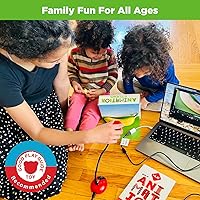
The kit is well-calibrated for its stated 7-and-up range — the software interface is clear enough for a second-grader to navigate independently, and the physical book scaffolds the learning at a pace that does not overwhelm. Younger children aged 4 to 6 can participate meaningfully alongside an adult.
The upper age ceiling arrives faster than expected; confident 11 or 12-year-olds with some prior tech experience tend to find the software limiting within a few months. Parents of older kids may want to evaluate whether the software depth matches where their child already is creatively.
Software Compatibility
79%
21%
Dual support for Windows 10 and macOS 11 and above covers the vast majority of home and school computers in active use today. The inclusion of legacy software for older operating systems is a thoughtful touch that extends the kit's reach into schools with aging hardware.
Users on the very latest macOS point releases occasionally report a brief lag before HUE issues a compatibility patch following major OS updates. Chromebook users are out of luck entirely, which matters given how many schools have shifted to that platform.
Engagement & Fun Factor
92%
Across hundreds of reviews, the most common observation from parents is that the kit produces genuinely long, uninterrupted creative sessions — children who typically bounce between activities stay focused on their animation project for an hour or more. The ability to animate LEGOs, clay, and paper cutouts keeps the creative possibilities feeling open-ended.
The initial novelty can wear off for some children if they hit a technical wall — a frustrating export error or a lost project file can deflate enthusiasm quickly. The experience is at its best when a parent or teacher is nearby for the first two or three sessions to help troubleshoot.
Microphone & Audio Features
69%
31%
Having a built-in microphone on the camera removes the barrier of sourcing a separate recording device, and kids enjoy adding narration or live sound effects directly to their films without any extra setup. The software supports a useful range of audio formats including MP3 and FLAC.
Audio quality is functional rather than impressive — background room noise bleeds in easily, and the microphone pickup is noticeably weaker when the flexible neck is extended to its full length. Users serious about audio quality will want an external microphone fairly quickly.
Mini Stage & Background
72%
28%
Including a ready-made stage means a child can start animating within minutes of setup rather than raiding the kitchen table for a makeshift backdrop. For younger users especially, having a defined physical workspace helps them stay organized and focused on the animation itself.
The stage and background are basic by design — older or more ambitious young animators tend to outgrow them quickly in favor of custom sets. The background graphic is a single fixed scene, so variety requires either printing the downloadable templates or building your own sets.
Customer Support & Warranty
84%
The 3-year manufacturer warranty is significantly longer than what most competing kits offer, and buyers who contacted HUE support generally report getting a resolution within a reasonable timeframe. The brand has a reputation for standing behind the product, which matters for an educational purchase.
Support response times can stretch during peak periods like the holiday gift season, which is precisely when activation problems are most likely to surface. Users who hit software issues over a weekend have occasionally had to wait until the following week for a fix.
Packaging & Unboxing
76%
24%
The eco-friendly packaging doubles as practical organization, and the kit arrives with everything clearly labeled so there is no confusion about what goes where. Parents and teachers appreciate that the box itself communicates the kit is a serious educational product rather than a novelty toy.
The packaging, while thoughtfully designed, is not particularly easy to return everything to neatly once opened — a minor frustration for those who want tidy storage before the carry case takes over. A few users noted minor shipping compression on the book corners during transit.

Suitable for:

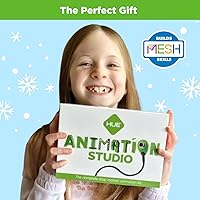
The HUE Animation Studio ASC001 is a strong match for children aged 7 to 12 who are ready for a creative hobby that asks something of them — patience, planning, and follow-through — rather than just passive consumption. Families who homeschool will find it particularly well-suited, since the included book functions almost like a self-contained curriculum that a child can work through independently. After-school programs, makerspaces, and classroom animation clubs are natural fits too; teachers consistently report that the kit holds attention across mixed-ability groups without requiring constant adult supervision. For parents who want to give a gift that has genuine staying power — something a child returns to over weeks and months rather than abandoning after an afternoon — this stop motion studio earns that category honestly. It also suits households where both Windows and Mac computers are in use, since the software license covers either platform without an extra purchase.
Not suitable for:

Buyers expecting smartphone-level image quality will be disappointed — the HUE Animation Studio ASC001 shoots at 720p, and that gap is noticeable to anyone accustomed to modern device cameras, especially in lower indoor lighting. Older or more experienced young animators, say confident 12 or 13-year-olds who have already dabbled in filmmaking or digital art, may find the software ceiling arrives faster than expected and start looking for more advanced tools within a few months. Chromebook users should know the software is not compatible with Chrome OS, which is a real limitation given how many schools now issue Chromebooks as standard. Families who already own a decent USB webcam and animation software will find less incremental value in the bundle. And anyone who needs a polished solution for a tight deadline — a school project due this week, for instance — should factor in the small but real possibility of a software activation delay that requires a support exchange to resolve.
Specifications

  • Camera Resolution: The USB camera captures video and stills at 720p HD (1280x720 pixels) using a CMOS photo sensor.
  • Focus Type: The camera uses manual focus, giving the user direct control over sharpness rather than relying on automatic adjustments.
  • Connectivity: The camera connects via USB and includes a USB to mini-USB cable in the box — no drivers or additional software needed to establish a connection.
  • Microphone: An integrated microphone is built directly into the camera unit, allowing narration and live sound recording without a separate audio device.
  • Neck Design: A flexible gooseneck arm supports the camera, allowing it to be repositioned and angled freely while holding its set position between shots.
  • Compatible OS: Stop Motion Studio for HUE requires Windows 10 or later, or macOS 11 and above; legacy software is also included for older operating systems down to Windows XP and Mac OS X 10.5.
  • Software License: The bundled Stop Motion Studio for HUE is a perpetual single-user desktop license, activated via a registration code included in the box.
  • Export Formats: Finished animations can be exported as MP4 video files, HD video, or GIF files and shared directly to YouTube from within the software.
  • Audio Formats: The software supports AAC, MP3, PCM, and FLAC audio formats for importing music and sound effects into projects.
  • Power Source: The camera is powered entirely through its USB connection — no batteries or external power adapter are required.
  • Item Weight: The complete kit weighs 1.81 pounds, making it light enough for children to carry independently.
  • Package Dimensions: The box measures 9.33 x 7.17 x 2.87 inches, compact enough to store on a standard shelf or inside a school bag.
  • Carry Case: A shockproof hard-shell carry case with a dedicated accessory storage pocket is included to protect the camera between sessions.
  • Included Book: A 64-page full-color printed book on animation technique and storytelling is included, covering creative fundamentals beyond basic software operation.
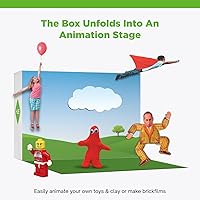
  • Mini Stage: A physical mini stage with a printed background scene is included, providing an immediate tabletop workspace for animating figures or objects.
  • Warranty: HUE covers this kit with a 3-year manufacturer warranty, supported by direct customer service access for hardware and software issues.
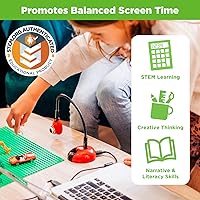
  • Certifications: The kit is STEM.org Authenticated and has been recommended by the Good Toy Guide, with multiple industry awards recognized at time of publication.
  • Age Recommendation: The kit is designed for independent use from age 7, with younger children able to participate alongside a parent or older sibling.
  • Supported Languages: The software interface is available in 17 languages including English, French, German, Spanish, Japanese, Korean, Chinese, and Russian.
  • Software Features: Key software tools include onion skinning, green screen (chroma key), time-lapse, frame editing, text overlays, special effects, and reverse video playback.

Related Reviews

Microsoft LifeCam Studio
84%
92%
Video Quality
89%
Microphone Quality
90%
Ease of Setup
88%
Compatibility
85%
Build Quality
More
Calibrite ColorChecker Studio
87%
93%
Calibration Accuracy
85%
Ease of Use
74%
Software Experience
91%
Device Compatibility
88%
Portability & Size
More
Beats Studio Buds
Beats Studio Buds
85%
87%
Sound Quality
92%
Active Noise Cancelling (ANC)
85%
Battery Life
88%
Comfort & Fit
90%
Bluetooth Stability & Range
More
AKG K361 Studio Headphones
85%
91%
Sound Quality
84%
Comfort & Fit
90%
Noise Isolation
88%
Build Quality
86%
Portability
More
AKG C214
AKG C214
87%
92%
Vocal Clarity
89%
Acoustic Instrument Capture
94%
Build Durability
91%
High-Volume Handling
93%
Value for Money
More
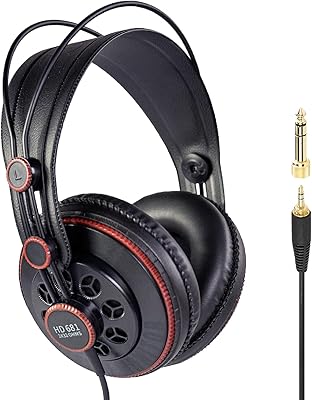
Superlux HD681
Superlux HD681
76%
91%
Audio Resolution
98%
Value for Money
88%
Soundstage Width
64%
Treble Accuracy
57%
Long-Term Comfort
More
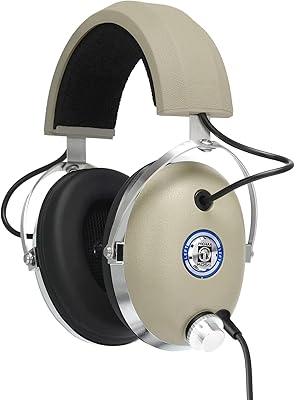
Koss Pro4S Studio Headphones
87%
93%
Sound Quality
88%
Comfort for Long Sessions
90%
Build Quality
81%
Noise Isolation
89%
Durability
More
Koss Pro4AA
Koss Pro4AA
72%
91%
Sound Accuracy
83%
Build Quality
67%
Comfort & Fit
74%
Noise Isolation
88%
Value for Money
More
FIFINE K690
FIFINE K690
82%
84%
Audio Clarity
88%
Pickup Pattern Versatility
81%
Build Quality
93%
Ease of Setup
79%
Headphone Monitoring
More
Yamaha HPH-MT5 Studio Headphones
86%
92%
Sound Quality
89%
Noise Isolation
84%
Comfort for Long Sessions
80%
Build Durability
91%
Portability
More

FAQ

Not at all — the HUE Animation Studio ASC001 is specifically designed for first-time animators. The included 64-page book walks kids through the creative process step by step, and the software is straightforward enough that most seven-year-olds can work through their first project independently within a couple of sessions.
Yes, the software supports both platforms. Stop Motion Studio for HUE runs on macOS 11 and above and Windows 10 and above, so a single registration code can be used on whichever computer your child has access to, as long as it meets those OS requirements.

It is a perpetual single-user license, meaning you pay once and own it. There are no recurring fees or renewal costs, which is one of the more practical aspects of this stop motion studio compared to some competing options that have shifted to subscription models.

A 5-year-old will likely need a parent or older sibling involved to get much out of it independently. The kit is designed for self-directed use from around age 7, but younger children can genuinely enjoy the process when working alongside someone guiding the session. Think of it as a shared activity for that age rather than an independent one.

A small number of buyers do hit a snag during registration — it is the most common support issue with this kit. The best step is to contact HUE support directly with your order details and the code; they typically resolve it via email, though turnaround can be slower during busy gift seasons like December.

Yes — the camera functions as a standard USB webcam and can also be used as a document camera or visualizer for streaming or recording video. It works with any application that recognizes a USB camera, so it has practical utility beyond animation projects.

For stop motion animation at a beginner to intermediate level, 720p is more than adequate — finished films look clear and colorful on a tablet or laptop screen. Where it falls short is in low indoor lighting, where colors can appear flat. A simple desk lamp positioned near the stage makes a noticeable difference to the final result.

It offers solid protection for the camera itself — the shockproof shell does its job. The main limitation is that repacking everything neatly, particularly the USB cable, takes a bit of patience. It is well-suited for occasional transport to a club or class, though it is not designed for daily rough-and-tumble use in a school bag.

Generally yes, but a small number of users have found that a major OS update can disrupt the software registration and require a reinstall. It is worth keeping the registration code stored somewhere safe so you can re-enter it quickly if that happens rather than having to dig through old emails.

Teachers consistently rate this animation kit well for classroom use — the software is intuitive enough for mixed-ability groups, and the book reduces how much explanation a teacher needs to provide. For a classroom setting, bear in mind the license is a single-user license, so multiple simultaneous installations across many school computers would require purchasing additional units.