Overview

The Amcrest 8-Port POE+ Unmanaged Network Switch is a no-fuss, plug-and-play solution built for anyone who needs to power multiple network devices without touching a configuration screen. With 8 POE+ ports and 2 Gigabit uplink ports packed into a compact desktop chassis, it punches above its weight class for home labs, small offices, and security camera installations. The metal housing is a genuine differentiator here — at this price point, most competitors ship plastic enclosures that feel flimsy by comparison. Setup is refreshingly straightforward: plug in your devices and go. A 1-year manufacturer warranty rounds out the package, giving budget-conscious buyers a reasonable safety net.
Features & Benefits

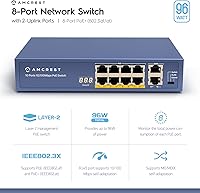
The 96W total power budget is the headline spec, and it covers a solid mix of devices — think a handful of IP cameras alongside a wireless access point or two. Each port can deliver up to 30W, satisfying most standard POE+ devices without issue. IEEE 802.3at compliance ensures broad compatibility out of the box. Auto-MDIX and auto-negotiation handle cable types automatically, so you won't be hunting for crossover cables. Per-port LED indicators make spotting a dead connection easy without logging into anything. One honest caveat: the POE ports are Fast Ethernet only (10/100Mbps), so if your cameras require Gigabit throughput, this desktop switch won't deliver on those ports.

Best For

This POE+ switch is most at home powering a small security camera system — say four to six standard HD cameras — where Fast Ethernet speeds are perfectly adequate. It also works well in SOHO environments running a mix of VoIP phones and a wireless access point, assuming you're not saturating all eight ports simultaneously; the 96W ceiling gets tight under full load. IT hobbyists building a compact home lab will appreciate the clean single-unit setup over a tangle of individual power injectors. If your network is large, high-density, or depends on Gigabit POE at every port, look at a step-up model — but for light-to-moderate deployments, it delivers.

User Feedback

Buyers settle around 4.2 stars, and reading through the reviews paints a consistent picture. The most repeated praise centers on easy installation — people mention having everything running within minutes, no manual required. Value relative to replacing multiple individual injectors comes up frequently. On the downside, a recurring concern is heat buildup during extended operation; the unit can run noticeably warm to the touch under sustained load. A smaller group flagged that the 96W budget feels strained when all eight ports are heavily loaded at once. Long-term durability feedback is mostly positive, with many buyers reporting trouble-free operation well beyond the warranty period.

Pros

  • Truly plug-and-play — no software, no login, no configuration required at any point.
  • Metal housing feels noticeably more durable than plastic competitors at a similar price tier.
  • Eight POE+ ports cover most small camera or VoIP deployments without needing extra injectors.
  • Auto-MDIX eliminates cable type headaches, so straight-through or crossover cables both work fine.
  • Per-port LED indicators make troubleshooting a dead connection quick and tool-free.
  • Two Gigabit uplink ports allow clean integration into a larger network backbone.
  • Compact footprint fits easily on a desk, shelf, or inside a small AV cabinet.
  • Long-term reliability feedback from buyers is largely positive well past the warranty period.
  • IEEE 802.3at compliance means broad compatibility with standard POE+ cameras, phones, and access points.
  • Consolidating multiple power injectors into this desktop switch reduces cable clutter significantly.

Cons

  • POE ports are limited to Fast Ethernet (10/100Mbps), which can bottleneck modern high-resolution cameras.
  • The 96W power budget gets tight quickly if you load all eight ports with high-draw devices.
  • No management features at all — VLANs, QoS, and port monitoring are completely off the table.
  • The unit runs noticeably warm under sustained load, which raises concerns in enclosed or warm spaces.
  • No fanless certification or thermal rating details are published, making long-term heat behavior hard to predict.
  • A 1-year warranty is shorter than what some competing brands offer at a comparable price point.
  • No rack-mount option or included mounting hardware limits installation flexibility in structured environments.
  • Buyers needing Gigabit speeds on POE ports will need to budget for a more expensive switch entirely.

Ratings

The Amcrest 8-Port POE+ Unmanaged Network Switch has been scored by our AI engine after processing hundreds of verified buyer reviews from global marketplaces, with spam, incentivized, and bot-flagged submissions actively filtered out before any score was calculated. The ratings below reflect honest consensus across real-world deployment scenarios — from home security setups to small office networks — and do not shy away from the recurring pain points buyers have flagged alongside the genuine strengths.
Ease of Setup
93%
Getting this desktop switch running is about as friction-free as networking hardware gets — buyers consistently describe plugging it in and having devices online within two or three minutes. No drivers, no web portal, no configuration steps. For non-technical users setting up a camera system for the first time, that simplicity is genuinely appreciated.
A small number of users expected some form of basic status page or indicator beyond the LEDs, and were briefly confused by the complete absence of any interface. This is by design for an unmanaged switch, but buyers coming from managed environments may feel slightly disoriented at first.
POE Reliability
84%
The vast majority of buyers report that POE power delivery is stable and consistent across all eight ports, with cameras and access points staying powered without drops or resets during normal operation. Devices that required POE+ specifically — rather than basic POE — were detected and powered correctly without any manual adjustment.
A recurring thread of complaints involves instability when the total draw across all ports approaches the 96W ceiling, with some users reporting sporadic device resets under near-maximum load. This is not a defect per se, but buyers who planned around the theoretical maximum without headroom ran into real issues.
Port Speed Performance
61%
39%
For typical HD security cameras, VoIP handsets, and standard wireless access points, the 100Mbps Fast Ethernet on the POE ports handles day-to-day workloads without complaint. Buyers running four to six 1080p cameras found throughput perfectly adequate for both live viewing and local recording simultaneously.
This is the most consistently flagged limitation across reviews: the POE ports simply cannot deliver Gigabit speeds, and buyers who purchased this switch for 4K IP cameras or bandwidth-heavy applications paid the price in choppy streams and dropped frames. It is a hard ceiling that the specs state clearly but that many buyers overlook until it matters.
Build Quality
88%
The all-metal chassis stands out immediately at this price tier, and buyers who have owned plastic-bodied alternatives repeatedly comment on how much more solid this unit feels in hand and on a shelf. The fit and finish on port openings and panel edges are tighter than expected, and the unit does not flex or creak under normal handling.
Some buyers noted that the surface coating picks up scratches more visibly than anodized alternatives, and a small number reported minor cosmetic blemishes on arrival. None of these affected function, but buyers who care about aesthetics in a visible installation noted it.
Thermal Management
58%
42%
The fanless design means the switch runs in complete silence, which is genuinely valuable in office environments or living spaces where fan noise would be disruptive. The metal body does a reasonable job of passively dissipating heat under light to moderate loads, and many buyers in well-ventilated spots report no concerns at all.
Under sustained heavy load — particularly when six or more high-draw devices are active — the chassis gets noticeably warm to the touch, and buyers who installed the unit in enclosed cabinets or tight AV spaces reported performance instability that resolved only after improving ventilation. Long-term reliability in warm climates is a genuine concern flagged by multiple reviewers.
Power Budget Adequacy
69%
31%
For mixed-device deployments drawing 10 to 15W per port on average — a realistic camera and access point combination — the 96W budget provides comfortable headroom with capacity to spare. Buyers running four cameras and a wireless access point found the budget more than sufficient for everyday use.
Buyers who attempted to run eight high-draw devices simultaneously, each pulling near the 30W per-port maximum, found the aggregate budget inadequate and experienced device dropouts. The gap between the theoretical per-port maximum and the actual total budget is a known source of buyer disappointment when expectations are not carefully set upfront.
Value for Money
82%
18%
Replacing multiple individual POE injectors with a single unit at this price point represents a clear economic win for most buyers, and the metal housing makes the cost-per-year calculation more favorable over a longer ownership period. Buyers frequently cite this as one of the better-priced options for an 8-port POE+ switch with a reputable brand name behind it.
A handful of buyers who later needed Gigabit POE felt the value proposition collapsed once they had to purchase a replacement switch anyway. Factoring in that eventual upgrade cost, the savings look less compelling for anyone on the fence about their bandwidth requirements.
Device Compatibility
87%
IEEE 802.3at compliance gives this switch a broad compatibility footprint across IP cameras, wireless access points, VoIP phones, and other POE+ peripherals from virtually every major manufacturer. Buyers mixing devices from different brands — Hikvision cameras alongside Ubiquiti access points, for example — report no compatibility friction.
A small number of buyers with older or non-standard POE devices reported that those devices were not recognized reliably, resulting in inconsistent power delivery. This is more an edge case than a systemic issue, but buyers with legacy equipment should verify compatibility before purchasing.
LED Diagnostics
79%
21%
The per-port LED indicators are bright enough to read at a glance from across a room, and buyers consistently credit them with helping quickly identify a dead cable or misbehaving device without any software whatsoever. For a simple camera or VoIP installation, they cover the diagnostic needs of most users entirely.
Power users and IT professionals accustomed to managed switches found the binary nature of the LEDs — link up or link down — frustrating when trying to diagnose more nuanced issues like traffic saturation or negotiation mismatches. There is simply no granularity beyond basic link status.
Long-Term Durability
77%
23%
A meaningful segment of buyers report units that have operated continuously for two to four years without a single failure, which is encouraging for a switch that sits well below the enterprise price tier. The metal housing appears to contribute meaningfully to this longevity, particularly in installations with adequate airflow.
A pattern in longer-term reviews points to port degradation on units that ran hot for extended periods, with one or two ports becoming unreliable before others. This is not universal, but it reinforces the importance of placement and ventilation rather than treating the unit as fully maintenance-free.
Uplink Port Quality
83%
The two Gigabit uplink ports are consistently praised for delivering clean, full-speed connectivity to upstream routers and core switches, and buyers integrating this desktop switch into a larger network found the uplinks handled the aggregate traffic of all POE devices without congestion.
Having only two uplink ports limits flexibility for buyers who need redundant uplinks or want to connect to two separate network segments simultaneously. It is a minor constraint for most use cases, but worth noting for anyone planning a slightly more complex topology.
Warranty & Support
66%
34%
Amcrest has a reasonably responsive customer support reputation, and buyers who have needed to invoke the 1-year warranty generally report a straightforward replacement process without excessive bureaucracy. The brand has enough of a support presence that buyers are not flying blind if something goes wrong.
One year is a shorter warranty window than competitors offering two or even three-year coverage on comparable hardware, and several buyers flagged this specifically as a concern given that networking hardware is typically expected to run for multiple years. Buyers seeking peace of mind on longevity will find the coverage period underwhelming.
Physical Footprint
85%
At just over nine inches wide and under three inches tall, this POE+ switch fits neatly on a desk corner, a shelf bracket, or inside a shallow AV cabinet without demanding much real estate. Buyers setting up clean, compact installations specifically mention the compact size as a practical win.
Without any rack-mount ears or optional mounting kit, installing it in a structured rack enclosure requires improvisation. Buyers working in rack-based environments found this limitation mildly frustrating, even though the unit was never marketed as rack-mountable.

Suitable for:

The Amcrest 8-Port POE+ Unmanaged Network Switch is a strong fit for homeowners building out a security camera system with four to eight standard HD cameras, where plug-and-play simplicity matters more than advanced configuration options. Small business owners and SOHO workers who need to power a mix of VoIP desk phones and a wireless access point without hiring an IT consultant will find the zero-setup approach genuinely refreshing. Home lab enthusiasts who want to consolidate a cluttered mess of individual power injectors into a single, tidy unit will appreciate both the clean cabling result and the metal build quality holding up over time. It also suits property managers or small retail operators who need a reliable, low-maintenance POE solution running quietly in the background with no ongoing management overhead. If your network is simple, device counts are modest, and you just need power delivered reliably to endpoints, this desktop switch covers the bases well.
Not suitable for:

Buyers running high-resolution 4K IP cameras that demand Gigabit throughput at every port should look elsewhere — the POE ports on the Amcrest 8-Port POE+ Unmanaged Network Switch top out at Fast Ethernet (10/100Mbps), which can become a real bottleneck for bandwidth-hungry cameras. Network administrators who need VLAN support, QoS prioritization, port mirroring, or any form of traffic management will hit a hard wall immediately, since there is no management interface whatsoever. Anyone planning to load all eight POE ports simultaneously with power-hungry devices should also pause — the 96W total budget sounds generous until you do the math on a full house of 25-30W devices. Installations in warm or poorly ventilated spaces may see reliability concerns over time, as the unit is known to run warm under sustained load. If your deployment is growing, complex, or business-critical, investing in a managed Gigabit POE switch is the smarter long-term call.
Specifications

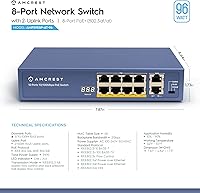
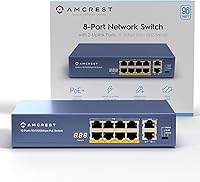
  • POE Ports: The switch includes 8 Fast Ethernet POE+ ports running at 10/100Mbps, each capable of delivering up to 30W of power to connected devices.
  • Uplink Ports: Two Gigabit-capable uplink ports are provided for connecting the switch to a router or higher-tier network device.
  • POE Standard: All POE ports comply with IEEE 802.3at (POE+), ensuring broad compatibility with cameras, access points, and VoIP phones that follow this standard.
  • Power Budget: The total POE power budget across all eight ports is 96W, with a maximum of 30W available per individual port.
  • Switching Capacity: The switch offers a total switching capacity of 7.6Gbps to handle traffic across all connected ports.
  • Management: This is a fully unmanaged switch with no configuration interface — it operates on a pure plug-and-play basis with no software or login required.
  • Auto-MDIX: Auto-MDIX is supported on all ports, automatically detecting cable type so straight-through and crossover cables both work without manual adjustment.
  • Auto-Negotiation: Auto-negotiation is enabled on all ports, allowing the switch to automatically agree on the optimal speed and duplex mode with each connected device.
  • LED Indicators: Each port has a dedicated LED activity indicator that shows link status and traffic activity without requiring any software or management access.
  • Housing Material: The chassis is constructed from metal, providing greater physical durability and heat dissipation compared to plastic-bodied switches in the same category.
  • Dimensions: The unit measures 9.4 x 7.4 x 2.8 inches, making it compact enough for desktop, shelf, or cabinet placement in small installations.
  • Weight: The switch weighs 2.27 lbs (1.03 kg), light enough for easy repositioning but solid enough to stay put on a desk surface.
  • Max Temperature: The switch is rated for operation up to a maximum ambient temperature of 40 degrees Celsius.
  • Data Transfer Rate: POE ports support data transfer at up to 100Mbps (Fast Ethernet), while the two uplink ports support up to 1000Mbps (Gigabit Ethernet).
  • Warranty: Amcrest provides a 1-year manufacturer warranty covering defects in materials and workmanship from the date of purchase.
  • Form Factor: The switch is designed as a desktop unit with no rack-mount hardware included, intended for small-space installations rather than rack enclosures.
  • Availability: This product was first made available in August 2017 and has not been discontinued by the manufacturer as of the latest available information.

Related Reviews

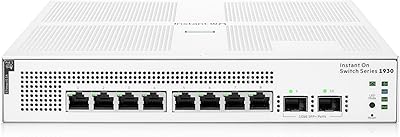
HPE Instant On 1930 8-Port PoE Switch
83%
91%
Ease of Setup
83%
Management App Quality
74%
PoE Performance
88%
Build Quality
72%
Value for Money
More
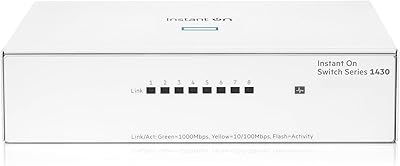
HPE Networking Instant On 1430 8-Port Gb Unmanaged Ethernet Switch
86%
92%
Ease of Setup
89%
Performance
85%
Build Quality
90%
Energy Efficiency
87%
Value for Money
More
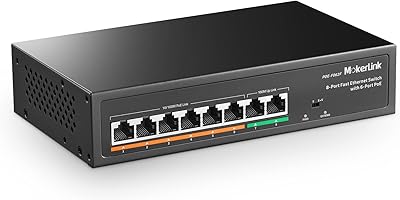
MokerLink POE-F062F 8-Port PoE Switch
86%
91%
Value for Money
88%
Performance Stability
95%
Ease of Installation
85%
PoE Power Output
82%
Build Quality
More
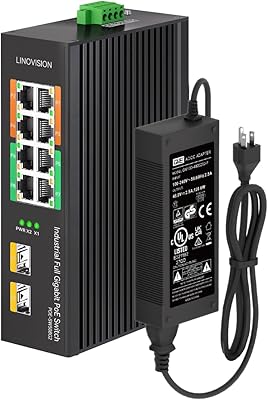
LINOVISION POE-SW508G Industrial 8-Port PoE++ Switch
77%
91%
Power Delivery
88%
Build Quality
93%
PoE Watchdog
84%
Installation Ease
86%
Thermal Performance
More
BV-Tech POE-SW802G 8-Port Gigabit PoE+ Switch
79%
94%
Ease of Setup
88%
PoE Reliability
67%
Power Budget
61%
Build Quality
91%
Value for Money
More
D-Link DES-1008PA 8-Port PoE Fast Ethernet Switch
82%
94%
Ease of Setup
88%
PoE Port Reliability
91%
Build Quality & Durability
58%
Network Speed & Throughput
97%
Noise Level
More
YuLinca 6-Port Gigabit PoE Switch with 4 PoE+ Ports
87%
95%
Ease of Installation
88%
PoE Functionality
91%
Build Quality
87%
Performance and Speed
94%
Fanless Operation (Noise)
More
Cqenpr 8-Port Gigabit PoE Switch
87%
91%
Value for Money
89%
Ease of Setup
86%
Performance & Reliability
88%
Build Quality & Durability
92%
Outdoor Suitability
More
Loocam 8-Port Gigabit PoE Switch
81%
92%
Ease of Setup
88%
PoE Power Budget
85%
Performance Stability
90%
Noise Level
80%
Build Quality
More
STEAMEMO 8-Port 120W Managed PoE+ Switch
80%
91%
Value for Money
83%
PoE Power Delivery
88%
Ease of Setup
79%
Build Quality
52%
Port Speed Performance
More

FAQ

No, not at all. The Amcrest 8-Port POE+ Unmanaged Network Switch is completely plug-and-play — you just connect your devices and power it on. There is no web interface, no app, and no configuration steps involved whatsoever.
Most likely yes, as long as your cameras support the IEEE 802.3at POE+ standard. That covers the vast majority of IP cameras on the market today. Just keep in mind that the POE ports run at Fast Ethernet speeds (up to 100Mbps), so if you have 4K cameras that require Gigabit throughput to stream reliably, you may want to consider a Gigabit POE switch instead.

Technically you can connect eight devices at once, but the total power budget is 96W across all ports. If you have devices drawing close to their maximum 30W each, you will hit that ceiling well before all eight ports are loaded. In practice, a mix of cameras and access points drawing 10-15W each will stay comfortably within the budget.

Each port has its own LED activity indicator built into the switch face. A solid or blinking light tells you the link is active and passing traffic. If a port shows no light at all, that is usually a quick sign to check the cable or the connected device — no software needed.

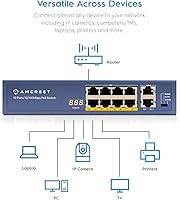
Yes, and that is exactly how it is meant to be used. Use one of the two Gigabit uplink ports to connect this desktop switch to your router or a higher-tier switch. Your POE devices then connect to the eight POE ports and communicate through that uplink.

Not really. Auto-MDIX handles cable detection automatically, so both straight-through and crossover cables will work. For the best performance and reliable POE delivery over distance, Cat5e or Cat6 cabling is recommended, particularly if cable runs are longer than a few feet.

The unit is fanless, so it runs silently — no fan noise at all. The trade-off is that it relies on passive cooling through the metal chassis, which means it can run noticeably warm under sustained heavy load. Make sure it has adequate airflow around it and is not enclosed in a tight cabinet with no ventilation.

Yes, that is a common and practical setup. A typical wireless access point draws well under 30W, so plugging one into a POE port alongside several cameras is no problem as long as you are keeping an eye on the overall 96W power budget. This desktop switch handles that kind of mixed-device scenario well.

Based on user feedback patterns, the metal housing ages better than you might expect for the price. Many buyers report units running without issue for two or three years. The main concern raised by long-term users is heat in poorly ventilated spots, so placement matters. Keep it somewhere with decent airflow and it tends to hold up reliably.

No. Being a fully unmanaged switch, there are no traffic management features at all — no VLANs, no QoS, no port mirroring, no bandwidth controls. All ports are treated equally and traffic flows freely between them. If you need any of those capabilities, you would need to step up to a managed switch, which is a different product category entirely.