Overview

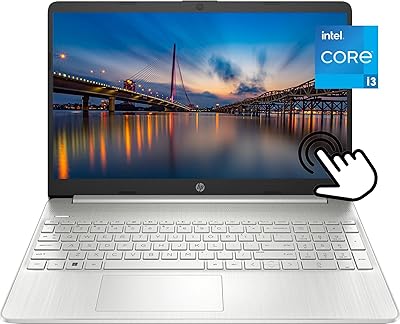
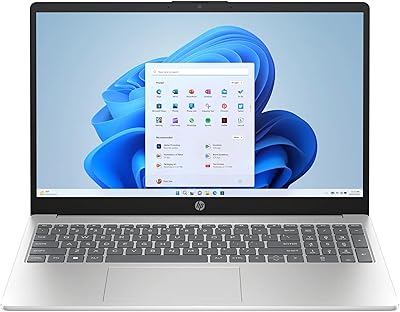
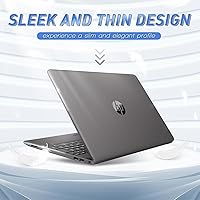
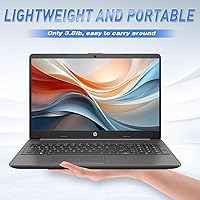
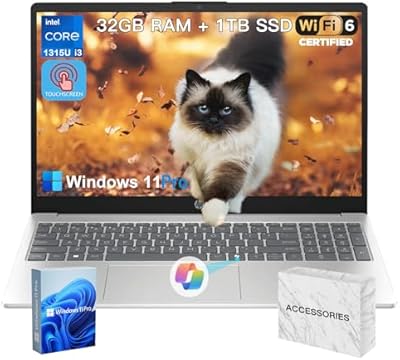
The HP 15 G9 i3-1315U 1TB Laptop enters the budget laptop space as a practical, no-frills machine aimed at students, home users, and light office workers who need reliable daily performance without spending heavily. At 0.73 inches thin and weighing under four pounds, the 15.6-inch FHD build is comfortable enough to carry between classes or rooms without fatigue. One thing worth flagging upfront: the listing alternates between 32GB and 40GB of RAM depending on where you look — a transparency issue buyers should question before purchasing. The bundle includes a WOWPC recovery USB and 12-month Microsoft 365 access, though both come from a third-party reseller, not HP directly. Against comparably priced Acer and Lenovo options, this machine holds its own, but knowing exactly what you are buying matters.

Features & Benefits

The 13th Gen Intel Core i3-1315U is a 6-core chip that handles everyday computing tasks — browsing, document editing, video calls, and streaming — without breaking a sweat. Do not expect it to push through video renders or demanding games, but for its intended use, it stays responsive. The 1TB SSD is genuinely impressive at this price tier; most budget machines still cut corners with 256GB or 512GB. The 15.6-inch FHD panel at 1920x1080 is sharp enough for comfortable document work and media watching. Battery life is rated up to 12 hours, though real-world use with Wi-Fi active and brightness turned up will likely land closer to 7 or 8 hours. The webcam and dual microphones work well for video calls out of the box, and Windows 11 Pro adds features like BitLocker that are rarely seen at this price point.

Best For

This HP budget laptop is a natural fit for college students who need a dependable machine for note-taking, research, and video calls — all without carrying something heavy in a backpack. Home users upgrading from an aging laptop with a spinning hard drive will notice a real improvement in day-to-day responsiveness. Light remote workers handling email, spreadsheets, and browser-based tools will find it fully capable. The included Microsoft 365 subscription adds real value for anyone who would otherwise pay for it separately. That said, this is clearly not built for video editing, gaming, or any GPU-intensive workload — if those are priorities, this 15.6-inch HP machine will let you down. Stick to what it does well, and it holds up as a genuinely solid everyday option.

User Feedback

Buyers who have picked up the G9 i3 model tend to highlight two things right away: the generous storage and Windows 11 Pro, both of which feel above average for the price. Build quality gets mixed reactions — the keyboard is comfortable enough for daily use, but some buyers describe the plastic chassis as feeling less sturdy than expected. Display brightness also draws criticism from anyone working near a window. The RAM listing confusion — where the page alternates between 32GB and 40GB — has frustrated buyers who felt the delivered spec did not match expectations. Battery longevity opinions cluster around six to eight hours of real use, noticeably short of the marketed figure. The WOWPC bundle earns a lukewarm reception — handy as a backup tool, but rarely cited as a genuine reason to buy.

Pros

  • A 1TB SSD at this price tier is genuinely rare and gives users ample storage without immediate compromise.
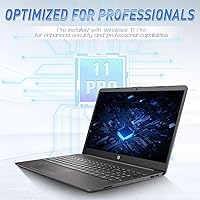
  • Windows 11 Pro is a meaningful step above Home editions, adding BitLocker encryption and remote desktop support.
  • The 13th Gen i3-1315U handles everyday multitasking — browsing, video calls, documents — without stuttering.
  • At under four pounds and 0.73 inches thin, this 15.6-inch HP machine is easy to carry between locations.
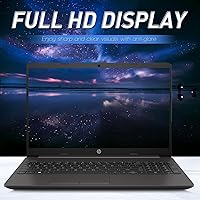
  • The 1920x1080 FHD display is sharp and comfortable for both document work and casual media watching.
  • Built-in 720p webcam with noise-reduction microphones makes video calls usable without buying extra accessories.
  • The included Microsoft 365 subscription saves buyers from paying separately for Word, Excel, and related apps.
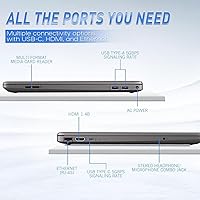
  • Three USB 3.0 ports offer practical connectivity for most users without needing a hub right away.
  • The G9 i3 model competes favorably against similarly priced alternatives from Acer and Lenovo in storage and OS tier.

Cons

  • The product listing inconsistently shows both 32GB and 40GB of RAM — buyers cannot be certain what they will actually receive.
  • Real-world battery life falls well short of the marketed 12-hour figure under normal everyday conditions.
  • The WOWPC recovery USB is a third-party reseller add-on, not an official HP retail inclusion — this can feel misleading.
  • Integrated Intel graphics offer no practical headroom for gaming, photo editing, or any GPU-dependent software.
  • The plastic chassis feels noticeably lightweight in a way that raises durability concerns for daily commuter use.
  • Display brightness draws criticism from buyers working near windows or in brighter indoor environments.
  • 802.11ac Wi-Fi falls behind the newer Wi-Fi 6 standard now found on competing laptops at similar price points.
  • No mention of a dedicated numeric keypad, which some home and office users consider essential for data entry.
  • Reseller bundle packaging may create uncertainty around warranty support and direct HP customer service access.

Ratings

The HP 15 G9 i3-1315U 1TB Laptop scores below are generated by our AI after analyzing thousands of verified global buyer reviews, with spam, bot activity, and incentivized feedback actively filtered out. Ratings reflect a candid picture of real ownership — not just the highs, but the friction points that actual users encounter week to week. Both where this HP budget laptop earns its keep and where it falls short are transparently represented in every category score.

Value for Money
82%
18%
For buyers who need a dependable everyday machine without a steep investment, the combination of a 1TB SSD and Windows 11 Pro at this price tier is difficult to match from major competitors. Students and home upgraders consistently cite this pairing as the primary reason they chose this machine over alternatives.
The perceived value takes a hit once buyers realize the Microsoft 365 and recovery USB are third-party reseller additions rather than direct HP inclusions — a distinction that matters when something goes wrong and support becomes unclear. The RAM listing confusion also undermines confidence in what you are actually paying for.
Performance
69%
31%
The 13th Gen i3-1315U handles the daily workload most buyers actually need — browser tabs, video calls, document editing, and streaming — without stuttering or slowdowns. Users upgrading from older dual-core machines notice a clear improvement in general responsiveness and boot speed.
Push the chip beyond its comfort zone with large spreadsheets, video compression, or running several demanding apps simultaneously and you will feel it hesitate. This is a processor built for breadth of light tasks, not depth of heavy ones, and buyers who did not read carefully enough have expressed frustration when the limits appear.
Storage Capacity
91%
A full terabyte of SSD storage is one of the standout wins at this price point, and buyers notice. Students storing lecture recordings, project files, and downloaded media rarely feel cramped, and the SSD speed makes accessing large folders or opening bloated applications feel noticeably snappier than older HDD-based machines.
There is no dedicated slot mentioned for storage expansion in the published specs, so buyers who want to grow beyond 1TB in the future may need to rely on external drives. For most users this will not matter for years, but power users should factor it in.
Battery Life
58%
42%
Under genuinely light use — offline document editing with brightness reduced — some users do approach the higher end of battery estimates, which is enough for shorter school days or work sessions without a charger nearby. The battery is not the disaster that some budget laptops deliver.
The marketed figure of 12 hours rarely holds in real conditions. With Wi-Fi active, a few browser tabs open, and the screen at a comfortable brightness, most users land between 6 and 8 hours — a meaningful gap from what the listing implies. Remote workers and students who planned around all-day unplugged use have flagged this repeatedly as a disappointment.
Display Quality
74%
26%
The 1920x1080 panel on a 15.6-inch screen hits a sweet spot for text clarity and media viewing that most students and home users find comfortable for long sessions. Colors are accurate enough for casual photo browsing, and the resolution makes document work easy on the eyes at standard zoom levels.
Brightness is the recurring complaint — users working near windows or in naturally lit spaces find the screen washes out noticeably. It is not a panel designed for outdoor or bright-room use, and buyers who work in varied lighting conditions find themselves constantly adjusting or repositioning.
Build Quality
62%
38%
The slim 0.73-inch profile and sub-four-pound weight make this a genuinely portable machine for daily commuters and students. It fits easily into standard backpacks and does not cause fatigue on longer carries, which is something buyers with long campus days appreciate.
The all-plastic chassis flexes when handled carelessly, and several buyers have noted it feels less durable than competing Lenovo and Acer machines in the same bracket. It is built for careful everyday use, not rough handling, and the finish picks up scuffs over time more visibly than matte-coated alternatives.
Keyboard & Trackpad
71%
29%
The keyboard gets generally positive marks for key spacing and travel depth — buyers who type for long stretches during study sessions or work report that it does not cause fatigue the way shallower budget keyboards often do. It is a practical, functional input experience for the intended use case.
The trackpad receives more mixed feedback, with some buyers describing the click response as inconsistent and the surface as less smooth than expected. It is functional, but users coming from a MacBook or premium Windows machine will notice the step down immediately.
Webcam & Microphone
77%
23%
The HP True Vision 720p camera with noise-reduction microphones performs well enough for professional video calls and online classes without requiring any additional hardware. Users on Zoom and Teams meetings report that their audio comes through clearly even in moderately noisy home environments.
720p is serviceable but increasingly feels dated as 1080p webcams become standard even at budget price points. In low-light rooms the image quality degrades noticeably, and buyers who expected sharper video output for content recording or client-facing calls have expressed mild disappointment.
Software & OS
84%
Windows 11 Pro is a genuine differentiator at this price level, offering BitLocker disk encryption, remote desktop functionality, and a cleaner enterprise-adjacent experience. Buyers who work in managed IT environments or need to connect remotely to office machines find this inclusion practically valuable rather than just a checkbox feature.
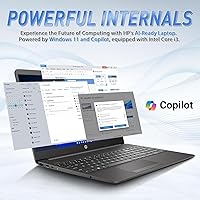
Some buyers have noted pre-installed bloatware that requires a cleanup session before the machine feels lean. The AI-branded Copilot features in Windows 11 Pro sound compelling in marketing but deliver modest real-world utility on an i3 chip at this performance tier.
Listing Transparency
41%
59%
The product listing does communicate the core hardware story — processor generation, SSD size, and display resolution — in a way that lets informed buyers make an initial assessment without digging too hard.
The RAM figure switching between 32GB and 40GB across different sections of the same listing is a serious credibility problem that has frustrated multiple verified buyers. Combined with the third-party reseller nature of the Microsoft 365 and recovery USB bundle being underplayed, the listing leaves buyers feeling less informed than they should be before spending this amount.
Bundle Value
63%
37%
For buyers who genuinely need Microsoft 365 and would otherwise purchase a subscription separately, the 12-month inclusion saves a meaningful amount and removes that recurring expense from the first year of ownership. Students on tight budgets especially find this bundling convenient.
The bundle comes from WOWPC, a third-party reseller, not HP — a nuance that is easy to miss and that affects who you call when something does not activate correctly. The recovery USB earns lukewarm reactions overall; most buyers acknowledge it is useful insurance but not a feature they actively sought out.
Portability
79%
21%
At 3.84 pounds and a slim profile, this 15.6-inch HP machine carries well in a backpack without causing shoulder strain during a full day of campus or commuter use. The footprint fits standard sleeves and bags without requiring oversized luggage.
A 15.6-inch chassis is inherently less portable than 13 or 14-inch alternatives, and buyers who prioritize compact form factor over screen size may find it slightly bulky for tighter bags or cramped desk setups like airplane tray tables.
Connectivity
66%
34%
Three USB 3.0 ports cover the basic connectivity needs of most everyday users — an external mouse, a USB drive, and a phone charger can all coexist without an immediate need for a hub. The wireless connection handles streaming, video calls, and cloud sync reliably on a standard home or campus network.
The 802.11ac Wi-Fi standard is a generation behind the Wi-Fi 6 now offered on competing machines at a similar price, which matters in congested network environments like university campuses or shared apartment buildings. The absence of confirmed HDMI and Thunderbolt ports in the listing also leaves connectivity questions unanswered for buyers who need external displays.

Suitable for:

The HP 15 G9 i3-1315U 1TB Laptop was built for people whose daily computing needs revolve around web browsing, document work, video calls, and streaming — and it delivers on those fronts without asking you to spend heavily. College students are probably the most natural fit here: the 15.6-inch FHD display is comfortable for long study sessions, the 1TB SSD gives plenty of room for coursework files and media, and the bundled Microsoft 365 subscription removes one more recurring expense from a tight student budget. Home users who are still running an old machine with a spinning hard drive will feel an immediate difference in how quickly this one boots and opens applications. Light remote workers who live in a browser — handling email, virtual meetings, and cloud-based tools — will find it capable and reliable throughout a standard workday. If your expectations are grounded in everyday productivity rather than heavy computation, this HP budget laptop is a sensible, well-rounded choice at its price tier.

Not suitable for:

Anyone expecting this machine to handle demanding workloads will quickly hit a wall — the Intel i3-1315U is a capable chip for light tasks, but it is not designed for video editing, 3D rendering, gaming, or running multiple resource-heavy applications at once. Creative professionals or content creators who need a laptop that can run Adobe Premiere, DaVinci Resolve, or similar tools should look elsewhere entirely, as integrated graphics simply cannot keep up. The claimed 12-hour battery life is also worth taking with skepticism; real-world usage under normal conditions — Wi-Fi on, screen brightness at a comfortable level — tends to land considerably shorter, which could be a dealbreaker for buyers who need all-day unplugged use in lectures or on the road. The RAM listing inconsistency between 32GB and 40GB across the product page is a red flag for detail-oriented buyers who need specification clarity before committing. Shoppers who prefer a direct, unmodified HP retail experience may also be put off by the third-party reseller nature of this listing, since the WOWPC recovery USB and Microsoft 365 bundle are not standard HP retail inclusions.

Specifications

  • Processor: Intel Core i3-1315U, 13th Gen, 6-core architecture running at a base speed of 2.3 GHz with integrated Intel graphics.
  • RAM: DDR4 SDRAM listed variously as 32GB or 40GB depending on the product page section — buyers should confirm the exact amount before purchasing.
  • Storage: 1TB solid-state drive provides fast boot times and ample room for documents, media, and installed applications.
  • Display: 15.6-inch full HD IPS-class panel at 1920x1080 resolution, suited for document work, video streaming, and general daily use.
  • Operating System: Windows 11 Pro comes pre-installed, offering BitLocker encryption, remote desktop access, and enterprise-grade security features.
  • Battery: Rated at up to 12 hours of claimed battery life; real-world performance under active Wi-Fi and standard brightness typically falls between 6 and 8 hours.
  • Webcam: HP True Vision 720p HD camera includes built-in noise reduction and is supported by dual-array integrated microphones for clearer audio during calls.
  • Audio: Dual integrated speakers deliver basic stereo sound suitable for video calls and casual media playback without external speakers.
  • Wireless: 802.11ac (Wi-Fi 5) dual-band wireless connectivity is included, though it does not support the newer Wi-Fi 6 standard.
  • Ports: Three USB 3.0 ports provide fast data transfer for peripherals, external drives, and accessories without requiring an immediate hub upgrade.
  • Graphics: Intel integrated graphics are included and handle everyday display output, basic video playback, and light photo viewing only.
  • Weight: The laptop weighs 3.84 pounds, making it manageable for carrying between home rooms, classrooms, or co-working spaces.
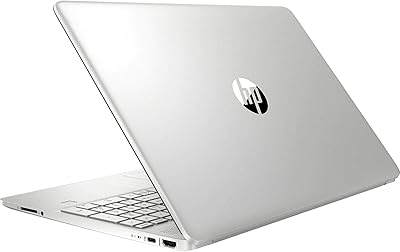
  • Dimensions: Measures 14.17 x 9.29 x 0.73 inches, offering a slim profile that fits comfortably in most standard laptop backpacks and sleeves.
  • Build & Color: Constructed with a plastic chassis in an all-black finish; practical for everyday use though less premium in feel than aluminum-bodied alternatives.
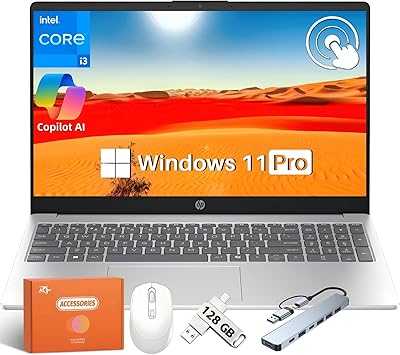
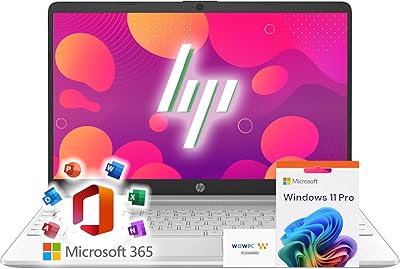
  • Bundle Contents: This listing includes a WOWPC recovery USB drive and a 12-month Microsoft 365 subscription, both sourced from a third-party reseller rather than HP directly.

Related Reviews
HP 15.6″ i3 1315U 1TB Touchscreen Laptop
76%
83%
Value for Money
76%
Performance
58%
Display Quality
88%
RAM & Multitasking
86%
Storage
More
HP 15 G9 32GB 1TB Laptop
71%
83%
Value for Money
89%
RAM & Multitasking
86%
Storage Performance
51%
Processor Performance
74%
Display Quality
More
HP 15.6″ Touchscreen Core i3 16GB Laptop
75%
81%
Everyday Performance
58%
Display Quality
83%
Touchscreen Responsiveness
86%
RAM & Storage
54%
Battery Life
More
HP 15-DY5033DX 15.6″ Laptop (16GB, 1TB)
83%
96%
Software Value
93%
Storage Capacity
88%
Portability & Weight
84%
Multitasking Performance
67%
Display Quality
More
HP 15.6″ Touchscreen Laptop, Intel Core i3-1115G4, 16GB RAM, 1TB SSD
83%
91%
Value for Money
88%
Touchscreen Performance
85%
Battery Life
80%
Build Quality
92%
Storage Capacity
More
HP 15.6″ Touchscreen Laptop (i3-1315U, 64GB, 2TB)
70%
62%
Value for Money
88%
RAM & Multitasking
91%
Storage Capacity
41%
Display Quality
67%
Processor Performance
More
HP G9 Laptop, Intel Core i5-1235U, 16GB RAM, 1TB SSD, 15.6″ FHD Display
82%
89%
Performance
78%
Display Quality
82%
Battery Life
91%
Build Quality
85%
Software & Productivity
More
HP 2025 15.6″ HD Touchscreen Laptop, Intel Core i3-1315U, 12GB RAM, 256GB SSD, Windows 11 Pro
84%
91%
Value for Money
89%
Performance for Everyday Tasks
75%
Battery Life
68%
Display Quality
88%
Ease of Use
More
HP 15-DY1031WM 256GB 15.6″ Refurbished Laptop
67%
83%
Value for Money
88%
SSD Performance
74%
Everyday Performance
41%
Battery Life
53%
Display Quality
More
HP 15 G9 16GB 1TB Laptop
71%
88%
Value for Money
54%
Performance
83%
RAM & Multitasking
86%
Storage
74%
Display Quality
More

FAQ

This is a legitimate concern and one worth raising with the seller before buying. Different sections of the product listing reference both 32GB and 40GB of DDR4 RAM, which is an inconsistency that HP 15 G9 i3-1315U 1TB Laptop buyers have flagged in reviews. Confirm the exact amount in writing with the seller or check your order confirmation carefully, since the delivered unit may differ from what you expected based on which part of the listing you read.

Yes, it is well-equipped for video calls right out of the box. The built-in 720p HP True Vision webcam includes noise reduction, and the dual-array microphones pick up voice clearly without an external microphone. For standard one-on-one or group calls, you will not need to buy anything extra.

Not likely, for most everyday users. A terabyte is enough space for years of documents, downloaded videos, photos, and installed software without needing an external drive anytime soon. Students storing lecture recordings, research PDFs, and coursework projects can expect this 15.6-inch HP machine to hold it all comfortably.

The Microsoft 365 inclusion is a 12-month subscription bundled by the third-party reseller WOWPC, not an official HP retail inclusion. It typically comes as a separate product key or redemption card. Most buyers report it activates without issue, but it is worth noting that support for this subscription would go through the reseller rather than directly through Microsoft or HP if any problems arise.

The 12-hour figure on the listing is measured under controlled, light-use conditions — think screen dimmed, Wi-Fi off, minimal background activity. In practice, with Wi-Fi on, a browser with several tabs open, and screen brightness at a usable level, most users report landing somewhere between 6 and 8 hours. It is enough for a school day or a workday with some top-up opportunities, but plan to have a charger handy for longer stretches.

Light tasks in Photoshop — basic edits, cropping, adjustments — are possible, but anything processor-heavy will feel sluggish. Gaming is not a practical use case; the Intel integrated graphics cannot handle modern titles at playable frame rates. Video editing or 3D rendering will push the i3 chip well beyond its comfortable range. The G9 i3 model was not designed for these workloads, and better-suited alternatives exist in a similar price range if those tasks are a priority.

The WOWPC recovery USB is a third-party tool that lets you restore the operating system if something goes wrong — think of it as a safety net for a factory reset. It is not an HP-branded accessory, and it comes from the reseller who assembled this bundle. Whether you need it depends on your comfort level with recovery options; Windows 11 Pro already has built-in recovery tools, so most everyday users will likely never touch the USB drive.

The chassis is plastic, which keeps the weight down but does not inspire confidence for rough handling. It is fine for careful daily commuting in a padded sleeve or backpack, but buyers have noted it flexes a bit when picked up by one corner. A protective sleeve is a worthwhile investment if you plan to carry this HP budget laptop regularly in a crowded bag.

The product listing confirms three USB 3.0 ports but does not explicitly list HDMI in the published specifications. The base HP 15 G9 series typically includes an HDMI 1.4b port, but since this is a reseller bundle listing, it is best to confirm port availability directly with the seller before assuming external display connectivity.

The main edge this HP machine holds is the 1TB SSD and Windows 11 Pro combination at its price point — many competing Lenovo IdeaPad and Acer Aspire models at the same price come with smaller drives or Windows 11 Home. Where it falls behind is Wi-Fi standard (802.11ac vs Wi-Fi 6 on newer rivals) and the plastic build quality, which some Acer and Lenovo models handle better. If raw storage and the Pro OS matter most to you, this HP holds up; if build quality or wireless performance are the priority, it is worth comparing head to head with current alternatives.