Overview

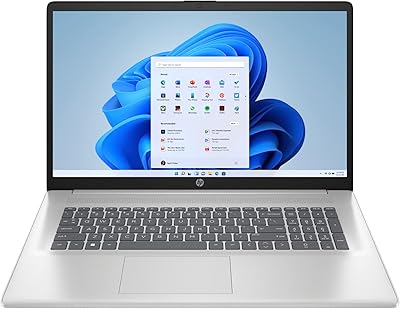
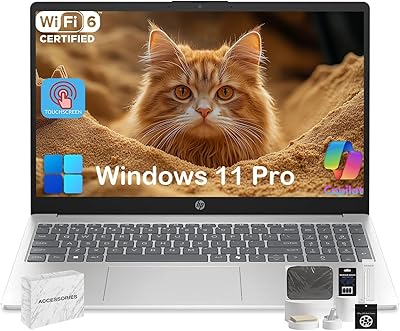
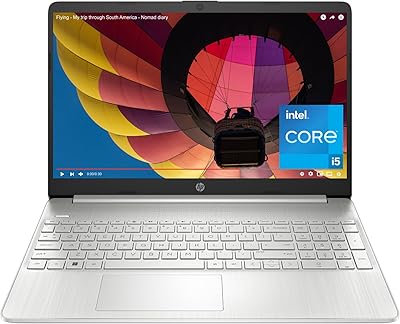
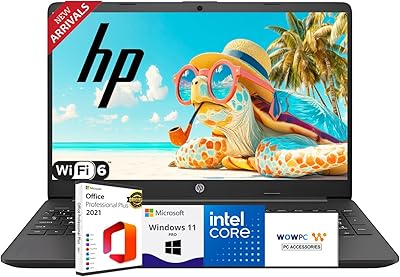
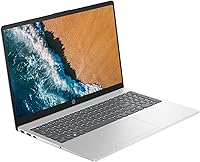
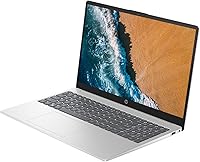
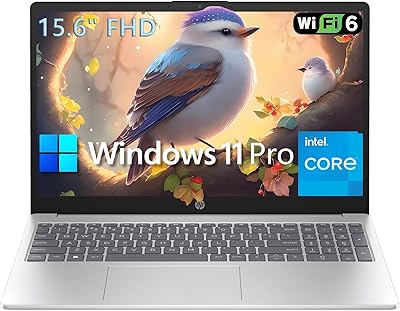
The HP TPN-Q286 15.6″ Laptop (N200, 16GB, 128GB) is a budget Windows 11 notebook built for everyday tasks rather than power users. At 3.5 lbs with a slim profile, it travels reasonably well for a 15.6-inch machine. The Intel N200 quad-core processor handles browsing, documents, and video calls without much fuss. What genuinely stands out at this price tier is the 16GB DDR4 RAM — most competitors here ship with 8GB, so having double that gives this entry-level HP notebook a real multitasking edge. Storage is a different story; 128GB fills up fast, so plan on using cloud storage or an external drive from day one.
Features & Benefits

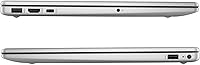
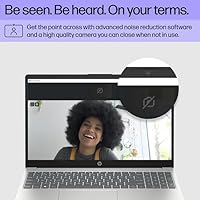
The HP 15 N200 punches above its weight in a few specific areas. Wi-Fi 6 support is one of the more pleasant surprises here — faster, less congested wireless is a genuine quality-of-life improvement, especially in apartments or offices packed with connected devices. The full-size keyboard with a numeric keypad is a practical touch you don't always find on budget notebooks this thin. Port selection is solid too: two USB-A 3.0, a USB-C, and HDMI means most people won't need a hub on day one. The built-in webcam and Bluetooth handle video calls and wireless peripherals without extra setup. One honest note: the display runs at 1366x768, which is functional but noticeably soft compared to modern 1080p screens.

Best For

This HP budget laptop fits a specific buyer profile, and it fits that profile well. Students who need a reliable machine for writing papers, joining video calls, and browsing research don't need much more than what's here. It also works for parents setting up a first laptop for a teenager, or for older adults who want a straightforward Windows 11 experience without a steep learning curve. Remote workers watching their budgets will appreciate the Wi-Fi 6 and ample RAM for keeping multiple browser tabs open. It also makes a practical secondary machine — something to leave on the kitchen counter or take on trips without too much worry.

User Feedback

Buyers of this entry-level HP notebook tend to agree on a few things. Day-to-day performance gets solid marks for typical use — web browsing, streaming, and light office work feel responsive enough that most users don't notice the modest processor, and the 16GB RAM earns consistent appreciation. Where feedback turns critical: screen brightness draws complaints from users working near windows, and the 128GB storage is a recurring frustration once Windows updates and a few apps start piling up. Battery life reports are mixed, with some users getting a comfortable workday and others finding it drops quicker under load. Build quality is described as acceptable but plastic, which is fair at this price.

Pros

  • 16GB of RAM at this price tier is genuinely rare and makes everyday multitasking noticeably smoother.
  • Wi-Fi 6 support keeps connections fast and stable even in crowded wireless environments.
  • NVMe SSD delivers quick boot times and responsive file access from the moment you power on.
  • The full-size keyboard with a numeric keypad is a practical bonus that many budget laptops skip.
  • At 3.5 lbs, this HP budget laptop is easy to carry between classes, rooms, or work locations.
  • Built-in webcam and Bluetooth mean it is ready for video calls and wireless accessories out of the box.
  • The port selection — including HDMI and two USB-A 3.0 ports — reduces the need for an adapter on day one.
  • Windows 11 Home runs cleanly for light workloads, and the familiar interface requires almost no setup learning curve.
  • HP's established brand presence offers broader repair and support access compared to lesser-known budget alternatives.

Cons

  • 128GB storage fills up fast; most users will need an external drive or cloud subscription almost immediately.
  • The 1366x768 display looks noticeably soft compared to the 1080p screens now standard on competing laptops.
  • Screen brightness struggles in well-lit rooms or near windows, causing glare and washout issues.
  • Battery life under real-world load is inconsistent, with heavier use cutting endurance significantly shorter than expected.
  • The plastic build flexes under pressure and the hinge loosens with prolonged daily use.
  • Pre-installed bloatware on this entry-level HP notebook eats into the already-tight storage and slows initial setup.
  • The trackpad lacks precision for detail-oriented tasks and drew mixed feedback from regular users.
  • The webcam produces grainy footage in low-light conditions, which limits its usefulness for professional video calls.
  • CPU product listing inconsistencies between Intel N200 and Celeron N branding may cause confusion when comparing specs.

Ratings

The HP TPN-Q286 15.6″ Laptop (N200, 16GB, 128GB) scores below are generated by AI after analyzing thousands of verified global buyer reviews, with spam, bot-submitted, and incentivized feedback actively filtered out. This entry-level HP notebook earns genuine praise in some areas while drawing consistent criticism in others, and both sides are reflected here without sugarcoating. Whether you are a student, a remote worker, or someone setting up a backup machine, these scores are meant to help you decide with clear eyes.
Value for Money
83%
For what you get — 16GB of RAM, Wi-Fi 6, and a full Windows 11 setup — buyers consistently feel this HP budget laptop delivers more than expected at its price tier. The RAM alone separates it from most rivals in this range, which tend to ship with half as much.
The 128GB storage and 1366x768 display drag the overall value perception down for buyers who discover those limitations after purchase. Users who needed to immediately buy an external drive or cloud subscription felt the true cost was higher than the sticker suggested.
Performance & Speed
76%
24%
Day-to-day tasks like browsing a dozen tabs, writing documents, and joining Zoom calls feel genuinely responsive on the HP 15 N200. The 16GB RAM makes a noticeable difference here — switching between apps does not produce the frustrating lag that plagues 8GB machines at this price.
Push beyond light productivity and the N200 processor starts to show its limits. Users who tried editing photos, running multiple heavy applications simultaneously, or even streaming while doing coursework reported occasional slowdowns that broke their flow.
Display Quality
51%
49%
The 15.6-inch screen is large enough for comfortable daily use, and for basic document work or watching videos in a dim room, most users found it tolerable. Text is readable and the size is genuinely practical for students taking notes.
The 1366x768 resolution is below what most competing laptops offer today, and buyers notice it. Working near a window is a recurring complaint — the screen washes out easily. Users coming from any modern phone screen found the sharpness disappointing for prolonged use.
RAM & Multitasking
88%
16GB DDR4 at this price point is the standout spec, and buyers who understand what they are looking at consistently call it out as the main reason they chose this entry-level HP notebook over alternatives. Running email, a browser with multiple tabs, a video call, and Spotify simultaneously caused no real strain.
A handful of technically savvy buyers noted the RAM may not be user-upgradeable depending on configuration, which limits future-proofing. For most casual users this is a non-issue, but it is worth confirming before purchase if long-term upgrades matter to you.
Storage Capacity
44%
56%
The NVMe SSD does its job well in terms of speed — boot times are quick and file transfers feel snappy. Users who kept their data lean and relied on Google Drive or OneDrive found the setup workable without major friction.
128GB fills up faster than most buyers anticipate. After Windows 11, system files, and a handful of apps, available space drops quickly. Multiple reviewers mentioned hitting storage warnings within weeks, and the need to buy an external drive felt like an unexpected extra expense.
Build Quality & Design
62%
38%
The silver plastic chassis looks reasonably clean and professional for a budget machine. At 3.5 lbs it does not feel overly flimsy, and buyers who used it as a daily carry to class or the office said it held up fine through normal handling.
It is unmistakably plastic, and the lid flexes more than users would like. Some reported the hinge feeling looser than expected after a few months of regular open-and-close use. Do not expect the rigidity of a mid-range business laptop.
Keyboard & Typing Experience
71%
29%
The full-size keyboard with a numeric keypad is a genuine practical win, especially for students doing data entry or anyone who regularly works with spreadsheets. Key travel is adequate and the layout is logical — most users adapted to it quickly.
The keys feel shallow and slightly soft, lacking the satisfying feedback that longer typing sessions benefit from. A few users who type heavily for work found fatigue set in quicker than expected, and the trackpad received mixed marks for precision on detailed tasks.
Wireless Connectivity
84%
Wi-Fi 6 support is a real upgrade over what most budget laptops offer. Users in apartments with congested networks or offices full of connected devices noticed fewer drops and better sustained speeds compared to older Wi-Fi 5 machines they replaced.
Bluetooth performance drew minor complaints, with some users reporting occasional pairing hiccups with wireless headphones or mice. Nothing deal-breaking, but the connection was not quite as rock-solid as the Wi-Fi performance would lead you to expect.
Port Selection
79%
21%
Two USB-A 3.0 ports, a USB-C, HDMI, and a combo audio jack cover the majority of real-world needs without requiring a hub. Users connecting a monitor, a USB drive, and headphones simultaneously had no issues — a practical advantage over ultrabooks that sacrifice ports for thinness.
There is no SD card slot, which frustrated photographers and users who regularly transfer files from cameras. The USB-C port also does not support charging on all configurations, which caught some buyers off guard when they assumed it would.
Webcam Quality
57%
43%
Having a built-in webcam means this HP budget laptop is video-call ready out of the box, which matters for students and remote workers who cannot afford to buy peripherals separately. For standard Zoom or Teams calls in decent light, it gets the job done.
Image quality is basic — grainy in low light and lacking the sharpness that modern laptop webcams offer. Users who do frequent professional video calls or content creation quickly found themselves shopping for an external webcam upgrade.
Battery Life
59%
41%
Under light use — reading articles, light document editing, or watching a movie — a number of buyers reported getting through most of a workday on a single charge. For low-intensity sessions it is acceptable and not an outlier for its class.
Battery life under heavier load, like sustained browsing with multiple tabs or video calls, drops noticeably and drew consistent complaints. Reports varied widely, suggesting real-world endurance depends heavily on usage patterns and screen brightness settings.
Portability
77%
23%
At 3.5 lbs and under three-quarters of an inch thin, this entry-level HP notebook carries reasonably well in a backpack. Students going between classes and workers moving between rooms appreciated not feeling weighed down by a bulky machine.
It is not as compact as 13 or 14-inch alternatives, and the 15.6-inch footprint means it is a tighter fit in smaller bags. Users who travel frequently by plane found it takes up a full tray table with little room to spare.
Software & OS Experience
72%
28%
Windows 11 Home runs without major issues on this hardware for standard tasks. First-time laptop buyers and seniors setting up a new machine appreciated the familiar interface and the fact that it required minimal configuration out of the box.
Some buyers reported pre-installed bloatware slowing down the initial setup experience and taking up a noticeable chunk of the already-limited 128GB storage. A clean Windows install is worth considering for users comfortable doing it, but that is an extra step most buyers should not have to take.
HP Customer Support
61%
39%
Users who needed warranty support generally found HP responsive enough, and the brand's established service network means local repair options exist in most regions. For a budget machine, having a recognized brand behind it provides some peace of mind.
Response times and resolution quality received mixed reviews, with some buyers reporting lengthy back-and-forth before issues were resolved. A subset of users felt the support quality did not match what they expected from a well-known brand like HP.

Suitable for:

The HP TPN-Q286 15.6″ Laptop (N200, 16GB, 128GB) is a strong match for students who need a dependable everyday machine for writing papers, joining video calls, and researching online without spending a lot. It works equally well for parents setting up a first laptop for a teenager, or for older adults who want a straightforward Windows 11 experience without a steep learning curve. Remote workers who primarily live in a browser and need reliable Wi-Fi 6 to stay connected in busy households or co-working spaces will find this entry-level HP notebook genuinely capable for their daily load. It also makes practical sense as a secondary or backup machine — something to leave at a family member's home, take on trips, or keep around for light tasks without the stress of putting miles on a more expensive device. Anyone whose daily computing revolves around email, spreadsheets, streaming, and video calls is squarely in the target zone for this HP budget laptop.
Not suitable for:

The HP TPN-Q286 15.6″ Laptop (N200, 16GB, 128GB) is the wrong tool for users who need sustained processing power or a sharp display. Creatives working with photo editing software, video editors, or anyone running demanding applications will hit the limits of the N200 processor faster than expected and should look at a mid-range machine with a more capable CPU. The 1366x768 display is a real drawback for people who spend long hours in front of a screen — it lacks the crispness of even entry-level 1080p panels, and users working in bright environments will find themselves squinting regularly. Storage is another dealbreaker for media-heavy users; 128GB disappears quickly once Windows updates, applications, and personal files accumulate, and relying on workarounds like external drives from day one is not ideal for everyone. Gamers, developers, and anyone who values a premium typing or trackpad experience should also pass on this entry-level HP notebook and invest in something built for higher demands.
Specifications

  • Processor: Intel N200 quad-core processor runs at up to 3.7GHz turbo frequency and is built on an efficient architecture suited for everyday computing tasks.
  • RAM: 16GB DDR4 SDRAM comes installed, providing noticeably more headroom for multitasking than the 8GB configurations common in this price range.
  • Storage: 128GB PCIe NVMe M.2 SSD handles fast boot times and quick file access, though available space after Windows 11 installation is significantly reduced.
  • Display: 15.6″ HD screen outputs at 1366x768 pixel resolution, which is functional for basic tasks but falls below the 1080p standard now common on competing laptops.
  • Operating System: Windows 11 Home comes pre-installed, offering the latest Microsoft interface with support for virtual desktops, improved window management, and Android app compatibility.
  • Graphics: Intel UHD integrated graphics handle standard video playback, video calls, and light image work but are not suited for gaming or GPU-intensive applications.
  • Wireless: Wi-Fi 6 (802.11ax) delivers faster throughput and better performance in congested wireless environments compared to the Wi-Fi 5 standard found on many budget alternatives.
  • Bluetooth: Integrated Bluetooth allows wireless connection to peripherals such as mice, headphones, and keyboards without occupying any of the physical USB ports.
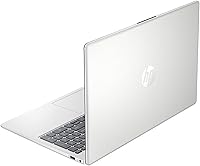
  • Ports: Connectivity includes two USB-A 3.0 ports, one USB-C port, one HDMI output, and a combination headphone and microphone audio jack.
  • Webcam: A built-in webcam is integrated into the display bezel, enabling video calls via Zoom, Teams, or Google Meet without requiring an external camera.
  • Keyboard: Full-size keyboard includes a dedicated numeric keypad on the right side, a layout feature that is practical for data entry, spreadsheet work, and accounting tasks.
  • Dimensions: The laptop measures 14.17 x 9.29 x 0.73 inches, giving it a standard 15.6-inch footprint that fits most backpacks but takes up the full surface of an airline tray table.
  • Weight: At 3.5 lbs, this machine is manageable for daily carry between classes or rooms, though it is heavier than 13 or 14-inch ultraportable alternatives.
  • Battery: A single Lithium-Ion battery pack powers the laptop with a rated input of 7.4 volts, supported by AC adapter charging; real-world endurance varies with usage intensity.
  • Color & Build: The chassis is finished in silver with a plastic construction that keeps weight down but contributes to some flex in the lid and body under firm pressure.
  • Audio: The combo headphone and microphone jack supports both input and output through a single 3.5mm port, compatible with standard headsets used for calls or media.
  • Display Output: The HDMI port allows connection to an external monitor or TV, making it possible to extend or mirror the screen for presentations or a dual-display home setup.
  • Power Source: The laptop operates on both AC adapter and internal battery power, with no USB-C charging support confirmed across all configurations of this model.

Related Reviews
HP 15 Intel N100 16GB/256GB
77%
88%
Value for Money
83%
Everyday Performance
91%
RAM & Multitasking
67%
Display Quality
72%
Build Quality & Portability
More
HP Laptop 15-fc0099nr
71%
83%
Value for Money
71%
Performance
88%
Battery Life
61%
Display Quality
84%
Touchscreen Responsiveness
More
HP 2020 15 15.6″ HD Touchscreen Laptop, Intel Core i5-1035G1, 16GB RAM, 512GB SSD
82%
89%
Performance
75%
Display Quality
90%
Portability
80%
Battery Life
85%
Build Quality
More
HP 15-DY5033DX 15.6″ Laptop (16GB, 1TB)
83%
96%
Software Value
93%
Storage Capacity
88%
Portability & Weight
84%
Multitasking Performance
67%
Display Quality
More
HP Pavilion 15.6″ Laptop, AMD Ryzen 5 5500U, 16GB RAM, 512GB SSD
83%
87%
Overall Performance
91%
Display Quality
89%
Multitasking Efficiency
78%
Battery Life
85%
Build Quality
More
HP 15.6″ Touchscreen Laptop, Intel Core i3-1115G4, 16GB RAM, 1TB SSD
83%
91%
Value for Money
88%
Touchscreen Performance
85%
Battery Life
80%
Build Quality
92%
Storage Capacity
More
HP 15.6 Touchscreen Laptop, Intel Core i3-1315U, 16GB RAM, 512GB SSD
84%
91%
Value for Money
85%
Performance for Everyday Tasks
70%
Display Quality
88%
Build Quality
92%
Portability and Weight
More
HP 15.6-inch Laptop, 12th Gen Intel Core i5, 16GB RAM, 512GB SSD
83%
88%
Performance
92%
Value for Money
84%
Display Quality
77%
Battery Life
81%
Build Quality
More
HP G9 Laptop, Intel Core i5-1235U, 16GB RAM, 1TB SSD, 15.6″ FHD Display
82%
89%
Performance
78%
Display Quality
82%
Battery Life
91%
Build Quality
85%
Software & Productivity
More
HP 15.6-inch Touch-Screen Laptop, 11th Gen Intel Core i7, 16GB RAM, 512GB SSD
85%
91%
Performance
87%
Value for Money
65%
Display Quality
80%
Battery Life
92%
Portability
More

FAQ

For most users, it is tight from the start. Once Windows 11 and basic apps are installed, you may have as little as 60 to 70GB of usable space left. If you rely on cloud storage like Google Drive or OneDrive for your documents and photos, you can stretch it quite far. For anyone who downloads movies, stores large photo libraries, or installs many applications locally, pairing this HP budget laptop with an external drive from day one is strongly recommended.

This is a genuine point of confusion in the product listing, which references both names in different sections. The Intel N200 is the accurate designation — it is part of Intel's current-generation Alder Lake-N efficiency lineup. The Celeron N label is an older branding style that Intel has phased out, but some retailers and product databases still populate it automatically. The chip inside is the N200, and that is the spec you should use when comparing performance benchmarks.

Potentially, but it depends on whether the RAM is soldered to the motherboard, which is common on budget laptops in this category. The listing does not confirm user-upgradeable slots, so you should verify this with HP support or check teardown guides for the TPN-Q286 model before assuming expansion is possible. The good news is that 16GB is already generous for this tier and is unlikely to feel insufficient for typical use cases.

It varies quite a bit depending on what you are doing. Light use — reading articles, watching a video, writing a document — can get you through most of a workday. Run video calls continuously, keep many browser tabs open, or crank the screen brightness up, and you will likely see that endurance drop more noticeably. It is not a standout battery performer, so keeping the charger nearby during heavier sessions is a practical habit.

For schoolwork and general browsing, yes — it is workable. For video streaming in a dimly lit room, most people adjust to it without major complaints. Where it falls short is sharpness; the 1366x768 resolution is below what you get on most modern laptops, and if you have used a 1080p screen recently, the difference is visible. Working near a window is also a challenge because the display lacks the brightness to fight glare effectively.

Yes, the HDMI port lets you connect to an external monitor or TV directly with a standard HDMI cable. This is useful for presentations, working with a larger screen at home, or setting up a basic dual-display workspace. Keep in mind the integrated Intel UHD graphics handle this output, so driving a very high-resolution external display at high refresh rates is beyond its comfort zone.

Yes, this is one area where it performs reliably. The built-in webcam, integrated microphone, and solid Wi-Fi 6 connection make it well suited for Zoom, Microsoft Teams, or Google Meet. The webcam quality is basic — acceptable in good lighting but grainy in dim conditions — so if you do a lot of professional calls, a clip-on webcam upgrade is worth considering down the line.

Better than most laptops at this price, thanks to the 16GB of RAM. Keeping 10 to 15 browser tabs open alongside a document or music streaming app does not produce the sluggishness you would experience on an 8GB machine. The processor is not a powerhouse, but the RAM headroom means tab management is rarely the bottleneck for everyday browsing tasks.

It is actually a solid choice for that use case. Windows 11 Home is familiar enough for anyone who has used a PC before, and the large 15.6-inch screen and full-size keyboard with a numeric pad make it physically comfortable to use. Setup is straightforward, and HP's name recognition means local support options are accessible if something goes wrong. Just be prepared to help with the initial bloatware cleanup if possible.

Anything beyond light productivity will expose the processor's limits. Photo editing in software like Lightroom, running virtual machines, compiling code, or playing modern games will feel sluggish or outright unworkable. Even running several demanding applications simultaneously — say, a video call while editing a large spreadsheet and downloading files — can cause noticeable slowdowns. This entry-level HP notebook is built for breadth of basic tasks, not depth of processing power.