HighPoint SSD7104 4-Port M.2 NVMe RAID Controller

Overview
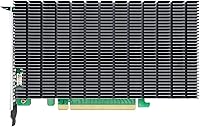
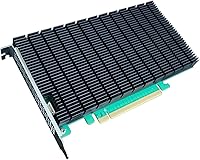
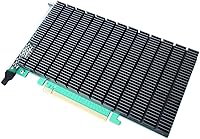
The HighPoint SSD7104 4-Port M.2 NVMe RAID Controller sits firmly in the professional tier of PCIe expansion cards — built for power users, content creators, and small server operators who need serious storage throughput without compromise. As part of HighPoint's SSD7000 lineup, it occupies a sweet spot between entry-level NVMe adapters and full enterprise HBAs. What sets it apart from cheaper alternatives is its dedicated PCIe 3.0 x16 bus, meaning the four M.2 drives share no bandwidth with other system resources. Add cross-platform driver support for Windows, macOS, and a wide range of Linux distributions, and this HighPoint expansion card becomes one of the more versatile options in its category. The fanless passive heatsink is a quietly appreciated detail in workstations where ambient noise already adds up.
Features & Benefits
The SSD7104 accepts all four mainstream M.2 lengths — from compact 2242 sticks up to the longer 22110 drives common in enterprise settings — so compatibility surprises when populating the slots are unlikely. RAID 0, 1, 10, and JBOD are all supported, giving you flexibility whether you want raw speed, redundancy, or a simple pooled volume. Integrated TRIM and S.M.A.R.T. monitoring with TBW tracking is a genuinely useful touch that keeps long-term drive health visible at a glance. One caveat worth knowing upfront: the card uses a full-length, full-height form factor, so compact or small-form-factor cases are a non-starter. The headline throughput figure also requires pairing two cards via Cross-Sync Technology — a single card is already capable, but that peak number absolutely needs that context.
Best For
This NVMe RAID controller is a natural fit for video editors pushing large raw or ProRes media files through a scratch disk — sustained read speeds in a four-drive RAID 0 configuration can keep pace with even demanding multi-stream workflows. Home lab builders running Proxmox or Windows Server will appreciate the depth of OS support, and Mac Pro tower owners gain a rare path to expand NVMe RAID capacity beyond their machine's native slots. Users looking to consolidate several drives into a single fast or fault-tolerant volume will find the configuration options well-matched to that task. That said, if your chassis has limited PCIe real estate or your budget is tight, this HighPoint expansion card is probably not the right starting point.
User Feedback
Across roughly 130 reviews, the SSD7104 holds a 4-out-of-5 rating — credible, if not unanimous. Users consistently report that real-world RAID 0 speeds track closely to advertised figures, which is more than can be said for many storage controllers in this space. Build quality earns regular praise, and the passive cooling holds up reliably through extended transfers without thermal throttling. On the downside, Linux users on less mainstream distributions report friction during driver installation, and the documentation does not always bridge the gap. macOS buyers should verify compatibility carefully — support currently stops at Monterey, leaving users on Ventura and beyond out in the cold. A handful of reviewers also flagged that support response times felt slow relative to what the price point implies.
Pros
- Real-world RAID 0 speeds closely match advertised figures, which is rare in this category.
- Supports all four common M.2 lengths, so drive selection is rarely a compatibility headache.
- The passive heatsink runs completely silent and holds thermal performance well during long transfers.
- Cross-platform driver support covers Windows, several Linux server distros, and macOS in one card.
- RAID 0, 1, 10, and JBOD give you meaningful flexibility depending on whether speed or redundancy is the priority.
- Integrated S.M.A.R.T. monitoring with TBW tracking keeps drive health visible without third-party tools.
- The dedicated PCIe 3.0 x16 interface means the four drives are not sharing bandwidth with other system devices.
- Build quality is consistently praised by users, with no reported issues around slot fit or component quality.
- Virtualization-friendly OS support including Proxmox, Hyper-V, and XenProject is a genuine differentiator.
- Ranked among the top RAID controllers on Amazon, backed by a meaningful volume of real buyer reviews.
Cons
- Full-length, full-height form factor rules out compact cases entirely — check clearance before buying.
- macOS support stops at Monterey 12.x, leaving users on newer operating system versions completely unsupported.
- Driver installation on non-mainstream Linux distributions can be a frustrating, manual process.
- The peak throughput figure only applies when two cards are paired via Cross-Sync, not with a single card.
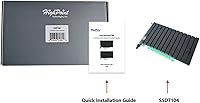
- Documentation is thin in places, making initial setup harder than the price point would suggest.
- HighPoint customer support response times have drawn criticism from multiple buyers when issues arise.
- No PCIe Gen 4 support, which matters if you are pairing this card with newer high-speed NVMe drives.
- At this price, the lack of a clear macOS upgrade roadmap is a real risk for Apple platform users.
Ratings
The scores below reflect an AI-driven analysis of verified global buyer reviews for the HighPoint SSD7104 4-Port M.2 NVMe RAID Controller, with spam, bot-generated, and incentivized feedback actively filtered out to ensure the results represent genuine user experiences. The methodology captures both the strengths that keep professionals coming back and the friction points that have frustrated real-world buyers — nothing is glossed over.
Read/Write Performance
Build Quality
Thermal Management
OS Compatibility
Driver Installation
RAID Configuration
Drive Compatibility
Health Monitoring
Chassis Compatibility
Value for Money
Documentation Quality
Customer Support
Cross-Sync Scalability
Noise Level
Suitable for:
The HighPoint SSD7104 4-Port M.2 NVMe RAID Controller is purpose-built for users who genuinely push storage subsystems hard on a daily basis. Video editors working with high-bitrate raw or ProRes footage will find that a four-drive RAID 0 array on this card can keep a scratch disk from ever becoming the bottleneck in a demanding editing session. Home lab builders and small business IT administrators running Proxmox, Windows Server, or Hyper-V will appreciate how broadly the driver support spans both server and desktop OS environments — this is not a card that forces you to pick one ecosystem. Mac Pro tower users who have exhausted their native NVMe slots also have a credible expansion path here, provided their macOS version falls within the supported range. If your work involves consolidating multiple NVMe drives into a single fast or fault-tolerant volume and you want built-in health monitoring to go with it, this NVMe RAID controller makes a strong case for itself.
Not suitable for:
The HighPoint SSD7104 4-Port M.2 NVMe RAID Controller is a hard sell for anyone building in a compact or small-form-factor chassis — it requires a full-length, full-height PCIe slot, and that simply rules out a large portion of consumer desktop cases. macOS users on Ventura or later are currently locked out entirely, and given HighPoint's historically cautious pace of macOS updates, that ceiling may not lift quickly. Linux users on niche or cutting-edge distributions should also expect a non-trivial driver setup experience; if you are not comfortable compiling or troubleshooting kernel modules, frustration is likely. Budget-conscious builders will find the price difficult to justify unless the workload genuinely demands multi-drive NVMe throughput — a single high-end NVMe drive or a basic adapter will serve most casual users far better for far less. Those expecting plug-and-play simplicity similar to consumer storage peripherals may also be disappointed by the documentation quality and the learning curve involved.
Specifications
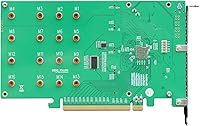
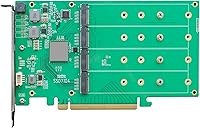
- M.2 Ports: The card provides four M.2 slots compatible with 2242, 2260, 2280, and 22110 form factor drives, covering virtually all standard NVMe SSD lengths.
- Host Interface: Connects to the host system via a dedicated PCIe 3.0 x16 slot, providing full-bandwidth access without sharing resources with other system devices.
- RAID Levels: Supports RAID 0, RAID 1, RAID 10, and JBOD configurations, giving users flexibility across performance, redundancy, and simple volume use cases.
- Max Throughput: A single card delivers strong multi-drive NVMe throughput; the advertised peak of up to 28,000 MB/s requires two cards operating together via Cross-Sync Technology.
- Form Factor: Full-length, full-height PCIe card — requires a standard ATX or larger chassis with an available full-size expansion slot.
- Dimensions: The card measures 8.31″ in length, 4.38″ in height, and 0.73″ in depth, consistent with a standard full-height, single-slot PCIe add-in card.
- Weight: The card weighs 1.32 pounds, which is typical for a passively cooled PCIe expansion card with an integrated aluminum heatsink.
- Cooling: Uses a fanless passive heatsink design that dissipates heat silently, with no moving parts and no additional noise contribution to the system.
- Drive Monitoring: Includes integrated TRIM support and S.M.A.R.T. monitoring with TBW (terabytes written) tracking to help users keep tabs on long-term drive health.
- Windows Support: Compatible with Windows 10 and 11, Windows Server 2012 R2 through Server 2022, and Microsoft Hyper-V — 64-bit operating systems only.
- macOS Support: Supports macOS versions 10.13 (High Sierra) through macOS 12.x (Monterey); macOS Ventura and later are not currently supported.
- Linux Support: Compatible with RHEL, Debian, Ubuntu, Proxmox, Fedora, XenProject (Linux Kernel 3.10 and later), and Arch Linux (Kernel 5.17.5 and above), all 64-bit only.
- Cross-Sync: HighPoint's proprietary Cross-Sync Technology allows two SSD7104 cards to be paired together, doubling both capacity and aggregate throughput in a single logical volume.
- Color: The card features a black PCB with green heatsink accents, consistent with HighPoint's SSD7000 series aesthetic.
- Manufacturer: Designed and produced by HighPoint Technologies, Inc., a storage controller specialist with a broad lineup of NVMe and SATA HBA and RAID products.
- BSR Rank: Ranked #26 in the RAID Controllers category on Amazon at time of review, with a 4.0 out of 5 star average across 130 customer ratings.
Related Reviews
HighPoint Rocket 640L 4-Port SATA RAID Controller
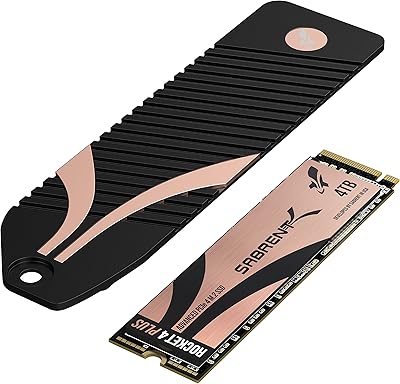
Sabrent Rocket 4 Plus 4TB NVMe SSD
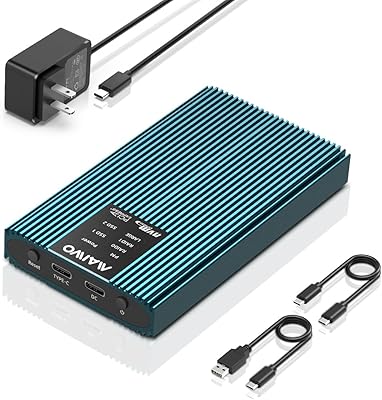
MAIWO M.2 NVMe PCIe RAID Enclosure 16TB
RAOYI 512GB PCIe Gen4 M.2 NVMe SSD
KOOTION 2TB PCIe 4.0 NVMe M.2 SSD
Kingston KC3000 512GB NVMe M.2 SSD
Dogfish M.2 2230 NVMe PCIe 256GB SSD
Kingston KC3000 4TB NVMe M.2 SSD
Kingston KC3000 1TB NVMe SSD