Overview

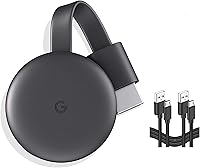
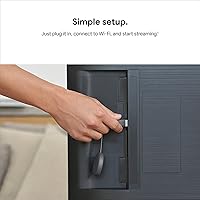
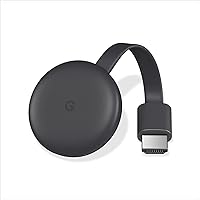
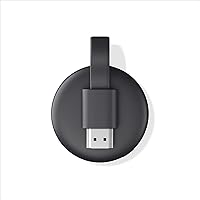
The Google Chromecast Streaming Device takes a fundamentally different approach than most streaming sticks — instead of a home screen and a remote, it puts your smartphone at the center of everything. Plug it into any HDMI port, connect to Wi-Fi, and you're done. Setup genuinely takes under five minutes. Priced in the mid-range tier alongside competitors like Roku and Amazon Fire Stick, this Chromecast dongle carves out its niche by leaning hard into the casting model rather than mimicking a traditional smart TV interface. The bundle includes an extra HDMI cable, a small but welcome addition. If you already live in the Google ecosystem, this feels natural. If you don't, it might feel like a workaround.

Features & Benefits

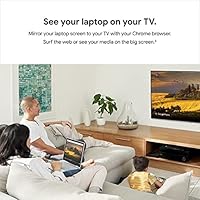
The Google streaming stick delivers 1080p Full HD output over a dual-band Wi-Fi connection, and the 5GHz band option makes a real difference in households with congested networks. Casting works directly from your phone through apps like Netflix, YouTube, Hulu, and Spotify — no separate interface to navigate. Android users can also mirror their entire screen or push a Chrome browser tab to the television, which is handy for presentations or casual browsing. Google Assistant voice control adds convenience if your phone is already within reach. The dongle itself is compact enough to disappear behind most TVs. One honest caveat: there is no physical remote included, and that is a deliberate design choice you need to be comfortable with before buying.

Best For

This casting device makes the most sense for people already using Android phones or tablets day-to-day. If you regularly share YouTube videos or Spotify playlists from your phone and want them on the big screen, this fits naturally into that habit. It's also a solid pick for renters or students who need a portable, no-fuss solution that travels well — the whole setup fits in a jacket pocket. Buyers upgrading an older television to get basic streaming access without spending on a new set will find real value here. That said, if 4K HDR output is a priority, or if you strongly prefer a dedicated remote, both Roku and Fire Stick offer that experience at comparable prices.

User Feedback

Buyers consistently highlight how quick the setup is — most report being up and running within minutes, with Google account integration working without friction. The bundled extra cable draws positive mentions too; it's the kind of practical addition that feels considered rather than thrown in. On the downside, phone-dependency is a recurring frustration. Users who watch TV without a nearby device — or who share a household where not everyone has an Android — find the experience clunky. Wi-Fi buffering on crowded 2.4GHz networks comes up regularly as well. Compared to Roku, some buyers feel this casting device has a steeper learning curve upfront, though most agree the app availability and Google integration win out once you settle in.

Pros

  • Setup takes under five minutes — plug in, connect to Wi-Fi, and you are streaming.
  • Works with virtually any television that has an HDMI port, no smart TV required.
  • Dual-band Wi-Fi support means the 5GHz band is available for households with congested networks.
  • Casting from Netflix, YouTube, Spotify, and Hulu is genuinely smooth and responsive.
  • The compact dongle form factor hides neatly behind most TVs without adding clutter.
  • Screen mirroring from Android devices and Chrome browsers adds practical flexibility beyond just streaming apps.
  • Google Assistant voice control works through the casting phone, removing the need for extra hardware.
  • The bundled extra HDMI cable is a useful bonus that saves a separate purchase.
  • Highly portable — the entire setup fits in a bag, making it practical for travel or moving between rooms.

Cons

  • No physical remote is included, which is a dealbreaker for many households with shared or older viewers.
  • Streaming is capped at 1080p — buyers wanting 4K HDR will need to look elsewhere.
  • The phone-as-remote model means a dead or missing phone immediately disrupts the viewing experience.
  • Apple iPhone users face a noticeably less smooth experience compared to Android users.
  • Buffering and connection drops have been reported on crowded 2.4GHz networks with older routers.
  • No standalone home screen or interface — you cannot browse content directly on the TV without a phone.
  • Competitors like Roku offer a more beginner-friendly, remote-first interface at a comparable price.
  • The Google streaming stick requires an active Google account, which some privacy-conscious buyers may dislike.
  • No offline or local media playback support — everything depends on a live internet connection.

Ratings

Our AI has analyzed thousands of verified global buyer reviews for the Google Chromecast Streaming Device, actively filtering out incentivized, bot-generated, and spam submissions to surface what real users genuinely experience. The scores below reflect an honest, unfiltered picture — strong points are credited where earned, and recurring frustrations are scored accordingly. Whether this casting device fits your household or falls short depends heavily on how you watch TV, and these ratings are designed to make that call easier.

Ease of Setup
93%
Setup consistently earns top marks across buyer feedback worldwide. Most users report being fully operational within five to ten minutes — plug into HDMI, follow the Google Home app prompts, connect to Wi-Fi, and start casting. Even less tech-savvy buyers describe the process as genuinely painless.
A small number of users hit snags related to Google account login errors or app permissions during first-time setup, particularly on older Android versions. These cases are the exception rather than the rule, but they can be frustrating when they occur without clear error guidance.
Streaming Performance
81%
19%
On a stable 5GHz Wi-Fi connection, the Google streaming stick delivers consistently smooth 1080p playback with fast app loading and minimal buffering. Users watching Netflix or YouTube on newer routers report a noticeably responsive, lag-free experience that holds up well during extended viewing sessions.
Performance drops significantly on congested 2.4GHz networks, which is a real problem in apartment buildings or shared living situations with many competing devices. Several buyers report intermittent buffering and occasional disconnects that required restarting the dongle to resolve.
Remote & Controls
54%
46%
For users who already have their phone in hand while watching TV, the phone-as-remote model feels intuitive and reduces the number of devices cluttering the coffee table. Casting from an app with a single tap is genuinely convenient, and Google Assistant adds hands-free volume and playback control.
This is the most polarizing aspect of the casting device. Households where multiple people share a TV — or where the phone is frequently charging in another room — find the lack of a dedicated remote a persistent daily friction. Older or less tech-comfortable users in particular report real frustration with this dependency.
Picture Quality
76%
24%
For everyday 1080p content on mid-size screens, the image output looks clean and sharp with accurate color reproduction. Users upgrading from an older non-smart TV consistently describe the visual improvement as meaningful, particularly for streaming sports and HD movies on screens up to 55 inches.
The hard ceiling at 1080p is a tangible limitation for buyers with 4K televisions, and it comes up repeatedly in reviews from users who feel they are not getting the full potential from their screen. There is no HDR support on this model, which is a notable gap against competitors in a similar price bracket.
App Ecosystem
83%
The major platforms buyers actually use daily — Netflix, YouTube, Hulu, Spotify, Disney+, HBO Max — all work reliably and cast with minimal friction. The breadth of supported apps means most users find everything they need without hunting for workarounds.
The 2,000-plus app figure sounds impressive but masks the fact that a meaningful chunk of those apps offer limited or inconsistent casting support. A handful of niche or regional streaming services do not cast reliably, and there is no native TV interface to fall back on when an app lacks cast support.
Screen Mirroring
69%
31%
Android users and those on Chrome browsers appreciate the ability to push their entire screen to the television for presentations, web browsing, or sharing photos. It works without any additional software installation and is particularly handy for work-from-home users doing quick TV presentations.
Mirroring performance can be inconsistent — users report occasional lag, dropped frames, or audio sync issues, especially when casting a Chrome tab with heavy media content. iOS mirroring is effectively unsupported beyond individual app casting, which limits this feature's usefulness in Apple-heavy households.
Wi-Fi Reliability
72%
28%
Dual-band 802.11ac support gives the dongle a meaningful advantage over single-band devices, and users on modern 5GHz routers report stable, dependable connections with very few spontaneous dropouts during normal use.
Buyers on older or ISP-provided routers frequently report Wi-Fi instability, and the dongle lacks an ethernet adapter option for wired fallback — a feature some competing devices offer. In dense urban environments, the 2.4GHz band experience is notably unreliable for sustained HD streaming.
Build & Design
78%
22%
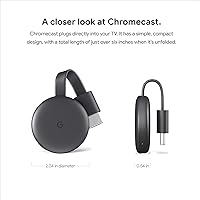
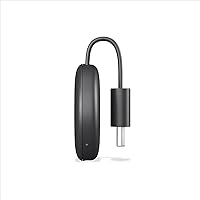
The compact, understated charcoal design is purpose-built to disappear behind a television rather than draw attention. Users appreciate that it adds zero visible bulk to their setup and stays cool even during hours of continuous use.
The dongle's plastic construction feels utilitarian rather than premium, which some buyers notice when handling it directly. A few users report that the HDMI connection feels slightly loose on certain older TV ports, which can cause intermittent signal issues over time.
Value for Money
74%
26%
For Android users who cast regularly, this casting device delivers a strong return — the bundled extra HDMI cable adds immediate practical value and the core streaming experience matches what far more expensive setups offer. Most buyers who fit the target use case feel the price is fair.
Buyers comparing this directly to Roku or Fire Stick at similar price points often feel the lack of a remote and the 1080p cap make this a harder sell, particularly as competitors increasingly offer 4K and voice remotes at the same tier. Value perception drops sharply for users outside the Android ecosystem.
Portability
88%
The small form factor makes this one of the more travel-friendly streaming options available — it fits in a jacket pocket, works on any hotel room TV with an HDMI port, and the bundled cable means no scrambling for extras. Students and frequent travelers consistently highlight this as a key reason they chose it.
The power cable adds a small amount of bulk to the travel kit, and users occasionally encounter hotel TVs with HDMI ports in awkward positions that make the dongle protrude uncomfortably. These are minor inconveniences rather than deal-breakers, but they come up enough to note.
Google Ecosystem Integration
89%
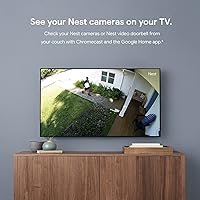
For households already using Android phones, Google Home, or Nest devices, the integration feels cohesive and well-thought-out. Casting between devices, syncing with Google Photos, and triggering playback via Google Assistant all work reliably and add genuine everyday convenience.
The tight ecosystem dependency is a double-edged reality — users outside the Google or Android world get a noticeably diminished experience. iCloud Photo Library, Siri, and Apple-native apps simply do not integrate, which creates friction for mixed-device households.
Setup Compatibility
86%
Broad HDMI compatibility means this dongle works across a wide range of TV brands and ages — from decade-old flat screens to current models. Buyers frequently praise how the device just works without driver installations, firmware negotiations, or TV menu configuration.
A small segment of users with very old televisions report HDCP handshake issues that prevent certain protected content from displaying correctly. These edge cases are uncommon, but they are worth knowing about if you are working with legacy hardware.
Audio Performance
77%
23%
Standard stereo and Dolby Digital 5.1 passthrough work reliably through connected soundbars and AV receivers, and most users report clean, synchronized audio with no noticeable delay during normal streaming.
Dolby Atmos and advanced spatial audio formats are not supported on this model, which matters to buyers with premium home theater setups. A handful of users also report occasional audio desync when casting from certain third-party apps, requiring them to restart the stream to correct it.
Long-Term Reliability
71%
29%
The majority of buyers who have owned this dongle for over a year report no hardware failures, and Google's ongoing software update track record for Chromecast devices gives reasonable confidence in extended usable life.
Some longer-term owners note that performance gradually degrades over 18 to 24 months of heavy use, with slower app loading and occasional freezes becoming more frequent. There is no user-accessible storage or cache clearing option, which limits DIY troubleshooting when the device slows down.

Suitable for:

The Google Chromecast Streaming Device is a strong fit for anyone already living in the Android or Google ecosystem — people who habitually share content from their phone and want it on a larger screen without juggling another remote. It works especially well for renters, college students, and frequent movers who need a portable, lightweight setup that packs down to almost nothing and works on any television with an HDMI port. If you have an older TV that lacks built-in streaming and you do not want to spend on a full replacement, this casting device delivers real, practical value. Casual viewers who stick to a core set of platforms like Netflix, YouTube, Hulu, or Spotify will find everything they need covered without paying for features they would rarely use. The bundled extra HDMI cable is a small but thoughtful touch that makes the out-of-box experience feel complete.

Not suitable for:

The Google Chromecast Streaming Device is a poor match for households where a traditional remote-control experience is a baseline expectation — older family members or anyone who simply does not want to pick up a smartphone every time they change the volume will find the setup genuinely frustrating. If 4K HDR resolution matters to you, this dongle tops out at 1080p and cannot deliver the picture quality that competing devices or modern smart TVs offer at similar or slightly higher price points. Households with mixed device ecosystems — particularly Apple-heavy homes relying on iPhones and Safari — will hit friction quickly, since the casting experience is built around Android and Chrome. Anyone dealing with an older or congested Wi-Fi router may also run into buffering issues that more capable streaming hardware handles better. If you want a self-contained device that works independently of a phone being charged and nearby, this casting device asks too much of the user.

Specifications

  • Brand: Manufactured and sold by Google under its consumer hardware lineup.
  • Model Number: The official model identifier is GA00439, marketed under the Chromecast family name.
  • Resolution: Supports up to 1080p Full HD video output — 4K is not supported on this model.
  • Wi-Fi Standard: Uses Wi-Fi 802.11ac dual-band technology, compatible with both 2.4GHz and 5GHz networks.
  • Connector Type: Connects to televisions via a standard HDMI port with no adapter required.
  • Form Factor: Compact TV stick dongle designed to sit discreetly behind the television once plugged in.
  • Control Method: Operated entirely through a paired smartphone or tablet; no physical remote control is included.
  • Voice Control: Supports Google Assistant voice commands through the casting smartphone or tablet.
  • Screen Mirroring: Android devices and the Chrome desktop browser can mirror their full screen to the connected TV.
  • App Support: Compatible with over 2,000 streaming apps including Netflix, YouTube, Hulu, Spotify, and Disney+.
  • Color: Available in Charcoal, a dark matte black finish designed to blend into home entertainment setups.
  • Package Weight: The complete retail package weighs 10.5 ounces including the dongle, cables, and packaging.
  • Package Dimensions: Retail box measures 5.67 x 4.53 x 1.77 inches, compact enough to store or travel with easily.
  • Bundle Contents: Package includes the Chromecast dongle, a power cable, and a bonus extra HDMI cable.
  • Internet Requirement: Requires an active Wi-Fi internet connection to function; no offline or local media playback is supported.
  • Account Requirement: A Google account is required to complete setup and access casting functionality.
  • OS Compatibility: Works best with Android devices; iOS users can cast from supported apps but lack full screen mirroring.
  • Release Date: First made available for purchase in July 2022.

Related Reviews
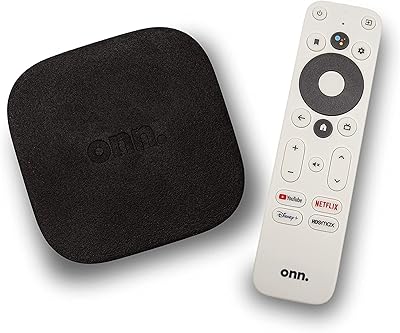
ONN Android TV 4K UHD Streaming Device
86%
91%
4K Streaming Performance
88%
Voice Control (Google Assistant)
94%
Setup Process
89%
Chromecast Functionality
72%
Wi-Fi Connectivity
More
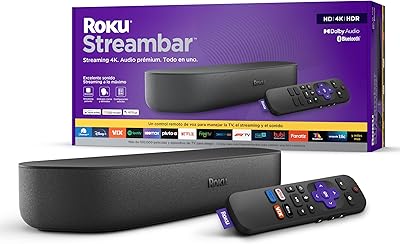
Roku Streambar 9102MX Spanish Edition
82%
93%
Bilingual Interface & Language Support
78%
Audio Quality
82%
4K & HDR Picture Performance
86%
Value for Money
91%
Ease of Setup
More
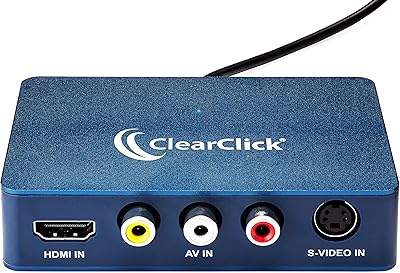
ClearClick Video2USB
79%
91%
Ease of Setup
78%
Analog Capture Quality
74%
HDMI Capture Performance
67%
Software Usability
93%
Input Versatility
More
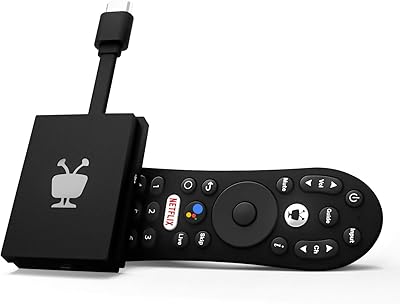
TiVo Stream 4K
TiVo Stream 4K
76%
88%
Content Discovery & Unified Search
84%
Picture Quality
63%
Performance & Responsiveness
81%
Remote Control & Voice Features
86%
App Ecosystem & Google Play Access
More
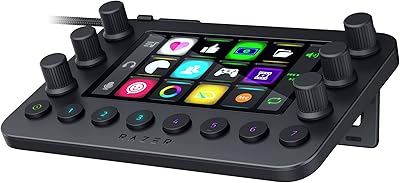
Razer Stream Controller Streaming Keypad
77%
88%
Hardware Build Quality
84%
Haptic Key Performance
91%
Analog Dial Usability
79%
LCD Touchscreen Utility
58%
Software & Companion App
More
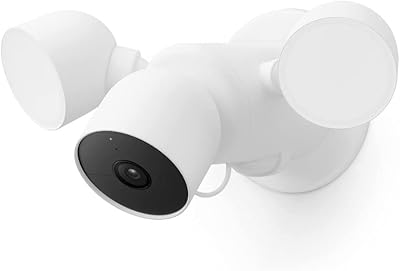
Elgato Stream Deck Neo Macro Keypad
79%
93%
Software Ecosystem
91%
Setup & Ease of Use
88%
Key Functionality
71%
Info Bar & Touch Points
78%
Build Quality
More
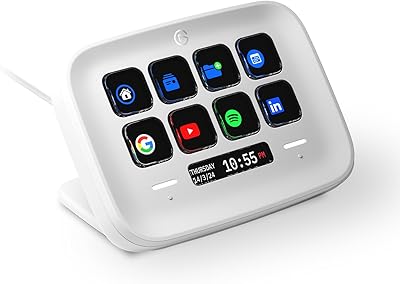
Google Nest Cam with Floodlight Outdoor Camera
78%
88%
Smart Detection Accuracy
84%
Video Quality
91%
Floodlight Performance
67%
Installation Experience
82%
App & Ecosystem Integration
More
Google Pixel Buds A-Series
83%
88%
Sound Quality
82%
Comfort and Fit
85%
Battery Life
80%
Water Resistance
75%
Connectivity
More
Google Home Smart Bluetooth Speaker
78%
78%
Audio Quality
83%
Smart Assistant
91%
Setup & Ease of Use
86%
Smart Home Integration
82%
Value for Money
More
ToLuLu 2K Streaming Webcam
83%
89%
Video Quality
84%
Microphone Performance
93%
Ease of Setup
85%
Lighting Functionality
78%
Build Quality
More

FAQ

Not at all — that is the whole point of the Google Chromecast Streaming Device. As long as your television has an available HDMI port, this dongle plugs right in and adds streaming capability to any older or non-smart TV.

No, and that is an intentional design choice rather than an oversight. Your smartphone or tablet acts as the remote through the Google Home app or directly within supported streaming apps. If you prefer a dedicated physical remote, you may want to consider a Roku or Fire Stick instead.

You can cast from some supported iOS apps like YouTube and Netflix, but the experience is noticeably more limited than on Android. Full screen mirroring from an iPhone is not supported, so Apple-household users may find this casting device frustrating compared to an Apple TV.

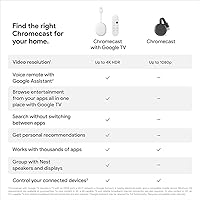
This particular model tops out at 1080p Full HD. If 4K resolution is important to you, you would need to look at the Chromecast with Google TV (4K edition) or a competing device that explicitly lists 4K HDR support.

It is genuinely straightforward. Plug the dongle into your TV's HDMI port, power it via the included cable, download the Google Home app on your phone, and follow the on-screen steps to connect it to your Wi-Fi. Most people are up and running in under ten minutes.

It depends. The dual-band Wi-Fi support means you can connect to a 5GHz network, which handles congestion better than 2.4GHz. If your router only broadcasts at 2.4GHz or you have a lot of competing devices, you may notice occasional buffering. Connecting to 5GHz whenever possible is the best fix.

All the major platforms are covered — Netflix, YouTube, Hulu, Disney+, Spotify, HBO Max, Paramount+, and many more. The 2,000-plus app figure is technically accurate, but in practice most users end up using a handful of services they already subscribe to.

Yes, but only through screen mirroring from a Chrome browser on a laptop or desktop computer. There is no built-in TV browser interface — you are essentially pushing your computer screen to the television, which works reasonably well for casual browsing.

The main difference is the interaction model. Roku gives you a dedicated remote and a standalone home screen on the TV — it works entirely independently of your phone. The Google streaming stick is built around casting from your phone, which some people prefer and others find limiting. Roku is generally considered more beginner-friendly; this casting device rewards users already comfortable in the Google ecosystem.

The package includes the dongle itself, a power cable, and a bonus extra HDMI cable — a practical addition that means you likely will not need to make a separate purchase. You will still need an active internet connection and a Google account to complete setup.

Where to Buy