Overview
The Garmin Dash Cam X310 4K Camera entered the market in September 2024 as one of Garmin's most capable single-channel dash cams, targeting drivers who want reliable video documentation without mounting a conspicuous device on their windshield. Despite packing 4K recording and a touchscreen into the package, it measures just 2.8 x 0.8 x 1.7 inches and weighs under 3 ounces, attaching via a low-profile magnetic mount that keeps clutter minimal. It competes squarely with other flagship consumer dash cams at a premium price point. One thing worth stating upfront: key features like parking guard and live remote view require a paid Vault subscription, so the real cost of ownership extends beyond the sticker price.
Features & Benefits
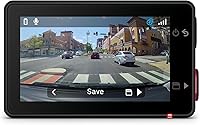
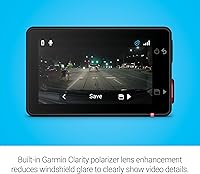
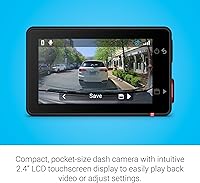
What separates the X310 from most competitors is the built-in Clarity polarizer — a physical lens filter that cuts windshield glare without relying on software correction. Paired with a 140-degree field of view and genuine 4K resolution, it captures license plates, lane markings, and road signs with real sharpness, even on sun-heavy days. The 2.4-inch touchscreen lets you review clips or tweak settings directly on the unit, no phone required. GPS embeds speed and location into every recording, a meaningful detail during insurance disputes. Voice commands across six languages let you save clips or toggle audio recording hands-free — a practical touch for keeping eyes on the road.
Best For
This Garmin dash cam suits daily commuters and highway drivers who put video evidence quality ahead of a low entry price. If you frequently park in unmonitored lots or navigate heavy urban traffic, the automatic incident saving and parking guard alerts — once Vault is active — make a reasonable case for the investment. It also fits well for anyone already in Garmin's ecosystem and comfortable with the Drive app. Drivers who want to manage clips by voice without touching their phone mid-drive will find that feature genuinely practical. Less ideal for buyers who want a fully-loaded camera with no ongoing subscription attached to its best capabilities.
User Feedback
Owners confirm that video sharpness is a real strength, and many specifically mention the polarizer delivering cleaner, glare-free footage on bright days — that part holds up in practice. The touchscreen earns consistent praise for responsiveness, and the magnetic mount holds without drama over rough roads. The recurring frustration is the subscription wall: parking guard, live view, and cloud storage all require a paid plan, which catches buyers off guard at this price tier. Voice command reliability is mixed — it works well in quiet cabins but struggles when music or HVAC is running at full blast. A handful of owners in hot climates also note heat-related concerns worth watching over summer months.
Pros
- True 4K footage captures license plates and road signs with enough clarity to be useful in disputes.
- The built-in Clarity polarizer cuts windshield glare in a way that software-based corrections simply cannot match.
- At under 3 ounces, this 4K dash camera barely registers on your windshield, visually or physically.
- The low-profile magnetic mount makes daily installation and removal genuinely quick and frustration-free.
- GPS data is embedded directly into recordings, giving every clip verifiable speed and location context.
- The 2.4-inch touchscreen lets you review and manage footage without ever needing to open an app.
- Voice commands in six languages offer real hands-free control during active driving situations.
- Automatic incident detection saves relevant clips without requiring you to remember to do it manually.
- The Garmin Drive app integration is polished for those already comfortable in Garmin's ecosystem.
- Mount stability consistently holds up on rough roads, according to long-term owners.
Cons
- Parking guard and live remote view require a paid Vault subscription — these are not one-time unlocks.
- Voice command accuracy drops noticeably when cabin noise from music or HVAC is high.
- No rear camera option means this is a front-only setup, which some buyers will find limiting.
- Cloud storage is subscription-gated, so free users manage everything locally with no automatic backup.
- Some owners in hot climates have flagged heat-related performance concerns during peak summer months.
- At this price tier, the ongoing subscription cost adds meaningful expense over a one- or two-year period.
- The Garmin ecosystem requirement may feel restrictive for drivers who prefer platform-neutral tools.
- Storage card compatibility and loop recording settings require upfront research to avoid file management headaches.
Ratings
The scores below reflect our AI-driven analysis of verified global buyer reviews for the Garmin Dash Cam X310 4K Camera, with spam, incentivized submissions, and bot activity actively filtered out before any scoring was applied. Each category is evaluated on real ownership experiences — commuters, road-trippers, and parking-lot incidents alike — so both the strengths and the friction points are represented honestly.
Video Clarity
Polarizer Effectiveness
Subscription Value
Mount & Installation
Touchscreen Usability
Voice Control
GPS Accuracy
App Experience
Build Quality
Heat Tolerance
Compact Design
Incident Detection
Storage & Loop Recording
Value for Money
Suitable for:
The Garmin Dash Cam X310 4K Camera is a strong fit for drivers who treat dash cam footage as a genuine safety and legal tool rather than a novelty. If you commute daily in dense city traffic or regularly take long highway stretches, the combination of true 4K resolution, GPS-tagged footage, and a wide 140-degree field of view gives you documentation that can actually hold up in an insurance dispute or legal proceeding. The built-in polarizer lens is a particular advantage for anyone who drives through sun-heavy environments where windshield glare routinely degrades video quality. Drivers who are comfortable adopting the Garmin Drive app and who are open to a Vault subscription will get significantly more value out of features like parking guard and cloud-accessible clips. It also suits those who want a discreet, low-profile install without sacrificing on-device usability, since the touchscreen lets you manage the camera entirely without pulling out a phone.
Not suitable for:
The Garmin Dash Cam X310 4K Camera is harder to recommend if you are expecting the full feature set to be available out of the box at no extra cost. Parking guard notifications, remote live view, and automatic cloud backup all sit behind a paid Vault subscription, which means buyers on a fixed budget may find themselves with a partially functioning product relative to what drew them in. If you routinely park in hot environments — baking in direct sun inside a closed car — some owner reports suggest heat tolerance is worth monitoring, which could be a concern for buyers in consistently warm climates. It is also not ideal for minimalists who prefer a completely self-contained device that requires no app, no subscription, and no ecosystem commitment. And if a dual-channel setup with a rear camera is a priority, you will need to look elsewhere — this is a single-channel unit only.
Specifications
- Video Resolution: Records in 4K ultra HD, delivering high-detail footage capable of capturing license plates, road signs, and lane markings clearly.
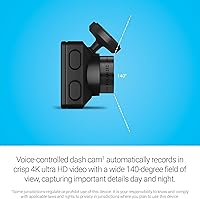
- Field of View: The lens covers a 140-degree horizontal field of view, wide enough to capture multiple lanes and roadside detail simultaneously.
- Display: A 2.4″ LCD touchscreen is built into the unit, enabling on-device playback and settings control without a companion app.
- Polarizer Lens: The integrated Garmin Clarity polarizer is a physical lens filter that reduces windshield glare, improving footage clarity in bright sunlight.
- GPS: GPS is built in and embeds real-time speed and location coordinates directly into recorded video files.
- Voice Control: Supports spoken commands in six languages: English, German, French, Spanish, Italian, and Swedish.
- Connectivity: Connects via Bluetooth, Wi-Fi, and USB, enabling app pairing, wireless clip access, and direct file transfer.
- Mount Type: Ships with a low-profile magnetic windshield mount that allows quick attachment and removal without adhesive residue.
- Dimensions: The camera body measures 2.8 x 0.8 x 1.7 inches, making it one of the more compact 4K dash cams available.
- Weight: The unit weighs 2.8 ounces, light enough to avoid placing meaningful stress on the windshield mount over time.
- Battery: Contains a built-in rechargeable lithium-ion battery that powers the unit during brief gaps in vehicle power supply.
- Parking Guard: Parking guard mode monitors the vehicle and sends phone notifications when an incident is detected, but requires a paid Vault subscription, constant power, and an active Wi-Fi connection.
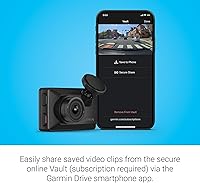
- Cloud Storage: The Garmin Vault service automatically stores flagged video clips in the cloud, accessible via the Garmin Drive app with an active paid subscription.
- Live View: Remote live view of the camera feed from a parked vehicle is supported through the Garmin Drive app, requiring a paid Vault subscription and a constant Wi-Fi connection.
- Incident Detection: The camera automatically detects and saves video clips when a collision or sudden impact event is registered, functioning without a subscription.
- In the Box: Package includes the Garmin Dash Cam X310, a low-profile magnetic mount, a vehicle power cable, a dual-USB power adapter, and documentation.
- Power Source: Powered via the included vehicle power cable; constant power from a hardwire kit is required to enable parking guard functionality.
- App Compatibility: Pairs with the Garmin Drive smartphone app on compatible iOS and Android devices for clip management, live view, and Vault access.
- Launch Date: The camera was first made available in September 2024, positioning it as a current-generation model in Garmin's dash cam lineup.
- Best Sellers Rank: Ranked number 13 in Car On-Dash Mounted Cameras on Amazon as of available data, indicating strong market reception in its category.
Related Reviews
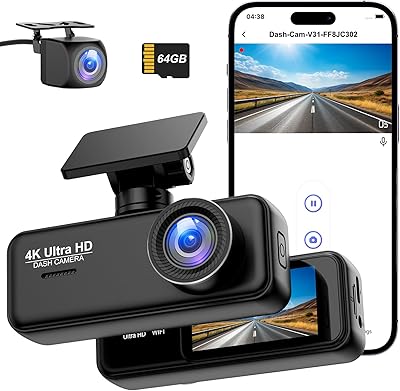
Penemay V31 Dual Dash Cam 4K+1080P
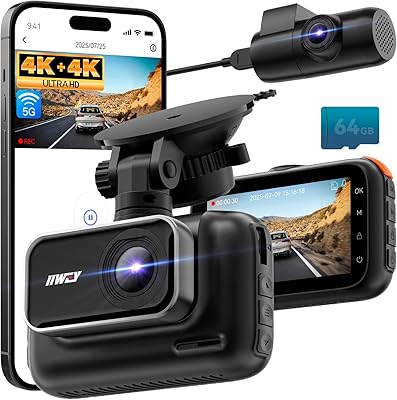
IIWEY Q5 4K+4K Dual Dash Cam
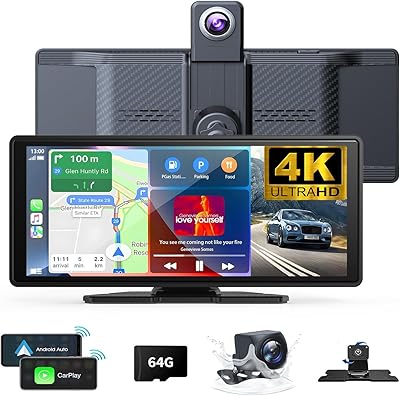
Antika A8 Wireless CarPlay Dash Cam Screen
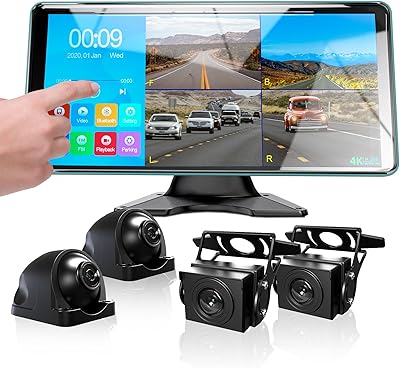
Ciascy 4K Backup Camera 4 Channel 360 Dash Cam with 10.36″ Quad Split Touch Screen
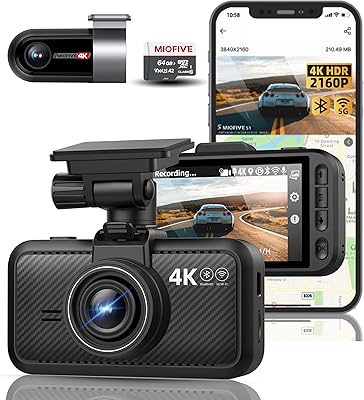
Miofive S1 Ultra 4K+4K Dual Dash Cam
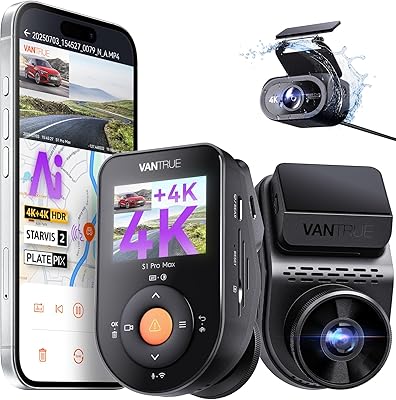
Vantrue S1 Pro Max 4K+4K
Garmin Dash Cam Live 1440p LTE Camera
Garmin Dash Cam Tandem Dual-Lens Dash Camera
Garmin Dash Cam 67W 1440p Dash Camera