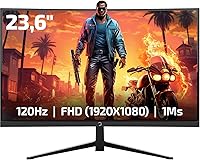
GAMEPOWER F10 23.6-inch Curved Gaming Monitor
GAMEPOWER F10 23.6-inch Curved Gaming Monitor — image 1
GAMEPOWER F10 23.6-inch Curved Gaming Monitor — image 2
GAMEPOWER F10 23.6-inch Curved Gaming Monitor — image 3
GAMEPOWER F10 23.6-inch Curved Gaming Monitor — image 4
GAMEPOWER F10 23.6-inch Curved Gaming Monitor — image 5
GAMEPOWER F10 23.6-inch Curved Gaming Monitor — image 6
GAMEPOWER F10 23.6-inch Curved Gaming Monitor — image 7
GAMEPOWER F10 23.6-inch Curved Gaming Monitor — image 8
GAMEPOWER F10 23.6-inch Curved Gaming Monitor — image 9
68%
32%

Overview

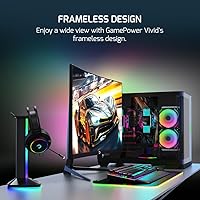
The GAMEPOWER F10 23.6-inch Curved Gaming Monitor is a budget curved display from Gamepower, a Turkish brand without the household name recognition of AOC or MSI, but one that is squarely targeting the same cost-conscious crowd. The 1800R curvature on a VA panel gives it a wraparound feel that genuinely surprises at this price point. Add in a zero-frame design and RGB backlighting, and it looks considerably more expensive sitting on your desk than it actually is. Both HDMI and VGA inputs are included — a practical nod to anyone still running older hardware or looking to repurpose a legacy machine for gaming.

Features & Benefits

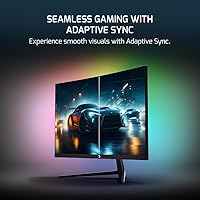
What stands out most about the Gamepower F10 is how well the specs translate into actual day-to-day use. The 120Hz refresh rate paired with a 1ms response time makes a real difference in fast-paced games — movement feels noticeably cleaner than on a standard 60Hz screen. The VA panel brings genuinely rich contrast; blacks look deep rather than washed-out grey, which helps a lot in darker game environments. AMD FreeSync pairs well with budget AMD GPUs, and the 125% sRGB coverage keeps colors lively during casual media use too. The built-in stereo speakers are strictly a convenience — fine for voice chat or background audio, but not a replacement for dedicated sound.

Best For

This budget curved display makes the most sense for entry-level gamers who have been eyeing a curved screen but cannot justify spending twice as much on a name-brand alternative. It fits naturally in a dorm room or bedroom setup where desk space is limited and the budget is tight. The VGA input is a genuinely useful inclusion for anyone still gaming on hardware from a decade ago. Casual gamers who prioritize visual immersion over pixel-perfect accuracy — think RPGs, sports titles, or light multiplayer games — will likely find it satisfying. If competitive framerates or color-critical work are priorities, look elsewhere, but as a first curved monitor it is a solid place to start.

User Feedback

Buyers tend to respond positively to two things right away: the out-of-box color vibrancy and how immersive the curve feels at a normal desk viewing distance. That said, the stand earns mixed marks — some users report wobble or limited tilt range, which can get annoying when dialing in ergonomics. A handful mention backlight bleed around panel edges, a common trade-off with VA displays at this price tier. The built-in speakers get occasional praise as a handy backup, though nobody is ditching their headset over them. Long-term durability data is still thin given the product is relatively new, so brand familiarity is something worth weighing before committing.

Pros

  • The 1800R curved VA panel delivers noticeably richer blacks and contrast than flat IPS displays at a comparable price.
  • A 120Hz refresh rate makes everyday gaming and even desktop use feel significantly smoother than a standard 60Hz screen.
  • AMD FreeSync works reliably with budget AMD GPUs, reducing screen tearing without needing expensive hardware.
  • Both HDMI and VGA inputs are included, which is a genuinely practical feature for users upgrading from older machines.
  • The zero-frame design and RGB backlighting give this curved gaming monitor a premium visual presence that belies its price.
  • 125% sRGB color coverage adds punch and vibrancy that holds up well for casual streaming and media consumption.
  • Universal voltage support means it can travel or be used internationally without any adapter concerns.
  • Setup is straightforward, and the matte screen surface keeps glare manageable in bright room conditions.

Cons

  • The stand feels flimsy to many users, with limited tilt range and noticeable wobble on uneven or vibrating surfaces.
  • VA panel ghosting can appear in very fast-paced games, which is a real drawback for competitive or reflex-heavy titles.
  • Backlight bleed around panel edges has been reported by multiple buyers, which is distracting in dark scenes or night use.
  • The built-in speakers deliver bare-minimum audio quality and are not a practical substitute for even a basic external speaker setup.
  • Gamepower has limited brand presence and customer support infrastructure outside its primary markets, making post-purchase service uncertain.
  • At 300 nits brightness, the display can struggle in very bright environments or sunlit rooms.
  • No height adjustment or pivot on the stand limits ergonomic flexibility for taller users or multi-monitor arrangements.
  • Long-term durability data is sparse given the product is relatively new, making it a harder recommendation for buyers prioritizing longevity.

Ratings

Our editorial team ran the GAMEPOWER F10 23.6-inch Curved Gaming Monitor through an AI-assisted analysis of verified global buyer reviews, actively filtering out incentivized submissions, repeated bot patterns, and unverified one-liners to surface what genuine owners actually experience. The scores below reflect both what this budget curved display does surprisingly well and where it falls noticeably short, so you get an honest picture before committing.

Value for Money
86%
For buyers on a strict budget who want a curved 120Hz display, the Gamepower F10 punches well above its price tier. The combination of AMD FreeSync, RGB backlighting, and a zero-frame design would typically cost considerably more from an established brand, making the overall package feel like a genuine bargain for first-time buyers.
The value equation softens when you factor in the weaker stand, limited brand support, and some panel consistency issues. Buyers who end up needing a VESA arm to compensate for ergonomic shortcomings will find their actual total cost creeping closer to better-equipped alternatives.
Gaming Performance
78%
22%
Moving from a 60Hz screen to this curved gaming monitor is immediately noticeable — gameplay feels meaningfully smoother, and FreeSync eliminates the tearing that plagues budget setups pairing a mid-tier AMD GPU with a fixed-sync display. For casual and story-driven games, the experience is genuinely satisfying at this price.
VA panel ghosting is a real concern in fast-paced competitive titles, particularly in dark environments where the trailing effect becomes visible. Buyers coming from a TN panel specifically for reaction-time-dependent gaming may find the response feel less crisp than the 1ms spec implies in practice.
Image Quality
76%
24%
The VA panel's contrast depth is one of the most praised aspects across user reviews — dark scenes in games look rich and atmospheric rather than washed out, which makes a genuine difference during extended play sessions. Out-of-box color vibrancy also gets consistent praise, particularly from buyers upgrading from older TN monitors.
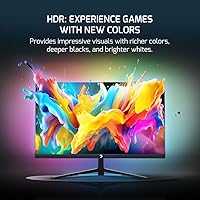
The HDR implementation is underwhelming given the 300 nit brightness ceiling, and colors, while vibrant, skew toward punchy saturation rather than accurate reproduction. Users sensitive to image consistency will notice that the panel can look different depending on viewing angle, a characteristic inherent to the VA technology used here.
Panel Uniformity
59%
41%
In standard desktop use and well-lit gaming environments, panel uniformity is acceptable for the price tier. Most users who play in moderately lit rooms report no distracting issues during typical gaming sessions, and for everyday use the image holds together reasonably well across the screen surface.
Backlight bleed along the corners and edges is a recurring complaint from buyers who game in darker rooms or watch dark cinematic content. This is a common limitation of budget VA panels, but it is frequent enough across reviews to flag clearly — some units show more bleed than others, suggesting inconsistent panel binning.
Stand & Ergonomics
44%
56%
The stand gets the monitor upright and stable enough for light everyday use on a solid, even desk surface. For users who park the monitor in one position and rarely adjust it, the limitations are easy to overlook entirely, and the footprint is compact enough for smaller desk setups.
Wobble and limited tilt range are by far the most consistent complaints in user reviews. Users who frequently adjust their monitor position, work at non-standard desk heights, or share a setup with others will find the stand frustrating — there is no height adjustment, and the base can feel unstable with any vibration from the desk.
Design & Aesthetics
84%
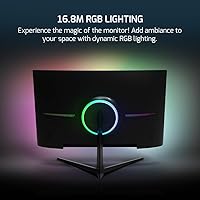
The zero-frame design and rear RGB strip give this budget curved display a visual presence that genuinely surprises buyers when they first set it up. Multiple reviewers mention that it looks more expensive than it is, which matters for users building a coherent gaming desk aesthetic on a limited spend.
The RGB lighting customization options are not deeply documented, and some users report the rear glow color options are more limited than expected. The overall plastic construction, while passable at a glance, feels noticeably budget-grade when handled up close, which may disappoint buyers used to metal-framed displays.
Color Accuracy
63%
37%
For gaming and casual streaming, the 125% sRGB coverage delivers colors that feel lively and engaging right out of the box without any manual calibration. Buyers using it for entertainment purposes — movies, Twitch, YouTube — are generally satisfied with how natural and saturated content looks on screen.
Anyone needing reliable color accuracy for photo editing, graphic design, or video work will find this panel falls short. The vibrancy is achieved through saturation rather than calibrated precision, and without a proper color profile, hues can drift noticeably from what professional-grade displays reproduce.
Connectivity
79%
21%
The inclusion of both HDMI and VGA inputs is a thoughtful and practical decision that sets this monitor apart from many competitors at the same price point. Buyers upgrading from a legacy desktop or pairing it with an older laptop that lacks HDMI appreciate not needing an adapter right out of the box.
There is no DisplayPort input, which limits options for users who prefer that connection for higher bandwidth or daisy-chaining setups. A single HDMI port also means switching between two devices — say, a PC and a console — requires manually swapping the cable each time, which gets old quickly.
Brightness
57%
43%
At 300 cd/m², the monitor handles typical indoor lighting conditions adequately. In a bedroom or dorm room with controlled lighting — the most common setup for this monitor's target audience — brightness feels sufficient for comfortable extended sessions without eye strain.
In naturally bright rooms or near windows during daylight hours, the 300 nit ceiling struggles to hold its own against ambient light. The HDR mode, while technically supported, does not produce a meaningfully different visual experience given the brightness limitations, leaving HDR feeling more like a checkbox feature than a genuine benefit.
Setup Experience
83%
Assembly is quick and requires no tools — most buyers report having the monitor on their desk and running within ten minutes of opening the box. The on-screen menu is navigable enough for basic adjustments, and the plug-and-play nature over HDMI means there is very little friction getting started.
The on-screen display controls could be more intuitive, and some users find the button placement awkward to reach without looking. Documentation in the box is minimal, which can leave users unsure about available settings like RGB lighting modes or refresh rate configuration for non-auto-detect systems.
FreeSync Performance
81%
19%
Buyers pairing this curved gaming monitor with a compatible AMD GPU consistently report that FreeSync works as expected — tearing disappears, and mid-range frame rates feel smoother and more consistent. For users running something like an RX 6600 or similar, it adds real-world value without any extra configuration overhead.
FreeSync functionality is only reliable within the monitor's supported variable refresh rate range, and users with NVIDIA GPUs will not benefit from adaptive sync at all. There is also no confirmation of whether NVIDIA Adaptive Sync compatibility has been tested on this unit, so NVIDIA users should treat it as a fixed-sync display.
Audio
41%
59%
Having any built-in audio at all is a convenience that budget monitors in this range often skip entirely. For quick video calls, YouTube in the background, or checking a game's audio mix before plugging in headphones, the speakers do just enough to justify their presence on the spec sheet.
Two 2W drivers produce thin, flat sound with almost no bass and very limited volume headroom. In a room with even moderate background noise, the speakers struggle to fill the space meaningfully — the overwhelming majority of users treat them purely as a fallback and rely on headphones or external speakers for any real listening.
Build Quality
62%
38%
The monitor body itself holds together well enough for stationary desk use, and the screen surround has no obvious flex or creak during normal interaction. For buyers who set it up once and leave it, the construction quality is unlikely to cause issues in the short to medium term.
The all-plastic chassis feels noticeably lightweight in a way that reads as cost-cutting rather than intentional design. Several users flag that the rear panel and stand connection point feel less robust than expected, and there is limited long-term durability data available given the product's relatively recent market entry.
Brand & Support
52%
48%
Gamepower is an established brand within Turkey and parts of Europe, and buyers in those regions report reasonably accessible customer support when issues arise. For users who simply want a working display and are comfortable with basic self-troubleshooting, the brand difference is unlikely to matter much day-to-day.
Outside its home market, Gamepower has a thin support footprint and limited user community presence, which makes resolving issues or finding firmware updates significantly harder. Buyers who have experienced reliable warranty service from brands like LG, ASUS, or AOC may find the post-purchase support experience here a noticeable step down.

Suitable for:

The GAMEPOWER F10 23.6-inch Curved Gaming Monitor is genuinely well-matched for entry-level gamers who want the curved-screen experience without stretching their budget to cover a name-brand alternative. Students setting up a dorm room or bedroom gaming corner will appreciate the compact footprint, the gamer-forward aesthetic, and the fact that it does not require a separate lighting kit to look the part. Anyone still running an older PC with only a VGA output gets a rare lifeline here, since most monitors at this price have already dropped that port entirely. Casual gamers who spend their time in RPGs, sports sims, or slower-paced titles will get real value from the VA panel's contrast depth and the smooth 120Hz playback. If your GPU is a budget or mid-tier AMD card, the FreeSync support is a meaningful bonus that keeps the experience clean without any additional cost.

Not suitable for:

The GAMEPOWER F10 23.6-inch Curved Gaming Monitor is not the right choice for anyone who takes competitive gaming seriously, where even minor motion blur or panel ghosting — a known trade-off of VA technology — can cost you in fast-paced titles. Color professionals, photographers, or anyone who needs accurate, consistent color reproduction should look at a calibrated IPS panel instead, as the 125% sRGB figure here reflects vibrancy rather than precision. The stand has been flagged by users as a weak point, so buyers who need a wide range of ergonomic adjustments, including height adjustment or pivot, will likely be frustrated. Audiophiles or even casual listeners who care about sound quality should factor in the cost of external speakers, since the built-in 2x2W drivers are a fallback option at best. Finally, buyers who prioritize long-term reliability from a proven brand with established customer support may want to stick with more established names, as Gamepower has limited track record outside its home market.

Specifications

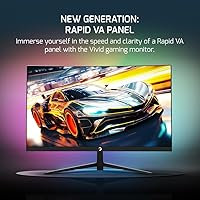
  • Panel Type: This monitor uses a VA (Vertical Alignment) panel, which delivers stronger contrast ratios and deeper blacks compared to IPS panels at a similar price tier.
  • Screen Size: The viewable display area measures 23.6 inches diagonally, providing a spacious canvas well-suited to a standard single-monitor desk setup.
  • Resolution: Native resolution is 1920x1080 (Full HD), offering sharp, clear imagery for 1080p gaming and everyday content consumption.
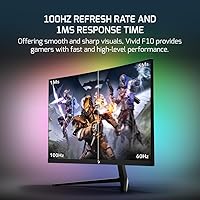
  • Refresh Rate: The panel runs at a native 120Hz refresh rate, producing noticeably smoother motion than standard 60Hz displays during gameplay and fast-scrolling content.
  • Response Time: Rated at 1ms response time, which helps reduce motion blur in fast-moving scenes, though real-world performance on VA panels can vary under specific conditions.
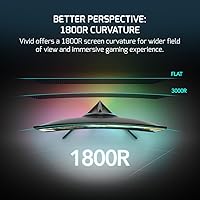
  • Curvature: The screen features an 1800R curvature radius, creating a gentle wrap that improves peripheral immersion at typical desk viewing distances of 2 to 3 feet.
  • Color Gamut: Color coverage is rated at 125% sRGB, providing visibly vibrant and saturated colors that suit gaming and casual media use rather than color-critical professional work.
  • HDR Support: The monitor includes HDR support, though with a brightness ceiling of 300 cd/m², HDR performance will be modest rather than comparable to dedicated HDR displays.
  • Brightness: Peak brightness is 300 cd/m² (candela per square meter), which is adequate for standard indoor environments but may fall short in very bright or sunlit rooms.
  • FreeSync: AMD FreeSync is supported, synchronizing the refresh rate with compatible AMD GPUs to reduce screen tearing and stuttering without requiring premium hardware.
  • Connectivity: Input options include one HDMI port and one VGA port, covering both modern and legacy device connections without requiring an adapter for older PCs.
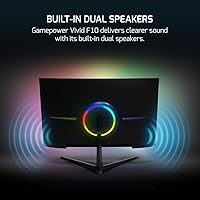
  • Built-in Audio: Two integrated 2W stereo speakers are included, providing basic audio output suitable as a convenience fallback rather than a primary listening solution.
  • RGB Lighting: An RGB lighting strip is built into the rear of the monitor, offering customizable ambient backlighting to complement a gaming desk aesthetic.
  • Display Surface: The screen uses a matte anti-glare coating, which reduces reflections from ambient light sources and helps maintain image clarity in mixed-lighting environments.
  • Aspect Ratio: The standard 16:9 widescreen aspect ratio is fully compatible with virtually all gaming platforms, streaming services, and desktop operating systems.
  • Voltage Range: The power supply supports a universal 100V to 240V input range, making the monitor compatible with electrical standards across different countries and regions.
  • Dimensions: Physical dimensions with the stand are approximately 24.22 inches wide, 17.14 inches tall, and 8.37 inches deep, fitting comfortably on most standard desks.
  • Weight: The complete unit with stand weighs approximately 6.42 pounds, making it light enough to reposition easily without requiring a second person.

Related Reviews
ASUS TUF Gaming VG24VQER 24-inch Curved Monitor
78%
91%
Motion Clarity
88%
Refresh Rate Value
83%
Panel Contrast & Blacks
67%
Color Accuracy
84%
Build Quality
More
GAMEPOWER T50 27-Inch Curved Gaming Monitor
66%
83%
Value for Money
79%
Gaming Performance
74%
Display Quality
61%
Pixel Density & Sharpness
62%
Build Quality
More
GAMEPOWER F20 27-inch Curved Gaming Monitor
61%
83%
Value for Money
74%
Image Quality
69%
Gaming Performance
78%
Curve & Immersion
58%
Build Quality
More
Acer Nitro ED240Q Sbiip 23.6″ Curved Gaming Monitor

80%
88%
Display Quality
91%
Performance in Fast-Paced Games
70%
Build Quality
80%
Ease of Setup
94%
Price-to-Performance Ratio
More
Skytech Gaming Moonshadow 27-inch Curved Gaming Monitor

83%
88%
Image Quality
91%
Refresh Rate Performance
86%
Adaptive-Sync
83%
VA Panel Contrast
84%
Stand & Ergonomics
More
Sealan 24-Inch Curved Gaming Monitor
86%
92%
Gaming Performance
88%
Visual Quality
91%
Refresh Rate Smoothness
85%
Design & Build
87%
Eye Care Features
More
Amzfast AMZG49C7U 49-inch Curved Ultrawide Gaming Monitor
76%
88%
Image Clarity
81%
Refresh Rate Performance
84%
Color Accuracy
53%
HDR Quality
91%
Curvature & Immersion
More
Sealan 27-inch Curved Gaming Monitor
82%
85%
Display Quality
90%
Ease of Setup
91%
Value for Money
87%
Performance in Gaming
83%
Color Accuracy
More
KOORUI G3221SC 32″ Curved QHD Gaming Monitor

69%
83%
Picture Quality
81%
Gaming Performance
86%
Value for Money
41%
HDR Performance
67%
Color Accuracy
More
Samsung 32-Inch S39C Curved Gaming Monitor
83%
88%
Display Quality
91%
Value for Money
86%
Eye Comfort
89%
Ease of Setup
85%
Build Quality
More

FAQ

Yes, both consoles connect via HDMI, and this curved gaming monitor has an HDMI input that handles the connection without any adapters. Keep in mind the display runs at 1080p and 120Hz, so you will get the smoothest experience on titles that support 1080p120 output, which the PS5 does support for compatible games.

The stand on the Gamepower F10 is fixed in height and offers only basic tilt adjustment. If you need more ergonomic flexibility — like height lift, swivel, or pivot — you would need to pair it with a third-party VESA arm, assuming the rear panel has compatible mounting holes.

The product listing does not explicitly confirm VESA compatibility, so it is worth checking the manual or contacting the seller before purchasing a monitor arm. If VESA mounting is important to you, verify the mounting pattern before committing.

You can absolutely use it with an NVIDIA GPU — the monitor will work fine over HDMI regardless. However, FreeSync variable refresh rate sync is natively supported only with compatible AMD graphics cards. Some NVIDIA GPUs do support FreeSync displays through their own adaptive sync implementation, but compatibility is not guaranteed on this unit.

They are functional but modest. The 2x2W drivers are adequate for system sounds, voice in video calls, or background audio when you do not want to reach for headphones. Do not expect them to replace even a basic desktop speaker setup — for anything music or game-audio focused, external speakers or a headset will serve you much better.

Some users have reported noticeable backlight bleed along the edges, particularly in dark scenes or when the screen displays mostly black content. This is a known characteristic of budget VA panels and is not unique to this monitor, but it is worth being aware of if you watch a lot of dark content or horror games at night.

The 120Hz refresh rate is a real improvement over 60Hz, and motion feels much cleaner as a result. That said, VA panels can exhibit some ghosting — a faint trailing effect — in very fast-paced scenes, which is a known trade-off of the technology. For casual competitive play it should be fine, but if you are gaming at a high competitive level, an IPS or TN panel is generally a better fit.

Typically this type of monitor ships with a power cable and at least one display cable, though the exact box contents are not fully detailed in the product listing. It is a good idea to confirm with the seller whether an HDMI cable is included, since budget monitors sometimes omit it.

It holds up reasonably well for casual streaming and movie watching. The curved screen adds a bit of immersion, the matte coating handles ambient light well, and the 125% sRGB color coverage keeps visuals looking vivid. Just keep in mind that HDR performance is limited by the 300 nit brightness ceiling, so HDR content will not look dramatically different from standard dynamic range on this display.

The rear RGB strip is designed to add ambient glow to your desk setup, and based on what is known about this monitor it offers color customization options. The depth of control — whether through on-screen menus or a dedicated app — is not fully documented publicly, so checking the included manual or the brand's support page would give you the clearest picture of what lighting modes are available.