G-Technology G-Drive 8TB External Hard Drive
Overview
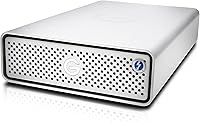
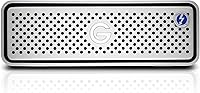
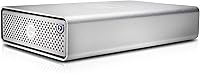
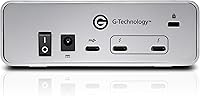
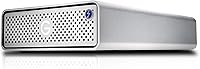
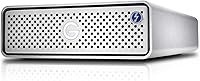
The G-Technology G-Drive 8TB External Hard Drive is a desktop storage unit built squarely for creative professionals who live inside Mac-based workflows. Housed in a solid, brushed aluminum enclosure, it looks the part on any serious workstation — nothing plastic, nothing cheap-feeling. The 7200 RPM spinning disk puts it ahead of the slower 5400 RPM alternatives that dominate the budget end of this category. Worth noting upfront: to get the most out of this Thunderbolt 3 desktop drive, you need a Mac with a Thunderbolt 3 port. Without one, you are leaving significant speed on the table. This is a premium-priced unit, and the experience reflects that — but only in the right setup.
Features & Benefits
The connectivity setup here is genuinely practical. Two Thunderbolt 3 ports let you daisy-chain up to five additional devices — monitors, audio interfaces, other drives — without touching a hub. The single USB-C port adds flexibility for machines without Thunderbolt, though at USB 3.1 Gen 1 speeds you will not see the same throughput. Inside, a 7200 RPM hard disk keeps sustained transfers moving faster than what you would get from a typical 5400 RPM desktop drive. The aluminum housing doubles as passive cooling and adds real structural rigidity. Plug it into a compatible Mac and it is ready immediately — no driver installs, no configuration. The five-year warranty rounds things out well.
Best For
This G-Technology drive is purpose-built for a specific kind of user. Video editors dealing with large 4K or 6K footage libraries will appreciate the fast spin speed and generous 8TB of headroom — running out of space mid-project is a real problem this helps avoid. Photographers archiving high-resolution RAW files will find similar value. Studio setups that rely on daisy-chained peripherals will get real mileage from the dual Thunderbolt ports. Aesthetics matter too: the all-aluminum silver finish sits naturally beside Apple hardware without looking out of place. If your priority is price per terabyte, this is not the right choice. If it is long-term durability and performance in a Mac workflow, it earns its spot.
User Feedback
Across 337 ratings, the G-Drive 8TB lands at 3.9 out of 5 — a score that reflects genuine satisfaction among its target audience, but also some real frustration. Professionals consistently praise the build quality and reliability, and daisy-chain performance draws particular enthusiasm from studio users. Where things get complicated is value: buyers who expected Windows compatibility at full speeds, or who found the cost hard to justify relative to higher-capacity alternatives, tend to rate it lower. There are also isolated mentions of early drive failures and occasional mechanical noise, which are worth factoring in at this price point. It is a drive that rewards the right buyer and disappoints the wrong one.
Pros
- Dual Thunderbolt 3 ports allow daisy-chaining up to five devices from a single connection, keeping desk setups clean.
- The 7200 RPM disk spins faster than most competing desktop drives, translating to noticeably better sustained transfer performance.
- Solid aluminum enclosure feels built to last and runs cooler than plastic-housed alternatives under sustained workloads.
- Plug-and-play on compatible Macs means zero setup time — connect and start working immediately.
- The five-year limited warranty is significantly longer than the industry standard two-year coverage on most external drives.
- 8TB of capacity gives video editors and photographers meaningful runway before needing to think about additional storage.
- The silver aluminum aesthetic integrates naturally into Apple workstation setups without looking out of place.
- USB-C port provides a practical fallback for non-Thunderbolt machines, adding flexibility without compromising the primary interface.
Cons
- Full performance requires a Thunderbolt 3-equipped Mac — Windows users are limited to USB 3.1 Gen 1 speeds regardless of port.
- The price per terabyte is high compared to similarly specced desktop drives from competing brands.
- At 2.73 pounds and a 3.5-inch form factor, this is strictly a desk-bound drive — portability is not an option.
- A 3.9 out of 5 rating across 337 reviews points to a meaningful minority of buyers who had reliability or satisfaction issues.
- Some buyers have reported early drive failures, which is a real concern at this price point despite the warranty coverage.
- Occasional mechanical noise has come up in user feedback, which can be disruptive in quiet recording or editing environments.
- No included software or backup utility means Mac users relying on Time Machine need to configure everything manually.
- The drive ships formatted for Mac, requiring reformatting for any cross-platform or Windows-primary use, adding friction for mixed setups.
Ratings
Our AI rating engine analyzed verified buyer reviews for the G-Technology G-Drive 8TB External Hard Drive from across major global markets, actively filtering out incentivized, bot-generated, and low-signal feedback to surface what real users genuinely experienced. The scores below reflect both the genuine strengths this Thunderbolt 3 desktop drive delivers to its target audience and the friction points that pulled satisfaction down for buyers outside that core use case. Nothing has been softened — where the G-Drive 8TB earns high marks and where it falls short are both represented transparently.
Transfer Speed
Build Quality
Mac Compatibility
Daisy-Chain Reliability
Value for Money
Noise Level
Long-Term Reliability
Windows Compatibility
Setup Experience
Thermal Management
Desk Footprint
Aesthetics & Design
Capacity Adequacy
Warranty & Support
Suitable for:
The G-Technology G-Drive 8TB External Hard Drive was designed with a very specific professional in mind, and if you fit that profile, it delivers well. Mac-based video editors working with 4K or 6K footage will find the 7200 RPM disk and Thunderbolt 3 throughput genuinely useful for day-to-day editing — not just archiving. Photographers sitting on growing RAW file libraries will appreciate having 8TB of fast, always-on desktop storage that does not feel like a compromise. Studio setups benefit most from the dual Thunderbolt 3 ports, which allow daisy-chaining monitors, audio interfaces, and other drives from one connection without juggling hubs. Creative freelancers who want a drive that lasts years and looks at home beside Apple hardware will find the aluminum build and five-year warranty reassuring. If you are buying for longevity and workflow integration rather than the lowest cost-per-terabyte, this G-Technology drive makes a coherent case for itself.
Not suitable for:
The G-Technology G-Drive 8TB External Hard Drive is a poor match for anyone outside a Mac-centric workflow. Windows users can connect via USB-C, but they lose access to Thunderbolt 3 speeds entirely, which strips away much of what justifies the price. Buyers looking for the most storage per dollar will find more cost-effective alternatives without much effort — this drive charges a premium for its build quality and connectivity that budget-focused shoppers simply do not need to pay. It is also a desktop-only unit at 2.73 pounds, so anyone needing portable storage should look elsewhere. Casual home users storing documents, photos, or media backups will almost certainly find the capacity and connectivity excessive for their needs. And for anyone considering it primarily as a Windows gaming or general PC drive, the value proposition falls apart quickly once Thunderbolt 3 is off the table.
Specifications
- Storage Capacity: The drive offers 8TB of total storage space, suited for large media libraries, 4K video projects, and long-term archival use.
- Primary Interface: Two Thunderbolt 3 ports are built in, supporting data transfer speeds up to 40Gbps on compatible hardware.
- Secondary Interface: A single USB-C port running USB 3.1 Gen 1 provides a fallback connection for non-Thunderbolt devices at up to 5Gbps.
- Daisy-Chaining: The dual Thunderbolt 3 configuration supports chaining up to five additional compatible devices from a single host port.
- Rotational Speed: The internal hard disk spins at 7200 RPM, delivering faster sustained read and write performance than typical 5400 RPM desktop drives.
- Form Factor: This is a 3.5-inch desktop drive, designed for stationary use on a desk or workstation rather than portable carry.
- Enclosure Material: The outer shell is machined from solid aluminum, which aids passive heat dissipation and provides greater physical durability than plastic alternatives.
- Dimensions: The unit measures 8.27 x 5.12 x 1.79 inches, making it compact enough to sit alongside a monitor without dominating desk space.
- Weight: At 2.73 pounds, the drive is stable on a desk but not intended or practical for mobile or travel use.
- Platform Support: The drive is optimized for macOS and works as a true plug-and-play device on Macs with Thunderbolt 3 ports, requiring no driver installation.
- Windows Use: The drive can connect to Windows machines via the USB-C port, but Thunderbolt 3 functionality and speeds are not available on Windows without specific hardware support.
- Pre-Formatted: The drive ships formatted for macOS and will require reformatting before use on Windows or in cross-platform environments.
- Color & Finish: Available in silver with a brushed aluminum finish that integrates visually with Apple hardware and other premium workstation accessories.
- Warranty: G-Technology backs this drive with a five-year limited manufacturer warranty, which is notably longer than the standard two-year coverage common in this category.
- Model Number: The official model number is 0G05373, part of the G-DRIVE with Thunderbolt 3 product series from G-Technology.
- Installation: Setup on a compatible Mac requires only plugging in the Thunderbolt 3 cable — no software, no drivers, no configuration steps needed.
- Cooling Method: The drive uses passive cooling through its aluminum enclosure rather than an active fan, which keeps operation quiet under normal workloads.
- Drive Type: This is a traditional spinning hard disk drive (HDD), not a solid-state drive, which means higher capacity at a lower cost per terabyte but slower random access speeds than SSDs.
Related Reviews
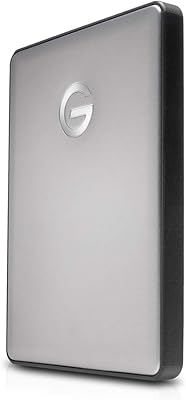
G-Technology G-DRIVE Mobile USB-C 2TB Hard Drive

G-Technology G-DRIVE Mobile 4TB Portable Hard Drive

SanDisk Professional 8TB G-Drive External Hard Drive
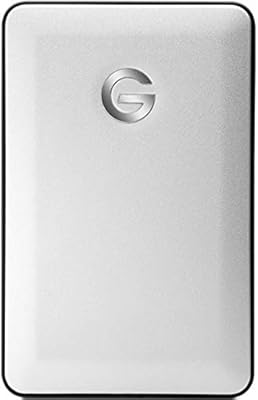
G-Technology G-DRIVE Mobile 1TB Portable Hard Drive
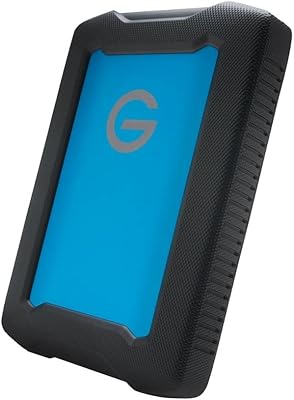
G-Technology ArmorATD 4TB Portable Hard Drive
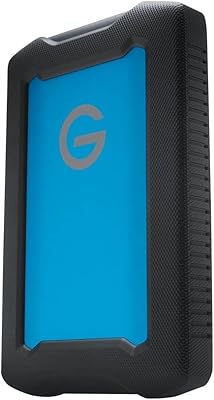
G-Technology ArmorATD 1TB Portable Hard Drive
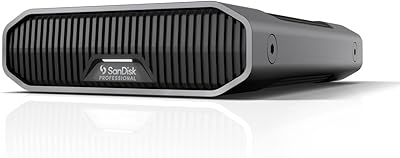
SanDisk Professional G-Drive 6TB
SanDisk Professional G-Drive 22TB External Desktop Hard Drive

Seagate Expansion 8TB External Hard Drive