Overview

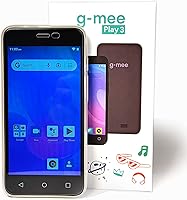
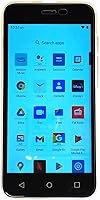
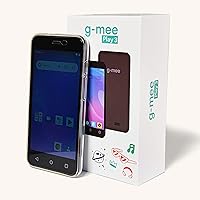
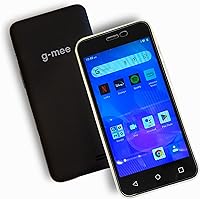
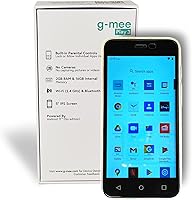
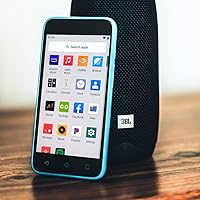
The G-Mee Play 3 Kids Smart Media Player sits in an interesting spot in the kids-tech market — it's not a toy, but it's not a smartphone either. Think of it as a modern iPod equivalent: a real Android device with a 5-inch touchscreen that lets kids stream Spotify, watch Netflix, and download apps, while parents retain meaningful control over what actually runs on it. It uses Android 11 Go edition, which sets honest expectations — this is budget-tier hardware, not a powerhouse. For kids roughly aged 6 to 12 who want more independence than a toy but less exposure than a phone, it fills a genuine gap.

Features & Benefits

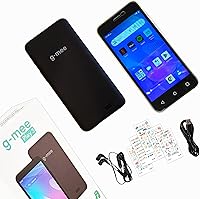
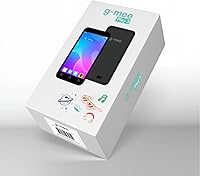
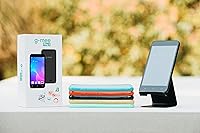
The standout feature is the built-in App Locker, which lets parents approve specific apps before handing the device over. In practice, you install apps via the Google Play Store, then lock them through the App Locker so kids can only access what you've approved — think of it as a whitelist system rather than broad content filtering. Deliberately, there's no camera and no cellular radio, which means kids can't post photos online or make calls. Wi-Fi and Bluetooth keep it useful for streaming and wireless headphones. Storage starts at 16GB with 2GB RAM, expandable via microSD. The box also includes a case, earbuds, and a pre-installed screen protector.

Best For

This kids media player makes the most sense for parents who want to give a child some digital independence without the anxiety of a full smartphone. If your kid is between 6 and 12 and keeps asking for Spotify or YouTube access, this is a way to say yes without handing over a device with a camera, a SIM slot, or unrestricted browsing. It's also a surprisingly practical pick for adults in phone-restricted workplaces who still want music on demand. Budget-conscious families who want real Play Store access — not a walled-off kids tablet — will find the overall value hard to argue with.

User Feedback

Across roughly 145 reviews, the G-Mee smartplayer holds a 3.7-out-of-5 rating — honest enough to work with. Parents consistently praise the no-camera design and the control the App Locker provides; kids, for their part, seem genuinely happy using Spotify and streaming apps independently. The negatives are worth knowing upfront: the 2GB RAM on Android Go means heavier apps stutter, and several reviewers flag the micro-USB port as feeling dated. App Locker setup can trip up first-time buyers, though G-Mee provides a video walkthrough, and users frequently mention that customer support stepped in helpfully when things didn't go smoothly out of the box.

Pros

  • Parents control exactly which apps kids can access through the built-in App Locker whitelist system.
  • No camera and no cellular radio means kids cannot post photos online or make unsupervised calls.
  • Real Google Play Store access lets kids use Spotify, Netflix, Disney+, and other familiar apps.
  • Wi-Fi and Bluetooth support enables wireless headphone pairing and music streaming without a phone plan.
  • MicroSD expansion up to 128GB gives plenty of room to grow beyond the base 16GB storage.
  • Battery holds up well for casual use, with up to 12 hours of audio playback on a single charge.
  • Slim, pocket-friendly form factor at 5.3 ounces makes it genuinely easy for younger kids to carry.
  • Comes ready to use with a case, pre-installed screen protector, and earbuds included in the box.
  • Customer support is responsive and provides setup guidance when buyers run into configuration trouble.
  • A practical, lower-stakes gift alternative to a smartphone for kids who are not quite ready for one.

Cons

  • 2GB RAM on Android Go causes noticeable lag with heavier apps and makes multitasking feel slow.
  • Micro-USB charging port feels outdated in a USB-C world and adds cable clutter for most households.
  • App Locker setup is not intuitive out of the box and trips up many first-time buyers without the video guide.
  • No offline download support for most streaming apps makes the device dependent on a reliable Wi-Fi connection.
  • The G-Mee smartplayer holds a 3.7-star average, reflecting a meaningful portion of buyers who had issues.
  • Kids accustomed to tablets or smartphones may find the screen size and processing speed underwhelming quickly.
  • No power adapter included in the box, which is an easy-to-miss detail when gifting to a child.
  • Android Go edition limits access to full versions of some apps, which may affect compatibility over time.

Ratings

Our AI scoring for the G-Mee Play 3 Kids Smart Media Player was built by analyzing verified global buyer reviews, actively filtering out incentivized, bot-generated, and duplicate submissions to surface what real families actually experienced. The scores below reflect both what this child-safe device genuinely does well and where it falls short — no sugarcoating, no sponsored bias. If you are weighing this against other options for a child aged 6 to 12, these ratings are designed to give you the clearest possible picture before you commit.

Parental Control
83%
The App Locker system is the single most praised feature among parent reviewers — the ability to whitelist specific apps before the device reaches a child's hands gives real peace of mind. Parents who took the time to set it up properly consistently reported that their kids stayed within the approved app boundary without finding workarounds.
The setup process is not intuitive out of the box, and a noticeable share of buyers struggled to configure it correctly without the video guide. First-time users who skipped the walkthrough often ended up frustrated, and a few reported abandoning the feature altogether rather than troubleshooting it.
Child Safety Design
91%
The deliberate removal of cameras and cellular capability is consistently cited as a major differentiator for parents shopping in this category. Knowing their child cannot take photos, post images online, or make unsupervised calls removes an entire layer of worry that comes with handing a kid any connected device.
A small number of reviewers noted that determined older kids can still access browser-based content if a browser app is not locked down through the App Locker — meaning the safety system is only as strong as how thoroughly a parent configures it on day one.
Streaming & App Access
76%
24%
Access to the full Google Play Store sets this device apart from locked-down kids tablets, and families confirmed that Spotify, Netflix, Disney+, and YouTube Kids all install and run without issue. For kids who just want to stream music on their own device, the experience lands close to what they would get on a proper Android phone.
The 2GB RAM ceiling means streaming-heavy sessions — particularly video — occasionally produce buffering hiccups or app crashes that a more capable device would handle cleanly. Users switching from a tablet reported the performance gap as more noticeable than expected, especially when switching between apps.
Hardware Performance
54%
46%
For basic tasks — playing music, running a single streaming app, browsing approved content — the device performs adequately within its hardware limits. Kids who are new to personal devices and not accustomed to faster hardware tend to have a smoother experience than those migrating from a tablet.
Android 11 Go with 2GB RAM shows its limits quickly once more demanding apps are involved. Multiple reviewers flagged sluggish load times, occasional freezes, and a general feeling that the processor is working hard even on straightforward tasks — something parents should factor in if their child is used to faster hardware.
Battery Life
74%
26%
For music playback specifically, the 2200 mAh battery performs close to the advertised 12-hour claim, making this a genuinely reliable audio companion for full school days or long trips when kids are just listening. Parents who used it primarily as a music player reported solid day-to-day endurance.
Video streaming over Wi-Fi drains the battery considerably faster than the spec sheet implies, and several reviewers noted they needed to charge the device mid-afternoon during heavy video use. The micro-USB charging standard also slows top-up times compared to USB-C alternatives at a similar price point.
Value for Money
78%
22%
Relative to what you get — real Android, genuine Play Store access, Bluetooth, Wi-Fi, a case, earbuds, and a screen protector all included — the price point represents solid value for parents who need a functional kids media device without phone capability. The included accessories save buyers from needing to purchase add-ons immediately.
Buyers who compare this directly against refurbished entry-level tablets in a similar price bracket sometimes feel the hardware trade-offs tip the value equation. The micro-USB charger and the absence of a power adapter are minor but noticeable cuts that slightly undercut the overall out-of-box impression.
Build Quality
63%
37%
The device feels lightweight and manageable in a child's hands, and the included clear case provides a reasonable level of drop protection for everyday use. The pre-installed screen protector is a thoughtful inclusion that reduces the urgency of purchasing additional protection immediately.
The overall construction leans toward the budget end of the spectrum — the plastic housing feels thin, and several reviewers mentioned concerns about long-term durability after minor drops. It is adequate for careful older kids but may not hold up well against the rougher handling typical of younger children in the 6-to-8 age range.
Ease of Setup
57%
43%
Once it is configured correctly, the day-to-day experience for both parent and child is straightforward — kids can navigate to their approved apps without confusion, and the interface is clean enough for younger users to manage independently.
Initial setup drew more complaints than almost any other aspect of the device. The App Locker configuration in particular is not self-explanatory, and parents who did not find or watch the video guide frequently reported spending significant time troubleshooting before the device behaved as expected.
Screen Quality
61%
39%
The 5-inch touchscreen is adequately bright for indoor use and responsive enough for kids to navigate apps without frustration. For music playback and light video watching in a controlled environment like a bedroom or car back seat, the display is functional and age-appropriate.
Outdoor visibility is limited, and the display quality falls noticeably short of even budget tablets at a comparable price. Reviewers who compared it directly to a low-cost tablet screen consistently rated it lower, and kids accustomed to better displays noticed the difference relatively quickly.
Portability
86%
At 5.3 ounces and roughly the footprint of an old-school iPod Touch, the device slips easily into a jacket pocket, small backpack, or kids bag without adding noticeable bulk. Several parents specifically called out the slim profile as a practical advantage for travel and school commutes.
The slim chassis, while great for portability, contributes to the fragile feel that some reviewers flagged — thinner devices tend to flex slightly under pressure, and without the included case, accidental drops feel riskier than they would with a thicker, more ruggedized build.
Bluetooth Performance
72%
28%
Bluetooth connectivity works reliably for pairing with wireless headphones and portable speakers, which is a meaningful feature for kids who want to listen privately or share audio on a road trip. Connection stability across most mainstream Bluetooth devices was reported as consistent.
A handful of reviewers noted occasional re-pairing issues with certain headphone brands, and the Bluetooth range is modest — keeping the device within a few feet of the paired speaker tends to prevent dropouts. It is not a common complaint, but worth knowing if your child plans to use it with wireless headphones regularly.
Storage & Expandability
79%
21%
The microSD expansion slot effectively removes storage as a long-term concern — 16GB fills up quickly with apps and downloaded media, but adding a 64GB or 128GB card at minimal cost gives the device a practical lifespan that extends well beyond the initial purchase.
The 16GB base storage fills faster than many buyers anticipate, especially once a few streaming apps and some downloaded content are installed. Parents who did not buy a microSD card at the same time reported running into storage warnings sooner than expected, sometimes within the first few weeks.
Customer Support
77%
23%
G-Mee's customer support responsiveness is one of the more consistently positive aspects noted in user feedback — parents who reached out via Amazon messaging for setup help or troubleshooting generally reported receiving timely and useful replies. For a smaller brand, this level of after-sales engagement stands out.
Support quality appears inconsistent depending on timing and the nature of the issue — a portion of buyers who needed more involved technical help felt the responses were generic rather than tailored to their specific problem. Hardware warranty terms are also not prominently communicated, leaving some buyers uncertain about their coverage.

Suitable for:

The G-Mee Play 3 Kids Smart Media Player was clearly designed with a specific type of parent in mind: one who wants to say yes to their child's request for Spotify or streaming apps, but isn't ready to hand over a full smartphone. If your kid is somewhere between 6 and 12 and constantly borrowing your phone just to listen to music or watch YouTube, this child-safe device gives them their own screen with real app access while keeping you in charge of what's installed. The App Locker system is a genuine guardrail, not just a marketing claim — you approve the apps, kids get what's on the list and nothing else. Families on a tighter budget who want something more capable than a locked-down kids tablet, but far safer than an entry-level phone, will find the overall package hard to beat at this price point. It's also worth mentioning for adults who work in environments where phones aren't allowed but still want a pocket-friendly way to stream music throughout the day.

Not suitable for:

If you're expecting tablet-level performance, the G-Mee Play 3 Kids Smart Media Player will disappoint — 2GB of RAM on Android Go is enough for basic streaming and light app use, but heavier applications will stutter, and multitasking feels sluggish compared to even a budget tablet. Parents hoping for a truly plug-and-play experience should be aware that setting up the App Locker takes some initial patience; it's not complicated, but it's also not instantly intuitive, and skipping the setup video is a common source of frustration in user reviews. The micro-USB charging port is a real-world inconvenience if your household has standardized on USB-C cables. Tech-savvy kids who are used to a tablet or a hand-me-down smartphone may find the screen size and processing speed underwhelming fairly quickly. And since this device relies entirely on Wi-Fi, it's only as useful as the network around it — no offline downloads mean no entertainment on long car trips or in low-connectivity areas without some advance planning.

Specifications

  • Screen: 5-inch capacitive touchscreen display suited for comfortable viewing and navigation by younger hands.
  • Operating System: Runs Android 11 Go edition, a lightweight version of Android optimized for devices with modest hardware.
  • RAM: 2GB of RAM handles basic streaming and light app use, though heavier applications may run slowly.
  • Internal Storage: 16GB of built-in storage is included for apps, music, and media files.
  • Expandable Storage: A microSD card slot supports external storage expansion up to 128GB.
  • Battery Capacity: A 2200 mAh lithium-ion battery is built in and ships already included with the device.
  • Audio Playback: Rated for up to 12 hours of continuous music playback on a single charge under typical conditions.
  • Video Playback: Rated for up to 5 hours of HD video playback on a single charge under typical conditions.
  • Connectivity: Supports both Wi-Fi and Bluetooth, enabling wireless streaming, app downloads, and headphone or speaker pairing.
  • Charging Port: Charges via micro-USB; a cable is included but a power adapter is not included in the box.
  • Dimensions: Measures 5.71 x 2.8 x 0.35 inches, making it slim and pocket-friendly for everyday carry.
  • Weight: Weighs 5.3 ounces, light enough for younger children to hold comfortably for extended periods.
  • Camera: No cameras are present on the device; this is an intentional hardware omission for child safety reasons.
  • Cellular Radio: Contains no cellular radio, meaning it cannot make calls, send SMS, or connect to a mobile data network.
  • Parental Control: Includes the G-Mee App Locker, a built-in system that lets parents whitelist approved apps before handing the device to a child.
  • Media Formats: Natively compatible with MP3 and MP4 file formats for locally stored audio and video playback.
  • In the Box: Includes a clear protective case, pre-installed screen protector, wired earbuds, a micro-USB cable, and decorative sticker sheets.
  • Target Age Range: Designed primarily for children aged 6 to 12, though it is also practical for adults in phone-restricted environments.

Related Reviews
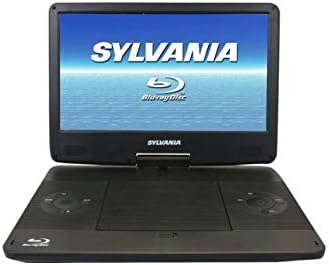
PROSCAN PDVD1336-B 13.3-Inch Portable Blu-Ray Player
71%
83%
Screen Size & Usability
67%
Picture Quality
54%
Battery Life
88%
Multi-Format Compatibility
91%
Ease of Use
More
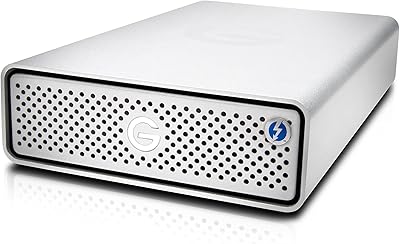
G-Technology 4TB G-DRIVE with Thunderbolt 3
84%
91%
Performance & Speed
88%
Build Quality & Durability
90%
Connectivity & Versatility
67%
Portability & Weight
85%
Setup & Installation
More
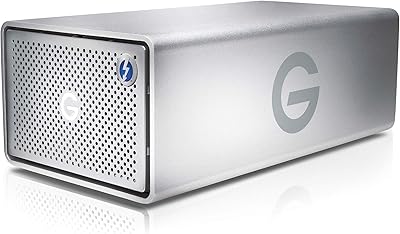
G-Technology G-Drive 8TB External Hard Drive
77%
88%
Transfer Speed
91%
Build Quality
93%
Mac Compatibility
84%
Daisy-Chain Reliability
58%
Value for Money
More
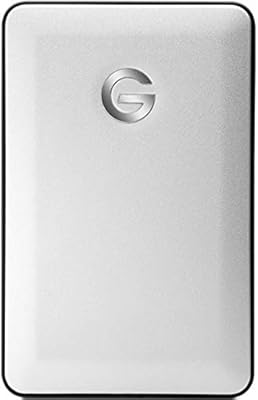
G-Technology G-RAID TB3 36TB Dual Drive Storage
78%
91%
Build Quality
88%
Transfer Speed & Performance
93%
Thunderbolt 3 Connectivity
79%
RAID Configuration Flexibility
61%
Fan Noise & Acoustics
More
G-Technology G-DRIVE Mobile 1TB Portable Hard Drive
75%
88%
Build Quality
93%
Mac Compatibility
91%
Portability
57%
Transfer Speed
62%
Value for Money
More
MYPIN Mini 1080p HDMI Media Player
78%
91%
Ease of Setup
83%
Format Compatibility
78%
Build Quality & Portability
76%
Video Playback Quality
58%
Remote Control & Navigation
More
Taopodo Kids Smart Watch
73%
84%
Value for Money
87%
Battery Life
76%
Waterproofing
81%
Educational Content
89%
Ease of Setup
More
Snug Play+ Kids On-Ear Headphones
84%
94%
Hearing Safety
83%
Build Quality
76%
Comfort & Fit
91%
Volume Limiting Reliability
68%
Cable & Connectivity
More
JOYELE Kids Smart Watch
74%
88%
Value for Money
86%
Ease of Setup
54%
Battery Life
67%
Fitness Tracking Accuracy
71%
Build Quality
More
MYPIN HA0284-NCUSF 4K Media Player
77%
91%
Ease of Setup
88%
Format Compatibility
74%
4K Video Quality
83%
H.265 Decoding Performance
86%
Storage Flexibility
More

FAQ

By default, kids can browse the Google Play Store, but the App Locker lets you control what actually runs on the device. You install the apps you are comfortable with, lock them in through the App Locker, and that is what your child sees. G-Mee posts a video walkthrough on their Amazon page that makes the setup process much clearer than the written instructions alone.

Yes, Spotify is fully compatible. You download it from the Google Play Store just like you would on any Android device, then log into an existing account or create a new one. Keep in mind the device needs a Wi-Fi connection to stream, so it is not useful for offline listening unless you have a Spotify Premium subscription that supports downloads.

Correct — there is no front or rear camera, and that is entirely by design. The idea is that kids can use apps freely without the ability to take photos of themselves or post images online without a parent knowing. It is a meaningful safety choice, not a cost-cutting shortcut, and many parents consider it the single most important feature of the device.

Because it runs Android 11 with access to the Google Play Store, you can install a wide range of streaming apps including Netflix, Disney+, Amazon Prime Video, YouTube Kids, Amazon Music, and Pandora, among others. Just bear in mind that the 2GB RAM means very heavy apps can feel sluggish, so simpler streaming apps tend to perform better than graphics-intensive games.

No — the device has no cellular radio at all, so phone calls and SMS are simply not possible. It connects only over Wi-Fi. If a child needs to contact someone, they could use a Wi-Fi calling app like WhatsApp or FaceTime, but only if you install and permit those apps through the App Locker.

The rated figures are up to 12 hours for audio and around 5 hours for video. In practice, audio playback tends to hit close to the advertised number, especially at moderate volume. Video streaming over Wi-Fi will drain the battery faster than local playback, so expect somewhere between 4 and 5 hours for continuous streaming depending on screen brightness.

The short version: install the apps you want your child to use while you still have admin access, then open the G-Mee App Locker, select each approved app, and lock the device. G-Mee provides a step-by-step video guide linked from their Amazon product page, and it is genuinely worth watching before you start — it clears up most of the confusion buyers run into when trying to figure it out from the manual alone.

Yes, the device has a microSD card slot that supports cards up to 128GB. That gives you plenty of room to store downloaded music, videos, or offline content. Just make sure you purchase a microSD card separately, as one is not included in the box.

Honestly, that is a fair concern. The 5-inch screen is noticeably smaller than even a budget tablet, and the 2GB RAM on Android Go means some apps that run fine on a tablet will stutter or load more slowly here. If your child already uses a tablet daily, the adjustment can be frustrating. This device is better suited to kids who are getting their first independent screen, rather than those stepping down from more capable hardware.

G-Mee has a reputation for being responsive to customer questions, which is worth something at this price point. You can reach out directly through Amazon messaging, and multiple reviewers note they received helpful troubleshooting guidance. The setup video guide on their Amazon page also covers common configuration issues, so that is a good first stop before reaching out.