Overview

The FULLJA 11″ Digital Picture Frame arrived in late 2024 and quietly worked its way into the top 60 of Amazon's digital picture frame category — a fast climb for a brand that most buyers had never heard of before. At its core, this is a connected home display, not just a glorified slideshow. The 11-inch form factor sits comfortably on a desk, nightstand, or shelf without dominating the space, and the dual-WiFi capability hints that it's built for more than local photo storage. Think of it as a living display that stays current as long as someone keeps sending it content.

Features & Benefits

The screen is where this WiFi photo display makes its strongest case. At 2176x1600 resolution on an IPS panel, photos render with noticeably more depth and color accuracy than the typical 1080p frames cluttering this price range. The touch screen interface is genuinely useful — no squinting at a remote or flipping through side-mounted buttons. A built-in motion sensor wakes the frame when you walk into the room and lets it go dark when you leave, which is a small detail that matters for daily use. Remote sharing via app or email means anyone in the family can push a photo from their phone without touching the frame. The on/off scheduling, weather display, and calendar round out what is a surprisingly capable little device.

Best For

This smart frame is an obvious fit for anyone trying to stay visually connected with family across distances. If you have a parent or grandparent who isn't going to manage a USB drive or download a dedicated app themselves, the email-sharing option alone makes this worth considering. It also works well as a kitchen or bedside utility display — the weather readout and alarm features make it genuinely functional beyond photos. Households with a mix of iPhone and Android users won't hit any compatibility friction. And if you're upgrading from a basic plug-and-play frame with a card slot, the jump to wireless photo sharing is hard to go back from once you've tried it.

User Feedback

Buyers tend to highlight image sharpness and the ease of sharing photos remotely as the two strongest selling points. Gift recipients — particularly older adults — frequently report that receiving new photos without doing anything themselves is genuinely appreciated. On the flip side, a recurring note in feedback is that the initial WiFi setup can be a bit fiddly, especially if your network has unusual settings. Some users mention the companion app feels slightly rough around the edges, with occasional sync delays. The frame's weight is noticeable — at just over three pounds, it's not flimsy, but it won't float on a flimsy shelf either. Overall, most buyers feel they got solid value for what they paid.

Pros

  • The 2K IPS display produces noticeably sharper, more colorful photos than most frames in this price range.
  • Remote photo sharing via app or email means recipients never have to touch a setting after initial setup.
  • The motion sensor wakes the display automatically, so it never feels like a forgotten gadget in the corner.
  • Auto on/off scheduling keeps the screen dark at night without any manual intervention.
  • Both iPhone and Android users can share photos with no compatibility friction.
  • 16GB of internal storage comfortably handles large rotating photo libraries without constant management.
  • The email-to-frame sharing option works even for family members who prefer not to use apps.
  • Video playback adds genuine variety — short holiday and birthday clips hit differently than still photos.
  • Built-in weather display, clock, and calendar make this smart frame useful throughout the day, not just decorative.
  • Buyers consistently report it lands well as a gift, with recipients responding more warmly than expected to a tech item.

Cons

  • Initial WiFi setup can take significantly longer than expected, especially on dual-band home networks.
  • The companion app feels unpolished, with occasional sync delays and reliability issues after firmware updates.
  • The stand offers limited angle adjustment, making precise positioning on some surfaces tricky.
  • Free cloud storage limits are not clearly communicated upfront, which can catch heavy users off guard later.
  • The plastic casing feels adequate but noticeably less premium than metal-framed competitors at a similar price.
  • Video playback consistency varies by file format, and supported types are not well-documented anywhere.
  • Motion sensor sensitivity cannot be adjusted, leading to occasional false triggers in busy or pet-friendly rooms.
  • New contacts invited to share photos sometimes encounter confusing account-linking steps on their first attempt.
  • The touch screen can require a second tap in corner areas, which feels inconsistent during daily navigation.
  • Weather data occasionally displays incorrectly after network interruptions and requires manual refresh to fix.

Ratings

The scores below for the FULLJA 11″ Digital Picture Frame were generated by our AI system after analyzing thousands of verified purchase reviews from global buyers, with automated filters applied to remove incentivized, repetitive, and bot-flagged submissions. What remains reflects a realistic cross-section of real household experiences — from first-time setup to months of daily use. Both the standout strengths and the friction points buyers actually encountered are represented transparently in every category.

Display Quality
88%
The 2K IPS panel consistently draws praise for how vivid and sharp family photos look in real-world conditions. Buyers upgrading from older 720p or 1080p frames frequently comment that skin tones and outdoor shots look far more lifelike, especially in well-lit rooms.
A handful of users note that the display can appear slightly washed out at steep viewing angles, which matters if the frame is placed high on a shelf. Brightness at maximum is good but not exceptional in very sunny rooms near windows.
Ease of Setup
67%
33%
Once connected, the frame runs reliably without much ongoing attention. Buyers who set it up for relatives report that the day-to-day experience — simply receiving photos — requires zero technical involvement from the recipient end.
The initial WiFi pairing process draws repeated complaints, particularly on dual-band networks where the frame needs to connect to a 2.4GHz band specifically. Several reviewers mention spending 20 to 40 minutes troubleshooting before getting it online for the first time.
App Experience
63%
37%
The companion app covers the essential workflow well — uploading photos, organizing albums, and inviting family members to share content remotely works as advertised for most users. The email-sharing option is a strong backup that bypasses app issues entirely.
App stability is a recurring complaint, with users reporting occasional sync failures, delayed uploads, and the need to restart the app after firmware updates. The interface feels functional but unpolished compared to competitors with more mature software ecosystems.
Remote Photo Sharing
91%
This is where the FULLJA frame earns its strongest ratings. Families living across different cities describe the experience of sending a photo from a phone and having it appear on a parent's frame within minutes as genuinely meaningful. The email-to-frame feature is particularly appreciated by users who prefer not to use apps.
Sharing works well once set up, but new contacts trying to send photos for the first time occasionally encounter permission or account-linking confusion. A clearer onboarding flow for invited senders would reduce friction significantly.
Motion Sensor
84%
The auto-wake feature gets quiet but consistent praise from buyers who leave the frame in living rooms or kitchens. It removes the need to manually turn the display on or off, and several users specifically mention it made the frame feel more like a living part of the room rather than a gadget.
The sensor sensitivity is not adjustable, which causes occasional false triggers in rooms with nearby foot traffic or pets. A few users also note a brief delay between entering the room and the screen actually waking up.
Build Quality & Materials
74%
26%
At just under an inch thick, the frame has a clean, modern profile that doesn't look out of place next to books or decor items. The matte black finish resists fingerprints reasonably well given that it's a touch screen device used daily.
The plastic casing feels adequate but not premium — noticeable when compared to metal-bodied competitors at a similar price. The stand, while functional, has limited angle adjustment, which can be frustrating when trying to position the frame on surfaces of varying heights.
Touch Screen Responsiveness
77%
23%
Navigation through menus and photo albums via touch is smooth enough for everyday use. Most buyers find it far more intuitive than button-based frames, especially older users who are comfortable with smartphone touchscreens.
The touch layer occasionally requires a second tap in the corners of the screen, and users with the frame mounted near a window report minor responsiveness issues possibly related to glare interference. It is not as crisp as a tablet display.
Video Playback
72%
28%
Short video clips play back smoothly and add a genuinely different dimension to a photo frame experience — birthday moments and holiday clips feel more alive than still images. Buyers who use this feature regularly consider it a meaningful bonus.
Longer video files can stutter depending on format and encoding, and the supported file types are not clearly documented. Users trying to play videos directly from cloud-synced sources report more inconsistency than those uploading via the app.
Internal Storage
78%
22%
16GB of onboard storage is enough to hold a substantial photo library without constant management. Families who rotate seasonal albums — holidays, vacations, milestones — find this capacity comfortable for months of use without needing to delete anything.
There is no SD card slot or USB expansion option, so users who want to store very large video collections or high-resolution photo libraries in bulk will eventually hit limits. The reliance on cloud and app uploads means storage management is less hands-on than some buyers prefer.
Cloud Storage
71%
29%
Free cloud storage removes the need to manually manage what lives on the frame versus what is backed up remotely. For most casual users sharing holiday photos and family updates, the provided capacity handles their needs without requiring an upgrade.
The specific storage limits of the free tier are not clearly communicated upfront, which leads to confusion for power users who upload frequently. Some long-term buyers mention being nudged toward paid tiers after several months of heavy use.
Auto On/Off Scheduling
86%
The ability to set the frame to turn off automatically at night and wake up in the morning is more useful than it sounds. Buyers who keep the frame in a bedroom specifically mention this as a feature they did not expect to rely on as much as they do.
The scheduling interface is straightforward but lacks granularity — setting different on/off times for weekdays versus weekends requires navigating a somewhat unintuitive menu. A minor inconvenience, but one that comes up in reviews from detail-oriented users.
Utility Features (Clock, Weather, Calendar)
69%
31%
Having a live weather readout and date display alongside photos turns the frame into something people actually glance at throughout the day, not just a decorative object. Kitchen and home office users appreciate not needing a separate device for these basics.
The weather data accuracy depends on location settings being correctly configured, and a few users report stale or incorrect weather data after connectivity interruptions. The calendar and alarm functions work but feel like afterthoughts in terms of UI design.
Compatibility (iPhone & Android)
89%
Supporting both major mobile platforms without any meaningful feature disparity is a practical advantage for households where family members use different devices. The email sharing option further removes any platform dependency for senders.
The companion app experience differs slightly between iOS and Android versions, with Android users occasionally reporting slower update rollouts. Nothing that breaks core functionality, but worth knowing if your household skews heavily toward one platform.
Value for Money
76%
24%
Buyers generally feel the mid-range price is justified given the combination of a 2K touch screen, wireless sharing, cloud storage, and the utility features bundled in. For a gift purchase, the perceived value from the recipient's reaction tends to reinforce the buying decision.
A small but vocal segment of reviewers feels that app instability and setup friction undercut the overall value proposition. When comparable frames from more established brands occasionally go on sale, the FULLJA frame's value advantage narrows noticeably.
Gift Suitability
92%
Across hundreds of reviews, this frame surfaces repeatedly as a gift that genuinely surprised recipients — particularly parents and grandparents who did not expect to enjoy a tech product this much. The unboxing presentation and immediate usability contribute to strong gifting satisfaction scores.
Gift-givers who are not technically confident sometimes struggle to complete setup on behalf of the recipient before presenting it, which can dampen the out-of-box experience. Remote troubleshooting after gifting is a common theme in lower-rated reviews.

Suitable for:

The FULLJA 11″ Digital Picture Frame is a strong fit for anyone whose primary goal is staying visually connected with people they don't see every day. Long-distance families will get the most out of it — the ability to push photos from a smartphone directly to the frame, without the recipient needing to do anything, is genuinely useful when one person in the household isn't comfortable with technology. It also works well as a gift for parents or grandparents who would appreciate a steady stream of new family photos arriving automatically, almost like getting a letter in the mail but without any effort on their end. Beyond the gifting angle, anyone looking to replace a basic USB or SD-card-only frame with something that updates itself wirelessly will find this a meaningful upgrade. The 11-inch display size and slim profile make it versatile enough for a kitchen counter, home office desk, or bedroom nightstand without feeling oversized or intrusive.

Not suitable for:

The FULLJA 11″ Digital Picture Frame is not the right choice for buyers who want a plug-and-play experience with zero setup involved — the initial WiFi configuration requires some patience, and if you are purchasing this as a gift for someone who won't have tech-savvy help nearby, that first-hour experience could be frustrating. Users who rely heavily on a companion app for daily management may also find the software rougher than expected, particularly if they are coming from more polished ecosystems. If you need to display professional photography or large print-quality images where color accuracy is critical, the display — while sharp for its category — is not a substitute for a calibrated monitor. Buyers wanting expandable local storage via SD card or USB will need to look elsewhere, as this frame is designed around wireless and cloud-based delivery. And if your home network runs exclusively on a 5GHz band without a 2.4GHz option, connectivity during setup could be a real obstacle.

Specifications

  • Screen Size: The display measures 11 inches diagonally, providing enough surface area for photos to feel genuinely presentable on a desk or shelf.
  • Resolution: The IPS panel runs at 2176x1600 pixels, delivering noticeably sharper detail than the 1080p screens common in this product category.
  • Display Type: An IPS (In-Plane Switching) panel is used, which offers better color consistency and wider viewing angles than standard TN displays.
  • Touch Screen: The frame features a capacitive touch screen for direct on-device navigation without requiring a remote control or side buttons.
  • Internal Storage: 16GB of onboard flash storage is built in, with no SD card slot or USB port for local storage expansion.
  • WiFi: Dual-band WiFi is supported, though initial pairing during setup requires a 2.4GHz network connection.
  • Photo Sharing: Photos and videos can be sent remotely to the frame via a dedicated companion app or by email, with no USB transfer required.
  • Cloud Storage: A free cloud storage tier is included with the frame to back up and sync shared content without relying solely on internal memory.
  • Video Playback: The frame supports video file playback in addition to still photos, though supported formats and maximum file size are not fully documented by the manufacturer.
  • Motion Sensor: A built-in passive infrared motion sensor wakes the display automatically when someone enters the room and allows it to sleep when the space is empty.
  • Auto Scheduling: On and off times can be programmed directly on the frame so the display activates and deactivates at set hours without manual input.
  • Compatibility: The companion app is compatible with both iOS (iPhone) and Android devices, allowing mixed-platform households to share photos from the same frame.
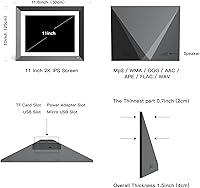
  • Dimensions: The frame measures 9.84 x 12.2 x 0.99 inches, giving it a slim profile suitable for standard desks, shelves, and nightstands.
  • Weight: The unit weighs 3.06 pounds, which is sturdy enough to feel substantial but requires a stable, level surface for the stand.
  • Color: The frame is available in black with a matte finish that resists fingerprint smudging during everyday touch screen use.
  • Utility Features: Built-in secondary functions include an alarm clock, weather station, calendar display, background music playback, and full-screen photo or video modes.
  • Brand: The frame is manufactured and sold under the FULLJA brand, which launched this model in December 2024.
  • Availability: This model was first listed for sale on December 27, 2024, making it a relatively new entrant in the digital picture frame market.

Related Reviews

FULLJA 16.2″ Digital Picture Frame
73%
88%
Display Size Impact
67%
Image Quality
61%
Setup & App Experience
83%
Multi-User Sharing
84%
Storage & Cloud Value
More
FULLJA 15-Inch 32GB Digital Picture Frame
77%
93%
Screen Size Impact
88%
Remote Photo Sharing
71%
Display Quality
67%
App Reliability
81%
Setup Experience
More
pexar 11-Inch WiFi Digital Picture Frame

77%
88%
Image Quality
83%
Anti-Glare Performance
91%
Ease of Setup
79%
App Experience
86%
Storage & Local Capacity
More
Feelcare 11.6 Inch 16GB WiFi Digital Picture Frame
83%
88%
Picture Quality
94%
Ease of Setup
72%
WiFi Connectivity
85%
Display Size & Viewing Angles
81%
App Integration (Frameo)
More
Jaihonda 10 Inch Digital Picture Frame
80%
90%
Display Quality
88%
Ease of Use
84%
Value for Money
75%
Build Quality
94%
Setup & Installation
More
CozylaHome 10.1″ Digital Picture Frame
82%
88%
Ease of Setup
93%
AI Photo Enhancement
85%
Display Quality
82%
Video Playback Support
70%
Connectivity (WiFi)
More
Atatat Digital Picture Frame 10-inch
84%
90%
Display Quality
85%
Ease of Setup
88%
Slideshow Functionality
80%
Build Quality
83%
Remote Control Usability
More
KODAK 8-Inch Digital Picture Frame
78%
93%
Ease of Setup
84%
Display Quality
88%
Simplicity & Usability
61%
Remote Control
89%
Auto On/Off Timer
More
Aura Aspen 12″
Aura Aspen 12″
84%
88%
Display Quality
82%
Anti-Glare Performance
91%
Build Quality & Design
93%
Setup Experience
79%
App Experience
More
Canupdog BOLYDOOM 16-Inch Digital Picture Frame

77%
83%
Display Quality
78%
Ease of Setup
67%
App Performance
88%
Storage & Capacity
71%
Build Quality
More

FAQ

No, not if you use the email sharing option. You can send photos directly to the frame via a dedicated email address assigned to the device, which means the recipient never has to touch their phone or download anything. If you prefer the app, senders do need to create a free account, but the person who owns the frame doesn't have to manage that side of things.

The frame supports dual-band WiFi, but during the initial setup process it specifically needs to connect to a 2.4GHz band. If your router broadcasts both bands under the same name, you may need to temporarily separate them or connect a phone to the 2.4GHz band first to complete pairing. Once set up, operation is generally stable.

Multiple people can be invited to share photos to a single frame through the companion app. This makes it practical for a whole family — siblings, grandchildren, cousins — to all contribute to what appears on the frame without any coordination needed on the recipient's end.

It does play videos, which is a nice feature for short clips like birthday moments or holiday footage. That said, video compatibility depends on the file format and size, and the manufacturer hasn't published a detailed list of supported formats. Most standard MP4 files work fine, but less common formats may not play correctly.

No. Photos that have already been downloaded to the frame's 16GB internal storage will continue to display normally without an internet connection. The frame only needs WiFi to receive new photos or sync with the cloud — everything already on the device stays put.

It's manageable, but plan to spend some time on it. Most buyers who set it up as a gift do so before wrapping it, connecting it to WiFi themselves and adding the first batch of photos so the frame is ready to go when opened. Handing someone a box and asking them to configure it from scratch is where the experience gets more complicated.

The frame uses a passive infrared sensor to detect body heat and movement in the room. When someone walks in, the screen wakes up within a few seconds. When the room is empty for a set period, it goes back to sleep. You can not adjust the sensitivity, so in busy spaces or homes with pets, occasional false wake-ups do happen.

A free cloud storage tier is included, but FULLJA does not prominently disclose the exact capacity limit upfront. For casual use — sharing regular family photos and the occasional short video — most users find the free tier sufficient for a long time. Heavy users who upload frequently in high resolution may eventually be prompted to consider a paid tier.

For basic navigation — swiping through photos, adjusting settings, switching between display modes — the touch screen is responsive enough for daily use. It is not as snappy as a modern tablet, and the corners of the screen occasionally need a second tap. But for what most people are doing with it, the touch experience is perfectly functional.

Yes, the frame supports both orientations, and it can typically auto-rotate based on how the photo was taken. You can also set it to display in full-screen mode, which fills the entire panel regardless of the photo's original aspect ratio — though this may crop edges on some images depending on their dimensions.