





Overview
The Aura Aspen 12″ arrived in early 2025 as one of the more thoughtfully designed entries in the digital frame space, quickly climbing to #3 in its Amazon category — a fast rise that reflects genuine buyer interest rather than marketing momentum alone. What separates this Aura frame from the crowd is its 4:3 aspect ratio display, which actually matches how most people shoot photos on their phones. No awkward cropping, no black bars on the sides. At under an inch thick but weighing over five pounds, it carries the kind of premium build quality that justifies its place at the higher end of the market, feeling substantial on a shelf or desk.
Features & Benefits
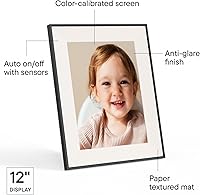
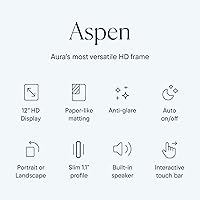
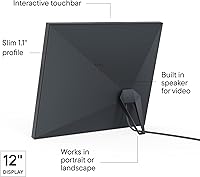
The 1600x1200 HD display is genuinely crisp — portrait shots look vivid without the washed-out softness common on cheaper panels. The anti-glare coating does real work too, keeping photos legible in bright living rooms without creating a distracting matte haze. One of the smarter physical touches is the touchbar along the frame edge: swipe it to manually advance photos without smudging the screen face. Setup reportedly takes about a minute via the Aura app, which handles both iOS and Android and lets anyone in your family add photos remotely. Perhaps the most practical long-term benefit is unlimited free storage — no subscription fees lurking around the corner, which is a real differentiator at this price tier.
Best For
This digital picture frame really shines as a gift — particularly for parents or grandparents who want to stay visually connected with family without dealing with USB drives or technical headaches. The remote photo-upload capability means adult children across the country can keep a loved one's frame refreshed without ever being in the same room. Home decorators will appreciate that the mat and trim design reads more like a framed print than a glowing screen. For anyone shooting primarily on a smartphone, the 4:3 native ratio means photos display exactly as intended. Those already in the Aura ecosystem looking to upgrade to a larger viewing experience will also find this a natural next step.
User Feedback
Since the Aspen 12-inch launched in early 2025, buyer reviews are still accumulating, so early impressions may not represent the full picture over time. That said, consistent praise so far centers on display clarity and how genuinely painless the initial setup is. The mat finish gets specific mentions for looking tasteful rather than cheap. On the critical side, a handful of buyers have raised questions about Wi-Fi stability and limited slideshow customization options — both worth monitoring as the review pool grows. Some shoppers openly wrestle with whether the premium price point is warranted compared to smaller alternatives, landing on different sides depending on how much screen size actually matters in their space.
Pros
- The 4:3 aspect ratio displays smartphone photos without cropping or black bars, a genuine daily-use advantage.
- Unlimited free cloud storage means no surprise subscription fees as your photo library grows.
- Setup takes roughly one minute and requires no technical knowledge, making it genuinely gift-ready out of the box.
- The mat and trim finish looks more like framed art than consumer electronics on a shelf or mantle.
- Remote photo uploading lets family members anywhere in the world refresh the frame without any action from the recipient.
- The anti-glare coating keeps photos readable in bright living rooms without washing out the display.
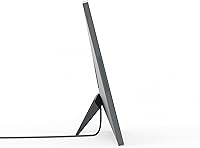
- Dual orientation with an included stand means portrait or landscape positioning requires no extra hardware.
- The touchbar navigation keeps the screen face clean and scratch-free during manual photo browsing.
- Build quality feels deliberately premium — solid weight, tight construction, nothing rattles or flexes.
- Early buyer sentiment on display sharpness and color is consistently strong for a recently launched product.
Cons
- Wi-Fi connectivity can be inconsistent on mesh networks or 5GHz-only setups, occasionally requiring manual reconnection.
- Slideshow customization is limited — transition styles and per-photo display duration offer fewer controls than competitors.
- The frame is fully dependent on the Aura platform; if the service changes its free tier, your storage model changes too.
- At over five pounds, wall mounting feels less casual and requires more planning than the product implies.
- Maximum brightness may fall short in rooms with direct sunlight or very strong ambient lighting.
- The onboarding requires an Aura account, which adds friction for privacy-conscious buyers or less tech-comfortable recipients.
- Long-term durability data is thin given the early 2025 launch date — reliability over 18-plus months is still unproven.
- The black trim surface attracts fingerprints noticeably and requires regular wiping to stay looking sharp.
Ratings
The Aura Aspen 12″ has been put through its paces by verified buyers worldwide, and our AI rating system has analyzed that feedback — actively filtering out incentivized reviews and bot activity — to produce the balanced scorecards below. Scores reflect real ownership experiences across setup, daily use, display quality, and long-term satisfaction. Both the highlights and the friction points are represented honestly, so you can make a genuinely informed decision.
Display Quality
Anti-Glare Performance
Build Quality & Design
Setup Experience
App Experience
Wi-Fi & Connectivity
Photo & Video Storage
Dual Orientation
Value for Money
Gifting Experience
Touchbar Navigation
Photo Compatibility
Physical Footprint
Long-Term Reliability
Suitable for:
The Aura Aspen 12″ is built for people who want a digital frame that genuinely fits into a home rather than looking like a piece of tech sitting on a shelf. It is an especially strong fit for families spread across different cities — adult children can keep a parent's or grandparent's frame stocked with fresh photos remotely, turning a one-time purchase into an ongoing connection. Gift buyers will find it hard to beat for occasions like milestone birthdays, anniversaries, or holidays, because the unboxing experience, quick setup, and polished mat finish all signal premium thoughtfulness without requiring the recipient to be tech-savvy. Smartphone-first photographers benefit directly from the 4:3 display ratio, which shows their photos exactly as shot without any cropping compromise. Anyone already using Aura's smaller frames and wanting a more commanding display will find the upgrade to this size feels natural and immediately worthwhile.
Not suitable for:
Buyers who want complete control over their content without platform dependency will find the Aura Aspen 12″ a difficult fit — the entire experience is built around the Aura cloud ecosystem, and there is no local storage fallback if you prefer to keep photos off third-party servers. Shoppers primarily motivated by specs-per-dollar will also struggle to justify the price when mid-range alternatives deliver functional displays at significantly lower cost. If your photo library is mostly 16:9 widescreen content — shot on action cameras or mirrorless cameras set to that ratio — the 4:3 panel will display those images with horizontal bars, which undercuts the visual appeal. Buyers who want granular slideshow controls, custom transition effects, or precise display scheduling will find the app's current customization options frustratingly limited. Finally, anyone working with a tight surface or wall space should measure carefully, as this frame is physically larger and heavier than its size class might suggest at first glance.
Specifications
- Display Size: The active display panel measures 10.1 inches diagonally, housed within a 12-inch class frame footprint that includes the mat and trim border.
- Resolution: The screen renders at 1600 x 1200 pixels, delivering HD clarity well suited to modern smartphone and camera photography.
- Aspect Ratio: The display uses a 4:3 aspect ratio, which matches the native proportions of photos taken on most iOS and Android smartphones.
- Orientation: The frame supports both landscape and portrait orientations, with the included stand accommodating stable placement in either direction.
- Anti-Glare: A factory-applied anti-glare coating reduces reflections from overhead lighting and windows, maintaining photo legibility in typical home environments.
- Dimensions: Overall frame dimensions are 14.8 x 12.05 x 0.99 inches, making it one of the larger tabletop frames in its category.
- Weight: The frame weighs 5.57 pounds, reflecting the use of denser materials consistent with its premium construction tier.
- Connectivity: The frame connects to home networks via Wi-Fi and is compatible with both 2.4GHz and standard home router configurations.
- Compatibility: The Aura companion app is fully supported on iOS and Android devices, allowing photo management from any modern smartphone or tablet.
- Storage: Photos and videos are stored via the Aura cloud platform with no stated storage cap and no subscription fee required for standard use.
- Navigation: A touchbar control strip along the frame edge allows users to manually swipe through photos without touching or smudging the display face.
- Setup Time: Aura rates the initial setup process at approximately one minute, guided by the step-by-step Aura app onboarding flow.
- Color & Finish: The reviewed configuration ships in a black finish with an included mat border designed to integrate with home decor rather than read as consumer electronics.
- Stand: A frame stand is included in the box and supports stable upright placement in both landscape and portrait orientations without additional hardware.
- Video Support: The frame displays video content in addition to still photos, with uploads managed through the Aura app using the same process as photo sharing.
- Power: The frame operates via a wired power connection; it does not contain an internal battery and requires a nearby power outlet for continuous display.
- Manufacturer: The Aura Aspen 12″ is manufactured by Aura Home, Inc., a company specializing in Wi-Fi connected digital picture frames.
- Release Date: The product was first made available for purchase in February 2025, making it one of Aura's most recently introduced frame models.
- Amazon Ranking: Shortly after launch the frame achieved a Best Sellers Rank of #3 in the Digital Picture Frames category on Amazon.
- App Name: The companion application is called the Aura app and is available as a free download on both the Apple App Store and Google Play Store.
Related Reviews
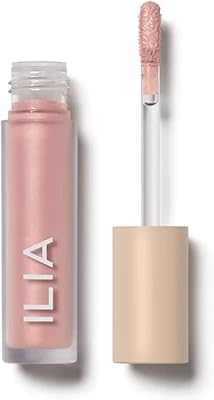
ILIA Chromatic Liquid Powder Eye Tint 3.5ml

CHI Infra Home Stylist Hair Care Kit
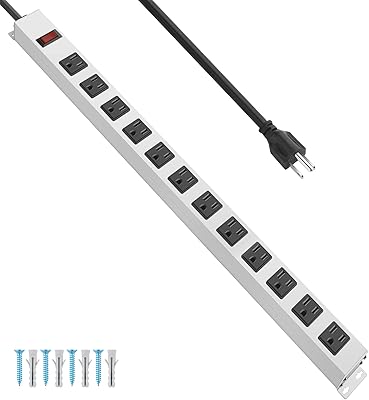
JUNNUJ PX213-12 12-Outlet Metal Power Strip
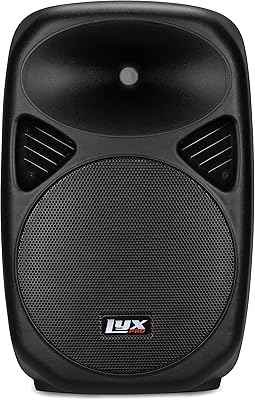
LyxPro SPA-12 12″ Portable PA Speaker
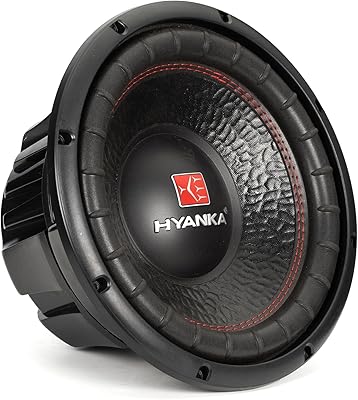
HYANKA BSC-12-2 12-Inch Car Subwoofer
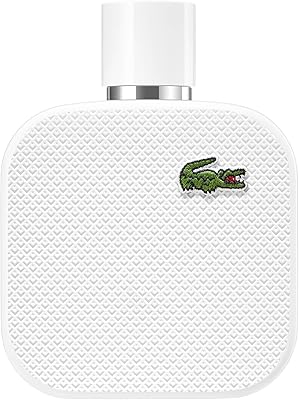
Lacoste L.12.12 Blanc 3.3oz Eau de Toilette
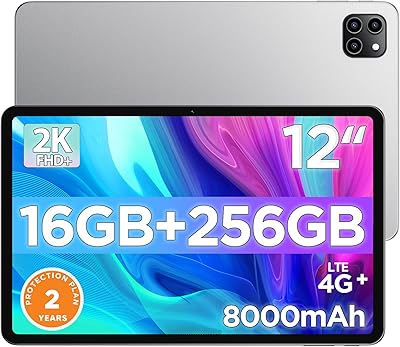
Callsky-Tab Ctab 12 12-inch Android Tablet
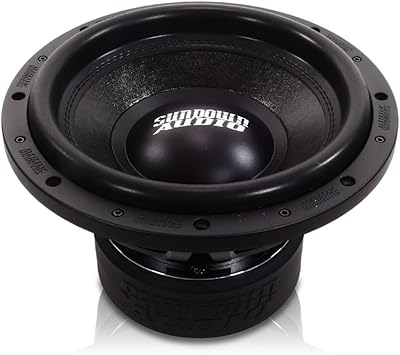
Sundown Audio SA-12 V.2 D4 12″ Subwoofer

Lacoste L.12.12 Rose Eau de Parfum 100ml