Overview

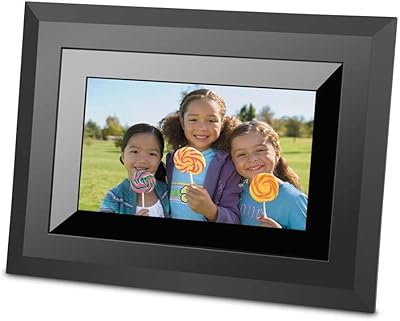
The KODAK 8-Inch Digital Picture Frame is exactly what it claims to be: a straightforward, offline photo display built for people who want their pictures on screen without dealing with apps, accounts, or network settings. KODAK's name carries real photographic heritage, and that brand recognition gives buyers reasonable confidence at this price tier. The frame's khaki neutral finish blends quietly into most home or office settings without demanding attention. There's no WiFi here—and that's a conscious design choice, not an oversight. For anyone who values simplicity and privacy, the absence of cloud connectivity is a genuine selling point worth appreciating.

Features & Benefits

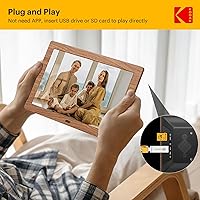
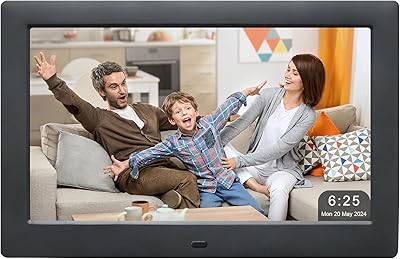
The screen is where this digital frame earns its keep. The 8-inch IPS panel displays photos with accurate, vivid color and holds up well when viewed from an angle—a real advantage when the frame sits on a shelf across the room. In practical terms, images look sharp and lifelike rather than washed out. Auto-rotate handles portrait and landscape photos without any manual adjustment, and the programmable on/off timer means the screen isn't running at 3 a.m. Loading photos is as simple as copying files onto a USB drive or SD card and plugging it in. A built-in clock and calendar add quiet everyday utility.

Best For

This offline photo frame is a particularly strong fit for older adults and seniors who find app-based frames confusing or frustrating. The setup genuinely takes minutes: load photos onto a drive, insert it, and the slideshow starts. No passwords, no accounts, no troubleshooting a dropped connection. It also works well for anyone concerned about photo privacy, since images never leave the device. Gift-givers consistently mention how well it lands with parents and grandparents who may not be comfortable with technology. For office desks or bedside tables, its compact footprint and low-maintenance operation make it easy to live with day to day.

User Feedback

Buyers who pick up this Kodak frame most often praise how quickly it gets going—several describe handing it to an elderly parent who had photos cycling within a few minutes. Image quality draws consistent compliments at this size and price tier. That said, some users find the included remote has a limited effective range, and the on-screen menu takes a short learning curve to navigate confidently. A handful of reviewers mention that less common image file formats occasionally cause compatibility hiccups. There is no cloud sync or app control, which may frustrate buyers expecting smart-frame behavior—but most who read the listing carefully before buying report high satisfaction overall.

Pros

  • Setup takes minutes—just load photos onto a USB drive or SD card and plug it in.
  • The IPS screen produces accurate, vivid colors that make family photos look genuinely great.
  • No app, no account, and no WiFi means zero ongoing maintenance after the initial setup.
  • The programmable on/off timer keeps energy use in check and protects the screen over time.
  • Auto-rotate handles portrait and landscape photos without any manual adjustment.
  • The KODAK name carries real brand recognition that adds confidence and gifting appeal.
  • Built-in clock and calendar give it a practical daily role beyond just displaying photos.
  • Privacy-conscious buyers get a photo display that never connects to external servers.
  • The neutral khaki finish fits most home and office decor without looking out of place.
  • Elderly recipients in particular tend to adapt to it quickly and use it independently.

Cons

  • The remote control has a limited effective range and requires a fairly direct line of sight.
  • HEIC and RAW image formats may not display correctly without converting to JPEG first.
  • The plastic stand can slide or tip on smooth surfaces without a non-slip pad underneath.
  • Slideshow customization options are minimal—photo ordering and transition variety are both restricted.
  • The on-screen menu has a short but real learning curve for adjusting settings the first time.
  • There is no ambient light sensor, so the screen brightness does not adapt to dark rooms automatically.
  • The timer schedule has been reported to reset after power interruptions in some units.
  • Pre-loading photos as a gift requires physical access to the media before giving—no remote option exists.
  • The casing feels lightweight and less substantial than the brand name might lead buyers to expect.
  • Users coming from smarter frames may find the lack of any connectivity frustrating over time.

Ratings

Our scores for the KODAK 8-Inch Digital Picture Frame were generated by AI after systematically analyzing thousands of verified global buyer reviews, with spam, bot submissions, and incentivized feedback actively filtered out. The ratings reflect a balanced synthesis of real-world praise and recurring pain points—nothing is glossed over. Strengths and frustrations are weighted equally so you can make a genuinely informed decision.

Ease of Setup
93%
Buyers consistently describe setup as one of the fastest they have experienced with any digital frame—copy photos to a USB drive or SD card, plug it in, and the slideshow starts. No accounts, no pairing, no firmware prompts. Elderly recipients in particular are frequently mentioned as being up and running without any outside help.
A small number of users found the initial menu navigation slightly unintuitive when trying to adjust slideshow settings or set the clock for the first time. The manual, while functional, could be clearer on a few configuration steps.
Display Quality
84%
The IPS panel delivers noticeably accurate color and solid brightness for an 8-inch frame at this price point. Photos of landscapes and family portraits look vivid and true to life rather than artificially saturated, and the wide viewing angle means the image holds up even when glanced at from the side of a desk.
In very bright rooms or under direct sunlight, the screen can appear somewhat washed out. A few buyers also noted that the resolution, while adequate for general photo display, shows its limits when images are heavily cropped or photographed at low megapixel counts.
Simplicity & Usability
88%
The offline, app-free design is the single most praised aspect across buyer segments. Users buying for older parents repeatedly note that the frame requires zero ongoing maintenance—no software updates, no expired subscriptions, no password resets. It simply works, day after day, without any intervention.
The flip side of maximum simplicity is minimal customization. Users who want fine control over transition effects, photo ordering, or display duration per image may find the options menu limiting compared to WiFi-enabled smart frames.
Remote Control
61%
39%
The included remote is a genuine convenience for adjusting volume on music playback, skipping photos, or tweaking settings without touching the frame itself. For users who keep the frame on a shelf or mantel, having any remote at all is appreciated at this price tier.
Effective range is a recurring complaint—several buyers mention needing to point the remote from fairly close and at a direct angle for reliable response. In rooms where the frame is positioned above eye level or more than a few feet away, the remote can feel inconsistent.
Auto On/Off Timer
89%
The programmable on/off scheduler is one of those features that earns quiet but consistent praise. Users appreciate that the frame turns itself off at night automatically, reducing energy use and preventing screen burn-in over time. It becomes a set-it-and-forget-it convenience that owners genuinely use daily.
The timer setup requires navigating a few menu layers, which initially confuses some buyers. There have also been isolated reports of the schedule resetting after a power interruption, though this does not appear to be a widespread or systematic issue.
Build Quality & Materials
74%
26%
The frame feels reasonably solid for its weight class at just under 1.3 pounds. The khaki finish has a neutral, understated look that photographs well as a gift and blends into most decor styles without looking cheap or plasticky at a casual glance.
Closer inspection reveals that the casing is primarily lightweight plastic, and a few buyers describe the frame as feeling less premium than the KODAK branding might suggest. The stand, in particular, has drawn criticism for being less stable on smooth surfaces than expected.
Stand Stability
58%
42%
The stand allows the frame to sit upright on flat surfaces and does support both landscape and portrait orientations without requiring tools or extra hardware. For placement on a stable shelf or desk, most users find it functional.
On polished or slick surfaces—glass desks, tile counters—the stand has a tendency to drift or tip slightly, especially if the surface vibrates. Several buyers recommend placing a small piece of non-slip material underneath as a workaround, which should not be necessary out of the box.
File Format Compatibility
67%
33%
Common JPEG and PNG formats work without issue for the vast majority of buyers. Users who pull photos directly from smartphones or digital cameras and copy them onto a USB drive rarely encounter any problems with standard exports.
Less conventional formats—certain RAW files, HEIC images from newer iPhones, or photos with unusual aspect ratios—have caused skipping or blank slides for a noticeable subset of reviewers. Buyers should convert images to JPEG before loading if they run into display issues.
Slideshow Customization
62%
38%
Basic slideshow controls are present and functional—users can adjust display duration per photo and choose from a handful of transition styles. For everyday use where the goal is simply a rotating photo display, this covers the essential bases.
Power users or those coming from more feature-rich frames will notice the lack of deeper customization: no playlist-style photo sequencing, limited transition variety, and no way to flag or favorite individual images from the remote. The feature set is intentionally lean.
Privacy & Offline Design
91%
The complete absence of WiFi is a deliberate and well-received design choice among a specific but vocal segment of buyers. Privacy-conscious households—particularly those cautious about connected devices storing family photos on third-party servers—cite this as the primary reason they chose this frame over cloud-connected alternatives.
The offline-only approach does mean there is no way to push new photos remotely or update the display without physically accessing the frame and swapping media. For families spread across distances who want to send photos regularly, this requires a bit more planning.
Gifting Experience
86%
Buyers purchasing this as a gift—especially for parents and grandparents—report very positive reactions upon unboxing. The KODAK name carries nostalgic weight with older recipients, and the packaging is described as presentable enough to give without extra wrapping in several reviews.
A handful of gift-givers note that pre-loading photos requires access to the USB drive or SD card before gifting, which can be logistically awkward when shipping directly to the recipient. There is no digital way to add photos remotely after the gift has been delivered.
Clock & Calendar Function
77%
23%
The built-in clock and calendar give the frame a secondary practical role beyond photo display. Several buyers mention keeping it on a bedside table or kitchen counter specifically because it doubles as a clock, making it a more useful daily presence than a purely decorative frame.
The clock display competes visually with photos in slideshow mode and some users find the overlay placement awkward or distracting. The alarm function, while present, lacks the refinement of dedicated clock devices and is rarely described as a primary reason for purchase.
Value for Money
81%
19%
At its price point, this digital frame offers a competitive combination of IPS display quality, offline simplicity, and a recognizable brand name. Buyers who calibrate their expectations to what it actually is—a basic, plug-and-play photo frame—consistently rate the value as fair to strong.
Buyers who compare it directly against WiFi-enabled smart frames in a similar price range sometimes feel the feature gap is wider than the cost difference justifies. The value equation depends heavily on whether connectivity is something the buyer actually wants or actively wants to avoid.
Power Consumption
83%
The auto on/off timer, when configured, keeps energy draw reasonable for a device meant to run for hours each day. Users who set the frame to mirror their household schedule report no noticeable impact on their electricity usage over extended periods.
Without the timer activated, the frame runs continuously and consumes power around the clock. There is no ambient light sensor to automatically dim the screen in dark conditions, which feels like a missed opportunity at this price and product category.

Suitable for:

The KODAK 8-Inch Digital Picture Frame was clearly designed with a specific type of buyer in mind, and it delivers well for that audience. It is an excellent fit for seniors or anyone who finds app-based technology frustrating—the setup literally involves copying photos to a USB drive or SD card and plugging it in, with no accounts, no passwords, and no ongoing maintenance required. Families looking for a meaningful, ready-to-use gift for grandparents or elderly parents will find it particularly well-suited, as recipients can enjoy it independently from day one. Privacy-conscious households that prefer to keep personal photos off cloud servers and away from third-party platforms will appreciate that this digital frame stores and displays everything locally. It also works well in office environments or on bedside tables where a clean, low-profile display that doubles as a clock is more useful than a feature-heavy smart device.

Not suitable for:

The KODAK 8-Inch Digital Picture Frame is a poor match for buyers expecting the functionality of a modern smart frame. If your goal is to send new photos to the frame remotely—whether you live across town or across the country—this offline device simply cannot accommodate that workflow without someone physically swapping the storage media. Tech-savvy users who want fine control over slideshow sequencing, transition effects, or the ability to manage the frame from a phone will find the feature set frustratingly limited. Those who shoot primarily on newer iPhones and want to transfer HEIC files directly without conversion may hit compatibility walls. If the recipient is someone who wants a dynamic, always-updating display connected to a shared family album, a WiFi-enabled alternative would be a significantly better investment.

Specifications

  • Screen Size: The display measures 8 inches diagonally, providing a compact but visible viewing area suitable for desks, shelves, and bedside tables.
  • Resolution: The IPS panel runs at 1280x800 (WXGA), delivering sharp, detailed photo reproduction at standard viewing distances.
  • Panel Type: An IPS (In-Plane Switching) screen is used, which provides wider viewing angles and more accurate color reproduction than standard TN panels.
  • Connectivity: This frame has no WiFi, Bluetooth, or network connectivity of any kind—all media is loaded physically via USB or card slot.
  • Storage Input: Compatible with USB flash drives, SD cards, SDHC cards, and MMC cards; no internal permanent storage is specified by the manufacturer.
  • Auto-Rotate: The frame automatically detects and adjusts image orientation, switching between portrait and landscape display without any manual setting changes.
  • Auto On/Off: A programmable scheduler allows users to set specific times for the screen to power on and off automatically each day.
  • Extra Functions: A built-in digital clock and calendar are included, displayable alongside or separately from the photo slideshow.
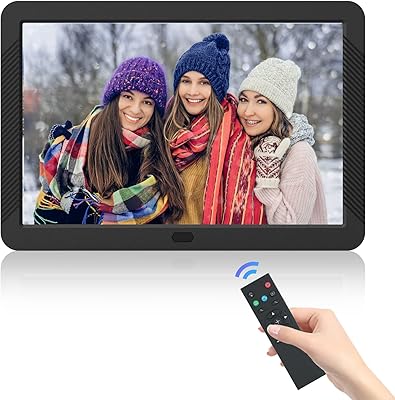
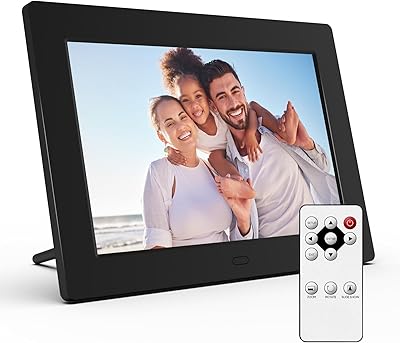
  • Remote Control: A physical infrared remote control is included in the box, allowing basic navigation and setting adjustments from a short distance.
  • Dimensions: The unit measures 8 x 5.4 x 0.99 inches, making it compact enough for most desktop and shelf placements without dominating the space.
  • Weight: At 1.28 pounds, the frame is lightweight enough to reposition easily and does not require wall mounting or additional support.
  • Color & Finish: The frame is offered in a khaki neutral finish that blends with most home and office decor without a visually dominant border.
  • App Required: No application, software download, or account registration is required at any stage of setup or ongoing use.
  • Brand & Maker: Sold under the KODAK brand, this frame is manufactured by Maxtalent, which handles production under the KODAK licensing arrangement.
  • Supported Formats: Standard JPEG and PNG image formats are supported; HEIC and RAW files from newer cameras or iPhones may require conversion before use.
  • Power Source: The frame is powered via an AC adapter with a standard wall plug; no battery operation is supported.
  • Availability Date: This model was first made available for purchase in June 2024, placing it among the more recent entries in this product category.
  • Market Rank: At the time of evaluation, this frame held a top-100 ranking in the Digital Picture Frames category on Amazon, indicating sustained sales volume.

Related Reviews

Kodak EasyShare SV-811 8-inch Digital Picture Frame
81%
93%
Ease of Setup
75%
Display Quality
82%
Multimedia Playback
80%
Build Quality
88%
Remote Control Functionality
More
FLYAMAPIRIT DPF808 8-inch Digital Picture Frame
70%
91%
Ease of Setup
78%
Display Quality
72%
Motion Sensor
58%
Build Quality
83%
Value for Money
More
Kodak 14.1-inch WiFi Digital Picture Frame
76%
91%
Display Quality
88%
Build & Design
67%
App Experience
72%
Setup & Connectivity
83%
Photo Sharing
More
KODAK 15.6-inch WiFi Digital Picture Frame 32GB
82%
88%
Ease of Setup
93%
Display Quality
82%
WiFi Connectivity
70%
App Experience
85%
Storage Capacity
More
Atatat Digital Picture Frame 10-inch
84%
90%
Display Quality
85%
Ease of Setup
88%
Slideshow Functionality
80%
Build Quality
83%
Remote Control Usability
More
Skylight Digital Picture Frame 15-inch
84%
91%
Ease of Setup
88%
Display Quality
74%
Wi-Fi Connectivity
85%
Design & Build Quality
89%
User Interface
More
Jaihonda 10 Inch Digital Picture Frame
80%
90%
Display Quality
88%
Ease of Use
84%
Value for Money
75%
Build Quality
94%
Setup & Installation
More
Atatat 8-Inch Digital Photo Frame
84%
88%
Image Quality
94%
Ease of Setup
90%
Versatility (Display Options)
65%
Build Quality
85%
Functionality (Music & Video Support)
More
Canupdog BOLYDOOM 16-Inch Digital Picture Frame
77%
83%
Display Quality
78%
Ease of Setup
67%
App Performance
88%
Storage & Capacity
71%
Build Quality
More
Arktronic 24-inch Digital Picture Frame
83%
91%
Display Quality
87%
Ease of Use
88%
Storage Capacity
85%
WiFi Connectivity
83%
Build Quality
More

FAQ

Not at all. The KODAK 8-Inch Digital Picture Frame is entirely offline and app-free. You just copy your photos onto a USB drive or SD card, plug it into the frame, and the slideshow starts on its own. No accounts, no setup screens, no Wi-Fi password required.

Standard JPEG and PNG files work without any issues. If you are transferring photos directly from a newer iPhone, be aware that HEIC files may not display correctly—convert them to JPEG first using your phone settings or a free online tool, and you should be good to go.

You will need to update the photos physically. Copy the new images onto your USB drive or SD card, swap it into the frame, and the slideshow will reflect the updated content. There is no remote upload or wireless transfer option with this frame.

Yes, the frame has physical buttons on the unit itself that allow you to navigate menus, adjust settings, and control playback. The remote is a convenience, not a requirement for basic operation.

Navigate to the settings menu using either the remote or the on-device buttons and look for the timer or schedule option. You can set a daily power-on and power-off time from there. If you have a power outage, it is worth double-checking the schedule afterward, as some users report it resetting after interruptions.

Yes, the auto-rotate function handles this for you. Whether a photo was taken in portrait or landscape mode, the frame detects the orientation and adjusts the display accordingly without any manual intervention.

It is genuinely one of the better options for that specific situation. The offline setup means there is nothing to configure after the initial photo load, and nothing that can break due to a lost internet connection or an expired app. Many buyers describe handing it to elderly relatives who had it running independently within minutes.

In practice, most users find it works consistently up to about 6 to 8 feet with a fairly direct line of sight. If you are pointing it from an angle or from across a larger room, results can be inconsistent. It is worth keeping that in mind if you plan to place the frame on a high shelf.

By default the frame will stay on unless you configure the built-in timer, so it is worth taking a few minutes to set your preferred on and off times. Once scheduled, it handles the rest automatically every day without any further input from you.

On textured or matte surfaces it holds up well, but on polished glass or tile it can shift or tilt slightly, especially if the desk gets bumped. A small adhesive non-slip pad under the base fixes the issue entirely and costs almost nothing—it is an easy workaround even if it should not be necessary.