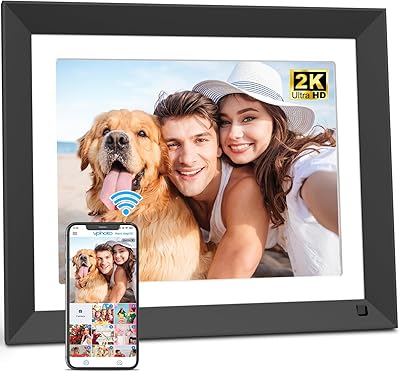
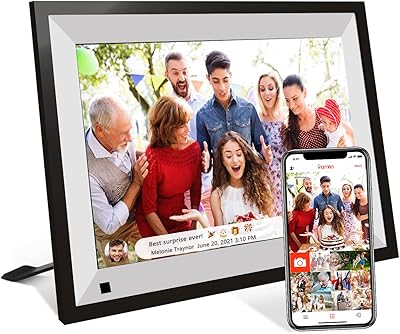
Overview

The pexar 11-Inch WiFi Digital Picture Frame arrives from Lexar — a brand better known for memory cards and storage — under the pexar sub-brand, positioned squarely in the mid-to-premium tier of the digital frame market. It launched in mid-2024 and quickly earned a spot among Aura and Nixplay as a legitimate alternative worth considering. Yahoo Tech named it their best tested frame of 2025, which carries some weight without being the whole story. The 11-inch screen and 2K resolution immediately separate it from the cluttered budget end of the category. One important caveat: the listing is currently marked discontinued by manufacturer, so prospective buyers should factor that into their decision, particularly around long-term app and firmware support.

Features & Benefits

At 2000×1200 resolution, the images on this smart photo frame look genuinely sharp — noticeably crisper than the 1080p displays common on competing models at this price range. The anti-glare coating earns its keep in brighter rooms; reflections that would wash out a glossy screen simply are not an issue here. Storage is handled locally with 32GB built in, enough space for tens of thousands of photos without ever needing a subscription or a cloud account. The companion app works on both iOS and Android, letting you push new photos from your phone in moments. SD card and USB-A support add flexibility for those who prefer skipping the app entirely. A sleep mode and clock round out the practical extras.

Best For

This WiFi picture frame hits its stride as a gift for someone who is not particularly tech-savvy. Think grandparents who want to watch new photos of grandchildren appear without ever touching a settings menu — plug it in, hand it over, done. That low-friction setup also makes it practical for older relatives living alone, who appreciate a sense of connection without needing to learn new apps themselves. Home decorators will like the clean, modern profile; at under an inch thick and weighing just over a pound, it sits neatly on a shelf or sideboard. For anyone with a large photo archive, the on-device storage removes the anxiety of recurring subscription fees that some competing frames quietly require.

User Feedback

With a 4.5-star average from around 280 buyers, the pexar frame has earned mostly positive marks. Image clarity and color accuracy are the most frequently praised qualities — people notice the difference from cheaper alternatives right away. The app setup experience also comes up often as a genuine highlight rather than a headache. That said, a meaningful concern runs through some reviews: the frame is listed as discontinued by its manufacturer, which raises fair questions about how long the companion app will receive updates or stay functional. A few users have also flagged occasional Wi-Fi hiccups. Overall satisfaction is solid, but anyone considering a purchase should weigh the discontinued status carefully, especially if long-term reliability is a priority.

Pros

  • The 2K anti-glare screen produces noticeably sharper, more vibrant images than most 1080p competitors in this price range.
  • Built-in 32GB storage holds a massive photo library without ever requiring a paid subscription or cloud account.
  • Setup is genuinely simple — recipients only need to plug it in while the sender does the rest through the app.
  • The companion app works with both iOS and Android, covering nearly every smartphone a family member might own.
  • Auto photo rotation, a sleep mode, and a built-in clock make this smart photo frame practical for everyday display.
  • SD card and USB-A support let users bypass the app entirely for direct, no-fuss photo playback.
  • At just over a pound and under an inch thick, this WiFi picture frame fits neatly on a shelf or sideboard without dominating the space.
  • Yahoo Tech recognized it as their best tested frame of 2025, adding meaningful third-party validation.
  • A 4.5-star average from hundreds of buyers reflects consistent satisfaction, particularly around image quality and ease of use.
  • Recipients can react to incoming photos with a tap, which adds a small but genuinely warm layer of interaction for distant families.

Cons

  • The manufacturer has marked this product as discontinued, raising legitimate concerns about future app updates and firmware support.
  • Long-term software reliability is uncertain — if the companion app is eventually deprecated, core functionality could be lost.
  • Occasional Wi-Fi connectivity issues have been flagged by some users, which can disrupt the remote photo-sharing experience.
  • With only one color option available, buyers with lighter or wood-toned interiors may find the black finish limiting.
  • The app-dependent setup, while easy for senders, means recipients are largely passive — they cannot add photos themselves without help.
  • Lexar is primarily a storage brand, and pexar has a limited track record as a smart display manufacturer compared to dedicated rivals.
  • At 11 inches, the screen may feel small for anyone hoping to make a visual statement in a larger room or open-plan living area.
  • With just 281 ratings, the review pool is relatively small, making it harder to spot long-term durability patterns with confidence.

Ratings

The pexar 11-Inch WiFi Digital Picture Frame has been scored across key performance categories by our AI rating system, which analyzed verified global buyer reviews while actively filtering out incentivized, bot-generated, and spam feedback to reflect genuine ownership experiences. Scores represent both what this smart photo frame does well and where it falls short, giving you a transparent, balanced picture before you commit to a purchase.

Image Quality
88%
Buyers consistently single out the 2K display as the frame's most impressive trait, noting that family portraits and vacation shots look genuinely vivid rather than washed out. The 2000×1200 resolution makes a visible difference compared to the 1080p panels on competing frames in the same price range, and color accuracy earns particular praise from users who display a mix of indoor and outdoor photography.
A small number of reviewers feel that brightness at the highest setting can occasionally make lighter-toned photos appear slightly overexposed in dim rooms. While the overall sharpness is strong, users with professionally edited RAW-converted images sometimes note that the color rendering, while good, does not quite match a calibrated monitor.
Anti-Glare Performance
83%
For buyers who place this WiFi picture frame on a mantle or shelf near a window, the anti-glare coating delivers on its promise — photos remain clearly visible even during morning hours when direct light hits the screen. Multiple reviewers in sunnier climates mention this as a deciding factor over glossy-screen alternatives they considered.
In rooms with multiple strong overhead lights, some users report a faint diffusion effect where very fine image detail looks slightly softened compared to a glossy display. The anti-glare coating does reduce peak visual punch marginally, which is a reasonable trade-off for most, but perfectionists may notice it.
Ease of Setup
91%
Setup is one of the most consistently praised aspects across the review pool. Buyers who gifted this frame to elderly parents report that the initial Wi-Fi connection took only a few minutes, and from that point on the recipient never had to touch any settings. The sender-side app handles everything, which is a genuinely thoughtful design for a product aimed at multi-generational households.
A handful of users note that the initial Wi-Fi pairing can be finicky if the home network uses less common configurations, such as 5GHz-only routers or mesh systems with strict device isolation. Instructions for troubleshooting these edge cases could be clearer in the setup guide.
App Experience
79%
21%
The companion app works reliably for most users on both iOS and Android, and the process of sending a photo or short video takes under a minute once everything is connected. Reviewers appreciate the ability to invite multiple family members to contribute, which means grandchildren, adult children, and cousins can all feed new memories to the same frame independently.
Some users report occasional delays in photo delivery, where images sent through the app take longer than expected to appear on the frame. A small but vocal group of Android users mention that certain older devices running Android 6.0 experienced minor stability issues with the app during longer sharing sessions.
Storage & Local Capacity
86%
Thirty-two gigabytes of built-in storage is a practical strength that many buyers only fully appreciate after owning competing frames that require cloud subscriptions to store more than a few hundred images. For families with years of accumulated phone photos, this means loading a rich, diverse library without worrying about running out of space or paying ongoing fees.
There is no option to expand internal storage beyond 32GB natively — while SD card and USB-A support help bridge that gap, those solutions require physical media management rather than seamless wireless expansion. Power users who want to store 4K video clips alongside thousands of photos may bump against storage constraints faster than expected.
External Media Support
77%
23%
The inclusion of both an SD card slot and a USB-A port gives users a genuinely useful fallback for loading photos without touching the app, which several reviewers appreciate when gifting to relatives who have no smartphone or prefer to curate images manually from a camera card.
A few users note that not all USB drives were recognized on the first attempt, suggesting the frame can be selective about file system formats or drive types. There is also no mention of USB-C support, which is increasingly the standard port on newer laptops and cameras, creating a small but real inconvenience for some workflows.
Build Quality & Design
74%
26%
The slim profile — under an inch deep — and restrained black finish make this smart photo frame easy to place in a variety of interior styles without clashing. At 1.43 pounds, it feels substantial enough to sit stably without a stand anchor, and several buyers comment that it looks more expensive than its actual footprint suggests.
The single black color option limits appeal for buyers with light-wood or white-toned decor schemes, and the physical bezels, while not oversized, are visible enough that those expecting a near-borderless look may be mildly disappointed. Some reviewers also note that the frame back feels primarily plastic, which is functional but not premium to the touch.
Touchscreen Responsiveness
72%
28%
For basic navigation — swiping between photos, adjusting brightness, toggling settings — the touchscreen handles everyday interactions without frustration. Most buyers do not purchase this frame expecting tablet-level touch responsiveness, and for its actual use cases, the screen does its job without getting in the way.
Reviewers who use the touchscreen frequently rather than just occasionally report that multi-tap sequences can sometimes require a second attempt before registering. The touch interface feels more utilitarian than polished, and a few users wish sensitivity could be adjusted in the settings for a snappier feel.
Smart Features
69%
31%
The built-in clock, real-time weather display, and sleep mode are genuinely useful additions for a frame sitting in a kitchen or bedroom, where a glanceable time and weather readout adds practical value beyond just displaying photos. The sleep mode in particular earns consistent appreciation from buyers who dislike leaving any screen on overnight.
The weather display requires a stable Wi-Fi connection and accurate location permissions, which some users found inconsistent to configure. The smart feature set feels like a bonus layer rather than a deeply developed platform — functional, but unlikely to impress anyone expecting the polish of a dedicated smart display product.
Wi-Fi Reliability
67%
33%
Under normal home network conditions — a standard 2.4GHz router, reasonable signal strength — the frame stays connected without requiring manual reconnection. Buyers in straightforward network environments rarely report any connectivity problems during day-to-day use.
Wi-Fi reliability becomes a more visible weakness in homes with congested networks, mesh systems, or dual-band routers that switch frequencies automatically. Some reviewers report that the frame occasionally drops its connection overnight and requires a manual restart to resume receiving photos, which is frustrating for a device meant to work silently in the background.
Long-Term Software Support
48%
52%
For buyers purchasing in the near term as a gift, the app currently works as advertised and the overall ownership experience is positive. The frame performs its core functions without obvious software instability, and most buyers have not yet encountered any feature degradation.
The manufacturer has officially marked this product as discontinued, which creates a real and legitimate concern about how long the companion app will receive updates, security patches, or compatibility fixes as iOS and Android continue to evolve. This is the single most significant risk factor in the ownership equation, and buyers planning to use this frame for several years should weigh it carefully before purchasing.
Value for Money
76%
24%
Relative to competing frames with comparable screen size and resolution, the pexar frame delivers strong image quality and a subscription-free storage model that makes the upfront cost easier to justify. Buyers who factor in the absence of recurring fees often feel the overall value proposition is genuinely competitive at this price tier.
The discontinued status meaningfully erodes long-term value — a frame that may lose app support within a year or two is harder to justify at a mid-to-premium price compared to rivals from brands with proven software longevity. Buyers who compare it to established names like Aura on a total cost-of-ownership basis may find the calculus less favorable than it initially appears.
Gifting Experience
87%
As a gift, this WiFi picture frame lands exceptionally well — multiple buyers describe the moment a recipient sees their first incoming photo as genuinely moving, particularly for grandparents receiving pictures of grandchildren they do not see often. The unboxing presentation is clean, and the setup burden falls entirely on the gift-giver rather than the recipient.
The discontinued status introduces an awkward wrinkle in the gifting context: giving someone a product whose long-term app support is uncertain is a detail worth disclosing rather than glossing over. A few buyers who discovered this after purchase expressed some regret that they had not been more aware of it at the time of gifting.

Suitable for:

The pexar 11-Inch WiFi Digital Picture Frame is a strong fit for families who live apart and want a low-effort way to stay visually connected — think adult children sending weekly snapshots straight to a parent's living room shelf without any technical back-and-forth. It works especially well as a gift for older adults who are not comfortable managing apps themselves, since the recipient only needs to plug it in while the sender handles everything through the companion app. The 11-inch 2K display makes it a genuine home decor piece rather than an afterthought on a nightstand, which appeals to anyone who cares about how their space looks. For households with large photo libraries, the built-in 32GB storage removes the pressure of cloud subscriptions or monthly fees that several competing frames quietly require. It also suits gift-givers who want something personal and lasting rather than another generic present for a birthday, anniversary, or holiday.

Not suitable for:

Buyers who prioritize long-term reliability should pause before purchasing, because the listing is currently marked as discontinued by the manufacturer, which raises real uncertainty about how long the companion app will continue receiving updates or remain fully functional. If you are buying this as a multi-year investment rather than a near-term gift, that is a meaningful risk worth weighing carefully. The pexar 11-Inch WiFi Digital Picture Frame is also not the right pick for anyone who wants a larger display — at 11 inches, it will feel modest to those accustomed to 15-inch or larger digital frames. Users who do not have a stable home Wi-Fi network may run into frustrating connectivity issues, since the remote-sharing experience depends on a reliable connection. Finally, buyers who want a brand with a dedicated smart-display ecosystem and guaranteed firmware longevity would be better served looking at more established players in this category.

Specifications

  • Screen Size: The display measures 11 inches diagonally, offering a viewing area that works well on a shelf, mantle, or sideboard without overwhelming the surrounding decor.
  • Resolution: The touchscreen renders images at 2000×1200 pixels, delivering noticeably sharper detail than the 1080p panels common on competing frames in this category.
  • Screen Type: The panel is a touch-enabled, anti-glare display designed to reduce reflections in well-lit rooms, making photos visible from multiple angles without significant washout.
  • Storage: 32GB of onboard storage is built in, which is enough to hold a very large photo library without any reliance on cloud services or paid subscription plans.
  • External Storage: The frame accepts both SD cards and USB-A flash drives for direct local playback, giving users a way to load photos without using the companion app.
  • Connectivity: The frame connects to home networks via Wi-Fi, which is required for remote photo sharing and app-based features.
  • App Compatibility: The companion app supports Apple devices running iOS 14 or later and Android devices running version 6.0 or later.
  • Orientation: The frame auto-rotates photos between portrait and landscape orientations, adapting to how each image was originally captured.
  • Smart Features: Built-in extras include a real-time weather display, a digital clock, and a configurable sleep mode that turns the screen off during set overnight hours.
  • Dimensions: The frame measures approximately 3×8×0.99 inches, making it slim enough to sit unobtrusively on a narrow shelf or small side table.
  • Weight: At 1.43 pounds, the frame is light enough to reposition easily without tools or heavy mounting hardware.
  • Color Options: The frame is available in Black, with no other color variants listed by the manufacturer.
  • Manufacturer: The pexar frame is manufactured by Lexar Co., LTD, a company primarily known for flash storage and memory card products.
  • Model Number: The official model number for this frame is PX-110BLKNA, which can be useful for identifying compatible accessories or contacting support.
  • Availability Status: As of the time of this review, the product is listed as discontinued by the manufacturer, which may affect future firmware updates and long-term app support.
  • Ratings: The frame holds a 4.5-star average rating based on 281 customer reviews on Amazon, reflecting strong but not unanimous satisfaction among buyers.
  • Category Rank: At the time of listing, the frame ranked #36 in the Amazon Digital Picture Frames category, placing it solidly within the top tier of available options.
  • Launch Date: The product was first made available on Amazon in July 2024, positioning it as a relatively recent entry in the mid-to-premium digital frame segment.

Related Reviews

Feelcare 11.6 Inch 16GB WiFi Digital Picture Frame
83%
88%
Picture Quality
94%
Ease of Setup
72%
WiFi Connectivity
85%
Display Size & Viewing Angles
81%
App Integration (Frameo)
More
Feelcare HN-DPF1003 10-inch Digital Picture Frame
76%
88%
Ease of Setup
83%
Display Quality
76%
App Experience
51%
Video Support
79%
Touchscreen Responsiveness
More
FULLJA 11″ Digital Picture Frame
78%
88%
Display Quality
67%
Ease of Setup
63%
App Experience
91%
Remote Photo Sharing
84%
Motion Sensor
More
Aura Mason 9-inch Digital Picture Frame
83%
91%
Display Quality
94%
Ease of Setup
78%
App Experience
88%
Build Quality & Design
86%
Photo Management
More
NOBKLEN 10.1-Inch WiFi Digital Photo Frame
81%
91%
Ease of Setup
86%
App Experience
72%
Display Quality
94%
Gifting Experience
88%
Photo Sharing Speed
More
Kodak 14.1-inch WiFi Digital Picture Frame
76%
91%
Display Quality
88%
Build & Design
67%
App Experience
72%
Setup & Connectivity
83%
Photo Sharing
More
akimart 32GB 10.1-inch WiFi Digital Picture Frame
73%
88%
Ease of Setup
84%
Remote Photo Sharing
71%
Display Quality
63%
Build Quality
82%
Touch Screen Responsiveness
More
KODAK 15.6-inch WiFi Digital Picture Frame 32GB
82%
88%
Ease of Setup
93%
Display Quality
82%
WiFi Connectivity
70%
App Experience
85%
Storage Capacity
More
KODAK 8-Inch Digital Picture Frame
78%
93%
Ease of Setup
84%
Display Quality
88%
Simplicity & Usability
61%
Remote Control
89%
Auto On/Off Timer
More
Canupdog BOLYDOOM 16-Inch Digital Picture Frame
77%
83%
Display Quality
78%
Ease of Setup
67%
App Performance
88%
Storage & Capacity
71%
Build Quality
More

FAQ

No, the recipient does not need the app at all. They simply plug the frame in and connect it to Wi-Fi during the initial setup. After that, anyone you invite through the app can send photos directly to the frame, and those images appear automatically without the recipient doing anything on their end.

You can send both photos and videos through the companion app. Video support is a useful bonus, especially for things like short clips of a new baby or a birthday moment that a still photo cannot fully capture.

No subscription is required. The pexar 11-Inch WiFi Digital Picture Frame uses 32GB of built-in storage and does not lock any core features behind a recurring fee, which is a meaningful advantage over some competing smart frames that charge monthly for cloud storage or sharing capabilities.

The app lets you invite multiple family members or friends to contribute photos, so there is no hard limit to just one sender. This makes it practical for larger families who all want to share moments with, say, a grandparent.

If the internet connection drops, the frame will continue displaying photos already stored in its internal memory. The Wi-Fi connection is only needed when sending new photos through the app or using features like the live weather display.

Yes, this is genuinely one of the better fits for that scenario. The recipient only needs to plug it in and follow a short initial Wi-Fi setup — after that, you manage everything from your own phone. Your parent just watches new photos appear on the screen without touching any settings.

That is a fair concern and worth taking seriously. Discontinued status does not mean the frame stops working today, but it does raise questions about how long the companion app will be maintained and whether firmware bugs will be patched down the road. If you are buying it as a long-term investment, that uncertainty is real. As a near-term gift, the risk is lower, but it is honest to acknowledge it.

Yes. The frame supports both USB-A flash drives and SD cards, so you can plug in a drive loaded with photos and play them back directly. This is handy for people who prefer not to use a smartphone app or who want to display a curated set of images from a camera.

Both sit in a similar price and quality tier, but there are meaningful differences. Aura relies heavily on its cloud platform and charges a subscription for some features; the pexar frame leans on local storage and does not require ongoing fees. Aura has a more established long-term track record as a dedicated smart frame brand, which matters if software longevity is a priority for you.

The touchscreen is primarily used for basic navigation — browsing photos, adjusting settings, and interacting with the interface — rather than anything gesture-intensive. Most users find it responsive enough for everyday use, though it is not designed to feel like a tablet experience.

Where to Buy