Overview

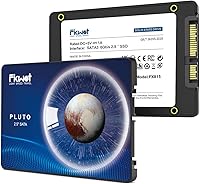
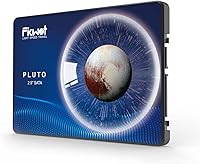
The Fikwot FX815 2TB 2.5″ SATA SSD entered a crowded storage market in April 2024 and has quietly built a respectable reputation, sitting inside the top 100 best sellers in its category with over 4,300 ratings averaging 4.5 stars. That's a strong start for a brand most buyers hadn't heard of before. The 7mm slim profile is a practical detail worth noting — it means compatibility with ultrabooks and slim laptops that reject thicker drives. One thing to be upfront about: this is a SATA drive, not NVMe, so speeds are fundamentally capped by the interface. If you're expecting PCIe-level performance, look elsewhere. For everyone else, this 2.5-inch SATA drive makes a compelling case.
Features & Benefits

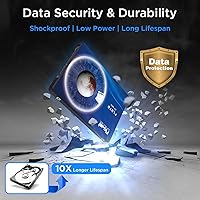
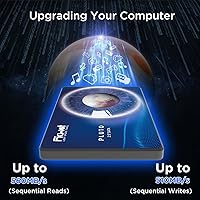
The FX815 2TB runs on 3D NAND flash with LDPC ECC error correction built in — the drive is actively monitoring and correcting data errors in the background, which matters for long-term reliability. The intelligent SLC cache pushes burst reads up to 560 MB/s and writes up to 510 MB/s, essentially the practical ceiling for SATA 3.0. Worth noting: that cache handles everyday tasks well, but sustained write speeds will drop once it fills during large file transfers — a known limitation of this interface, not a flaw specific to this drive. It is also shock and vibration resistant, consumes far less power than a spinning drive, and backs everything up with a 5-year warranty and 640 TBW endurance rating.

Best For

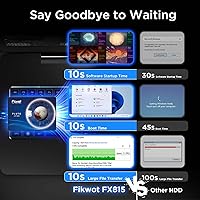
This 2.5-inch SATA drive is the right call if you're replacing a dying hard drive in an older laptop or desktop and want a real performance boost without overspending. Boot times and app launches will improve noticeably — that's the most tangible win for most users. The 7mm height makes it a fit for slim and ultrabook-style laptops where thicker drives simply won't seat properly. It also works well as secondary storage in a desktop build or as an upgrade inside a PS4. If you need 2TB for documents, media, or casual gaming and aren't running workloads that demand NVMe speeds, this Fikwot SSD hits a practical value sweet spot. First-time upgraders will appreciate the plug-and-play SATA compatibility — no drivers, no complications.

User Feedback

Buyers consistently highlight two things: fast boot times after installation and how straightforward the HDD swap process is — for most people, that's exactly what they paid for. Packaging gets positive mentions too, with the drive arriving well-protected and ready to install. The more nuanced feedback comes from users who noticed write speeds dropping during large sustained transfers, which is the SLC cache hitting its limit. That's expected behavior for any SATA SSD in this class. A few buyers compare it favorably to Crucial and Samsung equivalents at this capacity, citing competitive value. Long-term reliability data is still limited given the brand's recent entry, so the 5-year warranty carries more weight here than it might with an established name.

Pros

  • Replacing an HDD with this 2.5-inch SATA drive produces a genuinely noticeable improvement in boot and load times.
  • 2TB of internal storage at this price tier is hard to beat for media storage, documents, and casual gaming installs.
  • The 7mm slim height opens up compatibility with ultrabooks and thin laptops that reject standard 9.5mm drives.
  • SATA 3.0 interface means drop-in compatibility with virtually any laptop or desktop built in the last 15 years.
  • A 5-year warranty with a 640 TBW endurance rating provides genuine peace of mind for a value-tier drive.
  • LDPC ECC error correction runs quietly in the background, actively protecting stored data over the drive's lifespan.
  • Shock and vibration resistance adds durability that spinning hard drives simply cannot match.
  • Power consumption is dramatically lower than a traditional HDD, which translates to real gains in laptop battery life.
  • Over 4,300 ratings averaging 4.5 stars suggests the drive performs consistently across a broad range of users and machines.
  • Installation is genuinely plug-and-play — no drivers, no configuration, just swap and boot.

Cons

  • SATA interface caps real-world speeds well below what any NVMe drive can deliver, even budget NVMe options.
  • SLC cache fills under sustained heavy writes, causing speeds to drop noticeably during large file transfers.
  • Fikwot lacks the long-term reliability track record that brands like Samsung or Crucial have built over years.
  • No M.2 or PCIe variant exists, so users with modern motherboards get no performance benefit over cheaper alternatives.
  • Long-term firmware support and software tooling from Fikwot remain unproven compared to established brands.
  • Not compatible with PS5 internal slot and offers no heatsink option for desktop builds that run hot.
  • Buyers sensitive to brand trust may find the limited independent benchmark data harder to evaluate than name-brand options.

Ratings

The scores below were generated by AI after analyzing thousands of verified global user reviews for the Fikwot FX815 2TB 2.5″ SATA SSD, with algorithmic filtering applied to remove incentivized, bot-generated, and outlier feedback. The result is an honest cross-section of what real buyers experienced — covering everything from installation ease to long-term reliability — with both the strengths and the friction points reflected without bias.

Read & Write Performance
78%
22%
For everyday computing tasks — booting Windows, launching browsers, opening Office documents — buyers consistently reported a night-and-day difference compared to their old spinning drives. The SLC cache does its job well under normal workloads, keeping the drive feeling snappy during typical home and office use.
Once users push past routine tasks into sustained large file transfers, the cache fills and speeds drop noticeably. Video editors moving multi-gigabyte project files or users doing bulk media backups have flagged this throttling as a real limitation, which is an inherent SATA SSD trade-off rather than a product defect.
Value for Money
86%
Getting 2TB of solid-state storage at this price tier is genuinely difficult to argue against for the target buyer. Users upgrading from HDDs in older laptops or budget desktops repeatedly called out the price-to-capacity ratio as the single biggest reason they chose this drive over branded alternatives.
A handful of buyers who later discovered NVMe options at similar price points felt the value equation shifts when M.2 slots are available in their machine. For those users, spending the same amount on an NVMe drive would have delivered substantially better performance, making this drive's value largely conditional on your hardware.
Compatibility
91%
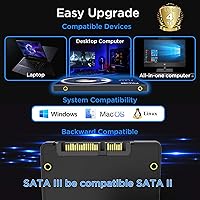
The SATA 3.0 interface and 2.5-inch form factor mean this drive works with an enormous range of machines — old ThinkPads, budget desktops, PS4 consoles, and Mac minis alike. Buyers praised the truly plug-and-play experience, with the drive recognized immediately on first boot across Windows, macOS, and Linux without any driver installation.
Compatibility is essentially only a concern for users with newer thin laptops that have already moved away from 2.5-inch bays entirely. A small number of buyers purchased this without confirming their laptop had a physical SATA bay, leading to returns — a research failure rather than a product flaw, but worth flagging.
Installation Ease
93%
First-time SSD upgraders repeatedly highlighted how straightforward the physical swap was — unscrew, slide out the old drive, slide in the new one, and boot. The drive's standard form factor means it fits existing laptop caddies and desktop bays without adapters in the vast majority of cases, removing a common anxiety point for less technical buyers.
The drive itself ships without cloning software or a quick-start guide, which left some first-time upgraders slightly unsure of next steps after the physical install. Users who needed to clone their existing drive had to independently source free third-party tools, which added a small but real friction point to the overall setup experience.
Build Quality & Durability
74%
26%
The shock and vibration resistance resonated with buyers who had previously lost data from a dropped laptop with a spinning hard drive. The solid-state construction — no moving parts — gives users genuine confidence about using the drive in a laptop that moves around daily, whether in a bag or on public transport.
Fikwot being a newer brand means long-term durability data is still accumulating. A small but notable portion of reviewers expressed cautious uncertainty about how the drive would hold up past the two- or three-year mark, and the lack of independent benchmark endurance testing from established labs leaves that question partially open.
Sustained Write Speed
61%
39%
Under typical daily use — saving documents, installing software, downloading moderate-sized files — the SLC cache keeps write performance feeling responsive and consistent. Most home users will never push the drive hard enough in a single session to exhaust the cache.
For users who regularly write large batches of data in one sitting, such as backing up a photo library or transferring a game install folder, speeds fall back to the drive's underlying TLC or QLC write rate once the cache is saturated. Several buyers specifically flagged this during large Steam library migrations, making it a meaningful limitation for certain use cases.
Brand Reliability & Trust
67%
33%
The combination of a 5-year warranty, a 640 TBW endurance rating, and an unexpectedly strong review volume for such a new brand gives cautious buyers more reassurance than they might expect from an unknown name. Fikwot's customer service responsiveness received positive mentions in a meaningful segment of reviews.
Brand trust is earned over years, and Fikwot simply hasn't been around long enough to build the track record that Samsung or Crucial have. Buyers who prioritize multi-year reliability data from established third-party sources will find less independent validation available for this drive than they would for its branded competitors.
Slim Form Factor (7mm)
88%
The 7mm height was a deciding factor for a notable subset of buyers with thin laptops that physically rejected standard 9.5mm drives. Ultrabook users in particular expressed relief that the drive seated correctly without requiring foam spacers or workarounds that thicker SSDs demand in slim chassis designs.
The 7mm profile is an advantage for slim devices but irrelevant for standard desktop installations. A few buyers in forum discussions noted that the product listing could do a better job of surfacing this specification, since buyers upgrading full-size desktop machines don't gain any practical benefit from the slim profile.
Boot & Load Times
89%
Improved boot times were the single most frequently cited win across the review base. Buyers coming from 5400 RPM laptop hard drives described their machines feeling like new hardware after the upgrade, with Windows cold boots completing in under 20 seconds in many reported cases.
A small number of buyers on older SATA 2.0 systems saw less dramatic improvements because the older interface limited throughput below what the drive could actually deliver. The advertised speeds require a SATA 3.0 host to be fully realized, and this caveat was not always clear to buyers shopping on older machines.
Packaging & Unboxing
82%
18%
The drive arrived well-protected in the majority of buyer reports, with secure packaging that prevented cosmetic or physical damage in transit. Several reviewers specifically mentioned the unboxing experience as feeling more polished than expected for a value-tier product from a lesser-known brand.
The package does not include any accessories — no mounting screws, no 2.5-inch adapter bracket, and no data migration software. For a first-time upgrader who assumed everything they need would be in the box, this caused minor but unnecessary confusion, particularly around desktop installation in cases that require specific drive screws.
Power Efficiency
84%
Laptop users who tracked their battery life before and after the upgrade reported meaningful improvements, particularly on older machines where the hard drive had been a significant power drain. The low idle power draw also means the drive runs cooler than HDDs, which contributes to overall thermal comfort during long sessions.
Power consumption, while measurably lower than a spinning drive, is not a differentiating factor compared to other SSDs in the same class — all SATA SSDs operate within a similarly efficient range. Buyers who upgraded specifically hoping for dramatic battery life gains found the improvement noticeable but not transformative on its own.
Noise & Vibration
96%
Buyers who had been tolerating the clicking, spinning, and vibration of an aging hard drive consistently praised the complete silence after switching to this 2.5-inch SATA drive. In quiet environments like libraries or home offices, the elimination of drive noise was described as a surprisingly satisfying quality-of-life upgrade.
There is almost nothing to criticize here — silent operation is simply what solid-state drives do by design. The only minor note from a handful of users is that the fanless silence made other system noises, like fan hum on older laptops, more noticeable by contrast.
Long-Term Reliability
63%
37%
The 640 TBW endurance rating and 5-year warranty provide a measurable reliability commitment that exceeds what many competing budget drives offer at this capacity. Early buyers from the April 2024 launch have reported no failures or firmware issues in the months since purchase, which is an encouraging early signal.
The drive has not yet accumulated the multi-year reliability data that would allow a confident long-term assessment. With Fikwot being a new brand and the product itself less than two years old, buyers who need high-confidence storage for irreplaceable data should maintain regular backups regardless of the warranty terms.

Suitable for:

The Fikwot FX815 2TB 2.5″ SATA SSD is purpose-built for one of the most common upgrade scenarios out there: pulling a slow, aging hard drive out of a laptop or desktop and replacing it with something that actually feels responsive. If your machine boots in 90 seconds, struggles to open Chrome quickly, or runs on a spinning drive from 2015, this is a practical, no-fuss fix. The 7mm height makes it compatible with slim and ultrabook-style laptops that physically cannot fit a thicker drive — that detail alone disqualifies many competing options for those users. It also works well as a secondary storage drive inside a desktop tower, or as a capacity upgrade inside a PS4. Budget-conscious buyers who need a full 2TB for documents, photos, video files, or casual game installs will find this Fikwot SSD hits the right balance of capacity and cost without forcing them to compromise on storage space.
Not suitable for:

Anyone building a modern PC from scratch or upgrading a machine that already has an M.2 slot should skip the Fikwot FX815 2TB 2.5″ SATA SSD and invest in an NVMe drive instead — the performance gap is substantial and the price difference has narrowed considerably. Content creators who regularly move large video files, photographers batch-processing RAW images, or anyone doing sustained large-file transfers will hit the limits of the SLC cache and see write speeds drop mid-transfer. That's not a defect — it's an inherent characteristic of how SATA SSDs with SLC caching work — but it does make the FX815 2TB a poor fit for those workflows. Buyers who place heavy weight on brand legacy and long-term reliability data may also want to wait, since Fikwot is still a relatively new name and multi-year field data is limited compared to established alternatives like Samsung or Crucial.
Specifications

  • Capacity: The drive provides 2TB of usable internal storage, suitable for operating systems, applications, media libraries, and large file collections.
  • Form Factor: Built in the standard 2.5-inch form factor, compatible with laptops, desktop drive bays, and external enclosures designed for 2.5-inch drives.
  • Height Profile: At 7mm slim height, the drive fits ultrabooks and thin laptops that cannot physically accommodate the thicker 9.5mm standard.
  • Interface: Uses a SATA 3.0 (6Gb/s) interface, providing broad compatibility with virtually any laptop or desktop manufactured in the past 15 years.
  • Read Speed: Rated for sequential read speeds of up to 560 MB/s under burst conditions via the SLC cache layer.
  • Write Speed: Rated for sequential write speeds of up to 510 MB/s under burst conditions, consistent with SATA 3.0 interface limits.
  • NAND Type: Employs 3D NAND flash memory, which stacks memory cells vertically to improve density, endurance, and energy efficiency over planar NAND.
  • Cache Type: Features an intelligent SLC cache that accelerates burst read and write performance for everyday tasks and smaller file operations.
  • Error Correction: Includes LDPC (Low-Density Parity-Check) ECC, which actively detects and corrects data errors to maintain long-term data integrity.
  • Endurance Rating: Rated at 640 TBW (Terabytes Written), representing the total data volume the drive is warranted to handle over its working lifetime.
  • Warranty: Backed by a 5-year manufacturer warranty, with technical support available through the Fikwot official website.
  • Weight: The drive weighs 2.12 ounces (approximately 60 grams), which is typical for a 2.5-inch solid-state drive of this capacity.
  • Dimensions: Physical dimensions measure approximately 3 x 2 x 0.28 inches (L x W x H), fitting standard 2.5-inch drive mounting brackets and caddies.
  • Power Consumption: Consumes significantly less power than a traditional spinning hard drive, which reduces heat output and extends battery runtime in laptops.
  • Shock Resistance: The drive is built to withstand shock and vibration, making it more resilient than mechanical hard drives that use spinning platters.
  • Installation Type: Designed for internal installation and requires no additional drivers or software — it is recognized automatically by Windows, macOS, and Linux.
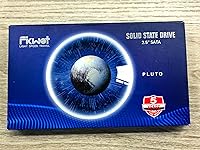
  • Color: The drive casing is finished in blue, which is visible only when the drive is outside the host device during installation.
  • Availability Date: The FX815 series became available for purchase in April 2024, making it a relatively recent entrant in the 2.5-inch SATA SSD segment.

Related Reviews
Fikwot FN203 2TB M.2 SATA SSD
88%
88%
Sequential Read Speed
84%
Sequential Write Speed
90%
Durability
87%
Data Integrity/Error Correction
95%
Ease of Installation
More
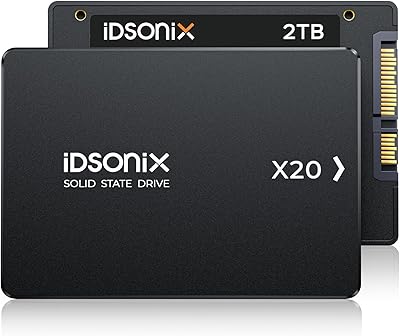
iDsonix X20 2TB 2.5″ SATA SSD
80%
88%
Performance
92%
Value for Money
85%
Reliability
65%
Installation Process
90%
Durability/Build Quality
More
KingSpec OneBoom 2TB Internal SSD
80%
91%
Value for Money
74%
Read & Write Performance
93%
Installation Ease
78%
Build & Physical Quality
67%
Reliability & Durability
More
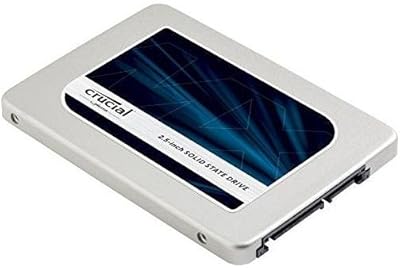
Crucial MX300 2TB SATA 2.5 Inch Internal SSD
86%
92%
Performance
89%
Value for Money
88%
Durability
91%
Ease of Installation
94%
Read Speed
More
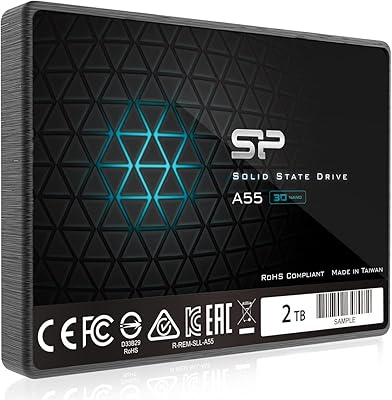
Silicon Power A55 2TB Internal SSD
75%
88%
Value for Money
82%
Read Performance
63%
Write Performance
71%
Long-Term Reliability
91%
Installation Experience
More
StarTech USB 3.0 to 2.5″ SATA SSD/HDD Enclosure - 2TB

85%
88%
Data Transfer Speed (UASP)
90%
Build Quality & Durability
85%
Ease of Use (Installation)
87%
Portability & Design
92%
Compatibility (PC & Mac)
More
Vantec NexStar JX 3.5″ HDD Enclosure
76%
93%
Ease of Setup
78%
Transfer Speed — USB
86%
Transfer Speed — eSATA
74%
Thermal Management
67%
Build Quality
More
Cenmate 5-Bay Hybrid HDD/NVMe Enclosure
73%
83%
Build Quality
78%
Thermal Management
71%
Transfer Speed
69%
RAID Functionality
76%
Drive Compatibility
More
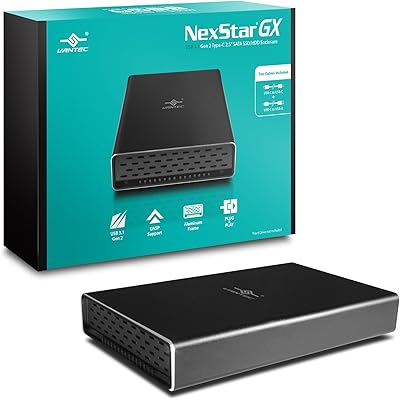
Vantec NexStar Gx USB 3.1 Gen 2 Type-C 2.5” SATA SSD/HDD Enclosure
88%
91%
Data Transfer Speed
95%
Ease of Setup
87%
Build Quality & Durability
88%
Compatibility with Devices
85%
Heat Dissipation
More
ICY DOCK ToughArmor MB998SP-B 8-Bay 2.5” SATA/SAS HDD/SSD Mobile Rack Enclosure for 5.25″ Bay
87%
91%
Performance
88%
Cooling Efficiency
89%
Build Quality
93%
Ease of Installation
72%
Noise Level
More

FAQ

Yes, in most cases the improvement is immediately obvious. Replacing a mechanical hard drive with this 2.5-inch SATA drive typically cuts boot times from over a minute down to 15–20 seconds, and apps open far more responsively. It won't transform an old processor, but storage is usually the biggest bottleneck on aging machines.

Yes, the PS4 uses a standard 2.5-inch SATA interface internally, so this drive slots right in as an upgrade. Just keep in mind you'll need to reinstall the PS4 system software after swapping the drive — Sony provides a straightforward guide for that process on their support site.

Most slim and ultrabook-style laptops from the past several years accept 7mm drives, while older or thicker laptops may support both 7mm and 9.5mm. Check your laptop's specifications or service manual — many manufacturers list the supported drive height. If you're unsure, a quick search for your exact model number alongside the term drive height usually turns up the answer quickly.

It is, and it's worth being upfront about. The FX815 2TB uses an SLC cache to hit its peak rated speeds, but once that cache fills during sustained large writes — think copying a 50GB folder — speeds will drop until the cache clears. For everyday tasks like booting, launching apps, or working with typical files, you won't notice it. If you regularly move very large files, that's something to factor in.

Yes. Any 2.5-inch SATA USB enclosure will work with this drive. It's a popular option for people who want to repurpose an old internal drive or use it for portable storage — just make sure the enclosure supports SATA 3.0 to avoid bottlenecking the drive's read and write speeds.

On raw SATA performance, they're all operating within the same ceiling — SATA 3.0 limits everyone equally. The Samsung and Crucial drives carry more established brand reputations and longer field reliability histories. The FX815 2TB competes on value and has accumulated a solid rating base, but if brand trust is a top priority, the Samsung and Crucial options have more documented long-term data behind them.

The drive itself doesn't include cloning software, but free options like Macrium Reflect (Windows) or Clonezilla handle the job well. You'll need a USB-to-SATA adapter or external enclosure to connect both drives simultaneously during the cloning process. Fikwot's official website also provides technical support if you run into issues.

TBW stands for Terabytes Written, and it represents the total amount of data you can write to the drive over its lifetime before the warranty no longer covers it. At 640 TBW, if you wrote 50GB per day every single day, the drive would last over 35 years before hitting that limit. For typical home or office use, the endurance rating is well beyond what most users will ever approach.

It works with macOS without any issues. SATA drives are recognized natively by macOS — no drivers needed. If you're replacing an internal drive in an older MacBook Pro or Mac mini, just make sure your machine physically has a 2.5-inch SATA bay, since newer Apple silicon Macs use soldered storage with no upgrade path.

It's a legitimate question. The warranty is only as useful as the company's willingness to honor it, and Fikwot is newer to the market than brands like Western Digital or Samsung. What works in their favor is that they have official support channels, and the warranty terms are clearly documented. For a drive in this price range, a 5-year coverage period is generous — but keeping your data backed up regardless of brand is always the smarter habit.

Where to Buy