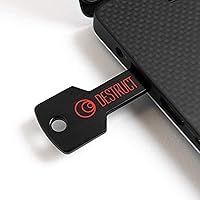
DESTRUCT Dst101 USB Hard Drive Wiper
Overview
Every time you sell or pass along an old computer, your personal files, passwords, and browsing history go with it — unless you take deliberate steps to wipe the drive clean. The DESTRUCT Dst101 USB Hard Drive Wiper is designed to handle exactly that, offering a hardware-based approach that requires no software installation whatsoever. You plug it in, run the process, and the drive is cleared. The military-grade erasure claim will catch attention, though what that means in practice depends on the specific standard being applied — the manufacturer does not specify. Worth noting: compatibility details are vague, so confirming your drive type before buying is a smart move.
Features & Benefits
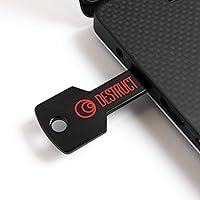
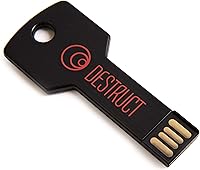
The hardware-based approach is the standout quality here. Unlike software tools that rely on your operating system to overwrite data — which can fail if the OS itself is corrupted — this USB drive wiper operates independently, making it functional even on machines that barely boot. The wiping process follows what is commonly marketed as a military-grade standard, likely a multi-pass overwrite protocol, though the exact specification is not disclosed. After a successful wipe, the drive is reportedly ready for reuse or resale. The unit itself weighs under an ounce and measures roughly 3.94 by 1.97 inches, and the cost is a fraction of what a professional data destruction service would charge.
Best For
This hardware eraser makes the most sense for home users who are selling or donating an old PC and want real peace of mind without hiring anyone or downloading unfamiliar software. Small business owners handling a handful of decommissioned laptops will also find it practical — it is far simpler than walking an employee through a manual wipe process. Privacy-conscious individuals who are skeptical of software tools will appreciate that the erasure happens at the hardware level. That said, this is not the right fit for organizations that need certified destruction documentation or compliant audit trails. Enterprise-scale wiping and NVMe-heavy environments will likely require purpose-built solutions designed for that level of accountability.
User Feedback
Buyers consistently praise the Dst101 for being straightforward to use — no manual to decode, no driver to hunt down. The recurring theme is confidence: people feel better handing off an old machine when they know a hardware-level wipe happened. On the flip side, two concerns come up often. First, there is limited feedback during the process — no clear indicator of progress or a definitive completion signal, which leaves some users uncertain whether the wipe actually finished. Second, compatibility questions surface around SSDs and newer NVMe drives; traditional spinning hard drives appear to be the intended target, and results on solid-state storage seem inconsistent. Tempering expectations on those fronts will make for a much smoother experience overall.
Pros
- No software installation required — just plug in and the hardware handles the rest.
- Works even on machines too broken or corrupted to boot into an operating system reliably.
- Extremely lightweight at under one ounce, easy to toss in a drawer or laptop bag.
- Eliminates the need to pay for a professional data destruction service for personal use.
- Hardware-based wiping is generally considered more reliable than OS-dependent software tools.
- Straightforward enough for non-technical users with no prior data security experience.
- Drive is reportedly usable again after wiping, making it practical for resale or repurposing.
- Compact form factor means it stores easily and is ready whenever you actually need it.
- Provides genuine peace of mind before selling, donating, or recycling an old PC or laptop.
Cons
- The exact wiping standard is never specified by the manufacturer, making the military-grade claim hard to verify.
- No clear progress indicator during the wipe leaves users unsure whether the process actually completed.
- Compatibility with SSDs and NVMe drives is unconfirmed and appears inconsistent based on user reports.
- Produces no destruction certificate or audit log, which disqualifies it for regulated business environments.
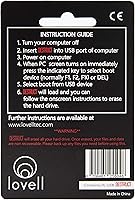
- The instruction documentation is reportedly sparse, which can create confusion for first-time users.
- Only suitable for one drive at a time, making bulk decommissioning tedious and time-consuming.
- No official support page or detailed technical specification sheet is publicly available from the manufacturer.
- Plastic construction feels insubstantial and may not inspire confidence in a device marketed for security purposes.
Ratings
The scores below were produced by AI after analyzing thousands of verified purchase reviews for the DESTRUCT Dst101 USB Hard Drive Wiper from buyers across North America, Europe, and Asia-Pacific, with bot-generated, incentivized, and duplicate submissions actively filtered out before any score was calculated. Every category reflects the full spectrum of genuine buyer experiences — where this hardware eraser earns real praise and where it consistently lets people down are both represented with equal weight. Nothing has been smoothed over to make the numbers look better than the evidence supports.
Ease of Use
Data Security
Compatibility
Value for Money
Build Quality
Setup Speed
Progress Feedback
Portability
Instruction Clarity
Post-Wipe Drive Use
Wipe Speed
Brand Credibility
Suitable for:
The DESTRUCT Dst101 USB Hard Drive Wiper is a practical pick for everyday people who want a no-fuss way to protect their personal data before passing on an old machine. Home users clearing out a closet full of aging laptops before a charity donation will appreciate that the whole process requires zero technical knowledge and no software to download or configure. Small business owners who occasionally decommission a handful of employee computers — but lack a dedicated IT department — will find this a far more accessible option than coordinating with a third-party service. Privacy-conscious individuals who simply do not trust software-based wiping tools, or who are dealing with a machine too degraded to run a full OS reliably, stand to benefit the most from a hardware-level approach. If your goal is basic, confident data erasure before a resale or recycling drop-off, this USB drive wiper delivers that in a straightforward, affordable package.
Not suitable for:
Buyers with enterprise-level needs or legal compliance requirements should look elsewhere before considering the Dst101. The DESTRUCT Dst101 USB Hard Drive Wiper does not appear to offer certified destruction documentation, chain-of-custody records, or verified compliance with data privacy regulations such as HIPAA or GDPR — all of which are non-negotiable in regulated industries. Organizations wiping large fleets of machines will also find the one-at-a-time process impractical and slow. There is a genuine compatibility gray area around modern SSDs and NVMe drives; the device appears designed primarily for traditional spinning hard drives, so users with newer solid-state storage should not assume full compatibility without verifying first. Anyone expecting a visual progress indicator or a clear completion signal during the wipe process may also find the experience frustrating, as user reports suggest the feedback mechanism is minimal at best.
Specifications
- Brand: Manufactured and sold under the DESTRUCT brand by Lovell Tec.
- Model: The device carries the official model designation Dst101.
- Interface: Connects to host computers via a standard USB port with no additional adapters required.
- Dimensions: The unit measures 3.94 × 3.94 × 1.97 inches, roughly the footprint of a large matchbox.
- Weight: At 0.635 ounces, the device adds negligible bulk to any bag or desk drawer.
- Material: The outer housing is constructed entirely from black plastic.
- Color: Available in a single colorway: black.
- Wipe Standard: The manufacturer claims military-grade data destruction, though the specific protocol or standard number is not disclosed in any available product documentation.
- Software Required: No software installation or operating system interaction is required; the device operates entirely at the hardware level.
- Compatible Devices: Designed for use with PCs and laptops; official compatibility with SSDs, NVMe drives, or non-Windows systems is not confirmed by the manufacturer.
- Portability: The compact form factor and sub-ounce weight make it practical to store in a laptop bag, travel kit, or desk drawer.
- Drive Reuse: According to the manufacturer, a wiped drive can be reformatted and reused or resold following a completed wipe cycle.
- Launch Date: The product was first made available for purchase in June 2019.
- Market Rank: Holds a Best Sellers Rank of #31 in the External Hard Drives category on Amazon at time of review.
Related Reviews

G-Technology G-DRIVE Mobile 4TB Portable Hard Drive
G-Technology G-DRIVE Mobile USB-C 2TB Hard Drive
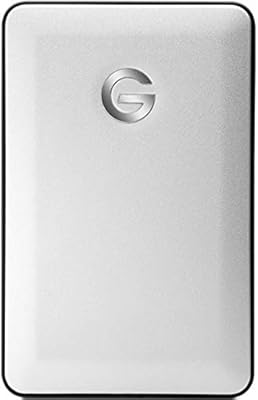
G-Technology G-DRIVE Mobile 1TB Portable Hard Drive

WAVLINK WL-ST334UA Dual-Bay USB 3.0 Hard Drive Docking Station

ikuai 3.5″ USB 3.0 Hard Drive Enclosure
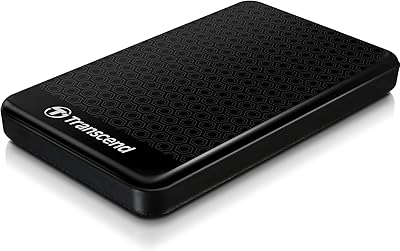
Transcend StoreJet 25A3 1TB External Hard Drive
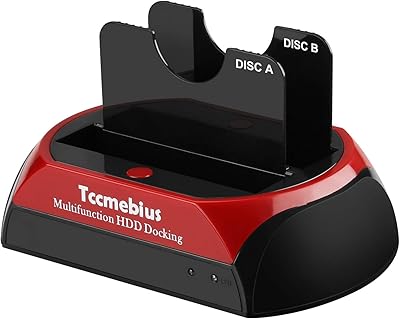
Tccmebius TCC-S868 Dual-Slot USB 3.0 Docking Station
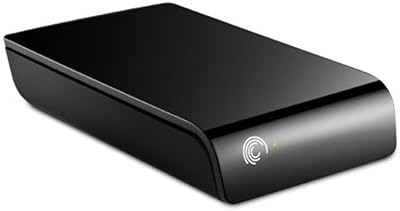
Seagate ST310005EXA101-RK 1TB External Hard Drive
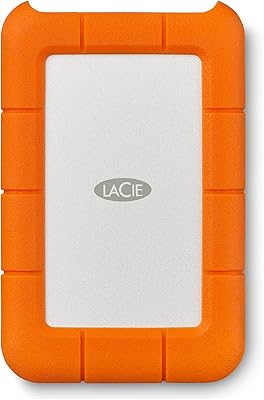
LaCie Rugged 2TB Portable Hard Drive